# File Edits Sidebar
The File Edits Sidebar tracks every file your AI agent read or changed during a session, so you can review each modification before accepting.
The File Edits Sidebar lists every file the AI touched during a session, so you always know what was modified, referenced, or read, and what still needs your review. Use it as your review checklist after an agent finishes a task.
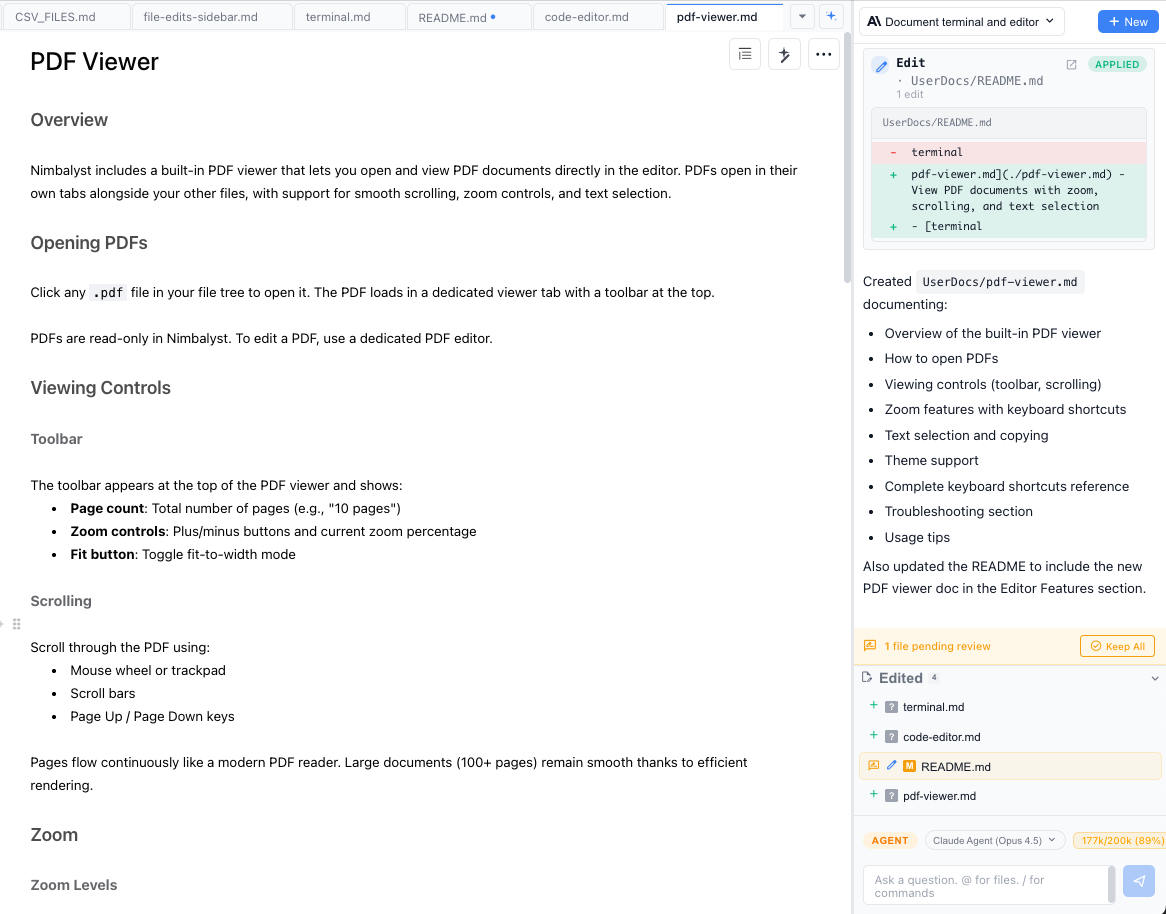
An agent session with the Edited list in the sidebar showing four changed files, one of them pending review with a Keep All button.
* Every file the AI edited appears in the sidebar list
* Click a file to jump directly to the AI session that made the edit
* See how many changes are in each file and navigate between them
* **All Uncommitted Files** mode shows files with pending changes across your project
### Diff Peek
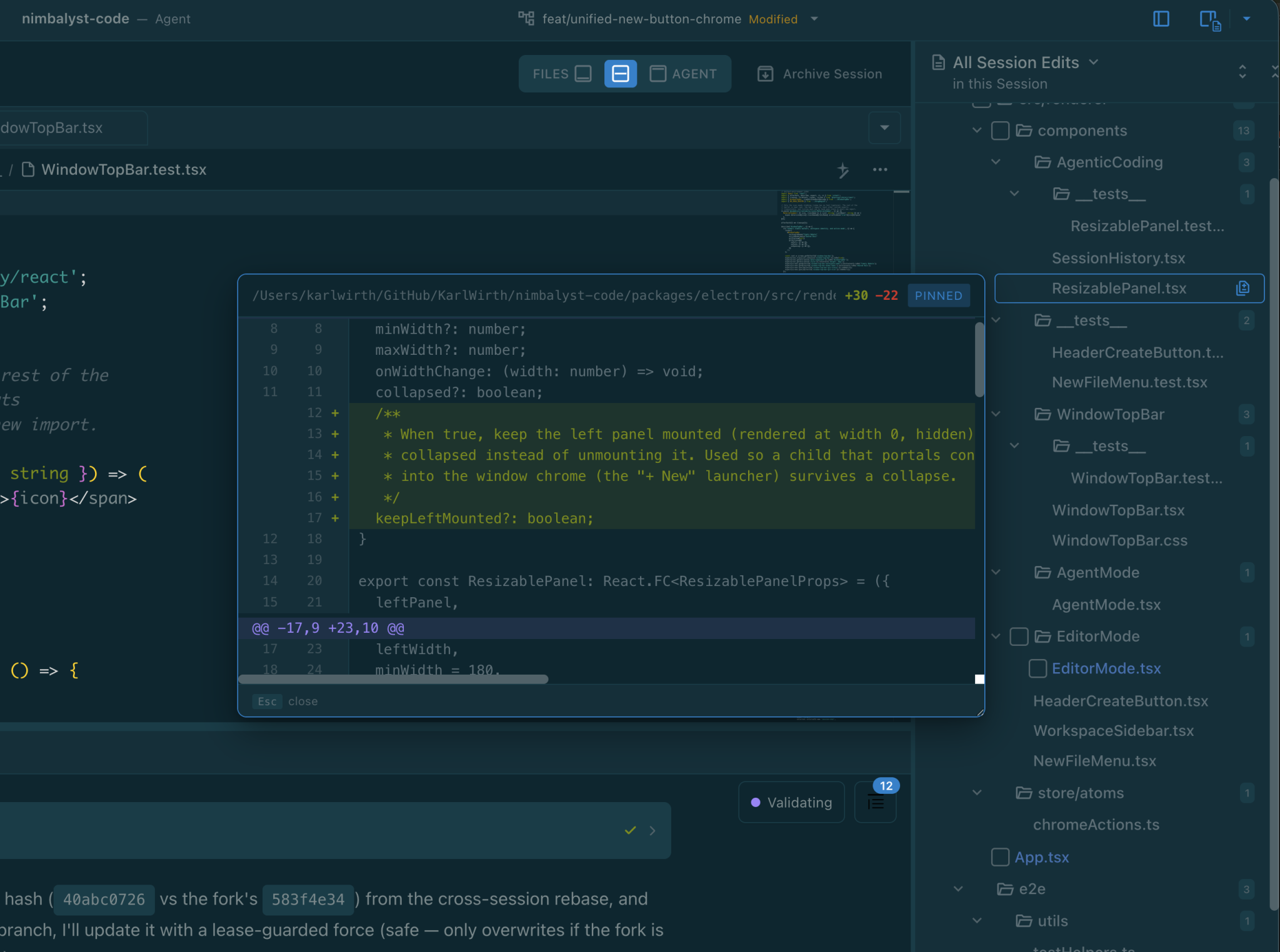
Hover any row in the edited-files list and a peek icon appears on the right. Click it to open a unified diff popover anchored to the row, so you can see exactly what the agent changed without leaving the session view or opening the file.
Review a file's changes from All Session Edits without leaving the agent session.
* Hover the row to reveal the peek icon
* Click the icon to pin the diff popover
* The popover is resizable, and the size you pick is remembered (it stays in sync with the diff peek in the Git extension and the commit proposal widget)
* Click outside or press Esc to close