# Open Data, Workflow, File Storage
Nimbalyst keeps your documents, metadata, and settings in open formats on your own machine, and the app itself is open source on GitHub.
This page covers where Nimbalyst keeps your content and configuration. Your documents, plans, workflow commands, and images live as ordinary files in your own folders, in formats any tool can read.
### Open Source App
Nimbalyst itself is open source. The full source code is published at [github.com/nimbalyst](https://github.com/nimbalyst), so you can audit how your files, sessions, and settings are handled, build your own version, or contribute back.
More on the license and what is open is on the [open source page](https://nimbalyst.com/open-source/).
### Documents and Status Stored as Markdown
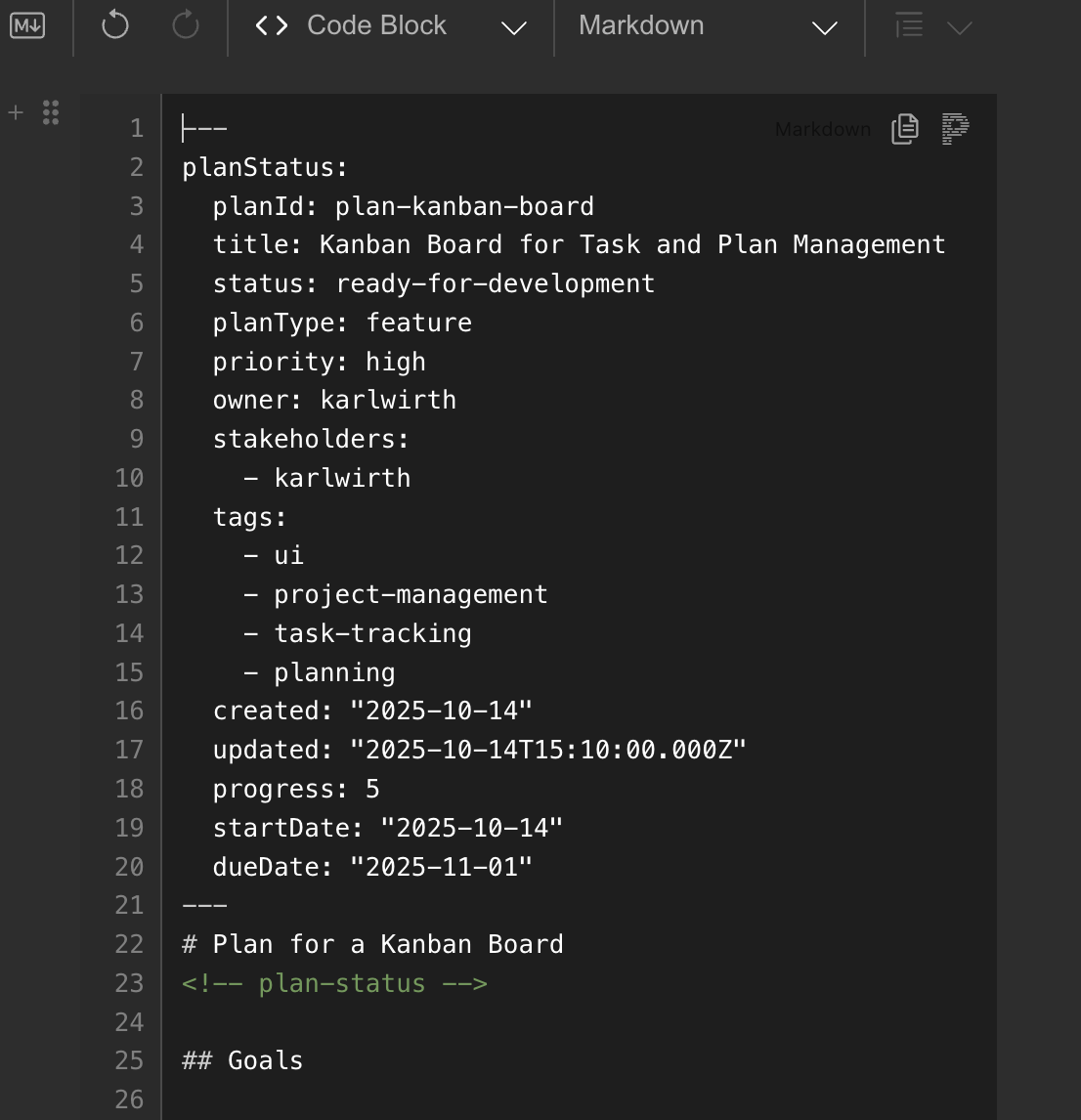
A plan file in the editor. The YAML frontmatter at the top holds the plan's status, priority, owner, tags, and dates; the markdown body follows below.
* **Human-readable format**: Plans, documents, tasks, and status tracking use standard markdown files
* **Version control ready**: Plain text files work with Git for history and collaboration
* **YAML frontmatter**: Structured metadata sits as YAML at the top of the markdown file
* **No proprietary formats**: Edit your files with any text editor, never locked into a specific tool
* **Transparent tracking**: Plan status, progress, and metadata are all visible and editable in the markdown source
### Workflow and Config Stored as Coding Agent Commands
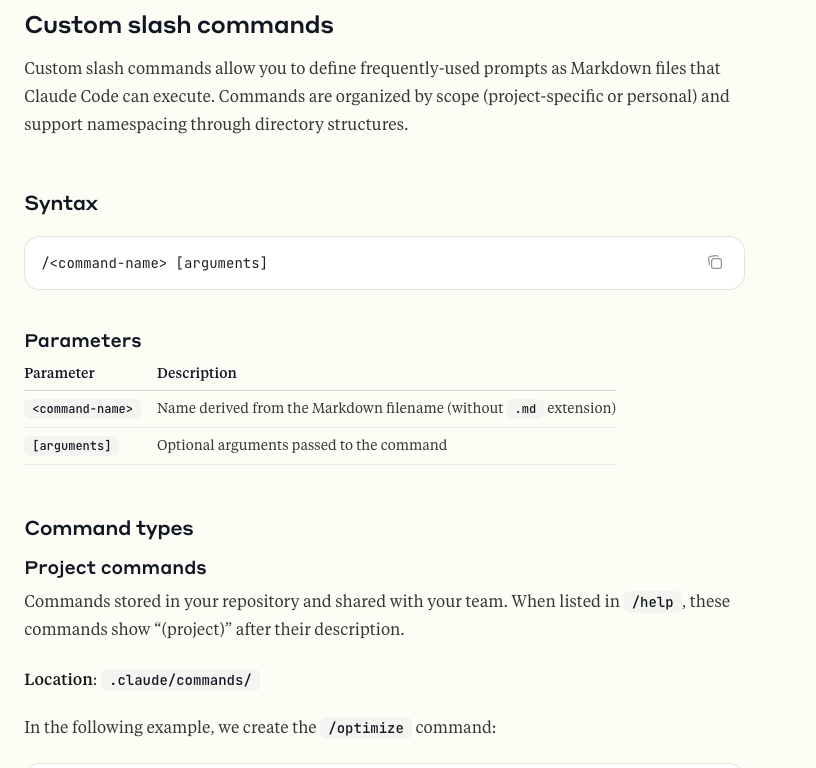
Claude Code's custom slash commands are markdown files in the .claude/commands/ folder of your project, so your Nimbalyst workflows use the same open format.
* **Slash commands**: Custom workflows stored in `.claude/commands/` as markdown files
* **Project instructions**: Repository-specific guidance in `CLAUDE.md` checked into your codebase
* **Local configuration**: Settings and preferences stored in standard application directories
* **Portable workflows**: Share custom commands and workflows by committing them to version control
* **No vendor lock-in**: All configuration uses open standards and readable formats
### Your Files Stored in Your File Tree or GitHub
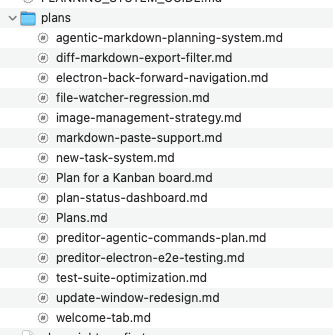
A project's plans folder in the file tree. Each plan is an ordinary .md file you can open with any editor.
* **File system first**: Local documents are stored directly in your local file system
* **Optional team workspace**: Files explicitly promoted to Nimbalyst Teams gain a shared copy that flows through Cloudflare encrypted in transit and at rest
* **Git integration**: Full support for Git version control and GitHub synchronization
* **Your choice of sync**: Use GitHub, GitLab, Bitbucket, or any Git hosting service you prefer
* **Standard file structure**: Local project content stays in files and folders you control
* **Backup friendly**: Standard file storage works with any backup solution
### Your Images Stored in Your Project
When you paste or insert an image, the image file itself is saved in your project's `.nimbalyst/assets` folder, and your markdown file holds a plain link to it. Both travel with the project like any other file.