DatamodelLM
Visual database schema design with Prisma syntax, powered by AI
.prisma Available in the Nimbalyst Extension Marketplace
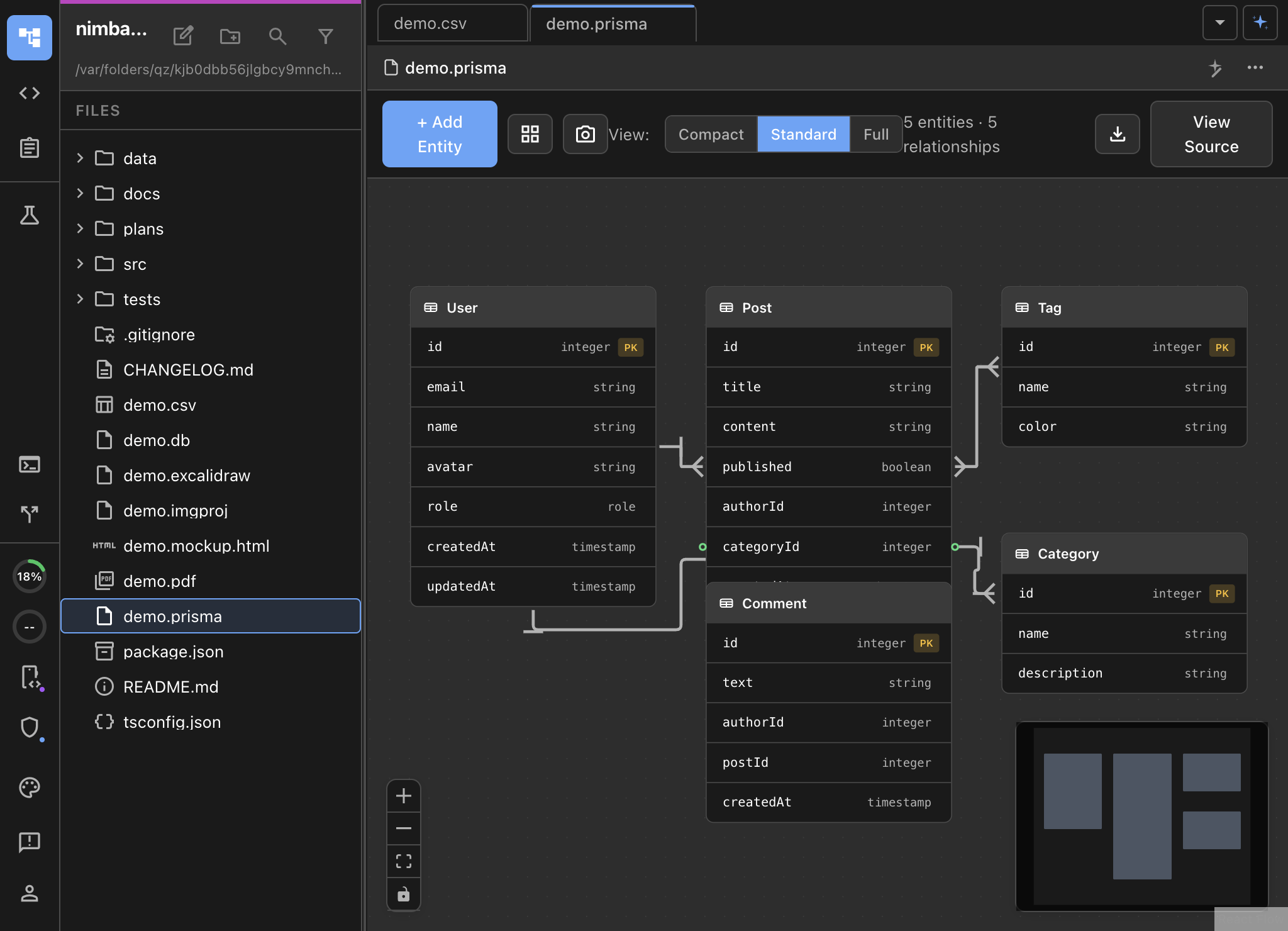
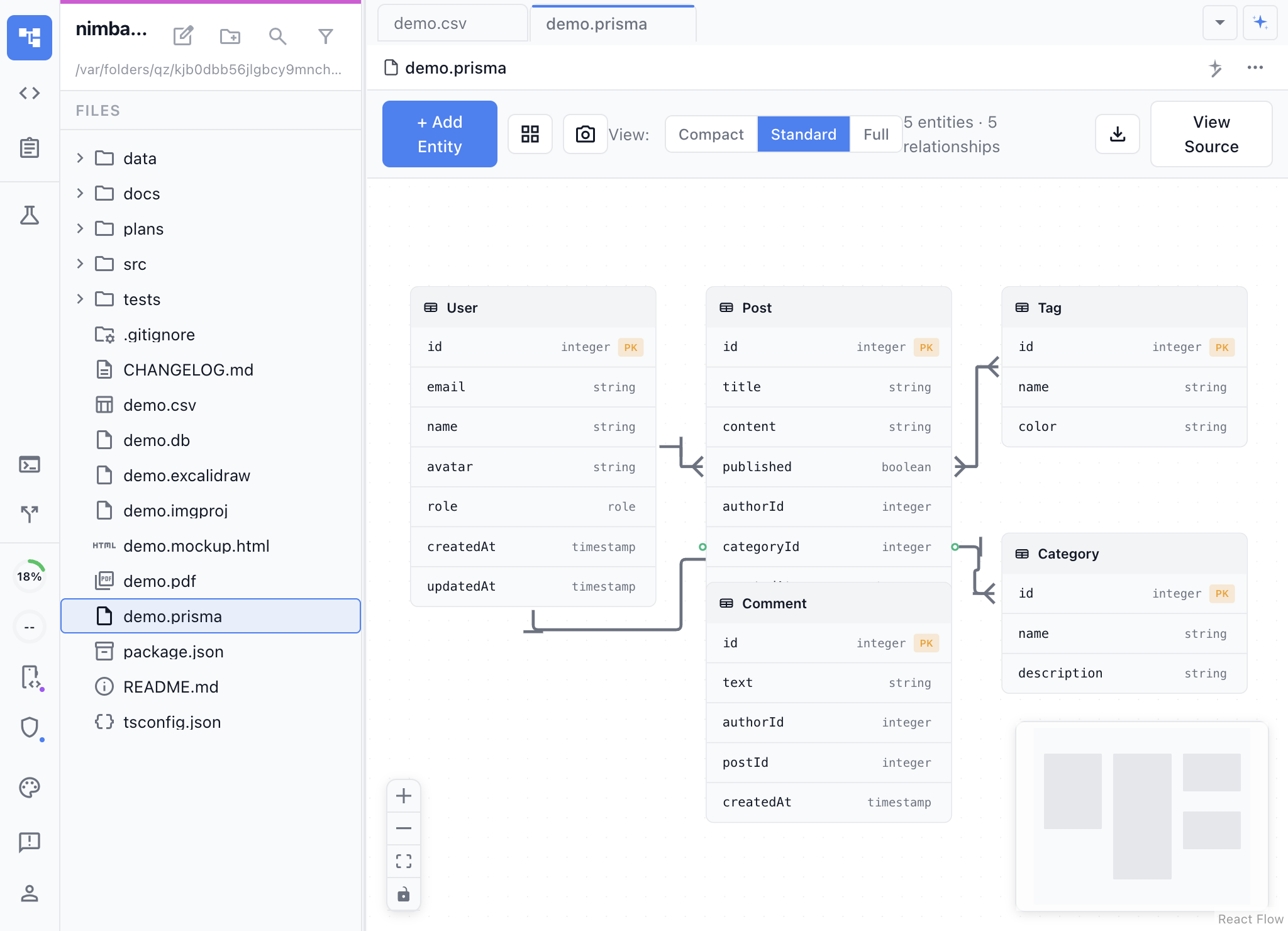
Visual Database Design Backed by Real Schemas
DatamodelLM gives you a visual entity-relationship diagram that writes real Prisma schema files. Drag entities around the canvas, define fields and relations visually, and the underlying .prisma file stays in sync. Switch to source mode to edit the schema directly.
Unlike standalone ERD tools that export to images, DatamodelLM files are real Prisma schemas. They work with prisma generate, prisma migrate, and the entire Prisma ecosystem.
Key Features
- Visual ERD canvas — Drag-and-drop entity layout with automatic relationship lines and cardinality indicators.
- Real Prisma syntax — The visual diagram reads and writes actual Prisma schema files.
- AI-assisted schema design — Describe your data model in natural language and the AI generates the Prisma schema.
- Inline embedding — Insert data model diagrams directly in markdown documents using the slash command menu.
- Bidirectional editing — Changes in the visual canvas update the source, and vice versa.
Use Cases
- Database schema design — Design new database schemas visually before running migrations.
- Schema documentation — Keep visual ERDs alongside your code that stay in sync with the actual schema.
- Architecture planning — Include data models in design documents and technical specs.
- Onboarding — Help new developers understand the data layer with visual diagrams.
- AI-assisted modeling — Describe your domain and let the AI generate an initial schema to iterate on.
How It Works
Create a .prisma file or use the /datamodel command. The extension opens the file as a visual ERD. Add models, define fields and types, draw relations between entities. The Prisma source updates in real time. Toggle source mode to hand-edit the schema when needed.