Open sourcing Nimbalyst: the visual workspace for building with Codex, Claude Code, and more
Today we are open-sourcing Nimbalyst, the visual workspace for building with Codex, Claude Code, and more. Free for individual use, MIT licensed desktop app.
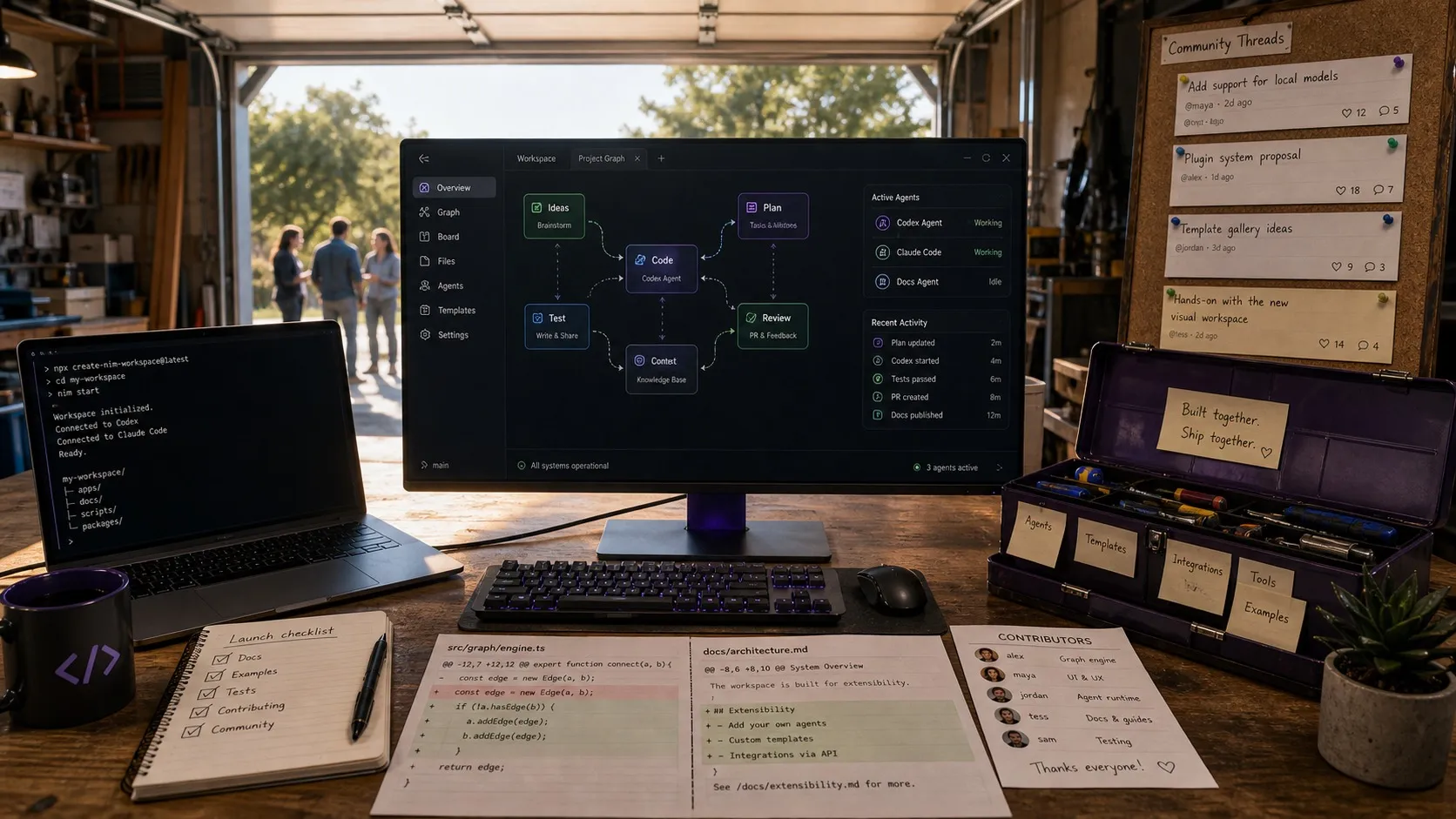
Today we are open-sourcing Nimbalyst.
Nimbalyst is the open-source visual workspace for building with Codex, Claude Code, and more. It works with Codex and Claude Code today, with Opencode and Copilot in alpha. The desktop and iOS apps are MIT licensed and free.
Why we built Nimbalyst
AI coding agents changed how software gets built. The tools around them did not keep up.
If you work with Claude Code, Codex, or any of the other coding agents, your day looks something like this. A few terminal sessions running in parallel. A separate app for the diagrams. Another for the mockups. A doc tool for the plan. A spreadsheet for the data model. A different surface for the task list.
The artifacts of agent-driven development, the plans, mockups, diagrams, specifications, and tasks, all live outside the agent workflow. So the agent works with a fraction of the context, and you spend time stitching the rest together by hand or MCP.
Nimbalyst pulls this into one place. Humans and agents work on the same files, in the same workspace, with full visibility into what each session is doing. Integrated context and visual editing.
What Nimbalyst does
Visual editors. Built-in WYSIWYG editors for markdown, UI mockups, Excalidraw diagrams, data models, spreadsheets, and code via Monaco. You edit files visually. Your agents edit the same files alongside you.
Diff review. When an agent makes changes, you get a visual red/green diff with per-block accept and reject controls. No blind merging.
Session management. A kanban-based session manager for running multiple agent sessions in parallel. Search, resume, and organize sessions. Link sessions to files, and files back to sessions.
Task tracking (alpha). A lightweight tracker for plans, bugs, and tasks that links to sessions and files. Agents can create, update, and execute tasks. You see and edit the same view they do.
Extension system. A pluggable architecture where every editor, including the built-ins, implements the same EditorHost contract. Teams can build custom visual editors for their own file types and workflows. Existing extensions include an Astro website editor, visual git log, mindmap, slides, and a Replicad CAD editor.
Developer tools. Git worktrees for isolated agent branches, workstreams, visual git management, and agent-managed git operations.
Mobile. An iOS app for remote management of agent sessions across the supported agents.
Multi-agent and multi-model. Claude Code and Codex today. Opencode and Copilot in alpha. More planned. The architecture is designed so you do not get locked into one provider.
How we think about the workspace
Six beliefs shape Nimbalyst.
Visual interfaces are the highest bandwidth. Humans are visual. Plain text chat is fine for a quick instruction, but most of the work, designing, reviewing, deciding, happens faster in a visual surface.
We are all managers of agents. Planning, prioritizing, reviewing work, and setting direction is the job now. The workspace should be built around managing many parallel sessions, not babysitting one terminal.
Integration produces richer shared context. When docs, diagrams, tasks, sessions, and code live in one place, both humans and agents make better decisions. Switching between disconnected apps loses context every time.
Open format. Open source. Local. Your files stay on your filesystem in open formats. Markdown, Excalidraw JSON, HTML, plain files on disk and in git. The desktop and iOS apps are MIT licensed.
Work inline as you go. Coordination should happen in the same surface as the work, not in a separate meeting or a different tool.
It is your workspace. Extend and modify it. If you need a custom editor for your workflow, you should be able to build one. The extension system is the same one our built-in editors use.
Where Nimbalyst sits in the landscape
The coding workspace is becoming the primary interface for software development, and every major AI company is building one. Anthropic has Claude Code and the Claude Code desktop app. OpenAI has Codex and is shipping a desktop experience. Cursor has built an AI-native IDE with a large user base — see our broader IDE comparison for how the category lines up.
Most of these come from one of two directions. IDE-based tools start from code files and add AI on top. Chat-based tools start from sessions and add file access. Both leave gaps. IDE-centric tools treat plans, mockups, diagrams, and specifications as second-class. Chat-centric tools lack the visual editing and structured project management you need when you are running several agents across a codebase.
Nimbalyst takes a different shape across a few dimensions:
- Open source and vendor-independent. The desktop and iOS apps are MIT licensed. You own your toolchain and can extend it without waiting for a vendor to prioritize your use case. See the open source page for licensing and the tech stack.
- Extensible with native visual editors. Built-in editors for mockups, diagrams, data models, spreadsheets, and rich documents, plus an extension system that lets teams add editors for any file type.
- Agent-neutral by design. Claude Code and Codex today, Opencode and Copilot in alpha, and more agents to come. The extension architecture means third-party agent integrations can be built independently of us.
Business model
The desktop and iOS apps are MIT licensed and free for individual use.
Who Nimbalyst is for
Nimbalyst is built for cross-functional builder teams. Product managers, developers, designers, and anyone else using AI coding agents in their daily work. As local coding agents expand beyond software engineering into broader knowledge work, an extensible visual workspace becomes useful far past the engineering team.
Tech stack
Electron, React, Jotai, PGLite (PostgreSQL in WebAssembly), Lexical for rich text, Monaco for code, and Playwright for end-to-end tests. Cloudflare Workers and Durable Objects power cloud infrastructure.
Try it and build with us
- Repository: github.com/Nimbalyst/nimbalyst
- Website: https://nimbalyst.com
- Documentation: https://docs.nimbalyst.com
- Discord: https://discord.gg/FgD9S2MCYB
We would love your feedback. We would love your contributions, whether that is a new extension, a bug fix, or a feature. And we would love to work with you on shaping what the workspace for agent-driven software development looks like.
— Karl and Greg
Related posts
-
MCP Is Not a Workspace
MCP gives agents access to every tool. It does not connect the work, preserve what sessions learn, or give humans and agents a shared workspace.
-
Why we put Obsidian, Linear, Terminal, Codex app, and Conductor in one workspace
Plans, diagrams, tasks, agent sessions, and diff review used to live in five apps. Putting them in one workspace changes how agentic engineering feels.
-
Cursor Just Picked a Side: What the SpaceX Deal Means for AI Coding
SpaceX's $10B/$60B option on Cursor signals a shift toward vertical AI coding stacks. Lock-in now spans model, harness, and GUI together, not just the model.