Best AI Mockup Tools for Spec-Driven AI Coding (2026)
AI mockup tools compared for Claude Code and Codex feature planning. v0, Lovable, Bolt.new, Figma Make, Uizard, Visily, Galileo AI, and MockupLM.
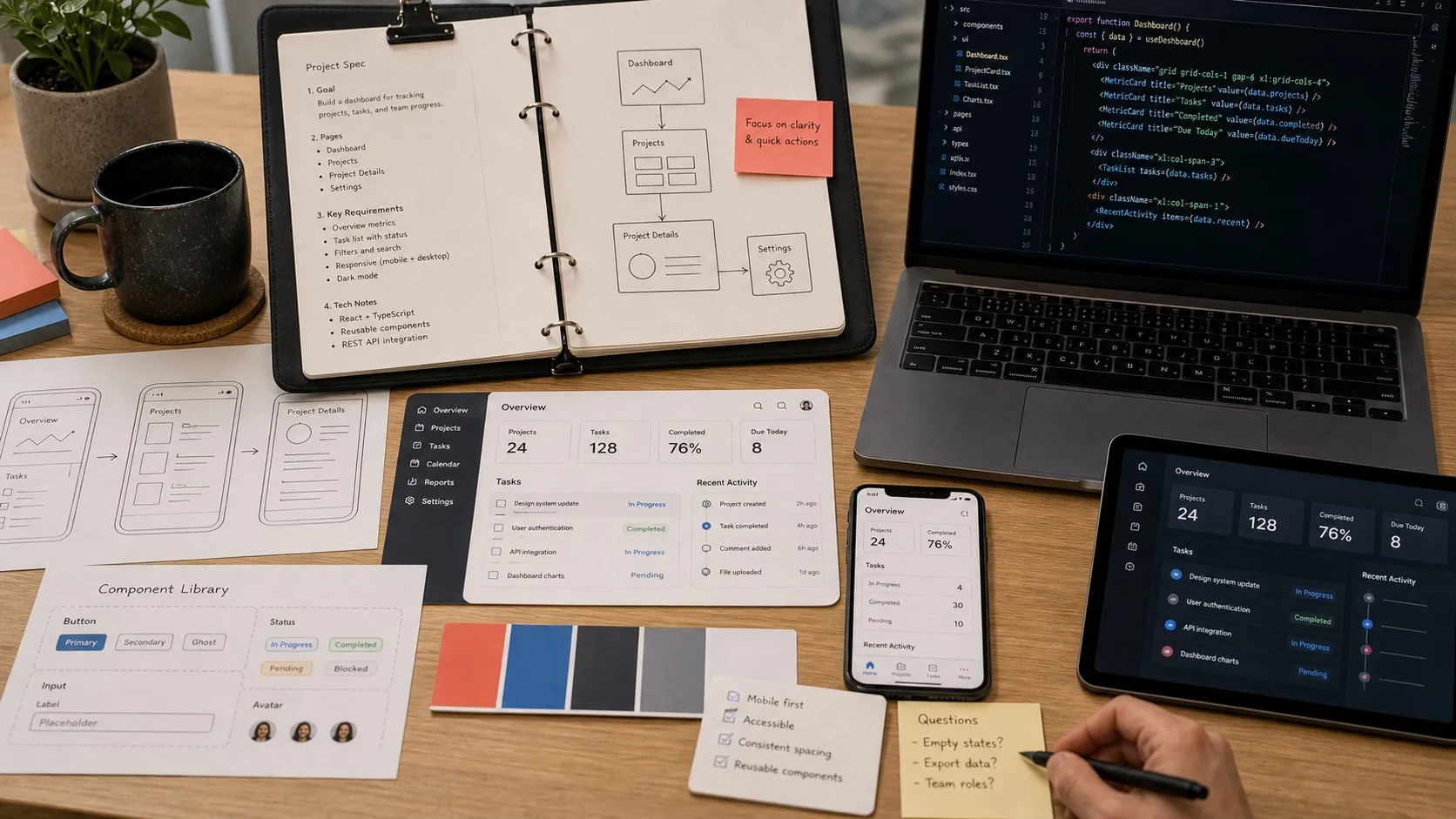
If you are planning features for Claude Code or Codex to build, the mockup tool you pick changes what the agent gets to work from. A static image is a hint. An editable wireframe is a spec. A prompt-to-code prototype is half the implementation. This guide groups the AI mockup tools by how they actually feed into a coding workflow, not by how their landing pages describe themselves.
The phrase “AI mockup tool” covers roughly five different products in April 2026, and that’s the problem. Someone typing it into Google is usually asking one of three questions: “how do I sketch a UI idea fast,” “how do I go from an idea to a real interactive prototype,” or “how do I turn a prompt into an actually-shipped app.” The best tool for each is different, and most listicles mix them all up.
I build Nimbalyst, which includes an AI-native mockup editor called MockupLM, so I spend a lot of time with this category. The short version of the landscape, grouped by what the tool actually does, is below. The punchline first: pick the camp before you pick the tool, or you’ll pay credits for a production app when you just wanted a wireframe, or spend hours on low-fi sketches when you needed a deployable prototype.
Quick picks
- Best if you want a real app, not just a mockup: v0 or Lovable.
- Best for low-fi wireframes and flows: Uizard.
- Best if your team already lives in Figma: Figma Make.
- Best if you want the mockup to hand off directly into an AI coding workflow: Claude Design or Nimbalyst
- Best if you want mockups, code, diagrams, and data models in one multi-agent workspace: Nimbalyst
- Best for polished pitch-deck style UI comps: Galileo AI.
The three camps (and why this matters more than the grid)
Every AI mockup tool in 2026 falls into one of these:
Camp 1: Production app builders. Prompt-to-deployed-app. You tell it what you want, it builds the full stack, writes the frontend and backend, and puts it on the internet. v0, Lovable, Bolt.new, Replit Agent. These are fantastic for shipping. They’re overkill, and slower than a sketch, when you just want to visualize an idea.
Camp 2: Ideation and low-fidelity mockup tools. Wireframes, flow diagrams, screenshot-to-UI. Uizard, Visily, Banani, Balsamiq, Google Stitch. You get a picture of a UI. Usually not real code. Usually not a deployable thing. Perfect for “what if the settings screen looked like this.”
Camp 3: In-workspace AI design surfaces. The mockup lives inside a coding or chat tool you already use. Claude Artifacts, Claude Design, ChatGPT Canvas, Subframe with MCP, Nimbalyst Mockup. The agent that generates the mockup is the same one that writes the code, so there’s no handoff.
Once you know which camp you’re shopping, the tool choices get much simpler.
Camp 1: Production app builders
v0 by Vercel
v0 outputs React, Tailwind, and shadcn-style components, which is why it sits closer to “AI app builder” than “mockup toy.” It is strongest when the prototype is meant to turn into production code rather than stay a design artifact.
Good for: Next.js teams who want prototypes that are actually production-viable. Bad for: people outside the Vercel stack, and for true low-fi ideation (you’ll spend credits generating fidelity you don’t need).
Lovable
Lovable 2.0 pushed the category further toward “describe the product, get a working app.” Multiplayer, dev-mode style editing, and stronger full-stack defaults make it compelling if your end goal is shipping quickly.
Still, it is closer to an app builder than a mockup tool. If you use it only for mockups, you’re paying for a full-stack workflow you may not need.
Bolt.new
StackBlitz’s WebContainer-powered browser-native full-stack builder. Instant dev environment, no local setup. Recent reviews flag rougher output than Lovable and faster credit burn on iteration. Best when speed of “click and see it running” matters more than quality of final output.
Replit Agent
Cloud IDE plus agent. Good for teams that already live in Replit. Less polished for mockup-to-shipping work than v0 or Lovable, but the ecosystem is wide.
Camp 2: Ideation and low-fidelity mockup tools
Uizard
Autodesigner 2.0 is still one of the clearest answers to “I need a wireframe or flow, not a deployed app.” It is strong for sketch-to-wireframe, multi-screen generation, and quick iteration with non-designers in the room.
The hi-fi output isn’t as polished as Galileo, but Uizard’s positioning is right: it’s the fastest tool I’ve used for “show me five versions of the signup screen.”
Visily
Text or screenshot to UI with strong templates. Good for PMs and founders without design skills who want a shareable prototype fast. Component library is locked-in; code export is limited.
Galileo AI
Best-in-class hi-fi text-to-UI. Exports to Figma. Visual polish is excellent. Expensive to iterate because each generation burns more of your budget than the low-fi tools. Good when you need something that looks presentable for a pitch deck.
Banani
Younger entrant. AI copilot for UI design, text-to-hi-fi variants. Worth watching, smaller ecosystem than Uizard or Visily.
Balsamiq (with AI features)
Not a pure AI tool, but still the reference for rough, deliberately low-fi sketches. Pair with an LLM for idea generation.
Google Stitch
Google Labs has kept improving Stitch through 2026, including Gemini-backed updates. It is worth testing if free matters and you want fast, lightweight generation. I would still be cautious about building a durable workflow around a Labs product.
Camp 3: In-workspace AI design surfaces
This camp is newer and the one that changed fastest in Q1 2026. The distinction: the mockup isn’t a separate artifact in a separate tool. It’s a file in the same workspace where the code lives, generated and iterated by the same agent that writes the code.
Figma Make
Figma has been expanding Make aggressively through 2026, which is exactly what you would expect from a company trying to own the design-to-prototype step. If your team already lives in Figma, this is the easiest place to stay. The main limitation is that the workflow is still centered on Figma’s runtime and conventions.
Claude Design (Anthropic Labs)
Claude Design launched on April 17, 2026 as an Anthropic Labs product for polished visual work, prototypes, slides, and design handoff. The interesting part is not just that it can generate screens. It is that Anthropic positioned it to flow into Claude Code, which makes it one of the clearest examples of the design-to-code loop collapsing into one system.
This is the first AI design tool explicitly built to feed an AI coder. If you already use Claude Code, Claude Design is a natural extension. It runs inside Claude’s Cowork app, so you need Cowork (macOS or Windows) to get it. Not on Linux.
Claude Artifacts and ChatGPT Canvas
Both started as curiosities and are now real, if limited, in-chat mockup surfaces. Artifacts renders HTML/React components directly in Claude. Canvas does similar in ChatGPT. Neither is a full mockup tool, but for quick “what about this” sketches both are faster than opening a separate app.
Subframe
Visual editor producing real React and Tailwind. Supports MCP for coding agents, meaning Cursor or Claude Code can drive the editor. Unlimited generations on paid, design-system-first.
Magic Patterns
Production-ready Tailwind, React, or Vue output. $15/month Hobby, 100 credits. Supports Figma paste-in via Custom Import, so it respects your existing design system. Smaller team than v0 but growing, and honest about positioning itself between v0 and traditional mockup tools.
Builder.io Visual Copilot 2.0
Figma-to-code for React, Vue, Angular, Svelte. Respects design tokens. Handles A/B variant generation. Best for enterprise teams with existing Figma source and a real design system.
Nimbalyst Mockup
Full disclosure: this is our product. It generates .mockup.html files directly in the workspace. Claude Code or Codex creates and iterates the mockup. The important part is that the mockup is just an HTML file in the same repo the agent is editing. There is no handoff from design tool to code tool because there is no boundary. The same agent that drew the mockup can be told “now implement it” and keep working from the same artifact. Strength: zero handoff, heterogeneous agent support (Claude Code and Codex, others pluggable), lives with the code.
What the listicles get wrong
Most “best AI mockup tool” articles published in 2025 and early 2026 commit the same two errors.
They conflate mockup tools with app builders. You search “AI mockup tool,” click a top result, and get pushed toward Lovable or Bolt.new. You spend twenty dollars and two hours building a half-deployed CRUD app when you wanted a picture of a settings screen.
They ignore the in-workspace camp. Claude Artifacts and Canvas get a paragraph each if they’re mentioned at all. Subframe, Nimbalyst Mockup, Claude Design are usually absent from listicles written before their launches. Yet this is where most of the interesting work is happening in 2026 because it’s where the “design-to-code” gap is shrinking to nothing.
The third issue, less common, is that reviews often test tools on a weak prompt (“design me a dashboard”) and score by visual polish. A better test is: “here’s a component spec from our backlog, mock it up, then hand it back to our agent to implement.” Very few tools ace that, and the ones that do are not the ones topping most rankings.
How to pick
Here’s a short decision tree based on what you’re actually trying to do.
Shipping a real app from a prompt: Lovable if you need a full stack and multiplayer. v0 if you live in the Vercel/Next.js stack. Bolt.new if you value browser-based speed over output polish.
Sketching low-fi screens for an idea: Uizard for rapid multi-screen flows. Visily for non-designer PMs. Google Stitch if free matters and you’re OK with Google Labs’ lifespan.
Presentation-quality hi-fi without code: Galileo AI. Expensive to iterate; great for pitch decks.
Design system-aware generation for an existing team: Figma Make if you’re Figma-native. Builder.io Visual Copilot for enterprise stacks. Subframe for MCP-driven React output.
Prompt-to-prototype with a real handoff to Claude Code: Claude Design. The handoff bundle is the differentiator; nothing else builds for this workflow directly.
Mockups that live next to the code and get iterated by the same AI agent: Nimbalyst Mockup. The mockup is a file in the repo; no handoff exists because there’s no boundary.
The pattern underneath all of this
The interesting story in AI mockups is not which tool has the prettiest output. It’s that the “design” step is collapsing into the “code” step. Figma Make flows to code. Claude Design bundles to Claude Code. Subframe exposes MCP so agents can drive the editor. MockupLM makes the mockup a file in the same repo.
The tools that still treat “design” as a standalone artifact in a standalone app are going to feel dated fast. The tools that understand a mockup as a waypoint on the path to working code will dominate in 2027.
If you want the practitioner framing of that shift, along with a workspace where the mockup, code, diagrams, and data model all live together with both Claude Code and Codex available to drive them, that’s what I’ve been building with Nimbalyst. If you just want a pretty sketch of a screen this afternoon, Uizard is probably faster. Pick the camp, then pick the tool.
Related reading: Best AI Diagram Tools in 2026 and Best Claude Cowork Alternatives in 2026.
FAQ
What is the best AI mockup tool for developers?
If you want a mockup that can realistically turn into code, v0, Figma Make, Claude Design, and Nimbalyst Mockup are the strongest options. If you only need low-fi flows, Uizard is usually faster.
What’s the difference between an AI mockup tool and an AI app builder?
A mockup tool helps you visualize and iterate on the interface. An app builder goes further and tries to generate the working product stack. The confusion between those two categories is why this keyword is messy.
Can AI mockup tools export real code?
Some can. v0, Figma-adjacent tools, Subframe, and in-workspace tools like Nimbalyst Mockup all get much closer to code handoff than traditional wireframing products do.
Related Reading
- Best AI diagram tools for engineers and Claude Code workflows — the diagram side of the same visual planning stack.
- Best vibe coding tools for Claude Code and Codex users — when the mockup becomes the spec for an agent.
- Best AI editors for markdown and diagrams — the broader AI-native editor landscape.
Karl Wirth is the founder of Nimbalyst, a local-first desktop workspace for multi-agent coding. Nimbalyst Mockup is the Nimbalyst extension for AI-native mockup creation tied directly to the codebase.
Related posts
-
Best AI Diagram Tools for Engineers and Claude Code Workflows (2026)
AI diagram tools compared for engineers using Claude Code or Codex via MCP. Excalidraw, Mermaid, Eraser, tldraw, Miro AI, Lucidchart, Napkin, D2, PlantUML.
-
Best Local-First AI Coding Tools 2026: 14 Compared
14 local-first AI coding tools compared in 2026. Cline, Continue, Aider, Tabby, Goose, Roo Code, Nimbalyst, and more for private, offline, self-hosted coding.
-
Best MCP Clients in 2026 (Compared): Desktop Apps, IDEs, and Agent Workspaces
Top MCP clients in 2026 compared. Claude Desktop, ChatGPT, Cursor, Windsurf, Cline, VS Code, Claude Code, Goose, and Nimbalyst. With MCP Apps and Tool Search.