Claude Code Desktop after the redesign: what Anthropic shipped, and what power users still miss
Anthropic's Claude Code desktop redesign is a real upgrade. Here is what shipped, what got better, and where power users still need tooling above the base app.
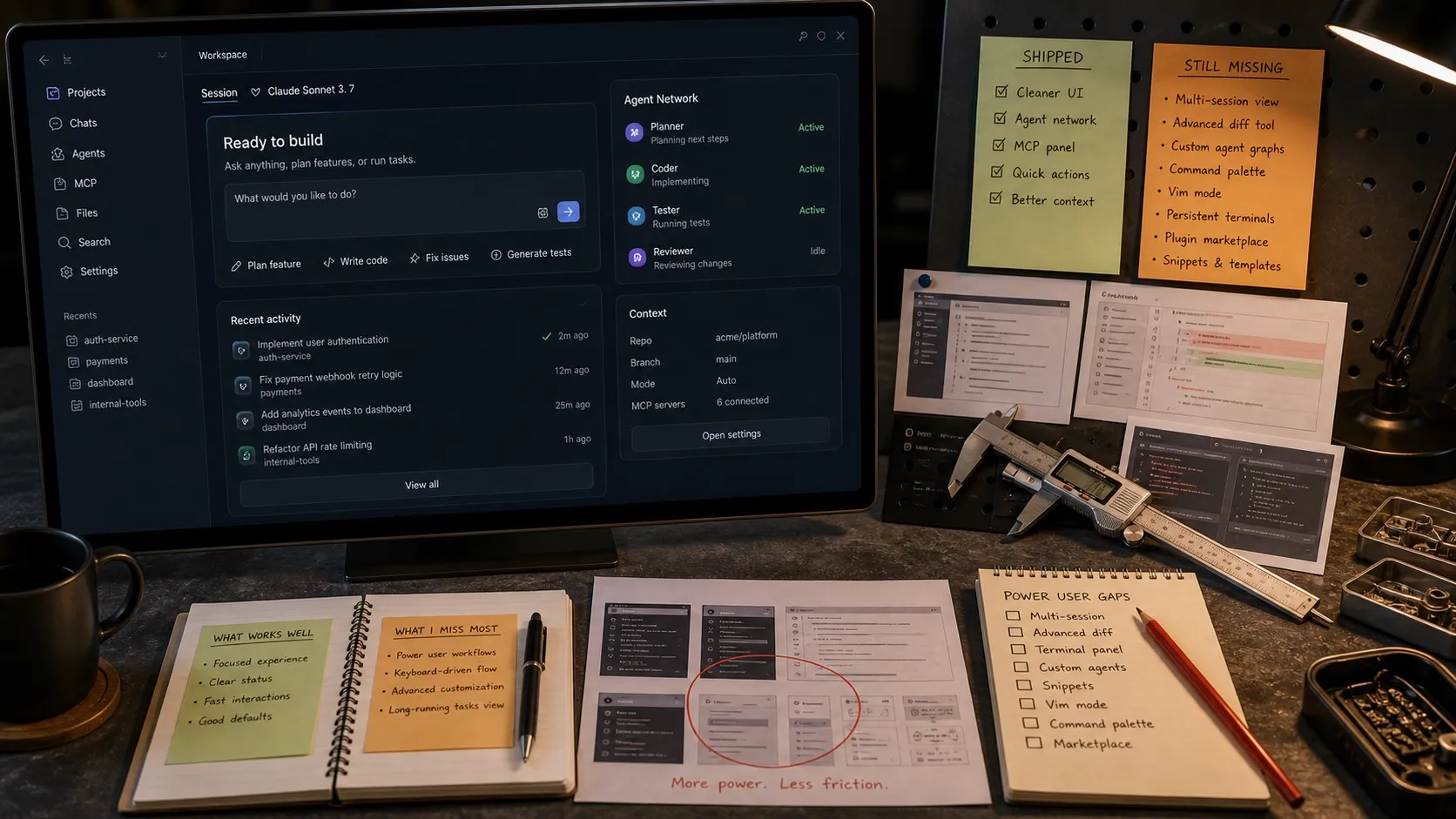
A week ago, on April 14, Anthropic shipped a full redesign of the Claude Code desktop app. Parallel sessions in one window. A sidebar to keep them organized. A drag-and-drop pane layout. Integrated terminal. Built-in file editor. A faster diff viewer. Routines, which let a prompt run on a schedule, an API call, or a GitHub event.
I build Nimbalyst, a visual workspace for Claude Code, so I have a direct stake in the category this redesign lands in. I’ve been building in that territory for about nine months. So I spent the weekend actually using the new app across real projects and comparing it to what my own users report running into at the edges.
The redesign is a genuine step up from the previous app. Some of its choices I’d make exactly the same way. Others will hit friction once you’re past single-session usage, and those limits are the part most of the launch-day coverage glossed over.
What the redesign gets right
One window, multiple sessions. Before this release, the official workflow for running more than one Claude Code session was more or less “open another terminal.” Now active and recent sessions live in the same app, with a sidebar built to manage them. If you’ve never tried running three or four agents in parallel on the same repo, the productivity jump is larger than it sounds. You stop context-switching between panes and start treating agents more like delegated work units.
Side chats that don’t eat the main thread. The lateral question problem is real. You’re in the middle of a debugging session, you want to ask Claude a quick question about an unrelated file, and now the main context is polluted. Shared context between a side chat and the main chat is a small feature that removes a lot of accumulated pain.
Integrated diff viewer rebuilt for performance. The old diff view got sluggish past a few hundred lines. The new one handles large changesets without stalling. For anyone who has had Claude Code generate a multi-thousand-line refactor, this alone is worth the update.
Routines. Anthropic finally gave scheduled agents a first-class home. A prompt, a repo, a trigger (time, API call, or GitHub event), and you have a background worker that runs in Claude’s infrastructure instead of on your laptop. This is the same category I’ve been calling “automations” in Nimbalyst, and I think it’s the single most under-appreciated part of the announcement. A surprising fraction of daily AI coding work is recurring: triage a backlog, summarize a branch, review a PR. Once you have a scheduled trigger, you stop typing those prompts.
In-app file editor. Quick spot edits without leaving the app are table stakes now. The previous experience of bouncing out to VS Code for a two-line tweak is gone.
If you’re using Claude Code mostly in a single project, on a single branch, with one or two parallel sessions, this release is excellent. Most users will be well served.
Where the edges start showing
The pieces that still don’t feel solved, in order of how often I hear about them from Claude Code power users:
1. Where was I? The session persistence problem
The redesign does a much better job of keeping active and recent sessions visible. But what about session fifty? After a week of real work, I typically have dozens of closed Claude Code sessions, each with a specific purpose. Fix that auth bug. Draft that refactor. Investigate that flaky test. When I come back Monday, I don’t remember which session had the mid-implementation work on the caching layer. The new desktop app lets you filter and group recent sessions, but it still doesn’t feel like a true system for finding past work. You’re still mostly browsing, not searching.
Real session management needs four things the redesign doesn’t yet give you: durable metadata (phase, tags, linked files, linked tracker items), search across prompts and outputs, a visual layout beyond a flat list (a kanban works surprisingly well), and the ability to reopen a session and pick up where the agent left off, with the original context reconstructed.
This is the problem I keep hitting personally, and it’s the one that most separates “single-session user” from “agent-orchestrator user.” The redesign is built for the first. The second still has to bring their own tooling.
2. Artifacts that aren’t code
Coding agents generate more than source files. They generate diagrams of architecture decisions, database schemas, UI mockups for features that don’t exist yet, notes on a design call, spreadsheets comparing options. Claude Code Desktop is better here than some first takes gave it credit for: it can preview things like HTML and PDFs in-app. But preview is not the same thing as making those artifacts first-class workspace objects.
In practice, most of my AI coding work now involves a visual artifact somewhere in the loop. I’ll have Claude sketch a Mermaid diagram, then iterate on the architecture before it writes a line. Or mock up a UI in HTML, get alignment, then generate the real components. That round-trip is much tighter when the visual editor lives in the same workspace as the agent conversation.
3. Multi-project and multi-repo orchestration
Parallel sessions in the new desktop app can span multiple repositories, and Anthropic now gives desktop sessions isolated worktrees by default. That’s a real upgrade. But if you’re working across three repositories, or you want an agent on a feature branch while another one is on a fix for main, the sidebar model still gets awkward fast.
The right primitive here is still the git worktree, not the tab. A worktree gives every agent a genuinely isolated branch, a separate folder, a separate install, a separate dev server if it needs one. It removes the whole class of “agent A modified a file while agent B was editing it” bugs. Anthropic now supports that execution model. What it does not yet give you is a strong orchestration layer on top of it. Even the new Agent Teams feature, which points in that direction, is still experimental.
Once you’re at the scale where worktrees matter, you also need a view that shows which agent is on which branch, which ones are blocked waiting for review, and which ones finished and need to be merged. That’s board-level thinking, not tab-level.
4. The gap between a “routine” and a “workflow”
Routines are great. They handle the one-shot recurring prompt cleanly. Where they still fall short is in multi-step, conditional workflows. Run this prompt against the staging repo. If it finds a regression, open a tracker item with a specific label. If it doesn’t, post a short note to a channel. That shape of automation is where the real compounding value lives, and it needs orchestration primitives Routines don’t yet have: conditions, multiple steps, outputs from one step feeding into the next.
This is likely where Anthropic ends up eventually. The pattern is obvious. But the gap between “a scheduled prompt” and “a durable multi-step AI workflow” is real today.
5. The desktop app is not a thinking surface
The redesign is a great cockpit for running agents. It is not a great surface for drafting a spec, sketching a mockup, sitting with a design problem, or capturing notes that outlive the session. Those things happen in other tools, and then you paste them back into the prompt.
That context switch isn’t free. Every tool-boundary you cross is a moment where important context gets lost or reformatted. The lower-friction version is a workspace where the thinking and the execution live next to each other, and the agent can see both.
If you’re hitting the edges
Concrete things to do this week if you recognize any of the above from your own setup:
- Keep using the new desktop app. For session-level productivity, it’s a solid upgrade and the most integrated official Claude Code experience you can get right now.
- Adopt worktrees early. Even if you aren’t running many parallel agents yet, the first time you do, you’ll be glad you already have the mental model.
- Write down your recurring prompts as Routines. Most developers have three to five prompts they type every week. Turn them into routines and reclaim the time.
- Separate “running an agent” from “managing your agents.” The first is a cockpit problem (one session at a time). The second is an inventory problem (dozens of sessions over time). They are genuinely different, and the tools are different too.
- If you want a layer above the official app, try Nimbalyst. It’s built for the problems Anthropic is only starting to touch: session management across time, worktrees, visual editors for a wide variety of file types, and multi-step automations on top of Claude Code and Codex.
The Claude Code Desktop redesign is the clearest signal yet that AI coding has grown up past the terminal. There’s a lot of software still to build on top of it.
Karl Wirth builds Nimbalyst, a visual workspace for Claude Code with session management, worktrees, visual editors, and multi-step automations. Nimbalyst is built on top of Claude Code, not a replacement for it.
Related posts
-
Best AI Agent Orchestration Platforms 2026: Coding vs Workflow
AI agent orchestration means two different products. Compare control planes for your own coding agents (Nimbalyst, Orca, Emdash, Superset, Conductor, Warp) against workflow frameworks like LangGraph and CrewAI.
-
What Is an Agentic Development Environment (ADE)?
An agentic development environment is the workspace you use to direct several coding agents at once. Definition, origins, how an ADE differs from an IDE and a CLI agent, and criteria for evaluating one.
-
Claude Code Plan Mode: How I Use It on Real Multi-File Work
A practical guide to Claude Code plan mode: when to use it, how the approval loop works, and why serious changes need a plan you can keep.