Claude Code MCP Setup: A Practical 2026 Guide
How to configure MCP servers for Claude Code in 2026. Add GitHub, Slack, Linear, Playwright, and database servers, debug auth, and avoid common pitfalls.
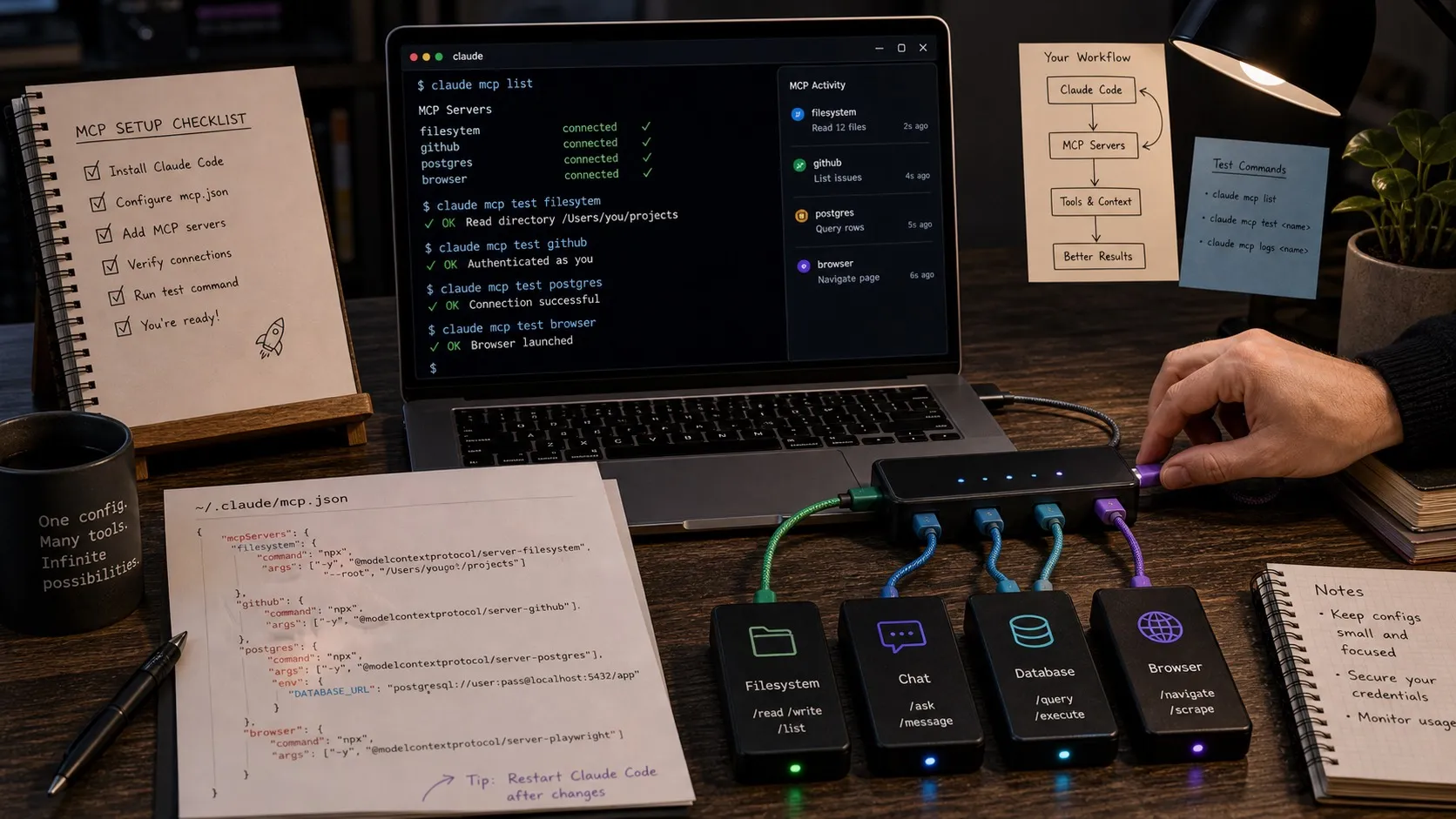
The Model Context Protocol (MCP) is how Claude Code talks to external systems. GitHub, Slack, Linear, your database, your monitoring stack, and your browser can all become tool surfaces that Claude Code can call. This guide walks through how to set up MCP servers for Claude Code in 2026, the configuration patterns that hold up in real work, and the debugging steps when authentication or connection breaks.
Claude Code MCP: Quick Answer
- What is Claude Code MCP? A standard for letting Claude Code call external tools. Each MCP server exposes one or more tools. Claude Code discovers them at startup and includes them in the tool list it can use during a session.
- Where do I configure MCP servers? In
~/.claude/settings.json(user level) or.claude/settings.jsonin a project (project level). Project settings override user settings. - What MCP servers should I install first? GitHub for issues and PRs, then the systems your project already depends on: Linear or Jira for ticketing, Slack for team comms, Postgres or Sentry for backend work, Playwright for UI verification. Claude Code already has built-in file tools, so a separate filesystem server is usually optional.
- How do I debug MCP issues? Run
claude mcp listto see registered servers,claude mcp test <name>to verify a single server, and tail the Claude Code logs for stderr output from the server process.
What MCP actually is
MCP is a small protocol with a big payoff. Anthropic published the spec in 2024 and the ecosystem has compounded since. The mental model:
- A server is a process that exposes tools. Each tool has a name, a description, and a JSON schema for arguments.
- A client is the agent that wants to call those tools. Claude Code is one client. Cursor, OpenCode, and many others are also clients.
- The protocol runs over stdio or HTTP. Claude Code launches local servers as subprocesses and talks to them over stdio. Remote servers run over HTTP.
You configure a server once. From then on, every Claude Code session in that scope sees the tools and can decide whether to call them.
Configuration file layout
Claude Code reads MCP configuration from two places.
User scope: ~/.claude/settings.json. Servers configured here are available to every Claude Code session you run.
Project scope: .claude/settings.json in the project root. Servers configured here are available only when you run Claude Code inside that project. Project scope overrides user scope, which is useful when one repo needs a different set of tools.
The minimal MCP block looks like this:
{
  "mcpServers": {
    "github": {
      "command": "npx",
      "args": ["-y", "@modelcontextprotocol/server-github"],
      "env": {
        "GITHUB_PERSONAL_ACCESS_TOKEN": "ghp_..."
      }
    }
  }
}
Three things matter:
commandandargs: how Claude Code launches the server. For npm-distributed servers,npx -y @scope/nameis the standard pattern. For binaries, point at the absolute path.env: environment variables passed to the server. This is where API keys and tokens live.- The key (
githubin the example): a name you choose. It shows up inclaude mcp listand in the tool names Claude sees.
Common MCP servers worth setting up
The following five servers cover most day-to-day use. The full ranked list is in Best Claude Code MCP servers, but if you only set up a few, set up these.
GitHub
The official GitHub MCP server lets Claude Code read issues, create pull requests, comment on PRs, and search code across repositories.
"github": {
  "command": "npx",
  "args": ["-y", "@modelcontextprotocol/server-github"],
  "env": {
    "GITHUB_PERSONAL_ACCESS_TOKEN": "ghp_..."
  }
}
Generate a fine-grained personal access token with repo, read:org, and workflow scopes for most workflows.
When an extra filesystem server is actually worth it
Claude Code already ships built-in file tools plus permission rules and sandboxing. If your goal is to keep Claude away from secrets or sensitive directories, prefer permissions.deny, sandbox rules, and worktrees before you add a separate filesystem MCP server.
A dedicated filesystem server still makes sense in two cases:
- You want to expose additional directories through MCP so multiple clients share the same file surface.
- You are packaging an MCP config for other tools and want one portable server definition.
If you do need it, the config looks like this:
"filesystem": {
  "command": "npx",
  "args": [
    "-y",
    "@modelcontextprotocol/server-filesystem",
    "/Users/you/code/project-a",
    "/Users/you/code/project-b"
  ]
}
The trailing arguments are the allowed roots. Anything outside those roots is invisible to that MCP server. This is useful, but it should not be your first safety tool for Claude Code.
Slack
For team coordination. Claude Code can read recent channel history, post messages, and reply in threads.
"slack": {
  "command": "npx",
  "args": ["-y", "@modelcontextprotocol/server-slack"],
  "env": {
    "SLACK_BOT_TOKEN": "xoxb-...",
    "SLACK_TEAM_ID": "T0123..."
  }
}
Create a Slack app, install it to your workspace, and grab the bot token from OAuth and Permissions.
Linear
For ticket-driven work. Read issues, update status, leave comments.
"linear": {
  "command": "npx",
  "args": ["-y", "@linear/mcp-server"],
  "env": {
    "LINEAR_API_KEY": "lin_api_..."
  }
}
The token is created in your Linear settings under API. Personal API keys give Claude Code your own permissions, so create a service account if your team has multiple humans.
A database server
For projects that touch a database, an MCP server for your specific stack is the highest-leverage tool you can give Claude Code. Postgres, MySQL, SQLite, MongoDB, and several others have MCP servers. The Postgres example:
"postgres": {
  "command": "npx",
  "args": [
    "-y",
    "@modelcontextprotocol/server-postgres",
    "postgresql://localhost/mydb"
  ]
}
Be careful with permissions. Give Claude Code a read-only database role unless you explicitly want it to mutate.
Verifying your setup
After editing your settings file, run:
claude mcp listEvery server you configured should appear. If one is missing, the JSON probably has a syntax error. Run the file through jq to confirm it parses.
To test a single server end-to-end:
claude mcp test githubThis launches the server, lists its tools, and reports any errors. Most failures are auth-related: the token is missing, expired, or has wrong scopes.
Common pitfalls
npm cache failures on first launch
npx -y @scope/name downloads the server on first run. On a slow connection or behind a corporate proxy, the first launch can hang. Pre-install the server globally with npm install -g @scope/name to avoid the lazy fetch, then point command at the global binary.
Token leakage in logs
If you use env for tokens, make sure your shell history and CI logs do not capture the file. The settings file should be in your dotfiles, not in any committed repo. Add .claude/settings.json to .gitignore for project-level configs that contain secrets.
Path arguments must be absolute
Filesystem-server path arguments take absolute paths. ~/code/project does not expand. Use /Users/you/code/project (or the equivalent on Linux and Windows).
Tool name collisions
If two MCP servers expose tools with the same name, Claude Code will prefer one and ignore the other. The tools field in the server config can rename or filter tools. Use it when servers conflict.
Server hangs without a clear error
The most common cause is a long-running auth flow that prompts on stderr. Run the server manually first (npx -y @scope/name in a terminal) to see prompts and complete any first-time auth.
Project-level vs user-level scoping
For most servers, user level is the right scope. GitHub, Slack, Linear, and your filesystem are stable across projects.
For database servers, monitoring servers, and project-specific APIs, project level is cleaner. Each repo gets only the tools it actually needs, and Claude Code’s tool list stays short.
A short tool list matters more than people expect. The model has to consider every tool on every turn. A bloated tool list slows the agent down and increases the chance it picks the wrong tool.
Claude Code MCP and Nimbalyst
Nimbalyst already gives Claude Code a visual session layer, tracker integration, and rich editor surfaces. The highest-leverage external MCP adds in Nimbalyst are usually the ones that connect Claude to systems outside the workspace: GitHub, Linear, Postgres, Sentry, or Playwright. You can wire those up through the same ~/.claude/settings.json configuration, and they will appear inside Nimbalyst sessions automatically.
Frequently Asked Questions
What is Claude Code MCP?
Claude Code MCP is the Model Context Protocol implementation that lets Claude Code call external tools. Each MCP server exposes one or more tools (read GitHub issues, query Postgres, post to Slack), and Claude Code discovers and calls them as part of a normal session.
Where do I put my MCP configuration?
User-scope MCP configuration goes in ~/.claude/settings.json. Project-scope configuration goes in .claude/settings.json inside the project root. Project scope overrides user scope. For team projects, commit a project-scope settings file with placeholder env values and document which secrets developers need to fill in.
Are MCP servers safe?
MCP servers run as subprocesses on your machine with the credentials you give them. Treat them like any other CLI tool. Only install servers from trusted sources. Use scoped tokens with the minimum permissions the server needs. For database servers, prefer read-only roles unless you explicitly want write access.
Can I write my own MCP server?
Yes. The MCP SDK has Python and TypeScript implementations. A minimal server is about 50 lines of code. The protocol is small enough that custom servers are practical, especially for internal tools.
Why is my MCP server not showing up in Claude Code?
Three usual causes. First, the JSON in settings.json has a syntax error. Run it through jq. Second, the command does not resolve. Use absolute paths for binaries. Third, the server itself is failing on startup. Run it manually in a terminal to see stderr.
How many MCP servers should I install?
Fewer than you think. A short tool list keeps the agent focused. Five or six well-chosen servers cover most workflows. If you find yourself with twenty servers, prune the long tail. The full ranked recommendation is in Best Claude Code MCP servers.
Related Reading
Related posts
-
Best MCP Servers for Claude Code in 2026 (Ranked and Tested)
The best MCP servers for Claude Code in 2026, ranked and tested: GitHub, Context7, Playwright, Postgres, Exa, and the essential picks, with install commands and the context-cost tradeoffs of running many at once.
-
Best MCP Servers for Codex in 2026 (Ranked and Tested)
The best MCP servers for OpenAI Codex in 2026, ranked and tested: GitHub, Context7, Playwright, Postgres, Exa, and the essential picks, with the exact codex mcp add commands and the context-cost tradeoffs of running many at once.
-
Best AI Agent Orchestration Platforms 2026: Coding vs Workflow
AI agent orchestration means two different products. Compare control planes for your own coding agents (Nimbalyst, Orca, Emdash, Superset, Conductor, Warp) against workflow frameworks like LangGraph and CrewAI.