Claude Code Plugins: A 2026 Guide
Claude Code plugins explained: what they are, how they extend the agent, and how plugins relate to MCP servers, skills, and Nimbalyst extensions.
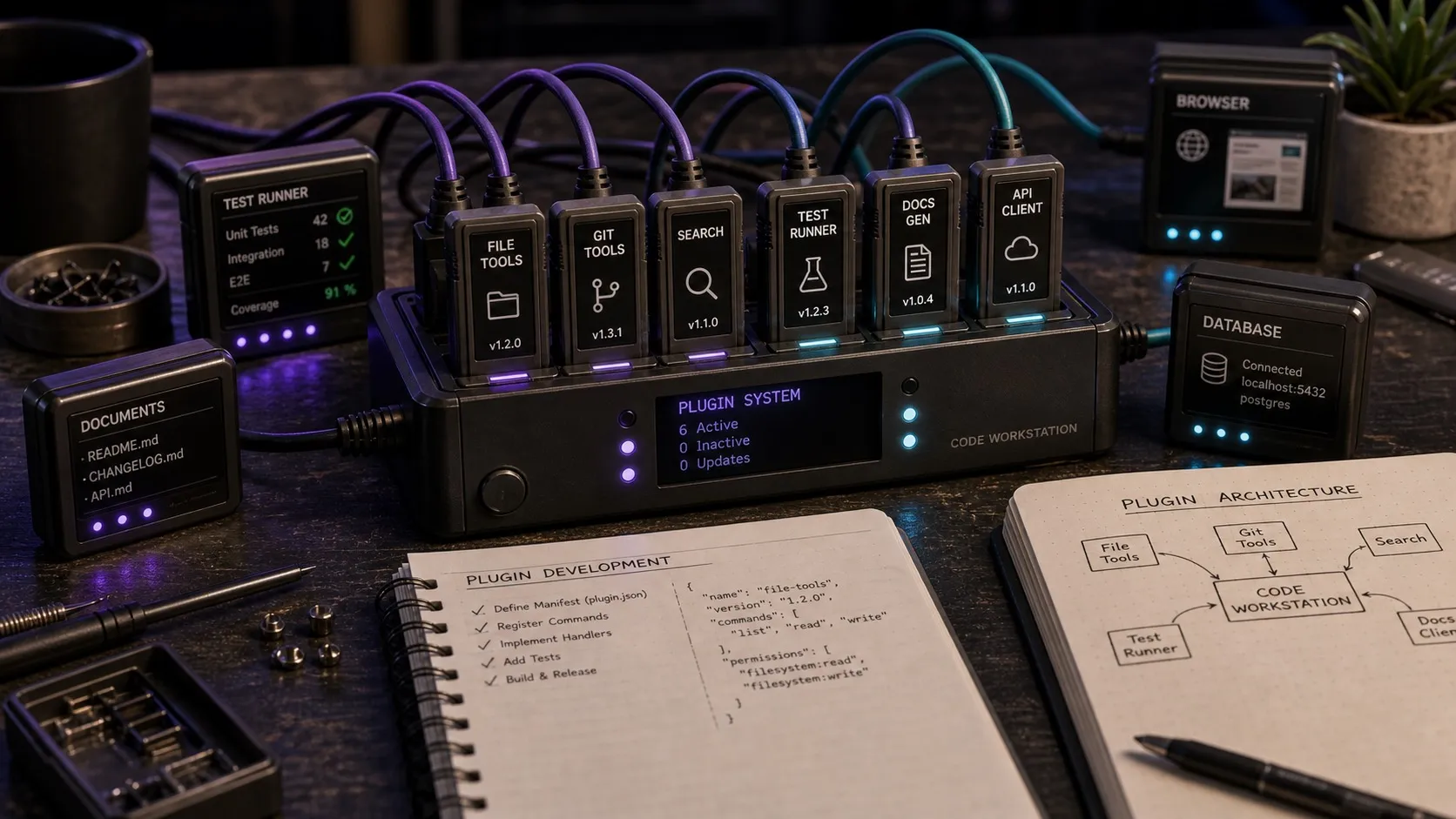
Claude Code plugins are shareable packages that extend Claude Code with skills, agents, hooks, MCP servers, LSP servers, and monitors. They are the way Claude Code bundles reusable capabilities into something you can install locally or through a marketplace. This guide covers what plugins are in 2026, how they relate to MCP, skills, and subagents, and how they differ from the separate Nimbalyst extension system.
Claude Code Plugins: Quick Answer
- What are Claude Code plugins? Installable packages that can add skills, subagents, hooks, MCP servers, LSP servers, and monitors to Claude Code.
- Where do plugins live? In a plugin folder with a
.claude-plugin/plugin.jsonmanifest plus component directories likeskills/,agents/,hooks/, or.mcp.json. - How are plugins different from MCP servers? MCP servers expose tools over a standard protocol. Plugins are tighter integrations with one client, often with code that runs in the same process.
- How are plugins different from skills? Skills are instructions in markdown. Plugins are code. Skills shape what the agent does. Plugins shape what the host application offers.
- Should I write a plugin or an MCP server? MCP server when you want portable tools that any MCP client can use. Plugin when you want to package a broader Claude Code capability that may include MCP plus skills, agents, hooks, or LSP behavior.
What plugins actually do
The easiest way to think about Claude Code plugins is as distribution units. Instead of asking teammates to manually copy a skill, add a subagent file, wire up a hook, and paste an MCP config, you ship one plugin that bundles those pieces together.
The current plugin system covers:
- Skills for reusable prompt-based workflows
- Agents for specialized subagents
- Hooks for event-driven automation and guardrails
- MCP servers for custom tools
- LSP servers for code intelligence
- Monitors for background checks
Plugins vs MCP servers
The two get conflated. They serve different goals.
MCP servers are processes that expose tools over a documented protocol. Any compatible client can use them. The same GitHub MCP server works in Claude Code, Cursor, OpenCode, and others. The strength is portability. The cost is a process boundary and a protocol layer.
Plugins are Claude Code-specific packages. They can bundle MCP plus other Claude-native pieces like skills, agents, and hooks. The strength is that they package a full workflow for Claude Code. The cost is portability: a Claude Code plugin is not the same thing as a Nimbalyst extension or a Cursor extension.
Rule of thumb: build an MCP server when the integration adds tools that any client could use. Build a plugin when the integration is specific to one host environment.
Plugins vs skills
Skills are instructions. Plugins are packages. A plugin can include one or more skills, but it can also ship agents, hooks, and MCP config alongside them.
You can also combine them. A plugin can ship with a skill that documents how the agent should use the plugin’s tools. The plugin provides the capability. The skill steers the agent toward using it correctly.
What a Claude Code plugin looks like
A Claude Code plugin is a directory with a manifest at .claude-plugin/plugin.json, plus whatever components it ships. A typical structure might look like this:
my-plugin/
├── .claude-plugin/
│   └── plugin.json
├── skills/
├── agents/
├── hooks/
└── .mcp.json
Claude Code can load plugins from local paths or install them from a marketplace. Once installed, the components become part of the session surface. Skills show up as slash invocations. Agents show up in /agents. MCP servers register tools. Hooks and monitors run when their matchers fire.
Plugins in host applications
Claude Code plugins and host-app extension systems solve different problems.
Nimbalyst has its own extension system for workspace UI and editors. Extensions can:
- Register custom editors. Excalidraw, MockupLM (UI mockups), and DataModelLM (database schemas) are all built as extensions on the same EditorHost contract.
- Add MCP servers that ship pre-wired with the extension.
- Provide visual planning tools the agent can use natively.
- Hook into the workspace experience to surface custom UI when relevant.
That is not the same as a Claude Code plugin. If you need reusable Claude behaviors that travel with Claude Code itself, build a Claude Code plugin. If you need Nimbalyst-specific UI, visual editors, or workspace behaviors, build a Nimbalyst extension.
When to ship a plugin vs an MCP server vs a skill
A simple decision tree.
- Are you adding a tool the agent can call?
- Yes: Build an MCP server. It is portable across clients and uses the documented protocol.
- Are you adding instructions for how the agent should behave?
- Yes: Write a skill. It is the lightest-weight option and works in every Claude Code session.
- Are you packaging several Claude Code capabilities together?
- Yes: Build a Claude Code plugin.
- Are you adding host-specific UI, visual editors, or workspace behaviors?
- Yes: Build a host extension such as a Nimbalyst extension.
- All three?
- Ship both: a Claude Code plugin for the Claude-side pieces and a host extension for the workspace-specific pieces.
In practice, most useful integrations need at least two of these. A reusable Claude workflow plugin often ships a skill, a subagent, and an MCP config together. A custom Nimbalyst editor may separately ship an extension plus MCP tools that the agent can use to manipulate the editor’s state.
Claude Code plugins and Nimbalyst
Nimbalyst is the open-source visual workspace for building with Codex, Claude Code, and more. The key distinction is:
- Claude Code plugin: extends Claude Code itself with skills, agents, hooks, or MCP config.
- Nimbalyst extension: extends the Nimbalyst workspace with editors, panels, and app-specific integrations.
The Nimbalyst extension SDK lets you build:
- New visual editors that integrate with the agent (the same architecture that powers MockupLM and DataModelLM).
- Custom MCP servers that ship inside an extension and get wired into the user’s agent workflow.
- Skills that document how the agent should use the new editor or tools.
- Marketplace listings so other Nimbalyst users can install your extension.
The full extension architecture is documented at nimbalyst.com/extensions. If you want to build something that includes both Claude Code plugin pieces and Nimbalyst UI, treat them as two adjacent systems rather than assuming a Nimbalyst extension is automatically a Claude Code plugin.
Frequently Asked Questions
What are Claude Code plugins?
Claude Code plugins are code-level extensions to the Claude Code agent that go beyond what MCP servers and skills can do. Plugins can register host UI, hook into agent events, run in-process logic, and integrate with the host environment in ways the MCP protocol does not cover.
How do Claude Code plugins differ from MCP servers?
MCP servers expose tools over a standard protocol that any compatible client can use. Plugins are tighter integrations with one host application, often running in the host’s process. MCP servers are portable. Plugins are deeper but tied to one client.
Where can I find Claude Code plugins?
Claude Code has official marketplace support for discovering and installing plugins. Separately, host apps like Nimbalyst may have their own extension marketplaces for app-specific functionality. They are related ecosystems, but they are not the same marketplace.
Should I build a Claude Code plugin or an MCP server?
Build an MCP server when the integration adds tools that any client could benefit from. Build a plugin when the integration is specific to one host environment, requires UI, or needs deeper hooks than MCP exposes. Many useful integrations ship both: a plugin for the UI and an MCP server for the tools.
Can a Claude Code plugin call MCP tools?
Yes. Plugins can use MCP tools the same way the main agent does. The plugin is in-process with the host, but it can talk to MCP servers over the documented protocol. This is a common pattern: plugin handles UI, MCP server handles tool execution.
Are Claude Code plugins safe to install?
Plugins run code with your Claude Code environment’s permissions. Treat them like any other code dependency. Only install plugins from sources you trust. Read the manifest and source where possible.
Related Reading
Related posts
-
Best AI Agent Orchestration Platforms 2026: Coding vs Workflow
AI agent orchestration means two different products. Compare control planes for your own coding agents (Nimbalyst, Orca, Emdash, Superset, Conductor, Warp) against workflow frameworks like LangGraph and CrewAI.
-
What Is an Agentic Development Environment (ADE)?
An agentic development environment is the workspace you use to direct several coding agents at once. Definition, origins, how an ADE differs from an IDE and a CLI agent, and criteria for evaluating one.
-
Best Claude Code Skills in 2026 (Ranked)
The best Claude Code skills in 2026, ranked by day to day usefulness: code review, test writing, parallel batch work, debugging, release flows, and one visual bundle from Nimbalyst.