Claude Code desktop app
An open-source Claude Code desktop app for the way developers actually work.
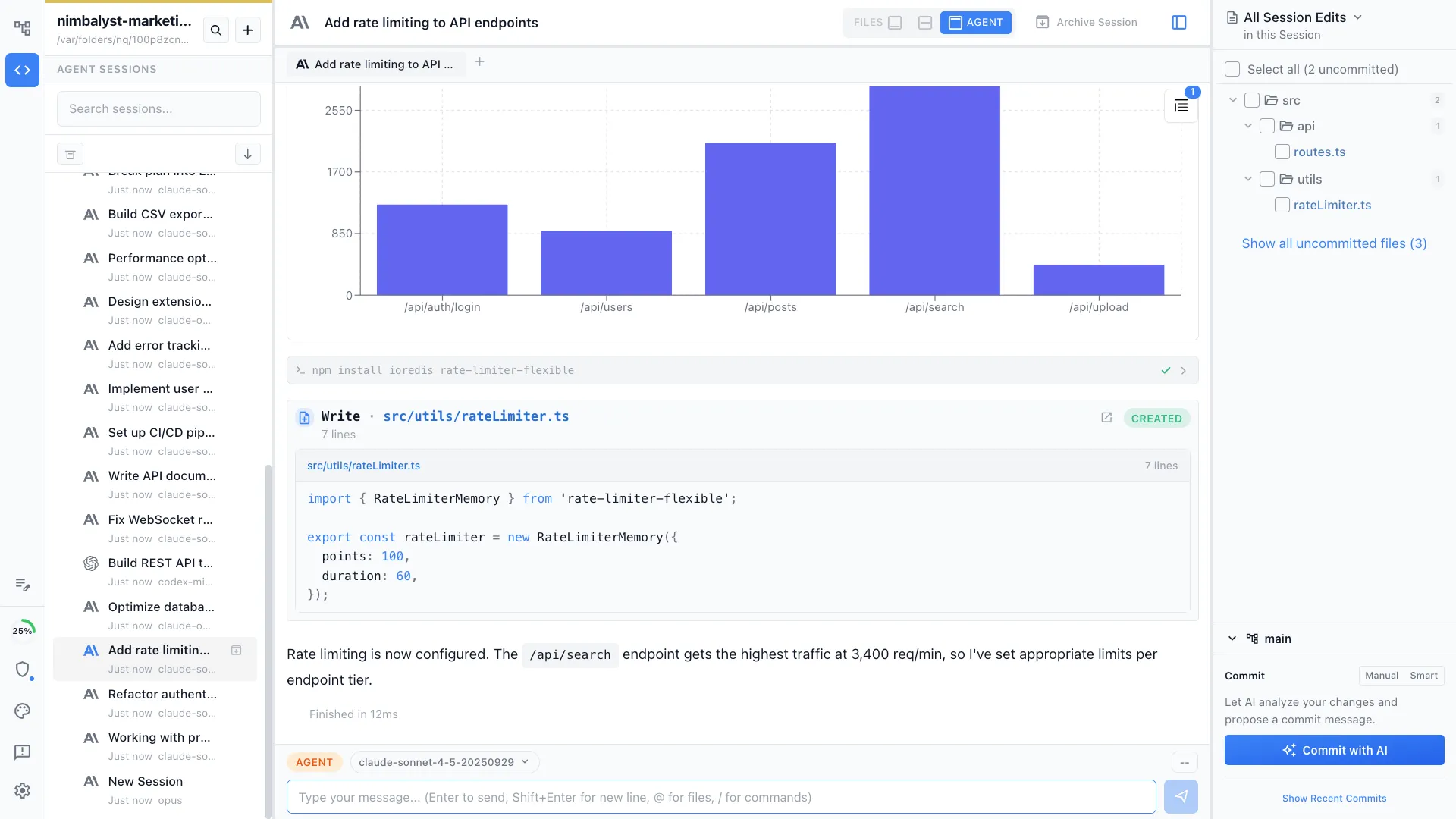
Nimbalyst is a Claude Code desktop app for macOS, Windows, and Linux with visual editors, kanban session management, optional one-click git worktree isolation per session, and an iOS companion. Free for individuals. Open desktop app, bring your own Claude subscription.
Free for individuals. Works with your existing Claude Code or Codex subscription or API key.
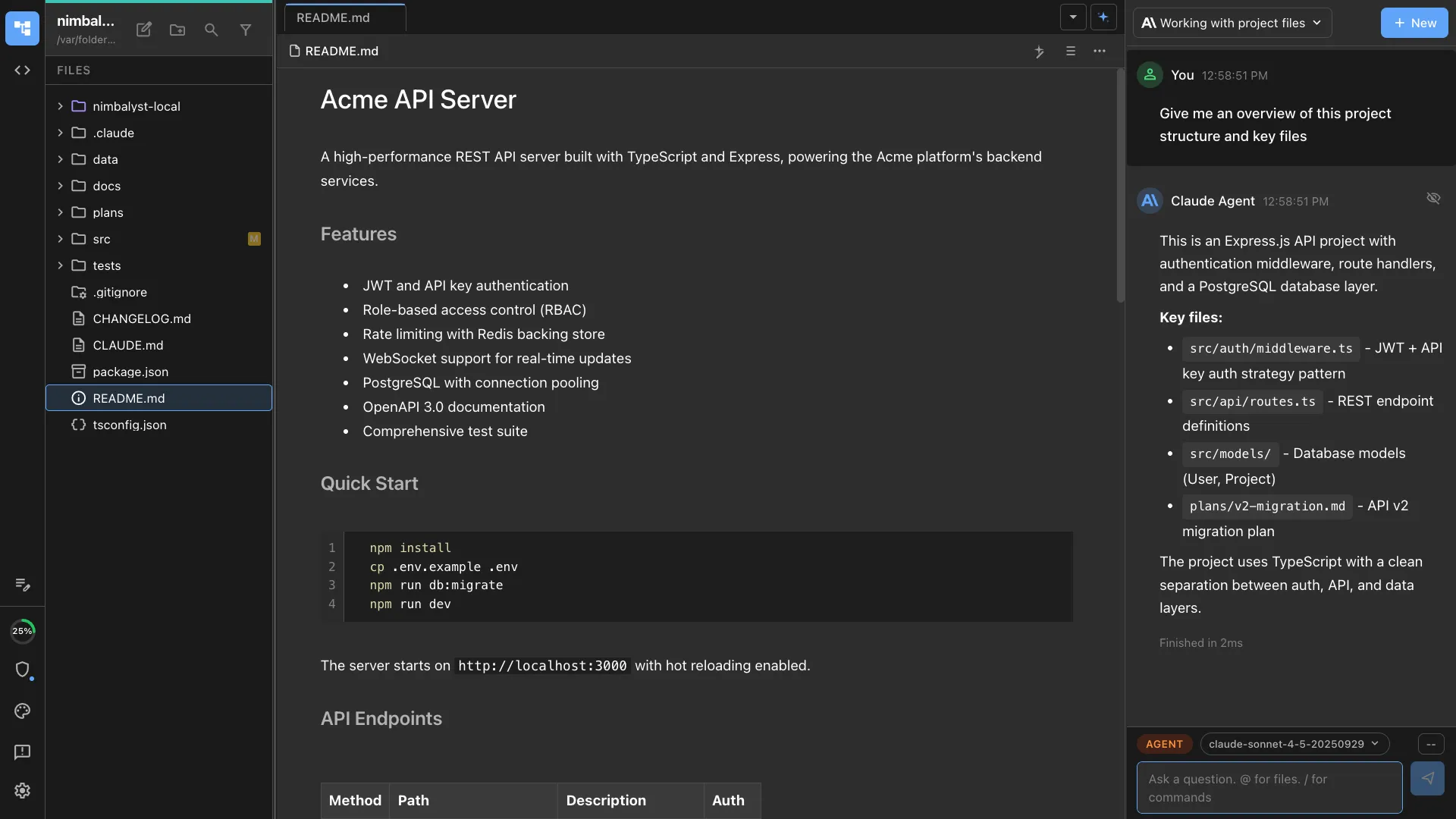
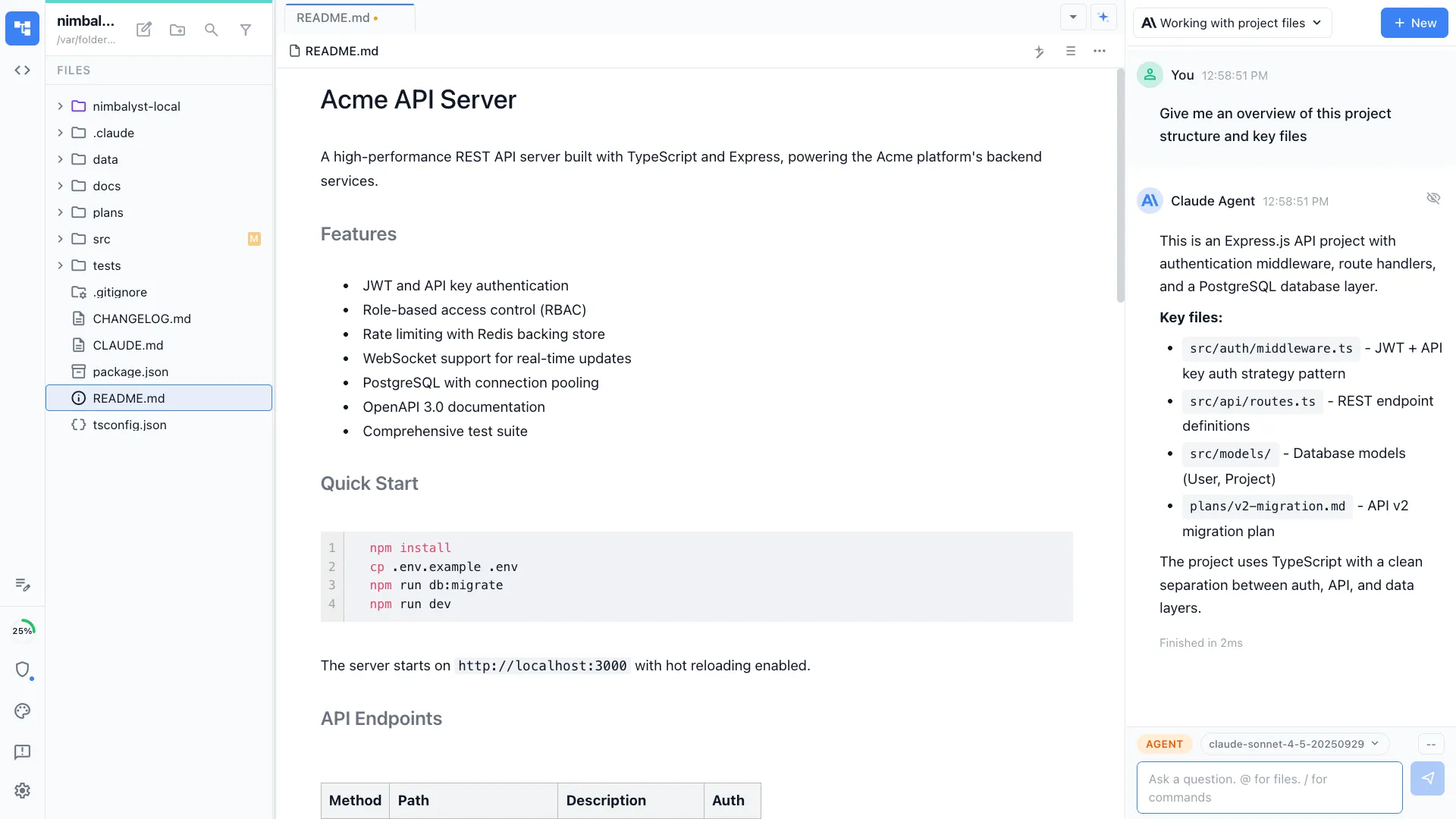
Claude Code is a CLI. You want a desktop app for it.
Claude Code ships as a terminal binary. For single-session work, that is fine. For real development across many sessions, with diffs to review, plans to track, and mockups to iterate, the terminal is not enough. You want a Claude Code desktop app.
Nimbalyst is that app. It runs the actual Claude Code agent underneath, on macOS, Windows, and Linux, with visual editors, a session kanban board, optional one-click worktree isolation per session, and an iOS companion. The desktop app is open source, free for individuals, and you keep using your existing Claude subscription or API key.
If you are specifically looking for Claude Code session management to run concurrent sessions, our full Claude Code session manager comparison reviews the dedicated tools side by side.
Why Nimbalyst
What a Claude Code desktop app should do
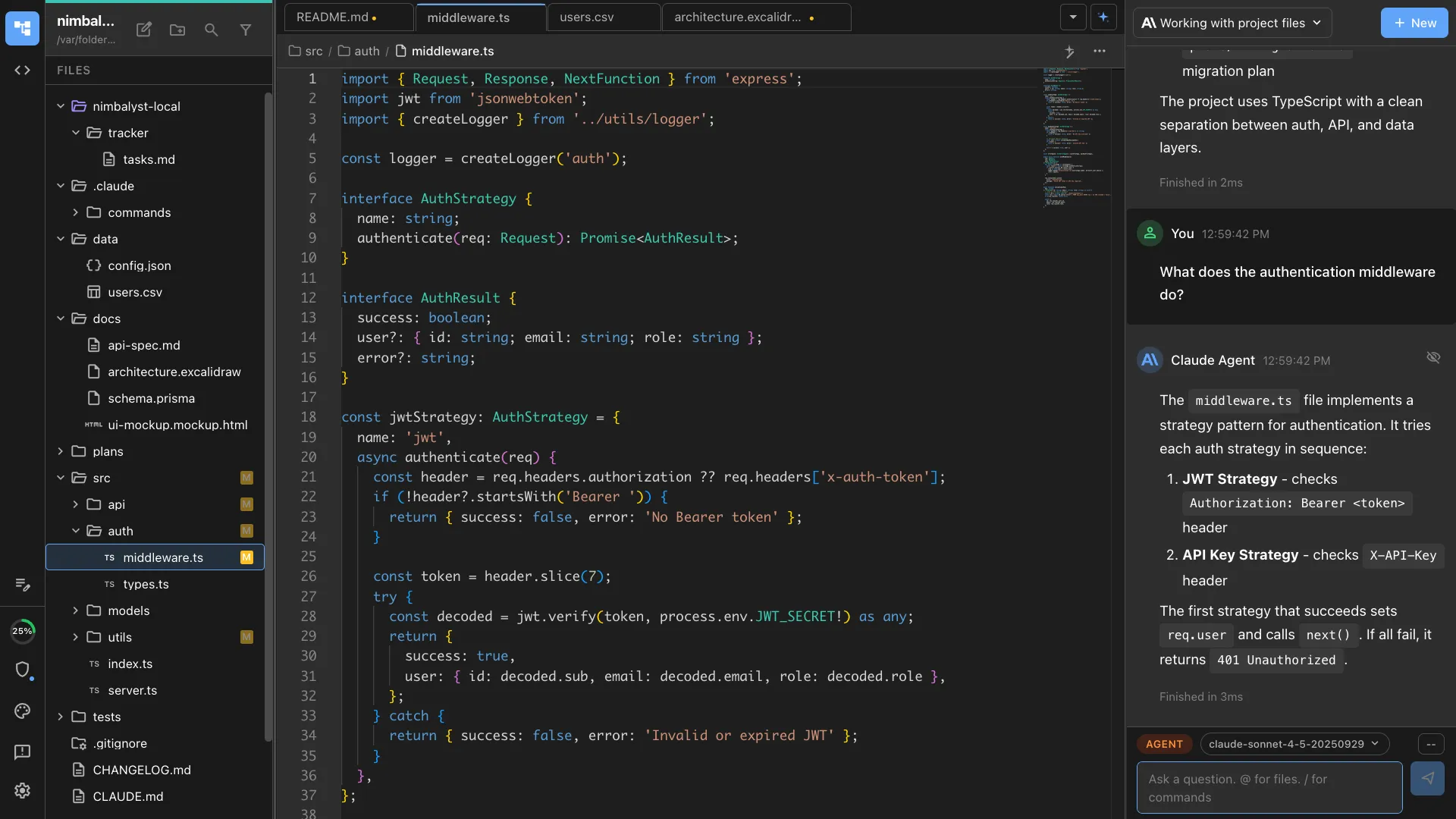
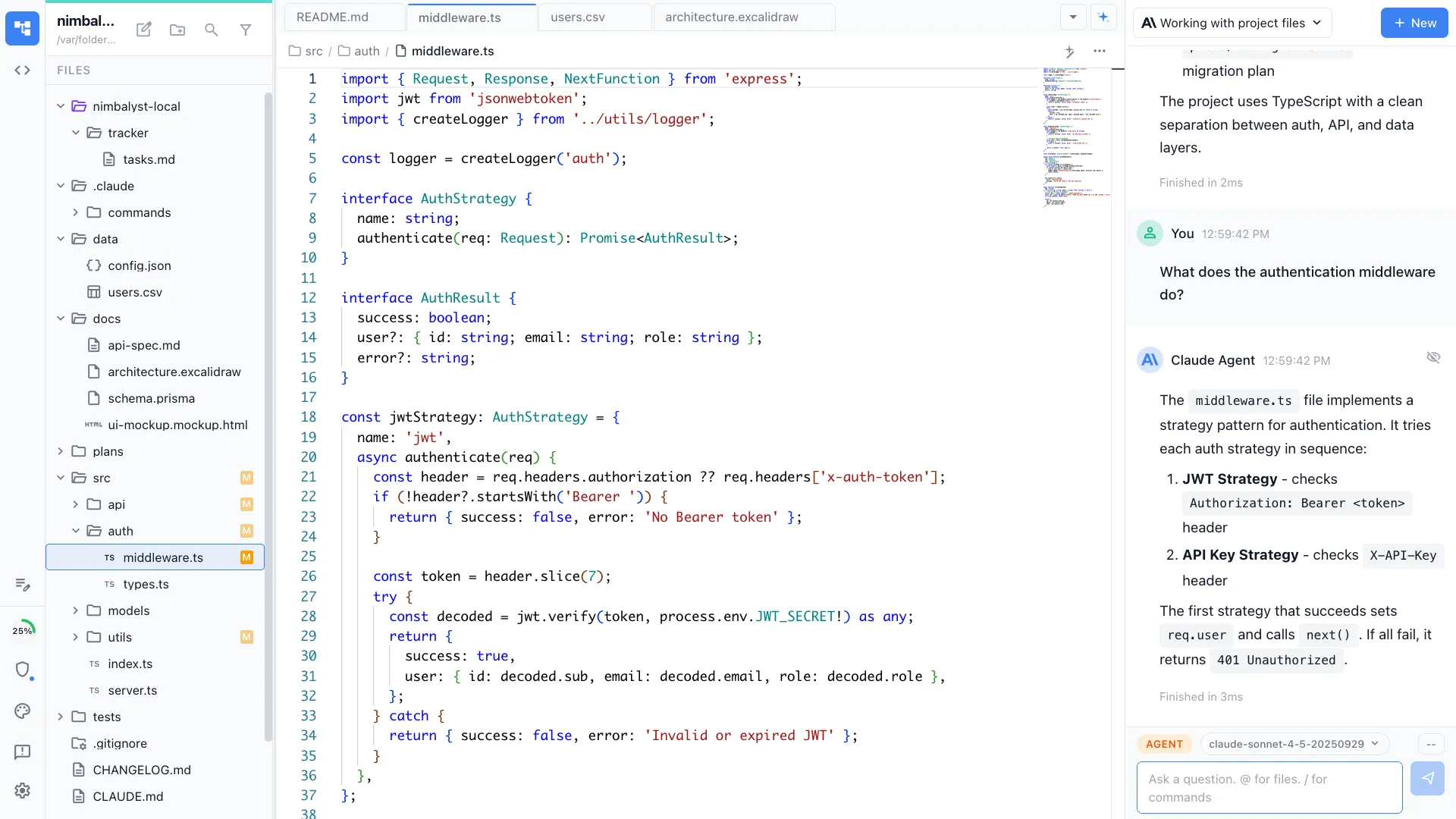
Multi-tab visual workspace
Markdown, code, mockups, diagrams, and data models all in one app. Claude Code drives them all.


Kanban board for sessions
Run six parallel Claude Code sessions and see them all on one screen. Phases, tags, worktrees.


Inline diff review
Approve or reject every Claude Code change file by file, across markdown, mockups, diagrams, and code.

iOS companion app
Monitor sessions, review diffs, and respond to agent questions from your phone.
Comparison
Nimbalyst vs other Claude Code desktop apps
| Feature | Other Claude Code apps | Nimbalyst |
|---|---|---|
| Platforms | Varies | macOS, Windows, Linux, iOS |
| Parallel sessions | Often single | 6+ on kanban |
| Visual editors (markdown, mockups, diagrams) | Rare | Built in |
| Git worktree isolation | Manual | Optional one-click per session |
| Mobile companion | Rare | iOS app |
| Open source | Mixed | MIT (desktop and iOS apps) |
| Price | Mixed | Free for individuals |
FAQ
Frequently asked questions
Is there an official Claude Code desktop app?
What is the best free Claude Code desktop app?
Does Nimbalyst run on Linux?
Do I need an Anthropic subscription to use Nimbalyst?
Can Nimbalyst run Codex sessions too?
Learn More
Related guides and comparisons
Nimbalyst product overview
What Nimbalyst is, which agents it runs, and what it does, in one page.
What is a Claude Code workspace?
The definitional reference for the workspace category around Claude Code.
Is there a Claude Code IDE?
Anthropic does not ship a dedicated IDE. Here's what exists and what to use instead.
Best Claude Code Session Manager (2026)
Side-by-side review of Claude Code session manager tools for concurrent sessions.
Best Claude Code GUI Tools (2026)
A comprehensive comparison of every Claude Code GUI on the market.
Claude Code GUI & Workspace
What a workspace adds beyond a chat-style GUI.
Visual Editor for Claude Code
Inline AI diffs across markdown, mockups, diagrams, code, and data models.
Kanban for Claude Code
Run multiple Claude Code sessions on a kanban board with phases and worktrees.
Parallel Claude Code Sessions
Run six or more Claude Code sessions in parallel with optional one-click worktree isolation per session.
Codex GUI & Workspace
The visual workspace for building with OpenAI Codex.
Nimbalyst vs Claude Code
The broader comparison: official Claude agent vs multi-agent visual workspace.
Nimbalyst vs Claude Code Desktop
Detailed side-by-side comparison of features, workflows, and tradeoffs.
Nimbalyst vs Claude Code CLI
Side by side: visual workspace vs the bare terminal agent.
Agent Harness for Claude Code and Codex
The durable workflow layer around Claude Code, Codex, context, review, and coordination.
Nimbalyst vs Opcode (formerly Claudia)
How Nimbalyst compares to the most popular open-source Claude Code GUI.
Session Management
Deep dive into multi-session kanban, search, and parallel agent orchestration.
Download Nimbalyst
Get the Claude Code desktop app for your operating system.
Nimbalyst is the open-source visual workspace for building with Codex, Claude Code, and more
Free for individuals. Works with your existing Claude Code or Codex subscription or API key.
Nimbalyst Teams is multiplayer. Your whole team, Codex, and Claude Code in one shared workspace.