Claude Code Skills: A Practical 2026 Guide
Claude Code skills explained: what they are, how to write one, the best built-in skills, and how skills differ from MCP servers and subagents.
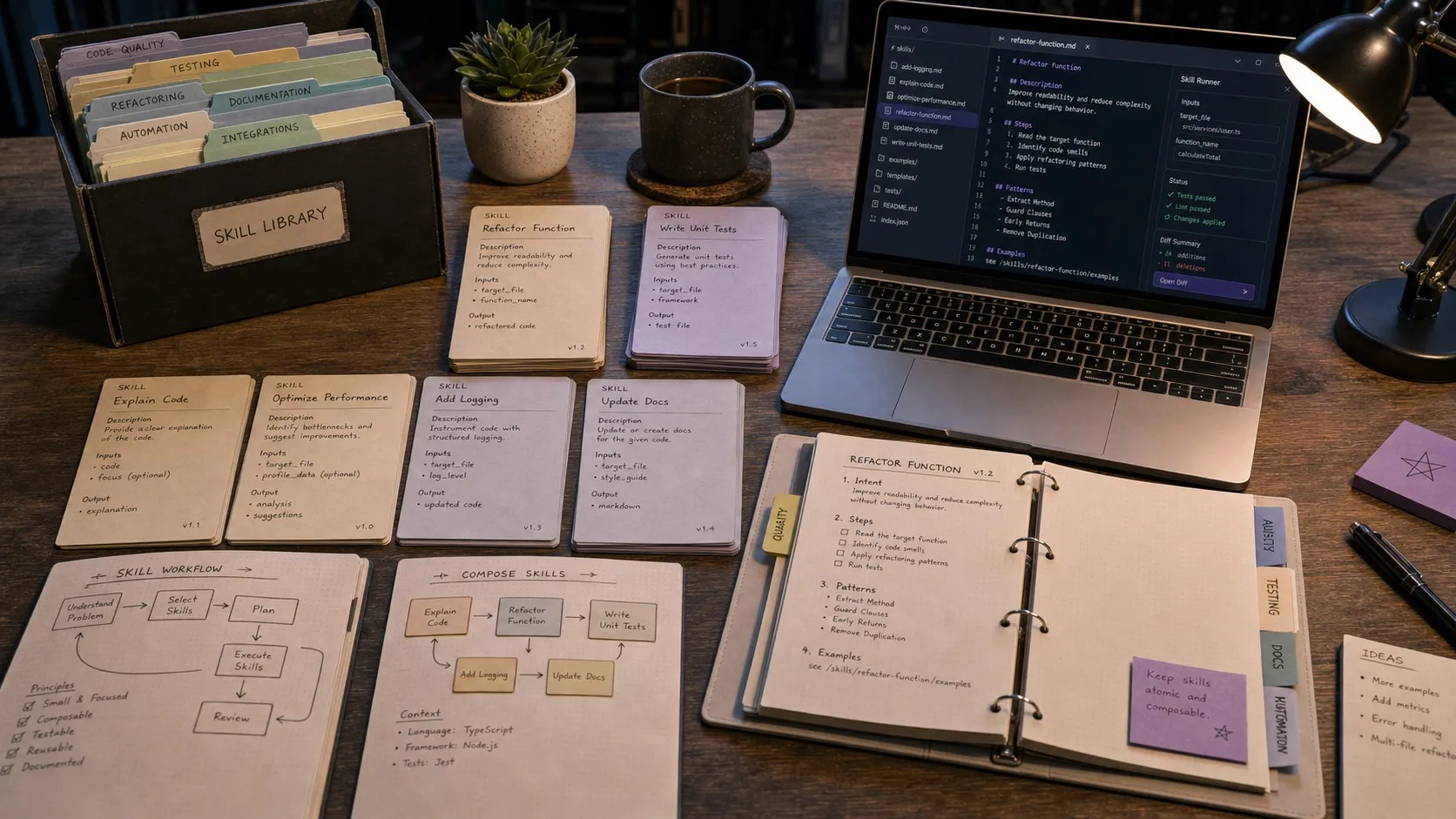
Claude Code skills are reusable instruction packs that any Claude Code session can call into when relevant. A skill bundles a set of instructions, optional resources, and triggering conditions. Claude Code ships with a small set of bundled skills, and you can write your own. This guide explains what skills are, when to write one instead of an MCP server or a subagent, the bundled skills worth knowing, and the configuration patterns that hold up.
Claude Code Skills: Quick Answer
- What is a Claude Code skill? A reusable instruction pack with a name, a description, and a set of conditions for when it should be applied. The main agent loads relevant skills automatically based on context.
- Where do skills live? In
~/.claude/skills/<name>/for user scope or.claude/skills/<name>/inside a project for project scope. - How is a skill different from an MCP server? A skill is instructions. An MCP server is tools. A skill tells the agent what to do. An MCP server gives it new things it can do.
- How is a skill different from a subagent? A skill modifies how the main agent behaves. A subagent is a separate agent the main one delegates to. Skills are inline guidance. Subagents are spawned workers.
- What bundled skills are worth knowing?
/batchfor parallel work in worktrees,/simplifyfor restructuring complex prompts,/debugfor troubleshooting,/loopfor repeated prompts, and/claude-apifor API-focused work.
What a skill actually is
The mental model is simple. A skill is a folder with a SKILL.md (instructions and triggering conditions) plus optional supporting files (templates, examples, helper scripts).
When Claude Code starts a session, it reads the skill descriptions from your skills directories. As the session progresses, the model decides whether the current task matches a skill’s description. If it matches, the skill’s instructions get loaded and applied.
This is different from a system prompt that runs every session. It is closer to a library: the agent has a shelf of skills, and pulls down the one it needs when it needs it.
When to write a skill
Skills pay off in three patterns.
Repeatable workflows that span many sessions
If you find yourself writing the same instructions to Claude Code at the start of every relevant session (“write tests in this style, use Vitest, prefer integration tests over unit tests”), that is a skill. Write it once, save it, and the agent picks it up automatically next time.
Project-specific conventions
Every codebase has unwritten rules. Naming, error handling, where to put new files, which patterns to copy from. A project skill captures those rules in one place, and any agent working in the repo gets them for free.
Domain expertise
If a session needs to know how to use a specific framework, library, or internal API, package that knowledge into a skill. The skill description triggers it when relevant. The instructions teach the agent the API once, and the agent uses it correctly from then on.
Skill vs MCP server vs subagent
These three layers of Claude Code’s platform get conflated. They are not the same.
| Layer | What it adds | Example |
|---|---|---|
| MCP server | New tools the agent can call | ”GitHub MCP server lets the agent open PRs” |
| Skill | New instructions the agent applies in context | ”Test-writing skill makes the agent write Vitest tests in your house style” |
| Subagent | A separate agent the main one delegates to | ”Code-reviewer subagent runs in its own context to audit a diff” |
A workflow can use all three together. The agent gets a Bash tool, a GitHub tool from MCP, an “open PR with description” skill, and delegates the code review to a code-reviewer subagent. Each layer does what it is good at.
Writing a skill
A minimal skill is one file: ~/.claude/skills/test-writer/SKILL.md.
---
name: test-writer
description: |
  Use this skill when writing or expanding tests. Covers Vitest, Playwright,
  and house-style preferences (integration over unit, no mocks for the
  database, snapshot tests only for stable artifacts).
---

# Test writing conventions

When the user asks for tests, follow these rules.

## Framework selection

- Use Vitest for unit and integration tests.
- Use Playwright for end-to-end tests that need a browser.
- Do not introduce Jest. The repo no longer has Jest configured.

## Style

- Prefer integration tests over unit tests when the cost is similar.
- Do not mock the database. Use the test container described in
  `tests/setup.ts`.
- Snapshot tests only for stable serialized output (formatted JSON, schema
  exports). Do not snapshot UI.

## Structure

- One test file per source file. Match the path under `tests/`.
- Use `describe` blocks per public function or component.
- Keep test names assertive: "returns 404 when no user is found", not
  "tests no user".
The frontmatter description is the trigger. The model reads it during planning and decides whether the current task matches.
The body is the actual instructions. Be specific. Vague guidance produces vague behavior.
Adding resources to a skill
For more involved skills, the folder can hold supporting files. A templates/ subdirectory with starter files. A examples/ subdirectory with reference implementations. A helpers.sh script the agent can call.
The skill’s instructions can reference those files explicitly: “When generating a new test file, copy templates/integration-test.ts and adapt it.” The agent reads the template, modifies it, and writes the result.
This pattern compounds well. A team can build up a library of templates inside the skill, and every new test gets the right shape from the start.
Bundled skills worth knowing
Claude Code ships several bundled skills. The ones that pay off immediately:
/batch
Spawns parallel work across multiple git worktrees. Hand it a list of tasks (“apply this refactor to these five packages”) and it creates worktrees, runs the work in parallel, and collects the results.
/simplify
Useful when the task or prompt has become too sprawling. It helps Claude reduce a messy ask into a smaller, clearer execution plan.
/debug
Focused on troubleshooting loops, reproductions, and narrowing root cause. It is the first bundled skill I would reach for when a session is stuck in “something is broken” mode.
/loop
Runs a prompt on repeat while the session stays open. Good for lightweight monitoring or repeated checks without building a separate automation system.
/claude-api
Useful when the task is specifically about Anthropic’s API surface rather than general code work.
One thing to be careful about: /commit is a very common custom skill pattern, but it is not one of the bundled skills Claude Code documents today.
Tuning skill descriptions
The description field is the most important part of a skill. It is what the model reads to decide whether to apply the skill.
Patterns that work:
- Lead with the use condition. “Use this skill when [X].” The model parses this as a triage rule.
- Name the artifact or output. “When generating tests” is more useful than “for testing work”.
- Be explicit about scope. “Vitest and Playwright tests only” prevents the skill from triggering on unrelated test conversations.
Patterns that fail:
- Vague descriptions. “Helps with development” matches everything. The model triggers it constantly, polluting context.
- Listing capabilities instead of conditions. “Knows how to write tests, run linters, format code” is a description of what the skill knows. The model needs to know when to use it.
Project-scope vs user-scope skills
User scope (~/.claude/skills/) is right for your personal preferences and any conventions you carry across projects.
Project scope (.claude/skills/ in a repo) is right for project-specific rules. Naming conventions, framework choices, where new files go. Commit project-scope skills with the repo so every developer gets them.
Most production teams I have seen end up with a small library of project-scope skills (5 to 10) and a handful of personal user-scope skills. The project-scope skills compound the most: every contributor benefits from work that one person did once.
Claude Code skills and Nimbalyst
Nimbalyst can package skills inside extensions and make the enabled set easier to discover than the bare CLI. That is useful when a workflow mixes Claude Code skills with visual editors or app-specific tooling: the skill provides reusable instructions, while the extension provides the host UI and any related MCP tools.
Frequently Asked Questions
What are Claude Code skills?
Claude Code skills are reusable instruction packs that any Claude Code session can use. Each skill has a description (when to apply it) and a body (what to do). The model auto-loads relevant skills based on the task. Skills live in ~/.claude/skills/ for user scope or .claude/skills/ inside a project for project scope.
How do I create a Claude Code skill?
Create a folder at ~/.claude/skills/<name>/ and add a SKILL.md with frontmatter (name, description) and a body of instructions. Optionally add supporting files like templates or example code. The next Claude Code session will discover the skill and apply it when the description matches the current task.
What is the difference between a Claude Code skill and an MCP server?
A skill is instructions. An MCP server is tools. A skill tells the agent how to behave. An MCP server gives the agent new things it can do (read GitHub issues, query a database, post to Slack). A workflow can use both, and they compose well.
What is the difference between a skill and a subagent?
A skill modifies how the main agent behaves. A subagent is a separate, isolated agent the main one delegates to. Skills are guidance. Subagents are workers. Use a skill when you want the main agent to handle something differently. Use a subagent when you want a scoped task to run in its own context.
Are there official Claude Code skills?
Yes. Claude Code ships bundled skills including /simplify, /batch, /debug, /loop, and /claude-api. Teams often add their own project-specific skills on top, such as custom /commit, testing, or code-review workflows.
Should I write a skill or update CLAUDE.md?
Both have a place. CLAUDE.md is loaded into every session in the project. Skills are loaded conditionally based on the description. For rules that apply to all work in the repo, CLAUDE.md is the right home. For rules that only apply to specific tasks (testing, commits, security review), skills are cleaner because they keep the context focused.
Related Reading
Related posts
-
Best Claude Code Skills in 2026 (Ranked)
The best Claude Code skills in 2026, ranked by day to day usefulness: code review, test writing, parallel batch work, debugging, release flows, and one visual bundle from Nimbalyst.
-
Best AI Agent Orchestration Platforms 2026: Coding vs Workflow
AI agent orchestration means two different products. Compare control planes for your own coding agents (Nimbalyst, Orca, Emdash, Superset, Conductor, Warp) against workflow frameworks like LangGraph and CrewAI.
-
What Is an Agentic Development Environment (ADE)?
An agentic development environment is the workspace you use to direct several coding agents at once. Definition, origins, how an ADE differs from an IDE and a CLI agent, and criteria for evaluating one.