Integrate 80% of everything for agent and human context
Shipping one feature with a coding agent touches seven tools. Why context has to be a graph and editors have to share a workspace to close that gap.
Why deep integration matters for agent context
To ship a single feature with a coding agent, most teams touch seven systems: Jira or Linear for the ticket, Slack for the thread that clarified what to actually build, Obsidian, Notion, Google Docs, or Confluence for the plan, Excalidraw, Miro, or Lucid for the diagram, Figma for the mockup, the IDE for the diff, and Codex or Claude Code for the working sessions. Plus the local files themselves.
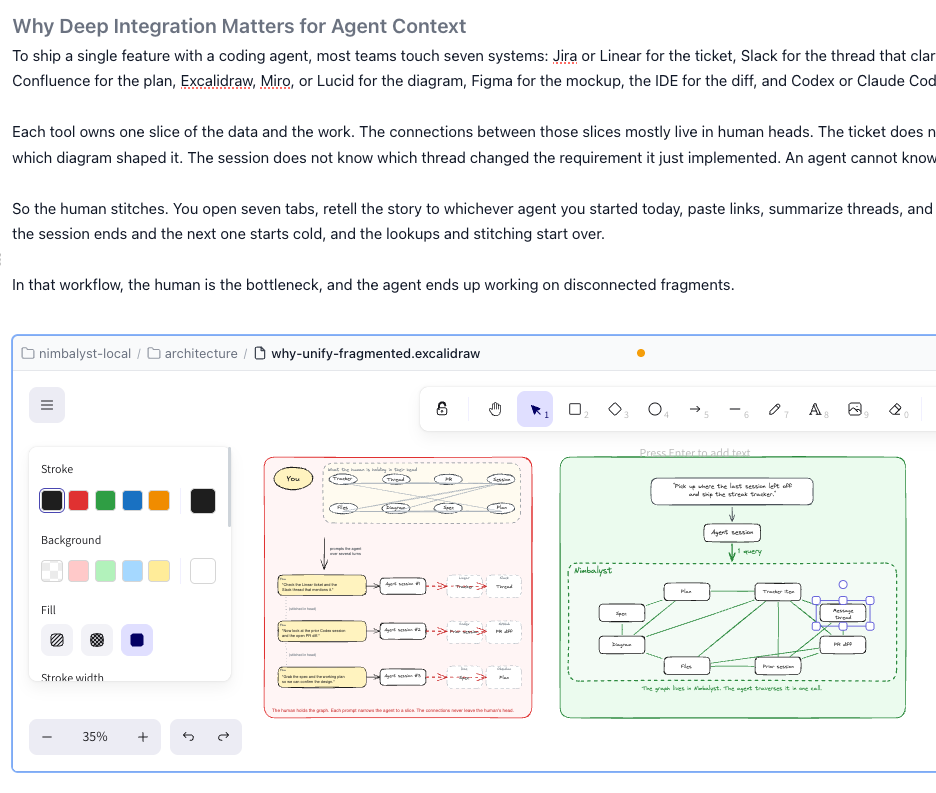
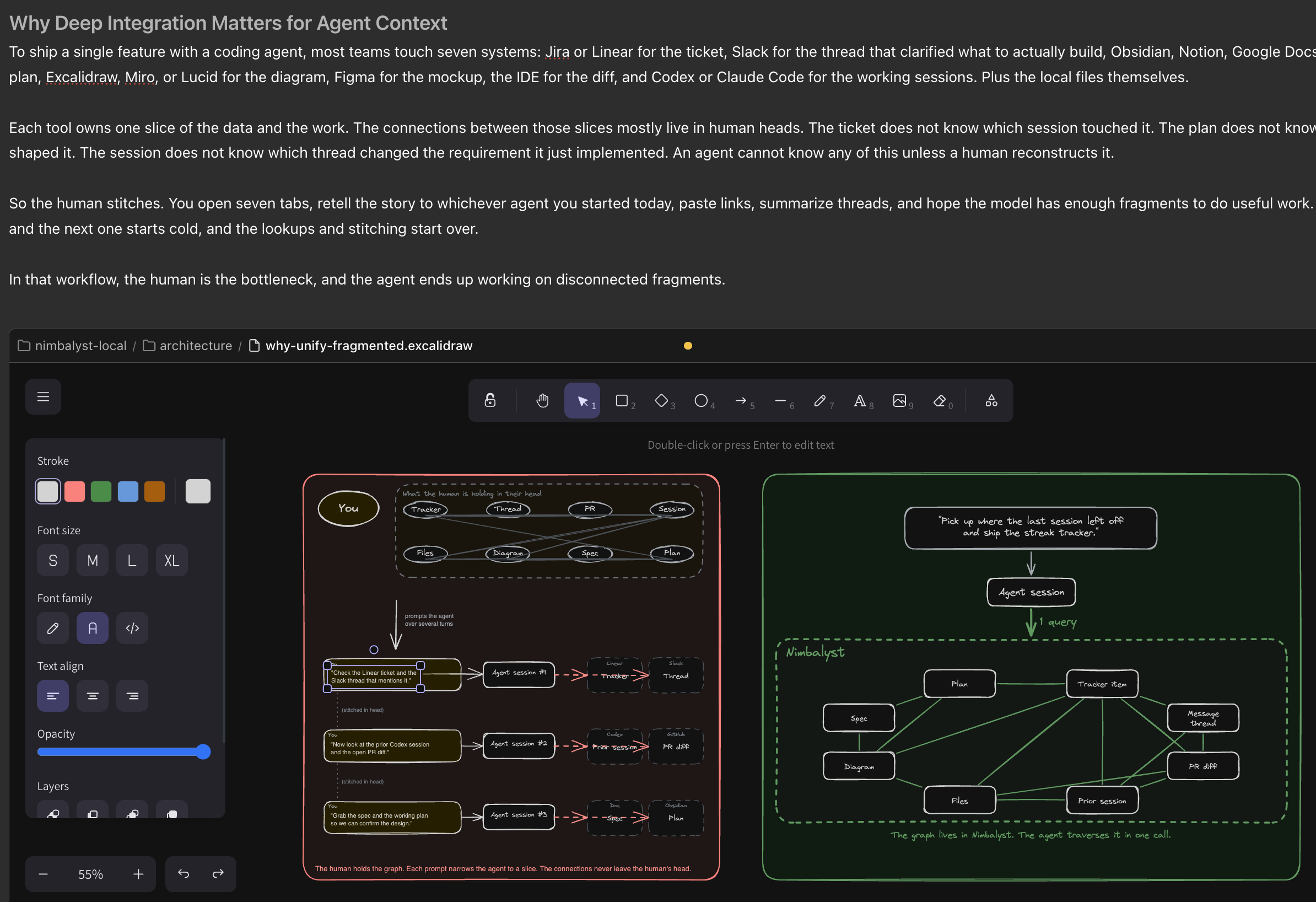
Each tool owns one slice of the data and the work. The connections between those slices mostly live in human heads. The ticket does not know which session touched it. The plan does not know which diagram shaped it. The session does not know which thread changed the requirement it just implemented. An agent cannot know any of this unless a human reconstructs it.
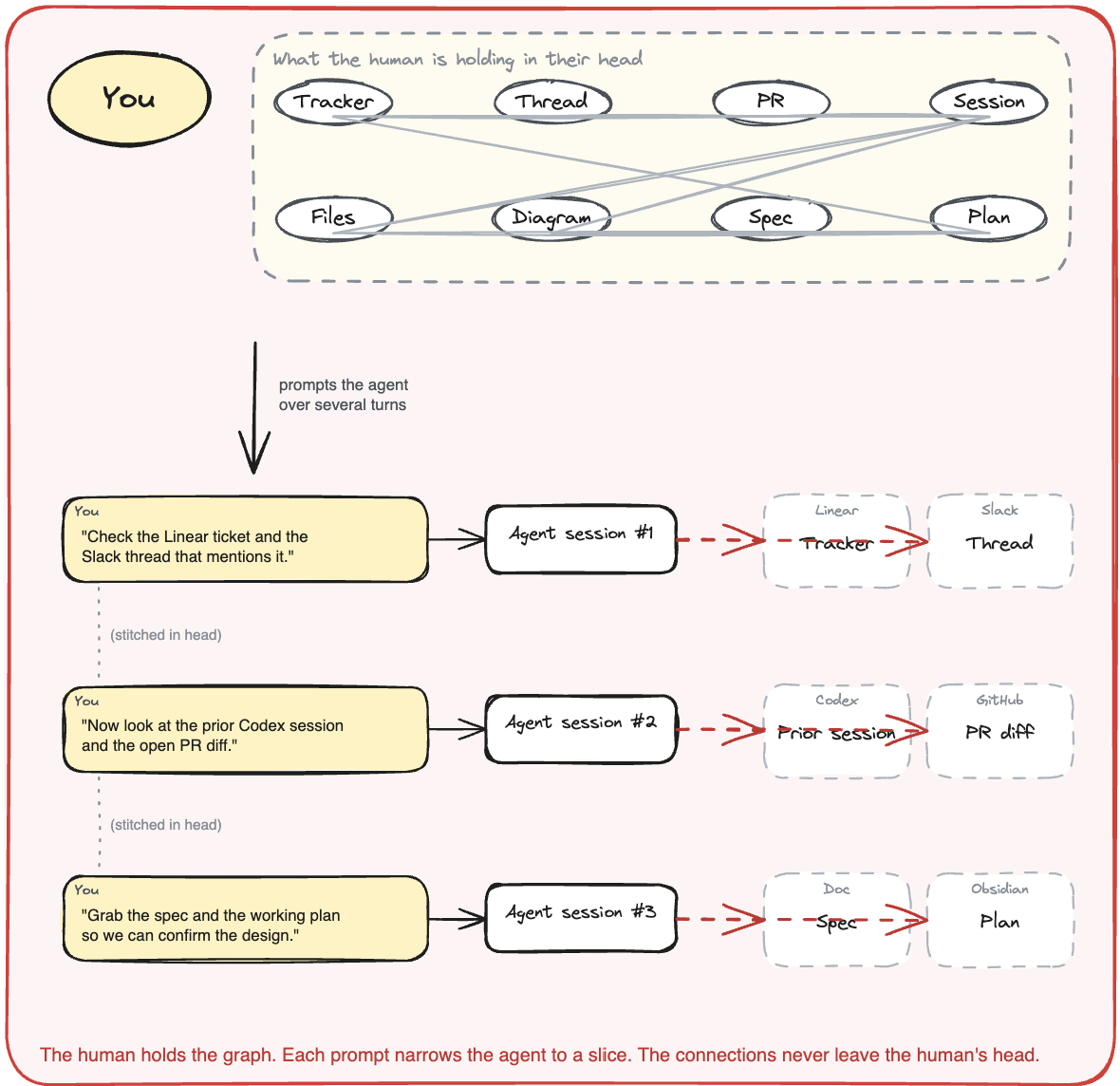
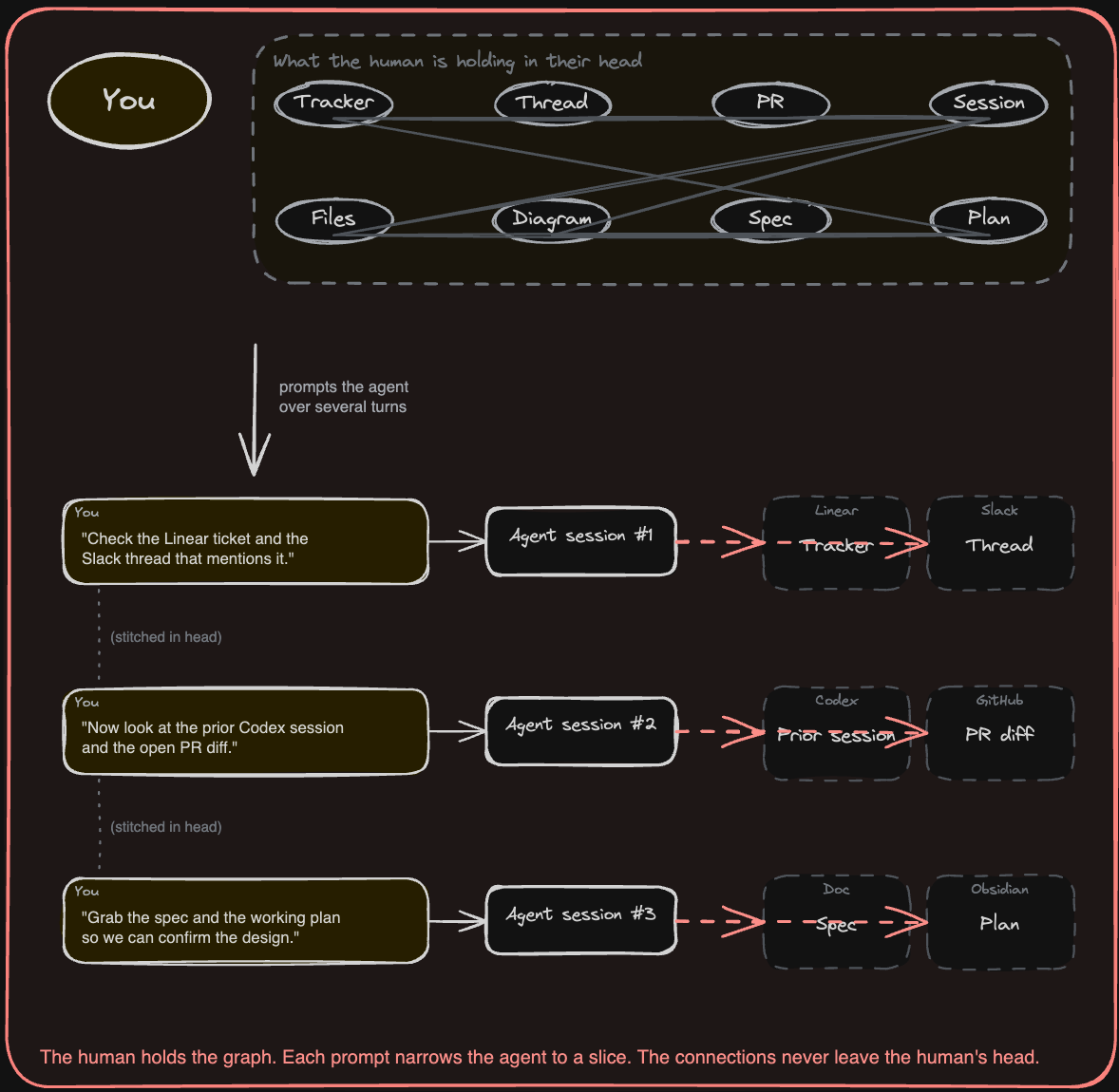
So the human stitches. You open seven tabs, retell the story to whichever agent you started today, paste links, summarize threads, and hope the model has enough fragments to do useful work. Then the session ends and the next one starts cold, and the lookups and stitching start over.
In that workflow, the human is the bottleneck, and the agent ends up working on disconnected fragments.
Context as a graph, not a pile of tabs
Ask, “Pick up where the last session left off and ship the streak tracker.” Across a fragmented stack, that requires a chain of lookups through separate tools, separate auth models, and separate data models, and the agent still may not know which prior session touched the work. The artifacts already exist, but you are missing the connections between them.
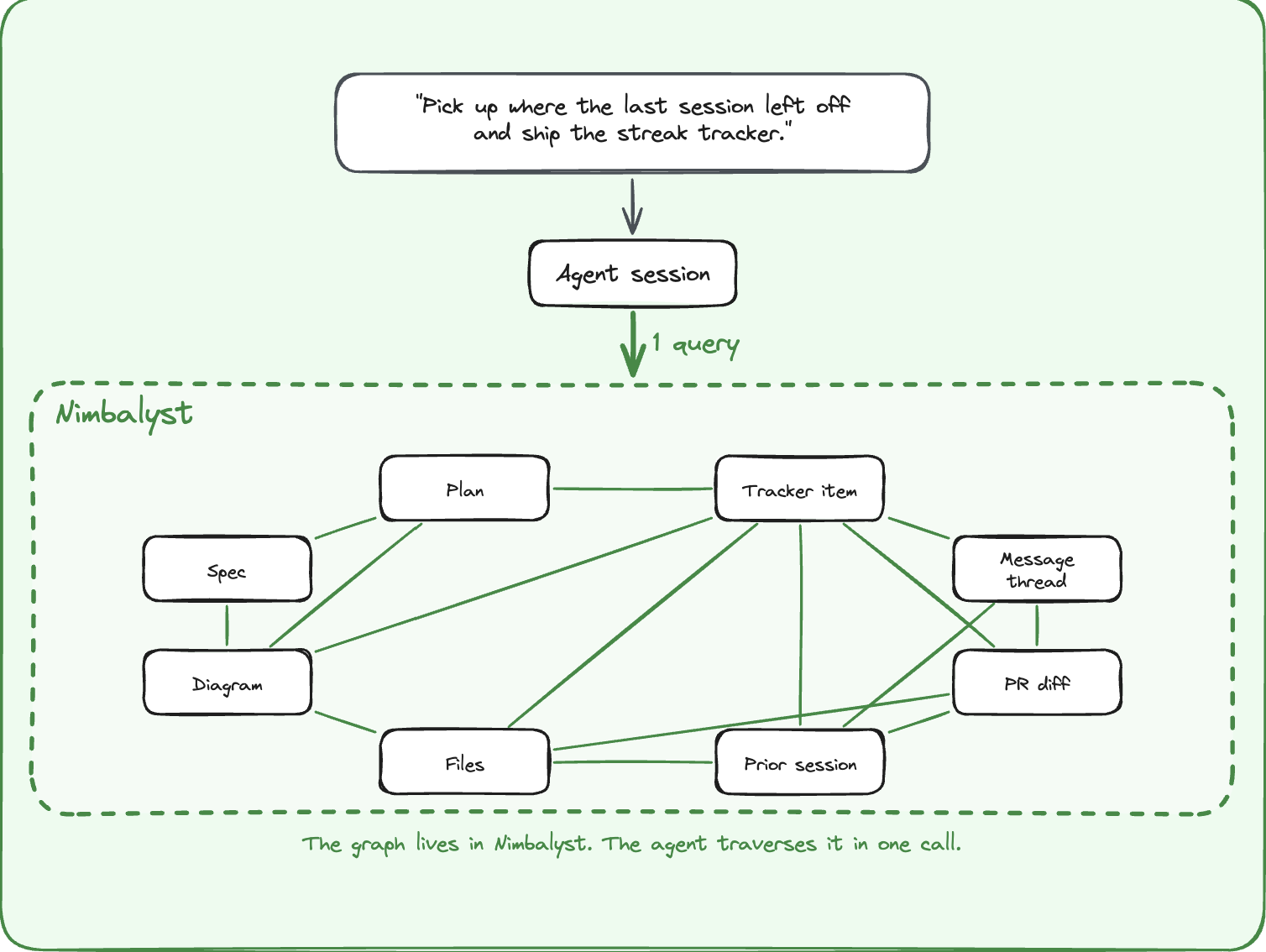
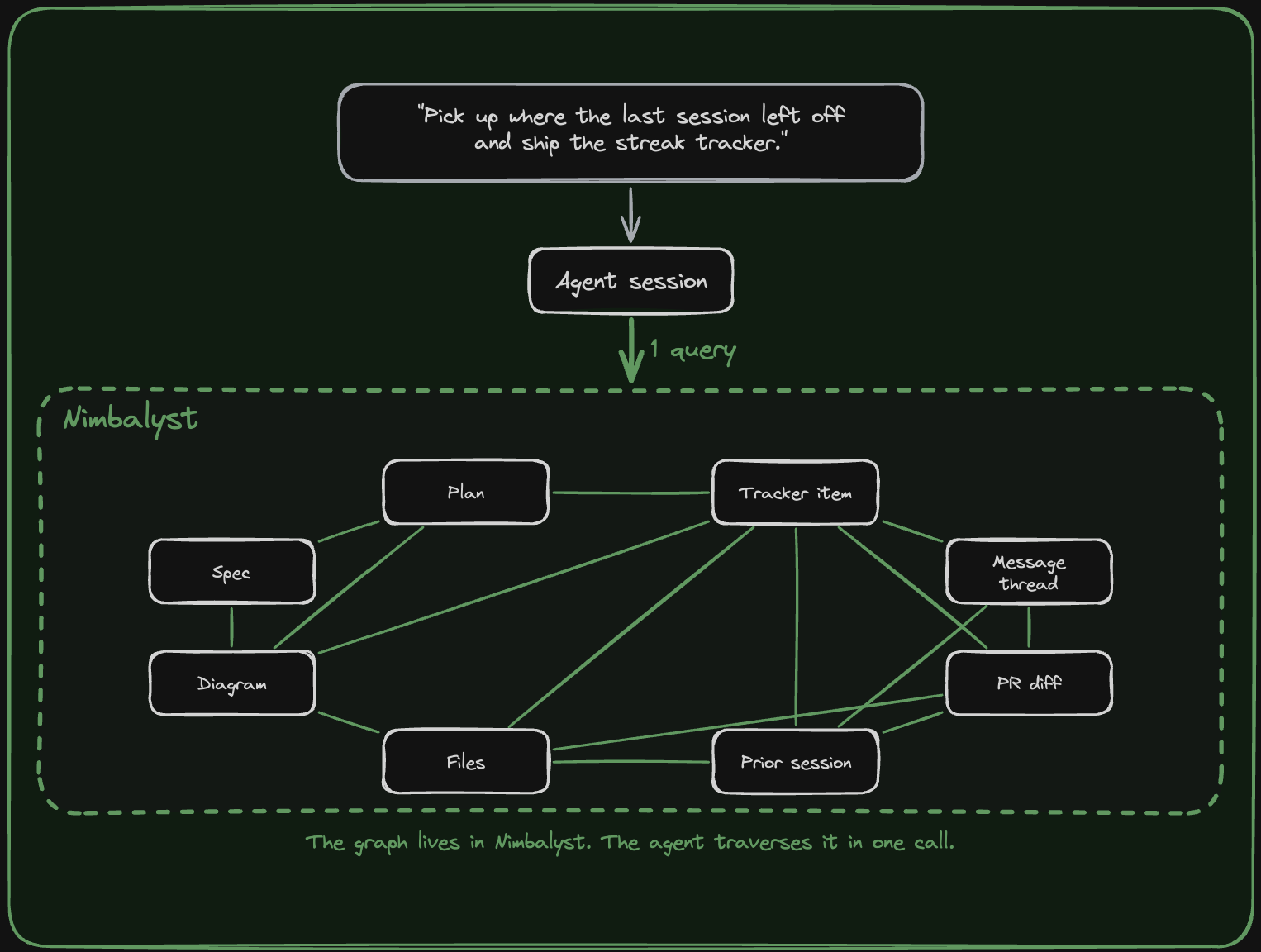
In an integrated workspace, those artifacts become nodes with typed edges: tracker item to message thread to plan to spec to session to diagram to diff to files. Both the human and the agent can traverse the same graph, and the human can do it visually. So that same query is a single traversal. The tracker item, the plan, the spec, the discussion threads, the prior session, the design diagram, the open PR, and the files already changed are all connected.
A graph like this is a connective layer that any agent can plug into, whether the model is Claude Code, Codex, OpenCode, or whatever comes next.
Integrated visual editors are how the human stays in the loop
A graph of typed edges is only useful to a human if they can actually see and edit the things on the other end of those edges without leaving the place they started.
Editors have to be part of the workspace, accessed natively within any context. Reading a message thread that references a diagram? Open the diagram right there and edit it. Sitting in a tracker item that links to a mockup? Pull up the mockup and adjust it without losing your place. Working in a markdown spec that embeds a diagram? Click into the diagram, change it, and the spec updates. The same is true for plans, diffs, code files, and sessions. Every artifact in the graph has a first-class editor inside the workspace, and you can move between them without switching apps, losing context, or copying anything between tools.
And you work visually with your agent in the same artifact with the same edits visible to both of you in real time. When the agent modifies a mockup, you see the red and green diff and approve it. When you redraw part of a diagram, the agent picks up the change for its next step. The visual surface and the agent’s working surface are the same surface.
Why we are building the 80% that matters
Deeply integrated agent context will not exist as long as the underlying work is scattered across eight different SaaS applications.
So we are building the 80% of those products that matters for human and agent workflows, then integrating those data models into one graph.
That already includes:
- A tracker that holds tickets, bugs, decisions, and ideas
- A markdown editor with WYSIWYG and red/green diffs
- Diagrams as first-class files
- Mockups that render
- A code editor
- Sessions that persist
Message threads are next, because the conversation around a piece of work is part of the work.
These applications are agent-native and deeply integrated both visually and in the graph. They share IDs and a workspace, all in one graph. Our thesis is that the winning environment for human-agent work is an integrated workspace where the work, the discussion, the decisions, the files, and the sessions all belong to the same system.
Nimbalyst is one example you can learn from and use
Nimbalyst is an open-source visual workspace where agents, sessions, tasks, and files live in one place. Markdown, mockups, diagrams, diffs, and code all open in the same canvas. Claude Code and Codex run as first-class agents today, and the agent layer is pluggable for the next one. The desktop and iOS apps are MIT licensed. Steal what is useful for your own setup, or use it as-is if it fits.
Related posts
-
What Is an Agent Harness? Eight Pillars for Coding Agents
An agent harness is the durable system around a coding model. Learn the eight layers that give Claude Code, Codex, and other agents context, tools, safety, and proof.
-
Best Tools for Agentic Coding in 2026
A practitioner's tour of the agentic coding tool landscape in 2026, covering terminal agents, IDE agents, workspace surfaces, and unsolved gaps.
-
Spec-Driven Development with Coding Agents: A Practical Guide
Spec-driven development treats a written specification as the source of truth and code as its output. What a spec contains, how to hand one to Claude Code or Codex, how to keep it current as the code moves, where the practice breaks, and how Spec Kit, Kiro, BMAD, GSD, and OpenSpec compare.