Best Tools for Agentic Coding in 2026
A practitioner's tour of the agentic coding tool landscape in 2026, covering terminal agents, IDE agents, workspace surfaces, and unsolved gaps.
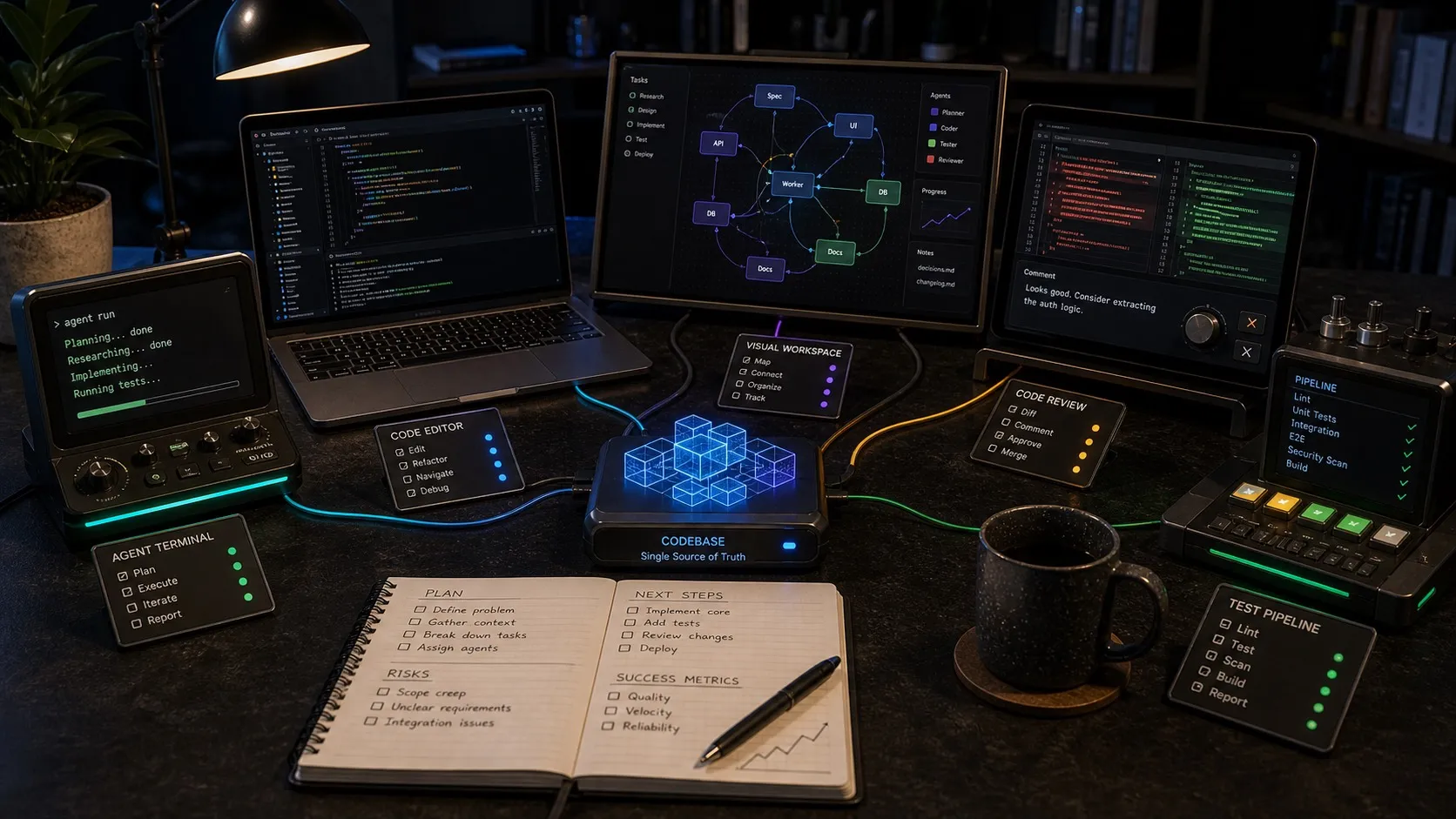
Agentic coding stopped being a buzzword roughly a year ago and is now the way a growing number of working developers actually ship code. The tools have multiplied accordingly. Picking the right ones, and the right combination of them, matters more than it used to.
This is a working tour of the agentic coding tool landscape in May 2026. It is opinionated and based on running these tools daily on real product work. I build one of the tools listed, Nimbalyst, and I will say so when we get there. The rest of the comparisons are based on actual use.
Four layers, not one list
The biggest mistake when picking agentic coding tools is treating them as one category. There are at least four layers, and the best setups use one tool from each.
- The agent itself. The thing that reads, plans, and writes code.
- The IDE or editor layer. Where the human sits when they want to read or change a single file.
- The workspace layer. Where multiple agents, multiple sessions, and the non-code artifacts (notes, tasks, mockups, decisions) live.
- The harness. The instructions, rules, and tools that wrap the agent and make it good at your specific codebase.
The list below is organized by layer.
Layer 1: The agents
Claude Code (Anthropic). Still the most capable general-purpose coding agent for long, multi-step work in a real repository. Strong at planning, careful with risky changes, good at honoring instruction files. Best at sustained work where context and reasoning matter more than raw speed.
OpenAI Codex. Now a serious peer to Claude Code for day-to-day coding work. OpenAI supports both cloud and local Codex flows, plus MCP connectivity. In practice it is often faster and more aggressive, particularly on well-scoped changes. For the full three-way breakdown, see OpenCode vs Codex vs Claude Code.
Gemini Code Assist. The third serious option. Particularly relevant if you already live in Google Cloud, VS Code, or JetBrains. Worth keeping in the mix even if the center of gravity in agentic coding still feels more Claude-and-Codex shaped.
Open-weights agents (Llama, Qwen, DeepSeek through local runtimes). Quality is climbing fast. Practical for cost-sensitive bulk work and for shops with hard data-residency rules. Not yet a frontier-tier replacement for Claude or Codex on complex tasks, but the gap is shrinking. The open-source, model-agnostic OpenCode agent is a common way to drive these local models through one harness.
The right answer is not picking one. The teams getting the most out of agentic coding are routing different kinds of work to different agents.
Layer 2: The IDE / editor layer
Cursor. Cursor 3 (April 2026) is built around multi-agent work, but it still feels strongest when the developer is the driver for file-level work, review, and handoff. Strong UX, strong momentum.
Windsurf. Windsurf 2.0 introduced the Agent Command Center for managing local and cloud agents in one place. Strong if you want an IDE-shaped surface and you like Cascade’s approach to autonomy.
GitHub Copilot (agent mode / cloud agent). Still the default starting point for a lot of enterprises and the easiest path to “agentic coding in the IDE and GitHub workflow my team already uses.” Reliable, conservative, well-integrated with GitHub.
Zed AI. Lean, fast, modal editor with first-class AI integration. Underrated for developers who want speed and minimalism over the kitchen-sink approach.
JetBrains AI Assistant. The right answer if you live in IntelliJ, RubyMine, Rider, or any other JetBrains IDE. Less hype, solid execution.
The IDE layer is the most crowded and the most commoditized. Almost any of these works fine. Pick the one whose modal model and keymap you already know.
Layer 3: The workspace layer
This is the layer that did not exist a year ago and is now the most important one to get right.
Anthropic’s desktop app for Claude Code. Anthropic now gives Claude Code a visual desktop surface for parallel local sessions with isolated worktrees. The best single-agent surface for Claude Code specifically.
Nimbalyst. An open-source visual workspace for AI coding that runs Claude Code and Codex as first-class agents in the same workspace. Sessions, tasks, decisions, files, mockups, diagrams, diffs, and code live in one place. The desktop and iOS apps are MIT licensed. Built for the case where you use more than one agent and want the surface itself to be open.
Conductor and other multi-session managers. A growing category of tools that wrap multiple terminal-based agents with a manager UI. Strong for developers who want a session manager without leaving terminal-shaped thinking.
The choice at this layer comes down to one question. Are you a one-agent shop or a multi-agent shop. If you genuinely only use Claude Code, the Anthropic app is the most polished surface. If you use Claude Code plus Codex (or expect to within a year), a vendor-neutral workspace is the right primitive.
Layer 4: The harness
Project instruction files. CLAUDE.md, AGENTS.md, path-scoped rule files. Checked into the repo. Every team doing this seriously has at least one of these by now.
MCP servers. Model Context Protocol is the current best way to expose tools to agents. A growing ecosystem of community MCP servers (Linear, GitHub, Playwright, Postgres, file systems, screenshot capture) means agents can reach real systems without bespoke integrations. Anthropic, OpenAI, and several IDE vendors all support MCP as of mid-2026.
Skill libraries and slash commands. Reusable agent recipes (/release, /review-pr, /triage). Claude Code supports slash commands and skills directly, and OpenAI’s Codex docs now treat saved workflows and skills as a first-class pattern. Investment here compounds.
Live-state tools. Direct database queries, log readers, screenshot captures, end-to-end test runners the agent can loop on. The difference between an agent that needs a human at every step and an agent that can finish a long task on its own usually comes down to whether the harness exposes these.
A working stack
The setups I see working best in May 2026 look something like this:
- Agents: Claude Code as the default, Codex for tasks where it is faster or stronger.
- IDE: whatever the developer already knows. Cursor, Zed, or Copilot are the most common.
- Workspace: Nimbalyst when the team uses more than one agent or wants the surface open. Anthropic’s app when Claude Code is the only agent.
- Harness:
CLAUDE.mdandAGENTS.mdin the repo, MCP servers for live state (logs, database, browser, screenshots), at least three recurring slash commands the team uses every week.
This is the shape of a serious 2026 agentic coding setup. Different from a year ago when “use Claude Code in the terminal” was almost the whole answer.
Where the field is still weak
A few honest gaps as of this writing.
- Cross-agent context handoff. When Claude Code finishes work and Codex picks it up, the transcript does not travel cleanly. Most teams copy-paste.
- Cross-session review. Three parallel agents touch coupled code. No tool yet treats the combined changeset as one reviewable unit.
- Scheduled agents with full workspace access. Background delegation is improving, but real scheduled agents that see the same context interactive sessions see is still an open area.
- Shared harness across teams. A team’s harness is mostly tribal knowledge in
CLAUDE.mdfiles. There is no good package manager equivalent yet for sharing rule sets and skills across teams.
If you are picking a workspace surface this year, weight it toward the one that has the best chance of closing those gaps without locking you to one model vendor. That is the rationale behind Nimbalyst, and it is the lens I would apply to any of the alternatives as well.
The agents are going to keep getting better. The work this year is in the four layers around them.
Related posts
-
What Is an Agent Harness? Eight Pillars for Coding Agents
An agent harness is the durable system around a coding model. Learn the eight layers that give Claude Code, Codex, and other agents context, tools, safety, and proof.
-
Integrate 80% of everything for agent and human context
Shipping one feature with a coding agent touches seven tools. Why context has to be a graph and editors have to share a workspace to close that gap.
-
Why we put Obsidian, Linear, Terminal, Codex app, and Conductor in one workspace
Plans, diagrams, tasks, agent sessions, and diff review used to live in five apps. Putting them in one workspace changes how agentic engineering feels.