Codex desktop app
An open-source desktop app for OpenAI Codex on every platform.
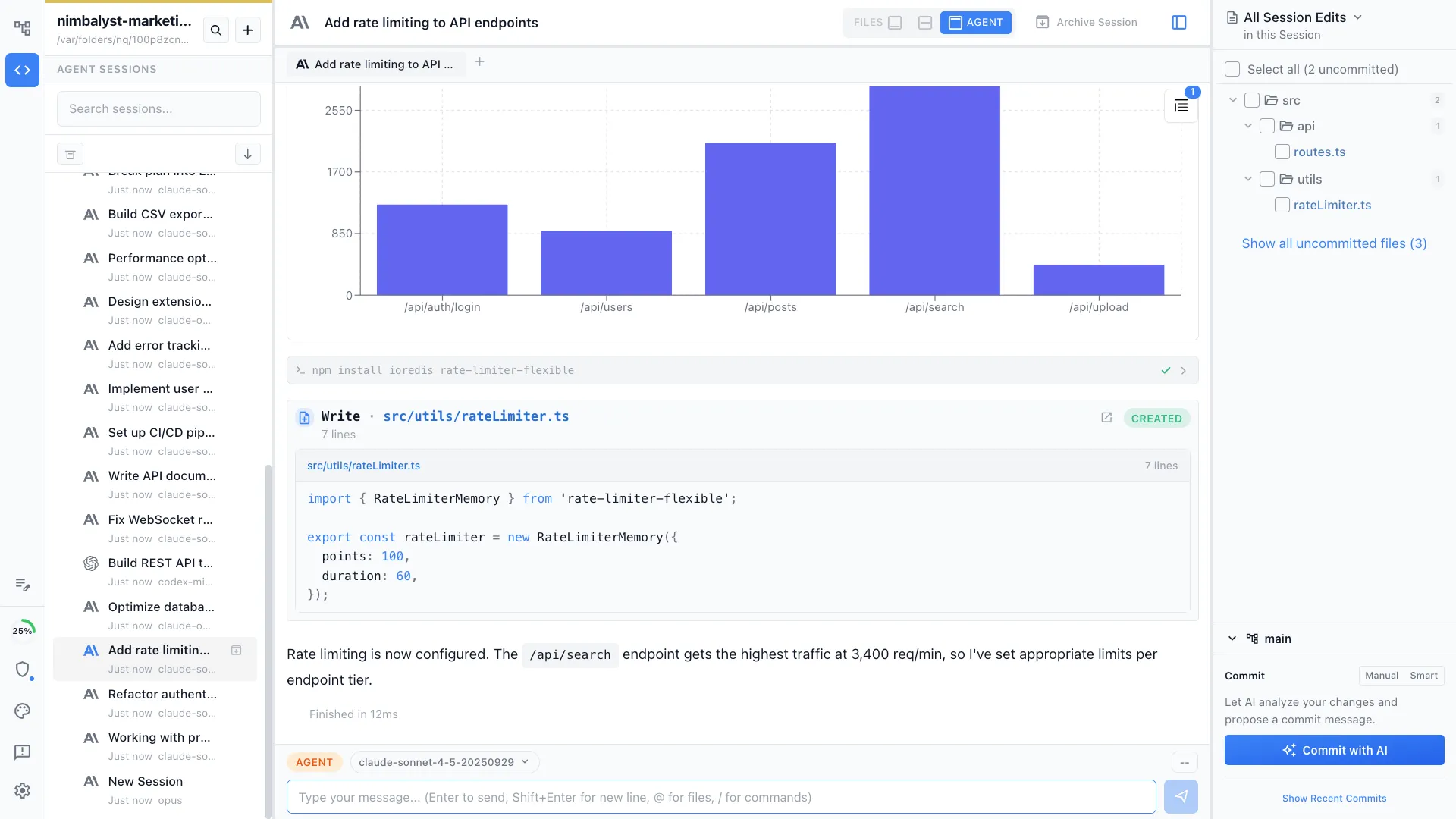
Nimbalyst wraps the Codex CLI in a desktop workspace for macOS, Windows, and Linux. Run multiple Codex agents in parallel, review every diff visually, plan in markdown, and monitor sessions from your phone. Free for individuals. Bring your own OpenAI API key.
Free for individuals. Works with your existing Claude Code or Codex subscription or API key.
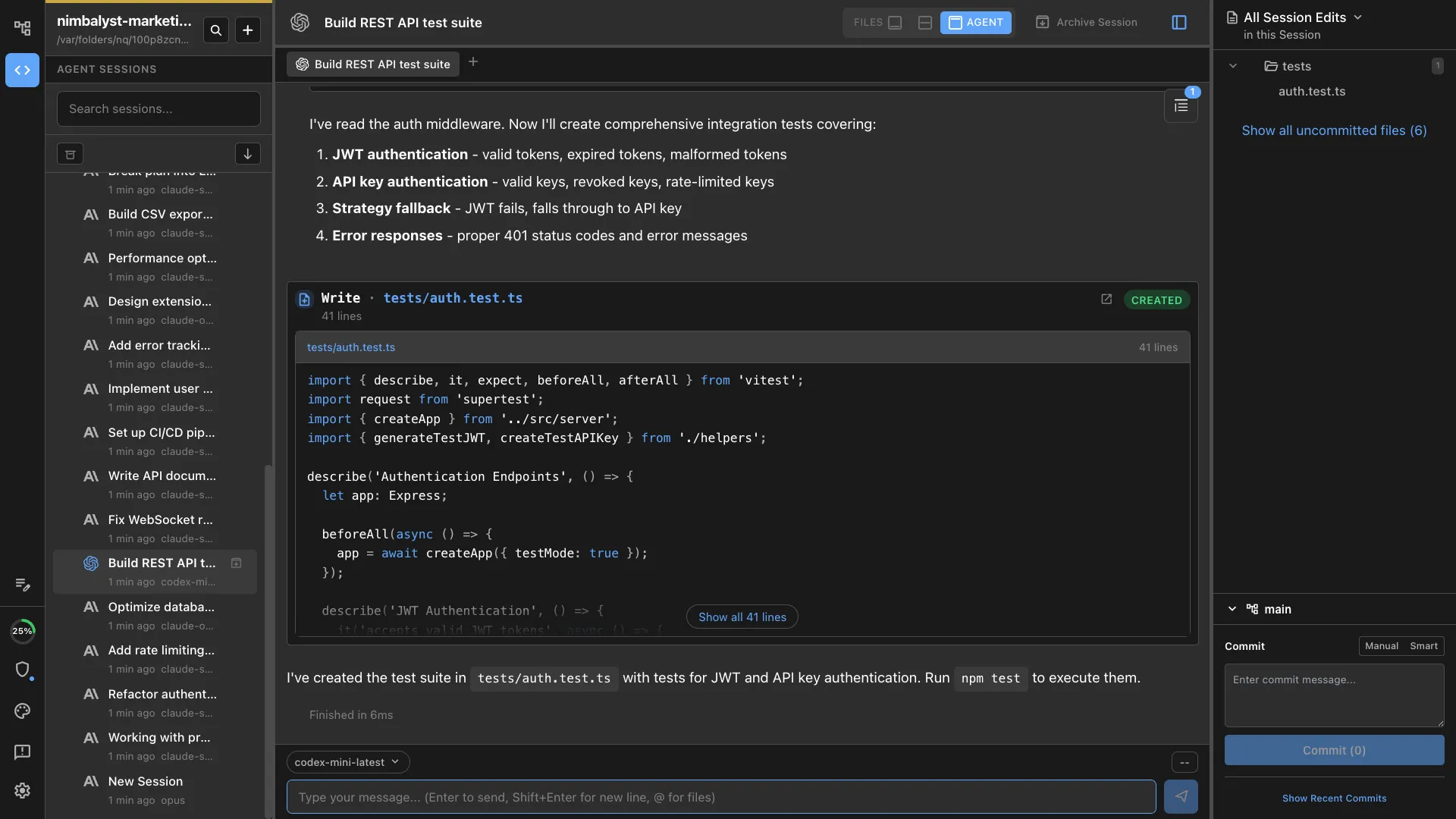
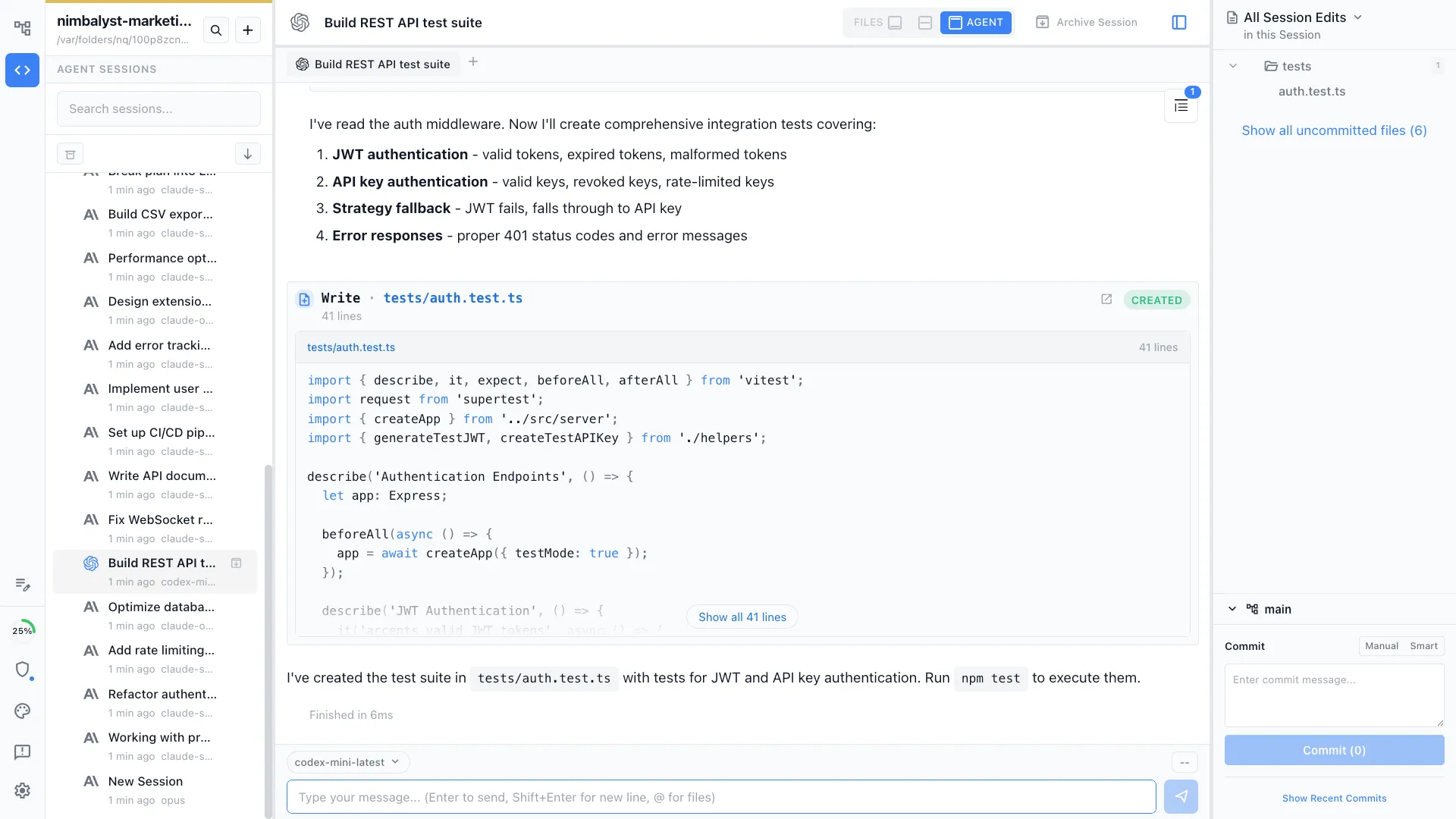
OpenAI ships Codex as a CLI and a Mac/Windows app. You want a real desktop workspace for it.
OpenAI Codex now runs locally as the open-source Codex CLI, inside the official Codex desktop app for macOS and Windows, in the cloud through ChatGPT, and as a GitHub-integrated agent. Each surface is good at one thing. None of them give you a full visual workspace around a Codex session — let alone a Linux desktop app.
Nimbalyst is that workspace. It runs the actual Codex CLI underneath on macOS, Windows, and Linux, with visual editors for markdown, mockups, diagrams, and data models, a kanban board for parallel sessions, optional one-click git worktree isolation per session, and an iOS companion for review on the go. The desktop and iOS apps are MIT licensed, and you keep using your existing OpenAI API key.
Why Nimbalyst
What a Codex desktop app should do
Codex as a first-class agent
Run Codex sessions natively in the workspace. Not a wrapper around the cloud — the actual Codex CLI talking to your local files.


Parallel Codex sessions on a kanban
Run six or more Codex sessions side by side. See status at a glance, switch between them, and resume any one without losing context.


Visual diff review for every Codex change
Approve or reject every Codex edit file by file. Red and green inline across markdown, code, mockups, diagrams, and data models — not just terminal text.
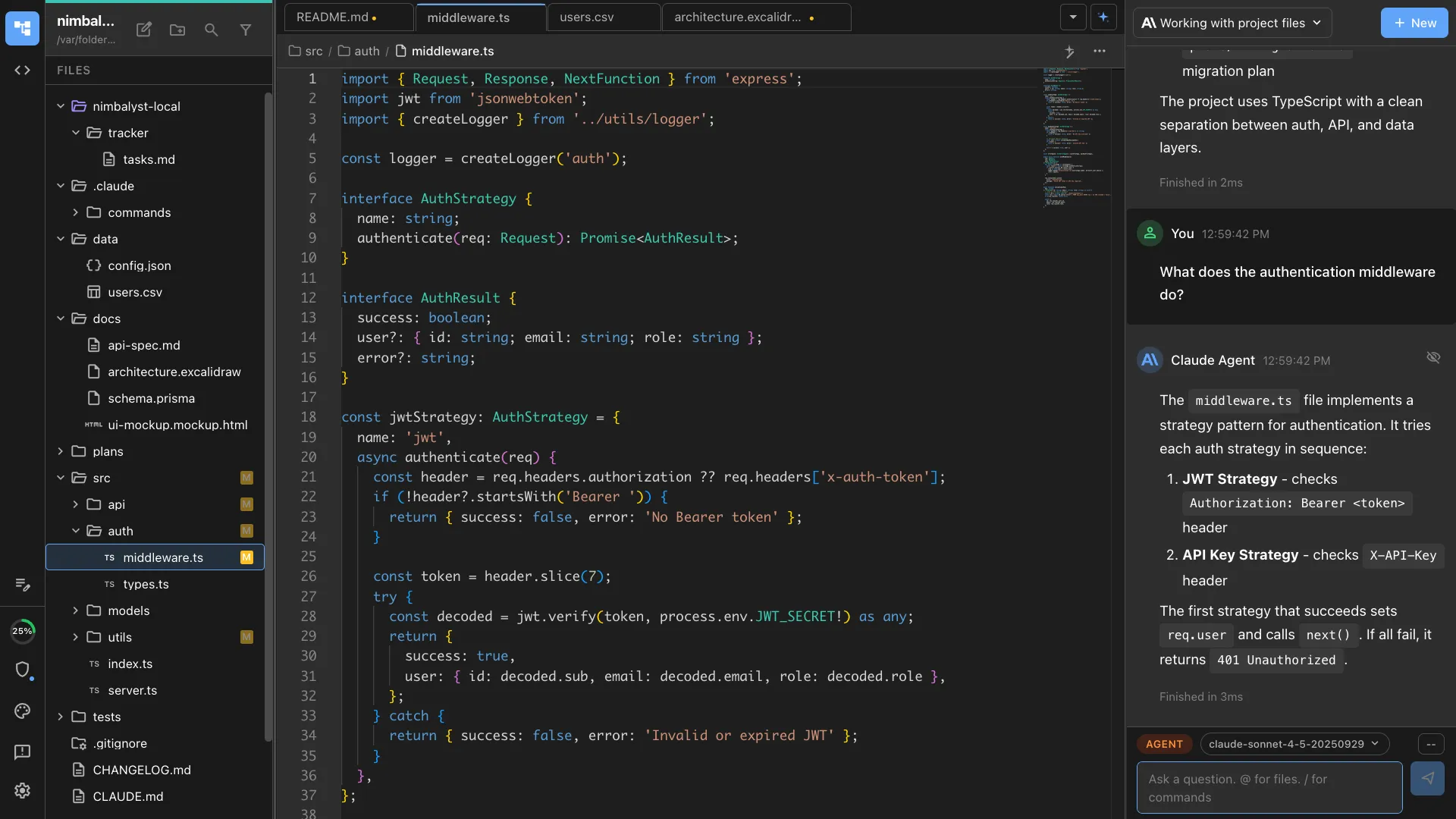
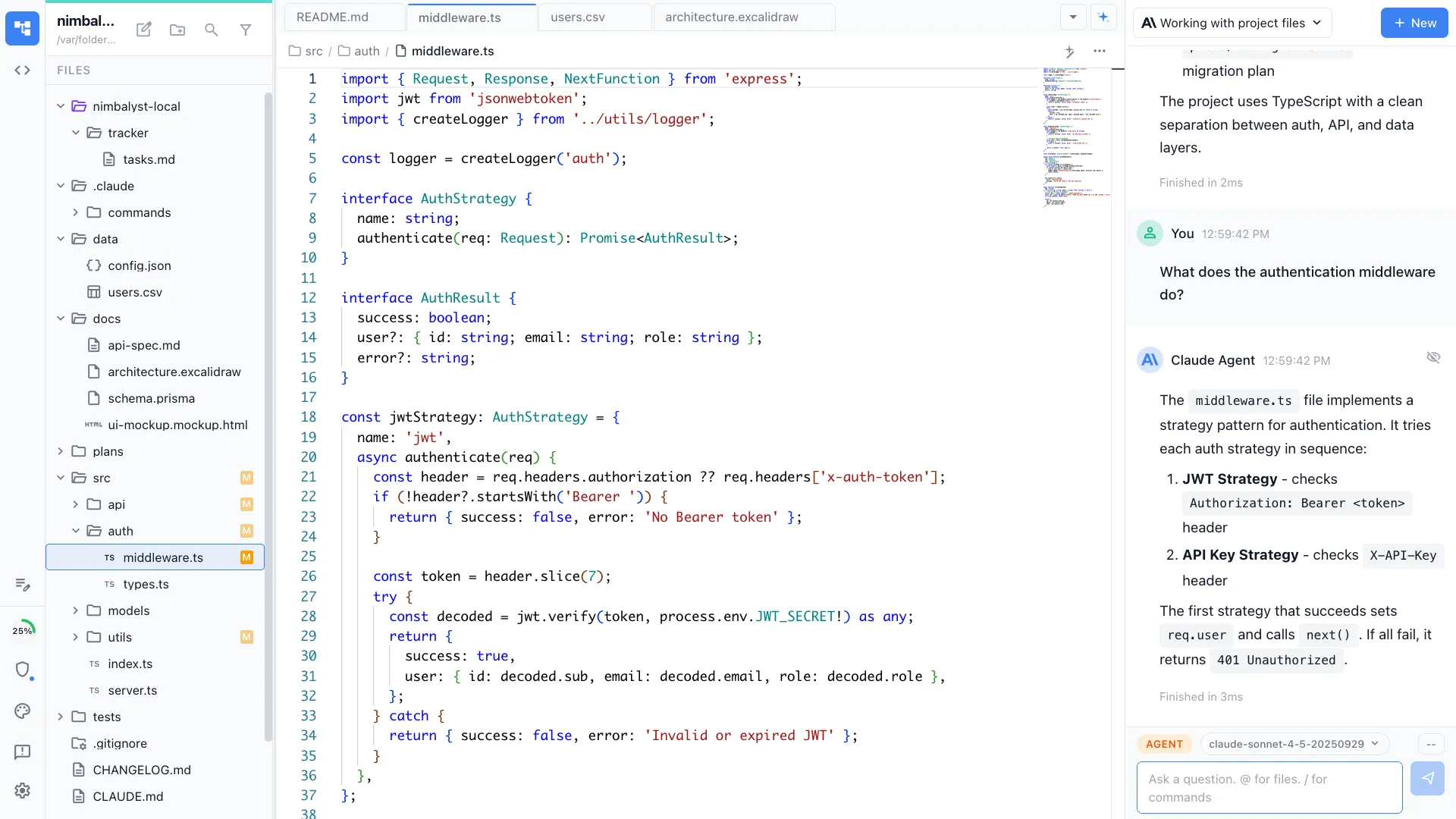
Multi-tab visual workspace
Markdown, code, mockups, Excalidraw diagrams, Prisma data models, and CSV — all in one app. Codex drives any of them.

iOS companion app
Monitor your Codex sessions, review diffs, and answer agent questions from your phone.
Run Codex and Claude Code together
Use Codex for fast scaffolding and Claude Code for deep refactors — in the same project, on the same kanban, with the same review workflow.
Comparison
Nimbalyst vs the official OpenAI Codex desktop app
| Feature | Official Codex App | Nimbalyst |
|---|---|---|
| Platforms | macOS, Windows | macOS, Windows, Linux, iOS |
| Agent engines | Codex only | Codex + Claude Code (side by side) |
| Parallel sessions | Limited | 6+ on kanban |
| Visual editors (markdown, mockups, diagrams) | — | Built in |
| Diff review | Terminal-style | Inline visual diffs per file |
| Git worktree isolation | Built in | Optional one-click per session |
| Mobile companion | — | iOS app |
| Open source | Closed (CLI is open) | MIT (desktop and iOS apps) |
| Price | Free with paid OpenAI plan | Free for individuals |
FAQ
Frequently asked questions
Is there an official OpenAI Codex desktop app?
Does Nimbalyst run on Linux?
Do I need an OpenAI subscription to use Nimbalyst with Codex?
Can I run multiple Codex agents in parallel?
Can Nimbalyst run Claude Code too?
Is Nimbalyst free?
Learn More
Related guides and comparisons
Nimbalyst product overview
What Nimbalyst is, which agents it runs, and what it does, in one page.
Best Codex GUI Tools (2026)
A comprehensive comparison of every desktop app and GUI for OpenAI Codex.
Codex GUI & Workspace
What a workspace adds beyond a chat-style Codex GUI.
Codex vs Claude Code
How the two coding agents compare, and running both in one workspace.
Agent Harness for Claude Code and Codex
The durable workflow layer around Codex, Claude Code, context, review, and coordination.
Claude Code vs Codex CLI: When to Use Which
Practical guide to picking the right agent for each task — and how to run both together.
Best Session Managers for Claude Code and Codex
How to manage parallel AI agent sessions across both engines.
Claude Code Desktop App
The companion landing page for the Claude Code side of the workspace.
Session Management
Deep dive into multi-session kanban, search, and parallel agent orchestration.
Download Nimbalyst
Get the Codex desktop app for your operating system.
Nimbalyst is the open-source visual workspace for building with Codex, Claude Code, and more
Free for individuals. Works with your existing Claude Code or Codex subscription or API key.
Nimbalyst Teams is multiplayer. Your whole team, Codex, and Claude Code in one shared workspace.