Best Desktop App for Claude Code on Mac
A practitioner comparison of the main ways to run Claude Code on a Mac in 2026, including Anthropic's official desktop app, terminal workflows, and Nimbalyst.
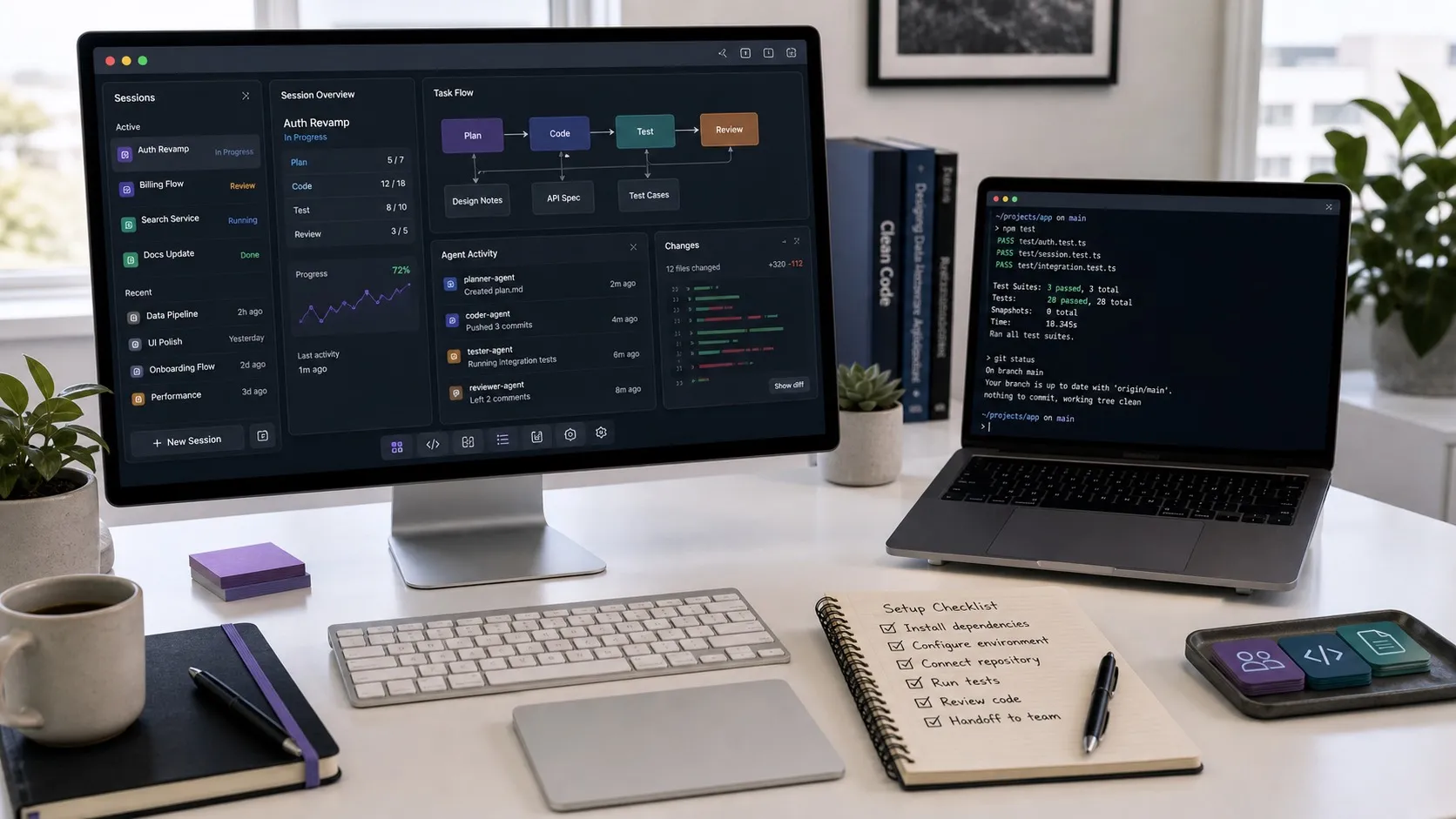
Claude Code started life as a terminal tool. For a lot of developers that is still the right answer, especially if you live in tmux and never want to leave. For everyone else, the past six months have produced a real set of desktop options on the Mac, and the differences between them matter more than they look at first.
This is a working developer’s view of the options, what each one is good at, and where I think the gaps still are. I build Nimbalyst, which is one of the options below, so treat that section accordingly. The rest of the comparison is based on running these tools daily on an M2 Mac.
What “desktop app for Claude Code” actually means in 2026
There are now three honest answers to “how do I run Claude Code on a Mac.”
- Terminal:
claudein iTerm or Ghostty, optionally inside tmux. Anthropic’s CLI, which is still the canonical surface. - Anthropic’s desktop app for Claude Code: Claude Code now runs inside Anthropic’s desktop app, which gives it a visual surface for parallel sessions and managed worktrees.
- Third-party desktop workspaces: native Mac apps from outside Anthropic that wrap Claude Code (and usually other agents) into a richer surface. Nimbalyst is the one I work on, and there are a handful of others.
Each of these is the “best” answer for a different kind of work.
Terminal Claude Code
The terminal is still the lowest-friction way to start a Claude Code session. One command, no UI to learn, full keyboard control.
Where it shines:
- Single-session, single-repo work where you do not need to glance across multiple things at once.
- Developers who already have a strong tmux or terminal multiplexer setup.
- CI-like flows where you want to script Claude Code with shell.
Where it falls apart:
- Running more than two or three sessions at once. You end up alt-tabbing through terminals trying to remember which one is doing what.
- Reading large diffs. Terminal diffs are usable for ten lines, painful for a thousand.
- Anything visual: mockups, diagrams, screenshots from a long session.
If you are running one Claude Code session at a time, the terminal is fine. The friction starts when you go parallel.
Anthropic’s desktop app for Claude Code
Anthropic’s desktop app gives Claude Code a visual surface for running multiple sessions in parallel, with isolated worktrees handled for you. This is a genuine improvement over the terminal for parallel work.
Where it shines:
- First-party support. If Claude is the only agent you care about, the official surface is the safest long-term bet and the most polished single-agent UI available.
- Worktrees are managed for you. You stop thinking about branch hygiene.
Where it has gaps:
- Single-vendor by design. There is no path to running an OpenAI Codex session next to a Claude Code session in the same workspace. If you use both (most developers I talk to do), you are running two apps.
- Sessions are the unit of work. Tasks, decisions, mockups, and data models live somewhere else. You end up keeping notes in a separate app.
- Closed source. The desktop app is not something you or your company can extend, fork, or pin to a specific version.
For a developer who has standardized on Claude Code and wants the most polished single-agent experience, this is a strong default.
Nimbalyst
Nimbalyst is an open-source visual workspace for AI coding. It runs Claude Code and OpenAI Codex as first-class agents in the same workspace, with a pluggable agent layer for whatever comes next. The desktop app ships as a native Mac app.
Where it fits:
- You run more than one agent. Claude Code for some tasks, Codex for others, both pointed at the same files. Switching between them does not mean switching apps.
- You want sessions, tasks, decisions, files, and visual artifacts in one place. Mockups, diagrams, diffs, and markdown are all editable in the same canvas as the agent sessions that produced them.
- You want the surface itself to be open. The desktop and iOS apps are MIT licensed. You can run it, read it, fork it, or pin a reviewed version.
Where it is the wrong tool:
- You only use Claude Code and you want the single most polished Claude-only UI. The Anthropic app will feel cleaner.
- You never leave the terminal and have no interest in a GUI. The CLI is right there.
Nimbalyst is the answer when “desktop app for Claude Code” is really “desktop app for the way I actually work, which includes Claude Code and other agents and a lot of non-code artifacts.”
A quick honest matrix
| Need | Best fit |
|---|---|
| Single agent, single repo, terminal-native | Claude Code CLI |
| Single agent, lots of sessions, polished UI | Anthropic desktop app |
| Multiple agents (Claude Code + Codex) in one workspace | Nimbalyst |
| Visual editing of mockups, diagrams, diffs, markdown alongside agent sessions | Nimbalyst |
| Open-source surface you can pin or extend | Nimbalyst |
What I would actually recommend
If you are picking today and you are on a Mac:
- Trying Claude Code for the first time: start in the terminal for a week. Get a feel for how the agent thinks.
- Running Claude Code daily, single agent, want a GUI: install Anthropic’s official desktop app. It is the most polished single-vendor experience.
- Running Claude Code plus Codex, or anticipating that you will: install Nimbalyst. The single-workspace, multi-agent property gets harder to retrofit later, and the surface is yours to keep.
The model layer is going to keep churning. Whichever desktop app you pick is the surface your prompts, context, and team workflow will live in for the next few years. Pick the one that does not assume the answer to “which agent” is going to stay the same forever.
Related posts
-
Spec-Driven Development with Coding Agents: A Practical Guide
Spec-driven development treats a written specification as the source of truth and code as its output. What a spec contains, how to hand one to Claude Code or Codex, how to keep it current as the code moves, where the practice breaks, and how Spec Kit, Kiro, BMAD, GSD, and OpenSpec compare.
-
Best AI Agent Orchestration Platforms 2026: Coding vs Workflow
AI agent orchestration means two different products. Compare control planes for your own coding agents (Nimbalyst, Orca, Emdash, Superset, Conductor, Warp) against workflow frameworks like LangGraph and CrewAI.
-
What Is an Agentic Development Environment (ADE)?
An agentic development environment is the workspace you use to direct several coding agents at once. Definition, origins, how an ADE differs from an IDE and a CLI agent, and criteria for evaluating one.