Claude Code Subagents: A Practical 2026 Guide
Claude Code subagents explained: what they are, when to use them, how to configure them, and how parallel subagents change the agent loop.
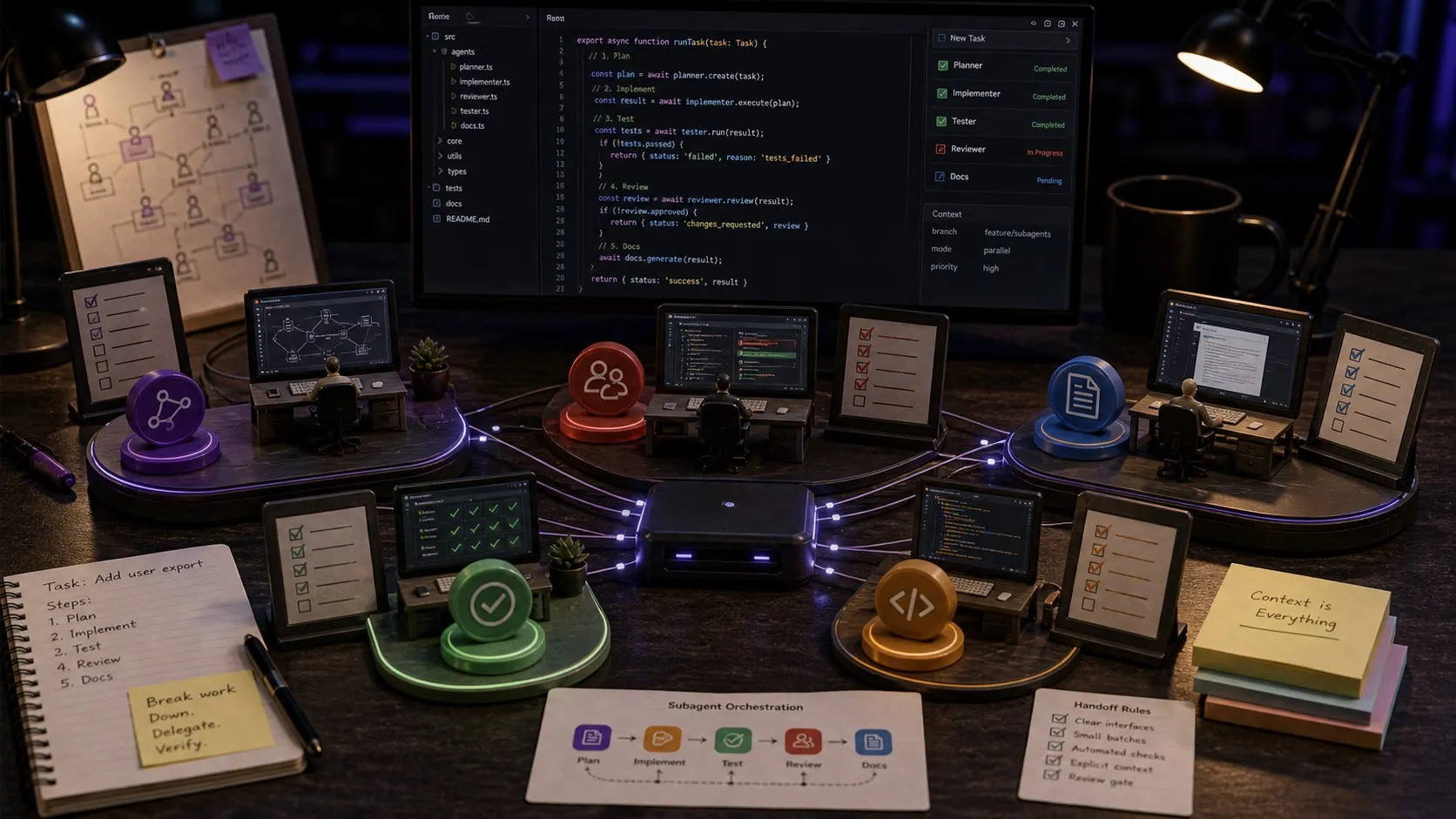
Claude Code subagents are specialized AI workers that the main Claude Code session can spawn to handle scoped tasks. They run in their own context window with their own prompt, tool access, and permissions. Used well, they keep the main session fast and focused. Used badly, they burn context and token budget. This guide covers what Claude Code subagents are, when to reach for them, how to configure them, and the trade-offs that matter in 2026.
Claude Code Subagents: Quick Answer
- What is a Claude Code subagent? A scoped Claude Code worker spawned by the main session. It gets its own context window, runs a focused task, and returns a result.
- When should I use subagents? Parallel exploration (search the codebase ten different ways at once), heavy-context tasks that would bloat the main session, and any work that benefits from isolation.
- What is the cost? Each subagent gets its own context window, so aggressive delegation can increase both latency and token usage. Plan accordingly.
- How do I configure a subagent? As a Markdown file with YAML frontmatter inside
~/.claude/agents/or.claude/agents/in a project, or interactively with/agents. - Can subagents run in parallel? Yes. The main session can spawn multiple subagents that run concurrently and return results independently.
What Claude Code subagents actually do
A normal Claude Code session is a single thread. One context window, one conversation, one set of decisions. That works well until the task gets big. Once the context starts to fill with unrelated detail (search results, file contents, intermediate reasoning), the model’s attention degrades and quality drops.
Subagents solve this by giving the main session a way to delegate. Instead of reading 30 files into the main thread, the main session spawns a subagent (“find every place that calls loadUser and summarize the call sites”), and the subagent does the heavy reading in its own context. The result comes back as a short summary. The main session stays focused.
Three properties make this work:
- Isolation. Each subagent has a separate context window and its own system prompt.
- Single purpose. A subagent has one job. It finishes, returns, and the context is discarded.
- Parallelism. The main session can spawn several subagents at once and consume their results when ready.
When to reach for subagents
Subagents pay off in specific situations. They are not a universal “make the agent better” lever.
Parallel exploration
The single best use case. You need to understand a codebase from several angles simultaneously: where is config loaded, where are tests run, what does the build pipeline look like, which files have recent activity. Spawn four subagents, each with a focused prompt, run them concurrently, and consume their summaries.
Heavy-context tasks
When a single subtask would otherwise pull a huge amount of file content into the main session. A subagent can read 50 files, find the three relevant ones, and return only the summary. The main session stays sharp.
Specialized roles
Some teams build named subagents that act as roles: “code reviewer”, “test writer”, “security auditor”. Each has a focused prompt and tool list. The main session calls them when the role applies. This keeps the main session as a coordinator rather than a generalist trying to do everything.
Anything that should not pollute the main thread
Debugging, exploration, dead-end investigations. If the work is likely to be discarded, it should run in a subagent. Discarding a subagent’s context costs nothing. Discarding pollution from the main thread requires resetting the entire session.
When subagents are the wrong tool
Equal-and-opposite cases.
Tightly coupled work
If two tasks need to share state, do not split them into subagents. Subagents cannot see each other’s contexts. Coupled work belongs on the main thread.
Trivial subtasks
A subagent has a startup cost. For a one-shot tool call or a trivial computation, the overhead is not worth it. Stay on the main thread.
Token-budget-sensitive sessions
Subagents multiply token use. If you are running on a tight budget or near a rate limit, single-thread sessions are cheaper. Anthropic notes that subagent-heavy workflows can consume around 7x the tokens of a single-thread session.
Built-in subagents
Claude Code already includes built-in subagents like Explore, Plan, and a general-purpose worker. Explore is the one you will notice most often because it keeps read-heavy codebase search out of your main conversation. Before you define custom subagents, it is worth getting comfortable with the built-in ones.
Configuring a subagent
Subagents are defined as Markdown files. Two locations:
- User scope:
~/.claude/agents/. Available in every session. - Project scope:
.claude/agents/inside a project. Available only when running Claude Code in that project.
A minimal subagent file:
---
name: code-reviewer
description: Reviews a recent diff and reports issues by severity.
tools: Read, Grep, Glob, Bash
---

You are a code reviewer. When invoked, read the most recent diff in the repo,
check for obvious bugs, security issues, and style problems, and return a
prioritized list with severity and file/line references. Be specific.
Three fields drive behavior:
name: how the main session refers to this subagent.description: a short summary the main agent reads when deciding whether to delegate to this subagent.tools: which tools the subagent can call. A code reviewer probably should not haveWriteaccess.
The body is a system prompt. Treat it the way you would treat any prompt: be explicit about role, scope, and expected output format.
How the main agent decides to delegate
When the main session has access to one or more subagents, the description field is what drives delegation decisions. The main agent reads the description, considers whether the current task fits, and (when it does) spawns the subagent with a tightly scoped prompt.
This means the description matters a lot. Vague descriptions (“helps with code”) get the subagent invoked at random. Specific descriptions (“reviews a recent diff and returns issues by severity”) get it invoked exactly when appropriate.
A pattern that holds up: write the description as if it were the first sentence of a triage rule. “Use this subagent when [condition]. It returns [output shape].” That language style steers the main agent reliably.
Parallel subagents in practice
The main session can spawn several subagents at once. The pattern looks like this:
Spawn three subagents in parallel:
- Find every place where
Database.connectis called.- Find every place where the connection pool is configured.
- Find every place where errors from those calls are handled.
Return when all three finish.
Each subagent runs concurrently. Each has its own context. The main session resumes when all three results are in.
The token cost is real, but the wall-clock saving on exploration tasks is large. For a tight token budget, do exploration sequentially. For a tight time budget, do it in parallel.
Claude Code subagents and Nimbalyst sessions
Subagents are different from running multiple parallel Claude Code sessions. A subagent lives inside one session and serves the main thread. Parallel sessions are independent: each one is its own conversation, with its own kanban card, its own worktree, and its own files.
Both have a place. Subagents are for tightly scoped delegation inside one workstream. Parallel sessions are for unrelated workstreams that you want to run side by side.
Nimbalyst handles parallel sessions explicitly: a kanban board with one card per session, optional one-click git worktree isolation per session, and a files-edited sidebar so you can see what each session changed. Inside any single session, Claude Code’s subagent feature works exactly as documented. The two layers compose.
Frequently Asked Questions
What are Claude Code subagents?
Claude Code subagents are scoped, isolated AI workers that the main session can spawn for specific tasks. Each subagent has its own context window, runs one focused job, and returns a single result. They are useful for parallel exploration, heavy-context tasks, and specialized roles.
How do I create a Claude Code subagent?
Create a markdown file at ~/.claude/agents/<name>.md for user-scope subagents or .claude/agents/<name>.md in a project for project-scope subagents. The file’s frontmatter declares name, description, and tools. The body is the system prompt that defines the subagent’s role.
Are Claude Code subagents free to use?
Subagents use the same model and same tokens as a regular Claude Code session, just in their own context. There is no separate billing. The cost is in token volume: subagent-heavy workflows can use roughly 7 times the tokens of a single-thread session because each subagent maintains its own context.
Can I run multiple Claude Code subagents in parallel?
Yes. The main session can spawn multiple subagents that run concurrently. Each runs in its own context. The main session waits for all of them to return, then continues. This is the highest-leverage use of subagents: parallel exploration that would be slow as a sequential walk through the codebase.
What is the difference between Claude Code subagents and Agent Teams?
A subagent is a worker inside one Claude Code session. Agent Teams are a separate orchestration feature for coordinating multiple Claude Code sessions with messaging between them. Use subagents when one session needs help with a scoped task. Use Agent Teams when the work itself should be split across multiple longer-lived sessions.
Should I use subagents or run multiple Claude Code sessions in parallel?
Use subagents for tightly scoped delegation inside one workstream (parallel exploration, isolated heavy-context work). Use parallel sessions for unrelated workstreams that should run side by side without sharing context. They compose: each Claude Code session can use subagents internally, while a tool like Nimbalyst manages multiple sessions externally on a kanban board with worktree isolation.
Related Reading
Related pages
Related posts
-
Best AI Agent Orchestration Platforms 2026: Coding vs Workflow
AI agent orchestration means two different products. Compare control planes for your own coding agents (Nimbalyst, Orca, Emdash, Superset, Conductor, Warp) against workflow frameworks like LangGraph and CrewAI.
-
What Is an Agentic Development Environment (ADE)?
An agentic development environment is the workspace you use to direct several coding agents at once. Definition, origins, how an ADE differs from an IDE and a CLI agent, and criteria for evaluating one.
-
Best Claude Code Skills in 2026 (Ranked)
The best Claude Code skills in 2026, ranked by day to day usefulness: code review, test writing, parallel batch work, debugging, release flows, and one visual bundle from Nimbalyst.