Vibe Kanban After Bloop: What Happens to Users, and Where to Go
Bloop is shutting down and Vibe Kanban moves to community open source. What users should do this week and how the multi-agent kanban category looks now.
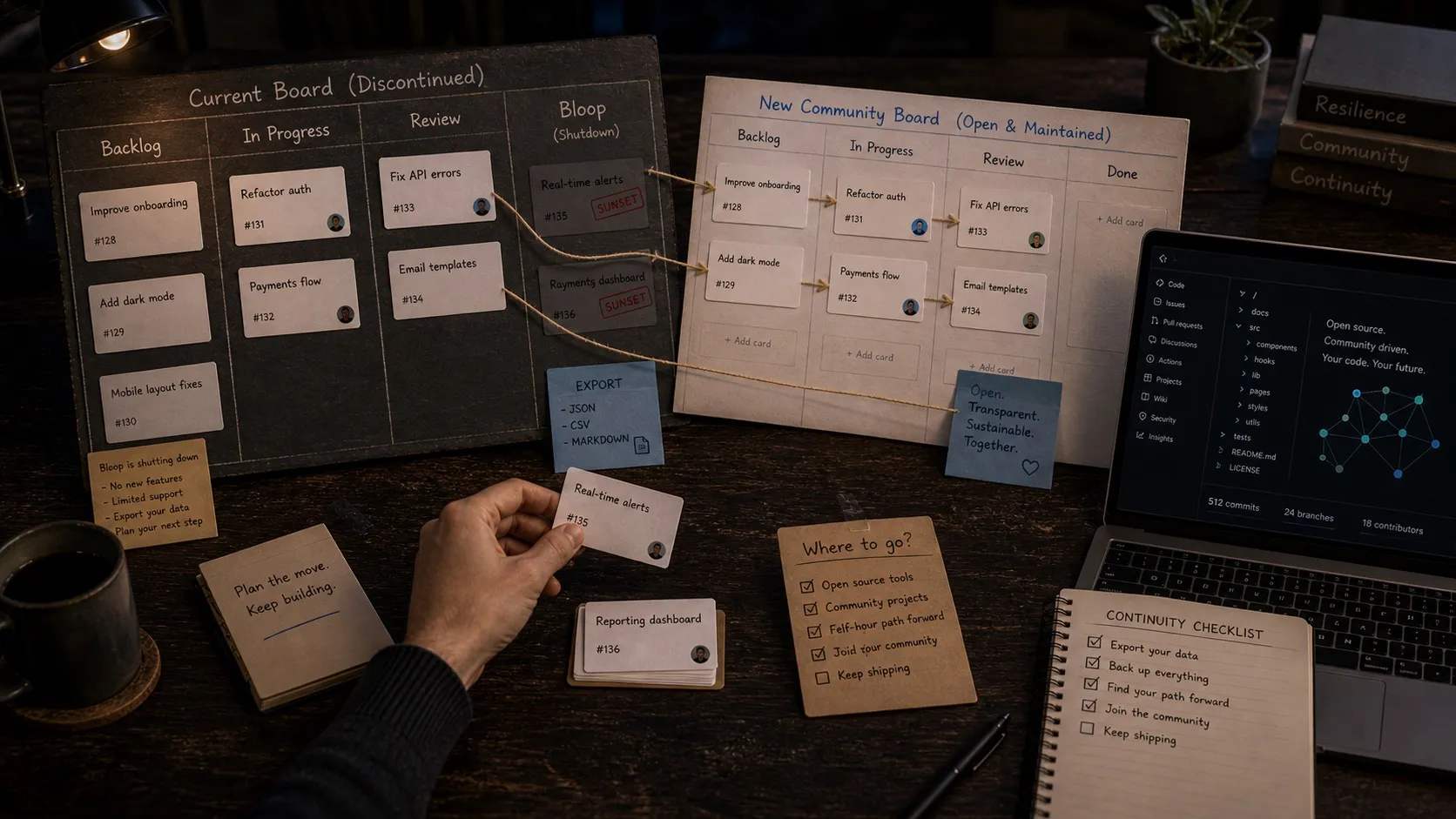
What Bloop announced
On April 10, 2026, Bloop, the company behind Vibe Kanban, announced it is shutting down. Vibe Kanban itself is not going away. It is transitioning to a community-maintained open source project under Apache 2.0, and the team plans to publish a roadmap for community editions in the coming weeks.
The company’s stated reason is direct. In Louis Knight-Webb’s words, “the vast majority are free users and we couldn’t find a business model that we could get excited about.” Bloop launched in June 2025, shipped fast, and was first to a number of features that have since become standard in the multi-agent coding category.
If you are a current user, here is the practical timeline:
- Remote services remain available for 30 days from the announcement, then Vibe Kanban moves to a fully local architecture.
- Refunds were issued for invoices paid in the last 30 days, and paid subscriptions were terminated.
- A data export feature is in the latest version. Use it before remote services wind down.
- The GitHub repo at github.com/BloopAI/vibe-kanban stays online as the open source home.
Why this matters for the category
Vibe Kanban was one of the cleanest expressions of an idea that is now everywhere: stop running coding agents one at a time in terminal tabs, and start managing them on a board with isolated git worktrees, parallel execution, and a real review surface.
The shutdown is not a verdict on the idea. It is a verdict on the business model around shipping a high-quality free tool to developers who mostly stay on the free tier.
What “community-maintained” actually means
Apache 2.0 and a public roadmap are good news. But “open source” is not the same as “supported.” If you depend on Vibe Kanban for daily work, it helps to be honest about what shifts:
- Bug fixes happen on community time. Critical patches may land fast or slow depending on who shows up.
- New features stop arriving on a predictable cadence.
- Support is best-effort, through GitHub issues and community channels.
For some teams that tradeoff is fine. The local-first architecture is exactly what they wanted, and a stable open source project that doesn’t change much is a feature, not a bug. For other teams, especially ones running coding agents in production-adjacent workflows, the lack of commercial backing is the dealbreaker.
What to do next
Three concrete things, in order:
- Export your data using the in-app export. Do this even if you plan to keep using Vibe Kanban locally. You want a clean snapshot before remote services wind down.
- Decide whether you are staying or moving. The answer is not the same for everyone.
- If you are moving, pick the dimensions that matter to you. Multi-agent support, worktree isolation, kanban management, mobile, review workflow, file access. Roundups like our guides to the best multi-agent desktop apps, session managers for Claude Code and Codex, and git worktree tools for AI coding are a good starting point, but the cheapest test is to install two or three options and run them on a real task for a day.
Where the alternatives live
The category Vibe Kanban helped define has filled in fast. Roughly three shapes are worth knowing:
Pure orchestrators. Tools whose only job is to run multiple agents in parallel on a kanban or queue. Lightweight, focused, often open source. Fine if you already have an editor you like and just want better session management on top of it.
Editors with built-in agent management. Cursor, Claude Code’s own surfaces, and similar IDE-shaped products. Strong if your day is mostly inside one editor and one agent. Weaker when you want to run Claude Code and Codex side by side on the same project, or when you need visual artifacts (mockups, diagrams, data models) in the same workspace as the code.
Multi-agent workspaces. A smaller group of products that hold the kanban, the agents, the editor, and the review surface in one place. This is where Nimbalyst sits.
Where Nimbalyst fits
I build Nimbalyst, so take this section for what it is. The reason it is in this post at all is that Vibe Kanban users are usually solving a specific problem: more agents than terminal tabs can hold, and not enough structure around them. That is exactly the problem Nimbalyst’s session board is built for.
Overlaps
- Multi-agent on one board. Claude Code and Codex sessions live on the same kanban, color-coded so you can see at a glance which agents are running.
- Optional git worktree per session. Spin up any session in its own isolated worktree with one click, the same isolation model Vibe Kanban pioneered. Agents do not step on each other or on your main branch when you opt in.
- Automatic status. Sessions move between Backlog, In Progress, Waiting, and Review based on what the agent is actually doing, not on you remembering to drag a card.
- Inline diff review from the board. Click a card, see the conversation, see the file changes, approve and merge without leaving the workspace.
What is different:
- Nimbalyst is a full visual workspace, not just an orchestrator. Markdown editing, mockups, diagrams, and data models live alongside the code, in the same project tree, with the same agents able to touch all of it.
- There is a mobile companion app for iOS so you can check on agent sessions when you are away from your desk.
- Nimbalyst is heterogeneous on agents by design. Claude Code today, Codex today, more providers as they mature. The architecture assumes you will run multiple at once.
- Nimbalyst is open source and backed by a company that is actively maintaining the project.
If your day already looks like Vibe Kanban (multiple agents, kanban-shaped workflow, worktrees, review on screen), the move into Nimbalyst should feel familiar.
Closing
Vibe Kanban was a good product and project. It is unfortunate that Bloop has decided to shut down.
If you are a Vibe Kanban user, the next step is small: export your data, decide what kind of tool you want this to be for you, and try one or two alternatives on a real task. The category is alive. Your workflow does not have to change much, unless you want it to.
Related posts
-
Best Vibe Kanban Alternatives in 2026
Looking for a Vibe Kanban alternative? The best replacements in 2026 for multi-agent coding, git worktrees, planning, and session orchestration.
-
Best Conductor Alternatives 2026: Windows, Linux, and Open Source
Conductor is macOS only. The best Conductor alternatives in 2026 compared on platform support, agent coverage, licensing, and worktree isolation.
-
Orchestrating Claude Code and Codex Together: A Power User Guide
Run Claude Code and Codex side by side on the plans you already pay for: signing in without API keys, one set of project instructions both agents read, permission settings per agent, and the handoff patterns that make two agents better than one.