Compare
Why teams switch to Nimbalyst
Visual context maximizes the speed, bandwidth, and accuracy of human-agent collaboration.
Integration
Unified Visual Context
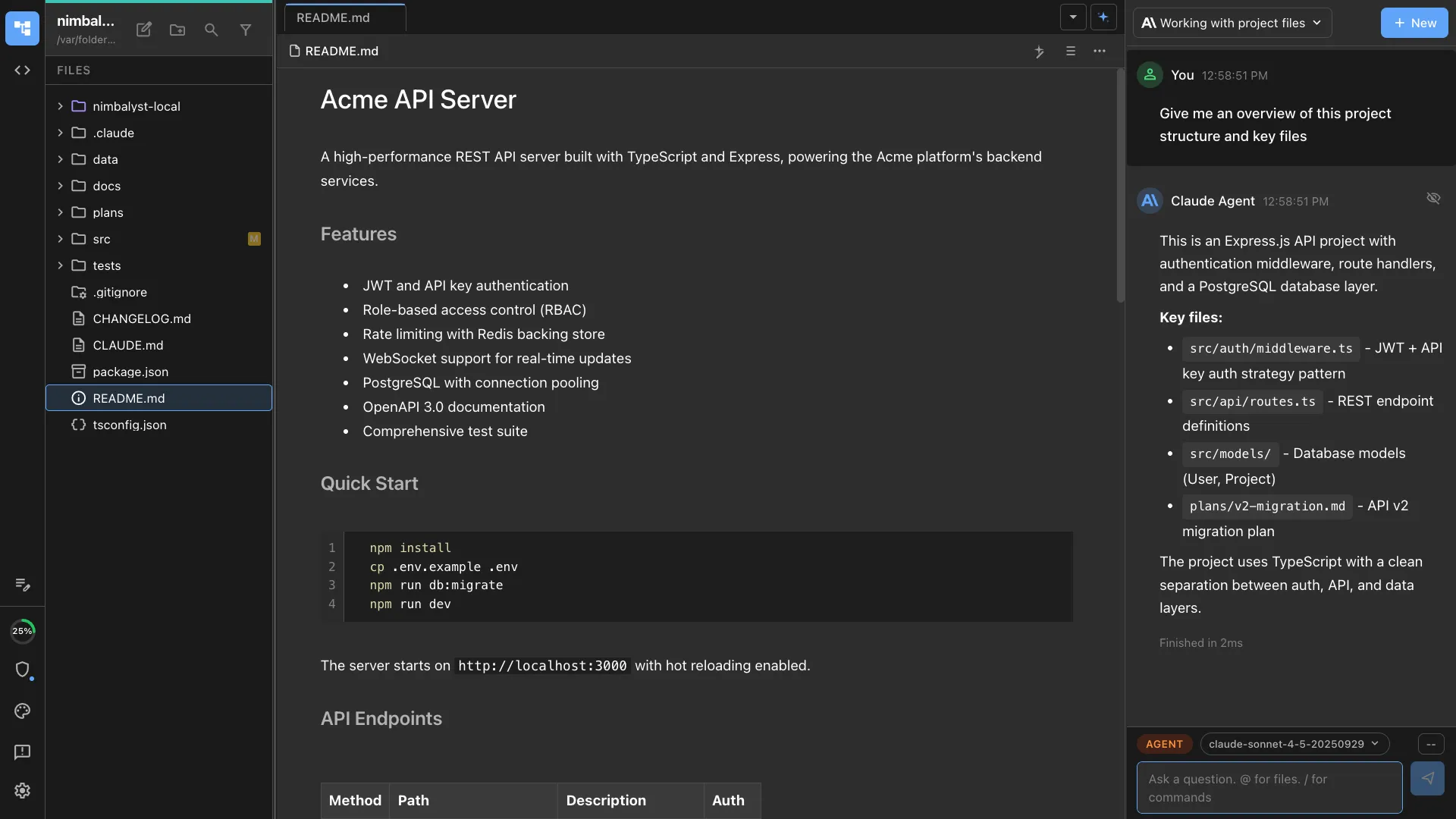
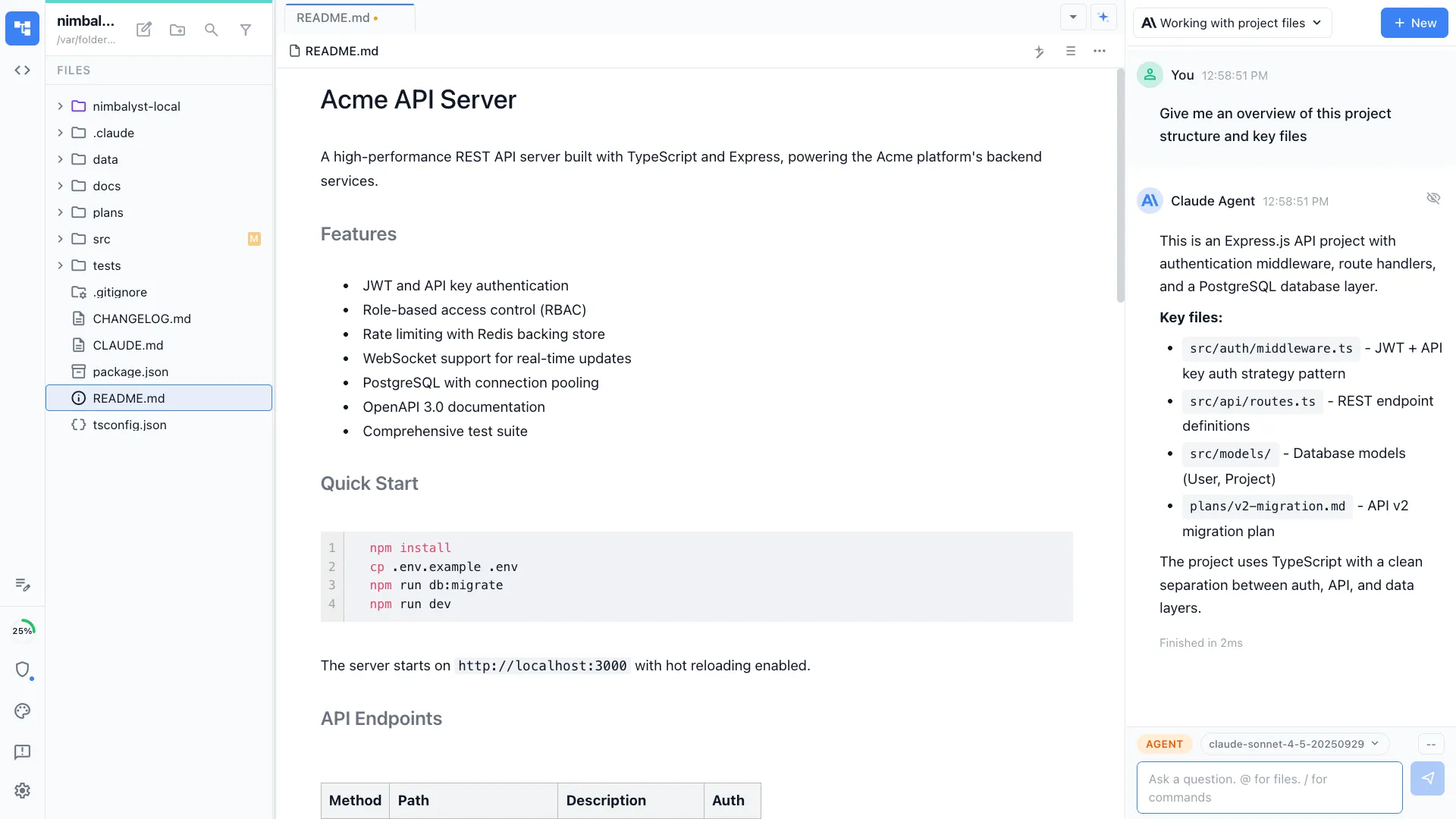
See, edit, and manage session state, files, edits, and tasks — all in one place. Agents understand your full working context.
| Feature | Nimbalyst | Claude Code CLI | Cowork | Codex CLI | Codex App | Cursor |
|---|---|---|---|---|---|---|
| Humans see/edit session state, files, edits, and tasks in one place | Yes | No | Partial | No | Partial | Partial |
| Agents understand open file, recent edits, and tasks without MCP | Yes | No | Partial | No | No | Partial |
Nimbalyst is the only tool that gives both humans and agents a unified view of session state, files, edits, and tasks. Cursor and Cowork offer partial context, but require switching between terminal and editor. Claude Code CLI, Codex CLI, and Codex App have no unified workspace view at all.

Integration
Chat Session
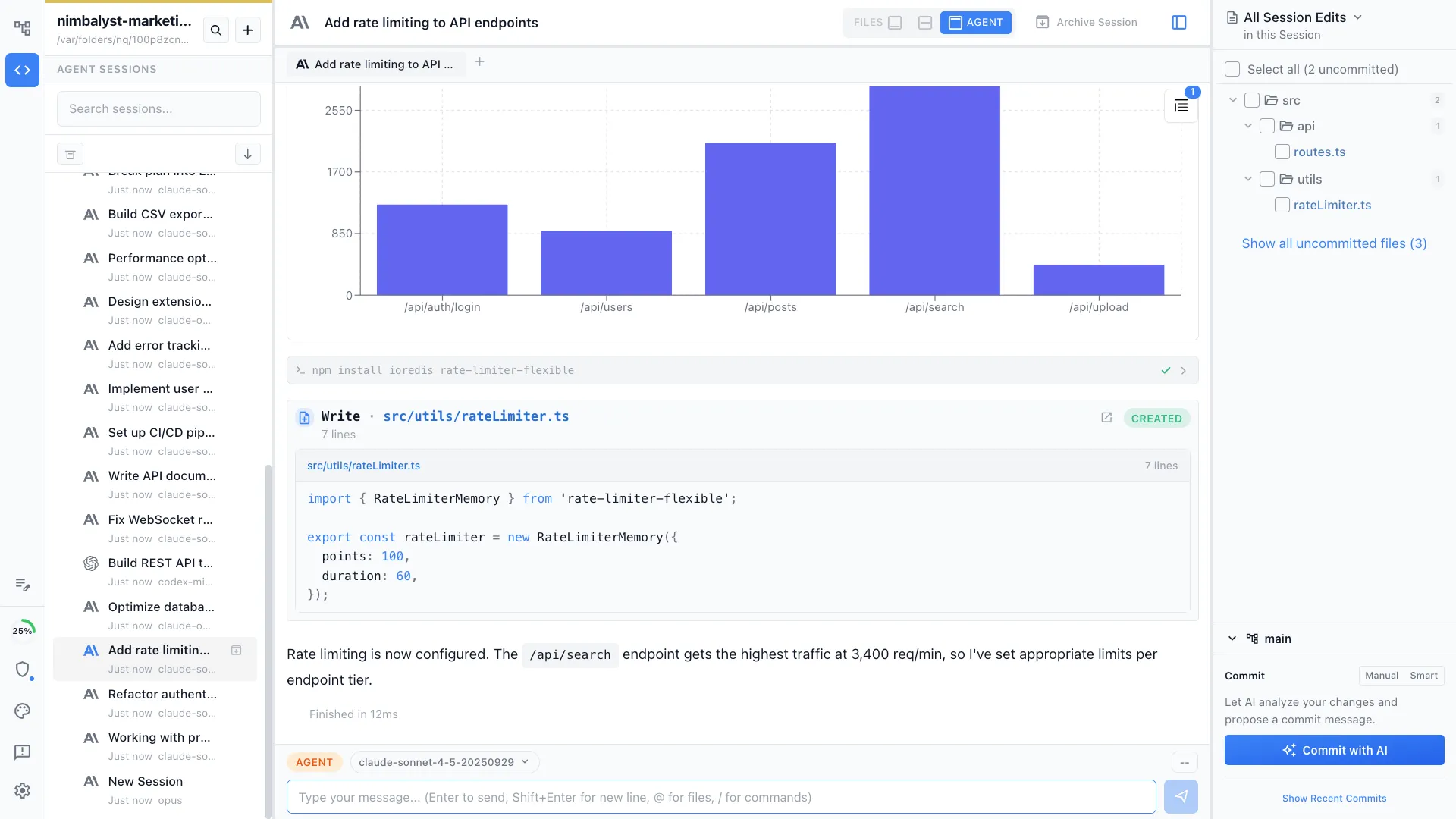
Visual responses, file tracking, sub-agents, and skills — all in one conversation.
| Feature | Nimbalyst | Claude Code CLI | Cowork | Codex CLI | Codex App | Cursor |
|---|---|---|---|---|---|---|
| Slash commands and reusable skills | Yes | Yes | Yes | Yes | Yes | Yes |
| Sub-agents | Yes | Yes | Yes | Yes | Partial | Yes |
| @ mention files and @@ mention sessions | Yes | Partial | Partial | Partial | Partial | Partial |
| MCP tool support | Yes | Yes | Yes | Yes | Yes | Yes |
| Visual responses (charts, images) within sessions | Yes | No | Partial | No | Partial | Partial |
| See files modified by session & open them interactively | Yes | No | No | No | No | Partial |
All six tools now support slash commands, sub-agents, and MCP tools. Claude Code CLI, Cowork, Codex CLI, Codex App, and Cursor all support some version of file mentions, but Nimbalyst also lets you `@@` mention sessions to pull prior work directly into the conversation. On top of that, Nimbalyst renders full visual responses inline and gives you interactive file tracking so you can see and open every file the agent modified. Claude Code CLI, Cowork, Codex CLI, and Codex App do not offer that interactive file-tracking workflow.


Session Management
Multi-Session Management
Organize your sessions. Find them. Resume them. Run multiple in parallel. Manage it all.
| Feature | Nimbalyst | Claude Code CLI | Cowork | Codex CLI | Codex App | Cursor |
|---|---|---|---|---|---|---|
| Session history | Yes | Yes | Yes | Yes | Yes | Yes |
| Search for a session | Yes | Partial | Partial | Partial | Partial | Partial |
| Search conversations within a session | Yes | No | No | No | No | No |
| Name chats / sessions | Yes | Yes | Yes | No | No | No |
| Run parallel sessions & switch between them | Yes | Multiple terminals | Yes | Multiple terminals | Yes | Yes |
| See which sessions are running, need input, or finished | Yes | No | Partial | No | Partial | Yes |
| Group sessions into workstreams | Yes | No | No | No | No | No |
| Tag sessions to organize them | Yes | No | No | No | No | No |
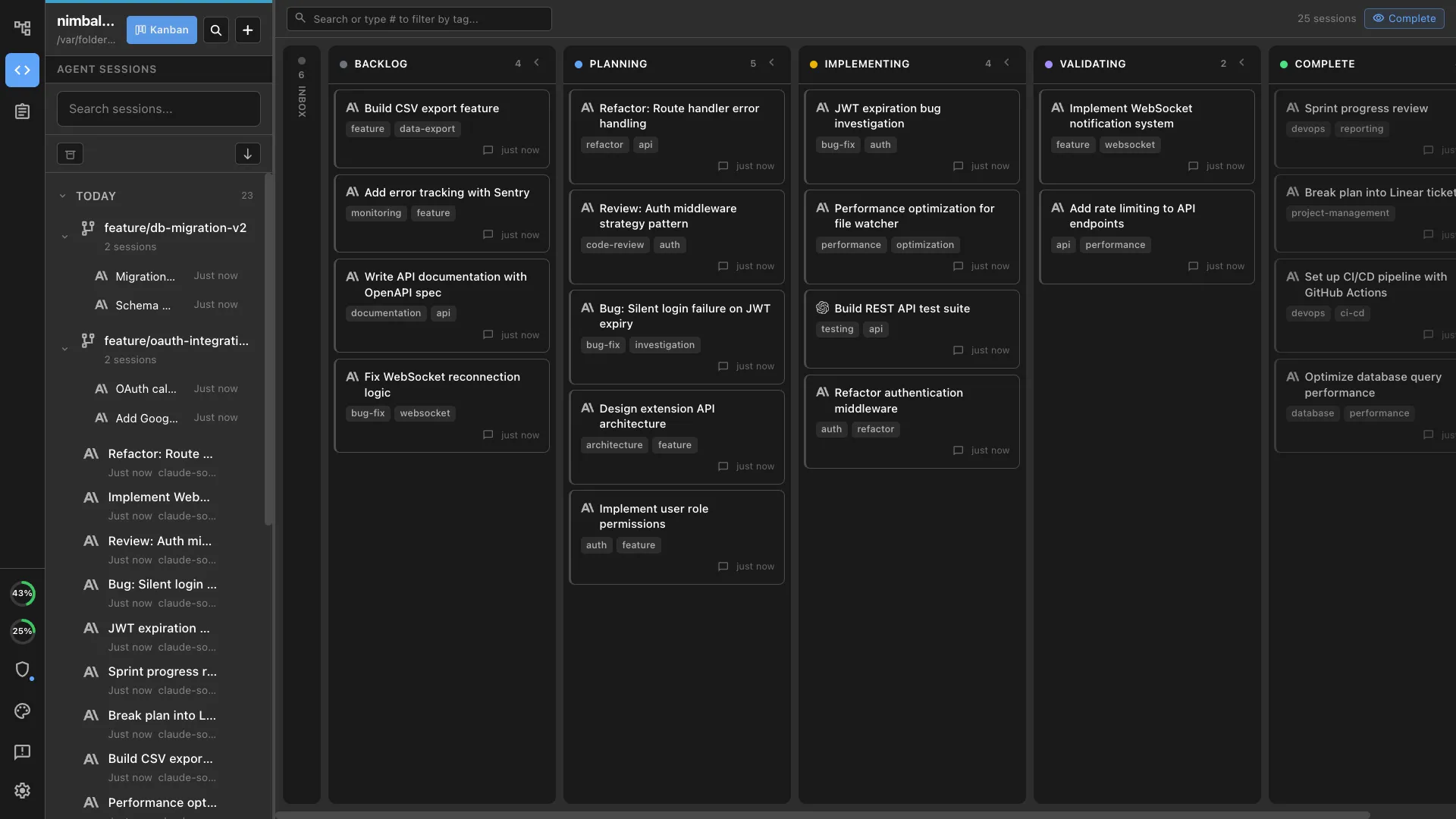
| Session kanban board | Yes | No | No | No | No | No |
Nimbalyst offers the deepest session management of any AI coding tool: search within conversations, name and tag sessions, organize them into workstreams, and visualize progress on a kanban board. Claude Code CLI and Cowork both support naming chats or sessions, and Codex App and Cursor can run parallel sessions, but none of them offer in-session search, tagging, workstreams, or kanban views.

Session Management
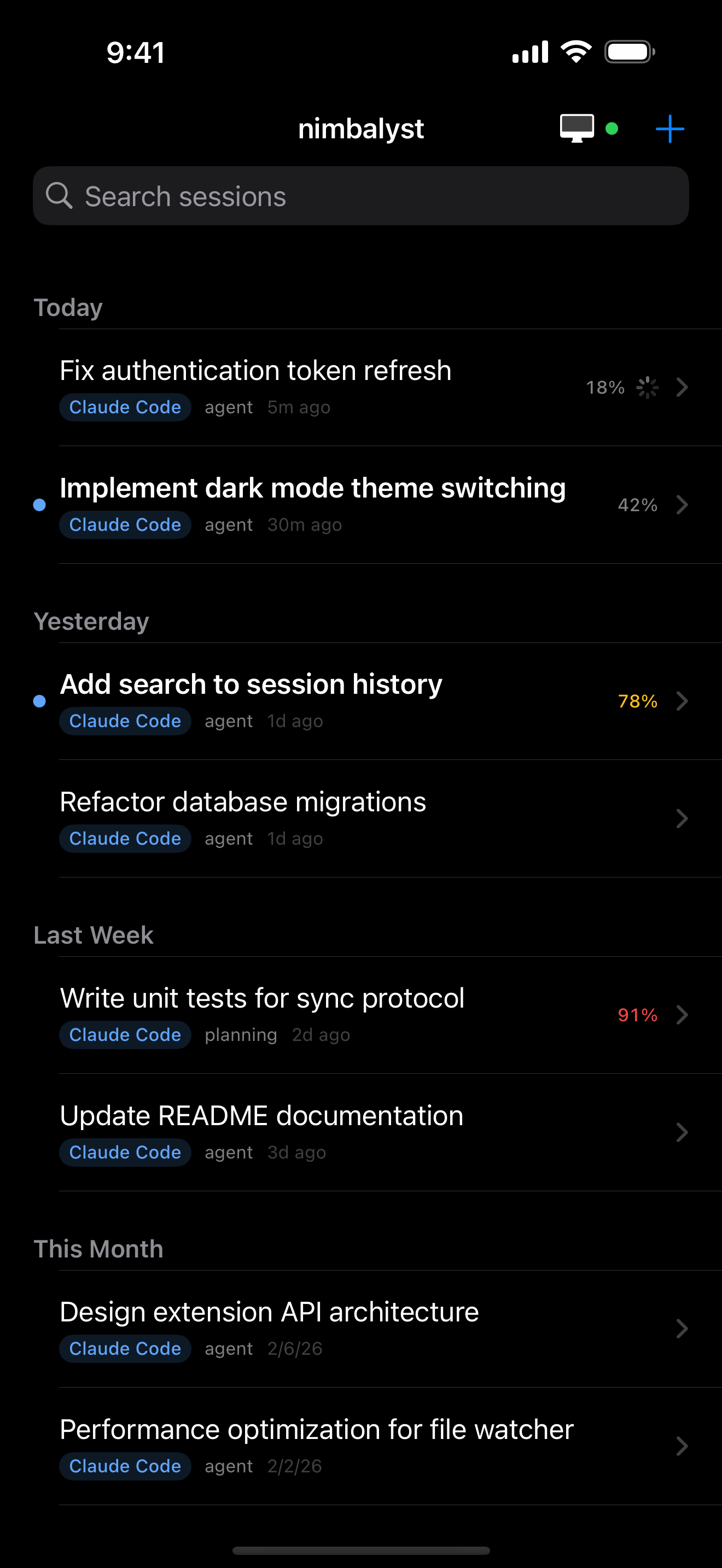
Mobile Session Management
Interact with your coding agent while on the go.
| Feature | Nimbalyst | Claude Code CLI | Cowork | Codex CLI | Codex App | Cursor |
|---|---|---|---|---|---|---|
| Dedicated mobile app | Yes | Via Claude | No | No | No | No |
| Initiate sessions remotely | Yes | No | No | No | No | No |
| See full session history | Yes | Partial | No | No | No | No |
| See visual elements of session | Yes | No | No | No | No | No |
| Chat with agent on mobile | Yes | Yes | No | No | No | No |
Nimbalyst is the only tool with a dedicated iOS app that lets you initiate sessions remotely, browse full session history, and see visual elements like charts and diagrams on mobile. Claude Code offers remote control via Claude, letting you continue an existing session and chat with the agent from your phone, but you still need to start the session from your terminal first and there is no verified visual element rendering. I did not find an official Cowork remote-control workflow. Codex CLI, Codex App, and Cursor have no mobile session management at all.
File Editing
Work with Agent on One File
See edits in real-time, review diffs, and approve changes.
| Feature | Nimbalyst | Claude Code CLI | Cowork | Codex CLI | Codex App | Cursor |
|---|---|---|---|---|---|---|
| One-click file opening | Yes | No | No | No | No | Partial |
| Agent understands contents of open file | Yes | No | No | No | No | Partial |
| Agent sees your file edits | Yes | Partial | Partial | Partial | Partial | Partial |
| You see your agent's file edits in the file | Yes | No | No | No | No | Partial |
| Review & manage agent's file edits | Yes | No | No | No | No | Partial |
Nimbalyst is the only tool in this group with a strong end-to-end one-file workflow: open the file, let the agent track your changes, see the agent's edits directly in the file, and manage the result in place. Cursor supports parts of that workflow, while Claude Code CLI, Cowork, Codex CLI, and Codex App offer narrower or less integrated file-editing loops.


File Editing
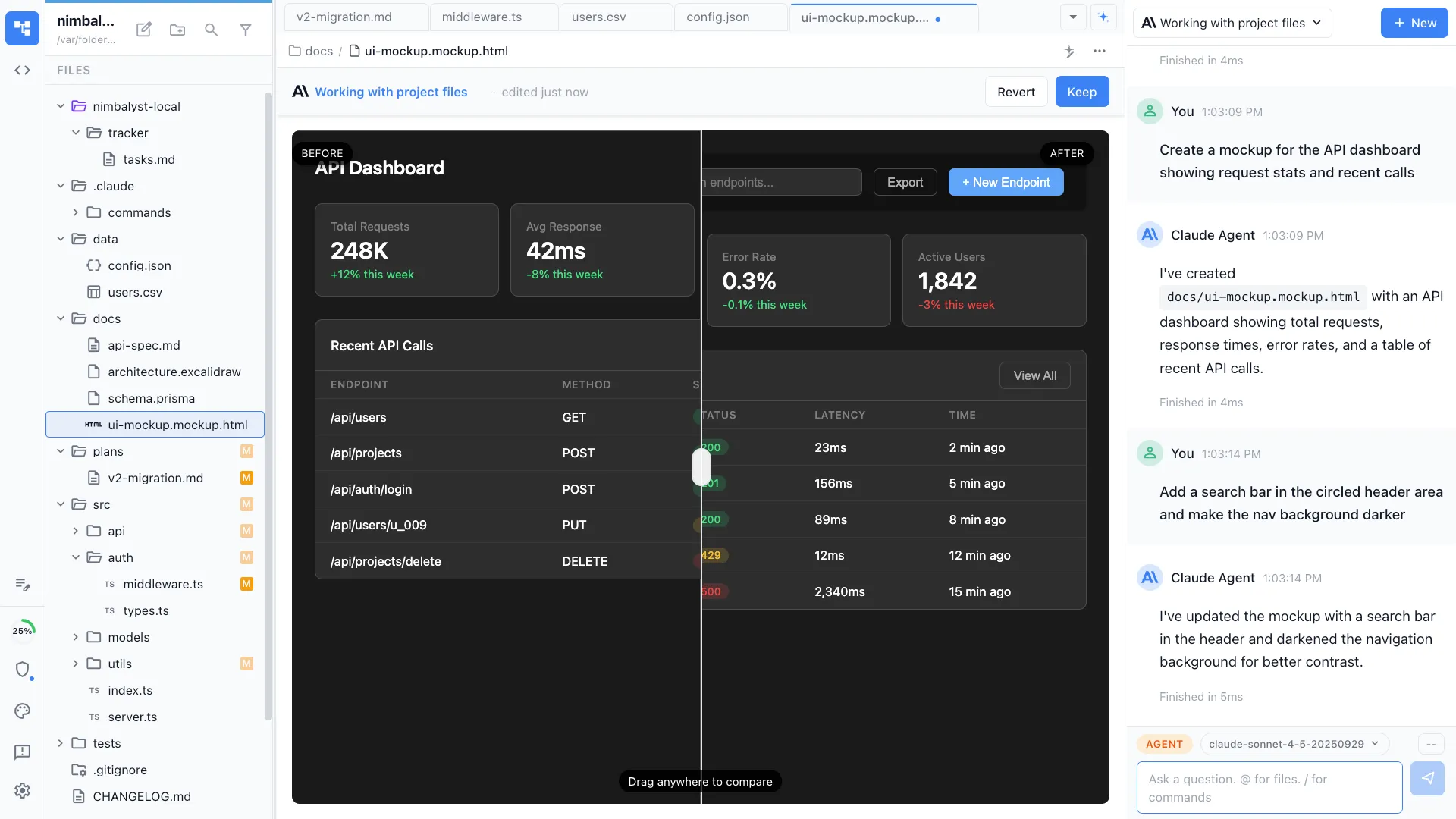
Interactive Visual Editors
Work with your agent across markdown, diagrams, mockups, data models, and more.
| Editor | Nimbalyst | Claude Code CLI | Cowork | Codex CLI | Codex App | Cursor |
|---|---|---|---|---|---|---|
| Markdown | Yes | No | No | No | No | Not WYSIWYG |
| Mockups with annotations | Yes | No | No | No | No | HTML preview |
| Mermaid diagrams | Yes | No | No | No | No | Extension |
| Data Model editor | Yes | No | No | No | No | No |
| CSV / spreadsheet editor | Yes | No | No | No | No | Extension |
| Excalidraw | Yes | No | No | No | No | Extension |
| Code editor | Yes | No | No | No | No | Yes |
Nimbalyst includes built-in WYSIWYG editors for markdown, mockups, Mermaid diagrams, data models, CSV spreadsheets, and Excalidraw drawings. Cursor supports some of these through extensions (Mermaid, CSV, Excalidraw) but its markdown editor is not WYSIWYG. Claude Code CLI, Cowork, Codex CLI, and Codex App have no visual editors at all. Nimbalyst is the only tool where agents can natively read and write visual content alongside you.



File Editing
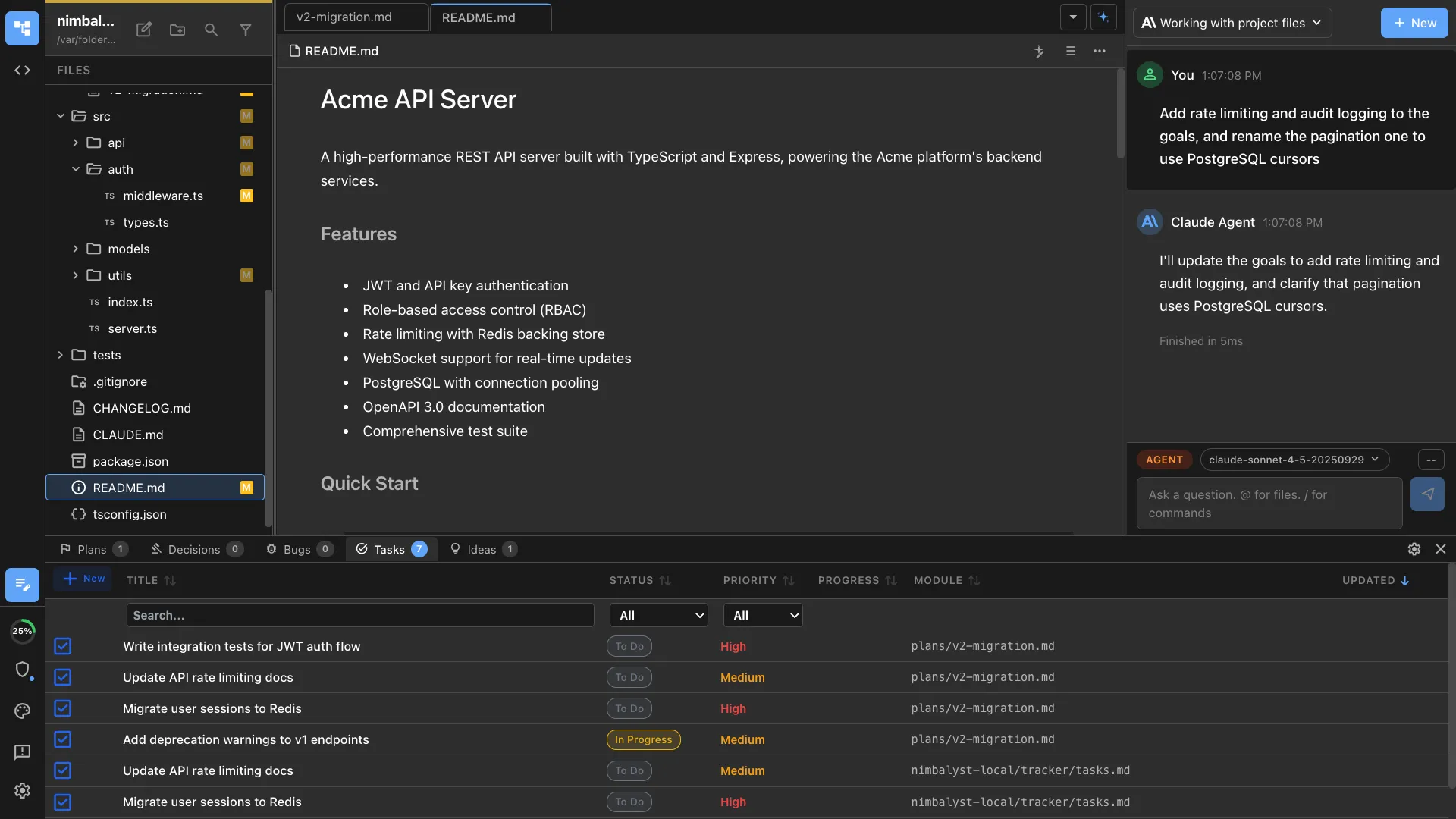
Work with Agents Across Files
Organize your files. Navigate your project. Drag files into conversations.
| Feature | Nimbalyst | Claude Code CLI | Cowork | Codex CLI | Codex App | Cursor |
|---|---|---|---|---|---|---|
| Interactive file tree | Yes | No | No | No | No | Yes |
| Shows which files were edited | Yes | No | No | No | No | Yes |
| Drag files from tree to discuss with agent | Yes | No | No | No | No | Yes |
| Multiple files open in tabs | Yes | No | No | No | No | Yes |
Nimbalyst and Cursor both provide interactive file trees, multi-tab editing, and edited file indicators. Nimbalyst uniquely supports dragging files directly from the tree into agent conversations. Claude Code CLI, Cowork, Codex CLI, and Codex App do not offer that across-files workspace experience.
Task Tracking
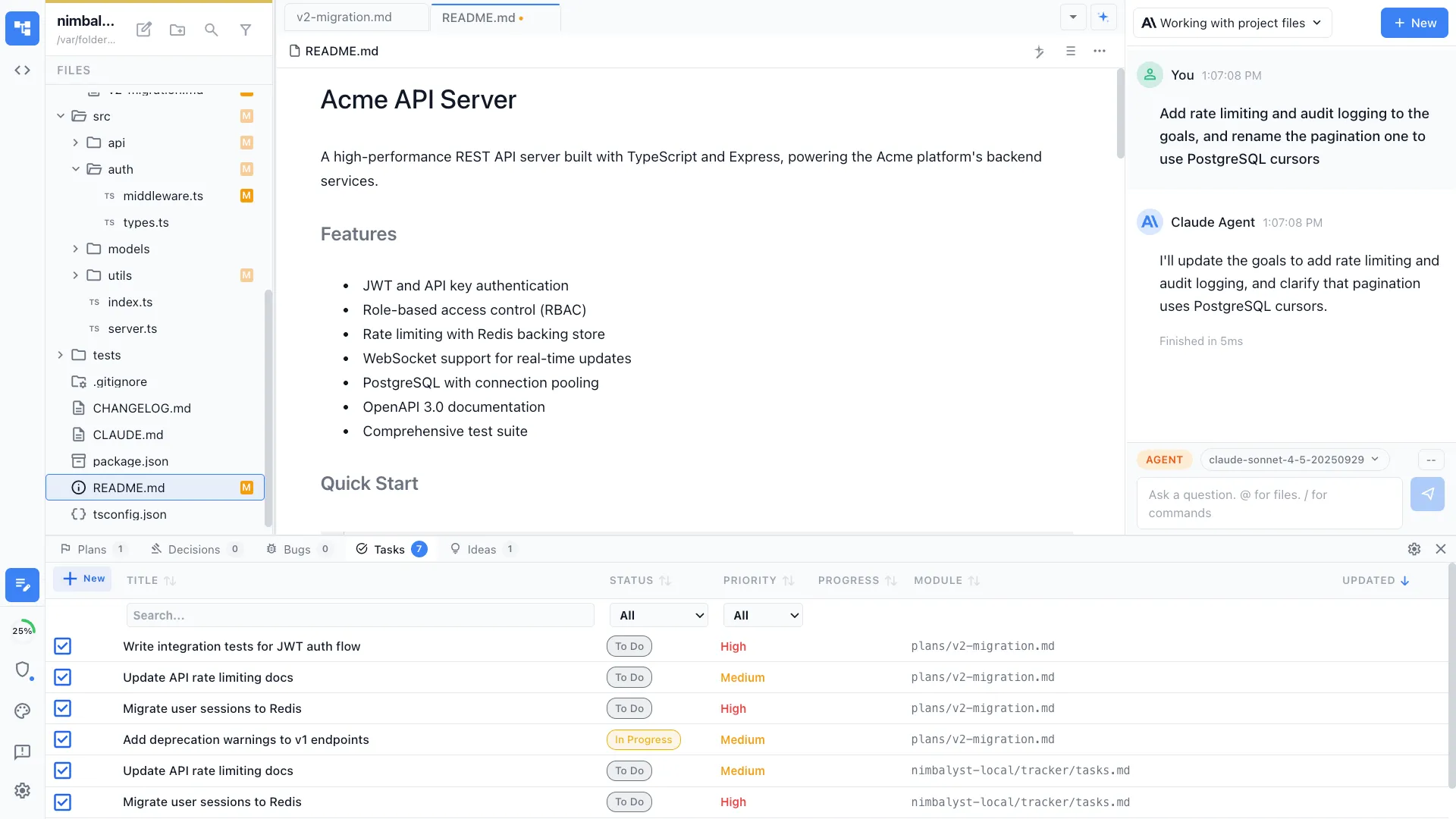
Task Mode
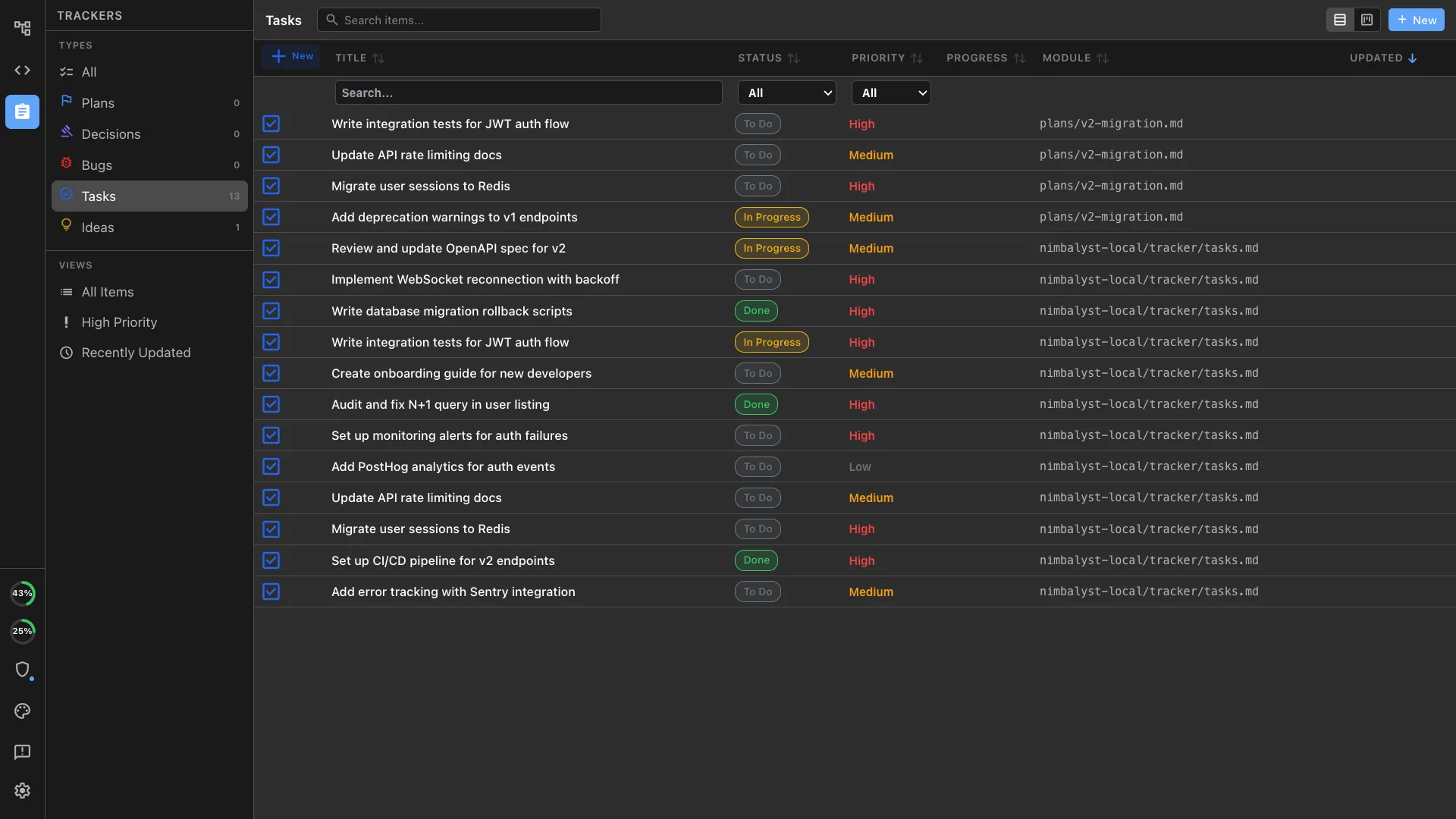
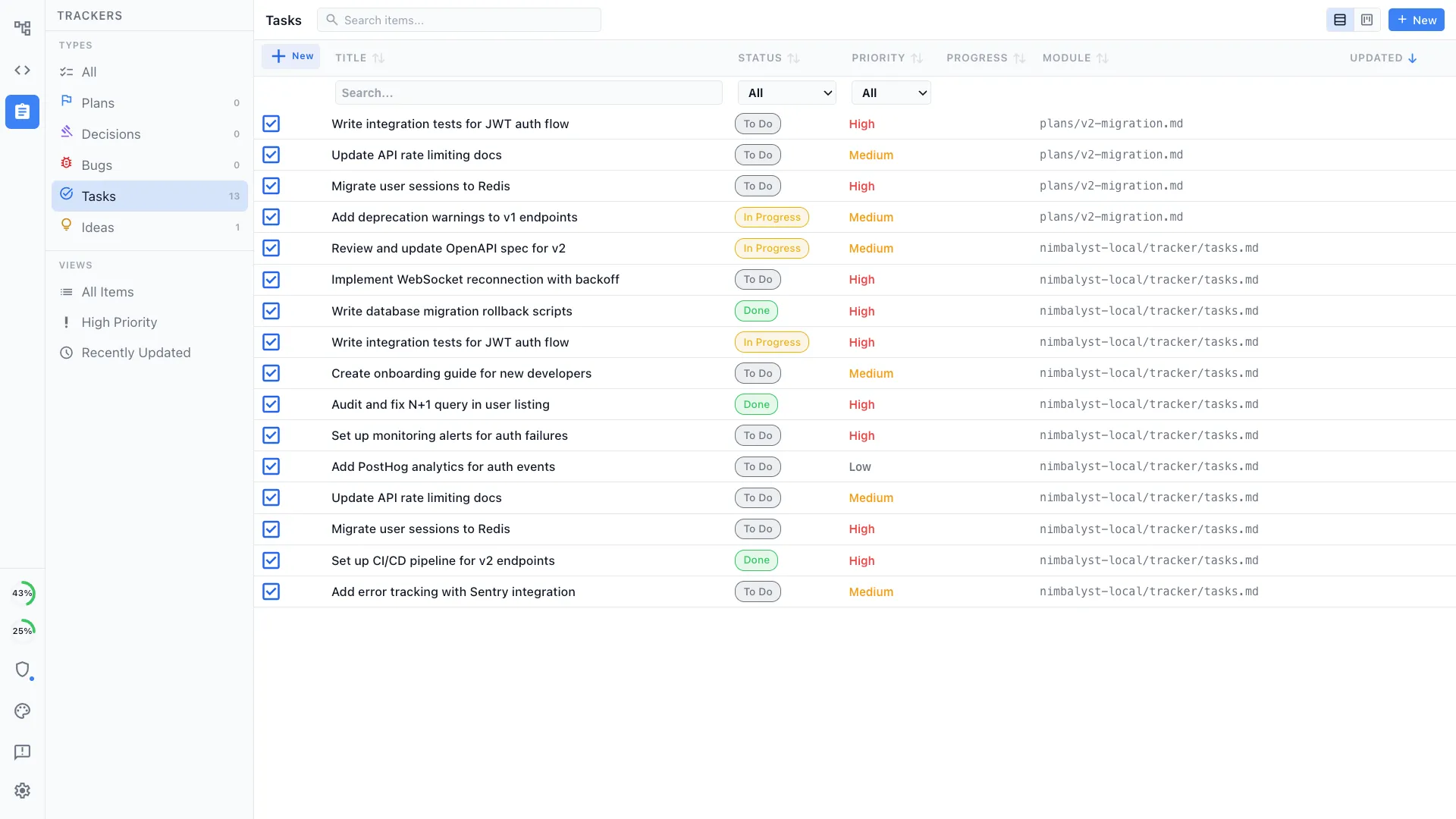
Track bugs, tasks, and ideas — agents update progress automatically.
| Feature | Nimbalyst | Claude Code CLI | Cowork | Codex CLI | Codex App | Cursor |
|---|---|---|---|---|---|---|
| Bug / task / idea tracker | Yes | No | No | No | No | No |
| Agents update tasks automatically | Yes | No | No | No | No | No |
| Human and AI edit tasks side by side | Yes | No | No | No | No | No |
Nimbalyst is the only tool with a built-in bug and task tracker where agents automatically update task status as they work. Claude Code CLI, Cowork, Codex CLI, Codex App, and Cursor all lack integrated task tracking, requiring you to switch to a separate project management tool like Linear or Jira.
Developer Features
Coding Features
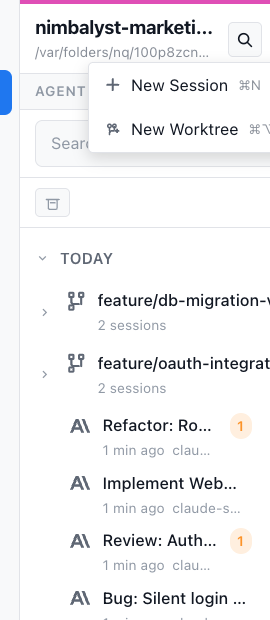
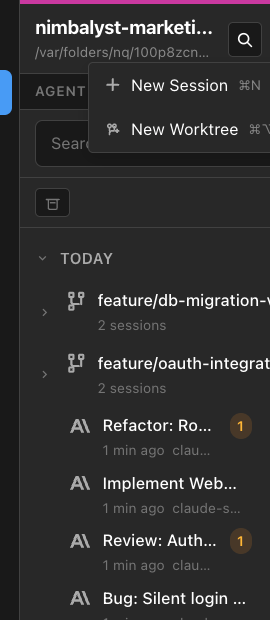
Git worktrees, visual git management, and AI-assisted commits built in.
| Feature | Nimbalyst | Claude Code CLI | Cowork | Codex CLI | Codex App | Cursor |
|---|---|---|---|---|---|---|
| Git worktrees for isolated agent work | Yes | Yes | No | No | Yes | Yes |
| Visual git management | Yes | No | No | No | No | Yes |
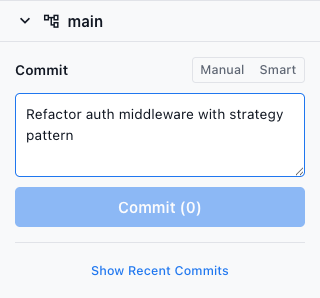
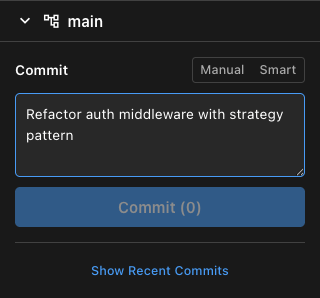
| Visual AI-assisted git commit | Yes | No | No | No | No | Yes |
Nimbalyst, Claude Code CLI, Codex App, and Cursor all support isolated agent work. Cursor also offers visual git management and AI-assisted commits. OpenAI's Codex materials support reviewing diffs and turning changes into pull requests, but I did not find official support for a visual git-management UI or a visual AI-assisted commit flow in Codex App. What sets Nimbalyst apart is combining isolated agent work, visual git, and AI commits in a single unified workspace alongside session management and task tracking. Cowork and Codex CLI have no visual git features.
Developer Features
Model & Coding Agent Support
Access the full power of the best coding agents.
| Agent | Nimbalyst | Claude Code CLI | Cowork | Codex CLI | Codex App | Cursor |
|---|---|---|---|---|---|---|
| Full power of Claude Code Agent | Yes | Yes | Yes | No | No | Yes |
| Full power of Codex Agent | Yes | No | No | Yes | Yes | Yes |
Nimbalyst and Cursor are the only tools that support both Claude Code and Codex.