Comparison
Nimbalyst vs Cline
Cline adds AI to VS Code. Nimbalyst is the visual workspace for building with Codex and Claude Code. Go beyond an IDE extension with session management, task tracking, and visual editors for markdown, mockups, diagrams, and code.


Overview
Two tools, different approaches
Nimbalyst
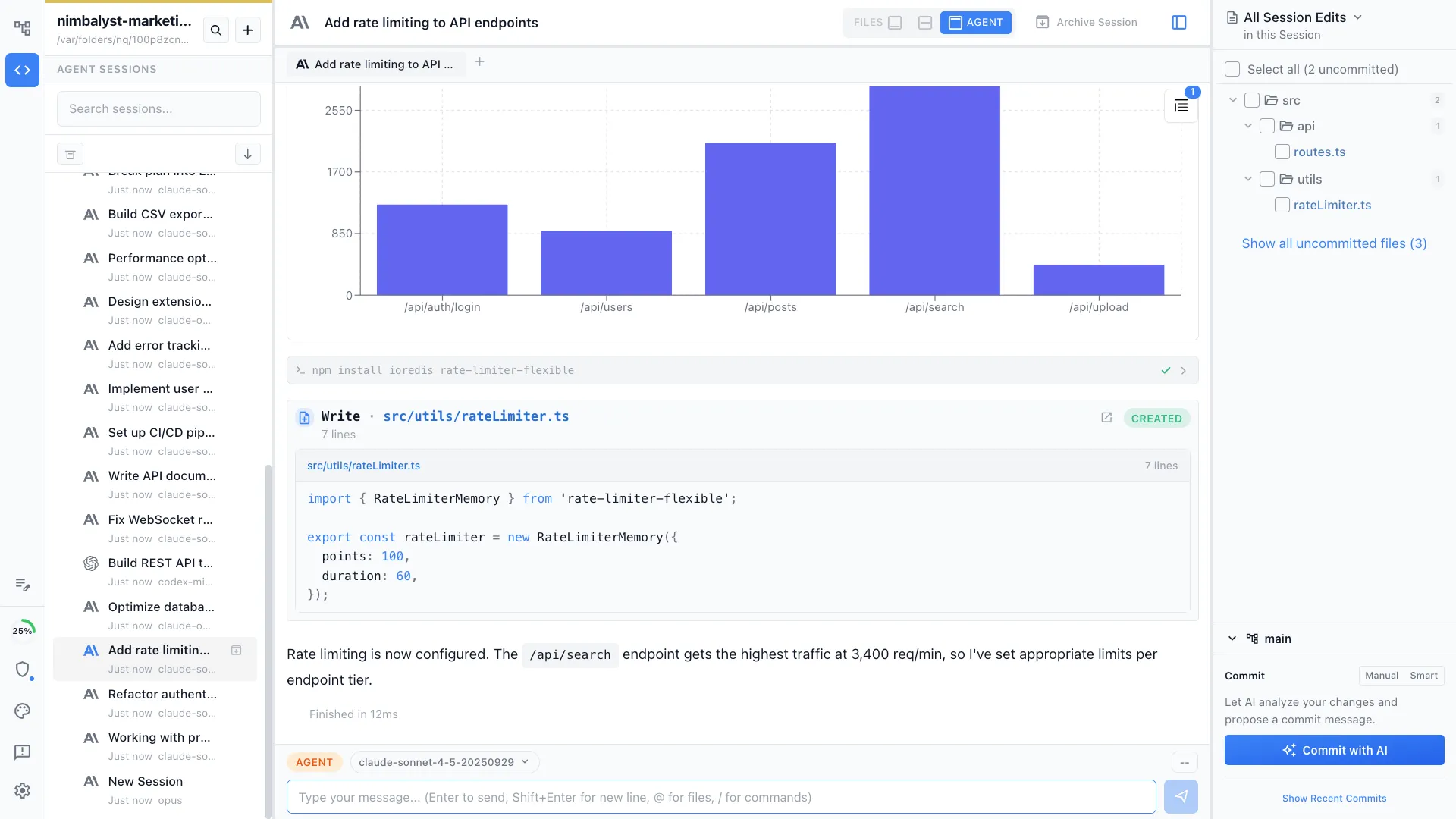
Nimbalyst is an AI-native workspace built on top of Claude Code and Codex. It adds a session kanban board for managing parallel agents, visual editors for markdown, mockups, diagrams, and data models, built-in planning and task tracking, and a mobile companion app. You get full coding agents inside a purpose-built workspace, not just an extension in your IDE.
Cline
Cline is a VS Code extension that provides an AI coding assistant directly in your editor. It supports multiple AI models and enables multi-step coding tasks, file creation, and terminal commands from within VS Code.
Feature Comparison
Side-by-side breakdown
Nimbalyst Advantages
Where Nimbalyst shines


Session management at scale
Manage multiple AI sessions on a kanban board. Cline runs one session at a time inside VS Code's sidebar.


Visual editors beyond code
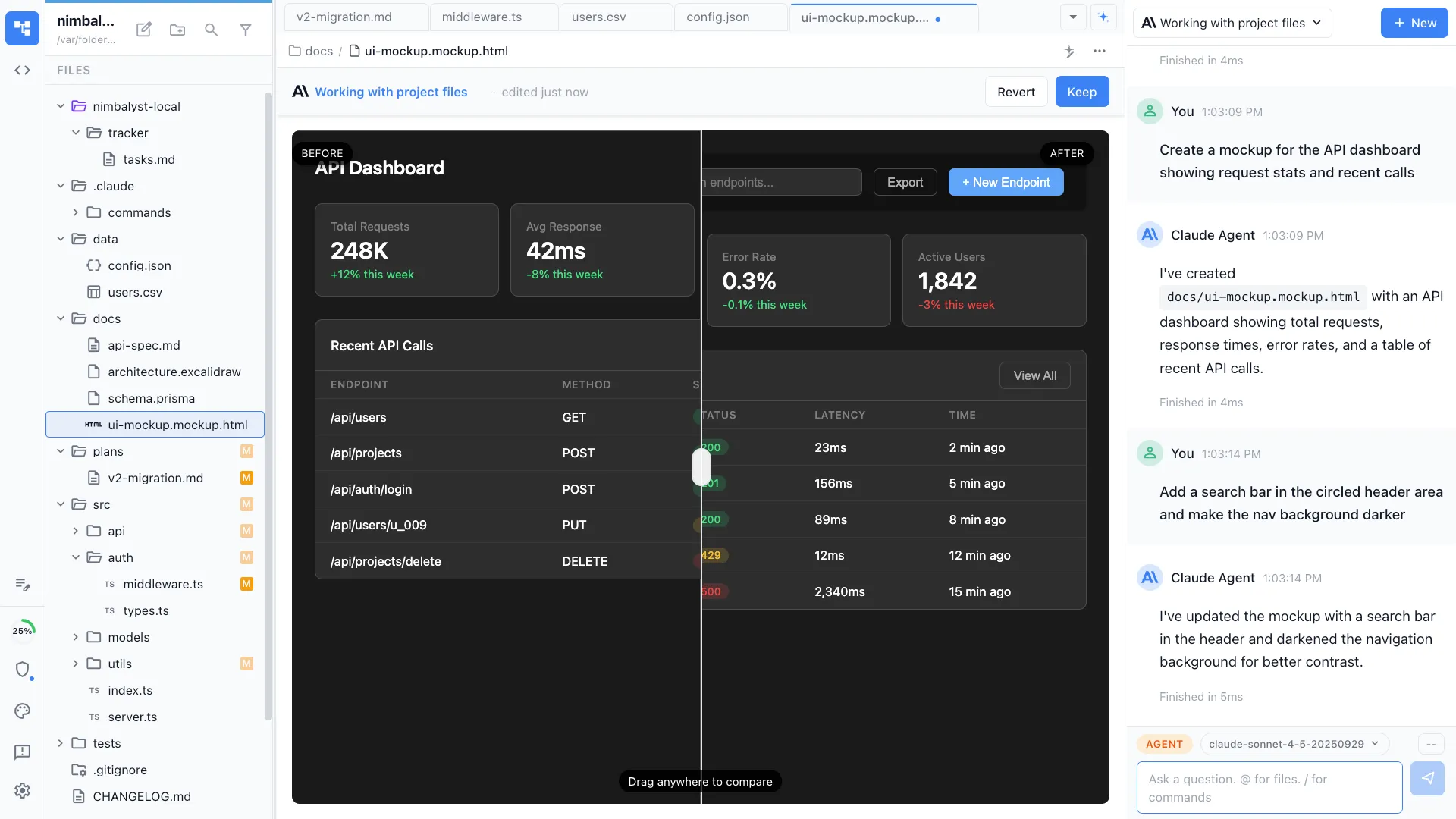
Your agents create diagrams, mockups, and data models in visual editors. Cline is limited to VS Code's file types.

Design and plan alongside code
Create wireframes and plans that your agent reads and implements. Cline focuses on code-level changes within your existing IDE.
Honest Assessment
Where Cline is stronger
Lives in your IDE
Cline runs directly inside VS Code, so you never leave your existing development environment. It integrates with your familiar editor, keybindings, and extensions.
Model flexibility
Cline supports many AI models via API, giving you flexibility to choose your preferred provider and model.
Recommendation
Who should use which
Choose Nimbalyst if…
You want a dedicated workspace for AI-first development with session and task management, visual editors integrated with your agents, and planning.
Choose Cline if…
You want to add AI capabilities to your existing VS Code setup without switching editors, and you value the full VS Code extension ecosystem.
More Comparisons