Comparison
Nimbalyst vs Figma
Figma is the premier tool for professional UX designers. Nimbalyst is the visual workspace for building with Codex and Claude Code. Your agent designs the mockup based on your code and implements it, alongside session management, task tracking, and visual editors for markdown, diagrams, and code.

Overview
Two tools, different approaches
Nimbalyst
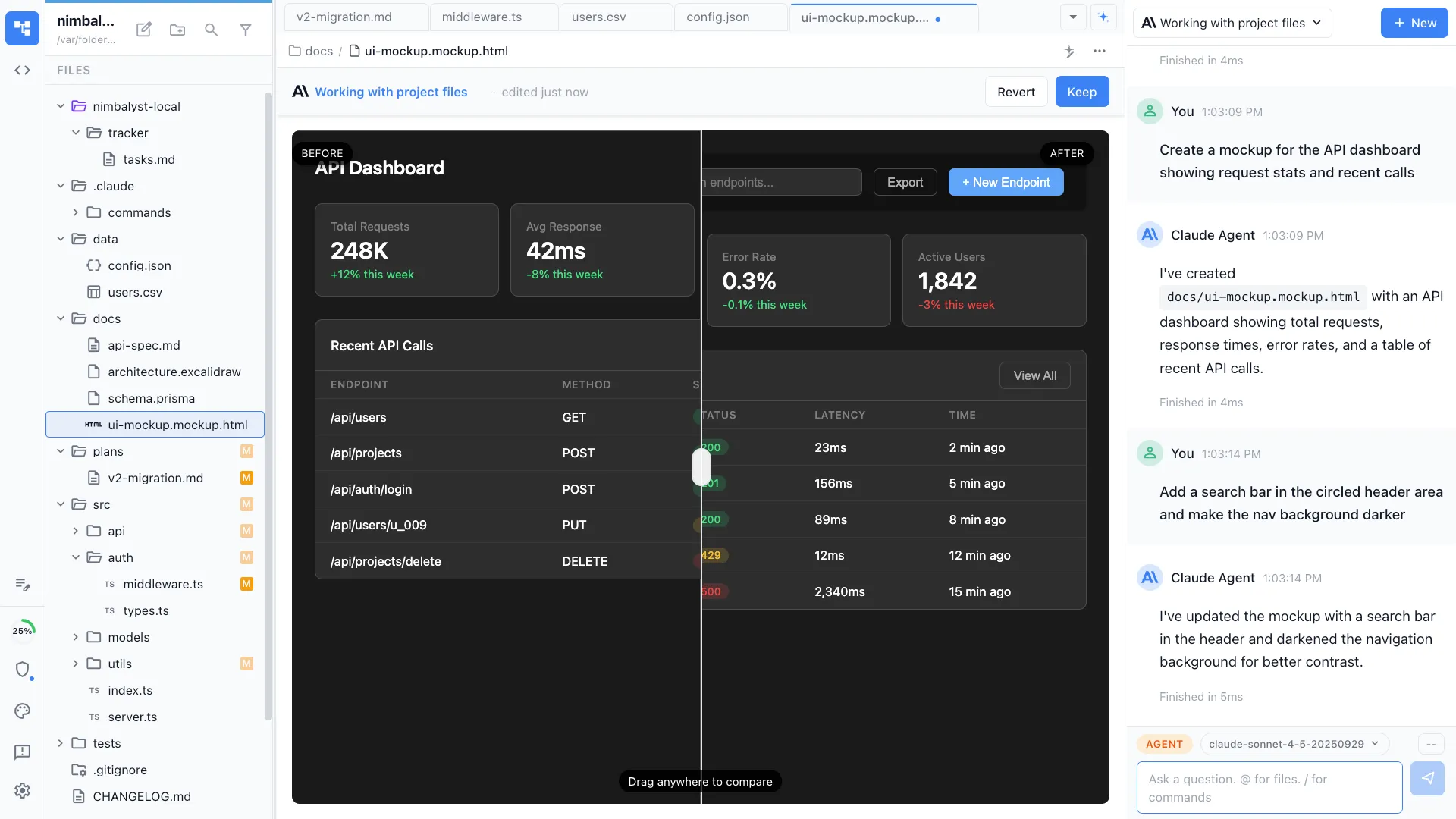
Nimbalyst is an AI-native workspace built on top of Claude Code and Codex. Your agent can create a mockup based on your docs, diagrams, and code, then turn it into an interactive mockup with transitions or a canvas that shows the flow. You iterate on it with the agent, and the same agent can implement it as real code, so there is no design handoff. Nimbalyst also adds a session kanban board for managing parallel agents, visual editors for markdown, mockups, diagrams, and data models, built-in planning and task tracking, and a mobile companion app.
Figma
Figma is the industry-standard design tool for UI/UX professionals. It provides a powerful vector editor, component libraries, prototyping, design tokens, and real-time team collaboration. It is used by design teams at companies of all sizes.
Feature Comparison
Side-by-side breakdown
Nimbalyst Advantages
Where Nimbalyst shines
Design to code, no handoff
The same AI agent that creates your mockup implements it as real code. There is no designer-to-developer handoff. In Figma, designs must be translated to code separately.


Codebase-aware design
Your agent knows your existing components, styles, and patterns when creating mockups. It designs within the constraints of your actual codebase.


Interactive flows alongside UI
Ask for an interactive mockup and your agent can add transitions or create a canvas that shows the flow between screens. Plan behavior and implementation in the same workspace.
Honest Assessment
Where Figma is stronger
Professional design tools
Figma is the industry standard for a reason. Its vector editing, component system, auto layout, and prototyping are unmatched for professional design work.
Team collaboration
Figma's real-time multi-user editing, commenting, and design review workflows are built for design teams working together at scale.
Design system management
Figma handles complex design systems with variables, component variants, and tokens. It is built for maintaining design consistency across large products.
Recommendation
Who should use which
Choose Nimbalyst if…
You are a developer or PM who needs mockups for planning and wants the same agent to implement the design. You value speed from idea to working code over pixel-perfect design. You prefer to work in one integrated workspace.
Choose Figma if…
You are a designer who needs professional-grade design tools, team collaboration, prototyping, and design system management.
More Comparisons

