Best AI-Native Editors for Markdown, Mockups, and Diagrams in 2026
Compare the best AI-native editors for markdown documents, UI mockups, and architecture diagrams in 2026. Covers Notion AI, Obsidian, Eraser, Whimsical, Excalidraw, and Nimbalyst's integrated visual tools.
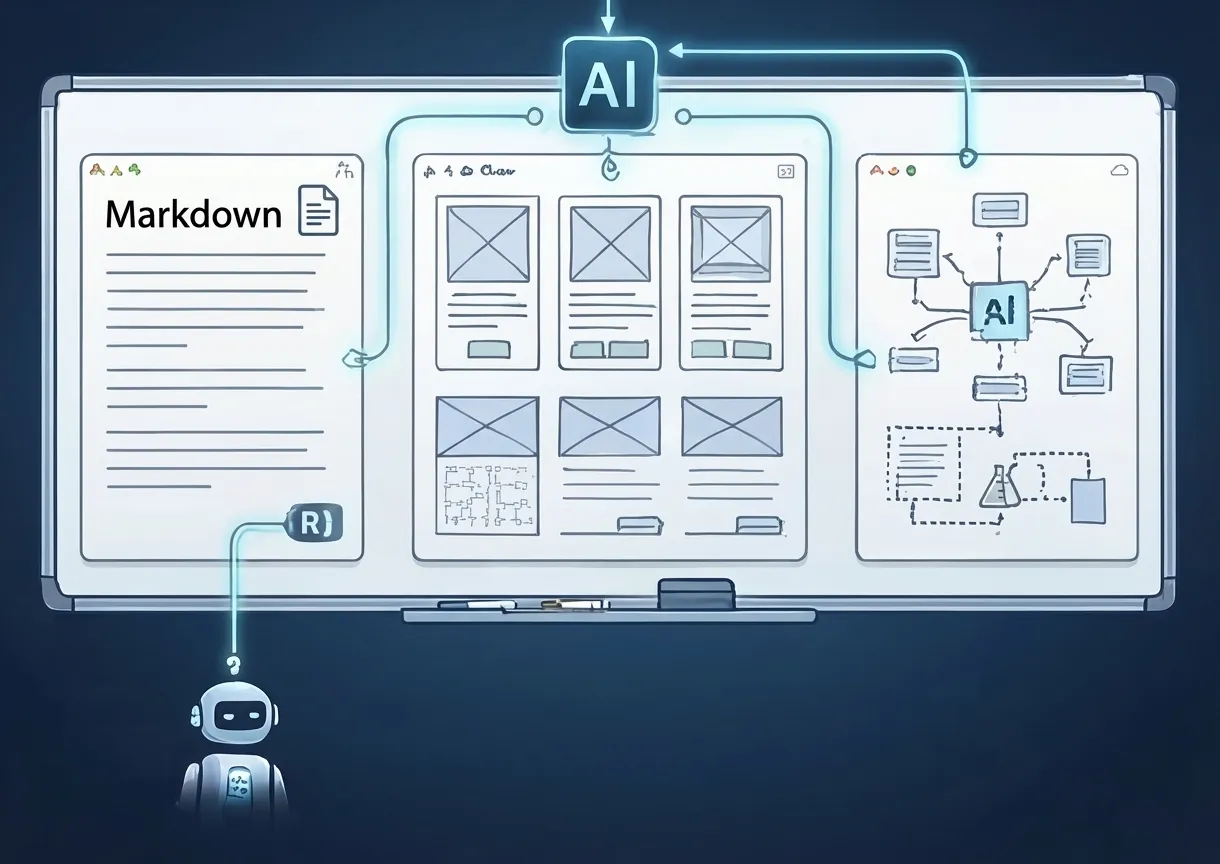
Software development isn’t just code. Before a line gets written, there are planning docs, architecture diagrams, data models, UI mockups, and technical specs — many of which are owned by product managers. After the code is written, there are changelogs, docs, and handoff materials.
Most developers use a patchwork of tools for this visual work: Notion for docs, Excalidraw for diagrams, Figma for mockups, a markdown editor for specs. Each tool has its own AI capabilities, its own file format, and its own context silo. If you’re looking for the best visual editors for ai-assisted development, the landscape has changed significantly — a new category of AI-native workspaces aims to consolidate all of this, putting docs, diagrams, and mockups in one workspace with AI that understands all of them.
Here’s how the options compare.
Markdown Editors
Typora
Price: $14.99 (one-time)
Typora is a clean, minimal WYSIWYG markdown editor that renders formatting in real time — no split pane, no preview mode.
Strengths:
- True WYSIWYG markdown editing — what you type is what you see
- Clean, distraction-free interface
- Supports math, diagrams (Mermaid), and tables natively
- One-time purchase, no subscription
- Cross-platform (macOS, Windows, Linux)
Limitations:
- No AI capabilities
- No codebase awareness
- Single-document editor — no workspace or project management
- No collaboration features
Obsidian (with AI plugins)
Price: Free (core) + plugin costs vary
Obsidian is a local-first markdown editor with a plugin ecosystem. Several AI plugins (Smart Connections, Obsidian GPT, etc.) add AI capabilities.
Strengths:
- Local-first — files are plain markdown on your disk
- Plugin flexibility — choose your AI integration
- Powerful linking and graph view
- Free core product
Limitations:
- AI is plugin-dependent — quality varies
- No built-in AI editing
- No diagramming or mockup tools
- Not connected to your codebase
Nimbalyst (Markdown Editor)
Price: Free
Nimbalyst’s built-in markdown editor is a WYSIWYG editor powered by Claude Code. The AI doesn’t just edit text — it has access to your entire project context, including your codebase.
Strengths:
- WYSIWYG editing with real-time AI assistance
- Codebase-aware — AI can reference and link to actual code
- Docs live alongside your code and agent sessions
- Publish-quality rendering
- Plans and specs can be directly handed to agents for implementation
Limitations:
- Desktop only (macOS, Windows, Linux)
- Not a standalone notes app — designed for project documentation
- No graph view or bi-directional linking (like Obsidian)
Diagram Tools
Excalidraw
Price: Free (open source) / Excalidraw+ for teams
The most popular open-source diagramming tool. Hand-drawn aesthetic, simple to use, widely loved.
Strengths:
- Beautiful hand-drawn style
- Real-time collaboration
- Library of shapes and templates
- Open source and embeddable
- Large community
Limitations:
- No AI capabilities natively
- Standalone tool — not connected to your code
- Limited export options
- No integration with coding workflows
Eraser
Price: Freemium ($12/month Pro)
AI-powered technical diagramming tool. Generates architecture diagrams, sequence diagrams, and entity relationship diagrams from text descriptions.
Strengths:
- AI diagram generation from natural language
- Clean, professional aesthetic
- Technical diagram types (ERD, sequence, architecture)
- Docs + diagrams in one tool
- Good for technical documentation
Limitations:
- Cloud-based only
- Not connected to your codebase
- Limited mockup capabilities
- Separate tool from your development environment
Whimsical
Price: Freemium ($10/month Pro)
Whimsical offers flowcharts, wireframes, mind maps, and docs with AI-powered generation and editing.
Strengths:
- Multiple visual formats in one tool
- AI-powered flowchart and wireframe generation
- Clean interface
- Good for brainstorming and early-stage planning
Limitations:
- Not connected to code or development workflows
- Limited diagram types for technical work
- Cloud-based only
- No integration with AI coding agents
Nimbalyst (Excalidraw Integration)
Price: Free
Nimbalyst embeds Excalidraw directly in the workspace with AI-powered diagram generation via Claude Code.
Strengths:
- Full Excalidraw editor built into the workspace
- AI generates diagrams from natural language or Mermaid syntax
- Diagrams live alongside your code and agent sessions
- Codebase-aware — the AI can diagram your actual architecture
- Import from Mermaid for quick generation
Limitations:
- Desktop only (macOS, Windows, Linux)
- Uses Excalidraw’s hand-drawn aesthetic (no formal diagram styles)
Mockup Tools
Figma (with AI features)
Price: Free tier / $15/month (Professional)
The industry standard for UI design, now with AI-powered features including auto-layout suggestions and first-draft generation.
Strengths:
- Industry standard — teams already use it
- Powerful design system support
- AI-powered layout suggestions
- Real-time collaboration
- Extensive plugin ecosystem
Limitations:
- Designed for designers, not developers
- AI features are supplementary, not core
- Expensive for full teams
- Not connected to development workflows
- Requires design skills to use effectively
v0 by Vercel
Price: Freemium
AI-powered UI generation. Describe a component or page, and v0 generates React + Tailwind code.
Strengths:
- Generates working code, not just visuals
- React + Tailwind output
- Fast iteration on UI ideas
- Good for component-level exploration
Limitations:
- Web-based only
- Generates code, not mockups (harder to explore non-code alternatives)
- Limited to React/Tailwind ecosystem
- Not connected to your existing codebase
Nimbalyst (MockupLM)
Price: Free
MockupLM is Nimbalyst’s built-in mockup editor. Describe a UI, and the AI generates an interactive HTML/CSS mockup you can view and iterate on.
Strengths:
- AI generates interactive mockups from natural language
- Mockups live alongside your code, docs, and agent sessions
- Iterate with AI — “make the sidebar narrower,” “add a search bar”
- Export mockup as reference for agent implementation
- Connected to your codebase — AI can reference existing UI patterns
Limitations:
- Desktop only (macOS, Windows, Linux)
- Generates HTML/CSS mockups, not production React components
- Not a replacement for full design tools like Figma
Data Model Tools
dbdiagram.io
Price: Free tier / $14/month (Pro)
Popular web-based database diagramming tool with a DSL for defining schemas.
Strengths:
- Simple DSL for defining tables and relationships
- Clean visual output
- SQL export
- Embeddable
Limitations:
- No AI capabilities
- Not connected to your codebase
- Single-purpose tool
Nimbalyst (DataModelLM)
Price: Free
DataModelLM is a visual data model designer powered by AI. Describe your data model in natural language, and it generates a Prisma-style schema with a visual ERD.
Strengths:
- AI generates schemas from natural language
- Visual ERD alongside schema code
- Connected to your codebase
- Export for implementation by agents
Limitations:
- Desktop only (macOS, Windows, Linux)
- Prisma-based schema format
The Integration Advantage
Here’s the real question: do you want the best individual tool for each type of visual work, or do you want good-enough tools that are all connected?
Separate tools approach:
- Notion for docs + Excalidraw for diagrams + Figma for mockups + dbdiagram for data models
- Each tool is best-in-class at its specialty
- But: four separate contexts, four separate AI instances, four separate file formats, zero connection to your codebase or AI coding agents
Integrated workspace approach (Nimbalyst):
- Markdown editor + Excalidraw + MockupLM + DataModelLM in one app
- Each tool is good (not always best-in-class individually)
- But: everything shares context with your codebase and AI agents. A diagram of your architecture actually references your real code. A mockup can be handed to Claude Code to implement. A data model can be exported and built by an agent. And when the agent is done, you can review the diff visually without leaving the workspace.
For teams where visual work is a handoff step to implementation, the integrated approach eliminates a significant amount of friction. You plan, design, and build in the same workspace — no context lost in translation.
Comparison
| Feature | Notion | Obsidian | Excalidraw | Eraser | Figma | Nimbalyst |
|---|---|---|---|---|---|---|
| AI markdown editing | Yes | Plugin | No | Yes | No | Yes |
| AI diagram generation | No | No | No | Yes | No | Yes |
| AI mockup generation | No | No | No | No | Partial | Yes |
| Data model design | No | No | No | Yes | No | Yes |
| Codebase awareness | No | No | No | No | No | Yes |
| AI agent integration | No | No | No | No | No | Yes (CC + Codex) |
| Local-first | No | Yes | Yes | No | No | Yes |
| Free | No | Yes (core) | Yes | Limited | Limited | Yes |
Who Should Use What
Content-heavy teams: Notion. It’s the best collaborative document editor and your team probably already uses it.
Solo markdown power users: Obsidian. Local-first, extensible, free.
Design-led teams: Figma + Excalidraw. Best-in-class visual tools for formal design work.
Developer-led teams building with AI agents: Nimbalyst. When your workflow is “plan it, then have an agent build it,” having planning and execution in the same workspace eliminates the handoff gap. See our full features overview for what’s included. Your specs, diagrams, and mockups become input to the agent that implements them — not separate artifacts that need manual translation.
Download Nimbalyst free and try planning and building in the same workspace.