Claude Routines: A Practical Guide to Claude Code Routines (2026)
Claude Routines (Claude Code Routines) explained: what they do, real examples, daily run caps, and when to use Nimbalyst automations instead. A practical 2026 guide.
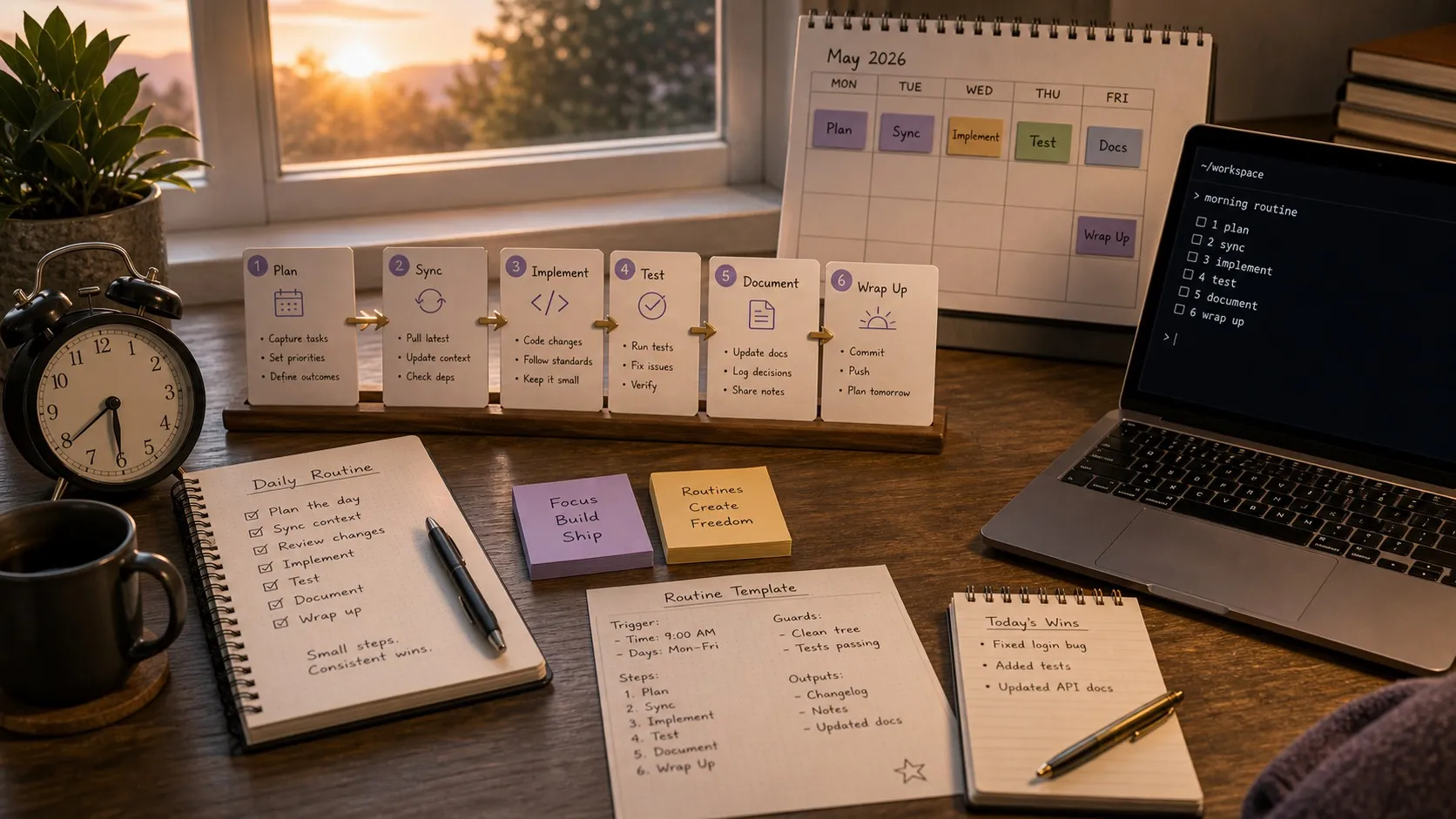
Claude Code Routines (often shortened to Claude Routines) are saved Claude Code configurations that run on a schedule, respond to API calls, or trigger on GitHub events. They run on Anthropic’s cloud infrastructure so your laptop can stay closed. After several months automating Claude Code workflows with Nimbalyst’s local automations, this is a practical guide to what Claude Code Routines actually do, the limits worth knowing about, and where to layer in additional tooling.
Claude Code Routines: Quick Answer
- What is a Claude Code Routine? A saved Claude Code configuration with a prompt, one or more repos, and connectors, triggered on a schedule (recurring or one-off), on GitHub events, or via API. A single routine can combine all three trigger types.
- Where do Claude Code Routines run? On Anthropic’s cloud infrastructure (or an organization’s self-hosted environment), not your machine. Cloned repo per run, no access to local environment.
- Who can use them? Routines are available on Pro, Max, Team, and Enterprise plans, still labeled a research preview as of September 2026.
- How many runs per day do you get? Anthropic enforces per-account daily routine caps during the research preview. One-off runs are exempt, and accounts with usage credits enabled can continue on metered overage.
- Best Claude Code Routine examples: Nightly issue triage, weekly documentation drift detection, PR-triggered code review.
- Claude Code Routines vs Nimbalyst automations: Routines are best for repo-centric, cloud-native work. Nimbalyst automations are best for workspace-level work that needs your local environment, extensions, or non-code artifacts.
A practical guide to setting up Claude Code Routines, the workflows that actually pay off, and the current limits follows.
What Claude Code Routines Actually Are
A Claude Code Routine is a saved Claude Code configuration. You specify three things:
- A prompt that tells Claude what to do
- One or more repositories for context
- Connectors for external services (Slack, Linear, etc.)
Once configured, a Claude Code Routine can be triggered three ways, and a single routine can combine any of them:
- Scheduled: Hourly, daily, weekdays, or weekly presets, a one-off run at a specific future time, or a custom cron expression set via
/schedule update(minimum interval is one hour) - API: POST to a per-routine
/fireHTTP endpoint with a bearer token, optionally passing run-specific text such as an alert body - GitHub: Automatically on repository events (pull requests and releases), with filters on author, title, branches, labels, and draft or merged state
Each routine run creates a full Claude Code cloud session. No permission prompts, no approval flows during execution. The session can run shell commands, use skills from the cloned repo, and call any connectors you’ve included. Each routine also picks a cloud environment, which controls network access (a trusted default allowlist, a custom domain list, or full access), environment variables, and a cached setup script.
Since the spring launch, Anthropic has kept adding to the surface: one-off scheduled runs, custom cron intervals, GitHub triggers manageable from the CLI, a Routines view inside the Claude Code desktop app, and routing runs to an organization’s self-hosted environment instead of Anthropic’s cloud. The /schedule command also gained an alias, /routines, and can now answer questions about a routine’s run history, such as why a nightly job did nothing this morning.
The Workflows That Make Sense
After automating similar patterns for months, I’ve found three categories where scheduled AI agent work consistently delivers value.
Backlog and Issue Triage
Every morning, new issues and bug reports pile up. A routine can scan new issues nightly, apply labels based on content analysis, estimate priority based on affected components, and post a summary to Slack or Linear.
The practical version of this: set up a nightly routine that reads new GitHub issues, cross-references them against your codebase to identify affected modules, and posts a structured triage summary. The AI doesn’t just categorize, it reads the code and makes informed assessments about severity.
I run a version of this daily with Nimbalyst’s automations. The difference between doing this manually and having it automated is substantial. You walk into your morning with a pre-triaged backlog instead of an unstructured list.
Documentation Drift Detection
Docs go stale. Everyone knows this, and nobody has time to systematically check. A weekly routine can scan merged PRs, identify docs that reference changed APIs or modified interfaces, and open update PRs for the affected documentation.
This is one of the most practical applications because the cost of not doing it is invisible until someone hits outdated instructions. A routine that checks this weekly catches drift before it becomes a support burden.
Deploy Verification and Smoke Testing
After a deploy, a routine can run smoke checks against the new build, scan error logs and monitoring dashboards for regressions, and post a go/no-go assessment to your release channel.
This works best when you give the routine access to your monitoring connectors. Your test suite still does the deterministic checking; the routine adds an AI-powered review layer that reads logs and metrics with more context than a simple threshold check. Anthropic’s own documentation now lists deploy verification as a recommended pattern, wired up so your CD pipeline calls the routine’s API endpoint after each production deploy.
Where Routines Have Limits
The current research preview has real constraints worth understanding before you build workflows around them.
Usage Caps
Routines currently have a per-account daily run cap during the research preview, on top of your normal Claude Code usage limits. Anthropic surfaces your current consumption and remaining runs at claude.ai/code/routines and in usage settings, and those allowances can change as the preview evolves. A few specifics worth knowing as of September 2026: routines are available on Pro, Max, Team, and Enterprise plans; one-off scheduled runs do not count against the daily cap; GitHub webhook events have their own per-routine and per-account hourly caps, with events beyond the limit dropped; and accounts with usage credits enabled can keep running routines on metered overage after hitting a limit.
The practical takeaway is the same: use routines for unattended, high-value work like nightly or weekly jobs, not for dozens of low-value triggers per day unless your account allowance clearly supports it. One more operational note from the docs that matches my experience with unattended agents: a green status in the run list only means the session exited without an infrastructure error. Open the run and read the transcript before trusting that the task itself succeeded.
No Interactive Feedback Loop
Routines run autonomously. There’s no mid-run approval step, no “pause and ask the developer” capability. This means they’re best suited for tasks where the output is a report, a PR, or a message, not tasks where the AI needs human judgment mid-process.
For tasks that require back-and-forth collaboration, you still want an interactive session. Routines are for the work you’d otherwise forget to do or deprioritize because it’s repetitive.
Cloud-Only Execution
Routines run on Anthropic’s infrastructure (or an organization’s self-hosted environment when routed there), which means they clone your repo and work in that environment. The cloud environment’s network access defaults to a trusted allowlist of package registries and common development domains, and you can widen it to custom domains or full access. Even so, if your workflow depends on local tooling, a running dev server, or services only reachable from your machine, a routine won’t have access to those.
Anthropic’s answer to part of this gap is Desktop scheduled tasks, a separate feature in the Claude Code desktop app that runs scheduled work locally on your machine with access to local files. When you create a routine from the desktop app you choose Cloud or Local, and the Local option creates one of these instead.
This is also where a workspace-level automation tool adds value. Nimbalyst’s automations run on your machine with full access to your local environment, extensions, and workspace context, including non-code artifacts. The approaches complement each other: Routines for cloud-native tasks, local automations for environment-dependent and workspace-wide work.
Setting Up Your First Routine
Visit claude.ai/code/routines, open the Routines sidebar in the Claude Code desktop app’s Code tab, or type /schedule in the Claude Code CLI (the alias /routines also works). All three surfaces write to the same cloud account, so a routine created in one shows up in the others. The CLI is conversational: you can type /schedule daily PR review at 9am or a one-off like /schedule in 2 weeks, open a cleanup PR that removes the feature flag and Claude walks through the rest.
Start with something low-risk and high-value. My recommendation: documentation drift detection on a weekly schedule. Write a prompt like:
Scan all pull requests merged in the past 7 days. For each PR, identify any documentation files (README, docs/, wiki) that reference modified functions, APIs, or configuration options. If the documentation is outdated relative to the code changes, open a PR with suggested updates.
Connect it to your repository, set a weekly schedule, and let it run. Review the first few outputs carefully to calibrate the prompt, then let it operate. Two configuration habits pay off from day one: trim the connector list to what the routine actually needs (all of your connected connectors are included by default, with write access and no permission prompts during a run), and leave the environment’s network access on the trusted default allowlist unless the routine genuinely needs a wider list.
Where Nimbalyst Automations Fit In
Full disclosure: I build Nimbalyst, which also has an automations feature. The two approaches solve different problems, and most teams will use both once Routines is generally available. A quick breakdown of when to reach for which:
- Reach for Claude Code Routines when the work is repo-centric, runs on a schedule or GitHub event, and doesn’t need your local environment. Nightly issue triage, weekly doc drift, PR-triggered code review.
- Reach for Nimbalyst automations when the work spans your full workspace (not just code), needs access to local tooling or extensions, or involves non-engineering artifacts like mockups, diagrams, data models, or planning docs.
- Cadence: Routines are subject to Anthropic’s current per-account preview limits. Local automations have no such cap.
- Context: Routines get a clean cloned repo. Nimbalyst automations get the live workspace state, including open tabs, pending reviews, and extension data.
- Handoff: Routines output to GitHub, Slack, or API endpoints. Nimbalyst automations can output directly into your workspace, including opening artifacts for review.
Neither replaces the other. Routines covers the cloud-native automation layer cleanly. Nimbalyst covers workspace-level automation that includes non-code work.
Want the local layer that runs against your live workspace, extensions, and non-code artifacts? See Nimbalyst automations or download Nimbalyst free and set up your first one in a few minutes.
Building a Layered Automation Strategy
Routines are one layer of a broader automation approach. The most productive setup I’ve found uses multiple layers:
Layer 1: Event-driven routines for immediate response tasks. GitHub triggers that run on new PRs (code review, label application, checklist verification).
Layer 2: Scheduled routines for periodic maintenance. Nightly triage, weekly doc checks, daily dependency scanning.
Layer 3: Local automations for environment-specific work. Tasks that need access to your local workspace, custom tooling, running dev server, or project-specific extensions.
Layer 4: Interactive sessions for complex, judgment-heavy work. Architecture decisions, feature implementation, debugging sessions where the AI needs your input.
Each layer handles different types of work. Trying to push everything through one approach, whether that’s fully automated routines or fully interactive sessions, leaves gaps.
What This Means for AI-Assisted Development
The release of Routines is part of a broader pattern. In the first two weeks of April alone, Cursor shipped an agent-first workspace (Cursor 3), Windsurf launched an Agent Command Center with cloud Devin integration (Windsurf 2.0), and Anthropic redesigned Claude Code’s desktop app around parallel sessions with Routines.
All three are converging on the same idea: AI coding is moving from “assistant that helps you write code” to “agents you orchestrate and manage.” Once you are running several agents at once, a session kanban board and the wider set of agentic coding tools matter as much as any single routine. The developer’s role is shifting toward architecture, review, and coordination.
Routines represent the automation edge of this shift. Instead of manually starting a Claude Code session every morning to triage issues, you configure it once and let it run. The time you save compounds. A 15-minute daily triage routine saves you roughly 60 hours per year. A weekly documentation check prevents the slow accumulation of tech debt that eventually costs days of developer time.
The practical takeaway: start with one routine for your most repetitive, well-defined task. Run it for two weeks. Calibrate the prompt based on results. Then add a second. Build your automation layer incrementally rather than trying to automate everything at once.
Frequently Asked Questions
What are Claude Code Routines?
Claude Code Routines are saved Claude Code configurations that run on Anthropic’s cloud infrastructure. Each routine bundles a prompt, one or more repositories, and connectors like Slack or Linear. Routines can run on a schedule, on GitHub events such as pull requests or releases, or in response to API calls. They are designed for repo-centric automation that does not need your local environment.
How do I set up a Claude Code Routine?
Visit claude.ai/code/routines, use the Routines sidebar in the Claude Code desktop app, or run /schedule in the Claude Code CLI. You specify the prompt, repository, cloud environment, connectors, and one or more triggers (schedule, GitHub event, or API endpoint). The first routine to try is documentation drift detection on a weekly schedule. It is low risk, high value, and gives you a feel for how the runs behave before you build anything more ambitious.
How many Claude Code Routines can I run per day?
Routines are available on Pro, Max, Team, and Enterprise plans, and each account has a daily cap on how many routine runs can start. Anthropic can change the caps during the research preview, so check claude.ai/code/routines or your Claude usage settings for the current number on your account. One-off (single-timestamp) runs do not count against the daily cap, and accounts with usage credits enabled can keep running routines on metered overage after hitting a limit. The safe evergreen rule is to reserve routines for unattended jobs with clear value, not for noisy high-frequency triggers unless your allowance supports it.
What is the difference between Claude Code Routines and Claude Code Skills?
Claude Code Routines are scheduled or event-driven cloud runs of a full Claude Code session. Claude Code Skills are reusable instruction packs that any Claude Code session can call into. A routine wraps a prompt and a trigger. A skill wraps a piece of expertise that the agent can use inside any session, including inside a routine.
What are good examples of Claude Code Routines?
The three Claude Code Routine examples that consistently deliver value are nightly issue triage (read new issues, label them, post a triage summary), weekly documentation drift detection (scan merged PRs and open update PRs for stale docs), and post-deploy verification (smoke checks plus log review with a go or no-go report). Each one runs on a daily or weekly cadence and produces a concrete artifact.
When should I use Nimbalyst automations instead of Claude Code Routines?
Use Nimbalyst automations when the work spans your full workspace and not just code, needs access to local tooling or extensions, or involves non-code artifacts like mockups, diagrams, or data models. Use Claude Code Routines for repo-centric, cloud-native work where Anthropic’s cloud environment is sufficient. Many teams use both. Routines cover the cloud automation layer. Nimbalyst automations cover workspace-level automation around the rest.
Are Claude Routines and Claude Code Routines the same thing?
Yes. “Claude Routines” is the shorthand many developers use for what Anthropic officially calls Claude Code Routines. Both names refer to scheduled, event-triggered, or API-triggered Claude Code sessions that run on Anthropic’s cloud infrastructure. The official documentation uses “Claude Code Routines,” but the shorter “Claude Routines” appears in community discussion and Anthropic’s own blog posts about the feature.
What are the best Claude Routines to start with?
The best first Claude Routine is a weekly documentation drift check. It runs unattended, produces a clear artifact (a PR or summary), and the worst-case failure is a missed update rather than broken code. After that, a nightly issue triage routine is the second best Claude Routine to set up. It compounds well because every morning starts with a sorted backlog instead of an unsorted one. Avoid making your first routine a deploy-critical task. Calibrate on lower-stakes work first.
Related pages
-
Automations in Nimbalyst
Run scheduled and event-driven agent work locally, with full access to your workspace and extensions.
-
Claude Code Kanban: Best Session Boards (2026)
Track every scheduled and interactive Claude Code session on one kanban board.
-
Best Tools for Agentic Coding in 2026
Where routines fit in the wider stack of agentic coding tools.
Related posts
-
Best AI Agent Orchestration Platforms 2026: Coding vs Workflow
AI agent orchestration means two different products. Compare control planes for your own coding agents (Nimbalyst, Orca, Emdash, Superset, Conductor, Warp) against workflow frameworks like LangGraph and CrewAI.
-
What Is an Agentic Development Environment (ADE)?
An agentic development environment is the workspace you use to direct several coding agents at once. Definition, origins, how an ADE differs from an IDE and a CLI agent, and criteria for evaluating one.
-
Best Claude Code Skills in 2026 (Ranked)
The best Claude Code skills in 2026, ranked by day to day usefulness: code review, test writing, parallel batch work, debugging, release flows, and one visual bundle from Nimbalyst.