Best Codex GUI 2026: 6 Codex Desktop Apps Compared
Codex GUI compared in 2026: OpenAI Codex App, CodexMonitor, CloudCLI, Conductor, Sculptor, and Nimbalyst. Parallel sessions, worktrees, Linux support, and the best pick per workflow.
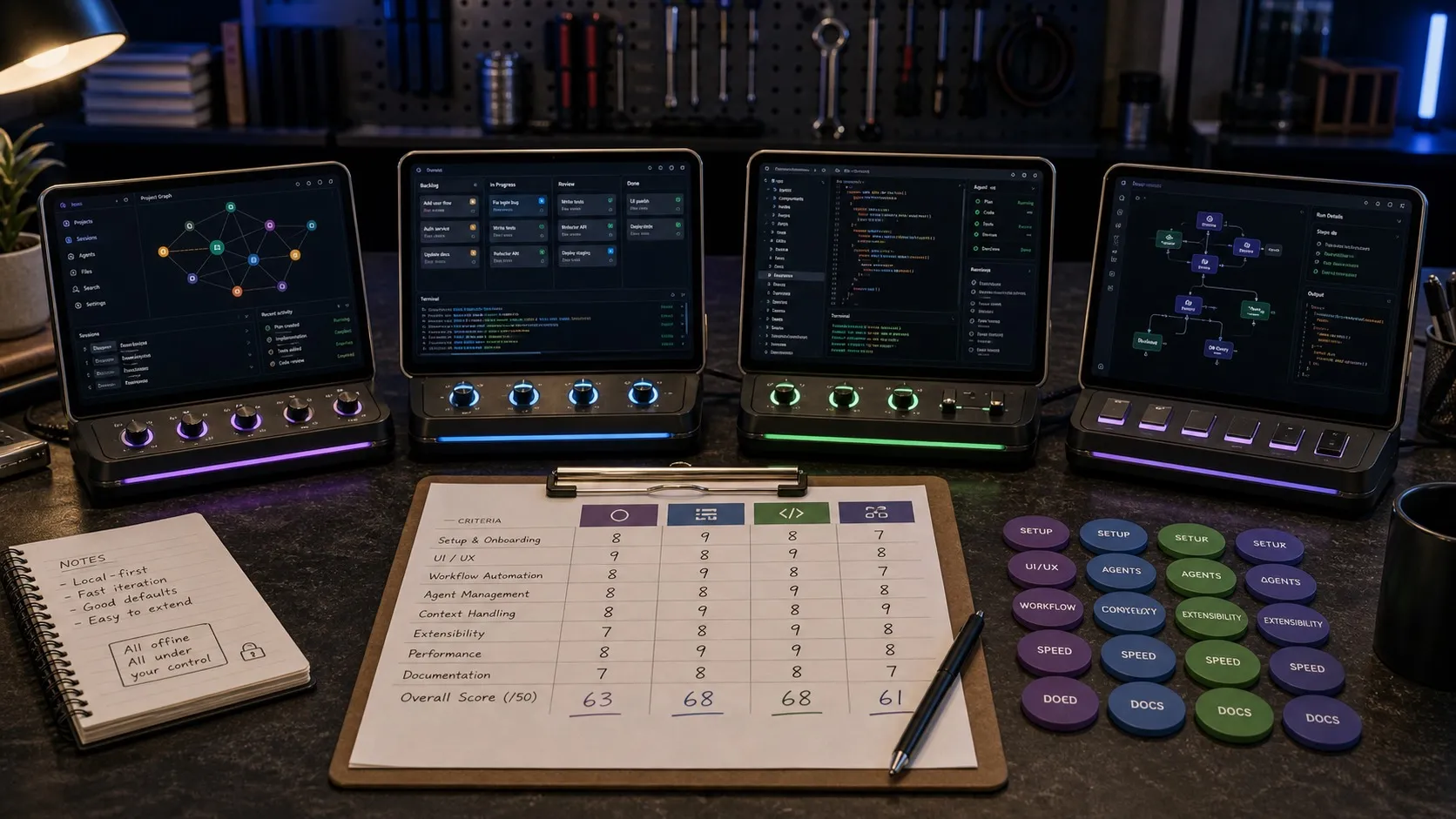
The best Codex GUI in 2026 depends on how much workflow you want around the agent. The landscape keeps broadening: Codex now spans the CLI, an IDE extension, the official Codex desktop app with computer use and plugins, a Linux desktop preview, web and cloud environments, GitHub review flows, and mobile surfaces inside ChatGPT, and independent parallel-agent runners like Conductor and Sculptor have joined the category. This guide compares six Codex GUI options head to head, with verified details only from public docs, repos, and product pages, updated for September 2026.
The useful question has shifted from “which terminal wrapper should I use?” to “which visual environment makes Codex easier to supervise, review, and run at scale?”
What Codex Actually Is in 2026
OpenAI’s Codex CLI is an open-source coding agent that runs locally on your machine. OpenAI says it is sandboxed by default with network access disabled, but the CLI now supports multiple approval and access modes, so the exact behavior depends on how you configure it.
The distinction matters because not every tool in this list is doing the same job:
- Some are native Codex interfaces built directly around Codex sessions.
- Some are multi-agent workspaces that run Codex alongside Claude Code or other backends.
- Some are cloud environments for Codex rather than local desktop wrappers.
If you only want the closest thing to an official Codex GUI, your shortlist is small. If you want a broader visual workspace around Codex, the field gets more interesting.
Quick Answer
If you just want the shortlist:
- Best official Codex desktop app: OpenAI Codex App
- Best open-source Codex-first app: CodexMonitor
- Best remote and browser-first option: CloudCLI
- Best Mac-native parallel agent runner: Conductor
- Best container-isolated agent runner: Sculptor
- Best full visual workspace around Codex: Nimbalyst
Best Codex GUI Tools Right Now
1. OpenAI Codex App
Best for: Developers who want the first-party Codex experience
OpenAI’s own Codex app is no longer a thin wrapper around the CLI. OpenAI describes it as a desktop “command center for agents,” and the public product materials back that up.
What it does well:
- Runs multiple Codex agents in parallel
- Organizes work by projects and threads
- Lets you review diffs and comment on changes
- Includes built-in worktree support and cloud environments
- Shares history, skills, and configuration with the CLI and IDE extension
- Includes interfaces for skills, automations, and git workflows, with automations that can reuse existing threads and schedule future work for themselves
- Recent updates added computer use, in-app browsing, image generation, memory, and plugins
The tradeoffs:
- It is still Codex-only
- The standalone app ships on macOS and Windows; Linux gets Codex only through OpenAI’s ChatGPT desktop preview (August 2026), which supports a limited set of Ubuntu, Debian, and Fedora releases
- It is strongest if you already live inside OpenAI’s Codex ecosystem
This is the safest default recommendation. If you want the most direct, least interpretive GUI for Codex itself, start here.
2. CodexMonitor
Best for: Developers who want an open-source, Codex-first desktop control center
CodexMonitor is an MIT-licensed Tauri app built specifically around Codex. Public docs describe it as an orchestration app for multiple Codex agents across local workspaces, backed by the Codex app-server protocol.
What stands out:
- Multi-workspace and multi-thread Codex management
- Worktree and clone agents for isolated runs
- Built-in diff stats and file diffs
- Git and GitHub integration through
gitandgh - Remote backend mode if you want Codex running on another machine
- Desktop support across macOS, Linux, and Windows
The tradeoffs:
- It is primarily a Codex app, not a broader multi-provider workbench
- Some mobile functionality exists only as iOS work in progress
- It is more of a power-user desktop tool than a polished mainstream product
- Development has been quiet: the public repository shows no new commits since late March 2026, so it has not tracked Codex changes shipped since then
If you like the idea of the official app but want something open source and more hackable, CodexMonitor (around 4,300 GitHub stars) is still the best-known option, but check the repository’s activity before betting a daily workflow on it.
3. CloudCLI
Best for: Developers who want Codex sessions to live in the cloud, not on their laptop
CloudCLI is fundamentally different from the desktop-native tools above. It gives you persistent cloud environments with Codex, Claude Code, Cursor CLI, and Gemini CLI preinstalled, then lets you start work from your browser or phone and continue over SSH in your editor.
What it does well:
- Supports Codex, Claude Code, Cursor CLI, and Gemini CLI
- Lets you start a session from your phone or browser
- Keeps environments running even when your laptop is closed
- Includes a file explorer and Git UI
- Offers a hosted product starting at €7/month
- Says the core UI is open source and self-hostable
The tradeoffs:
- This is a cloud environment product, not a local Codex desktop app
- The best experience depends on being comfortable with SSH and remote environments
- Hosted pricing is low, but it is still not a free local wrapper
If the biggest problem you are solving is “I want my coding agents to keep running while I am away from my machine,” CloudCLI is one of the most compelling options in this space.
4. Conductor
Best for: Mac developers who want parallel agents from multiple vendors in isolated workspaces
Conductor started as a Claude Code runner and now runs parallel Claude Code, Codex, and Cursor agents in isolated workspaces, with a dashboard to monitor agent progress and merge their changes.
What it does well:
- Runs parallel Claude Code, Codex, and Cursor agents side by side
- Isolates each agent in its own workspace and helps you merge the results
- Has a free tier for local workspaces with multiple coding agents
- Pro at $50/month adds cloud workspaces, collaboration for up to 5 users, API access, and a mobile app; Teams is $60/user/month
The tradeoffs:
- It is Mac-only
- It is closed source
- The collaboration and cloud features sit behind the paid tiers
If you are on a Mac and mainly want to fan agents out and merge their work, Conductor is a polished way to do it.
5. Sculptor
Best for: Developers who want agents running in isolated containers with live local sync
Sculptor, from Imbue, runs parallel coding agents in isolated containers. Claude Code is the primary agent, with Codex supported through an OpenAI API key. Its Pairing Mode syncs an agent’s container with your local environment in real time, and it detects conflicts across parallel sessions.
What it does well:
- Runs parallel agents in isolated containers rather than bare worktrees
- Pairing Mode mirrors the selected agent’s work into your local checkout as it happens
- Supports Codex via an OpenAI API key alongside Claude Code
- Ships on macOS (Apple Silicon) and Linux
The tradeoffs:
- Codex support goes through the API-key path, not a ChatGPT subscription
- Windows and Intel Mac builds are listed as forthcoming
- It is an agent runner, not a full workspace: no visual editors or planning surface around the sessions
For container-level isolation on Linux or a Mac, Sculptor is the most interesting independent runner in the category.
6. Nimbalyst
Best for: Developers who want Codex inside a broader visual workspace
Nimbalyst is not a Codex-only wrapper. It is a cross-platform workspace built around Codex and Claude Code, with a visual session layer, built-in editors, and project organization tools around the agent.
What it does well:
- Supports Codex and Claude Code side by side
- Includes a session kanban board for organizing agent work
- Uses git worktree isolation for parallel sessions
- Provides visual diff review for agent changes
- Ships with built-in editors for markdown, code, CSV, diagrams, mockups, and data models
- Runs on macOS, Windows, and Linux
- Extends the workflow with an iOS companion app for mobile session visibility
- Free for individual use
The tradeoffs:
- It is a full workspace, not a minimal Codex shell
- The product is more opinionated than the official app or a simple wrapper
- It makes the most sense if you want planning, review, and visual editing around your agent sessions, not just a better terminal
If your goal is to manage multiple AI coding sessions as ongoing work rather than isolated chats, Nimbalyst is one of the most complete options currently available.
Quick Comparison Table
| Tool | Type | Platforms | Codex Only | Parallel Session Management | Open Source | Best Fit |
|---|---|---|---|---|---|---|
| OpenAI Codex App | First-party desktop app | macOS, Windows (Linux via ChatGPT desktop preview) | Yes | Yes | No | Official Codex workflow |
| CodexMonitor | Open-source Codex desktop app | macOS, Linux, Windows | Yes | Yes | Yes (MIT, Tauri) | Hackable Codex control center |
| CloudCLI | Cloud agent environment | Web, mobile, SSH to IDEs | No | Yes | Partial (core UI) | Remote and persistent sessions |
| Conductor | Parallel agent runner | macOS | No | Yes | No | Fan-out and merge across Claude Code, Codex, and Cursor |
| Sculptor | Container-isolated agent runner | macOS (Apple Silicon), Linux | No | Yes | Not stated | Isolated containers with live local sync |
| Nimbalyst | Visual agent workspace | macOS, Windows, Linux, iOS | No | Yes | Yes, MIT (desktop and iOS apps) | Planning, review, and visual editors around Codex |
Which One Should You Pick?
If you want the most direct answer:
- Pick OpenAI Codex App if you want the first-party Codex experience.
- Pick CodexMonitor if you want an open-source Codex-native desktop app and can live with its slowed development.
- Pick CloudCLI if you want persistent remote environments and mobile/browser kickoff.
- Pick Conductor if you are on a Mac and want to fan out Claude Code, Codex, and Cursor agents and merge their work.
- Pick Sculptor if you want container isolation for parallel agents on a Mac or Linux.
- Pick Nimbalyst if you want a visual workspace around Codex sessions, not just a GUI for running them.
Codex on Linux: Desktop App Options
The most common Codex Linux question is a short one: is there an official Codex desktop app for Linux? As of August 2026, partly. OpenAI released a Linux desktop preview that bundles ChatGPT, ChatGPT Work, and Codex in one app, shipped as .deb and .rpm packages for Ubuntu 24.04 and 26.04 LTS, Debian 13, and Fedora 43 and 44 on x64 and ARM64. It is preview software with no announced general-availability date, other distributions such as Arch and openSUSE are unsupported, and early users have reported configuration-specific problems around Wayland, input methods, and display scaling. The standalone Codex app remains macOS and Windows only.
If you want a fully supported Codex desktop experience on Linux today, there are four working options:
- Nimbalyst runs on Linux (Electron) and treats Codex as a first-class engine alongside Claude Code. You get parallel Codex sessions on a kanban board, optional one-click git worktree isolation, inline diff review, and seven visual editors. It is open source (MIT) and free for individuals.
- CodexMonitor is an MIT-licensed Tauri app with native Linux binaries, focused specifically on managing multiple Codex agents, though its development has been quiet since March 2026.
- Sculptor ships on Linux and runs parallel agents in isolated containers, with Codex supported through an OpenAI API key.
- CloudCLI runs Codex in a browser, so it works on any Linux distribution with no native build.
If you want the closest thing to an official Codex desktop app on Linux, OpenAI’s preview is worth watching, and Nimbalyst and CodexMonitor are the established native options. For a full workspace around Codex rather than a single-purpose monitor, Nimbalyst is the broader pick. See the Codex GUI and workspace page for a Linux-ready walkthrough.
The Codex GUI Market Keeps Filling In
The outdated version of this conversation is “Codex has a CLI, and everything else is a thin wrapper.” Six months on, the category has kept growing.
OpenAI’s own app now includes computer use, plugins, memory, and self-scheduling automations, and a Linux preview arrived in August. CloudCLI is pushing Codex into persistent remote environments. Conductor and Sculptor have brought serious independent parallel-agent runners into the category. Nimbalyst is treating Codex as one execution engine inside a broader visual workspace.
The ecosystem is still smaller than the one around some older AI coding tools, but it is no longer thin. The right choice now depends less on “does Codex have a GUI?” and more on what kind of GUI you actually want.
Shorter Side-by-Side Pages
- Nimbalyst vs Codex App for the direct first-party Codex comparison.
- Nimbalyst vs Codex CLI for terminal versus workspace tradeoffs.
- Browse all Nimbalyst comparison pages if you also want to compare Cursor, Claude Code Desktop, or Replit.
For a deeper look at what Nimbalyst adds to Codex, see our Codex GUI & Workspace landing page.
If you are scaling Codex across a team, see our guide on Codex for teams for session management, worktrees, and multi-agent coordination.
Frequently Asked Questions
What is the best Codex GUI in 2026?
The best Codex GUI in 2026 depends on what you need around the agent. For the first-party experience, the OpenAI Codex App is the default choice. For an open-source Codex-first desktop app, CodexMonitor is the main option, though its development has been quiet since March 2026. For persistent cloud environments accessed from a browser or phone, CloudCLI is the most compelling. Conductor and Sculptor are strong independent parallel-agent runners on Mac (Sculptor also runs on Linux). For a full visual workspace with parallel Codex sessions, kanban-style management, inline diff review, and visual editors, Nimbalyst is the most complete Codex GUI.
Is there an official Codex desktop app?
Yes. OpenAI’s Codex App is the official Codex desktop app, available on macOS and Windows. It supports parallel agents, worktrees, project organization, diff review, skills, automations, plugins, memory, and computer use. It is Codex-only and does not support other AI agents. On Linux, OpenAI shipped a desktop preview in August 2026 that bundles Codex inside the ChatGPT desktop app, with packages for a limited set of Ubuntu, Debian, and Fedora releases and no general-availability date yet.
What is the best free Codex GUI?
The OpenAI Codex App and Nimbalyst are both free for individual use, and Conductor has a free tier for local workspaces. CodexMonitor is free and open source. CloudCLI offers a free tier with paid hosting starting at €7 per month. Nimbalyst is the only free Codex GUI in this guide that combines parallel session management, optional one-click git worktree isolation per session, an iOS companion app, and visual editors for markdown, mockups, diagrams, and data models.
What is the best open-source Codex GUI?
CodexMonitor is the best-known open-source Codex-first desktop app. It is MIT-licensed and built on Tauri, with multi-workspace and multi-thread Codex management, worktree and clone agents, and built-in diff stats, though its public repository shows no new commits since late March 2026. Nimbalyst is the best open-source full visual workspace around Codex. Its desktop and iOS apps are MIT licensed and actively developed.
Does Codex have a Linux desktop app?
Partly. The standalone OpenAI Codex App ships for macOS and Windows, and in August 2026 OpenAI released a Linux desktop preview that bundles Codex inside the ChatGPT desktop app, with packages for recent Ubuntu, Debian, and Fedora releases only. For full Linux support today, the best Codex GUI options are Nimbalyst (open source, free for individuals, full visual workspace), CodexMonitor (open source, MIT-licensed), and Sculptor (Codex via an OpenAI API key). CloudCLI also works on Linux through any browser.
Is there a Codex app for Linux?
As of August 2026 there is an official option in preview: OpenAI’s Linux desktop app bundles ChatGPT and Codex, shipped as .deb and .rpm packages for Ubuntu 24.04 and 26.04 LTS, Debian 13, and Fedora 43 and 44 on x64 and ARM64, with no general-availability date. For fully supported Linux options, install Nimbalyst (Electron, MIT-licensed desktop and iOS apps, full visual workspace with parallel Codex sessions), CodexMonitor (Tauri, MIT-licensed, native binary), or Sculptor (Codex via an OpenAI API key), or run CloudCLI in any browser. The Codex CLI itself runs fine on Linux.
What is the best Codex desktop app for Linux?
For most Linux developers, Nimbalyst is the broadest Codex desktop app option. It runs Codex (and Claude Code) sessions in parallel with a kanban board, optional one-click git worktree isolation, inline diff review, and seven visual editors. CodexMonitor is the lighter pick for a single-purpose Codex management UI without the surrounding workspace.
Can I run multiple Codex sessions in parallel?
Yes. Nearly every Codex GUI tool in this guide supports parallel Codex sessions. The OpenAI Codex App runs multiple Codex agents in parallel with built-in worktree support. CodexMonitor runs multi-workspace and multi-thread Codex management. Conductor and Sculptor run parallel agents in isolated workspaces or containers. Nimbalyst runs 6+ parallel Codex sessions with optional one-click git worktree isolation per session, a kanban board, and per-session file traceability across markdown, mockups, diagrams, code, and data models.
Related Reading
- Best Claude Code GUI in 2026 for the Claude Code side of the same category.
- Best multi-agent desktop apps for Claude Code and Codex for when you need both agents in one app.
- Best AI IDEs for Claude Code and Codex users for the editor-first alternative.
Related pages
-
Nimbalyst vs OpenAI Codex
The broad comparison of Codex as an agent vs Nimbalyst as the workspace around it.
-
Nimbalyst vs Codex App
Feature-by-feature comparison of Nimbalyst with OpenAI's graphical Codex app.
-
Nimbalyst vs Codex CLI
Terminal Codex vs a visual workspace with sessions, editors, and review.
-
Codex GUI & Workspace
What a workspace adds beyond a chat-style Codex GUI.
-
Agent Harness for Claude Code and Codex
The workflow layer around Codex, Claude Code, context, review, and coordination.
Related posts
-
Best Conductor Alternatives 2026: Windows, Linux, and Open Source
Conductor is macOS only. The best Conductor alternatives in 2026 compared on platform support, agent coverage, licensing, and worktree isolation.
-
Best AI Agent Orchestration Platforms 2026: Coding vs Workflow
AI agent orchestration means two different products. Compare control planes for your own coding agents (Nimbalyst, Orca, Emdash, Superset, Conductor, Warp) against workflow frameworks like LangGraph and CrewAI.
-
Open Source Agent Workspaces 2026: 8 Tools Compared
cmux, Superset, Orca, Paseo, Herdr, T3 Code, Goose, and Warp compared in 2026: platforms, licences, worktree isolation, mobile access, and which agent workspace fits which workflow.