Codex for Teams: How to Manage AI Coding Sessions Across a Product Team
How teams should think about Codex workflows: session management, shared context, review, worktrees, and coordinating Codex alongside Claude Code.
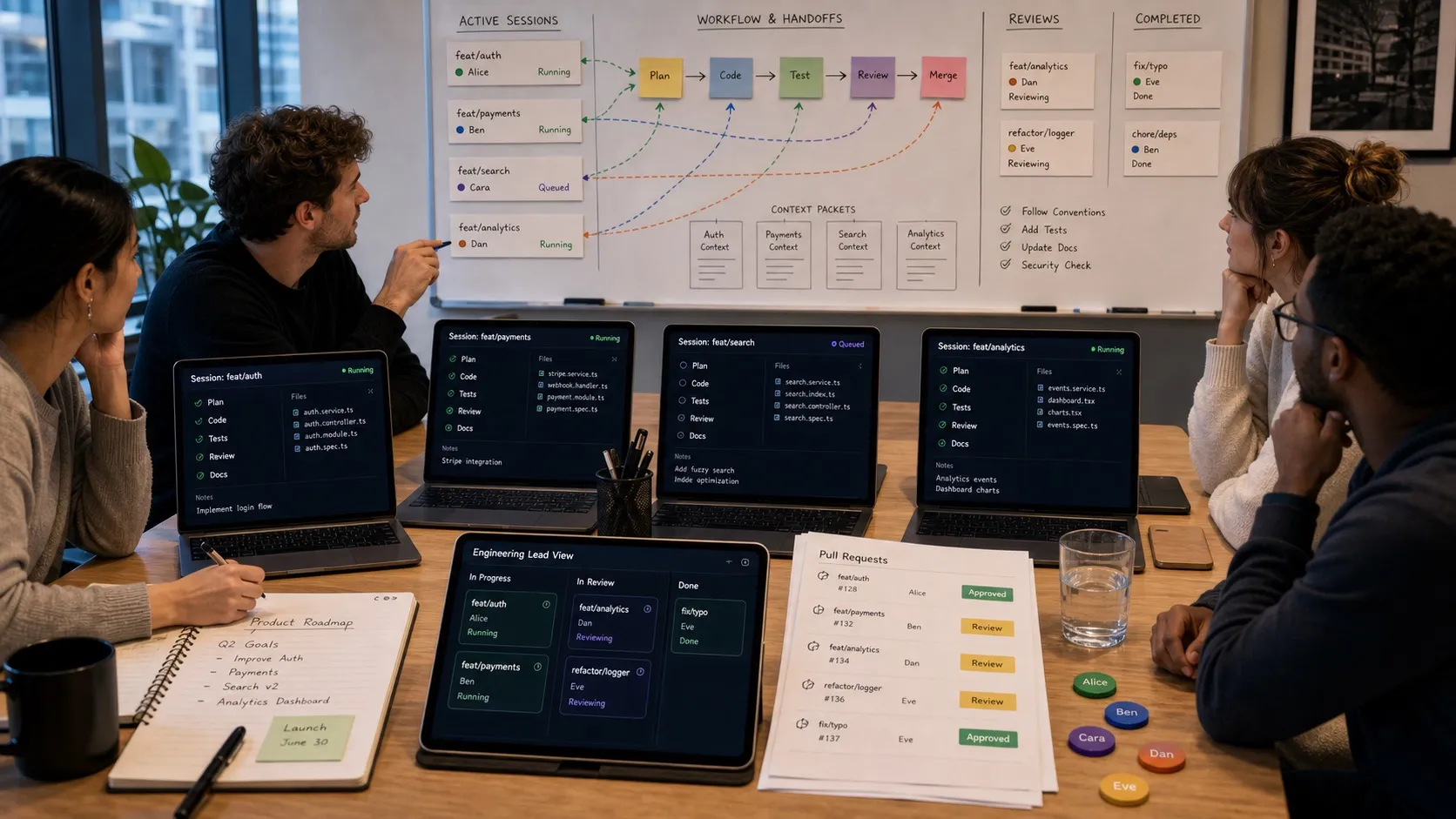
Codex is becoming part of the everyday AI coding stack for more teams. The question is no longer just “can an AI agent write code?” It is “how does a team manage a growing number of AI coding sessions without losing control?”
That question matters whether your team uses Codex alone, Claude Code alone, or both side by side.
The more capable coding agents become, the more they start to look like parallel contributors. They inspect files, make changes, run commands, explain tradeoffs, and produce work that needs review.
That creates a new management problem: not people management, but session management.
The Unit of Work Is the Session
Traditional developer tools are organized around files, branches, tickets, and pull requests.
AI coding tools add another unit: the agent session.
A session includes:
- The prompt or task.
- The context the agent inspected.
- The files it changed.
- The commands it ran.
- The reasoning it exposed.
- The mistakes it made.
- The final diff.
If that session is treated as disposable chat history, the team loses important context. If it is treated as part of the development record, the team can review and improve its AI workflow over time.
For Codex teams, this is the central habit: keep sessions visible and connected to the work they produce.
Why Teams Need Session Management
One developer can manage a few sessions mentally. A team cannot.
As soon as multiple people are using Codex, common questions appear:
- Which sessions are still running?
- Which sessions need input?
- Which branch did this agent use?
- What files did it edit?
- Did it run tests?
- Which result is ready for review?
- Was this change made by Codex, Claude Code, or a human?
- Can we find the reasoning behind this diff later?
Without a session layer, teams answer these questions through Slack, memory, and git archaeology.
That does not scale.
Use Codex Where It Is Strong
Different teams will draw the line differently, but Codex is often useful for:
- Implementing well-scoped changes.
- Generating tests.
- Applying mechanical refactors.
- Updating documentation after code changes.
- Reviewing a plan or implementation from another agent.
- Producing first drafts of repetitive code.
- Exploring unfamiliar files quickly.
The important phrase is “well-scoped.” AI coding agents are most useful when the task has clear boundaries and verification criteria.
Bad prompt:
Improve onboarding.Better prompt:
Update the onboarding checklist so a new workspace prompts the user to connect a git repo, create a first plan document, and start one AI session. Keep the existing component structure. Add unit tests for the checklist state transitions.The second prompt is reviewable. The first is a vibes request.
Coordinate Codex and Claude Code Deliberately
Many teams will use more than one coding agent.
That can work well, but only if roles are clear. Otherwise, the team ends up with multiple agents editing the same files with different assumptions.
A practical split:
- Use one agent for implementation.
- Use another for review.
- Use one for planning.
- Use another for test generation.
- Keep each session on its own branch or worktree.
For example, a team might ask Claude Code to inspect the architecture and write an implementation plan, then ask Codex to implement a narrow slice, then ask Claude Code or another Codex session to review the diff.
The point is not that one agent is always better. The point is to avoid hidden overlap.
Branches and Worktrees Are Non-Negotiable
If a Codex session can change files, it should run in an isolated branch.
For parallel sessions, use git worktrees. Each worktree gives the agent a separate working directory attached to its own branch. That means one Codex session can update tests while another explores a refactor without both modifying the same checkout. Several worktree-aware tools make this easier for teams running parallel agents.
This gives teams three advantages:
- Cleaner review.
- Easier rollback.
- Fewer accidental conflicts.
Agent speed is valuable only if the cleanup cost does not erase it.
Review Should Include Verification
Codex output should go through normal review, but the review checklist should include AI-specific questions:
- Did the agent change only the intended files?
- Did it follow the existing patterns?
- Did it add tests where the risk justified tests?
- Did it run the right commands?
- Did it document assumptions or skipped verification?
- Did another agent or human review the result?
This is not about distrusting AI. It is about treating generated work like real work.
Teams that skip review will move faster for a week and slower for a quarter.
Where Nimbalyst Fits
Nimbalyst gives teams a visual workspace for managing Codex and Claude Code sessions. It is one of the Codex GUI tools and session managers we cover in our roundups.
Instead of treating each agent run as an isolated terminal transcript, Nimbalyst connects sessions to:
- The project folder.
- The branch or worktree.
- The files changed.
- The plan or spec that started the work.
- The review state.
- The session history.
That means a team can see its AI work in progress, not just its final commits.
This matters most when a team has many small tasks in flight. AI agents make it easy to start work. Nimbalyst helps teams keep track of what they started.
A Team Workflow for Codex
Here is a practical Codex team workflow:
- Create or link a ticket with clear acceptance criteria.
- Write a short plan in markdown.
- Start a Codex session on an isolated branch or worktree.
- Ask Codex to restate the plan before editing.
- Let Codex implement the change.
- Review changed files and commands run.
- Ask a second agent or human to review the diff.
- Merge through the normal PR process.
- Update shared instructions if the agent made a preventable mistake.
This workflow is deliberately ordinary. That is the point. AI coding should fit into software engineering discipline, not replace it with a pile of unreviewed transcripts.
The Bottom Line
Codex for teams is not just about giving everyone access to a coding agent.
It is about managing parallel AI work with the same seriousness teams already apply to branches, pull requests, tests, and releases.
The teams that win with Codex will not be the teams that prompt the most. They will be the teams that make agent work visible, reviewable, repeatable, and connected to the rest of the product process.
Related posts
-
Claude Code and Codex Session Managers: Mac, Windows, Linux
Claude Code and Codex session managers compared in 2026, by platform. Kanban boards, git worktrees, tmux replacements, Windows and WSL options, and running five to seven sessions at once. Verified August 2026.
-
Best MCP Servers for Codex in 2026 (Ranked and Tested)
The best MCP servers for OpenAI Codex in 2026, ranked and tested: GitHub, Context7, Playwright, Postgres, Exa, and the essential picks, with the exact codex mcp add commands and the context-cost tradeoffs of running many at once.
-
Best Conductor Alternatives 2026: Windows, Linux, and Open Source
Conductor is macOS only. The best Conductor alternatives in 2026 compared on platform support, agent coverage, licensing, and worktree isolation.