Claude Code Kanban: Best Session Boards (2026)
Claude Code kanban boards for AI agent sessions in 2026: Claude Code Board, Kanban Code, Claudine, Vibe Kanban, Anthropic's Agent View, and Nimbalyst compared.
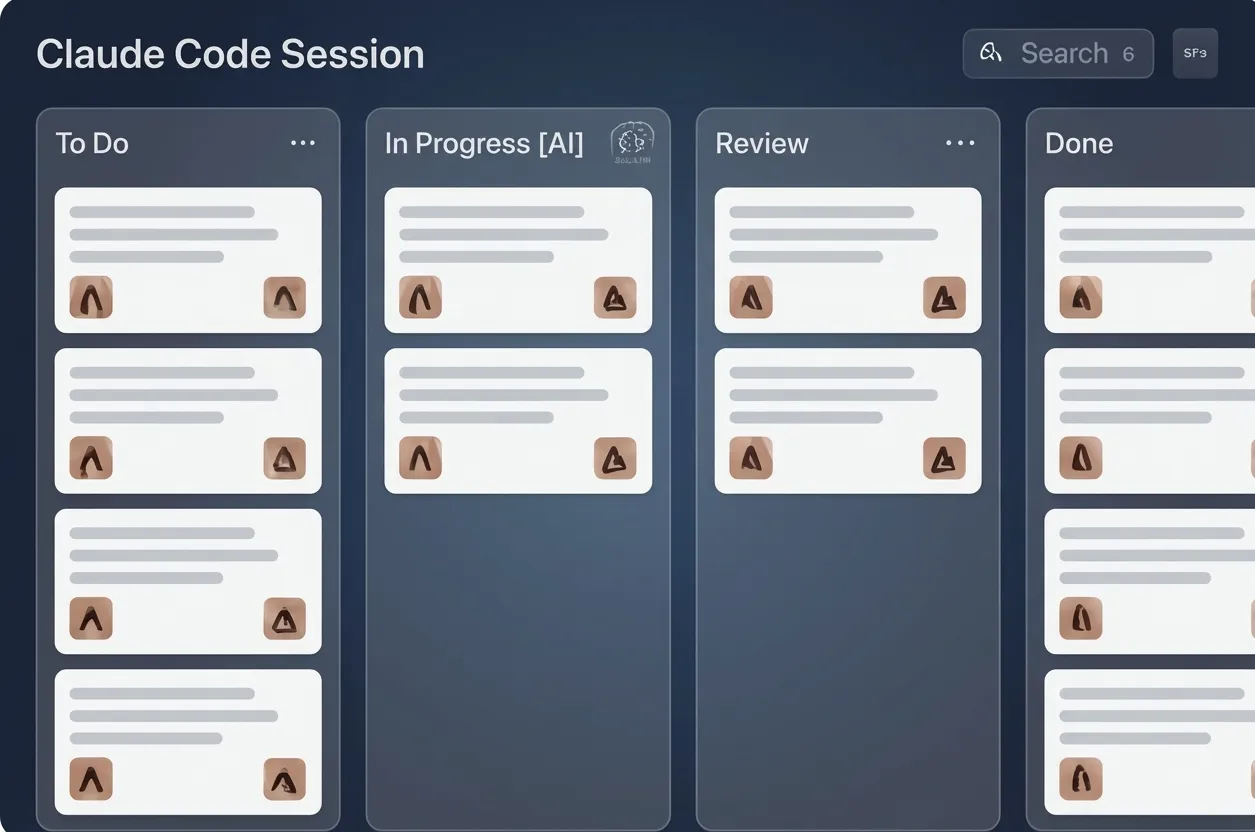
A Claude Code kanban board is the simplest way to keep track of multiple AI agent sessions at once. You’re running four Claude Code sessions. One is done. Two are running. One is waiting for your input. Without a system, you find out which is which by clicking through terminal tabs and reading output. As any developer managing multiple agents knows, this doesn’t scale. With a kanban board, you glance at a screen and know instantly.
Claude kanban boards, the simple column-based workflow tool applied to Claude Code sessions, turn out to be a near-perfect fit for AI agent management. This guide covers why, and which tools do it best in 2026.
Why Kanban Works for AI Agent Sessions
Kanban was designed for manufacturing: visualize work items, limit work-in-progress, move items through stages. AI coding sessions fit this model naturally:
Columns map to session states:
- Backlog: Tasks you plan to assign to agents
- In Progress: Sessions actively running
- Waiting: Sessions that need your input
- Review: Completed sessions you need to review
- Done: Reviewed and merged
Cards map to sessions:
- Each card represents one agent session
- Card shows: session name, project, agent type, last activity
- Color-coding indicates status at a glance
The flow is intuitive:
- Write a task → it goes in Backlog
- Assign it to an agent → it moves to In Progress
- Agent asks a question → it moves to Waiting
- Agent finishes → it moves to Review
- You approve the changes → it moves to Done
Kanban is a 70-year-old workflow management technique applied to a new problem, and it works because the underlying problem of tracking multiple work items through stages is exactly the same.
Tools That Offer Session Kanban
Claude Code Board
An open-source kanban WebUI for running Claude Code from the browser.
How it works: Run a local server, open the board in your browser, and work Claude Code through it. Sessions appear as cards, with a WebSocket-powered real-time chat interface per card.
Kanban features:
- True kanban layout with session cards
- Smart status tracking as sessions run
- Session recovery after restarts
- Loads your custom agents from the
.claude/agentsdirectory
What’s missing: Browser-only, Claude Code only. No git worktree isolation and no mobile app.
Kanban Code
A native macOS app for running multiple Claude Code agents in parallel from a board. Open source under Apache 2.0.
How it works: Each task is a card on a kanban board, and the app automatically links the card to its Claude Code session, git worktree, tmux terminals, and GitHub PR.
Kanban features:
- One card per task with the session, worktree, terminal, and PR tied together
- Parallel agents without juggling terminal tabs
- Board-level view of what every agent is doing
What’s missing: macOS only, Claude Code only. No mobile companion and no visual editors around the board.
Claudine
A VS Code extension (with a standalone web app mode) that renders your existing Claude Code and Codex conversations as a kanban board. Open source.
How it works: Claudine reads the native JSONL session files on your machine, extracts titles, status, and categories automatically, and renders an interactive board inside VS Code or in the browser via its standalone mode.
Kanban features:
- Automatic status updates as conversations progress, plus drag-and-drop
- Claude Code and Codex sessions on the same board
- Cross-project overview showing running tasks, items needing input, and items in review
- Rate-limit detection with countdown timers and optional auto-restart
- Full-text search and category filtering
What’s missing: It visualizes sessions you started elsewhere rather than orchestrating new ones. No git worktree isolation and no diff review from the board.
Vibe Kanban
An open-source (Apache 2.0) orchestration board for coding agents, originally built by bloop. After bloop shut down in April 2026, the project moved to a fully local architecture and is now community-maintained.
How it works: You create tasks as cards, and Vibe Kanban dispatches them to coding agents (Claude Code, Codex, and others), each in an isolated workspace on its own branch with its own terminal.
Kanban features:
- True kanban board driving real agent runs
- Isolated execution workspaces per card
- Diff review with inline commenting, plus GitHub PR creation
- MCP support in both directions: it can consume MCP tools and expose the board itself as an MCP server, so agents can create tasks and move cards
What’s missing: Company backing ended with bloop’s shutdown, so the pace of maintenance depends on the community. No mobile app.
Agent View (Anthropic)
Anthropic’s own multi-session dashboard for Claude Code, in research preview on Pro, Max, Team, Enterprise, and API plans. Not kanban-based.
How it works: A tmux-based session manager built into Claude Code. It shows every active session’s status, elapsed time, and activity in one view, sends OS notifications when an agent finishes or needs input, and lets you create, stop, restart, and switch sessions with keyboard shortcuts.
Kanban features: None. It is a monitoring and switching surface, not a board with columns.
What it’s good for: Terminal-native users who want official multi-session visibility without installing anything.
Nimbalyst
A cross-platform workspace app (macOS, Windows, Linux, iOS) where the kanban board is the primary interface for all agent session management.
How it works: Every session, Claude Code or Codex, lives on a kanban board. Sessions automatically move between columns based on their actual state. The board is the first thing you see when you open the app.
Kanban features:
- Automatic status tracking: Sessions move between columns without manual intervention. When an agent starts running, the card moves to “In Progress.” When it asks a question, it moves to “Waiting.” When it finishes, it moves to “Review.”
- Multi-agent cards: Claude Code and Codex sessions on the same board, visually differentiated
- Session detail drill-down: Click a card to see the full conversation, file changes, and visual diff
- Tagging and filtering: Filter by project, agent type, status, or custom tags
- Mobile board: The same kanban board on your iOS app, optimized for touch
- Optional git worktree per card: Cards can run in their own worktree with one click, so parallel sessions do not collide
- Board-to-editor flow: Click a card, review the diff, approve and merge, all from the board
The session management feature page has the full breakdown of the board, filters, and per-card worktrees.
What’s missing: The opinionated kanban workflow may not suit developers who prefer freeform, list-based session management.
Feature Comparison
| Feature | Claude Code Board | Kanban Code | Claudine | Vibe Kanban | Agent View | Nimbalyst |
|---|---|---|---|---|---|---|
| True kanban layout | Yes | Yes | Yes | Yes | No | Yes |
| Auto status tracking | Yes | Yes | Yes | Yes | Yes | Yes |
| Agent integration | Claude Code | Claude Code | CC + Codex | CC + Codex + more | Claude Code | CC + Codex |
| Diff review from board | No | Via linked PR | No | Yes, inline comments | No | Yes |
| Git worktree isolation | No | Yes | No | Isolated workspaces | No | Yes |
| Mobile kanban | Web | No | Web | No | No | iOS app |
| Platform | Browser | macOS | VS Code + web | Desktop/local | Terminal | Mac, Windows, Linux, iOS |
| Open source | Yes | Yes (Apache 2.0) | Yes | Yes (Apache 2.0) | No | Yes, MIT (github.com/Nimbalyst/nimbalyst) |
Setting Up a Session Kanban Workflow
Whether you use a dedicated tool or a generic kanban board (Trello, Linear, Notion), here’s a workflow that works:
1. Plan Before Prompting
Before starting a session, write the task as a card:
- Title: What the session should accomplish
- Description: Key requirements, files involved, acceptance criteria
- Tags: Feature area, priority, complexity
This forces you to think about what you’re asking the agent to do before you ask it.
2. One Session Per Card
Each card should map to exactly one agent session. If a task is too large for one session, break it into multiple cards. This keeps your board accurate and your sessions focused.
3. Use WIP Limits
Kanban’s core principle: limit work in progress. For AI agents, this means:
- Don’t run more sessions than you can realistically review
- 3–5 active sessions is a good starting point
- If “Review” column is growing faster than you can process, stop starting new sessions
4. Review Before Starting
When a session moves to “Review,” review it before starting new work. This prevents a backlog of unreviewed changes that become harder to understand over time.
5. Daily Board Cleanup
Spend 5 minutes at the start of each day:
- Archive completed sessions
- Reprioritize backlog
- Check for stale sessions (waiting for input you forgot about)
Getting Started
If you want to try kanban for session management with minimal setup:
- Simplest option: Use a physical sticky note board or Trello with four columns. Update manually.
- Terminal-native: Anthropic’s Agent View (research preview) for official multi-session visibility.
- VS Code user: Install Claudine for a board built from your existing session files.
- Full integration: Download Nimbalyst for automatic status tracking, git isolation, and a mobile board. It’s free and takes 2 minutes to set up.
The specific tool matters less than the practice. Start tracking your sessions visually, and you’ll immediately feel more in control of your AI-assisted workflow. For a broader look at session management tools, see our dedicated comparison.
If you’re building kanban-based workflows into your developer workflow, session visualization becomes even more valuable as your team scales.
Frequently Asked Questions
What is a Claude Code kanban board?
A Claude Code kanban board is a visual board that shows each running Claude Code session as a card moving through columns like backlog, planning, implementing, validating, and complete. Instead of tracking session status by clicking between terminal tabs, you see every active agent on one screen with phase, tags, and whether the session is waiting for input. The kanban board pattern from software project management transfers cleanly to managing parallel AI agent work.
What is the best Claude kanban board in 2026?
The best Claude kanban board in 2026 depends on how integrated you want it. For a built-in board that automatically tracks every Claude Code and Codex session in your workspace, Nimbalyst is the broadest option. For a board inside VS Code that reads your existing session files, Claudine is the lighter pick. Kanban Code is a focused native macOS option that ties each card to a worktree and PR, and Vibe Kanban is the community-maintained orchestration board. Anthropic’s own Agent View covers basic multi-session monitoring from the terminal.
Is there a kanban for Claude Code that runs locally?
Yes. Most Claude Code kanban tools in 2026 run locally rather than as cloud services. Claude Code Board, Kanban Code, Claudine, and Nimbalyst all run on your machine and work from local Claude Code session state, and Vibe Kanban moved to a fully local architecture after bloop shut down in April 2026. Local-first matters because session metadata can include repo names, file paths, and prompt content, none of which most teams want to ship to a third-party service.
How do you use a kanban board for Claude Code sessions?
The simplest Claude Code kanban workflow has four columns: backlog (sessions to start), planning (session is exploring or specifying), implementing (session is writing code), and validating (session is producing review-ready output). Each Claude Code session becomes one card. Move cards as the session progresses. Cap work-in-progress at three to five cards so you do not start more sessions than you can review. A daily board cleanup keeps the columns honest and prevents card sprawl.
Can I use a Claude Code kanban board with Codex sessions too?
Yes. Nimbalyst’s kanban board treats Claude Code and Codex sessions identically. Each session is a card with the same phase, tags, and metadata regardless of which engine is driving it. Claudine also shows Claude Code and Codex conversations on one board, and Vibe Kanban dispatches tasks to either agent. If your team uses both Claude Code and Codex in parallel, a multi-agent kanban tool saves you from running two separate boards.
Related pages
-
Session Management in Nimbalyst
The kanban board that tracks every Claude Code and Codex session automatically, with search, filter, and resume.
-
Kanban for Claude Code
The landing page for running Claude Code sessions on a visual kanban board.
-
Best Tools for Running Parallel AI Coding Agents
How a session board fits alongside worktrees and orchestration when you run agents in parallel.
Related posts
-
How to Manage and Review Multiple Agent Sessions
A working method for running several Claude Code and Codex sessions at once: seeing which ones are waiting on you, reading what each agent did and which commands it ran, and reviewing the diff before you accept it.
-
Claude Code and Codex Session Managers: Mac, Windows, Linux
Claude Code and Codex session managers compared in 2026, by platform. Kanban boards, git worktrees, tmux replacements, Windows and WSL options, and running five to seven sessions at once. Verified August 2026.
-
Best Conductor Alternatives 2026: Windows, Linux, and Open Source
Conductor is macOS only. The best Conductor alternatives in 2026 compared on platform support, agent coverage, licensing, and worktree isolation.