Comparison
Nimbalyst vs Codex CLI
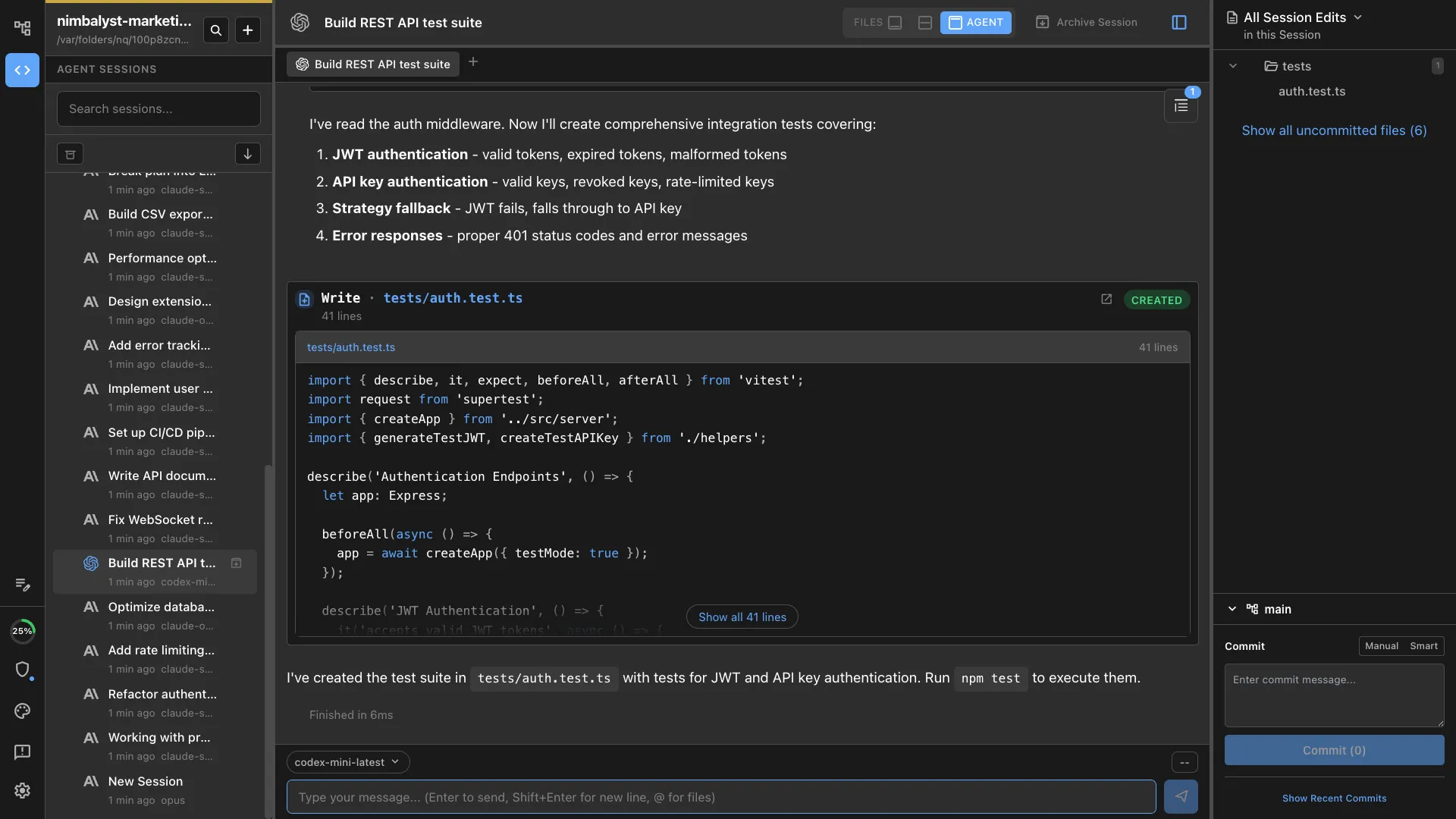
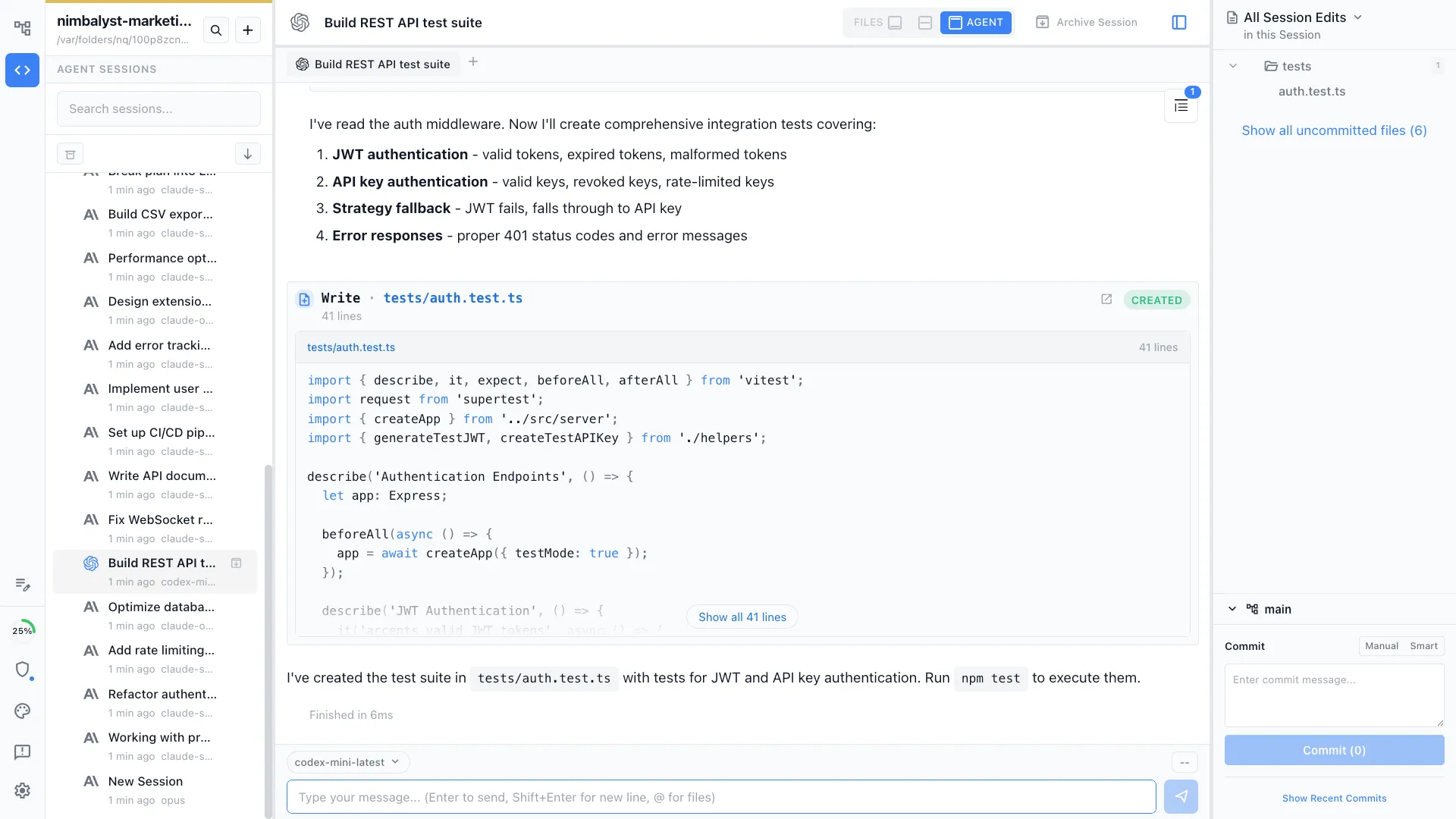
Codex CLI runs in the terminal. Nimbalyst is the visual workspace for building with Codex and Claude Code. Bring Codex out of the terminal with session management, task tracking, and visual editors for markdown, mockups, diagrams, and code.


Overview
Two tools, different approaches
Nimbalyst
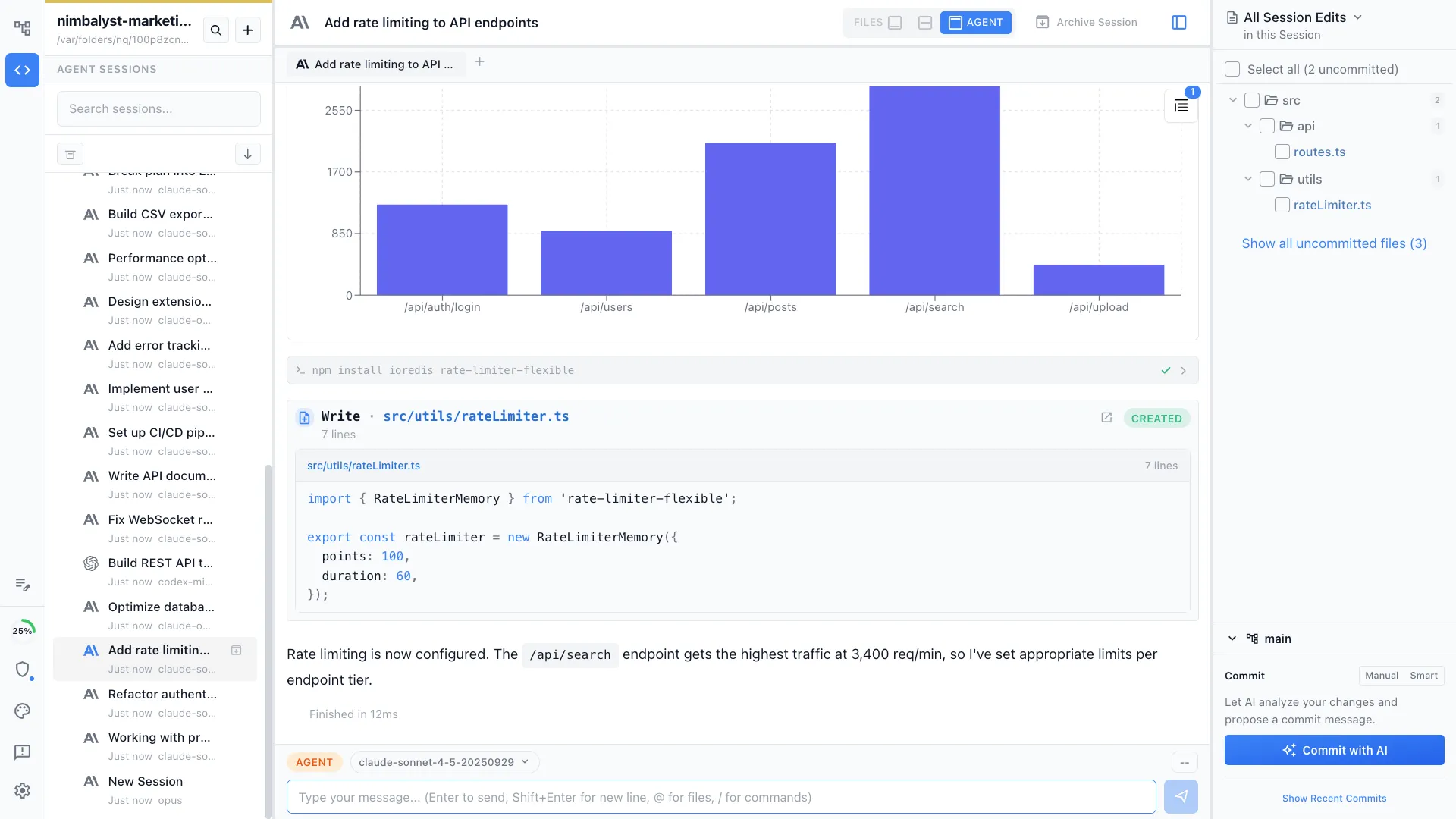
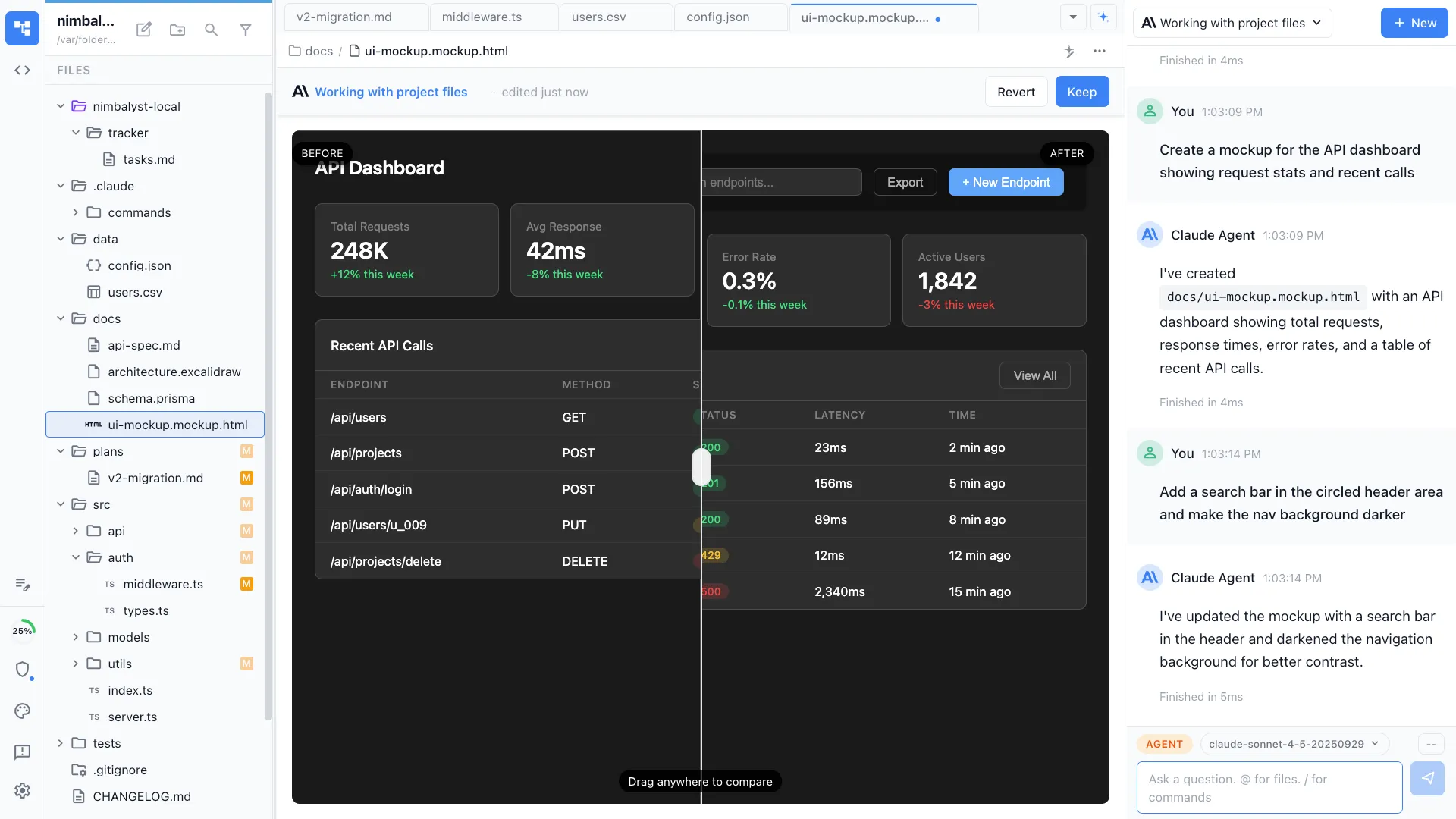
Nimbalyst is an AI-native workspace built on top of Claude Code and Codex. It adds a session kanban board for managing parallel agents, visual editors for markdown, mockups, diagrams, and data models, built-in planning and task tracking, and a mobile companion app. Codex sessions run inside Nimbalyst with the same visual tooling as Claude Code.
Codex CLI
Codex CLI is OpenAI's terminal-based coding agent. Like Claude Code, it operates from the command line, reading your codebase and making changes through conversational prompts. It uses OpenAI's models and supports sandboxed execution for safe code changes.
Feature Comparison
Side-by-side breakdown
Nimbalyst Advantages
Where Nimbalyst shines


Codex with visual management
Run Codex sessions inside Nimbalyst and manage them on a kanban board alongside Claude Code sessions. No more juggling terminal windows.

Visual tools for Codex output
When Codex creates markdown, mockup files, diagrams, or data models, Nimbalyst renders them in purpose-built interactive visual editors instead of raw text.


Visual diff review
Review Codex's code changes with syntax-highlighted diffs, approve or reject changes inline, and see file history. In the terminal, you parse raw diff output.
Honest Assessment
Where Codex CLI is stronger
Lightweight and portable
Codex CLI runs anywhere you have a terminal. No desktop app to install, no GUI overhead. It is fast to set up and works in any environment including remote servers.
Network-disabled sandbox
Codex CLI runs in a sandboxed environment with network access disabled by default, providing strong security guarantees for automated code changes.
Recommendation
Who should use which
Choose Nimbalyst if…
You want a graphical workspace for Codex (and Claude Code) with visual editors, session management, and planning tools. You prefer reviewing code changes visually rather than in the terminal.
Choose Codex CLI if…
You prefer working in the terminal, need to run on remote servers, or want the lightest possible setup with strong sandboxing defaults.