How to Run Multiple Codex Agents in Parallel
Run multiple Codex agents in parallel with git worktrees, the official Codex app, terminal multiplexers, or a kanban workspace. Commands and tradeoffs.
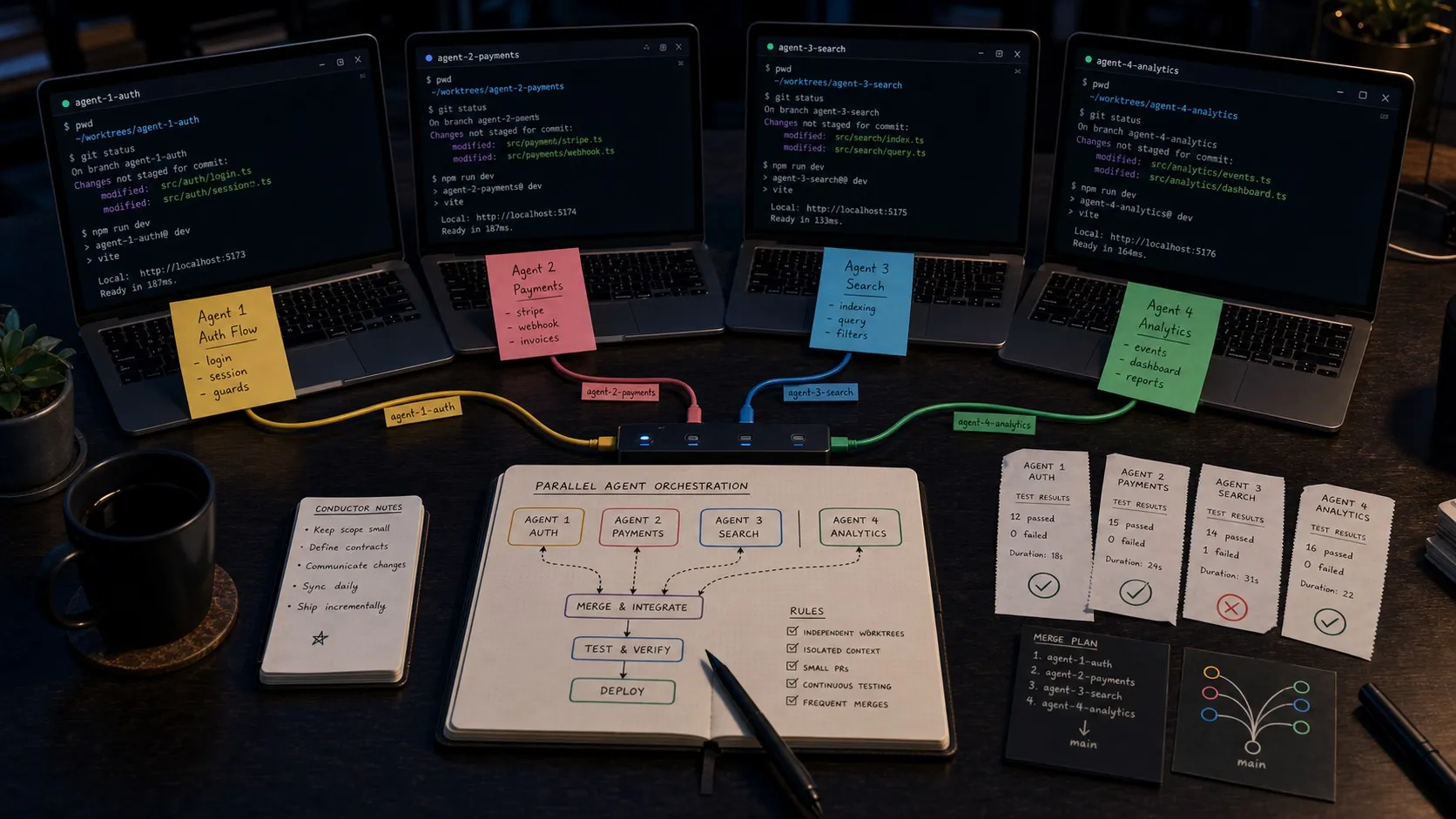
A single Codex agent is fast, but most developers using Codex seriously end up wanting more than one running at the same time. One session refactoring auth, one fixing a bug, one writing tests, one scaffolding a new component. The hard part is keeping them from stepping on each other’s branches, terminals, and approvals.
This guide covers the four practical ways to run multiple OpenAI Codex agents in parallel today, with the actual commands, tradeoffs, and the workflows that hold up past a few sessions.
Why parallel Codex agents matter
The model is rarely your bottleneck once you have the workflow tuned. Your bottleneck is usually that one Codex session can only execute one stream of work at a time, while you almost always have more than one stream of work to do. Running agents in parallel turns “wait for the agent to finish” into “wait for me to finish reviewing.”
Three patterns where parallel sessions pay off immediately:
- Fan-out scaffolding. Spin up three sessions to write tests for three different modules.
- Long task plus quick wins. Start a long refactor in one session, fire off small bug fixes in others while it runs.
- Branch isolation. Run sessions on separate branches so one agent’s edits never collide with another’s.
The mechanics differ depending on which harness you use.
Option 1. Git worktrees plus multiple terminals
The lowest-tech way and the one every other approach builds on. Git worktrees let you check out the same repo into multiple sibling directories, each on its own branch. Each Codex session gets its own working tree, so file edits never collide.
# From your main repo
git worktree add ../myapp-feature-auth feature/auth
git worktree add ../myapp-bugfix-login bugfix/login
git worktree add ../myapp-scaffold-tests scaffold/tests

# Open three terminal windows
cd ../myapp-feature-auth && codex
cd ../myapp-bugfix-login && codex
cd ../myapp-scaffold-tests && codex
Tradeoffs:
- Good: zero new tools. Works with vanilla Codex CLI today.
- Bad: no shared status view. To check on session 3 you have to switch to that terminal. Approval prompts can pile up unseen in a window you are not looking at.
- Bad: you are responsible for cleanup.
git worktree removeand merging branches are manual.
This is the right starting point if you want to understand parallelism in Codex before adding any new tooling.
Option 2. Terminal multiplexer (tmux, Zellij, Warp)
Same worktree pattern, but with a multiplexer keeping all sessions visible in one terminal window.
# Inside tmux
tmux new-session -d -s codex
tmux split-window -h
tmux split-window -v
tmux select-pane -t 0 && tmux send 'cd ../myapp-feature-auth && codex' Enter
tmux select-pane -t 1 && tmux send 'cd ../myapp-bugfix-login && codex' Enter
tmux select-pane -t 2 && tmux send 'cd ../myapp-scaffold-tests && codex' Enter
Tradeoffs:
- Good: you can see all panes at once and switch with a keyboard shortcut.
- Good: tmux survives a closed terminal, so sessions keep running if your shell crashes.
- Bad: still terminal-only. Diff review is still raw text.
- Bad: approval prompts still per-pane.
Tools like Claude Squad take this pattern further by automating the worktree-plus-multiplexer setup. If you live in the terminal, that is a real improvement over hand-rolled tmux.
Option 3. The official Codex desktop app
OpenAI’s Codex desktop app supports running multiple Codex agents in parallel out of the box, with built-in worktree support and a project-and-thread organization. On macOS and Windows, this is the cleanest first-party option.
What you get:
- Native parallel sessions inside one app
- Built-in worktree per thread
- Diff review and comment threads on changes
- Shared history with the CLI
What you do not get:
- Linux support
- Anything other than Codex (no Claude Code, Gemini, etc.)
- Visual editors for markdown, mockups, or diagrams
- A planning surface that the agent can read from and write back to
For Codex-only, single-platform teams, this is often the right answer. It is good software and it is officially supported.
Option 4. A multi-engine visual workspace
The fourth option is a workspace built around parallel agents from the start. Tools in this category run real Codex (and usually other engines) under the hood, but add a kanban view, per-session diff review, and structured planning around it.
Using Nimbalyst as a Codex workspace as the example:
- Open the project folder once.
- Click “New session,” pick Codex as the engine, and optionally toggle “git worktree” to isolate this session in a sibling checkout. Repeat for as many sessions as you need.
- The kanban shows all sessions across phases (planning, in-progress, needs review, done) with the current file each agent is touching.
- When a session completes, its diffs land in the visual diff viewer. Approve or reject inline, file by file.
- Plans live as markdown documents in the same workspace. Codex reads from them and writes status back. The diff review covers the plan updates too.
- An iOS companion lets you check status, accept diffs, and answer agent prompts when you are away from the laptop.
Tradeoffs:
- Good: all sessions visible at once, no terminal switching.
- Good: mixed engines. Run a Codex session and a Claude Code session in the same project, on the same kanban.
- Good: diff review is visual, not raw text. Markdown changes are shown in the rendered document, mockups as visual diffs, code as inline file diffs.
- Good: Linux support, where the official Codex app does not run.
- Trade-off: another app to install. If you are happy with the official Codex app on macOS and never want to leave it, you do not need this.
Choosing between the four
| Use case | Best option |
|---|---|
| One-off, just want to try parallel | Worktrees + terminals |
| Heavy terminal user, want one window | tmux or Claude Squad |
| Codex only, on macOS or Windows, single-engine work | Official Codex desktop app |
| Codex + Claude Code, parallel sessions, visual review | Visual workspace (Nimbalyst) |
| Linux developer who wants Codex in a desktop app | Visual workspace (Nimbalyst) |
| Want to plan and execute in the same place | Visual workspace (Nimbalyst) |
Tips that apply to every approach
A few patterns hold across all four options.
Always use worktrees, not branches in one checkout
If two Codex sessions edit files in the same checkout, you will lose work. Worktrees give each agent its own physical directory, so concurrent file edits cannot collide. Every option above either supports worktrees natively or works trivially on top of them.
Write a strong AGENTS.md
The single biggest quality jump for parallel sessions comes from a thorough AGENTS.md at the repo root. Each new session reads it on startup. The better it is, the less drift across sessions. Include:
- Project conventions (style, file layout, frameworks)
- Out-of-scope files and folders
- Commands the agent should and should not run
- Test and build commands
Cap the number of concurrent sessions
Six is a soft ceiling for most developers. Past that, you spend more time reviewing than producing. Watch your “needs review” queue. If it is growing faster than you can drain it, run fewer sessions in parallel.
Set sandbox and approval policies
Parallel sessions multiply the chances that some agent runs a command you would not approve. Configure Codex’s approval policy per project so destructive operations require explicit review even when you are not looking. The visual workspaces surface approval prompts in one place; the terminal options spread them across windows.
Review diffs visually if you can
Reading parallel terminal output for four agents at once does not scale. Even if you stay on the CLI for execution, find a way to view diffs in a real diff viewer (a workspace, an IDE, or git difftool on each branch). Reviewing in raw terminal text is where bugs sneak in.
Where to go next
Related posts
-
How to Use OpenAI Codex with a Visual Workspace
Step-by-step guide to using OpenAI Codex with a visual workspace: install the CLI, set AGENTS.md, run sessions in Nimbalyst, review diffs, and plan in markdown.
-
How to Manage and Review Multiple Agent Sessions
A working method for running several Claude Code and Codex sessions at once: seeing which ones are waiting on you, reading what each agent did and which commands it ran, and reviewing the diff before you accept it.
-
Best Codex GUI 2026: 6 Codex Desktop Apps Compared
Codex GUI compared in 2026: OpenAI Codex App, CodexMonitor, CloudCLI, Conductor, Sculptor, and Nimbalyst. Parallel sessions, worktrees, Linux support, and the best pick per workflow.