The $0 Office Suite
Microsoft charges $22/month. Google charges $14/month. Nimbalyst is free. And it's AI-native.

The Subscription Stack
Add up what you’re paying for productivity software right now:
| Tool | Monthly Cost |
|---|---|
| Microsoft 365 | $12-22/user |
| Google Workspace | $7-18/user |
| Notion | $8-15/user |
| Figma | $12-15/user |
| Linear / Jira | $8-16/user |
| Excalidraw+ | $7/user |
| Mermaid Chart | $8/user |
A typical product team member uses 3-5 of these. That’s $35-80/month in tool subscriptions per person. For a team of 10, that’s $4,200-9,600/year. Just for productivity tools.
And none of them talk to each other natively. Your Notion doc doesn’t know about your Figma mockup. Your Linear ticket doesn’t link to your Excalidraw diagram. You’re paying for silos.
What Nimbalyst Replaces
Nimbalyst isn’t a replacement for every tool on that list. But it covers a surprising amount of ground:
| Need | Traditional Tool | Nimbalyst |
|---|---|---|
| Documents | Google Docs / Word | WYSIWYG Markdown Editor |
| Notes & knowledge | Notion / Obsidian | Markdown + session history |
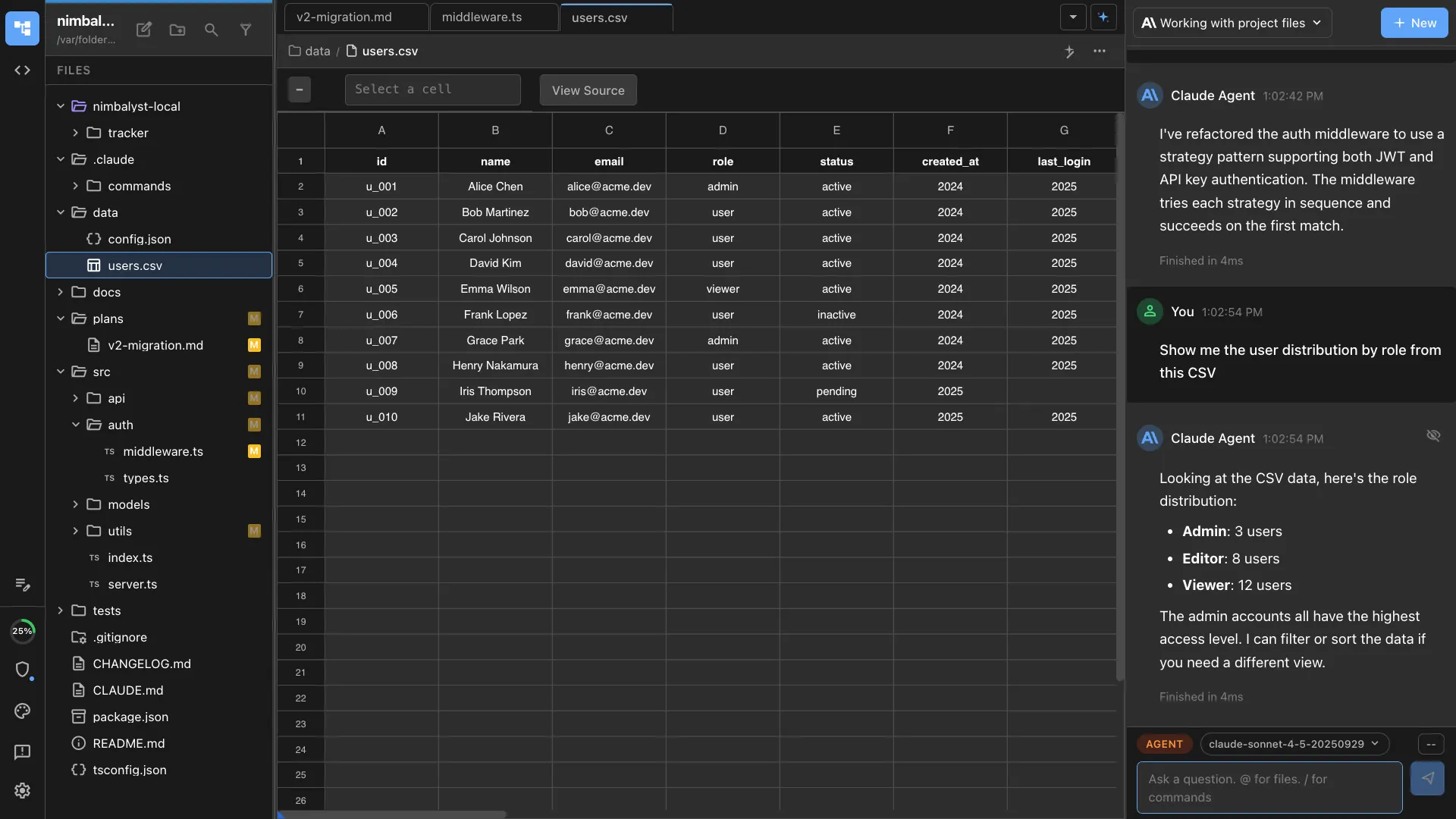
| Spreadsheets | Google Sheets / Excel | CSV Editor (spreadsheet UI) |
| Diagrams | Lucidchart / draw.io | Excalidraw + Mermaid |
| Wireframes | Figma (basic) | MockupLM (AI-generated) |
| Data modeling | dbdiagram.io | DataModelLM |
| Project tracking | Linear / Jira (basic) | Tracker (kanban) |
| Code editing | VS Code | Monaco Editor |
| AI assistant | ChatGPT / Claude.ai | Integrated Claude Code and Codex |
Total cost: $0. Everything local. All formats open and standard.
But It’s Not Just Cheaper. It’s Integrated.
If Nimbalyst were just a free knockoff of existing tools, that wouldn’t be interesting. What makes it different is the AI integration.
Every tool in that list works with Claude Code and Codex:
- Documents: Claude Code or Codex edits your markdown and you review changes as visual red/green diffs
- Spreadsheets: “Clean up the email column, remove duplicates, add a calculated field for lifetime value.” Done.
- Diagrams: “Update the architecture diagram to include the new cache layer.” Rendered live.
- Wireframes: “Create a mockup for the settings page based on this spec.” Generated and annotatable.

- Data models: “Add a relationship between User and Organization.” Visualized immediately.
- Code: Full Claude Code and Codex integration with visual diff review across all files.
- Tracking: Tasks, bugs, decisions tracked in your workspace, linked to sessions and files.
Microsoft and Google are adding AI to their productivity suites. Copilot in Word. Gemini in Sheets. But these are bolted-on features constrained by applications designed 20 years ago for humans clicking menus. The AI can only do what the UI exposes.
Nimbalyst was built AI-native from day one. Claude Code and Codex are first-class users, not add-ons.
The Local Advantage
Cloud productivity suites exist because collaboration requires shared infrastructure. That’s real. But for individual and small team use, local has advantages that cloud can’t match:
Speed
No network latency. No loading spinners. Your files open instantly because they’re on your SSD.
Privacy
Your documents, data, and AI conversations stay on your machine. Nothing is processed on someone else’s servers (except the AI inference itself, which uses your own API key).
Ownership
Standard file formats on your filesystem. .md, .csv, .excalidraw, .mockup.html. Open them with any tool. No export required. No data hostage situations.
AI access
Claude Code and Codex run locally and have full access to your files, your terminal, your git repos, and your browser. Cloud-based AI assistants can only see what you paste into a chat window.
Who This Is For
The $0 Office Suite isn’t for everyone. It’s for:
- Solo developers and indie hackers who don’t need enterprise collaboration features and don’t want enterprise subscription costs
- Product managers who want AI-integrated planning tools without another subscription
- Small teams (2-5 people) who can share context through git rather than real-time collaboration
- Students and hobbyists who want professional tools without professional pricing
- Anyone who’s been meaning to cancel three subscriptions but hasn’t gotten around to it
What It’s Not
Let’s be honest about limitations:
- Not a Figma replacement for pixel-perfect design. MockupLM is for planning wireframes, not final design comps.
- Not a Google Sheets replacement for complex formulas and pivot tables. The CSV editor handles data review and basic manipulation.
- Not a Jira replacement for enterprise project management with workflows, sprints, and burndown charts. The tracker handles personal and small team task management.
- Not collaborative (yet). Real-time multiplayer editing is coming, but today Nimbalyst is primarily for individual and git-based team workflows.
It IS a replacement for the 80% of productivity tool usage that doesn’t require those advanced features. Most of us use 20% of what Sheets, Figma, and Jira offer and pay 100% of the price.
FAQ
Q: How do you make money if it’s free? A: Individual Nimbalyst is free. Nimbalyst for Teams ($30/user/month) adds collaboration, shared kanban, team session management, and enterprise features. The free tier is a real product, not a limited trial.
Q: Will it stay free? A: The individual product will always have a free tier. We’re building a business on team features, not on making individuals pay for basic productivity.
Q: What about the AI costs? A: Nimbalyst doesn’t charge for AI. You use your own Claude Code or Codex API key (or plan). The AI costs are between you and Anthropic/OpenAI, not us.