Why You Need a Visual Workspace for AI Development
Claude Code and Codex are extraordinary tools, but the terminal was not designed for managing agents. Here's why developers need a visual workspace for planning, parallel sessions, diff review, and team coordination.
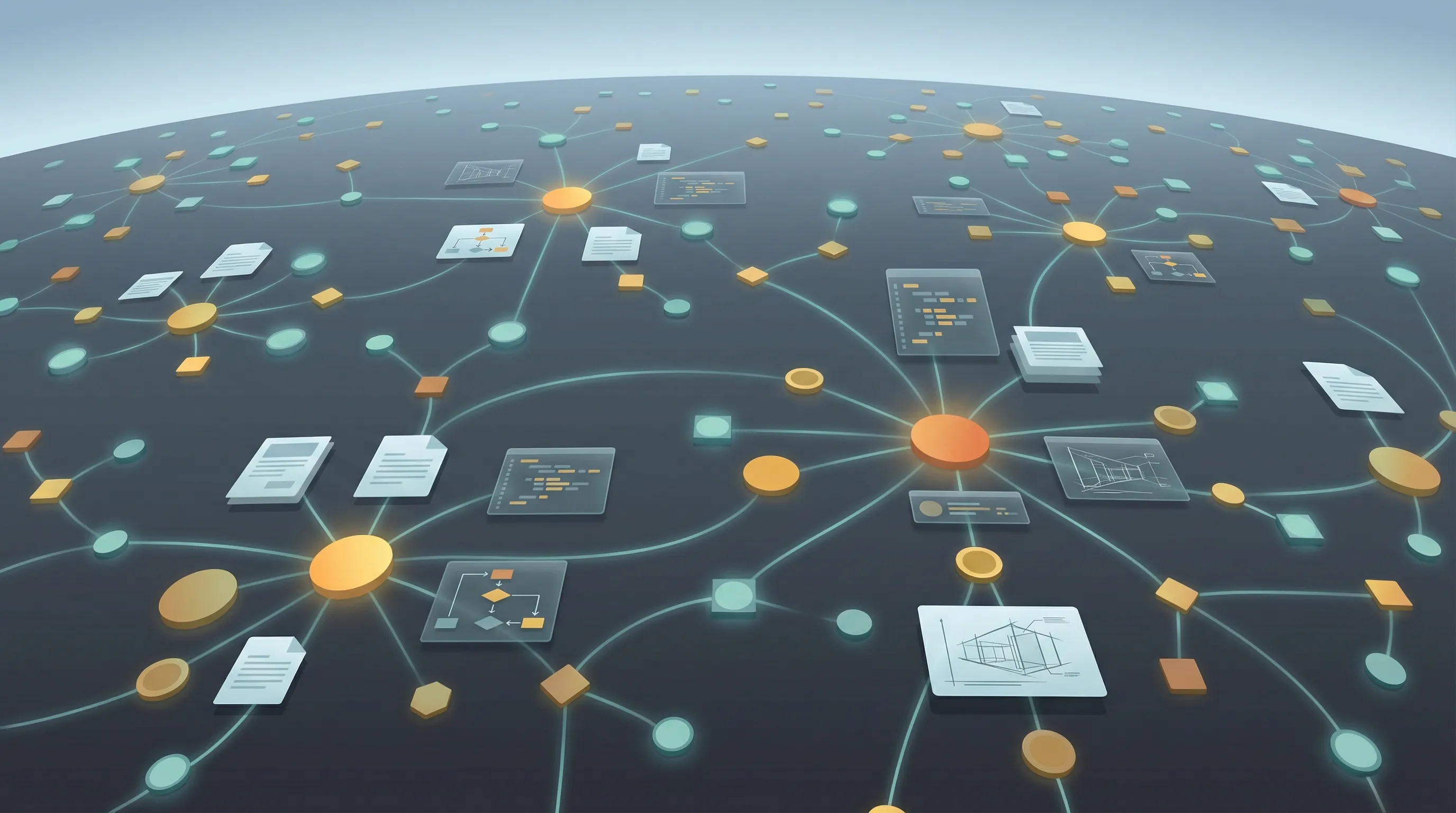
Claude Code and Codex are extraordinary tools. They read your codebase, reason about architecture, write code, run tests, and commit changes.
Prompting is a small part of AI development. What about deciding what to build, giving agents the right context, running multiple sessions in parallel, reviewing what they changed, coordinating across a team, and keeping track of it all. The terminal was not designed for any of this. It is a single-threaded text stream. It has no spatial awareness, no visual context, no way to see three agent sessions at once. (For more on AI coding workspaces beyond the terminal, see our comparison.) It is a 1970s interface being asked to manage a 2026 workflow.
The developers getting the most out of AI agents are not the ones with the best prompts. They are the ones who have built a system around the agents — a workspace where planning, context, execution, and review all live in one place.
You are not a coder anymore. You are a manager of AI agents.
This is the shift that most developers have not fully internalized. When you use Claude Code or Codex, you are not writing code. You are delegating code to an agent and managing its output. The skills that matter have changed. Prompt engineering matters. Context preparation matters. Parallel task orchestration matters. Diff review matters. The actual typing of code matters less every month.
Management requires different tools than execution. A manager does not sit in a terminal watching one agent type. A manager needs a dashboard. They need to see what is running, what is blocked, what is done. They need to attach visual context — a mockup, a diagram, a data model — to a task before handing it off. They need to review changes visually, not by scrolling through terminal output.
This is not a metaphor. If you are running three Claude Code sessions building different parts of a feature, you are literally managing a team. You need the tools of management, not the tools of individual contribution.

What “agent-native” actually means
Most developer tools were designed for humans who write code. They optimize for typing speed, syntax highlighting, autocomplete, and debugging. These are the wrong optimizations for a world where agents write the code and humans direct the work.
An agent-native workspace is built around how AI agents actually operate:
- Sessions, not files. The fundamental unit of work is not a file or a project. It is a session — a scoped conversation with an agent that has a goal, a context window, a set of changes, and an outcome. Your workspace should organize around sessions the way a project management tool organizes around tasks.
- Parallel execution, not sequential. Agents can work simultaneously on different branches, different features, different parts of the stack. Your workspace should let you see all of them at once, not force you to alt-tab between terminal windows.
- Async output, not synchronous interaction. An agent session might run for fifteen minutes. You do not need to watch it type. You need to be notified when it finishes, review the diff, and decide what to do next. The workspace should support this async pattern natively.
- Visual context as input. Agents produce better code when they can see what they are building. A mockup of a settings page, an architecture diagram, a database schema — these are not decoration. They are inputs that reduce ambiguity and improve output quality. Your workspace should let you create these artifacts and attach them to sessions.
- Structured review, not raw diffs. Terminal diffs are functional but painful for reviewing large changes. An agent-native workspace presents changes visually: file trees showing what was added and modified, inline diffs with syntax highlighting, and the ability to approve or reject changes file by file.
Visual context is not optional. It is a performance multiplier.
There is a direct, measurable relationship between the quality of context you give an agent and the quality of code it produces. Text specifications work for logic and business rules. They fall apart for anything spatial, structural, or visual.
Describe a settings page in words and the agent will build something that works but looks nothing like what you imagined. Show the agent a mockup and it builds what you actually want on the first try. That is not a marginal improvement. That is the difference between one iteration and four.

The same applies to architecture. A written description of how three services communicate is ambiguous. A diagram showing the message flow, the data stores, and the API boundaries is precise. The agent reads the diagram and implements accordingly.

This means your workspace needs to support visual artifact creation natively. Not as an afterthought, not as a plugin, not as a link to a separate tool. The mockup, the diagram, and the spec need to live in the same workspace where the agent sessions run, so the agent can consume them as context.
The workspace concept vs. the IDE concept
IDEs are optimized for writing code. They have file trees, editors, debuggers, and terminal panels. Every feature is designed around the assumption that a human is typing code into files.
A workspace is optimized for directing work. It has planning documents, visual tools, session management, diff review, and team coordination. It assumes that something else — an agent — is doing the typing, and the human is doing the thinking, reviewing, and deciding.
This is not about replacing IDEs. Claude Code still runs in a terminal. Your IDE is still where you do manual coding when you need to. The workspace is the layer above — the place where you plan, manage, review, and coordinate. It is the operating system for agent-driven development.
Think of it this way: an IDE is a cockpit for a pilot who flies the plane. A workspace is a control tower for a director who manages multiple flights.
Who this is for
Developers running multiple agents. If you regularly run two or more Claude Code or Codex sessions in parallel, you need a way to track them, give them context, and review their output without drowning in terminal tabs. A visual workspace gives you a single surface for all of it.
Product managers working alongside engineers. If you write specs, create mockups, and review PRs, you are already doing half the work of directing agents. A workspace lets you do that work in the same tool where the agents run, instead of scattering it across Notion, Figma, Slack, and GitHub.
Teams building with AI. When multiple people are running agent sessions against the same codebase, coordination becomes critical. Who is working on what. Which branches have pending changes. What has been reviewed and what has not. A workspace makes this visible instead of tribal knowledge.
Anyone who has felt the friction. If you have ever lost track of a Claude Code session, reviewed a diff by scrolling through terminal output, described a UI in words when a mockup would have been faster, or tried to run three agents and could not keep track of which was which — you have felt the problem. A workspace solves it.
How Nimbalyst implements this vision
Nimbalyst is a visual workspace built for exactly this workflow. It is not an IDE. It is not a terminal replacement. It is the layer that sits above your agents and gives you the tools to direct them effectively.
- Session management. Every Claude Code and Codex session gets a card on a kanban board. You see what is running, what finished, and what needs review. Sessions are searchable, exportable, and organized by workstream.
- Visual planning tools. Create specs in a rich markdown editor. Draw architecture diagrams with Excalidraw. Build mockups. Create data models. All of these live in the same workspace and are available as context for agent sessions. See the full list of Nimbalyst features.
- Diff review. When a session finishes, review the changes visually. See the file tree of what changed. Read inline diffs with syntax highlighting. Approve or reject file by file.
- Parallel session oversight. Run multiple agent sessions simultaneously and track all of them from one surface. No more lost terminal tabs. No more “which session was working on the auth feature.”
- Mobile app. Review agent output, read session transcripts, and check on running sessions from your phone. Because agent sessions are async, you do not need to be at your desk to manage them.
- Team coordination. Share workspaces, specs, and session outputs across your team. See who is running what. Keep everyone aligned without status meetings.

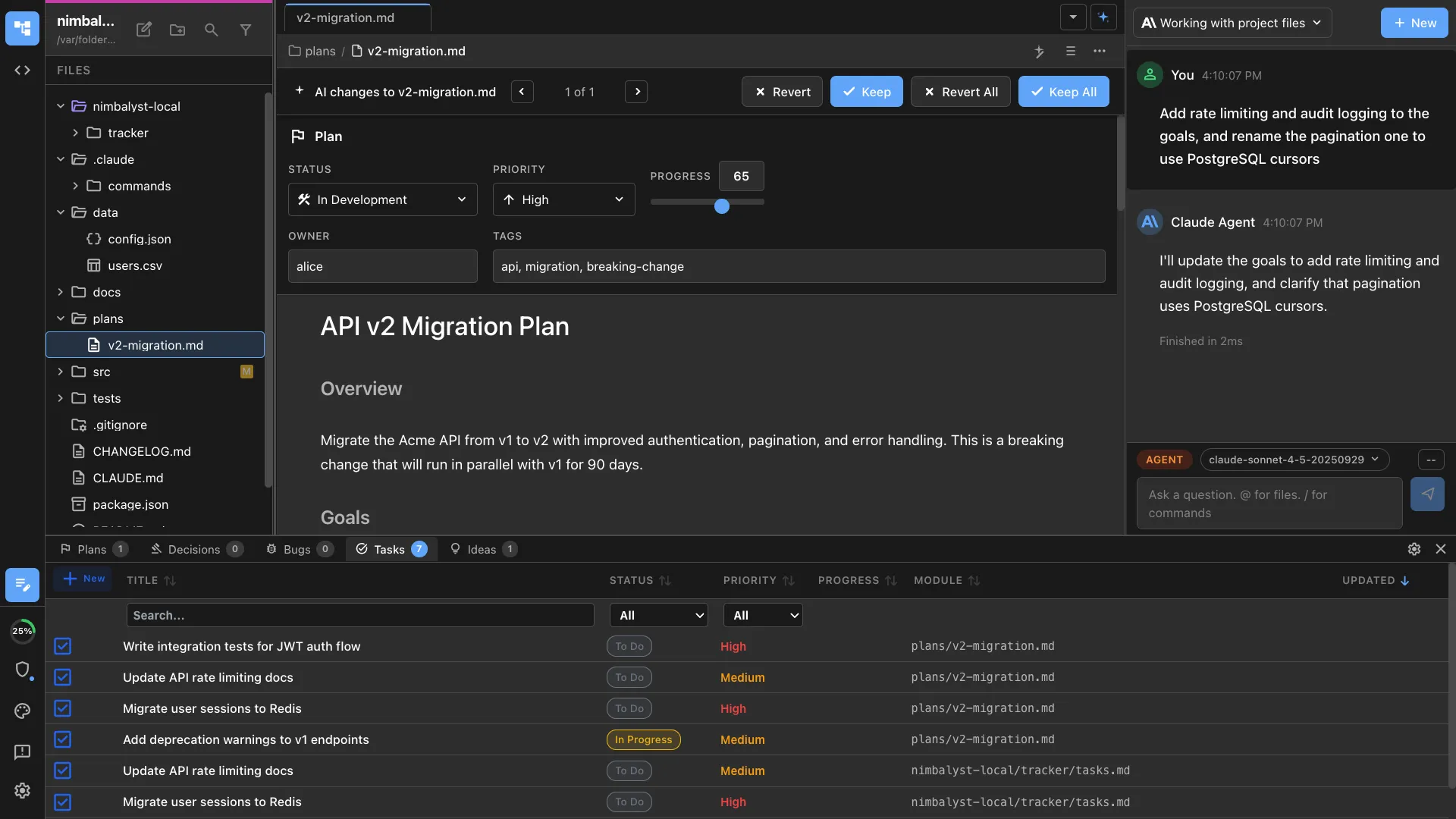
The terminal is where agents do their best work. A visual workspace is where you do yours.