Comparison
Nimbalyst vs Opcode
Opcode is a GUI for one Claude Code session. Nimbalyst is the visual workspace for building with Codex and Claude Code. Go beyond a chat wrapper with session management, task tracking, and visual editors for markdown, mockups, diagrams, and code.


Overview
Two tools, different approaches
Nimbalyst
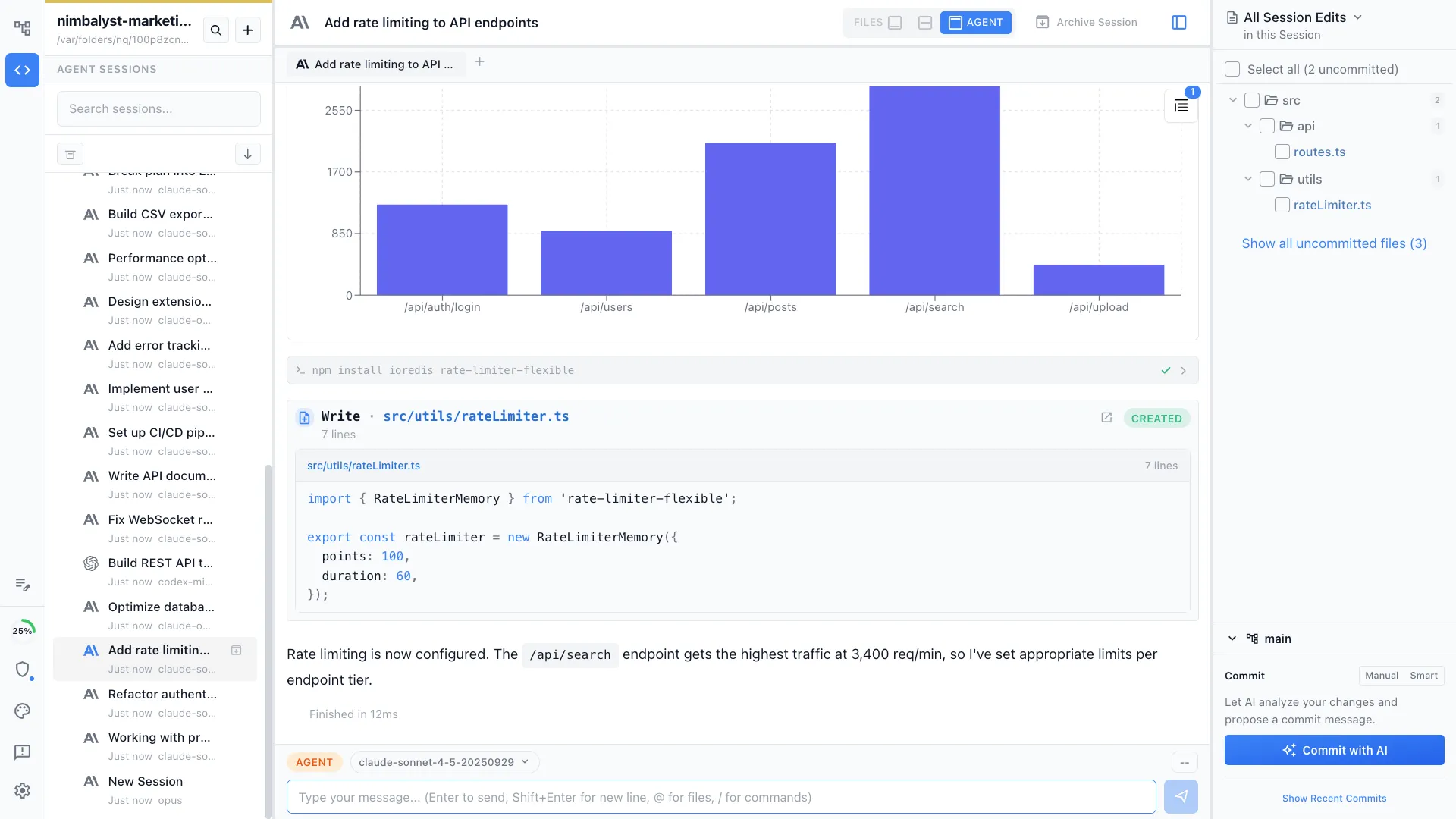
Nimbalyst is an AI-native workspace built on top of Claude Code and Codex. It adds a session kanban board for managing parallel agents, visual editors for markdown, mockups, diagrams, and data models, built-in planning and task tracking, and a mobile companion app. You get the full power of Claude Code inside a workspace designed for managing multiple sessions, not just one.
Opcode
Opcode (formerly Claudia) is a popular open-source GUI for Claude Code with over 21,000 GitHub stars. It provides a clean graphical interface for interacting with Claude Code, including file browsing, conversation history, and a modern chat UI. It focuses on making a single Claude Code session more accessible.
Feature Comparison
Side-by-side breakdown
Nimbalyst Advantages
Where Nimbalyst shines


Parallel session management
Opcode focuses on making one session great. Nimbalyst lets you run dozens of sessions across multiple projects and manage them all on a kanban board with phase tracking and status monitoring.

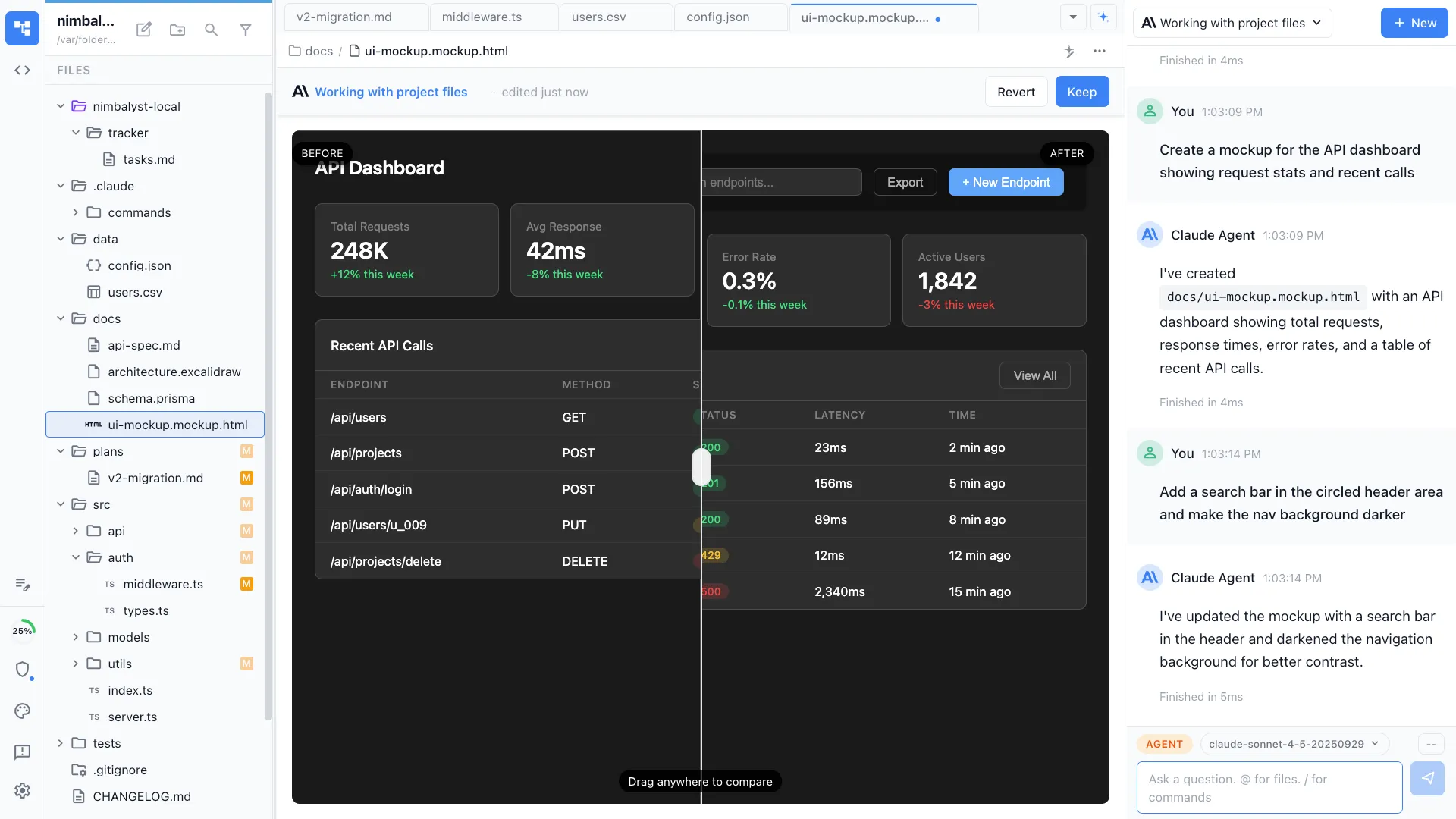
Visual editors beyond code
Ask your agent to create mockups, diagrams, or data models and they render in purpose-built visual editors. Opcode is limited to the text-based output Claude Code produces natively.


Planning that feeds your agents
Track tasks, write plans, and manage work items directly in Nimbalyst. Your agent reads these plans and knows what to build next, creating a closed loop between planning and execution.
Honest Assessment
Where Opcode is stronger
Open source
Opcode is fully open source under MIT license. You can self-host, modify, and contribute to the codebase. Nimbalyst is closed source.
Lightweight
Opcode is focused and lightweight, doing one thing well: giving Claude Code a clean GUI. If you only need a better chat interface, it installs quickly with minimal overhead.
Recommendation
Who should use which
Choose Nimbalyst if…
You need more than a chat wrapper: parallel sessions, visual editors, planning tools, mobile access, and a full workspace for shipping software with AI agents.
Choose Opcode if…
You want a free, open-source, lightweight GUI that makes a single Claude Code session more pleasant to use, and you prefer the flexibility of self-hosting.