Developer
AI implementation plans
Describe a feature or project and /design produces a structured plan with architecture decisions, task breakdown, and implementation order. Then /implement to execute it.
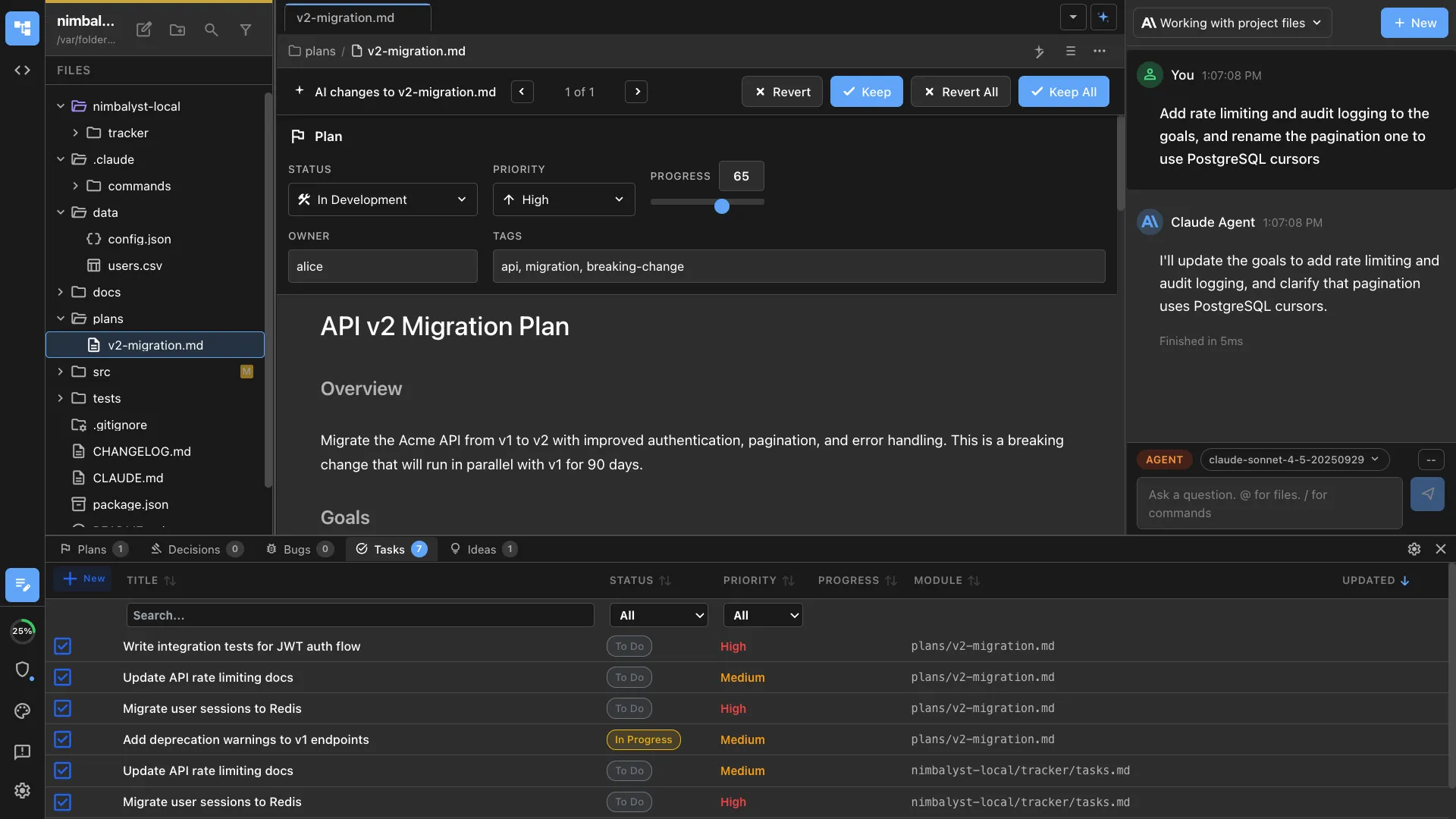
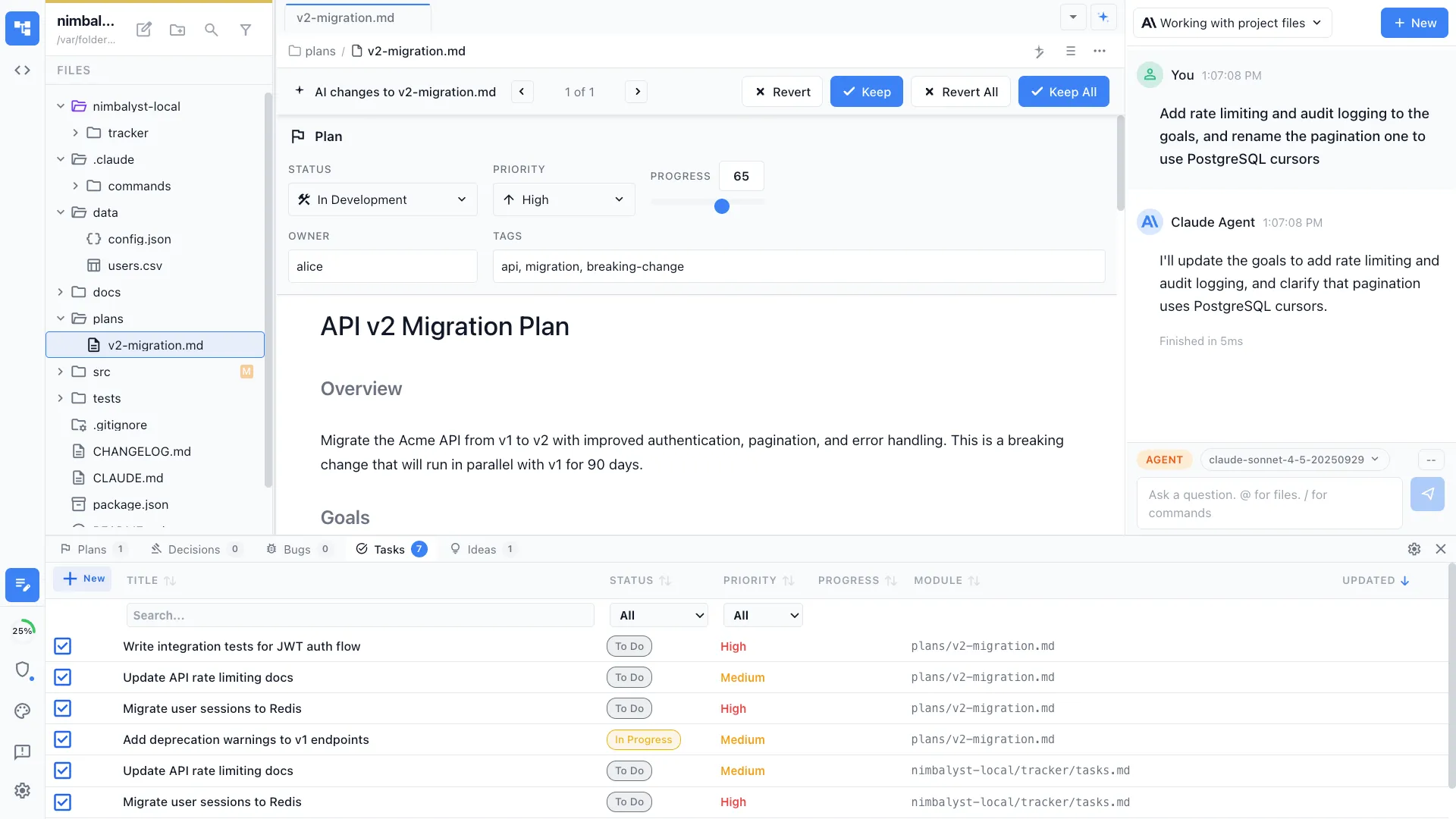
Create structured implementation plans with architecture decisions, task breakdowns, and file-level scope. Generates a tracked plan document your agent can execute.


Capabilities
Plan before you build
Architecture decisions
The agent analyzes your codebase, proposes an architecture, and documents key decisions — tech choices, file structure, and component boundaries.
Task breakdown
Complex features get broken into ordered tasks with clear scope. Each task lists the files to create or modify, making implementation predictable.
Progress tracking
Plan documents include YAML frontmatter with task status. Track completion as your agent implements each step.
How It Works
How /design works
Type /design
Run /design and describe the feature, bug fix, or project. Include any constraints, requirements, or architectural preferences.
Agent analyzes and plans
Your AI agent reads your codebase, evaluates options, and produces a structured plan document with architecture decisions and ordered tasks.
Review and execute
Review the plan, adjust if needed, then run /implement to have the agent execute it step by step with progress tracking.
Try It
Example prompts
/design add dark mode support to the dashboard /design migrate from REST to GraphQL for the user service /design implement SSO with SAML — consider our existing auth middleware Full Skill Source
Use this skill in your project
Copy the full text below or download it as a markdown file. Place it in your project's .claude/commands/ directory to use it as a slash command.
---
packageVersion: 1.0.0
packageId: core
---
# /design Command
Create a new plan document for tracking work.
## Overview
Plans are structured markdown documents with YAML frontmatter that track features, initiatives, projects, and other work.
## File Location and Naming
**Location**: `nimbalyst-local/plans/[descriptive-name].md`
**Naming conventions**:
- Use kebab-case: `user-authentication-system.md`, `marketing-campaign-q4.md`
- Be descriptive: The filename should clearly indicate what the plan is about
## Required YAML Frontmatter
```yaml
---
planStatus:
planId: plan-[unique-identifier]
title: [Plan Title]
status: draft
planType: feature
priority: medium
owner: [your-name]
stakeholders: []
tags: []
created: "YYYY-MM-DD"
updated: "YYYY-MM-DDTHH:MM:SS.sssZ"
progress: 0
---
```
## Status Values
- `draft`: Initial planning phase
- `ready-for-development`: Approved and ready to start
- `in-development`: Currently being worked on
- `in-review`: Implementation complete, pending review
- `completed`: Successfully completed
- `rejected`: Plan has been rejected or cancelled
- `blocked`: Progress blocked by dependencies
## Plan Types
Common plan types:
- `feature`: New feature development
- `bug-fix`: Bug fix or issue resolution
- `refactor`: Code refactoring/improvement
- `system-design`: Architecture/design work
- `research`: Research/investigation task
- `initiative`: Large multi-feature effort
- `improvement`: Enhancement to existing feature
## Usage
When the user types `/design [description]`:
1. Research the codebase to understand the relevant code, architecture, and constraints
2. Extract key information from the description
3. Generate unique `planId` from description (kebab-case)
4. Choose appropriate `planType` based on description
5. Set `created` to today's date, `updated` to current timestamp
6. Create file in `nimbalyst-local/plans/` with proper frontmatter
7. Include relevant sections based on plan type
## Refining the Design with the User
After writing the initial plan document, use the `AskUserQuestion` tool to ask the user about any open design questions, ambiguities, or trade-offs you identified during research. This is critical for producing a high-quality design that reflects the user's intent.
**When to ask:**
- There are multiple valid approaches and the right choice depends on user preference
- Requirements are ambiguous or underspecified
- You identified trade-offs (performance vs simplicity, scope vs timeline, etc.)
- The design touches areas where the user may have strong opinions (UI layout, API shape, data model)
**How to ask:**
- Use `AskUserQuestion` with concrete options, not open-ended questions
- Frame each option with a brief description of its trade-offs
- Group related questions together (up to 4 per call)
- After receiving answers, update the plan document to reflect the user's decisions
## Visual Mockups
When a plan involves UI components, screens, or visual design, use the `/mockup` command in a sub-agent to create mockups. This keeps visual design work separate from planning.
**When to create a mockup:**
- Planning new UI components or screens
- Designing layout and structure
- Changes that need visual feedback before implementation
**When NOT to create a mockup:**
- Backend-only changes
- Refactoring that doesn't change UI
- Bug fixes with obvious solutions
- Infrastructure or configuration changes
- Minor and well-described UI changes where there are no remaining design choices
If a visual mockup would help communicate the plan, tell the user you'll use `/mockup` to create one, and do so after completing the plan document.
Make sure the plan document references and links the mockup file using the mockup image syntax, and use your Capture Mockup Screenshot tool to view it once the sub-agent completes and verify that it conforms to the plan.
**Mockup image syntax:**
```markdown
{mockup:path/to/mockup.mockup.html}
```
With optional size:
```markdown
{mockup:path/to/mockup.mockup.html}{800x600}
```
## Best Practices
- Keep plans focused on a single objective
- Update progress regularly as work proceeds
- Use tags to categorize related plans
- Add stakeholders who need visibility
- Set realistic due dates when applicable
Related Skills
Skills that work well together




Explore More