Comparison
Nimbalyst vs Cursor vs VS Code for working with Claude Code
VS Code with the Claude Code extension or CLI is how most developers first run Claude Code, and it stays strong for single-session work inside a familiar editor. Cursor is an AI IDE with an agent-first workspace and best-in-class inline tab-complete. Nimbalyst is an open-source visual workspace that makes agent sessions the primary surface: Claude Code and OpenAI Codex side by side on a kanban board, with worktree isolation, inline diff review, and visual editors.
Works with your existing Claude Code and Codex subscription or API key
Overview
3 tools, different approaches
Nimbalyst
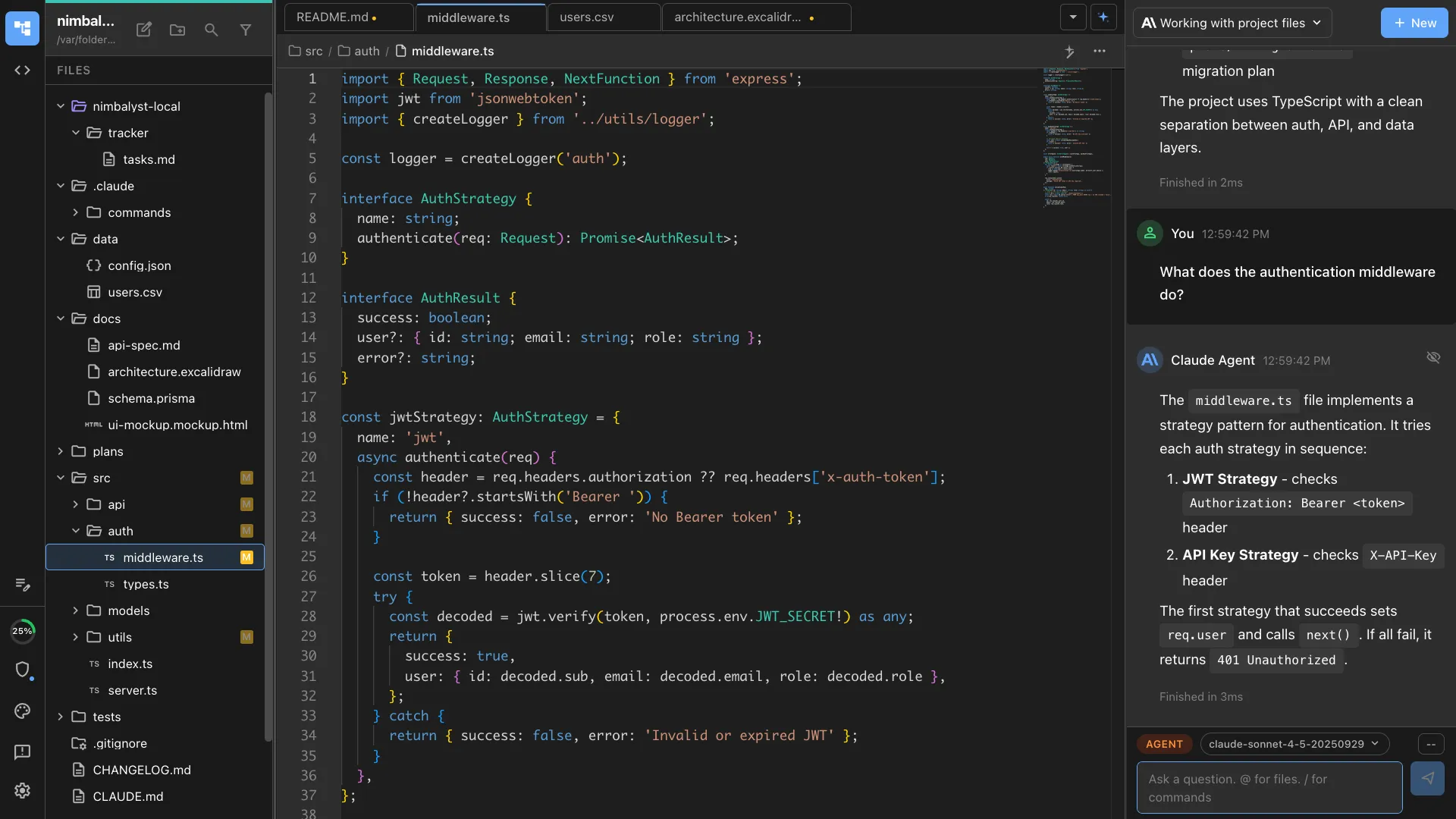
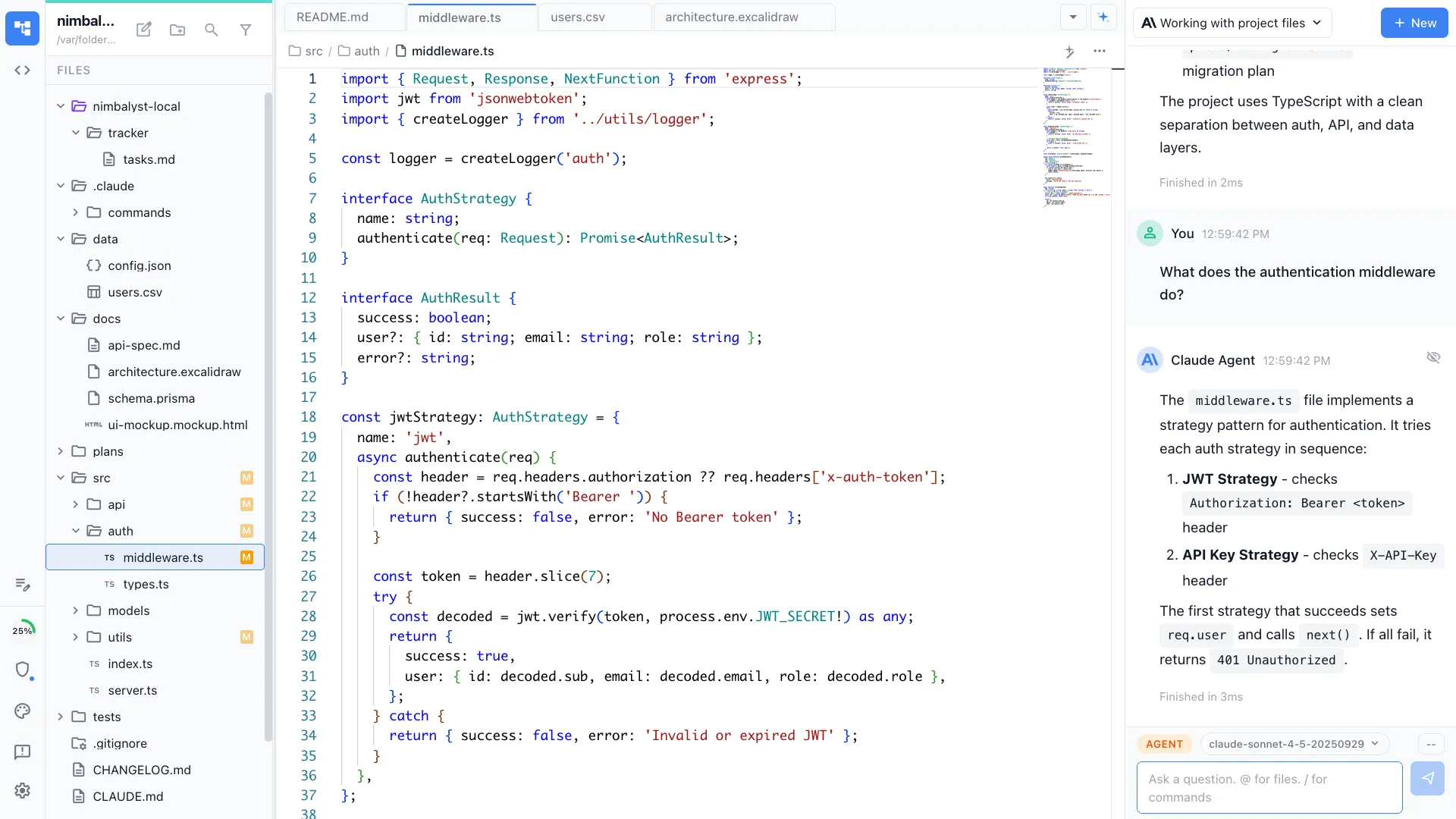
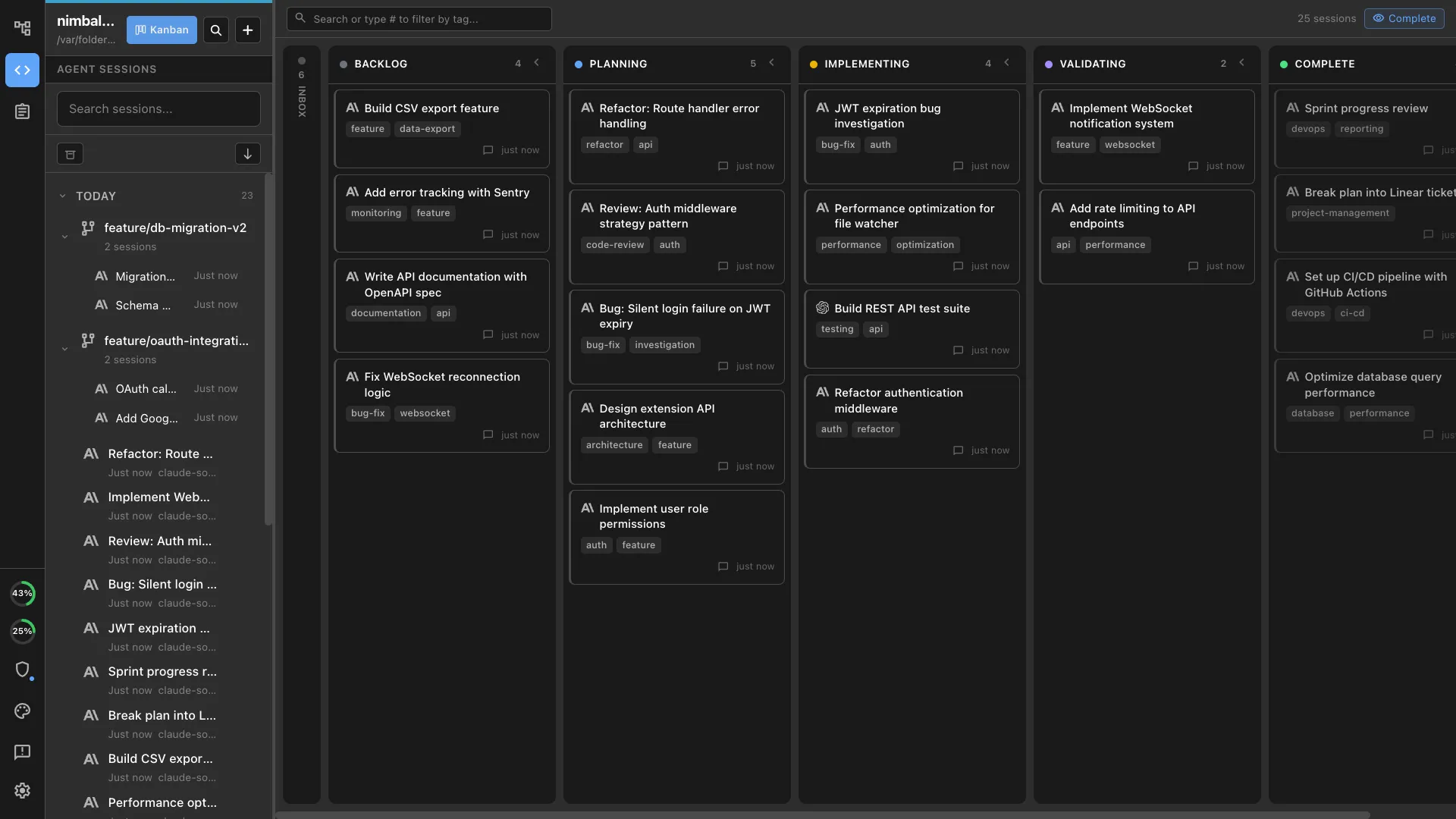
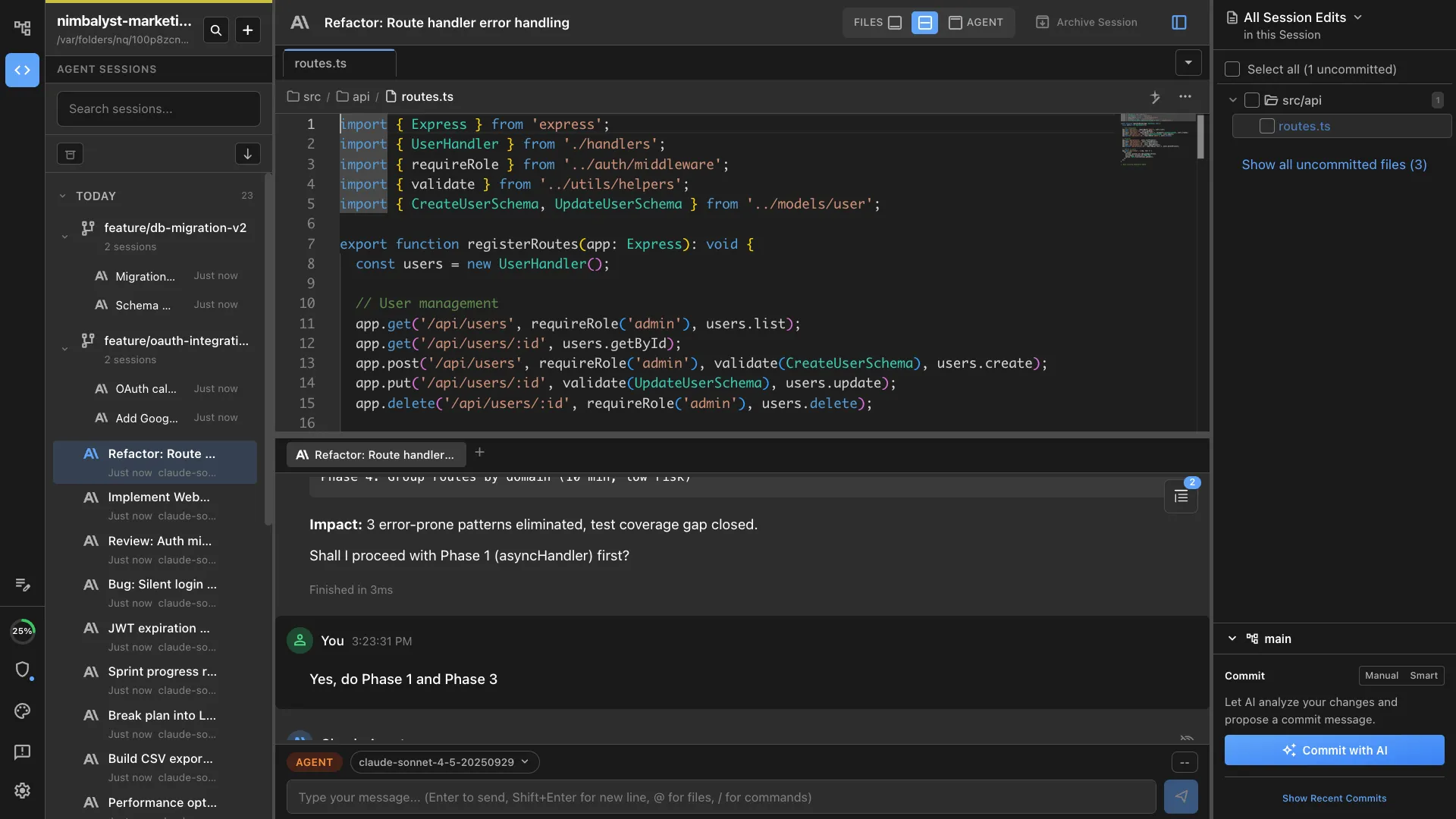
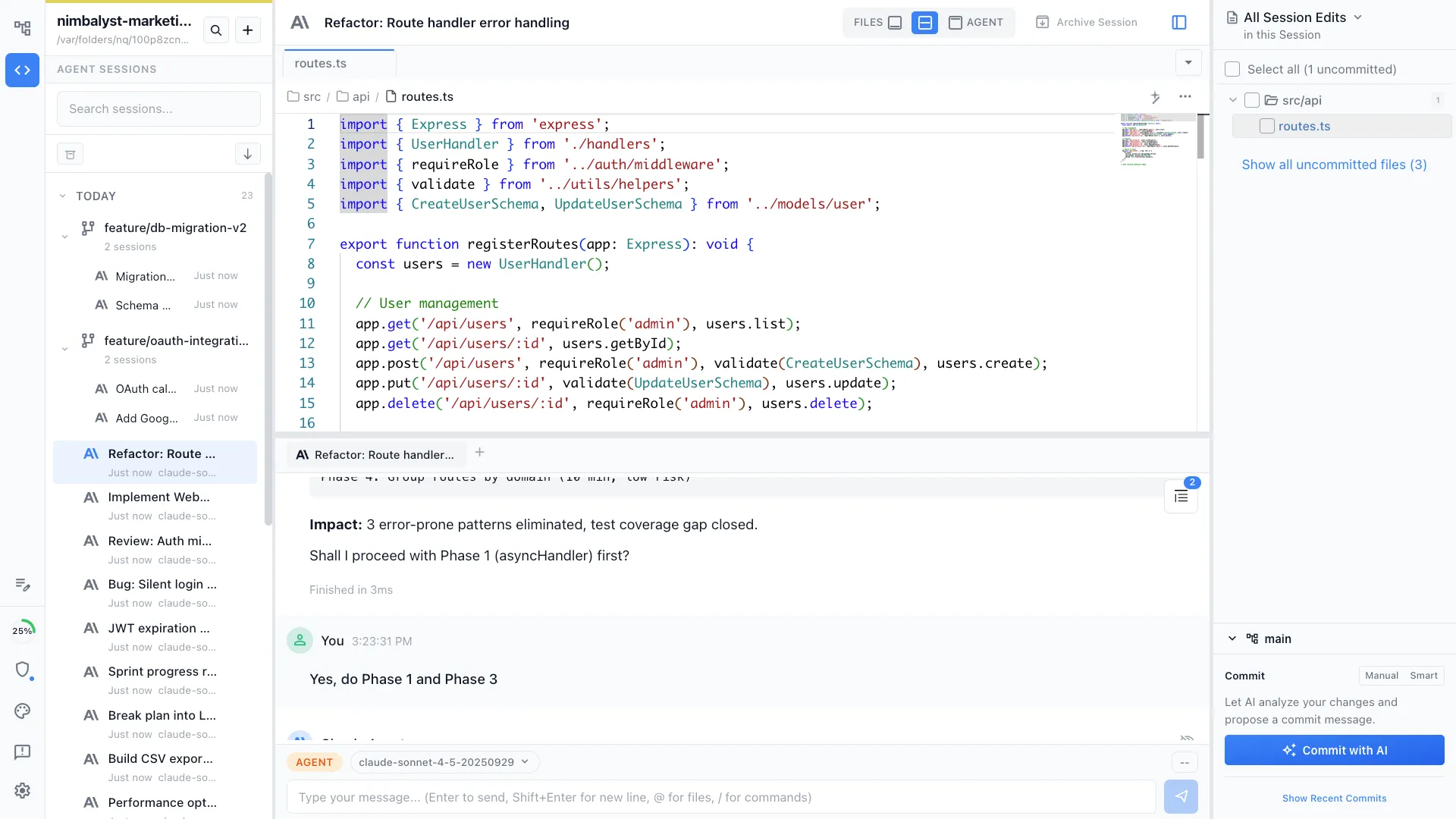
Nimbalyst is an open-source visual workspace for building with Claude Code, OpenAI Codex, and other coding agents. It runs the actual Claude Code agent with your existing Claude subscription or API key. Sessions live on a kanban board with optional one-click git worktree isolation, inline red/green diff review, planning and task tracking next to execution, and visual editors for markdown, mockups, diagrams, and data models. A native iOS app covers monitoring and approvals away from the desk. Desktop and iOS apps are MIT licensed and free for individuals.
Cursor
Cursor is an AI-first IDE built as a VS Code fork. Its agent workspace runs many agents in parallel across local repos, worktrees, the cloud, and remote SSH, while keeping the inline coding loop, and its tab-complete remains the strongest available. Cursor agents use Claude, OpenAI, Gemini, and other models through a Cursor subscription, and since it is VS Code under the hood, Anthropic's Claude Code extension installs there too.
VS Code + Claude Code
VS Code with Claude Code means either the CLI in an integrated terminal or Anthropic's official VS Code extension. The editor stays the center of the workflow and Claude works beside it. It costs nothing beyond the Claude subscription, carries the largest extension ecosystem in the editor space, and is the setup most developers already have installed.
Feature Comparison
Side-by-side breakdown
Nimbalyst Advantages
Where Nimbalyst shines
A board built for many Claude Code sessions
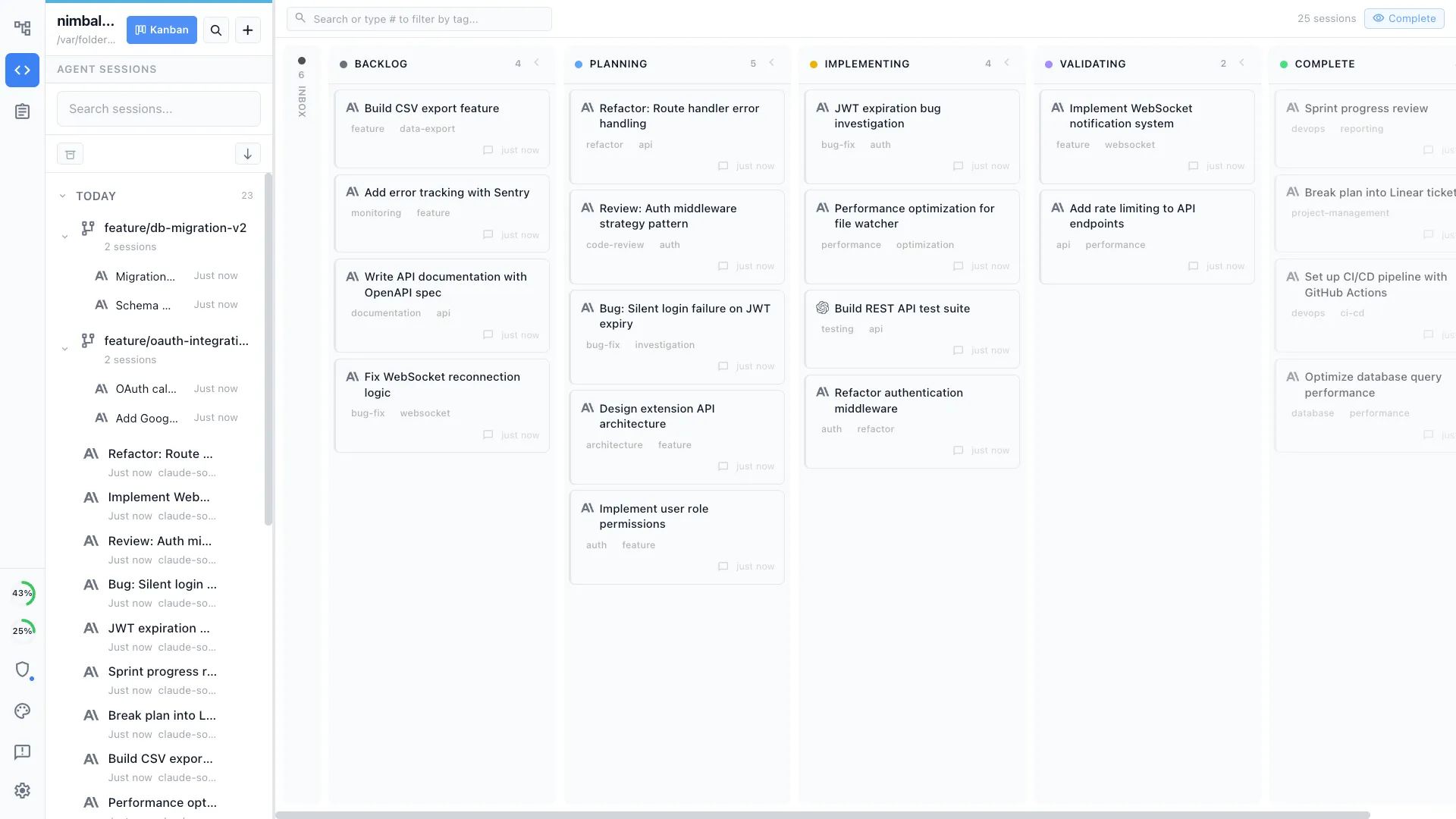
Run six Claude Code sessions and a few Codex sessions on one kanban, drag them between planning, implementing, and validating, and see at a glance which ones are waiting for input. In VS Code that overview lives in your head across terminal tabs. In Cursor it lives inside the IDE. In Nimbalyst it is the home screen.
Visual editors the agent can read and write
Ask a session to draft a mockup, sketch an architecture diagram, or design a data model and it renders in a purpose-built editor next to the code. When the work includes specs, diagrams, and mockups rather than only source files, the workspace keeps everything reviewable in one place.
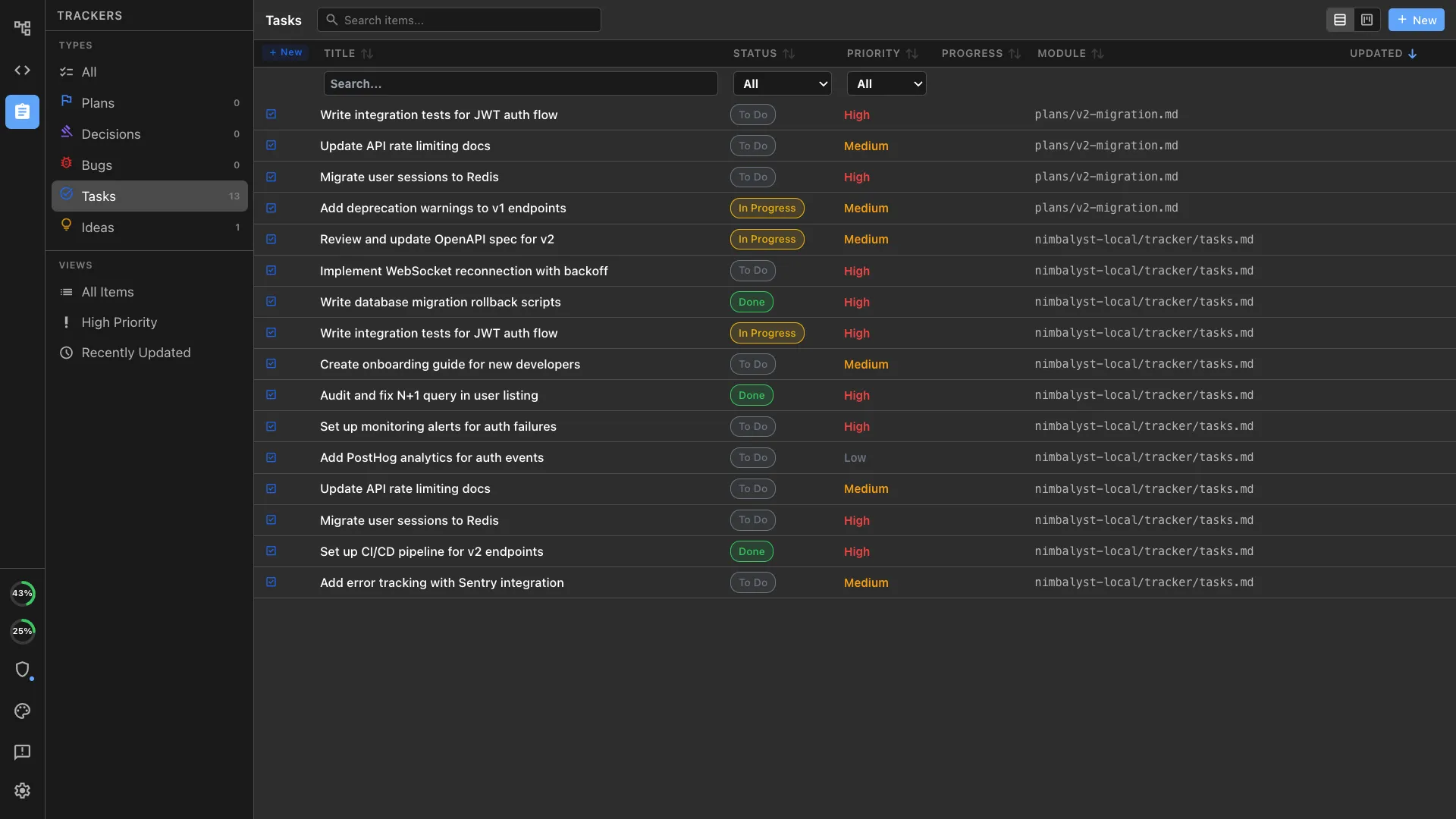
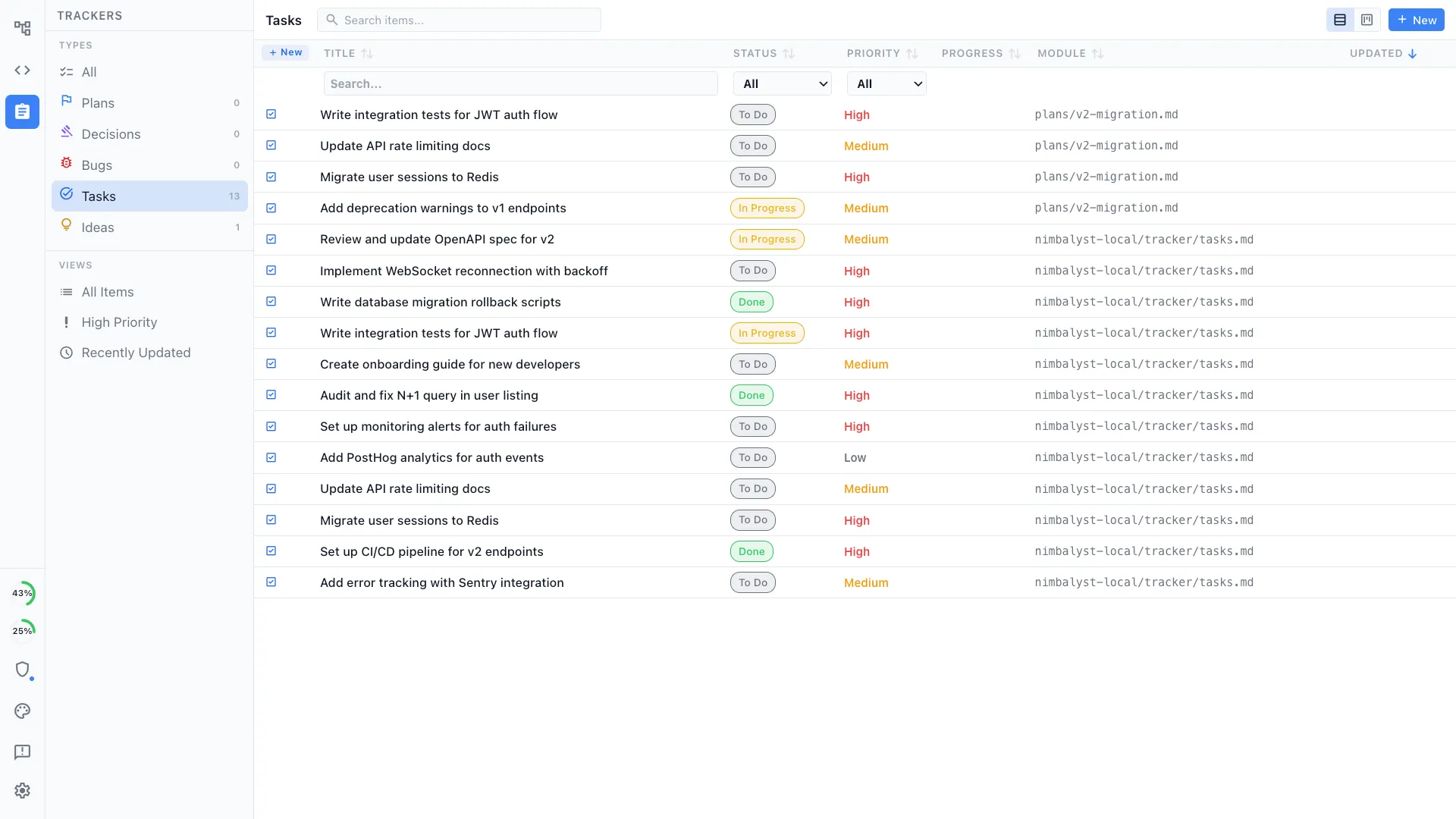
Plans and trackers next to execution
Write the plan, link it to a tracker item, link the tracker to a session, and let the agent read all three. Planning, tracking, and execution stay in one workspace instead of spreading across an IDE, a ticket system, and a notes app.
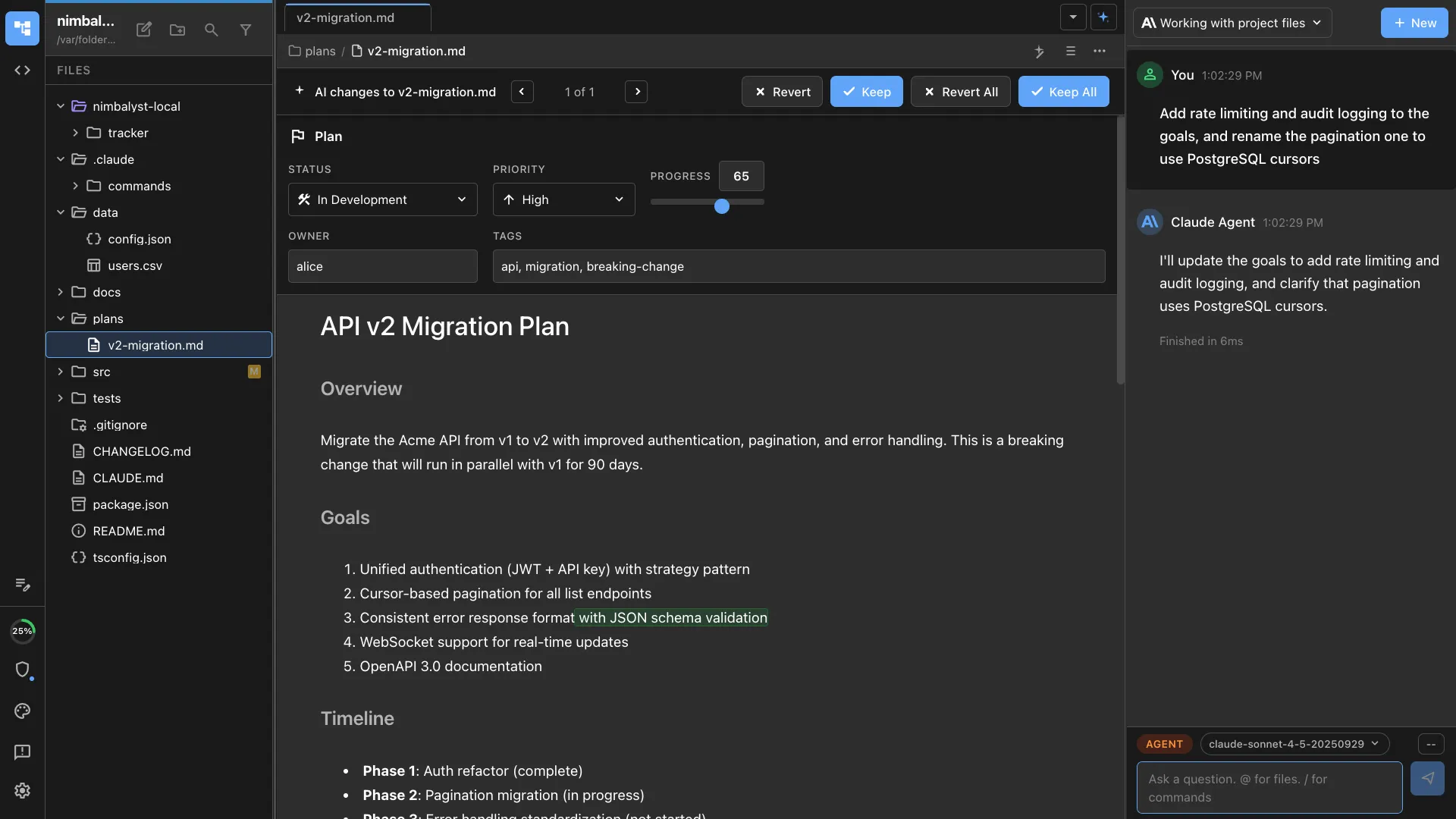
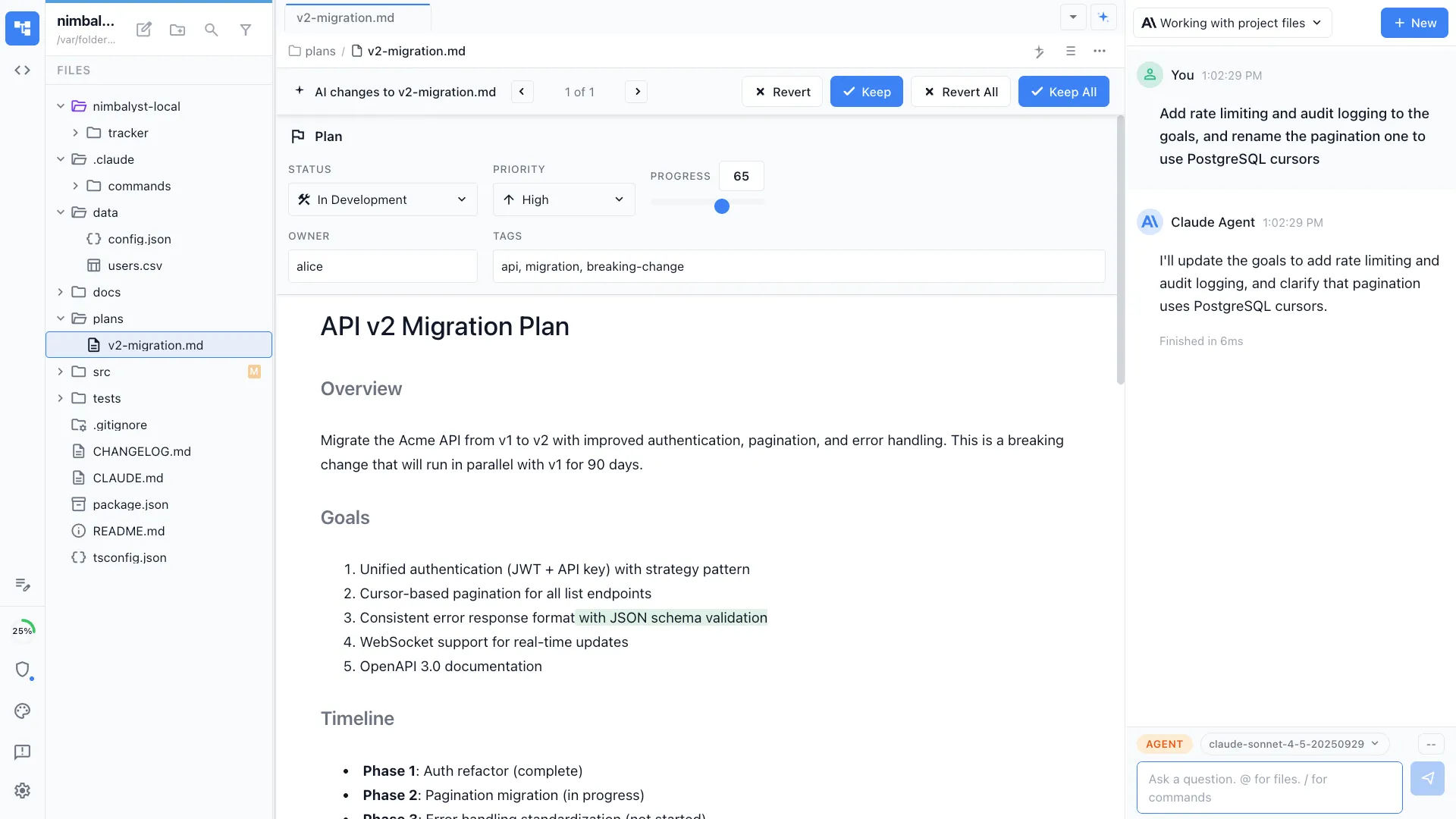
Markdown stays editable and reviewable
Claude Code can edit specs, plans, docs, and README files while Nimbalyst keeps the markdown readable. Review changes as red/green diffs, ask the agent for another pass, then keep editing the same document by hand when that is faster.
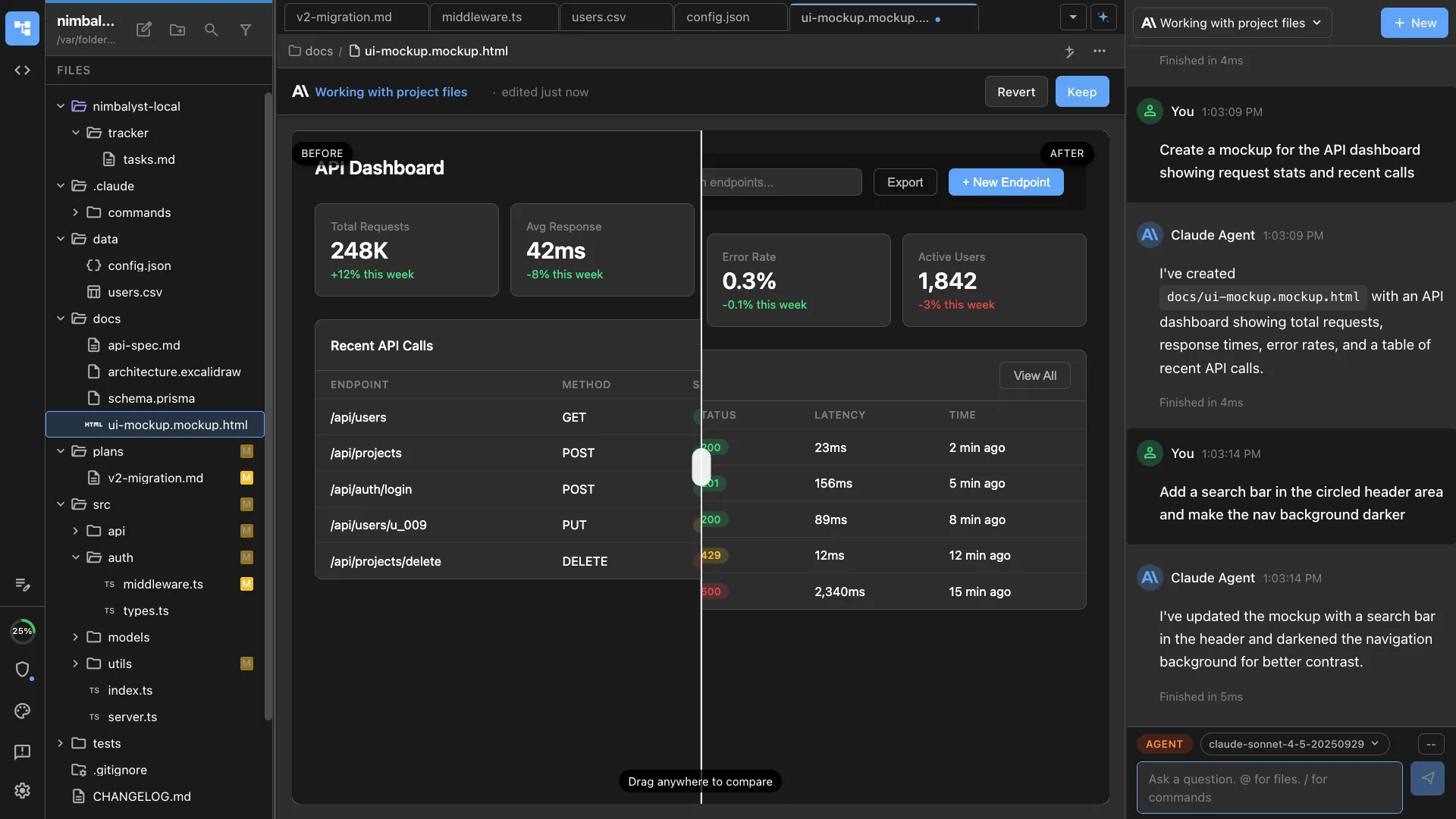
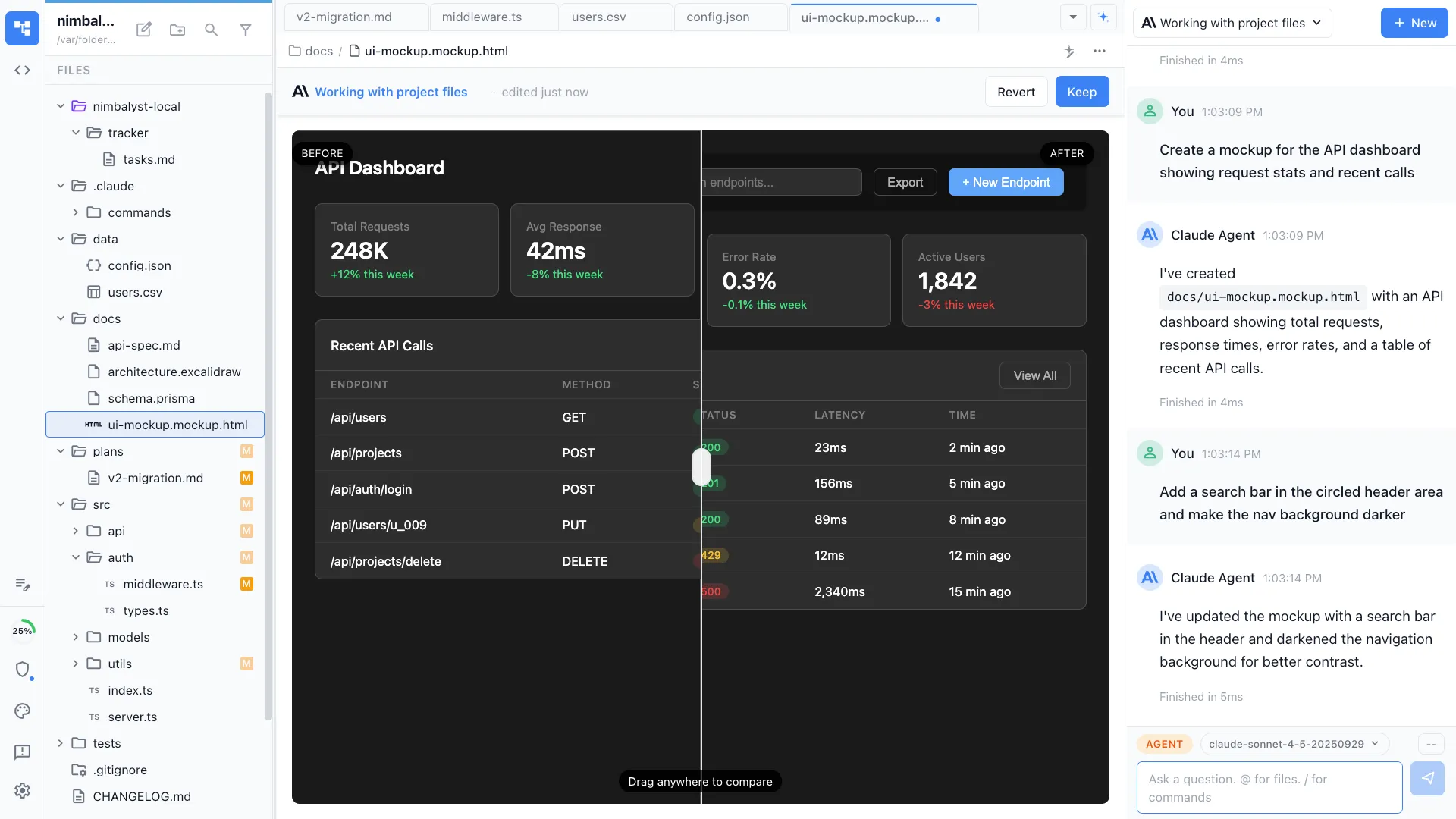
Mockups are part of the agent loop
When a feature needs a screen, Claude Code can work against an editable mockup instead of a vague prompt. Move elements, change copy, annotate the design, and send that visual context back to the agent for the next implementation pass.
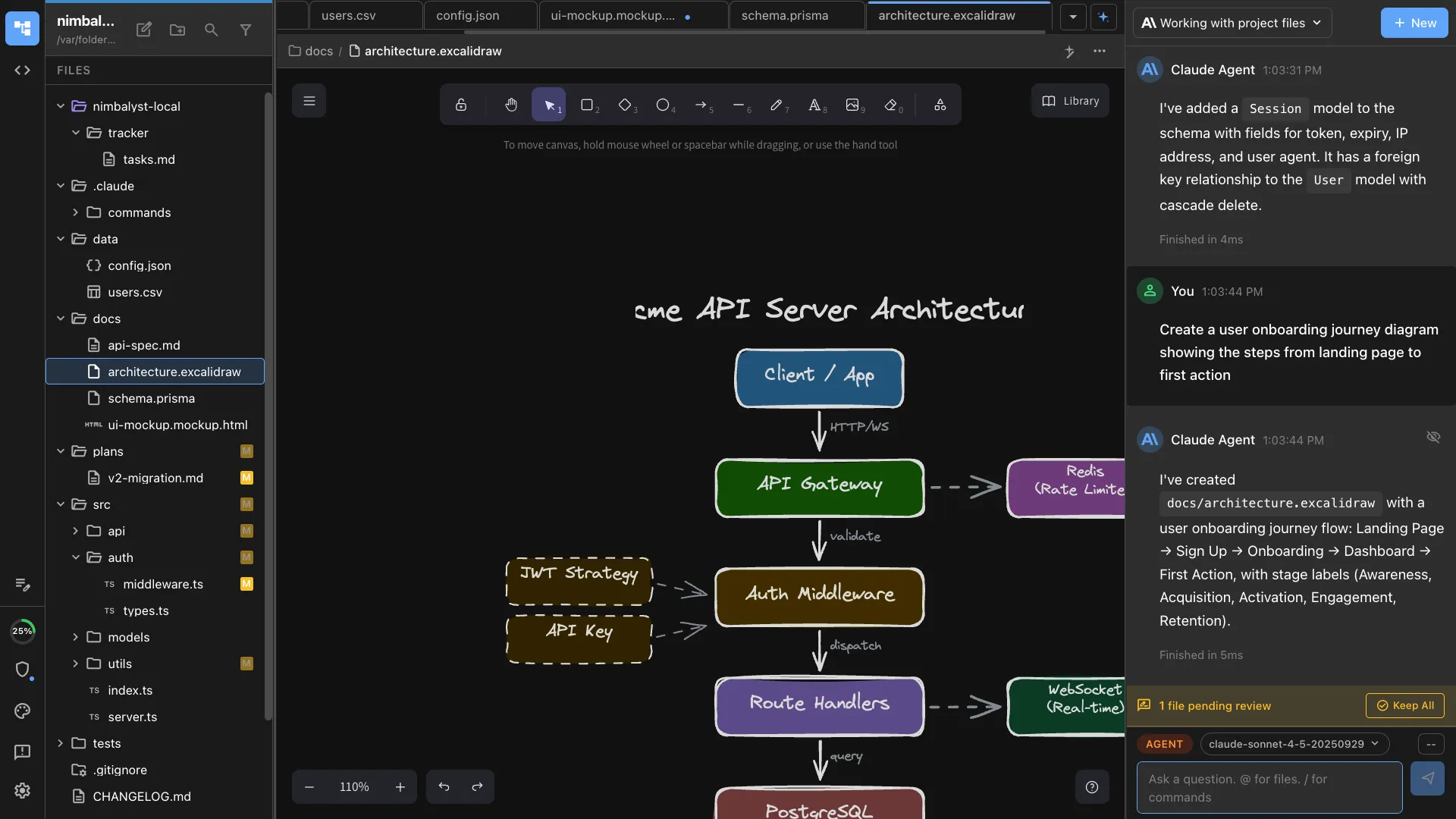
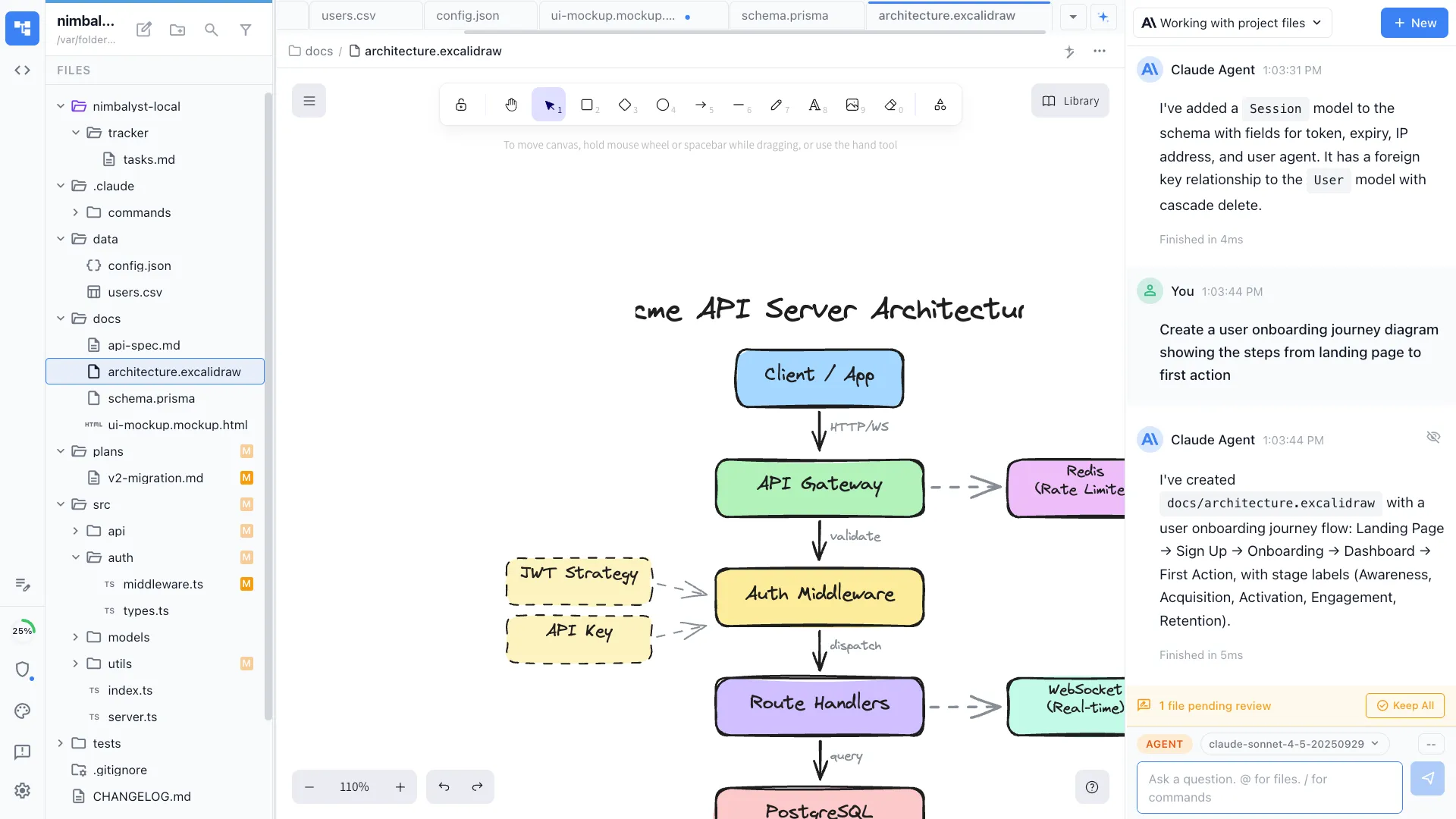
Diagrams live beside the code
Architecture sketches, flows, and system diagrams open in a real diagram editor. Claude Code can help revise the explanation, while you keep the visual model close to the files, plans, and tracker items it depends on.
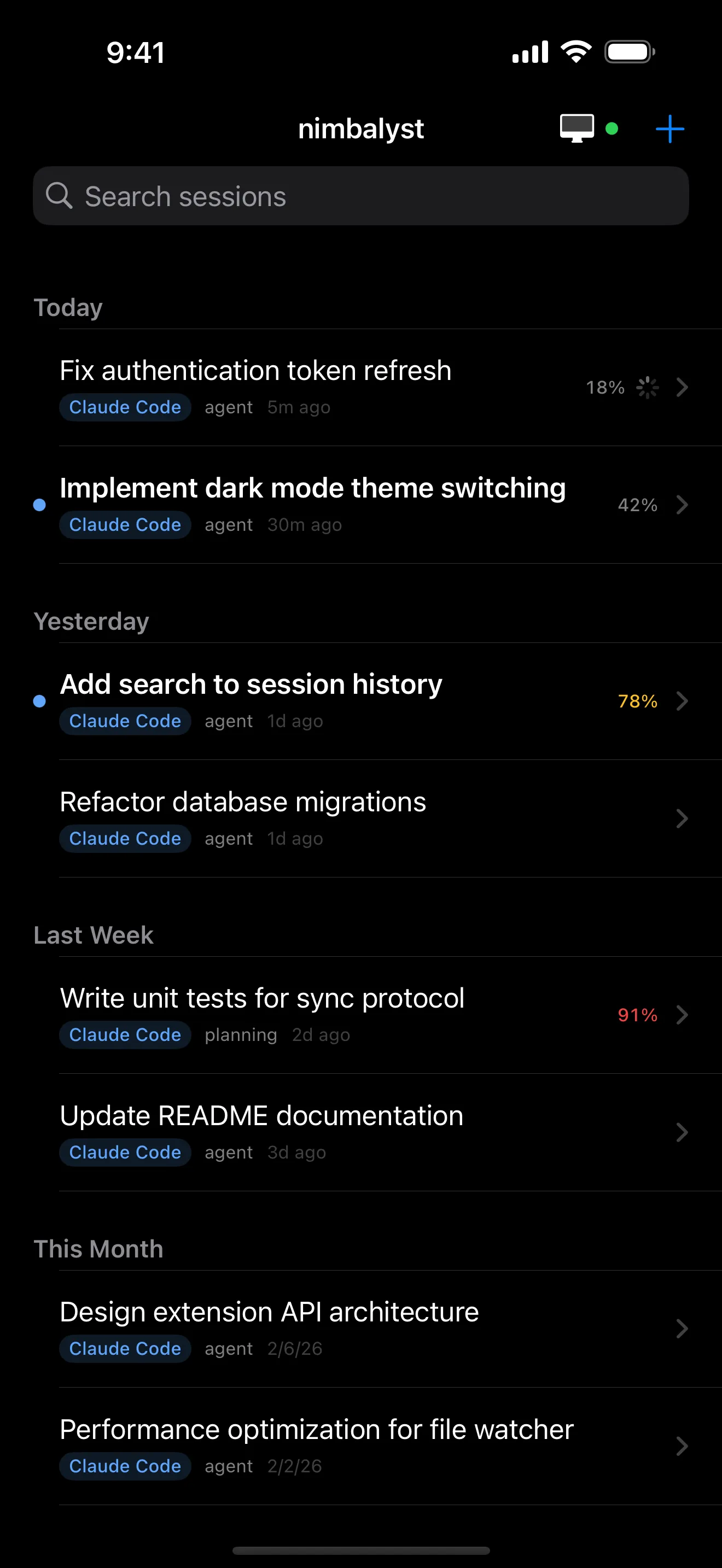
Review from a phone
The iOS app shows live session status, transcripts, and approval prompts, so long-running sessions keep moving while we are away from the desk.
Honest Assessment
Where each tool is stronger
Where Cursor is stronger
Inline coding speed
Cursor's tab-complete and inline edit loop remain the strongest in this comparison. If the work is mostly line-by-line coding inside one editor, Cursor has home-field advantage.
Agent depth inside the IDE
Cursor's agents workspace runs many agents in parallel across local repos, worktrees, the cloud, and remote environments, and drops back into the editor instantly.
VS Code ecosystem compatibility
Themes, keybindings, and most extensions carry over from VS Code with little friction.
Where VS Code + Claude Code is stronger
Already installed, nothing new to learn
VS Code is the most-used editor in the world, and Claude Code's CLI and official extension meet developers where they already work. Lowest possible switching cost.
Official Anthropic support
Anthropic ships and maintains the VS Code extension, so new Claude Code capabilities land there quickly.
Largest extension marketplace
For niche language support or specialized workflows, the extension almost certainly exists.
Recommendation
Who should use which
Choose Nimbalyst if…
Pick Nimbalyst if we run multiple Claude Code sessions in parallel, want Claude Code and Codex on the same board with our existing subscriptions, want one-click worktree isolation and inline diff review, work with mockups, diagrams, and plans alongside code, or want to monitor sessions from a phone.
Choose Cursor if…
Pick Cursor if our center of gravity is the IDE, inline tab-complete matters every minute, and we want serious parallel agents without leaving a VS Code-style environment.
Choose VS Code + Claude Code if…
Pick VS Code + Claude Code for single-session work in a familiar editor with zero new tooling. It is the right starting point, and many developers stay there until juggling terminal tabs across worktrees becomes the bottleneck.
These compose. A common setup keeps VS Code or Cursor open for hands-on editing and runs Nimbalyst as the session board where Claude Code and Codex do the long-running work.
FAQ
Frequently asked questions
What is the best UI for Claude Code?
It depends on how many sessions run at once. For one session at a time, the official VS Code extension or the CLI is simple and free beyond the Claude subscription. For parallel agents inside an IDE, Cursor's agents workspace is strong. For running several Claude Code sessions with a kanban overview, worktree isolation, diff review, and mobile monitoring, Nimbalyst is built for exactly that, and it is open source.
What is the best way to run multiple Claude Code sessions at once?
The CLI supports it today via multiple terminals and git worktrees, but the overview lives in your head. Nimbalyst gives each session a card on a kanban board, creates a worktree per session in one click, and shows which sessions are waiting for input. Cursor's agents workspace also runs parallel agents, centered on the IDE.
Do I have to stop using VS Code?
No. Nimbalyst is not an editor replacement. Many users keep VS Code open for hands-on editing and run their Claude Code and Codex sessions in Nimbalyst. The two workflows share the same files and git state.
Can I use Claude Code and OpenAI Codex together in one tool?
Nimbalyst runs both side by side using your existing Claude and OpenAI subscriptions or API keys, on one board. Cursor runs multiple model vendors through its own agent system and subscription. In VS Code, each agent CLI runs in its own terminal without a shared overview.
Does Claude Code work with git worktrees without juggling windows?
Claude Code itself works fine in a worktree; the juggling comes from managing the worktrees and windows by hand. Nimbalyst creates and cleans up a worktree per session automatically and keeps every session visible on one board. Cursor also supports worktrees in its agents workspace.
Is there a free, open-source GUI for Claude Code?
Nimbalyst's desktop and iOS apps are MIT licensed and free for individual use. Agent usage bills through your Anthropic or OpenAI account. Cursor and the Claude Code agent itself are closed source; VS Code is open source but is an editor, not an agent workspace.
Which one works for a product manager using Claude Code?
Nimbalyst is the most PM-friendly of the three: prompts, session cards, mockups, plans, and diff review all live in a visual workspace with no terminal required. VS Code and Cursor both assume an editor-centric, developer-shaped workflow.
Can I monitor Claude Code from my phone?
With Nimbalyst, yes: the native iOS app shows live session status, transcripts, and approval prompts for sessions running on the desktop. Neither the VS Code setup nor Cursor has a dedicated mobile review app.
More Comparisons
Related comparisons
vs Cursor
Direct head-to-head on the IDE-centric agent workflow.
vs VS Code + Claude Code
Direct head-to-head on the editor-plus-CLI setup.
Cursor vs Claude Code Desktop vs Nimbalyst
The other 3-way page, on the claude code gui intent.
Best Claude Code GUI tools in 2026
The full roundup of GUI options for Claude Code.
Parallel Claude Code sessions
How the session kanban and worktrees work in practice.
Want one workspace for Claude Code and Codex, with a session kanban, worktrees, diff review, and phone monitoring? Download Nimbalyst free.
Works with your existing Claude Code and Codex subscription or API key