AI Mockup Generator
An AI mockup generator you can actually iterate on.
Describe a screen in plain English and get an editable UI mockup in your workspace. Draw on it, ask the agent to revise it, review the visual diff, then use the same context to implement the real interface.
Free for individuals. Works with your existing Claude Code or Codex subscription or API key.
Mockups are better when they stay editable
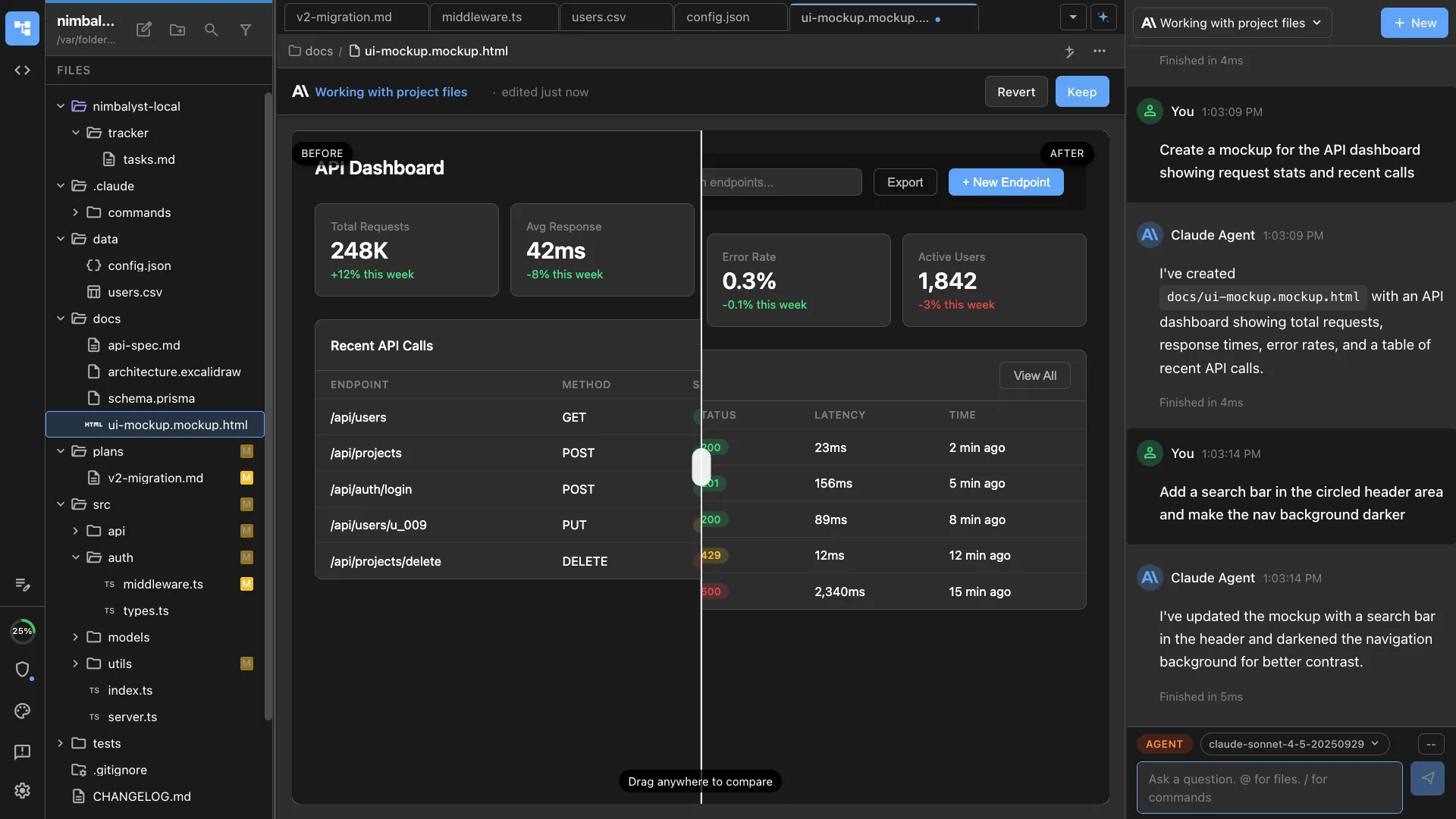
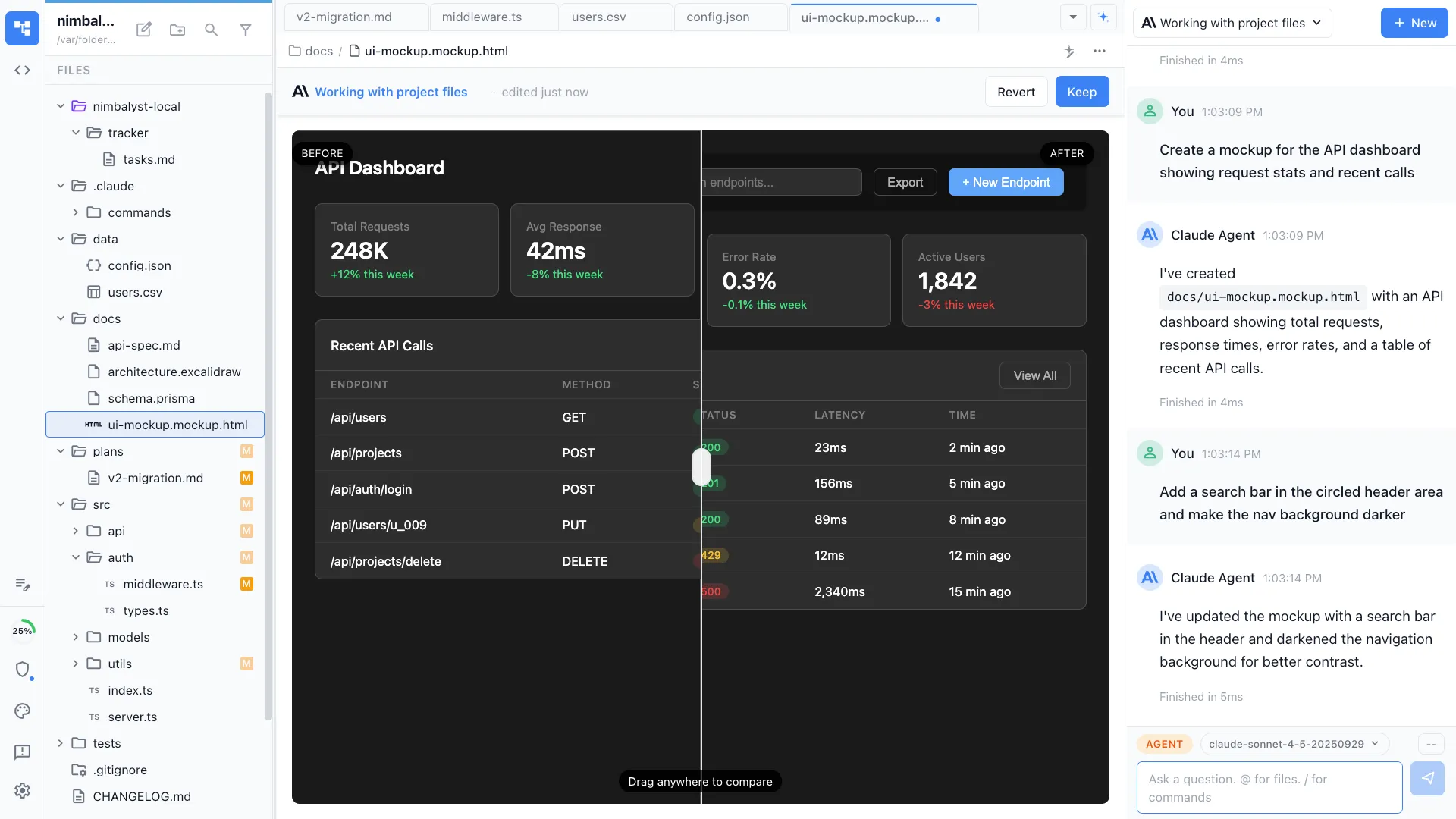
Nimbalyst mockups are real workspace files. Describe a dashboard, settings page, onboarding flow, or feature screen, and the agent creates a rendered `.mockup.html` file you can open, edit, annotate, and keep with the rest of the project.
That makes the mockup useful after the first draft. You can compare before and after, draw directly on the screen, ask for a revision in chat, turn the result into specs, and keep the same context when Claude Code or Codex implements the interface.
Why Nimbalyst
From text prompt to editable UI mockup to shipped code
Generate a rendered UI mockup
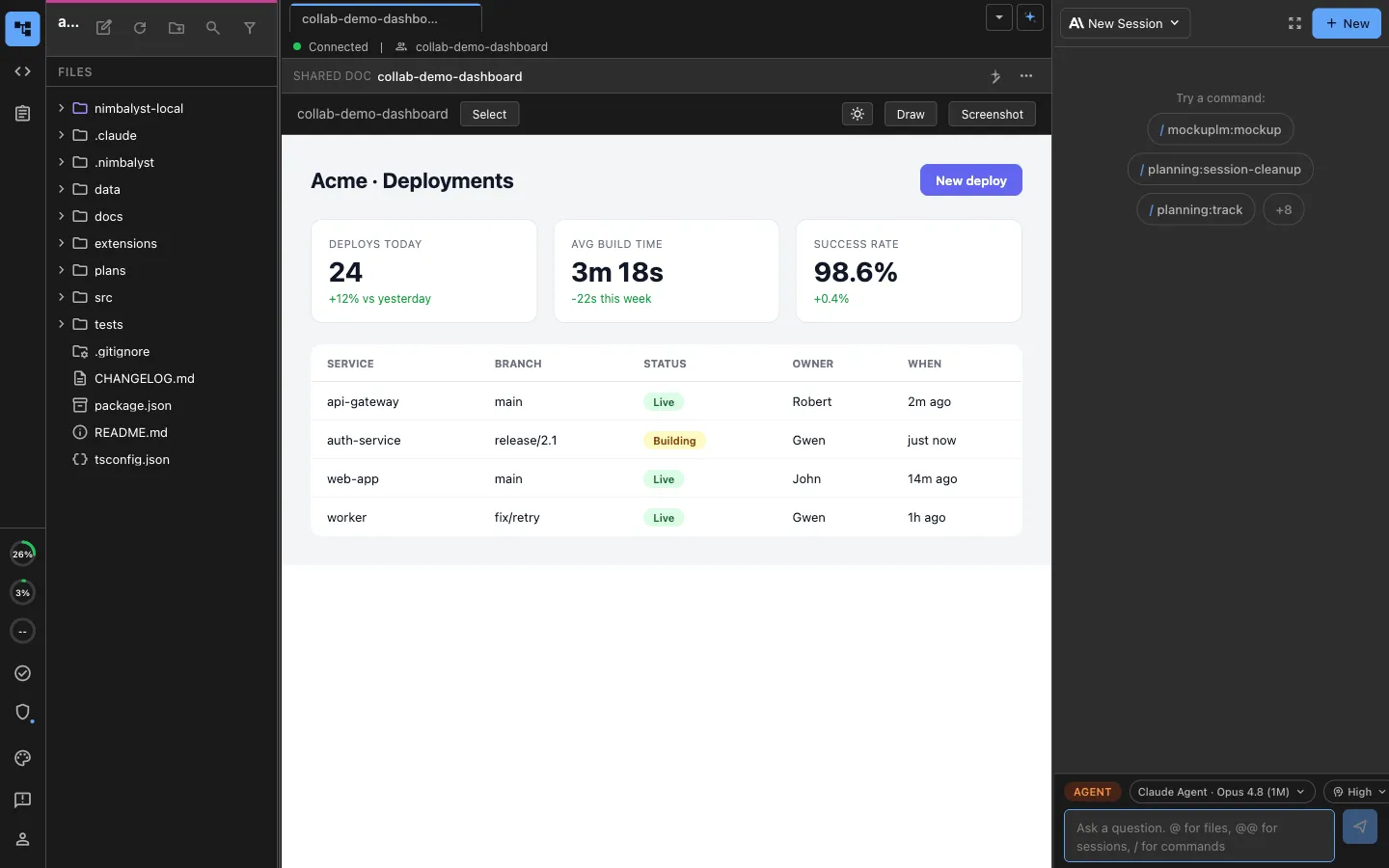
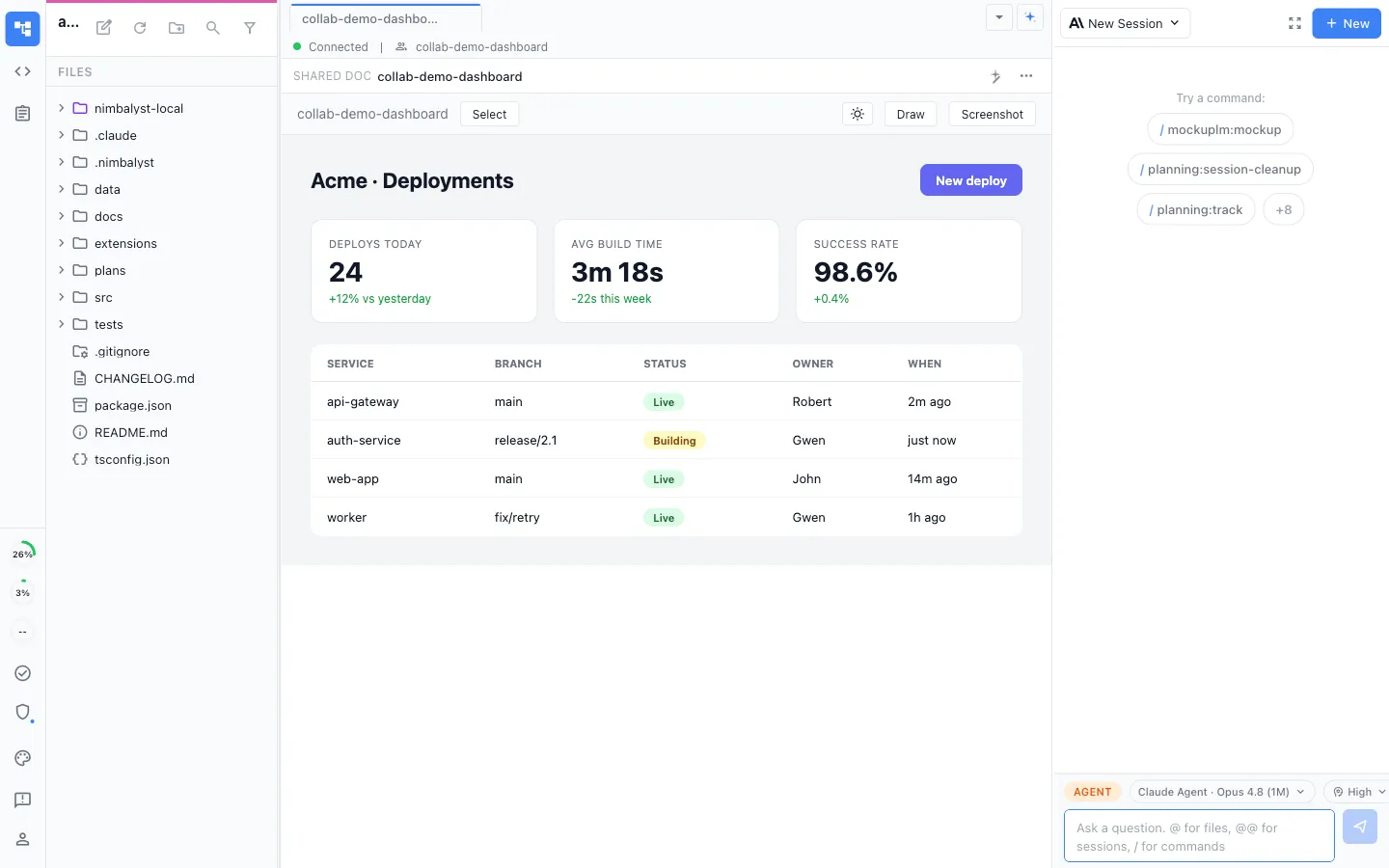
Ask for a dashboard, onboarding flow, settings page, or landing page and Nimbalyst opens the result as a rendered `.mockup.html` file.
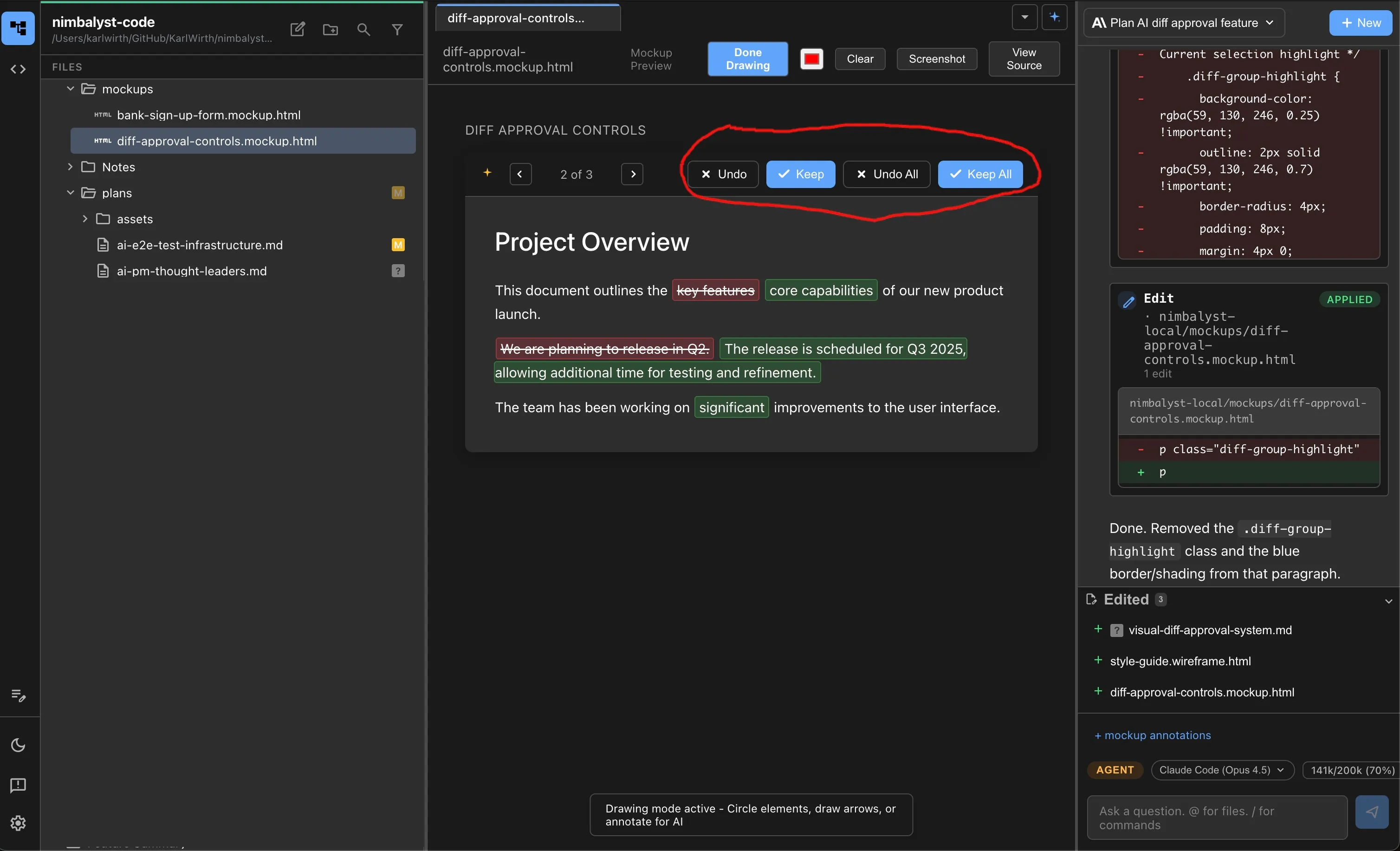
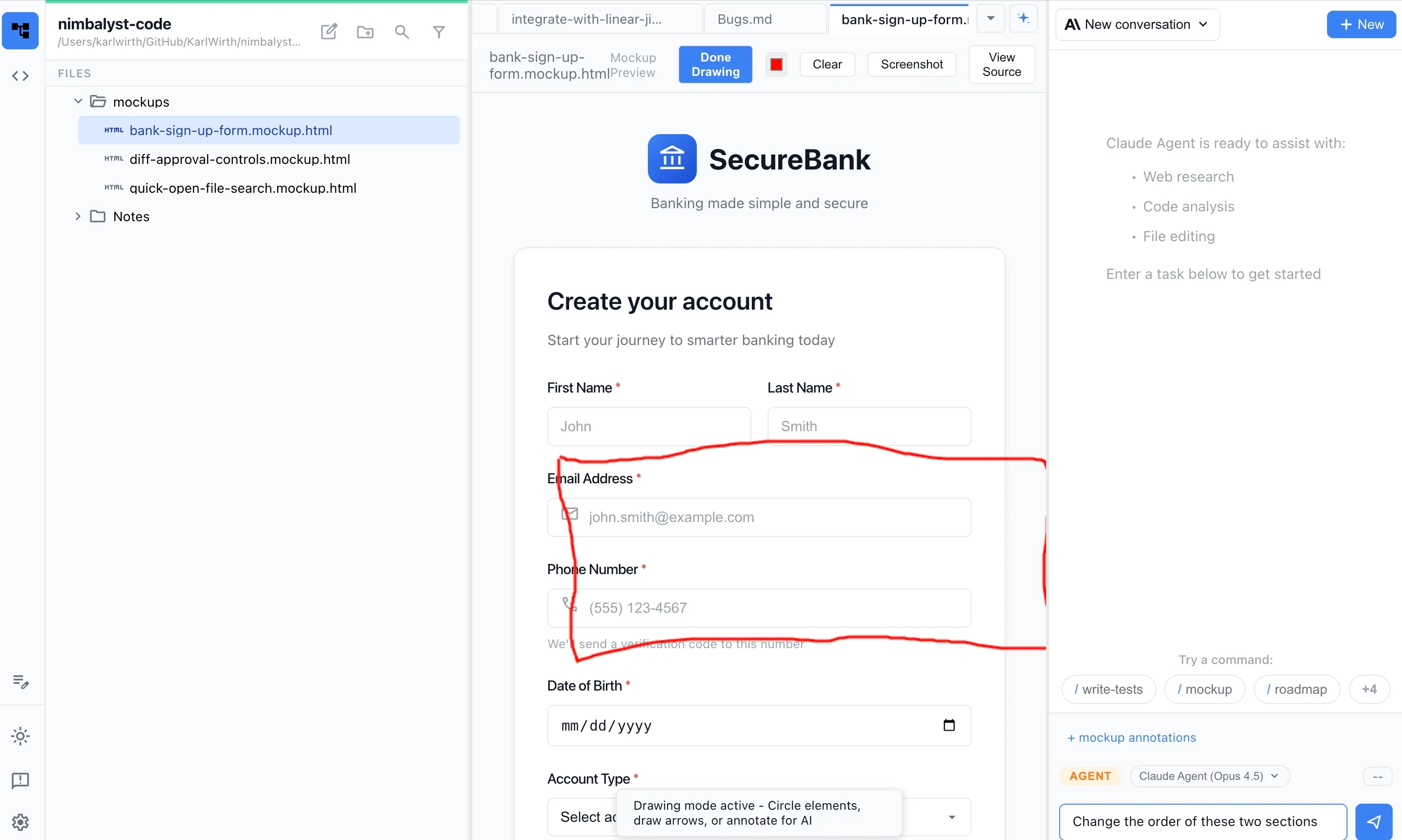
Draw feedback directly on the mockup
Circle an area, sketch an arrow, or mark the exact component that needs work. Your agent receives the annotation as visual context.
Revise conversationally
Keep the mockup open while you ask for tighter spacing, a different state, new copy, or a variant layout. The chat and mockup stay together.
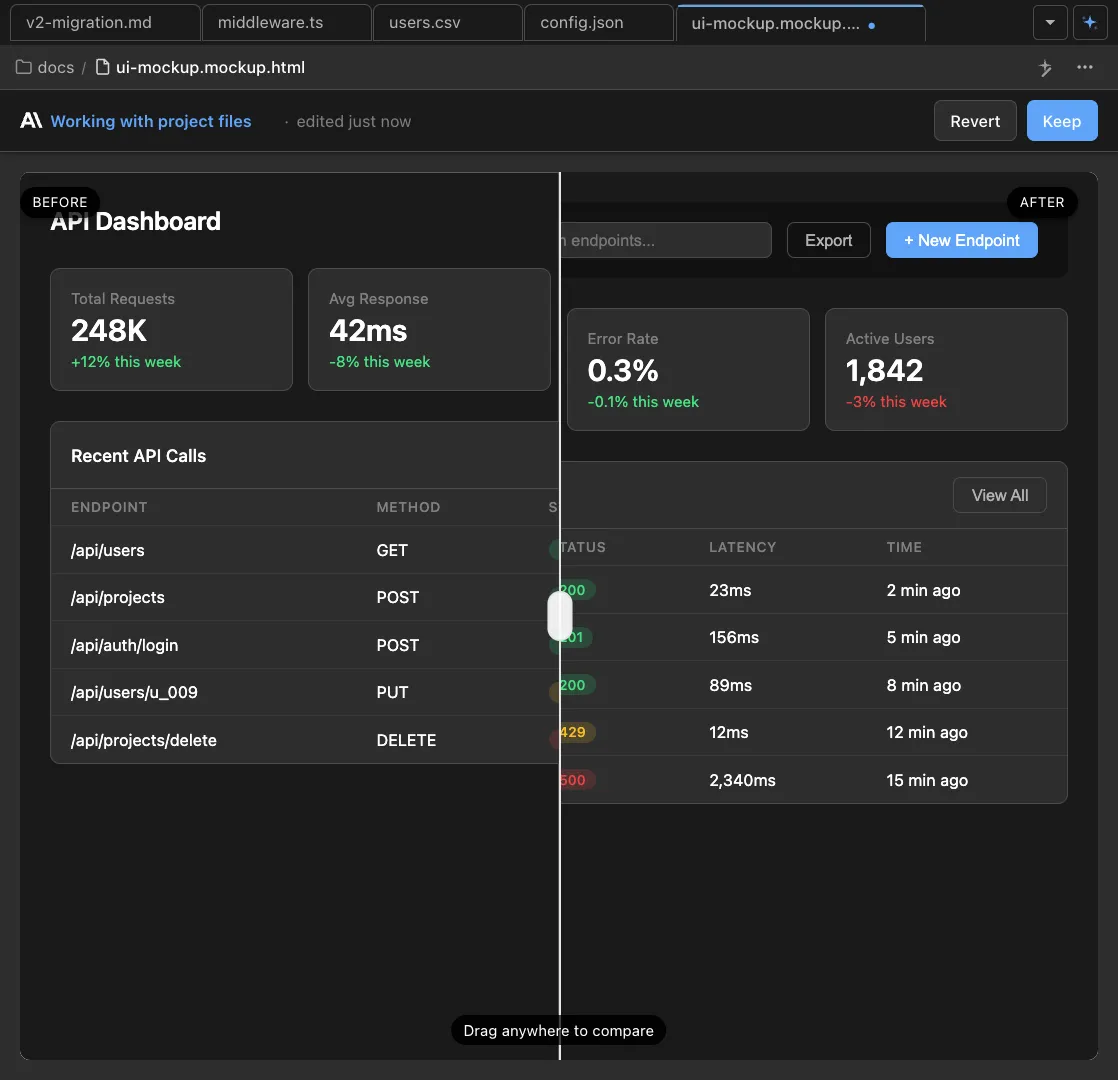
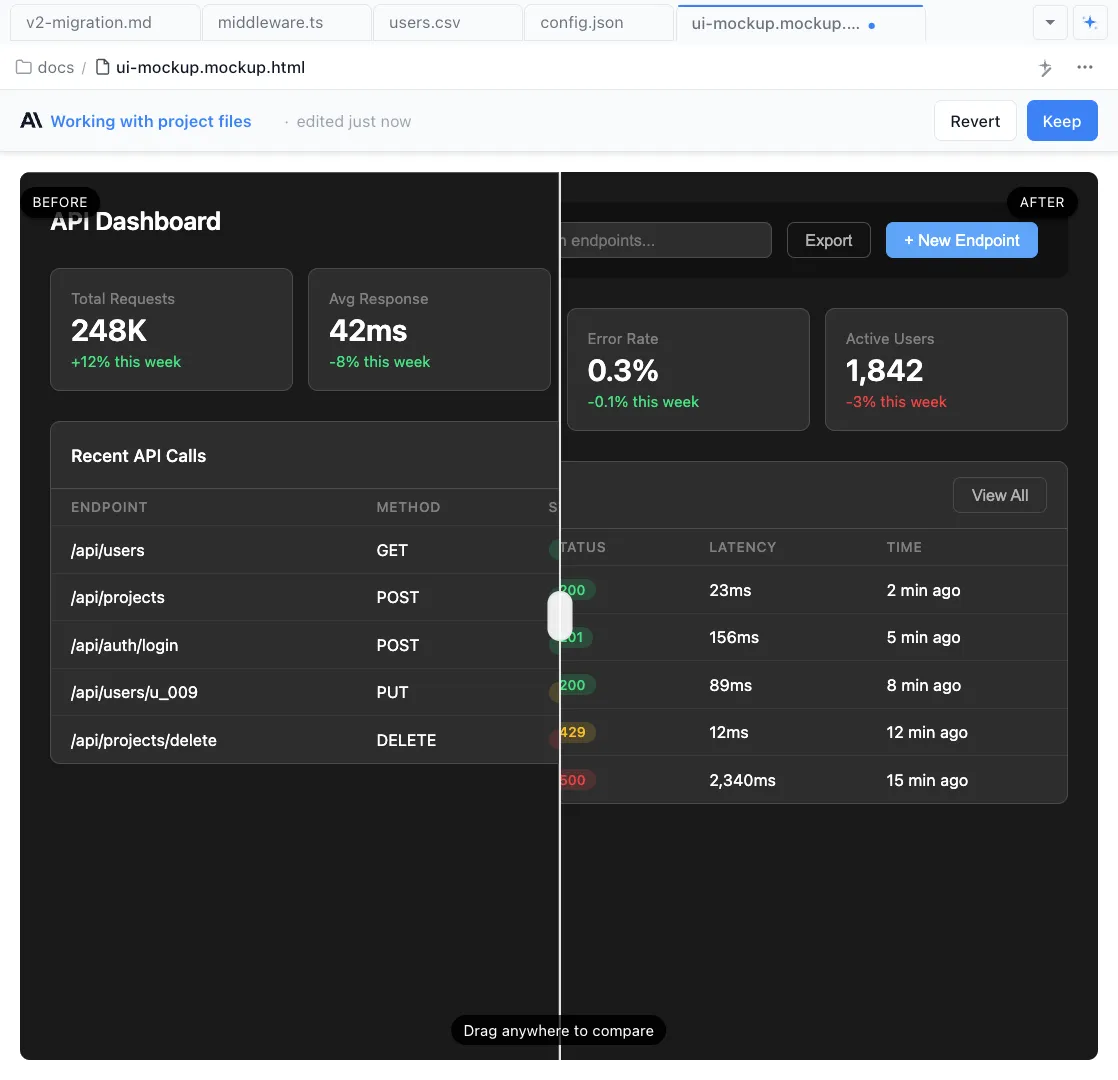
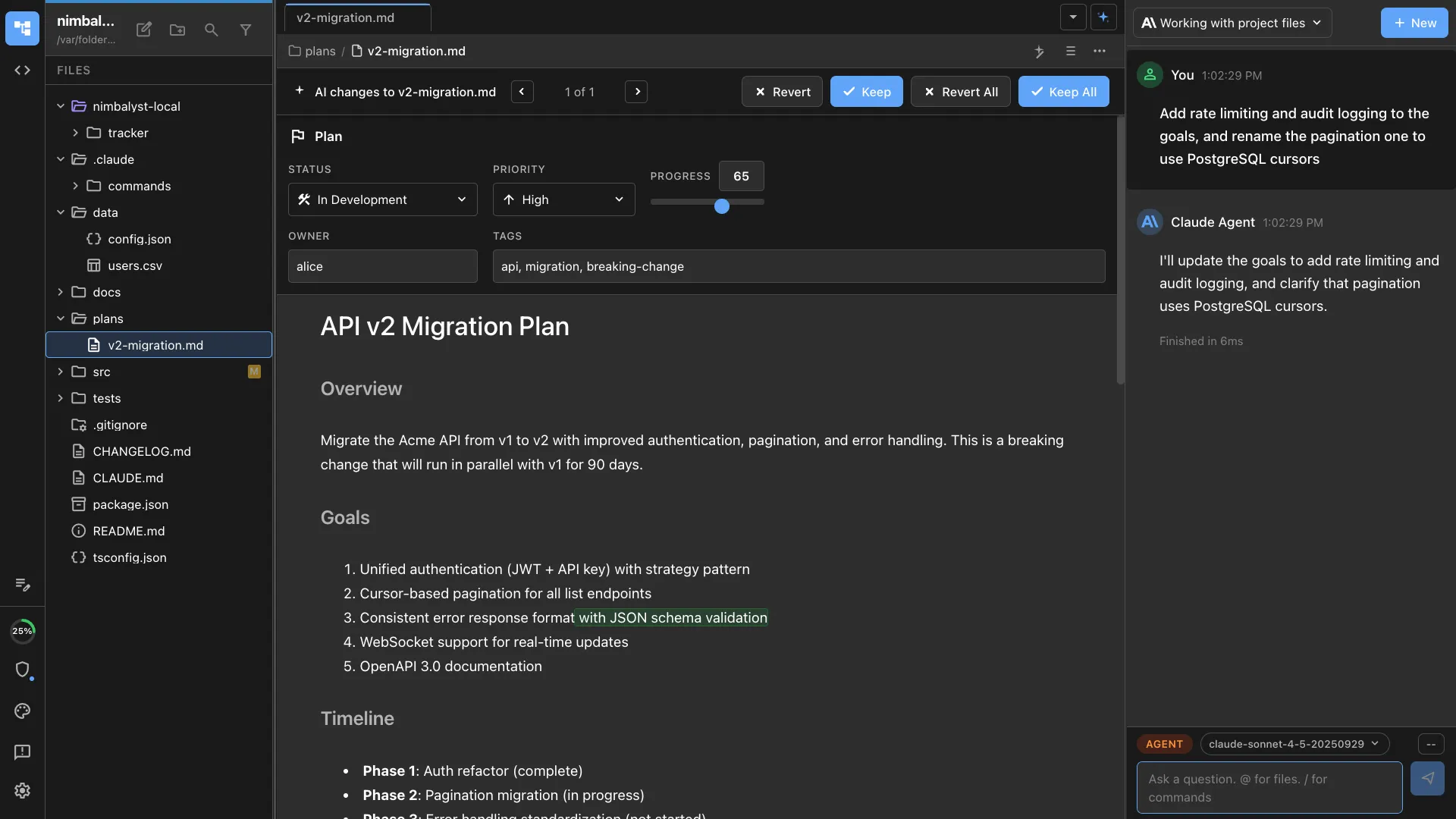
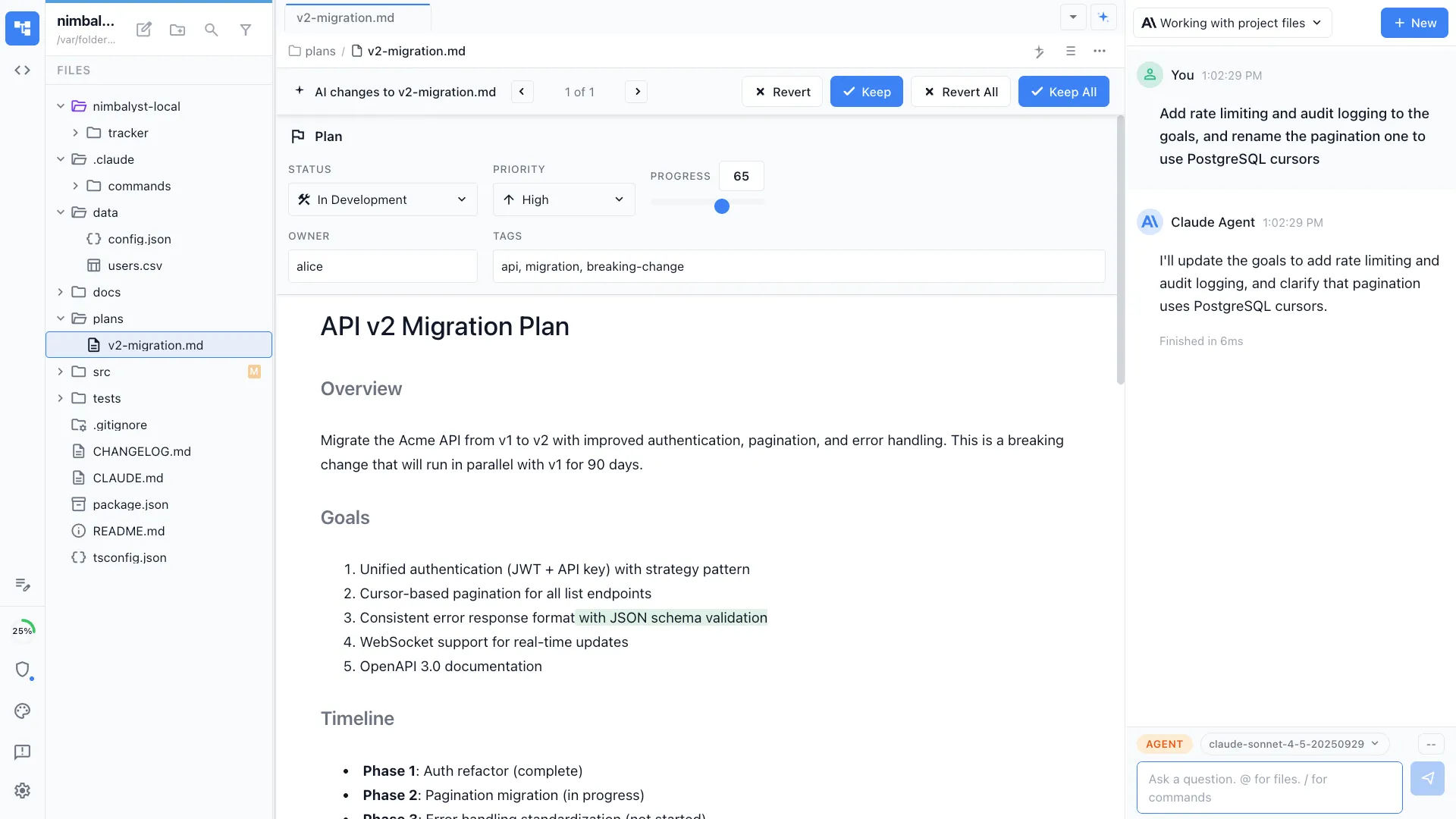
Review visual changes
Mockup edits are not hidden in raw HTML. You see the rendered result and can compare the before and after before accepting the change.
Turn mockups into specs
Generate implementation notes, acceptance criteria, and tickets from the mockup while preserving the design context that produced it.
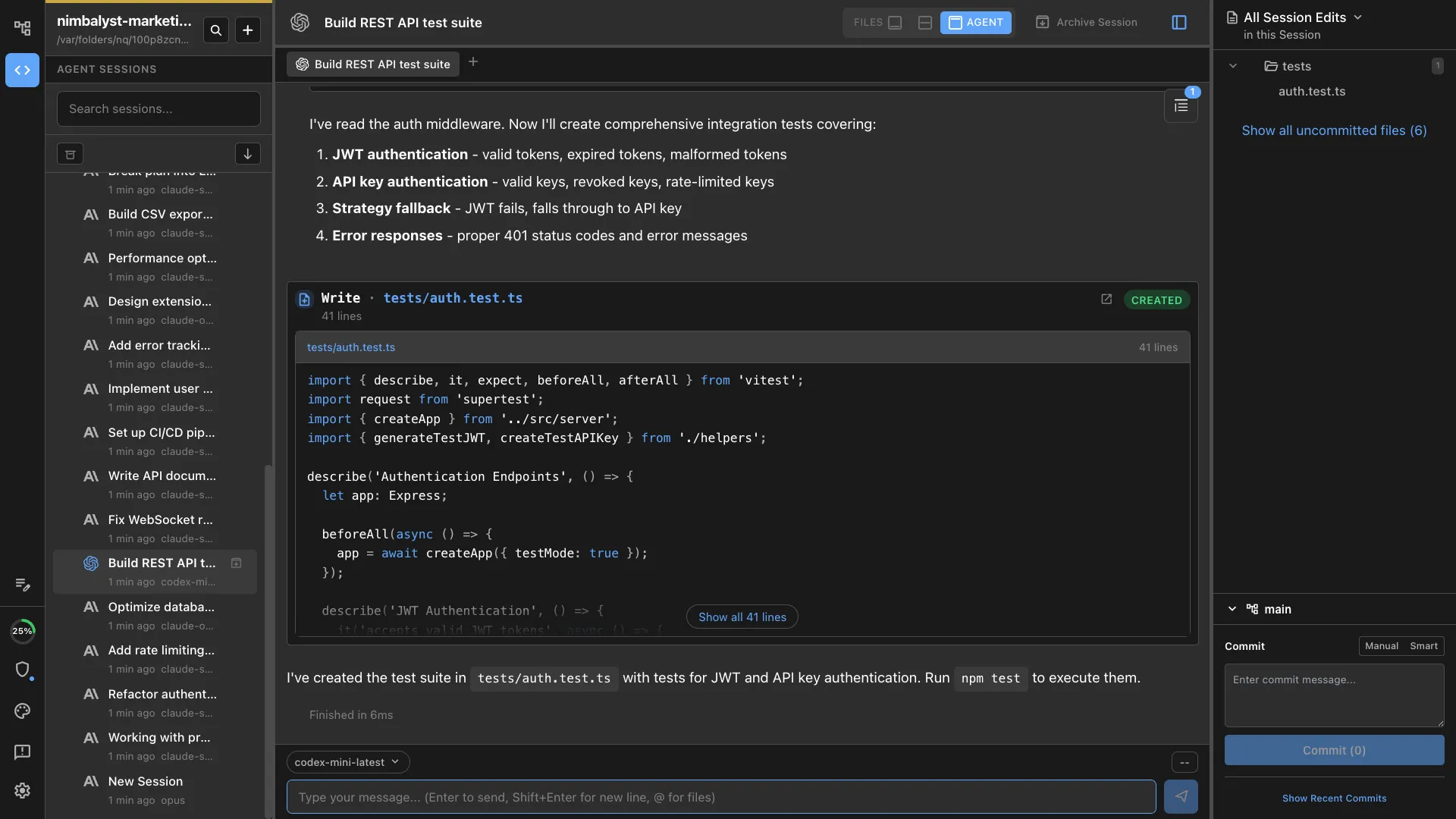
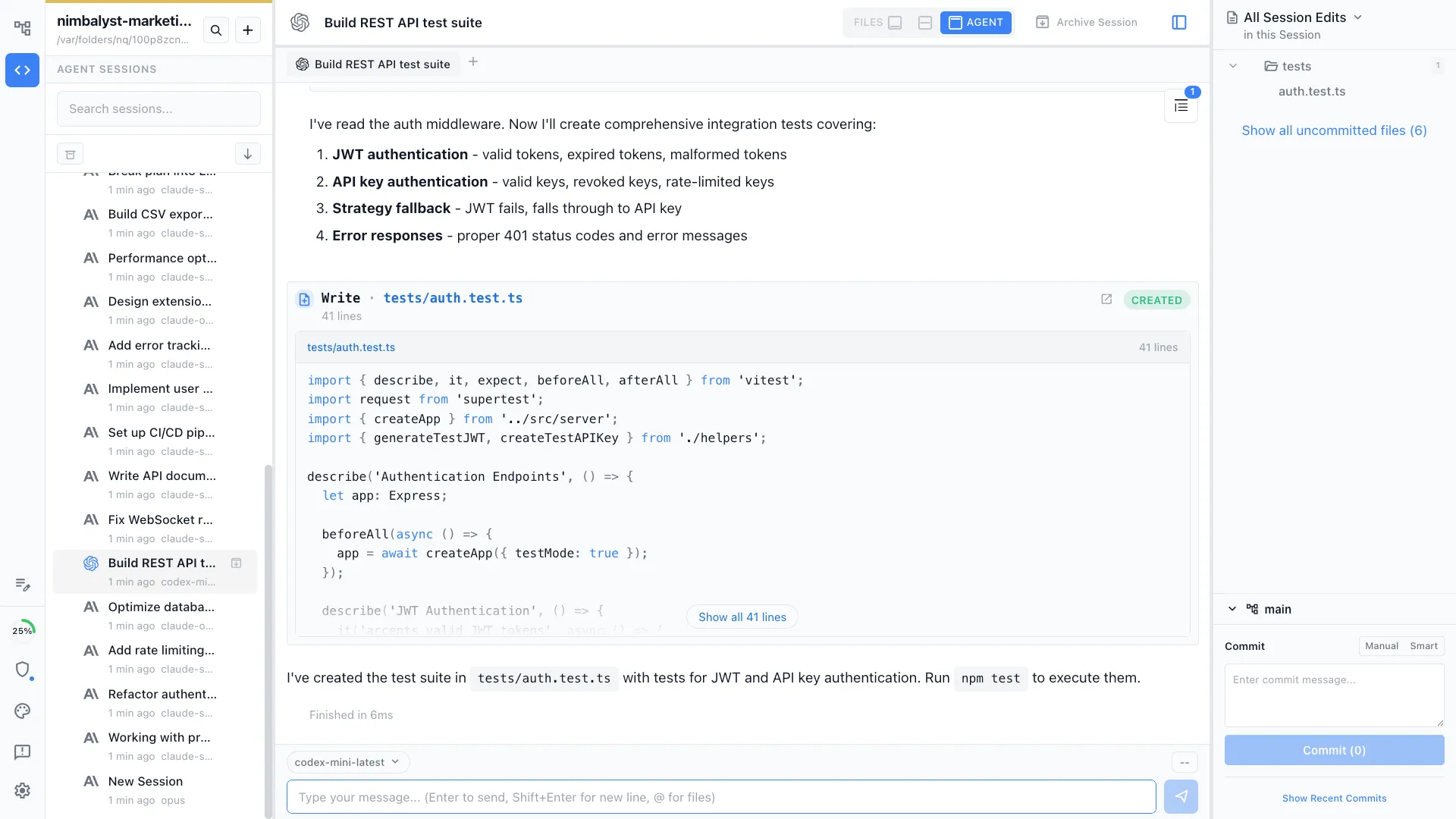
Implement with Claude Code or Codex
The same workspace can run Claude Code and Codex against your repo, so the mockup can become a real component instead of a separate handoff.
Comparison
AI image mockups vs editable mockups in Nimbalyst
| Feature | Typical AI mockup generator | Nimbalyst |
|---|---|---|
| Output | Static image or isolated prototype | Editable `.mockup.html` file in your workspace |
| Prompt workflow | Prompt again and hope the new version is close | Keep the mockup open and revise it conversationally |
| Visual feedback | Describe changes in text or export comments elsewhere | Draw annotations directly on the rendered mockup |
| Version review | Manual comparison between screenshots | Review the generated change before accepting it |
| Implementation handoff | Export image, then explain intent to engineering | Generate specs, tickets, and implementation work from the same file |
| Code context | Disconnected from your repo | Claude Code and Codex can build against your actual project |
| Best fit | Inspiration and quick visuals | Product, design, and developer workflows that continue after the mockup |
FAQ
Frequently asked questions
What are the best AI mockup generators?
Can AI turn a text prompt into an editable UI mockup?
Is Nimbalyst a wireframe generator?
Can I annotate an AI-generated mockup?
Can the same AI agent implement the mockup?
Is Nimbalyst only for designers?
Learn More
Related guides and comparisons
Mockup Editor
Generate, annotate, and iterate on interface mockups with an agent.
UI Mockups & Wireframes
The full workflow: describe a UI, get a mockup, iterate, then implement it.
Best AI Mockup Tools (2026)
A comparison of AI mockup and UI generation tools.
Best AI Mockup Tools for Developers
Which tools work when the mockup needs to turn into code.
Prototyping
Turn mockups into working HTML/CSS prototypes with hover states and responsive layouts.
Design Handoff
Generate specs, implementation tickets, and review notes from mockups.
Claude Code for Product Managers
Plan, mock up, run agents, and review every change in a visual workspace.
Nimbalyst is the open-source visual workspace for building with Codex, Claude Code, and more
Free for individuals. Works with your existing Claude Code or Codex subscription or API key.
Nimbalyst Teams is multiplayer. Your whole team, Codex, and Claude Code in one shared workspace.