Comparison

Cursor vs Claude Code Desktop vs Nimbalyst

Cursor is an AI IDE with a serious agent-first workspace. Claude's desktop app is the official home for Claude Code and Claude Cowork, with Dispatch and computer use on paid plans. Nimbalyst is an open-source visual workspace that runs Claude Code and OpenAI Codex side by side, with pluggable agent harnesses. All three overlap on the 'claude code gui' search intent. They fit different workflow shapes.

Cursor vs Claude Code Desktop vs Nimbalyst

Overview

3 tools, different approaches

Nimbalyst

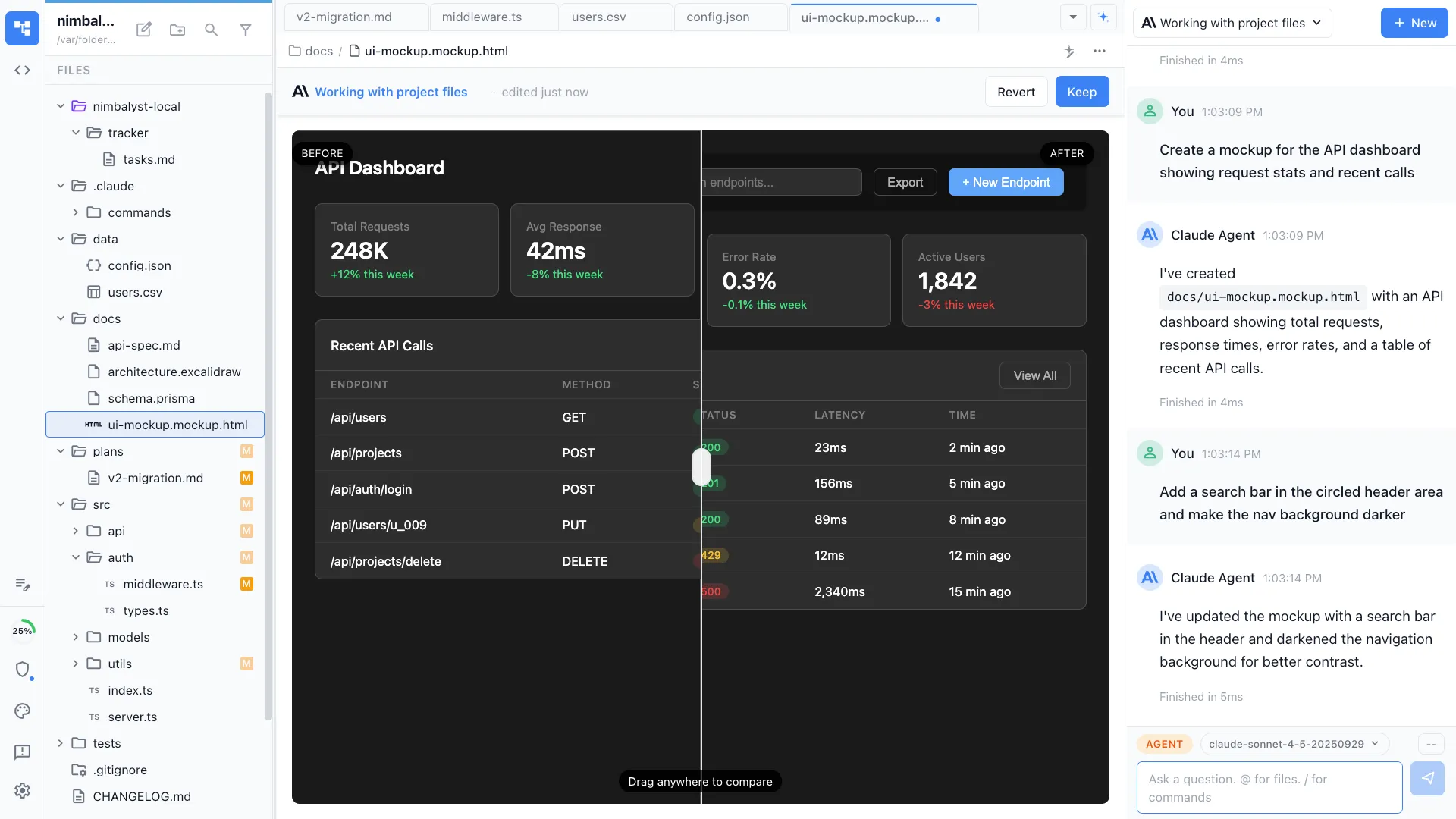
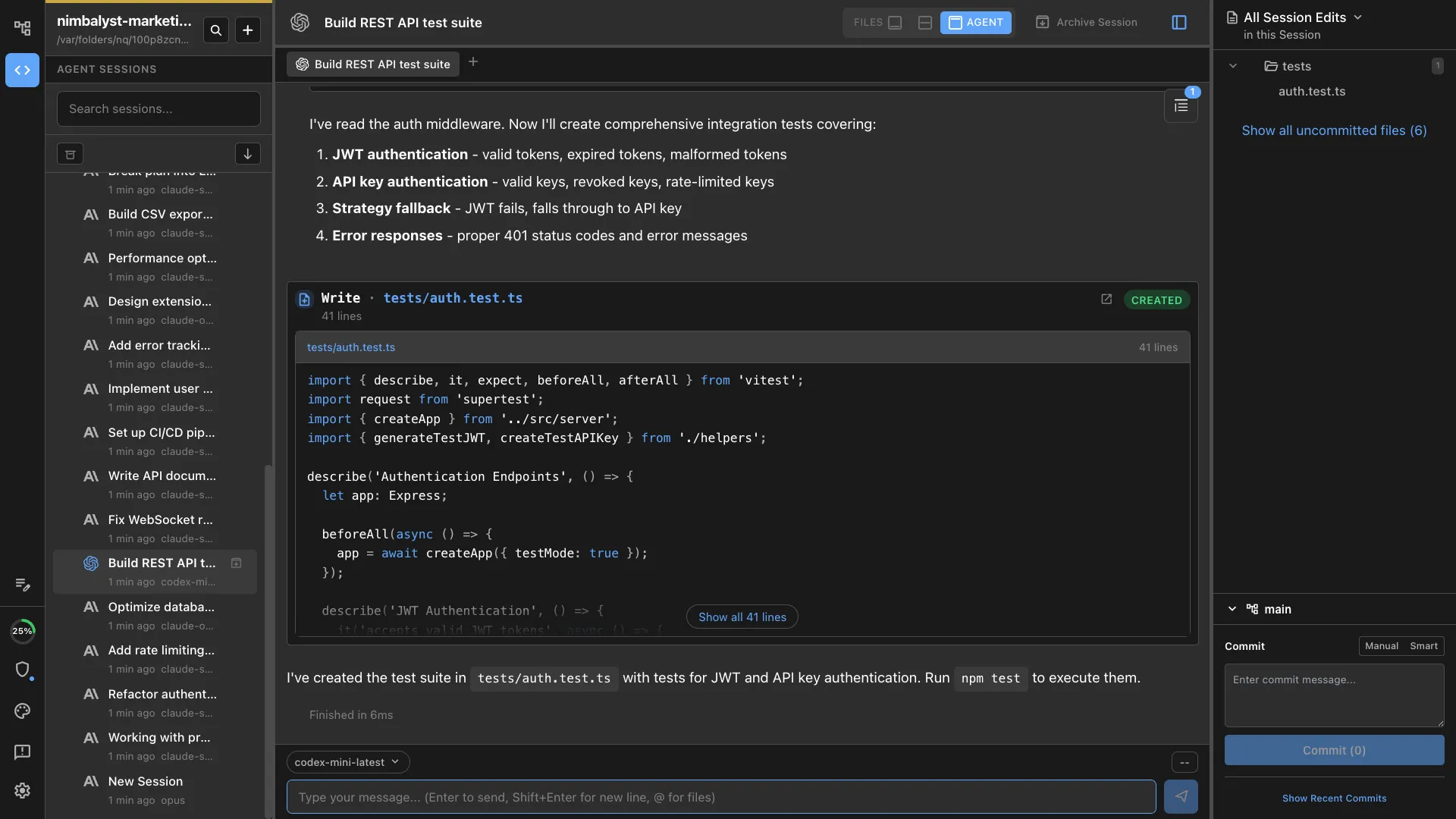
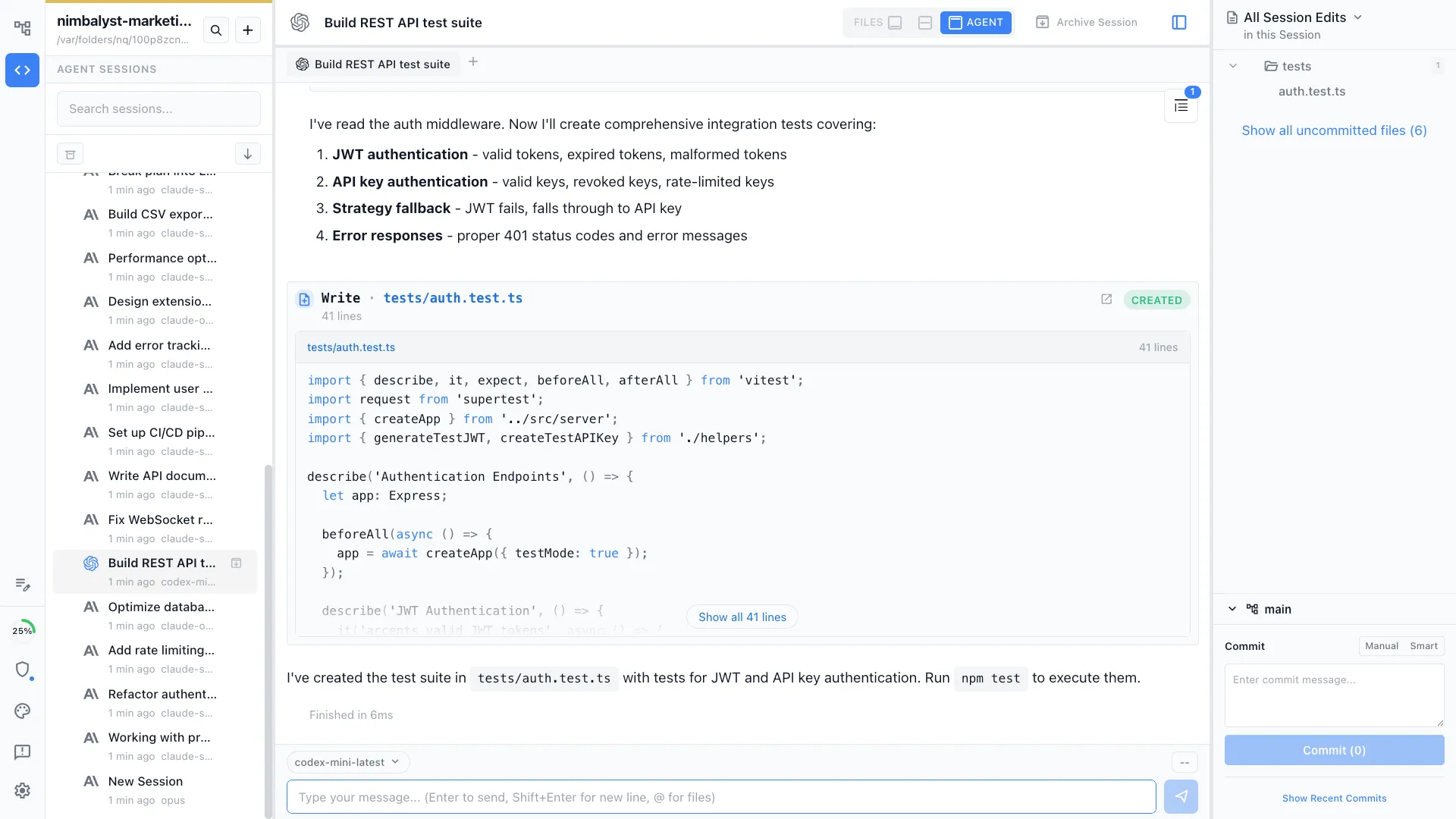
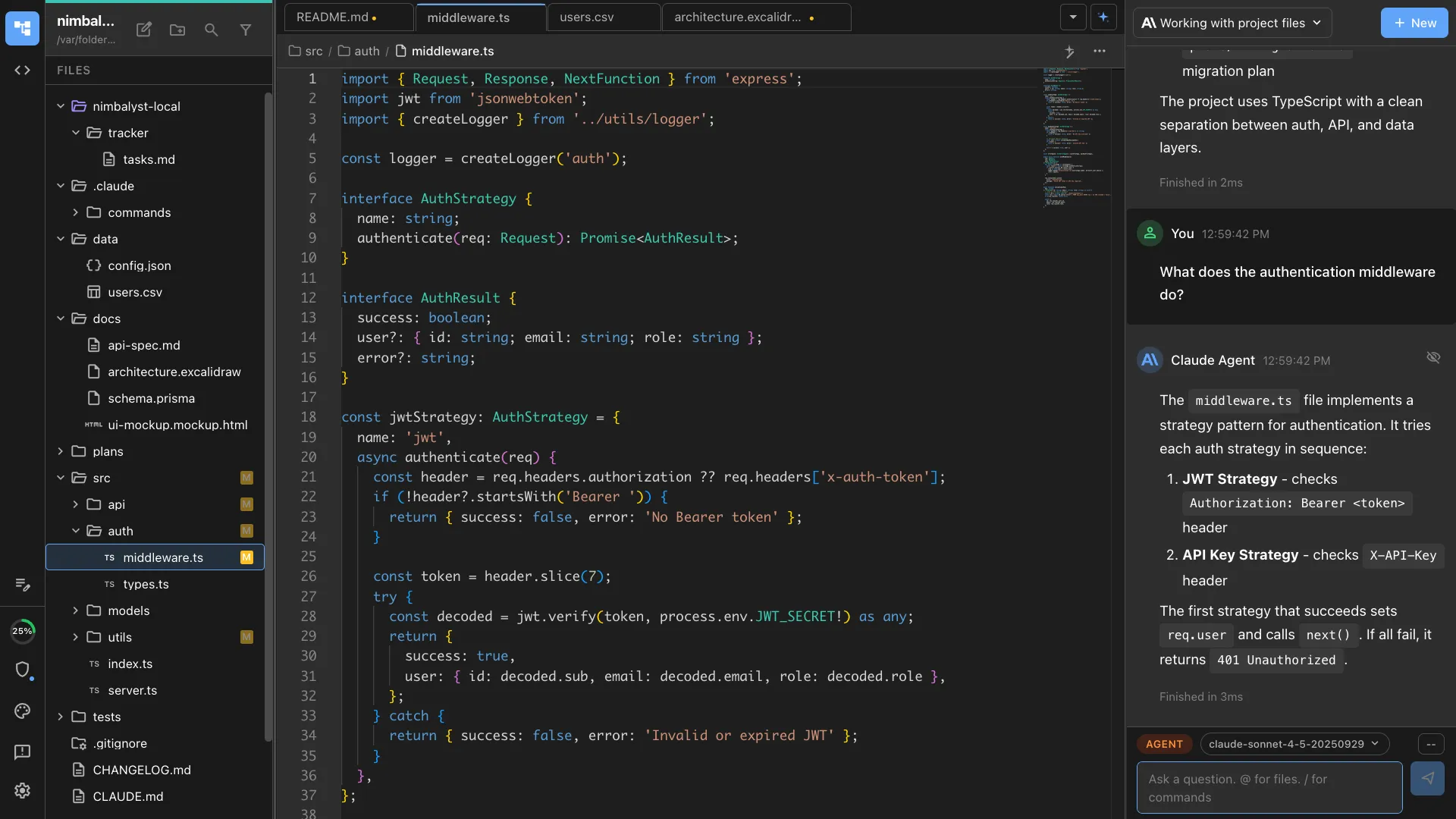
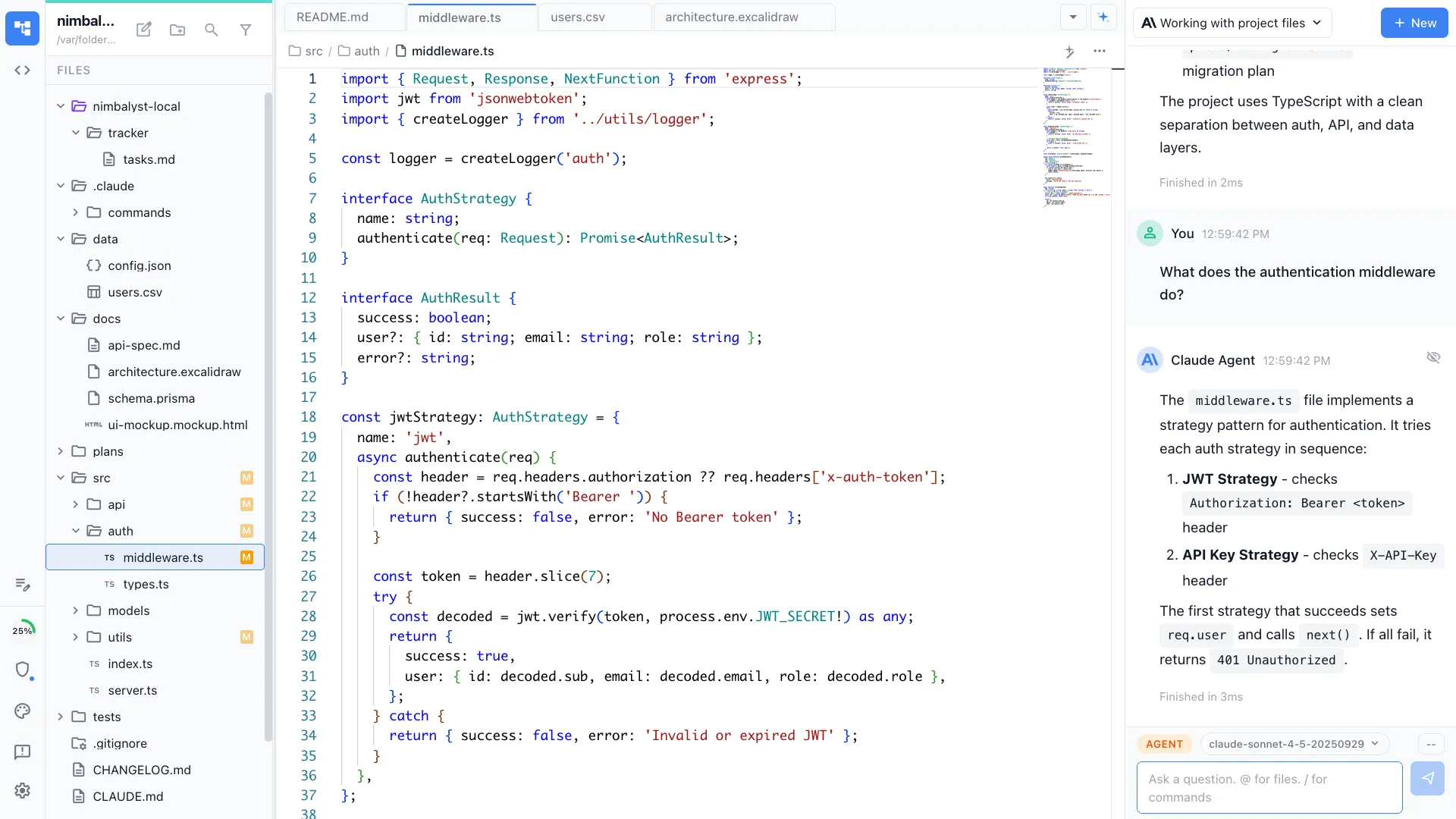
Nimbalyst is an open-source visual workspace that runs Claude Code and OpenAI Codex side by side, with pluggable agent harnesses. It adds a session kanban for parallel agents, optional one-click git worktree isolation per session, visual editors for markdown, mockups, diagrams, and data models, inline red/green diff review, planning and task tracking, and a native iOS app. Desktop and iOS apps are MIT licensed.

Cursor

Cursor is an AI-first IDE built as a VS Code fork. The current product has an agent-first workspace that runs many agents in parallel across local repos, worktrees, the cloud, remote SSH, and the editor itself. It is the strongest choice when the center of gravity stays inside the IDE and inline coding speed matters as much as agent autonomy.

Claude Code Desktop

Claude Code Desktop is the Claude Code experience inside Anthropic's desktop app. Anthropic sells the desktop app as the home for both Claude Code and Claude Cowork. For coding work, the relevant surface is the official Claude Code UI, with Dispatch for background tasks and computer use available on paid plans.

Feature Comparison

Side-by-side breakdown

Feature
Nimbalyst
Cursor
Claude Code Desktop
Primary interface model
Multi-agent visual workspace with kanban, plans, and editors
AI IDE with an agent-first workspace
Official Anthropic desktop surface for Claude Code
Agent engines supported
Claude Code + OpenAI Codex side by side, plus OpenCode, Aider, Copilot via pluggable harnesses
Cursor agents with access to Claude, OpenAI, Gemini, and other supported models
Claude Code only
Parallel session management
Kanban board with 6+ parallel sessions, drag-and-drop phases, unified status
Many local and cloud agents across repos and environments
Focused foreground session plus Dispatch for background tasks
Isolation for risky work
Optional one-click git worktree per session
Worktree support and isolated cloud environments
CLI-style repo workflow, no board-level worktree orchestration
Inline tab-complete
No
Yes, still best in class
No
Visual editors beyond code
Markdown, Excalidraw diagrams, UI mockups, data models, spreadsheets, mindmaps, slides, PDF
Code-first surface; browser and design tools help agents, but no purpose-built visual editors
Chat output, files, and desktop surfaces via Claude
Inline diff review
Inline red/green per-file, accept/reject per change
Strong diff and PR workflow inside the IDE and agents workspace
Diffs through the official Claude Code surface
Planning and task tracking
Built-in tracker with kanban, plan documents, YAML frontmatter, session-to-task links
Some planning inside agent chats, but no dedicated tracker system
Not a project-planning workspace
Mobile companion
Native iOS app for session monitoring, transcripts, and approvals
Web and desktop surfaces, no dedicated mobile review app
Claude mobile app exists, but this workflow is centered on the desktop app
Extension platform
Extension SDK for custom editors and MCP tools
Full VS Code extension ecosystem plus MCP support
Desktop extensions and connectors, not a VS Code-style coding marketplace
Computer use
No
Browser-oriented agent tooling, not Anthropic-style desktop computer use
Yes, through Claude on paid plans
Open source / licensing
MIT for desktop and iOS apps
Closed source (proprietary VS Code fork)
Closed source (Anthropic)
Platforms
macOS, Windows, Linux desktop, plus native iOS companion app
macOS, Windows, Linux
macOS and Windows
Pricing model
Free for individuals; paid team sync and cloud collaboration; bring-your-own model auth
Free tier; Pro $20/mo; Pro+ $60/mo; Ultra $200/mo; Teams $40/user/mo
Included with Claude paid plans: Pro $20/mo, Max from $100/mo
Commercial backing
Active development, full-time team
Active commercial product
Anthropic

Nimbalyst Advantages

Where Nimbalyst shines

Session kanban for mixed-engine parallel work

Session kanban for mixed-engine parallel work

Run six Claude Code sessions and four Codex sessions on one board. Drag them between planning, implementing, and validating. Cursor is now serious about parallel agents, but it still centers the IDE. Claude's desktop app centers the official Claude surface. Nimbalyst centers the session board.

Visual editors the agent can read and write

Visual editors the agent can read and write

Ask the agent to draft a mockup, sketch an architecture diagram, or design a data model and it renders in a purpose-built editor. Cursor remains strongest for code. Claude's desktop app remains strongest as the official Claude surface. Nimbalyst is stronger when the work includes visual artifacts, not only code.

Planning and tracking next to execution

Planning and tracking next to execution

Write the plan, link it to a tracker item, link the tracker to a session, and let the agent read all three. A closed loop between planning, tracking, and execution lives in one workspace rather than split across several tools.

Mobile review and approvals

Mobile review and approvals

The iOS app shows live session status, transcripts, and approval prompts. We can review long-running sessions from a phone and keep the loop moving away from the desktop.

Honest Assessment

Where each tool is stronger

Where Cursor is stronger

Inline tab-complete

Cursor's inline coding loop is still the gold standard. If the work is mostly line-by-line coding inside one editor, Cursor has the strongest home-field advantage in this comparison.

Agent-first IDE depth

Cursor is no longer just a sidebar chat inside a forked editor. The agents workspace runs many agents in parallel across local repos, worktrees, the cloud, and remote environments while still dropping back into the IDE instantly.

Full VS Code ecosystem

Themes, keybindings, and extensions transfer with very little friction. Useful for teams already standardized on the VS Code ecosystem.

Where Claude Code Desktop is stronger

Official Anthropic surface

Claude's desktop app gets first-day support for new Claude capabilities. If we want the official Claude Code experience without wrappers, this is it.

Claude Cowork, Dispatch, and computer use

Anthropic treats the desktop app as the home for both Claude Code and Claude Cowork. Dispatch and computer use make it stronger for official desktop automation workflows than either Cursor or Nimbalyst.

Included with Claude paid plans

If the team already pays for Claude, the desktop app is already part of the stack. Lower evaluation friction.

Recommendation

Who should use which

Choose Nimbalyst if…

Pick Nimbalyst if we run multiple agents in parallel, want Claude Code and Codex on the same board, want visual editors for mockups, diagrams, and data models alongside code, want planning and tracking in the same place as execution, and want to review or approve sessions from a phone.

Choose Cursor if…

Pick Cursor if our center of gravity is still the IDE, inline tab-complete matters every minute, we want strong parallel agents without leaving a VS Code-style environment, and we are happy to keep planning and review in adjacent tools.

Choose Claude Code Desktop if…

Pick Claude Code Desktop if we want the official Anthropic surface, want Claude Cowork or computer use, are already paying for Claude, and do not need a multi-agent workspace around the coding loop.

These are not mutually exclusive. Many teams keep Cursor open for in-editor coding, use Claude's desktop app for Cowork or computer use, and use Nimbalyst for parallel sessions, planning, and review.

FAQ

Frequently asked questions

Which one is the best Claude Code GUI?

It depends on the workflow. Claude's desktop app is the best official Anthropic surface for Claude Code and Claude Cowork. Cursor is the best IDE-centric surface if inline coding speed matters most. Nimbalyst is the best workspace if we run multiple sessions, want Claude Code and Codex on the same board, or want visual editors and mobile review.

Is Cursor better than Claude Code?

Cursor and Claude Code are not the same kind of product. Cursor is an AI IDE with an agent-first workspace. Claude Code is Anthropic's coding agent, available in the CLI and inside Claude's desktop app. Pick Cursor for an IDE-centric workflow. Pick Claude's desktop app for the official Anthropic surface. Pick Nimbalyst if we want a workspace around several agent sessions.

Can I use all three together?

Yes. Teams often keep Cursor open for in-editor coding, use Claude's desktop app when they want the official Anthropic surface or computer use, and use Nimbalyst for parallel sessions, planning, and review. They are different surfaces over overlapping workflows, not mutually exclusive products.

Does Nimbalyst replace Cursor?

Not for inline tab-complete. Cursor remains stronger for line-by-line coding inside the IDE. Nimbalyst covers the parts of the workflow Cursor is not built around: a multi-agent board, visual editors, planning, tracking, and mobile review.

Does Nimbalyst replace Claude Code Desktop?

Not if we specifically want Anthropic's own desktop surface, Claude Cowork, or computer use. Nimbalyst is stronger when the work needs several sessions, several artifact types, and a board to manage them.

Is Nimbalyst open source?

Yes. The desktop app and the iOS app are MIT licensed. Cursor and Claude's desktop app are closed source.

What does Nimbalyst cost?

Free for individuals. Paid tiers cover team sync and cloud collaboration. Agent token costs bill through Anthropic and OpenAI rather than through Nimbalyst.

Which one supports MCP servers?

All three support MCP in different ways. Cursor supports MCP and MCP apps. Claude supports connectors, desktop extensions, and Claude Code workflows in its own ecosystem. Nimbalyst supports MCP both for agent tool use and for exposing visual editors as tools.

Want one workspace for Claude Code and Codex, with planning, visual editors, and native phone review? Download Nimbalyst free.