Best Claude Code GUI in 2026: 5 Tools Compared
Claude Code GUI tools compared in 2026: Claude Code Desktop, CodePilot, CloudCLI, Conductor, and Nimbalyst. Pick the best Claude Code GUI for your workflow.
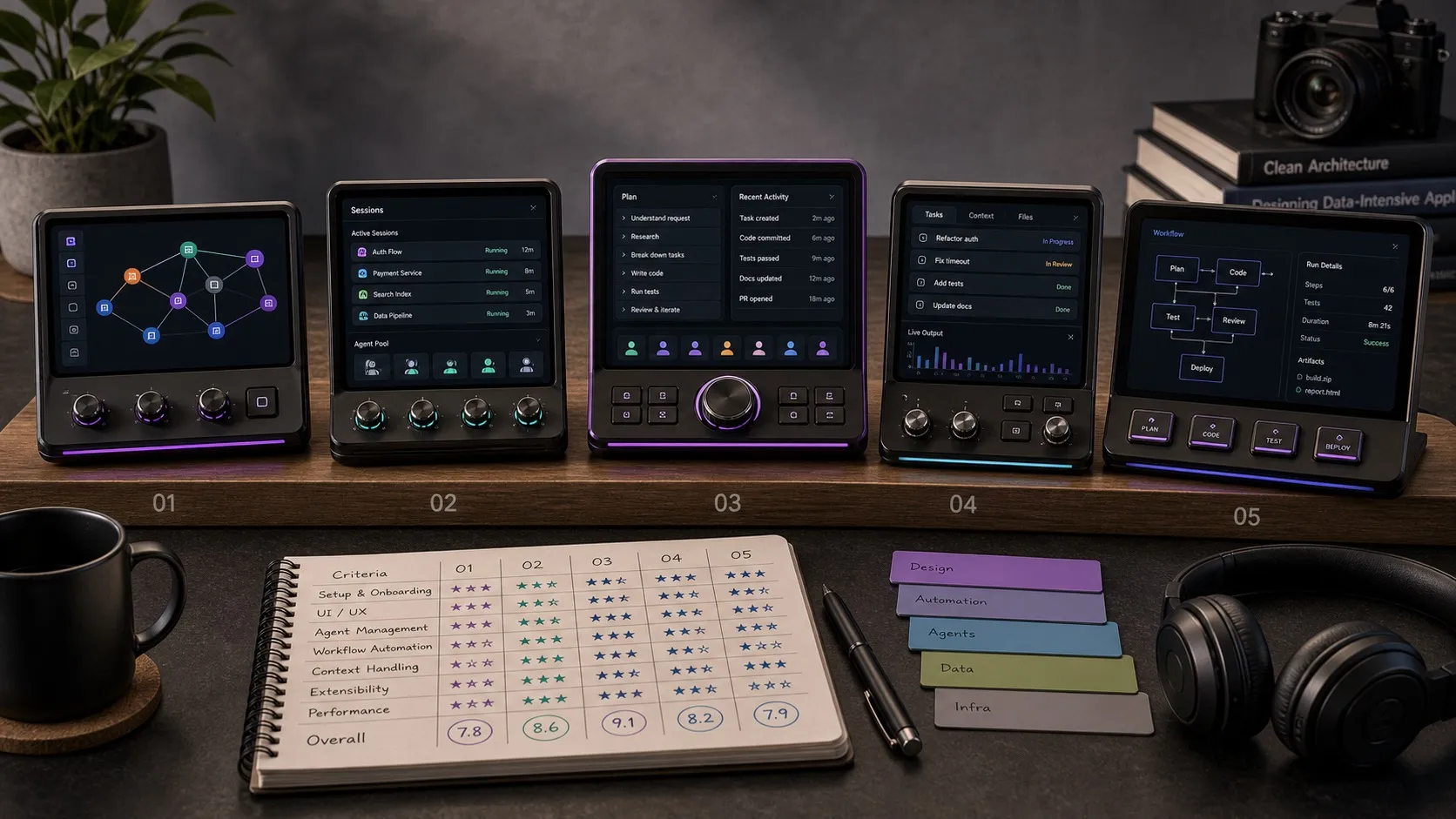
The best Claude Code GUI in 2026 is the one that fits how you actually work with the agent: one chat at a time or six sessions in parallel, terminal-style or full visual workspace. This guide compares the main Claude Code GUI options side by side, with clear assessments of what each does well and where each falls short.
Best Claude Code GUI: Quick Answer
If you only want the verdict:
- Best Claude Code GUI overall: Nimbalyst. Visual workspace with parallel sessions, kanban, inline diff review, and an iOS app.
- Best official Claude Code GUI: Claude Code Desktop. Anthropic-built, included with your Claude subscription, and the clearest default if you want the official surface.
- Best open-source Claude Code GUI: Nimbalyst. MIT-licensed desktop and iOS apps with full source on GitHub, behind a full visual workspace rather than a single-session chat shell.
- Best multi-provider Claude Code interface: CodePilot. Claude alongside OpenAI and local models.
- Best browser-based Claude Code UI: CloudCLI. Web and mobile access for headless and remote workflows.
- Best Mac-native parallel worktree app: Conductor. Free, polished, and focused on running agents in isolated worktrees.
Claude Code GUI Comparison Table
| Feature | Claude Code Desktop | CodePilot | CloudCLI | Conductor | Nimbalyst |
|---|---|---|---|---|---|
| Chat interface | Basic chat UI | Multi-provider chat | Web-based chat | Per-workspace agent view | Integrated workspace chat |
| Session management | Single session | Single session | Multi-agent | Parallel workspaces | Kanban board, search, resume |
| Diff review | Basic diffs | Basic diffs | Basic diffs | Diff and merge per workspace | Inline red/green, per-file |
| Parallel sessions | No | No | Yes | Yes | 6+ with unified status |
| Git worktree isolation | No | No | No | Yes, per task | Optional one-click per session |
| Visual editors | No | No | No | No | 7+ editors |
| Mobile app | No | Phone remote control | Web access | No | iOS app |
| Multi-engine | Claude only | Multi-provider | Multi-agent | CC, Codex, Cursor, OpenCode | Claude Code + Codex |
| Open source | No | Source available (custom license) | Partial (core UI) | No | Yes (MIT) |
| Price | Claude subscription | Free download | Free | Free | Free for individuals |
Full reviews of each Claude Code GUI follow below.
Why Use a GUI for Claude Code?
Claude Code is one of the most capable AI coding agents available. It is also a terminal application. For quick tasks, that is fine. For sustained development like managing multiple sessions, reviewing 30-file refactors, or planning alongside execution, the terminal becomes a bottleneck.
The terminal is not the problem. The workflow around it is.
Session sprawl. Power users run multiple Claude Code sessions in parallel: a refactor here, a feature there, a bug fix in another terminal tab. Keeping track of what each session is doing, which ones need input, and what changed across all of them is manual bookkeeping.
Diff review at scale. Reading diffs in the terminal works for small changes. It does not work for a 40-file migration. You need file-by-file navigation, inline context, and the ability to accept or reject individual changes.
Context switching. Developers plan, then build, then review. In a terminal-only workflow, planning happens in one app, execution in the terminal, and review in a third tool. Each cycle costs three context switches.
A good Claude Code desktop app reduces all three friction points.
The Tools
Claude Code Desktop (Official)
Anthropic added a Code tab to the Claude Desktop app, giving Claude Code an official visual interface. It runs the same underlying CLI engine with a native desktop UI.
Strengths:
- Official Anthropic product. Guaranteed compatibility with Claude Code updates.
- Included with your existing Claude subscription at no extra cost.
- Tight integration with the broader Claude Desktop experience.
Limitations:
- Focused feature set. Good for the core official workflow, not a broad multi-session workspace.
- No multi-session board, visual editors, or mobile companion in the desktop Code tab. Anthropic’s Agent View, a multi-session dashboard in research preview, lives in the Claude Code CLI rather than the desktop app.
- Limited customization and extension support.
Best for: Users already paying for Claude who want an official, no-fuss Claude Code visual interface without installing third-party tools.
CodePilot
CodePilot is a desktop client (Electron + Next.js) that positions itself as a multi-provider interface for AI coding agents. It supports Claude Code alongside other providers, with MCP extension support, custom skills, and remote control from your phone. Development is active, with the source available on GitHub under a custom license.
Strengths:
- Multi-provider support. Connect to Claude, OpenAI, and local models from one interface.
- MCP extensions for adding custom capabilities.
- Custom skills for repeatable workflows.
- Remote control of running agents from your phone.
- Cross-platform (macOS, Windows, Linux).
Limitations:
- Focused on the chat interaction layer rather than the broader development workflow.
- No visual planning tools or session orchestration features.
Best for: Developers who work with multiple AI providers and want a single desktop client that connects to all of them.
CloudCLI (Claude Code UI)
CloudCLI is an open-source project that provides a web and mobile interface for multiple CLI agents, including Claude Code, Cursor CLI, Codex, and Gemini CLI. It can run locally or as a remote server.
Strengths:
- Web-based, so it works from any device with a browser.
- Multi-agent support, not just Claude Code.
- Open source with local or remote deployment options.
- Good for headless server or remote development workflows.
Limitations:
- Web UI rather than a native desktop experience.
- Thinner feature set compared to dedicated desktop tools.
- Less polished than purpose-built Claude Code GUIs.
Best for: Developers who need browser-based access to multiple CLI agents, especially for remote or headless server workflows.
Conductor
Conductor, from Melty Labs, is the most polished of the 2026 wave of parallel-agent apps. It is a free Mac app that runs Claude Code, Codex, Cursor, and OpenCode agents in parallel, each task in its own isolated git worktree with its own branch, files, terminal, diff, and review path.
Strengths:
- Refined parallel-worktree workflow. Each task gets a clean, isolated workspace.
- Multi-agent: Claude Code, Codex, Cursor, and OpenCode side by side.
- Built-in view for watching agents work, then reviewing and merging their changes.
- Free; you bring your own Claude or Codex subscription.
Limitations:
- Mac only (Apple Silicon), so Windows and Linux users are out.
- Focused on running and merging agent tasks; no visual planning editors, kanban session board, or mobile companion.
- Not open source.
Best for: Mac developers who mainly want to fan tasks out to parallel agents in isolated worktrees and review the results, without the rest of a workspace around it.
Nimbalyst
Nimbalyst takes a fundamentally different approach. Instead of wrapping the Claude Code CLI in a chat interface, it provides a full visual workspace where Claude Code and OpenAI Codex are execution engines within a larger development environment.
The application ships with 7+ visual editors (WYSIWYG markdown, Excalidraw diagrams, UI mockup generator, data model designer, code editor, spreadsheets, and more), a session kanban board for managing multiple parallel agents, inline red/green diff review, optional one-click git worktree isolation for any session, a task tracker, and an iOS companion app. The desktop and iOS apps are MIT licensed, so it is also the most capable open-source option here.
Free for individuals. Desktop app on Mac, Windows, and Linux.
Strengths:
- Multi-session orchestration. Run 6+ parallel agents with a unified kanban view of all active work.
- Optional git worktree isolation. Spin up any session in its own branch and working copy with one click. Worktrees are opt-in, so quick edits stay simple, while parallel agents stay isolated when you want them to be.
- Visual planning tools built in. Write specs, sketch architecture, generate mockups, and design data models in the same app where your agents run.
- Inline diff review built for large changes. File-by-file navigation with accept/reject per change.
- iOS app for monitoring sessions, reviewing diffs, and responding to agent questions from mobile.
- Extension SDK for building custom editors and tools.
- MIT-licensed desktop and iOS apps, with full source on GitHub.
- Weekly releases with active development.
Limitations:
- Richer feature set means a slightly steeper initial learning curve than a simple chat wrapper.
- The full workspace approach may be more than needed if you only run one session at a time.
Best for: Developers and teams who run multiple parallel sessions, plan alongside execution, and need structured review workflows. PMs and technical leads who want visual planning tools alongside AI agent orchestration.
A note on Opcode (formerly Claudia)
Opcode, launched as Claudia and renamed in mid-2025, was the most popular open-source Claude Code GUI by GitHub stars (around 22,000), with a clean Tauri chat shell for single sessions on macOS and Linux. The repository has had no commits since October 2025, so this guide does not rank it among the live options. If you are coming from it, see Best Opcode alternatives.
Detailed Claude Code GUI Comparison
The full feature matrix across the Claude Code GUI tools:
| Feature | Claude Code Desktop | CodePilot | CloudCLI | Conductor | Nimbalyst |
|---|---|---|---|---|---|
| Chat interface | Basic chat UI | Multi-provider chat | Web-based chat | Per-workspace agent view | Integrated workspace chat |
| Session management | Single session | Single session | Multi-agent | Parallel workspaces | Kanban board, search, resume |
| Diff review | Basic diffs | Basic diffs | Basic diffs | Diff and merge per workspace | Inline red/green, per-file |
| Parallel sessions | No | No | Yes | Yes | 6+ with unified status |
| Git worktree isolation | No | No | No | Yes, per task | Optional one-click per session |
| Visual editors | No | No | No | No | 7+ editors |
| Mobile app | No | Phone remote control | Web access | No | iOS app |
| Multi-engine | Claude only | Multi-provider | Multi-agent | CC, Codex, Cursor, OpenCode | Claude Code + Codex |
| Task tracker | No | No | No | No | Built-in |
| Extensions | No | MCP extensions | No | No | Extension SDK |
| Open source | No | Source available (custom license) | Partial (core UI) | No | Yes (MIT), github.com/Nimbalyst/nimbalyst |
| Price | Claude subscription | Free download | Free | Free | Free for individuals |
Which One Should You Pick?
You want the official option: Claude Code Desktop. Ships from Anthropic, stays current with API changes, requires no additional setup.
You work with multiple AI providers: CodePilot. One client for Claude, OpenAI, and local models.
You need browser-based or remote access: CloudCLI. Runs in any browser, supports multiple CLI agents.
You are on a Mac and mostly want parallel worktree agents: Conductor. Free, polished, and multi-agent, as long as you do not need Windows, Linux, mobile, or planning tools.
You run multiple sessions, plan visually, need structured review, or want the best open-source option: Nimbalyst. The only option built as a full visual workspace rather than a chat wrapper. If your workflow involves parallel agents, visual planning, or mobile access, nothing else covers the same ground. See the full Nimbalyst feature set.
The Claude Code GUI space has matured. There is a real option for every workflow. The question is not whether you need a GUI, it is whether you need a better terminal or a better workspace.
Shorter Side-by-Side Pages
- Nimbalyst vs Claude Code Desktop for the official Anthropic GUI comparison.
- Nimbalyst vs Opcode if you are moving off Opcode (formerly Claudia), which is no longer actively maintained.
- Nimbalyst vs Cowork if you are specifically evaluating Anthropic’s newer task-delegation workflow.
For a deeper look at what a workspace adds beyond a GUI, see our Claude Code GUI & Workspace landing page.
Frequently Asked Questions
What is the best Claude Code GUI in 2026?
The best Claude Code GUI in 2026 is Nimbalyst for most workflows. It is a full visual workspace with parallel session management on a kanban board, optional one-click git worktree isolation per session, inline red and green diff review, seven visual editors, and an iOS companion app. Claude Code Desktop is the best official option for users already paying for a Claude subscription.
Is there an official Claude Code GUI?
Yes. Anthropic ships official Claude Code GUI surfaces, including Claude Code Desktop in the Claude Desktop app. It is the default official option in this comparison and is included with Claude subscriptions. For multi-session work, structured review, or visual planning, third-party Claude Code GUIs like Nimbalyst do more.
What is the best free Claude Code GUI?
Most of the Claude Code GUIs in this guide are free. CloudCLI is free with a paid hosted option, Conductor is a free Mac app where you bring your own Claude or Codex subscription, and Nimbalyst is free for individuals and open source, with the broadest feature set of the free Claude Code GUI options.
What is the best open-source Claude Code GUI?
Nimbalyst is the best open-source Claude Code GUI. Its desktop and iOS apps are MIT licensed, with full source on GitHub, behind a full visual workspace with parallel sessions, visual editors, and inline diff review. Opcode (formerly Claudia) was a popular MIT-licensed chat shell, but it is no longer actively maintained, so it is not a live recommendation.
Can I use a Claude Code GUI for parallel sessions?
Only some Claude Code GUI tools support parallel sessions well. Claude Code Desktop focuses on the core official workflow, though Anthropic now ships Agent View, a multi-session dashboard for the Claude Code CLI in research preview. CodePilot is more chat-oriented than orchestration-oriented. CloudCLI, Conductor, and Nimbalyst run multiple agent sessions in parallel. Nimbalyst is the only Claude Code GUI here that combines parallel sessions with one-click git worktree isolation, a kanban board, per-session file traceability, and a mobile app.
Is there a Claude Code GUI for Linux or Windows?
Most Claude Code GUI tools are macOS-first. Claude Code Desktop runs wherever the Claude Desktop app does. Conductor is Mac-only. CodePilot and Nimbalyst run on macOS, Windows, and Linux. CloudCLI runs in any browser, so it works on every operating system.
What is the best GUI for Claude Code if I work solo?
For a solo developer running one session at a time, Claude Code Desktop is the lightest official option. Nimbalyst also handles solo and parallel workflows in the same app without locking you into either pattern, so spinning up a second session for a side investigation is one click away.
Is there a free GUI for Claude Code?
Yes. Most of the Claude Code GUI options in this guide are free to use. CloudCLI is free with an optional paid hosted tier, and Conductor is a free Mac app. Nimbalyst is free for individuals and is the broadest free Claude Code GUI on this list, with parallel sessions, visual editors, a kanban board, and an iOS app included.
How is a Claude Code GUI different from a Claude GUI?
A Claude GUI usually means a chat interface to the Claude model itself (Claude.ai, the Claude Desktop chat tab, or third-party Claude chat apps). A Claude Code GUI specifically wraps the Claude Code coding agent, which reads and edits files in a project, runs commands, and produces diffs. The two surfaces have different jobs: a Claude GUI is for conversation, a Claude Code GUI is for coding work.
Related Reading
- What is a Claude Code workspace?. The definitional reference for the broader category beyond a GUI.
- Is there a Claude Code IDE?. What Anthropic ships, what’s missing, and how IDEs differ from workspaces.
- Best AI IDEs for Claude Code and Codex users: the editor side of the same workflow.
- Best Opcode alternatives in 2026: what to use after Opcode (formerly Claudia).
- Best Codex GUI tools and desktop apps: the Codex side of the same category.
- Best mobile apps for Claude Code: extend the workflow to mobile.
- Best MCP servers for Claude Code. The servers that extend Claude Code beyond its built-in tools, ranked and tested.
Related pages
-
Claude Code Artifacts Guide
How Claude Code turns a coding session into a hosted visual walkthrough, including current limits and alternatives.
-
Nimbalyst vs Claude Code
The broad comparison: official Claude agent vs a workspace that can run Claude Code and Codex together.
-
Nimbalyst vs Claude Code Desktop
Feature-by-feature comparison of Nimbalyst with Anthropic's official Claude Code GUI.
-
Nimbalyst vs Claude Code CLI
Terminal Claude Code vs a visual workspace with sessions, editors, and review.
-
Claude Code GUI & Workspace
What a workspace adds beyond a Claude Code GUI.
-
Agent Harness for Claude Code and Codex
The workflow layer around Claude Code, Codex, context, review, and coordination.
Related posts
-
Best Conductor Alternatives 2026: Windows, Linux, and Open Source
Conductor is macOS only. The best Conductor alternatives in 2026 compared on platform support, agent coverage, licensing, and worktree isolation.
-
Best AI Agent Orchestration Platforms 2026: Coding vs Workflow
AI agent orchestration means two different products. Compare control planes for your own coding agents (Nimbalyst, Orca, Emdash, Superset, Conductor, Warp) against workflow frameworks like LangGraph and CrewAI.
-
Open Source Agent Workspaces 2026: 8 Tools Compared
cmux, Superset, Orca, Paseo, Herdr, T3 Code, Goose, and Warp compared in 2026: platforms, licences, worktree isolation, mobile access, and which agent workspace fits which workflow.