Visual Editors
AI database design
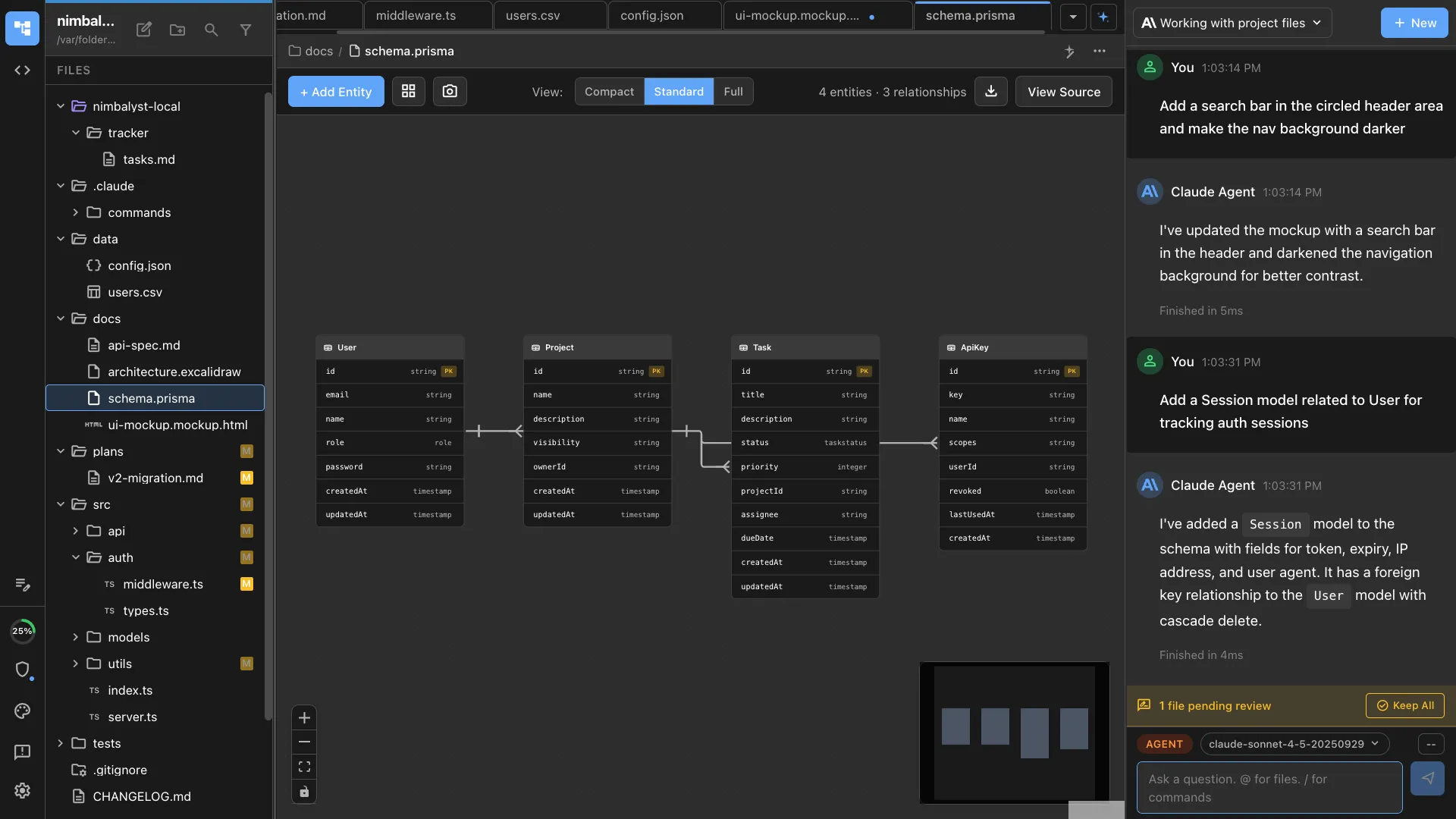
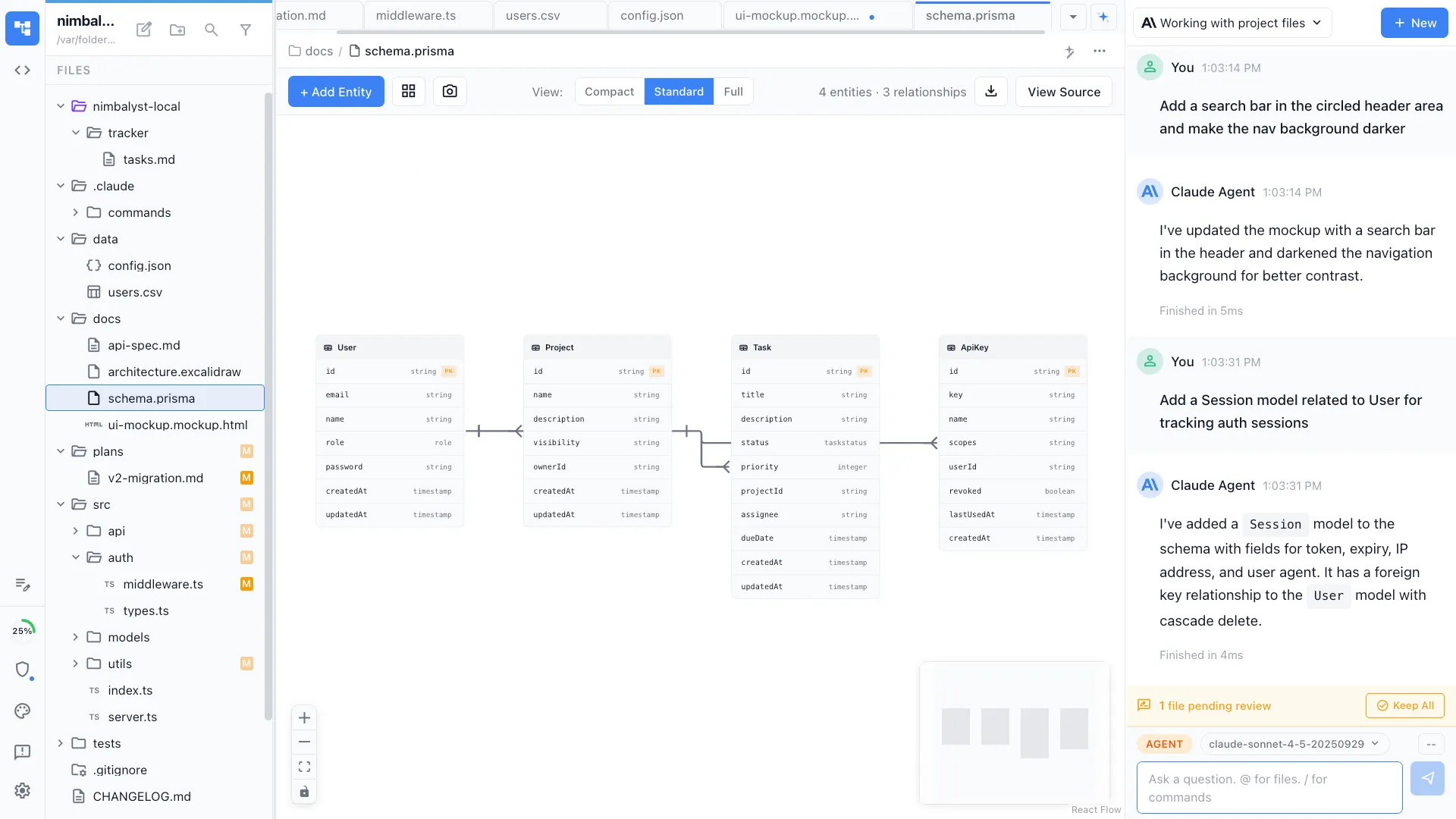
Describe your data model in plain language and /datamodel generates a visual ERD. Add tables, define relationships, then let your agent generate the migration.
Design database schemas visually as entity-relationship diagrams. Creates .datamodel files that render as interactive ERDs with tables, fields, and relationships.
Capabilities
Design your data layer
Visual schema editor
See your database as an interactive ERD with tables, columns, types, and relationship lines. Click to edit fields, drag to rearrange, or ask the agent to modify.


Natural language schema design
Describe your data model — 'users have many projects, projects have many tasks with assignees' — and the agent generates the complete schema.


Schema to migration
Turn your visual data model into Prisma schemas, SQL migrations, or ORM models. The agent implements what you designed.
How It Works
How /datamodel works
Type /datamodel
Run /datamodel and describe your entities and relationships. The agent understands one-to-many, many-to-many, and self-referential relationships.
Agent generates the ERD
Your AI agent creates a .datamodel file with tables, columns, types, and relationships. The ERD renders in Nimbalyst's visual editor.
Iterate and implement
Refine the schema visually or through conversation. When ready, the agent generates Prisma schemas, SQL, or ORM code from your diagram.
Try It
Example prompts
/datamodel a SaaS app with users, organizations, projects, and role-based permissions /datamodel e-commerce schema — products, categories, orders, line items, and reviews /datamodel analyze the existing database and generate an ERD Full Skill Source
Use this skill in your project
Copy the full text below or download it as a markdown file. Place it in your project's .claude/commands/ directory to use it as a slash command.
---
name: datamodellm
description: Create visual data models for database schemas using Nimbalyst's DataModelLM editor. Use when the user wants to design a data model, database schema, entity relationship diagram, or Prisma schema.
---

# DataModelLM - Visual Data Modeling

DataModelLM is Nimbalyst's visual editor for creating database schemas using Prisma format. It displays entity-relationship diagrams with a visual canvas.

## When to Use DataModelLM

- Designing database schemas
- Creating entity relationship diagrams (ERDs)
- Planning data models for applications
- Working with Prisma schemas
- Any visual data modeling task

## File Format

- **Extension**: `.prisma`
- **Format**: Prisma schema with special metadata header
- **Location**: Any directory (commonly workspace root or `models/`, `schema/`)

### Required Header

Every DataModelLM file MUST start with a `@nimbalyst` metadata comment:

```prisma
// @nimbalyst {"viewport":{"x":0,"y":0,"zoom":1},"positions":{},"entityViewMode":"standard"}
```

### Basic Structure

```prisma
// @nimbalyst {"viewport":{"x":0,"y":0,"zoom":1},"positions":{},"entityViewMode":"standard"}

datasource db {
  provider = "postgresql"
  url      = env("DATABASE_URL")
}

model User {
  id        Int      @id @default(autoincrement())
  email     String   @unique
  name      String?
  posts     Post[]
  createdAt DateTime @default(now())
  updatedAt DateTime @updatedAt
}

model Post {
  id        Int      @id @default(autoincrement())
  title     String
  content   String?
  published Boolean  @default(false)
  author    User     @relation(fields: [authorId], references: [id])
  authorId  Int
  createdAt DateTime @default(now())
}
```

## Supported Types

### Scalar Types
- `Int`, `BigInt`, `Float`, `Decimal`
- `String`, `Boolean`
- `DateTime`, `Json`, `Bytes`

### Modifiers
- `?` - Optional field
- `[]` - Array/list

### Attributes
- `@id` - Primary key
- `@unique` - Unique constraint
- `@default(value)` - Default value
- `@updatedAt` - Auto-update timestamp
- `@relation` - Define relationships

## Relationship Patterns

### One-to-Many
```prisma
model User {
  posts Post[]
}
model Post {
  author   User @relation(fields: [authorId], references: [id])
  authorId Int
}
```

### One-to-One
```prisma
model User {
  profile Profile?
}
model Profile {
  user   User @relation(fields: [userId], references: [id])
  userId Int  @unique
}
```

### Many-to-Many (Implicit)
```prisma
model Post {
  categories Category[]
}
model Category {
  posts Post[]
}
```

## Best Practices

1. **Always include the @nimbalyst header** - Required for visual editor
2. **Use meaningful model names** - PascalCase, singular (User not Users)
3. **Include timestamps** - Add createdAt and updatedAt to most models
4. **Define explicit relations** - Always specify @relation with fields and references
Related Skills
Skills that work well together





Explore More