AI Data Modeling
AI data modeling for your codebase
Design and iterate on database schemas conversationally with Claude Code and Codex. Visualize entity relationships, generate Prisma schemas, and keep your data model connected to your code, markdown files, and architecture diagrams.
Capabilities
Model your data visually
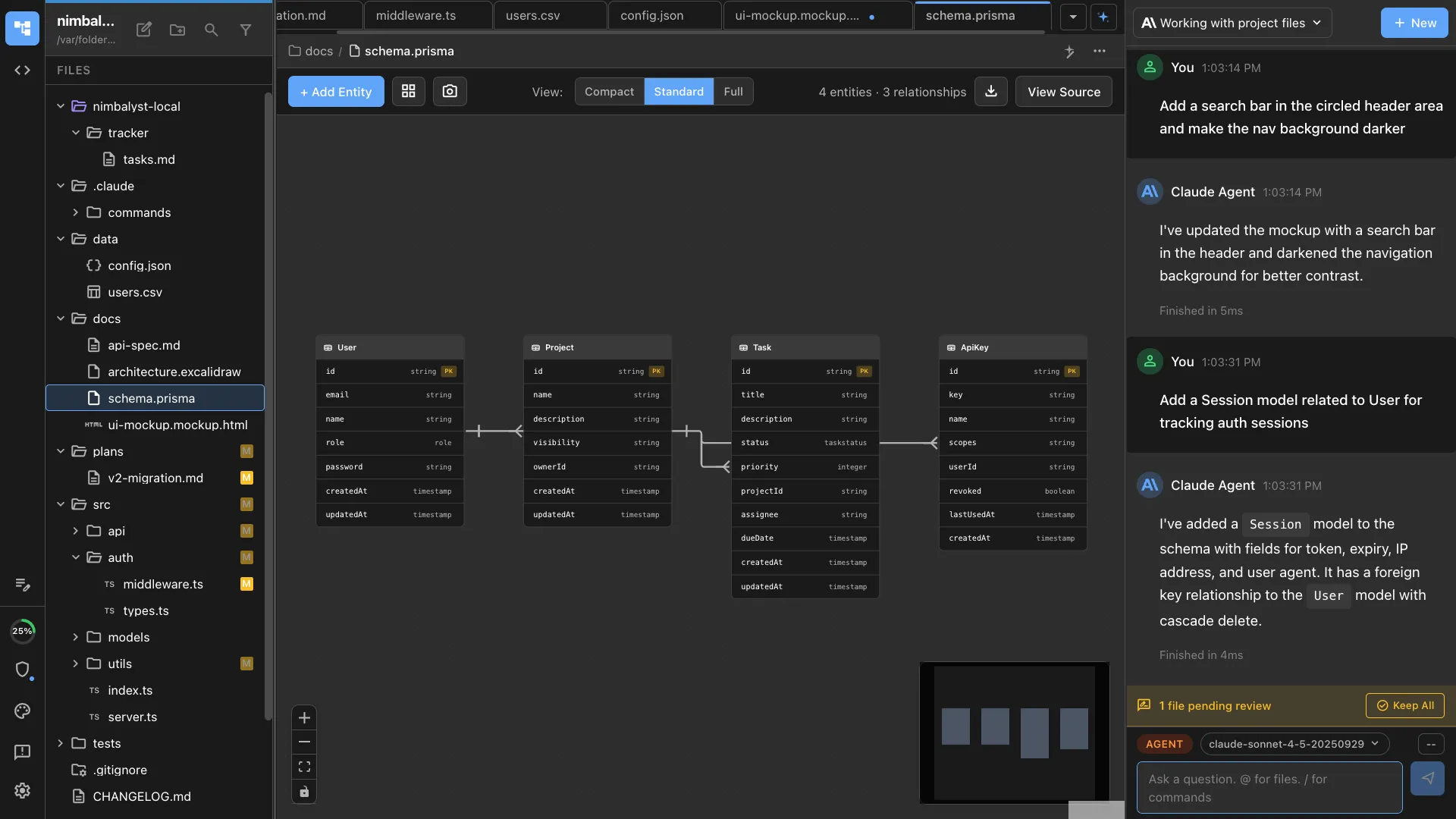
Visual ERD editor
See your database tables, columns, and relationships as an interactive entity-relationship diagram. Click to edit fields, types, and constraints.
AI-generated schemas
Describe your data model in plain language and Claude Code or Codex generates the Prisma schema with tables, fields, relations, and indexes.
Conversational iteration
Say 'add a many-to-many relationship between users and teams' and the agent updates the schema and diagram in place.
Prisma schema support
Native support for Prisma schema files. Edit visually or in code, and the ERD stays in sync. Generate migrations from schema changes.
Schema from existing code
Ask the agent to analyze your existing codebase and reverse-engineer the data model. Visualize what you already have before making changes.
Stored as standard files
Data models are saved as Prisma schema files or JSON in your repo. Version them with git, reference them from other documents, and let agents use them as context.
How It Works
How AI data modeling works in Nimbalyst
Describe your data model
Tell Claude Code or Codex what your application needs: 'users, teams, projects, and tasks with ownership and assignment relationships.' The agent generates a schema.
Visualize and refine
Open the ERD editor to see your schema as a diagram. Click to edit fields, drag to rearrange tables, or ask the agent to add indexes and constraints.
Generate code and migrations
When the model is ready, generate Prisma migrations, TypeScript types, or API endpoints directly from the schema.
Comparison
Why Nimbalyst for data modeling
Nimbalyst connects your data model to your codebase, agents, markdown files, and architecture diagrams. Design, implement, and iterate in one workspace.
| Alternative | Nimbalyst Advantage |
|---|---|
| dbdiagram.io / ERD tools | Your data model lives in your repo as a Prisma schema. Agents generate and update it. No separate tool, no manual exports, no sync issues. |
| Prisma Studio | Full visual ERD editing with AI generation, not just a data browser. Design the schema conversationally, then use it to generate code. |
| Manual schema writing | Visual feedback as you design. See the ERD update in real time as you describe changes. Catch relationship errors before they become migration issues. |
Explore More