Spreadsheets
Spreadsheet data, integrated with your project
Nimbalyst isn't trying to replace Excel — it gives you an AI-native way to work with CSV and spreadsheet data right inside your project. Your agents see the data in context and can filter, sort, reshape, or enrich it without leaving the workspace.
Capabilities
Work with data natively
Visual spreadsheet editor
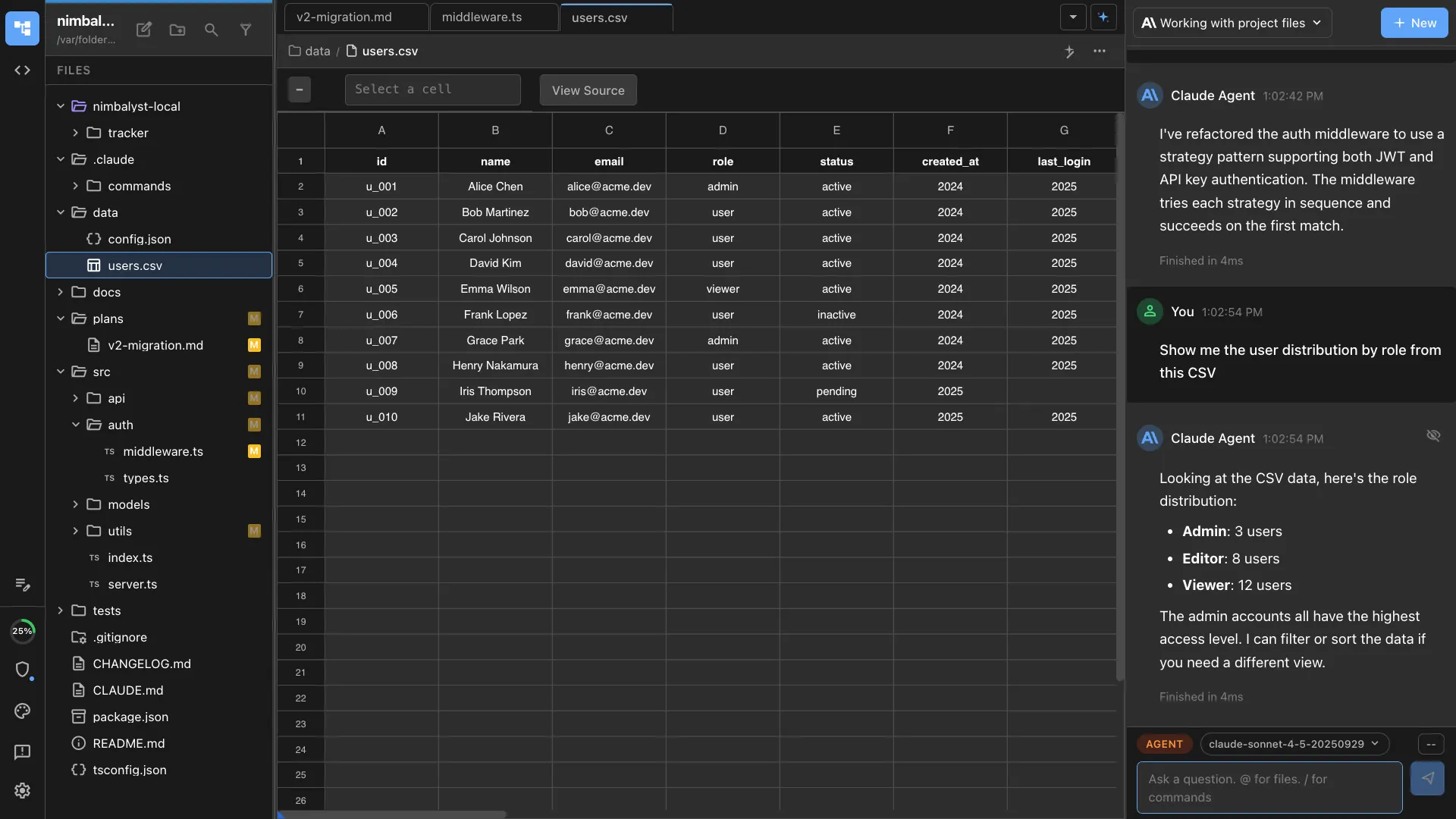
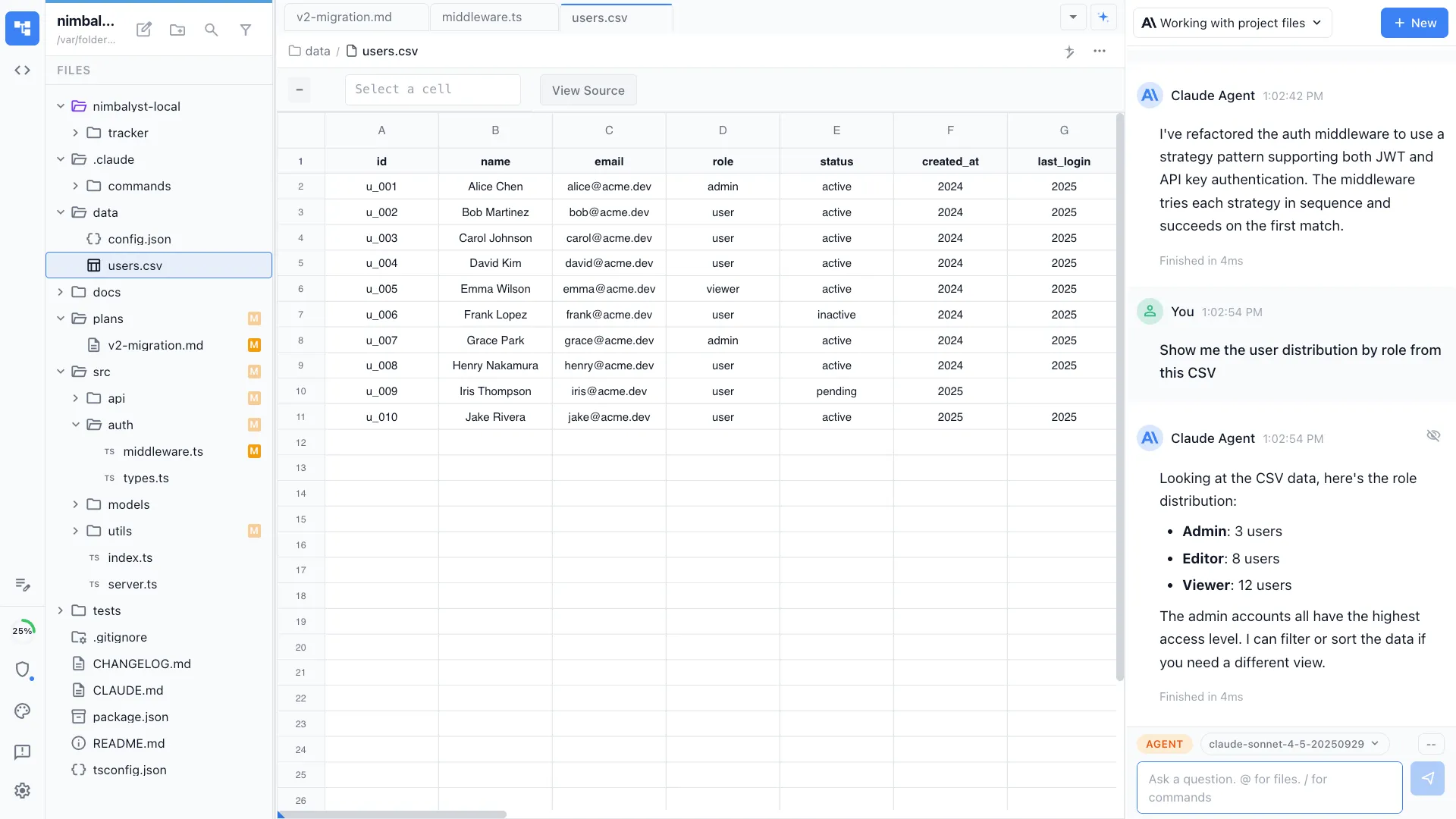
CSV files open in a full spreadsheet view with columns, rows, sorting, and editing. Work with data visually instead of staring at raw comma-separated text.
AI data transforms
Ask Claude Code or Codex to filter rows, add computed columns, pivot data, or clean up inconsistencies. The agent edits the CSV directly.
Sort and filter
Click column headers to sort. Apply filters to focus on the rows that matter. Standard spreadsheet interactions work out of the box.
Inline editing
Click any cell to edit. Add rows, delete columns, and restructure data directly in the spreadsheet view.
Standard CSV files
Files stay as plain CSV on your filesystem. No proprietary format. Import from and export to any tool that works with CSV.
Connected to your project
Your agent sees CSV files in the context of your codebase. Ask it to generate seed data, format API responses, or analyze test output.
How It Works
How spreadsheet editing works in Nimbalyst
Open a CSV file
Click any .csv file in your file tree. Nimbalyst opens it in the spreadsheet editor with columns auto-detected and headers applied.
Edit manually or with AI
Edit cells directly, or ask Claude Code or Codex to transform the data. 'Remove duplicate rows,' 'add a column for full name,' 'sort by date descending.'
Save and use in your project
The file saves as standard CSV. Use it as seed data, configuration, or input for your application. Agents can reference it in future sessions.
Comparison
Why work with data in Nimbalyst
For full-featured spreadsheet work, use Excel or Google Sheets. Nimbalyst is for when your data lives alongside your code and your agents need to read, edit, or generate it.
| Alternative | Nimbalyst Advantage |
|---|---|
| Excel / Google Sheets | Not a replacement — a complement. When your CSV is part of a codebase, edit it where your agents already work. AI transforms are conversation-driven, not formula-driven. |
| VS Code CSV extensions | A proper spreadsheet view with sorting, filtering, and AI-powered transforms. Not just syntax-highlighted text. |
| Command-line tools (awk, csvkit) | Visual editing with AI assistance instead of memorizing command-line syntax. See your data, talk to your agent, get results. |