Markdown Editor
The AI-powered markdown editor
Research, write, plan, and document alongside Claude Code and Codex. See every AI edit as a red/green diff, approve or reject inline, and keep your workflow moving without switching apps.


Capabilities
Write, edit, and publish
WYSIWYG and raw markdown
Switch between a rich text editor and raw markdown at any time. Headings, lists, tables, code blocks, and images all render inline with zero configuration.
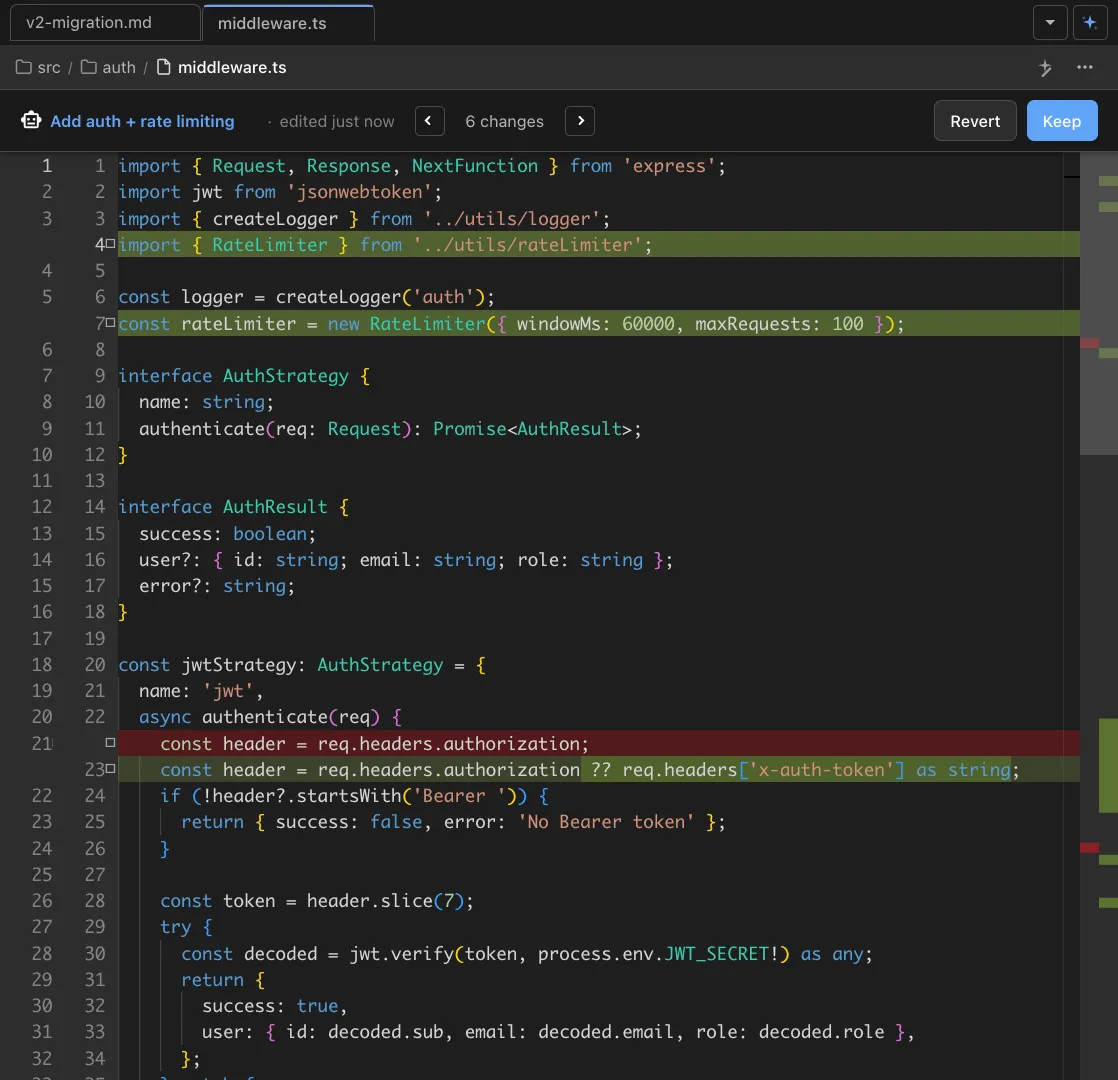
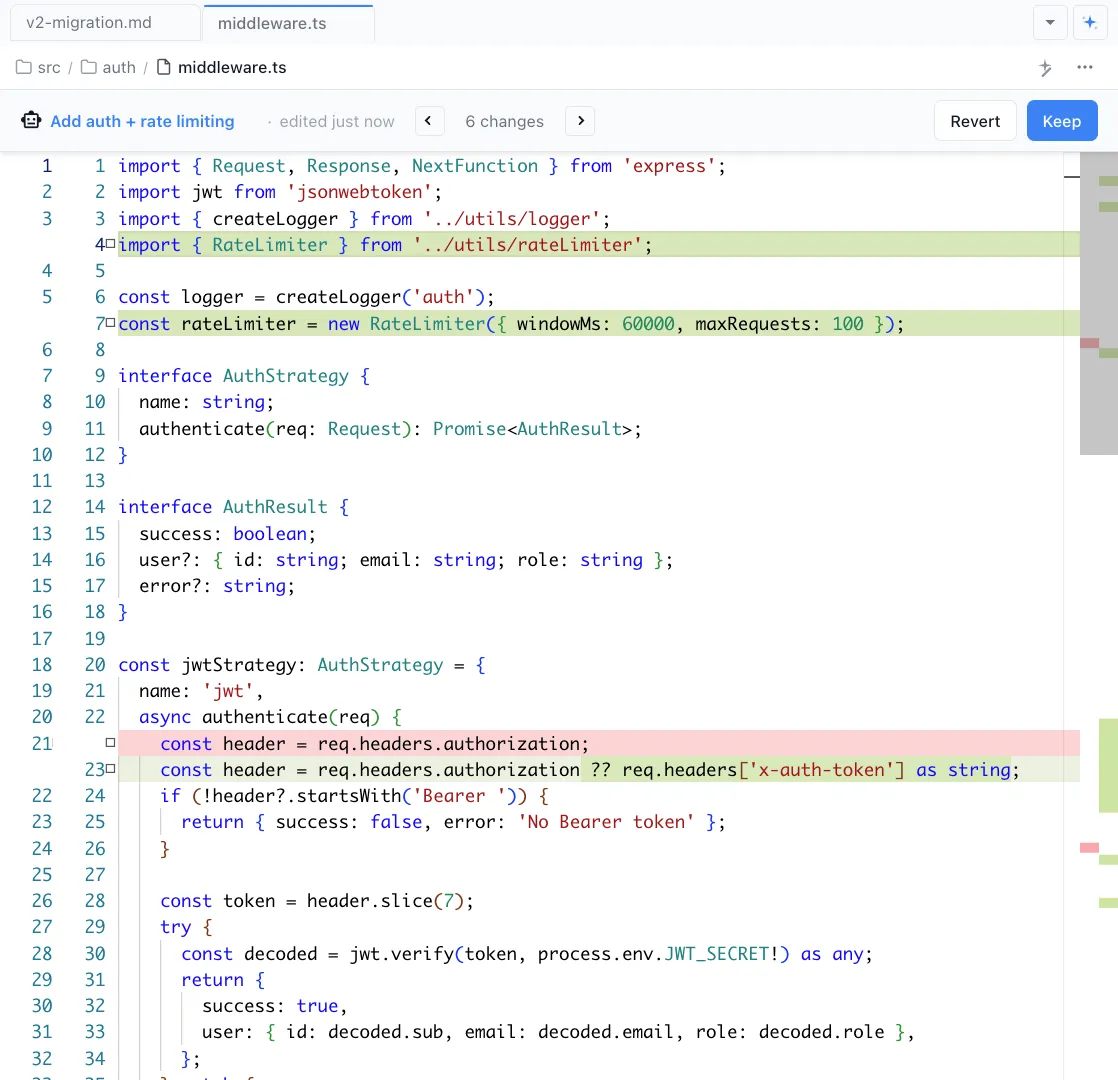
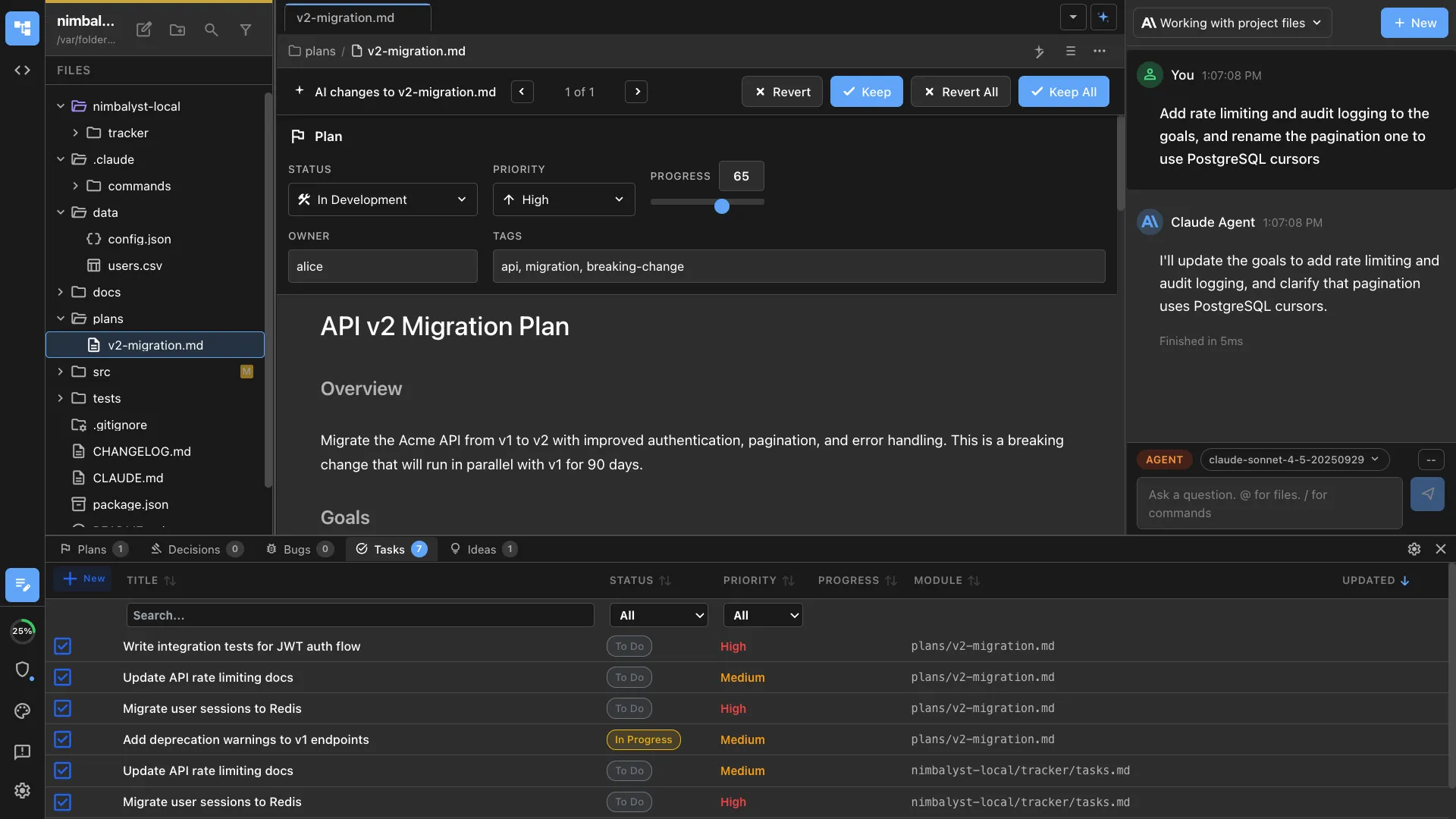
Red/green diff review for AI edits
When Claude Code or Codex modifies your document, every change appears as a highlighted inline diff. Accept, reject, or manually edit each change before it lands.


Agent-aware context
Your agent sees the full document, related files, and project structure while editing. Ask it to rewrite a section, generate a table from code, or restructure an entire document.
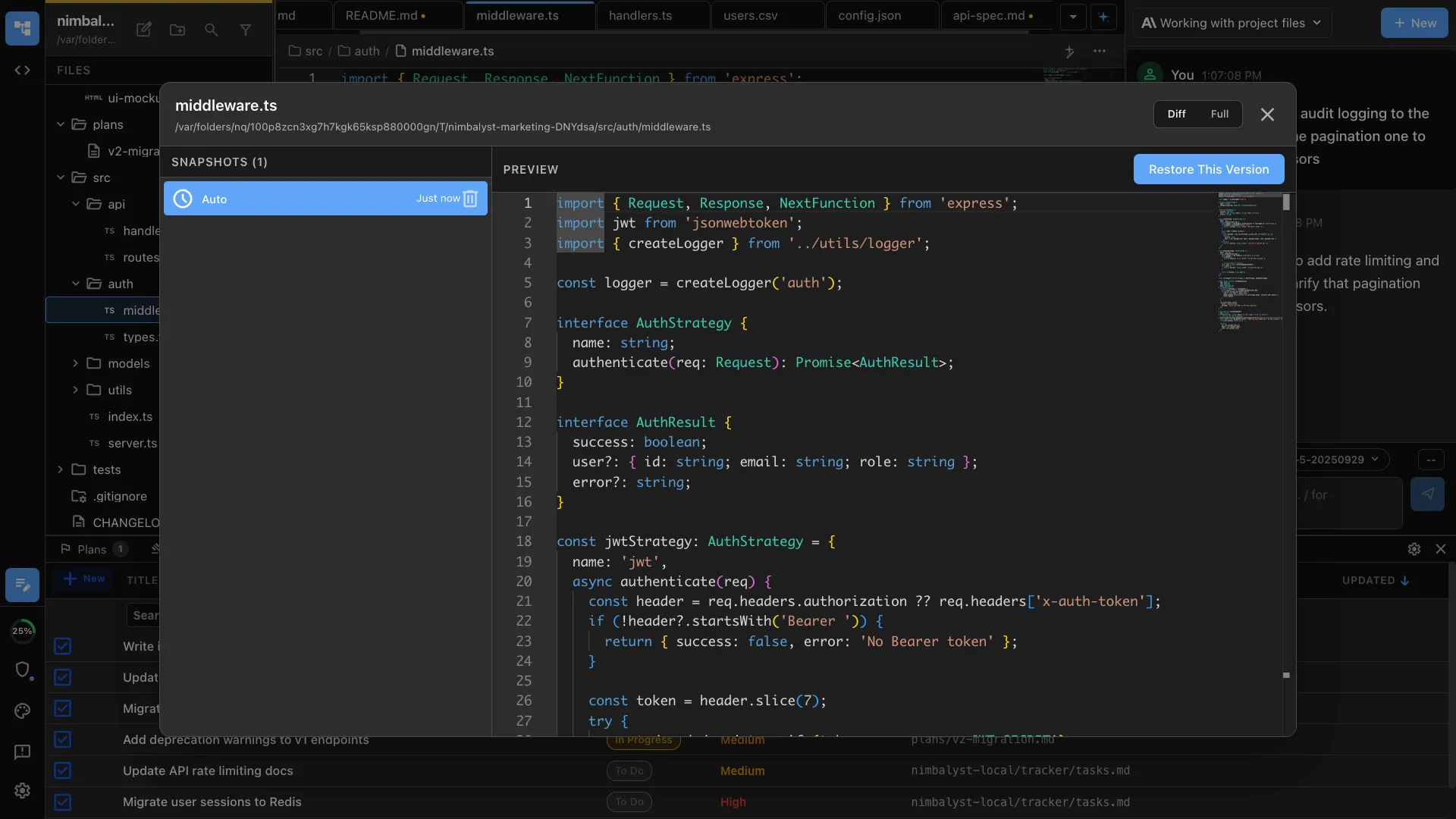
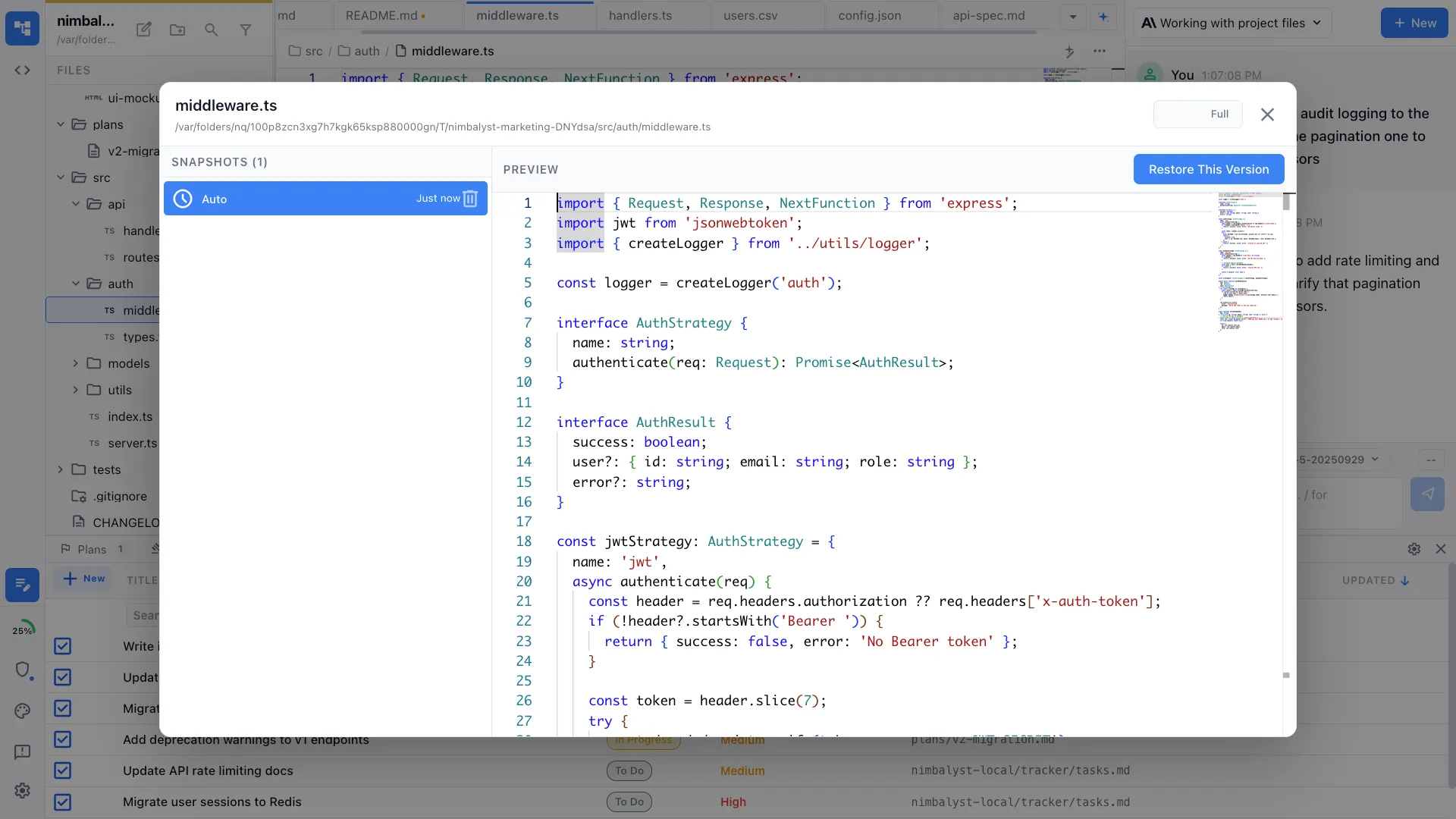
File history with restore
Every version of your document is saved automatically. Browse timestamped history and restore any prior state with one click.
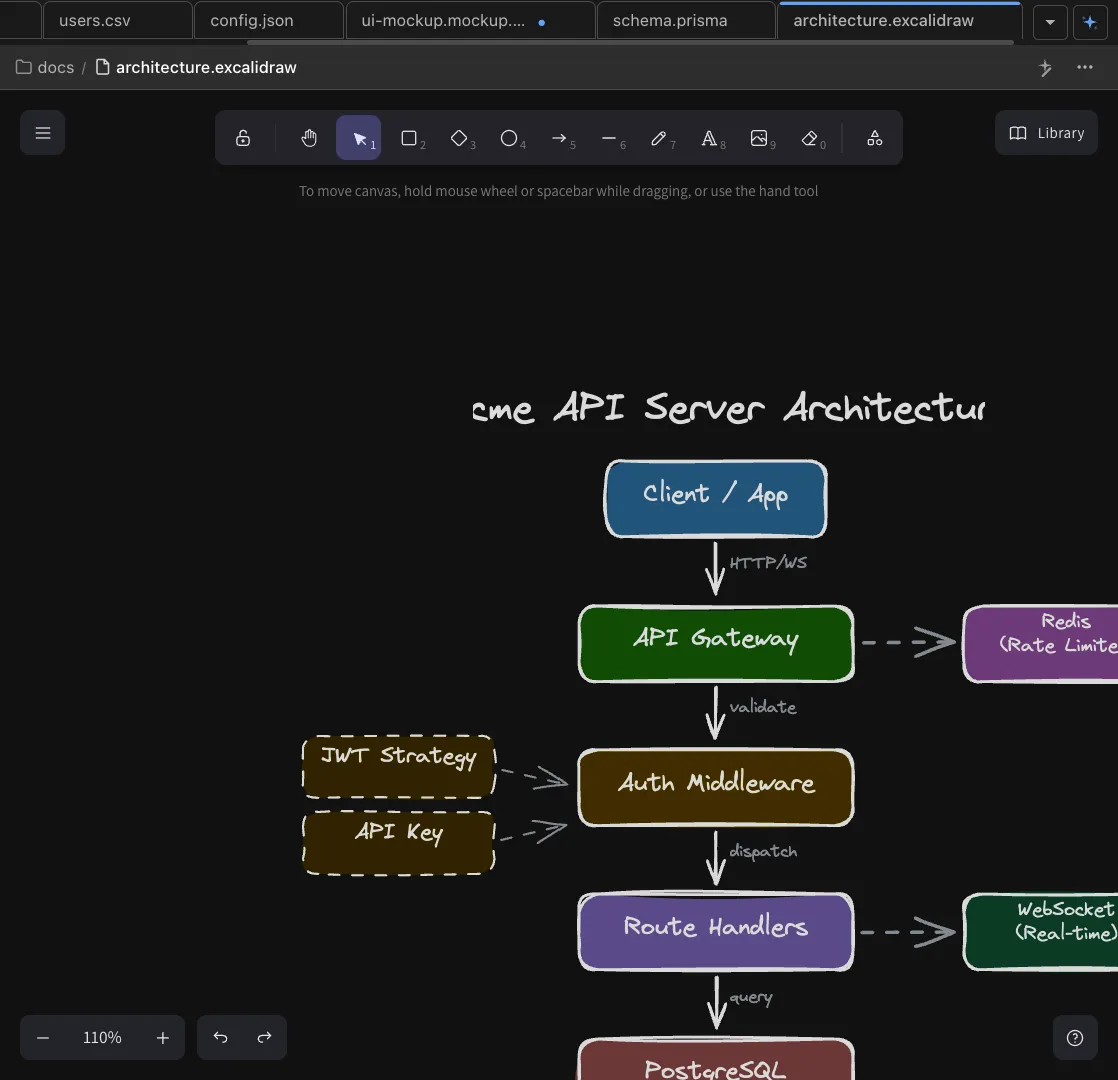
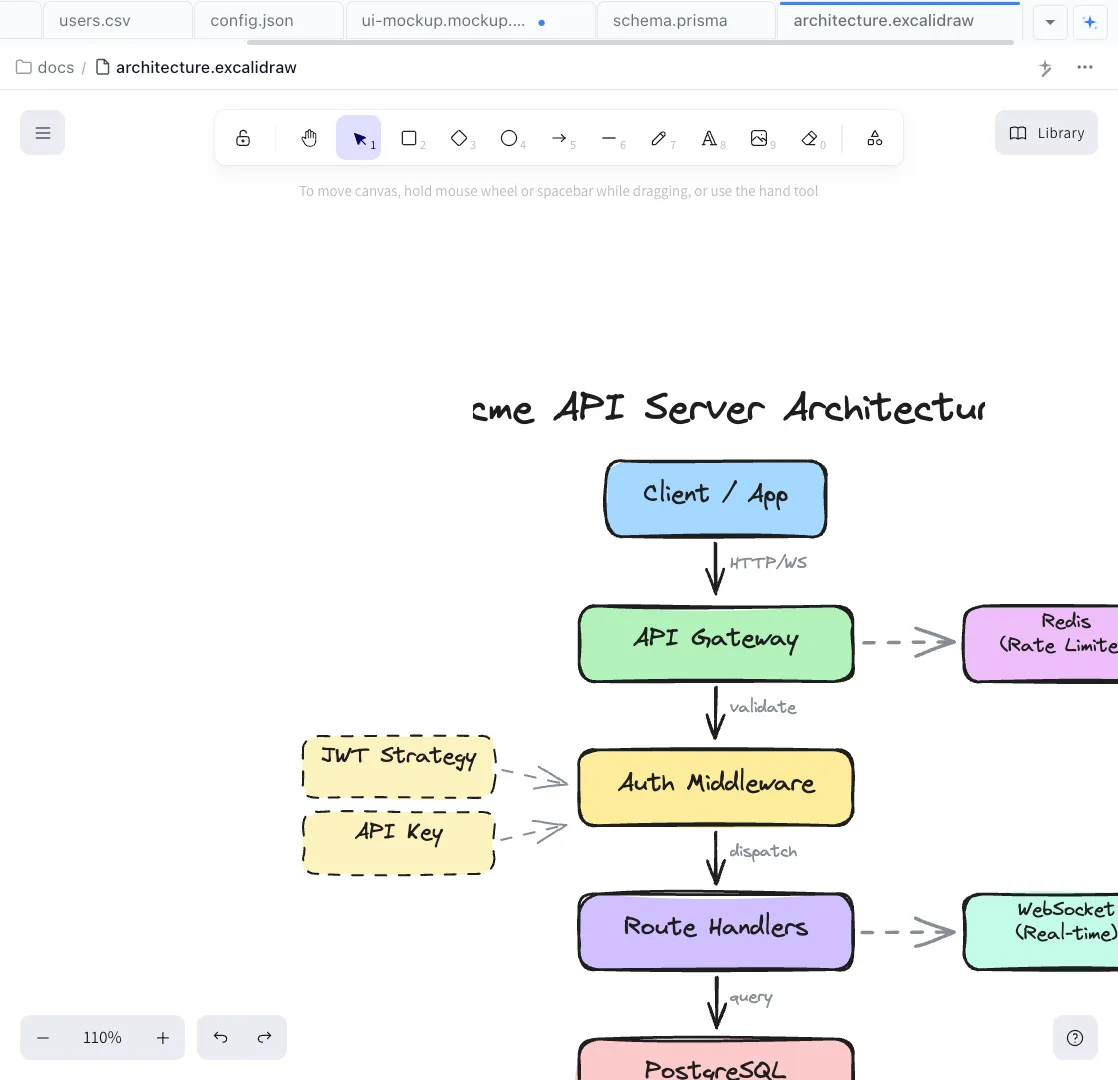
Inline images and media
Embed images, diagrams, and screenshots directly in your markdown. Your agent can see images and use them as context for edits.
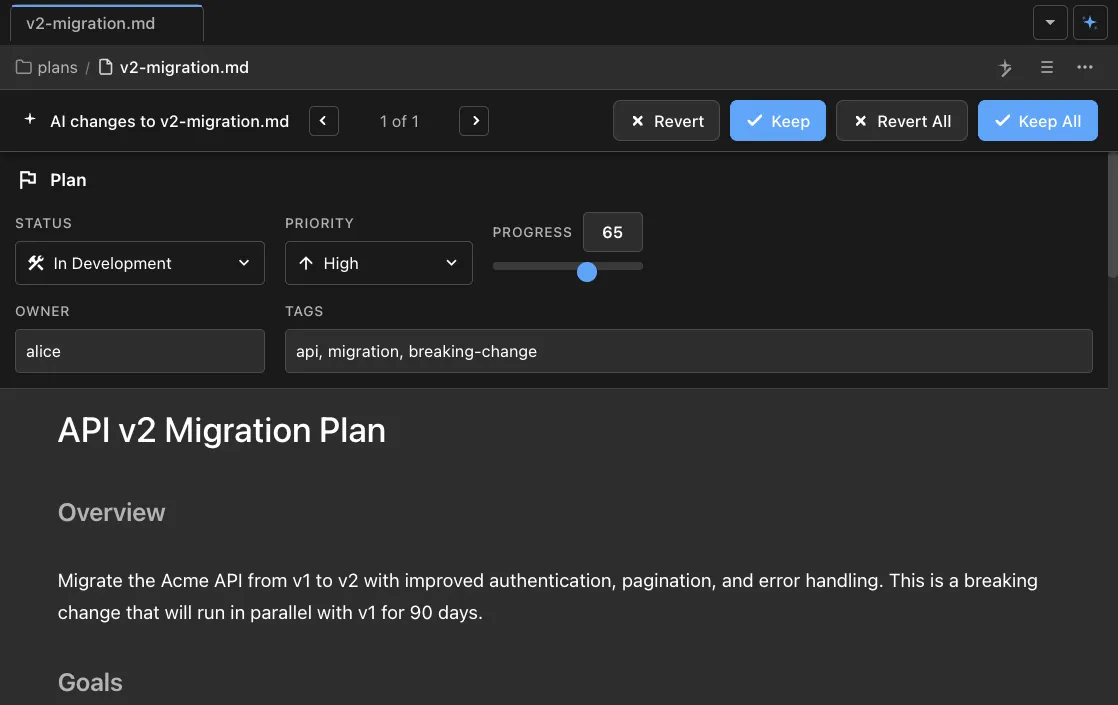
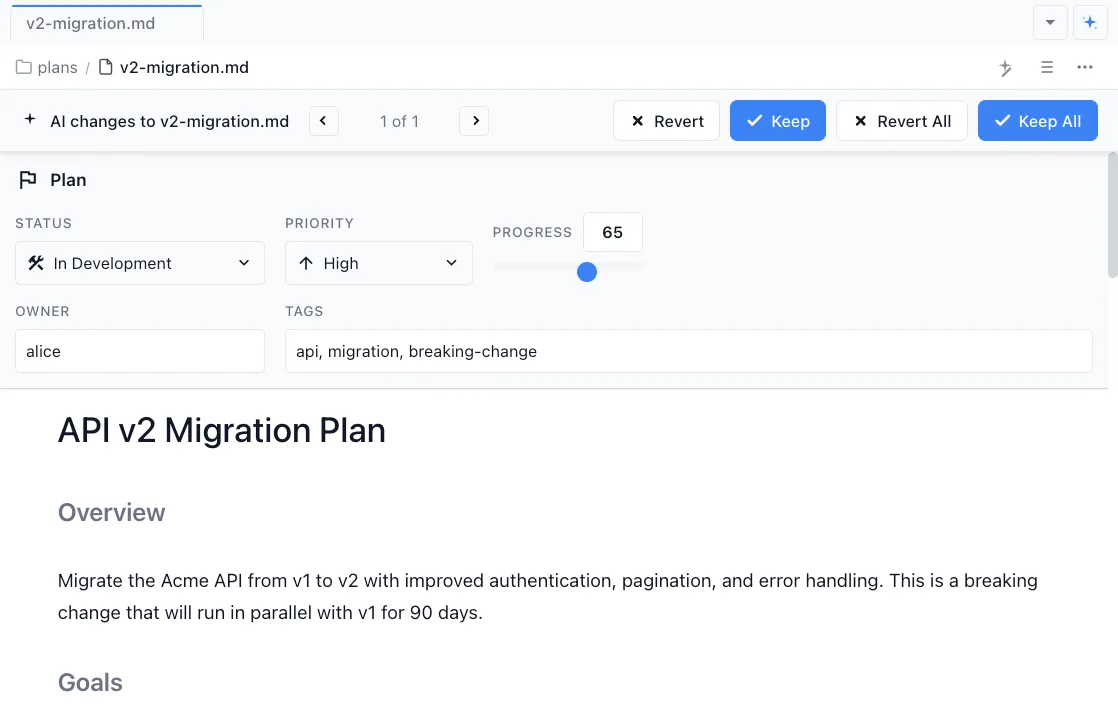
Frontmatter and metadata
Add YAML frontmatter for status tracking, tags, and custom fields. Agents can read and update frontmatter programmatically while working on tasks.
How It Works
How writing with AI works in Nimbalyst
Open or create a markdown file
Start a new document or open an existing one. Nimbalyst renders it in a rich WYSIWYG editor with your project file tree alongside.
Edit it yourself
Write and edit directly in the WYSIWYG editor. Format text, add tables, embed images, and structure your document by hand — just like any editor.
Ask your agent to edit
Prompt Claude Code or Codex to draft content, restructure sections, generate tables from your codebase, or rewrite for a different audience. The agent works directly in the file.
Review diffs and approve
Every AI change appears as an inline diff. Accept changes individually, reject what does not fit, or make manual adjustments before saving.
Comparison
Why teams choose Nimbalyst over other editors
Most AI writing tools are disconnected from your code and your agent. Nimbalyst brings writing into the same workspace where your agents already operate.
| Alternative | Nimbalyst Advantage |
|---|---|
| Obsidian + AI plugins | Nimbalyst's editor is built around Claude Code and Codex, not bolted-on plugins. Agents see your full project, not just the current note. |
| Notion AI | Your documents stay on your filesystem as plain markdown. No proprietary format, no cloud lock-in, and your coding agent can read and edit them natively. |
| VS Code Markdown Preview | A true WYSIWYG experience with inline AI diffs rather than a split preview pane. Purpose-built for writing alongside agents, not just viewing rendered output. |
Explore More
Related features and guides
Diagrams
Generate Mermaid and Excalidraw diagrams inline in your markdown documents.
Planning
Track tasks, ideas, and status directly in your markdown plans.
Commands & Skills
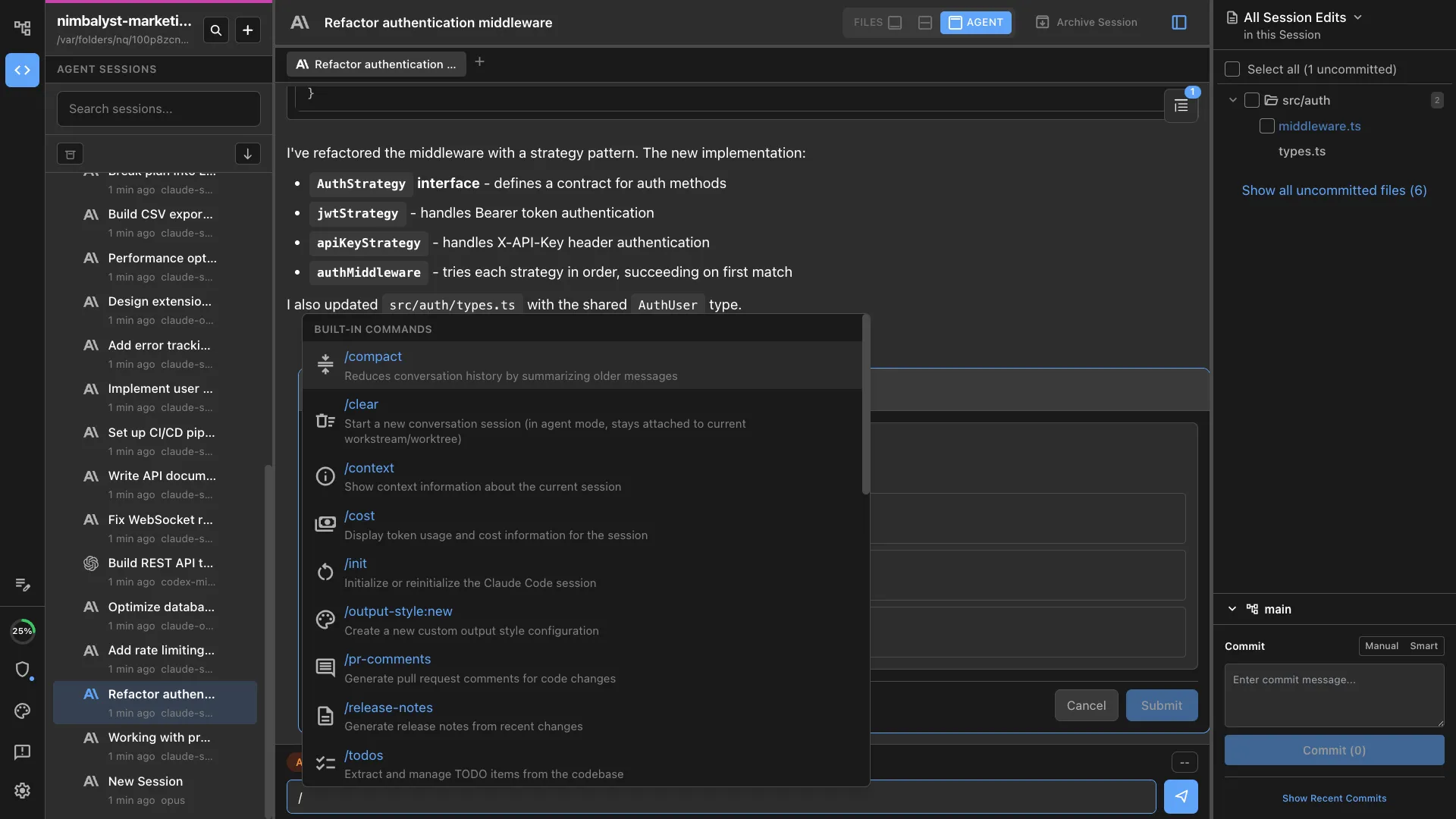
Trigger custom workflows and templates from within any document.
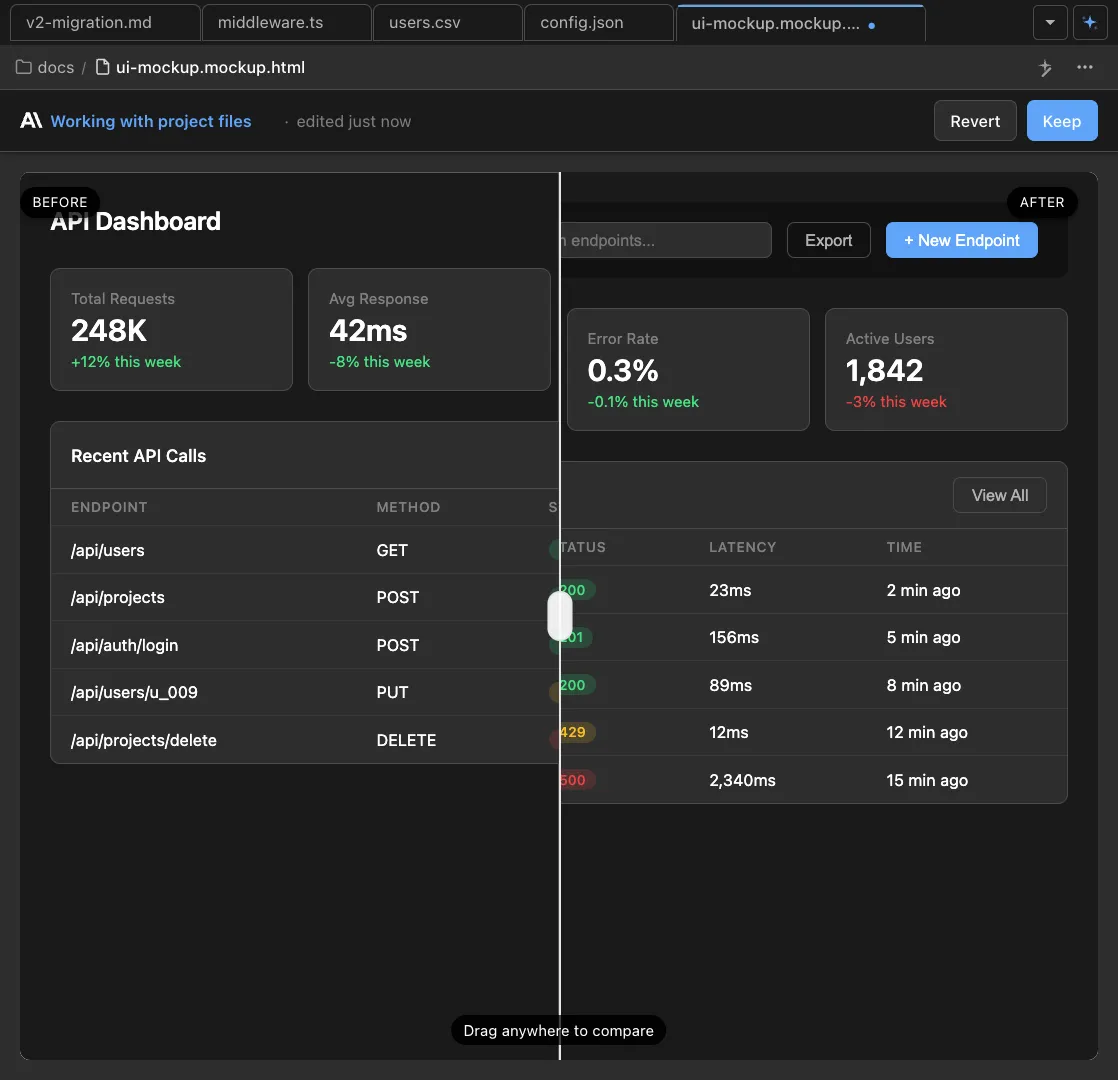
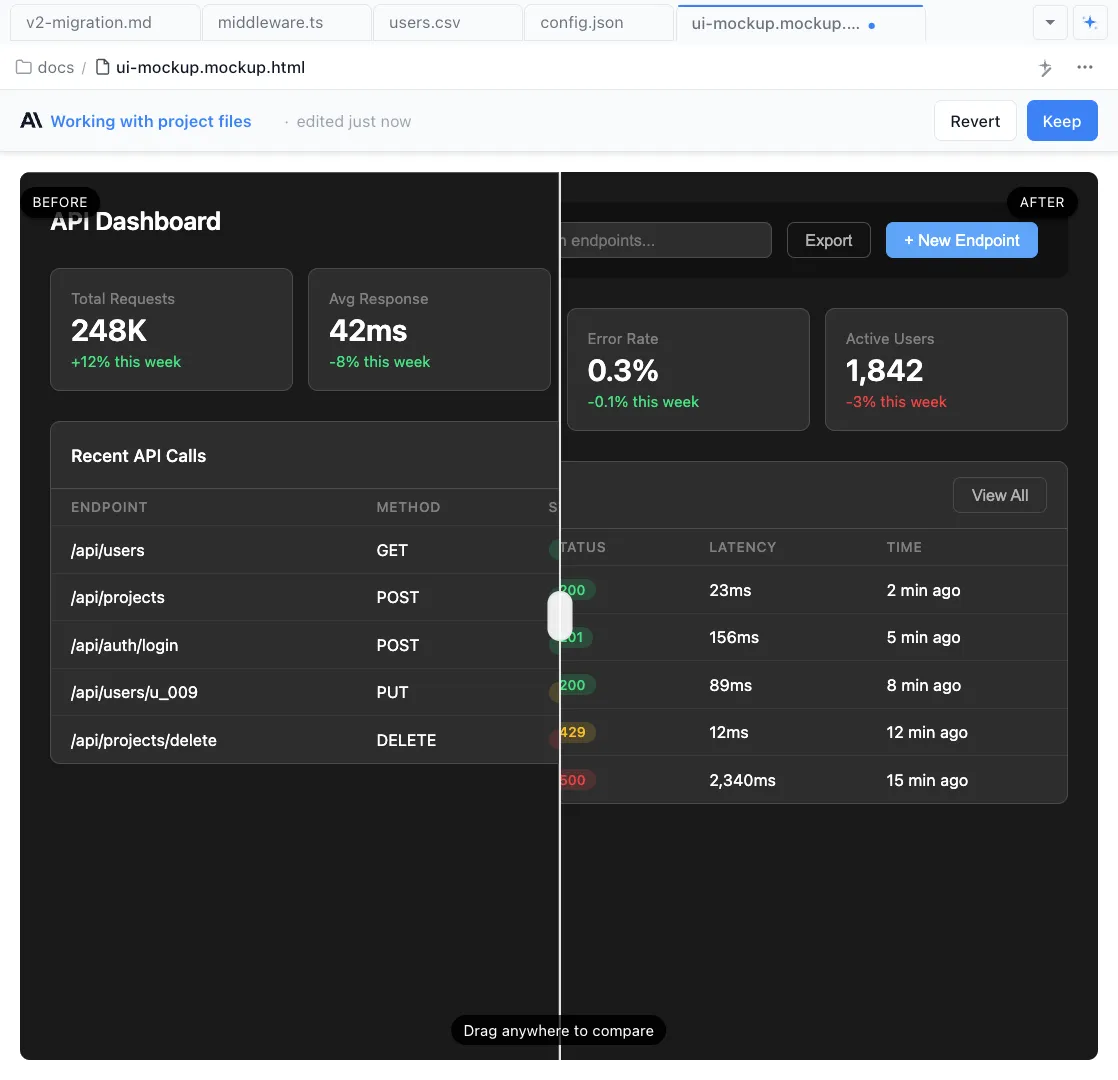
Mockups
Design wireframes and UI mockups that pair with your written specs.