User Flow Design
AI-powered user flow design
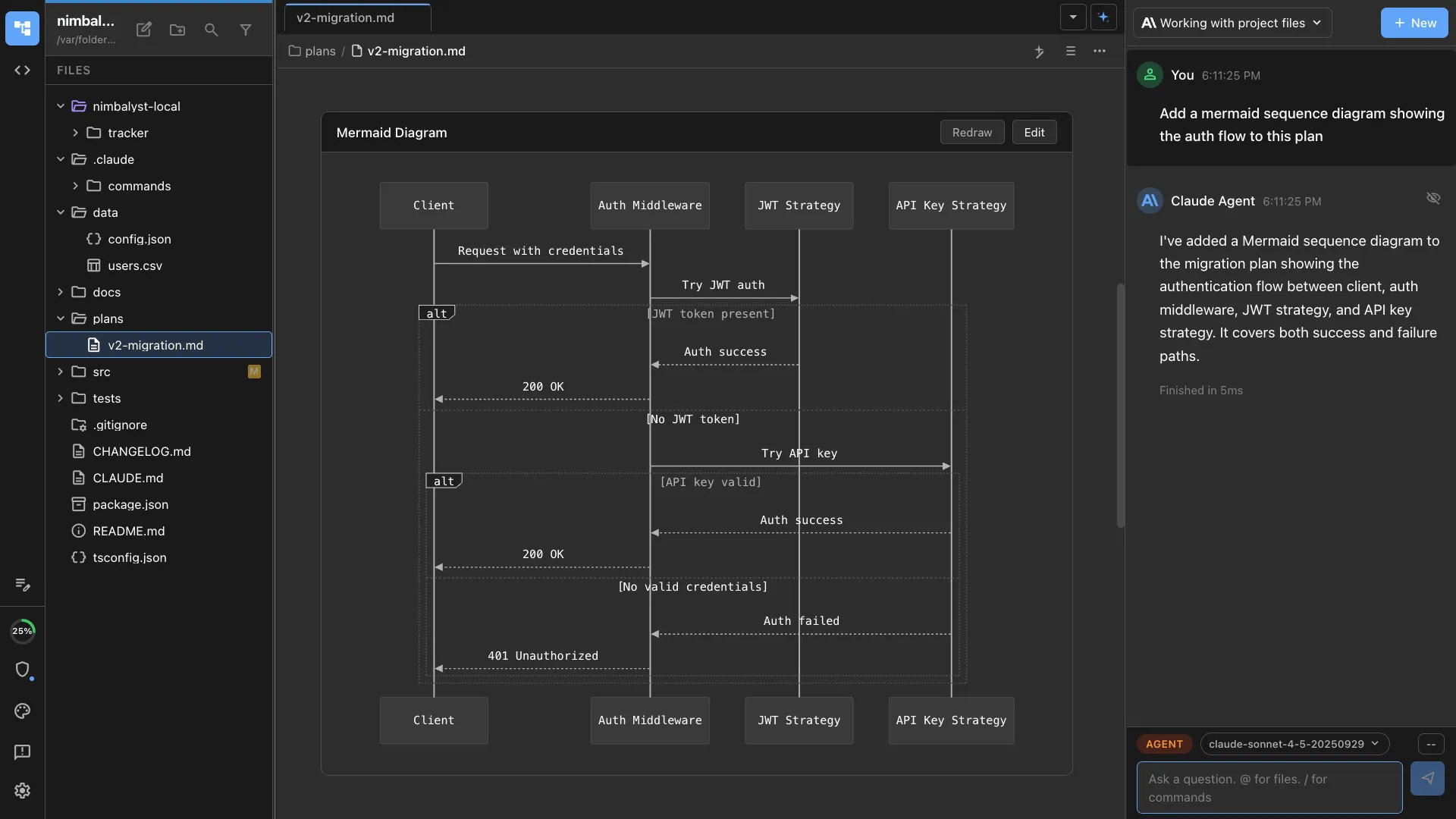
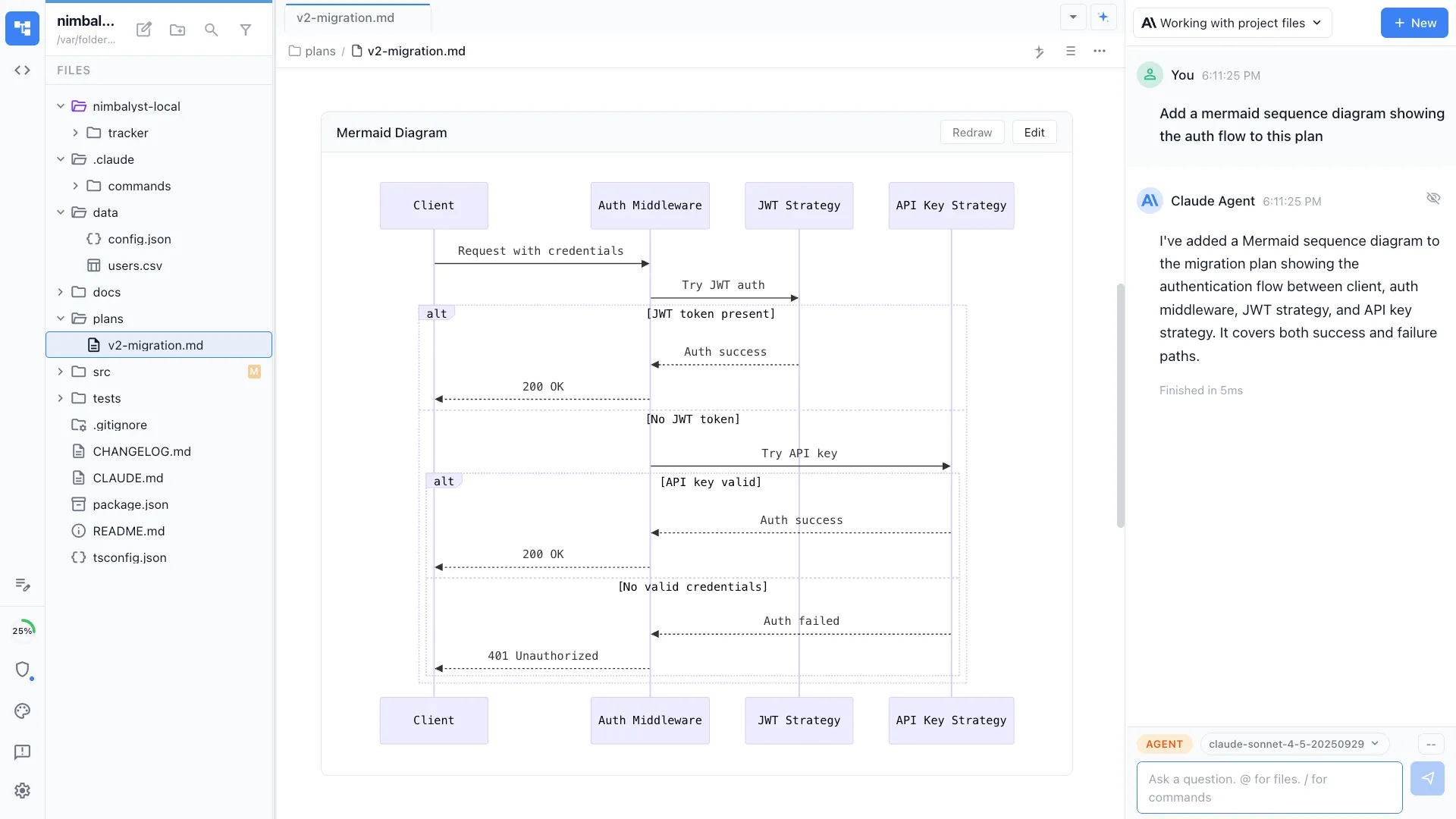
Describe a user journey in plain language and your agent generates a visual flow diagram. Map happy paths, error states, and edge cases in minutes.
The Problem
User flows are hard to create and harder to maintain
Mapping user journeys requires translating product thinking into visual diagrams -- a skill gap that slows down product teams.
- Drawing user flows in Figma or Miro requires design tool proficiency
- Flows rarely include error states and edge cases
- User flows disconnect from the code that implements them
- Updating flows after code changes requires manual rework
How It Works
From user story to visual flow to code
Describe the journey
Tell your agent about the user journey -- 'map the checkout flow including payment failures and retry logic.' It generates a Mermaid flowchart covering all paths.


Visualize on canvas
For more complex flows, use the Excalidraw canvas to arrange screens, decision points, and transitions spatially with drag-and-drop editing.

Pair with mockups
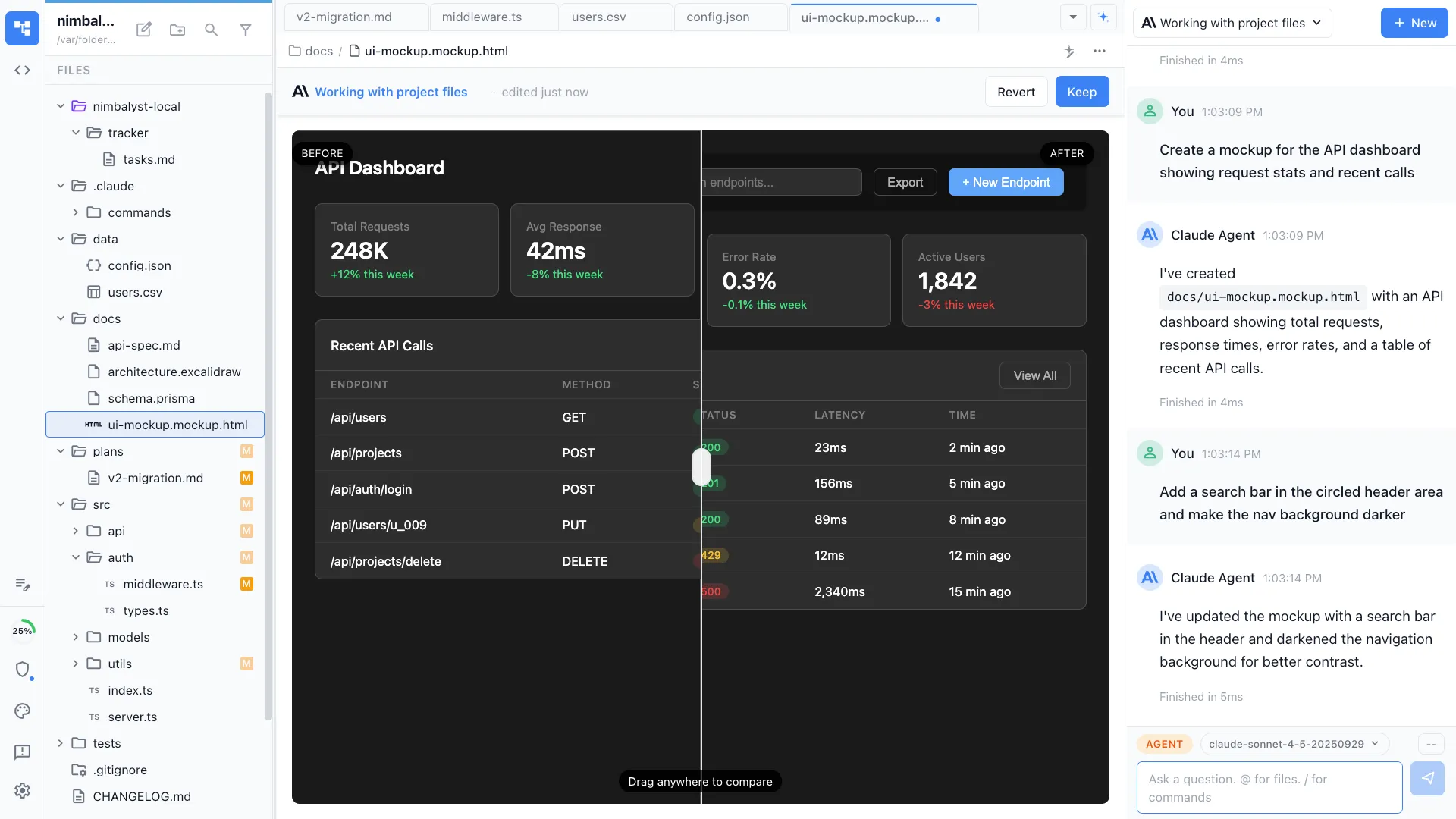
Generate mockups for each screen in the flow. Your agent creates HTML wireframes for key states, so you can see the flow and the UI together.
The Difference
User flows that inform implementation
Without Nimbalyst
- ✕ Spend hours in Miro arranging sticky notes and arrows
- ✕ Happy path only -- error states discovered during development
- ✕ Flows live in a design tool, code lives in an IDE
- ✕ Nobody updates the flow after implementation changes
With Nimbalyst
- ✓ Agent generates comprehensive flows from natural language in minutes
- ✓ Error states, edge cases, and retry logic included by default
- ✓ Flows live alongside code and mockups in the same workspace
- ✓ Agent updates flows when implementation changes
Powered By
Nimbalyst features behind this workflow
Diagrams & Drawing
Mermaid flowcharts and Excalidraw canvas for user flow visualization.
Mockup Editor
Generate UI mockups for each screen in the flow.


Markdown Editor
Document user flows alongside product specs and requirements.


Agent Integration
Your agent understands the codebase and maps flows to real implementation.

