Comparison
Conductor vs Vibe Kanban vs Nimbalyst: agent management compared
Nimbalyst is an open-source visual workspace that runs Claude Code and OpenAI Codex side by side, with pluggable agent harnesses. Conductor is a macOS-native app for running Claude Code and Codex in isolated workspaces. Vibe Kanban is an open-source planning and review board for parallel coding agents, built around issues and workspaces. All three help teams manage parallel agents. They differ on platform reach, surrounding workflow, licensing, and how much of the workspace they try to own.
Free for individuals. Works with your existing Claude Code or Codex subscription or API key.


Overview
3 tools, different approaches
Nimbalyst
Nimbalyst is an open-source visual workspace that runs Claude Code and OpenAI Codex side by side, with pluggable agent harnesses. Every session gets its own transcript, kanban card, and optional git worktree. On top of orchestration, Nimbalyst ships a Monaco code editor, visual editors for markdown, mockups, diagrams, data models, spreadsheets, slides, mindmaps, and PDF, plus a native iOS app for reviewing and approving sessions from a phone. Desktop and iOS apps are MIT licensed. Cross-platform across macOS, Windows, and Linux.
Conductor
Conductor is a macOS-native desktop app for running parallel coding agents in isolated workspaces. The current product and docs support both Claude Code and Codex, with diff review, checks, merge and PR flows, and a focused Mac interface. Closed source and commercial. macOS only today.
Vibe Kanban
Vibe Kanban is an open-source planning and review tool for parallel coding agents. It is built around issues, projects, status columns, and workspaces, with a CLI plus local web workflow. After bloop shut down on April 10, 2026, the project continued as Apache 2.0 open source and community-maintained, with a fully local direction.
Feature Comparison
Side-by-side breakdown
Nimbalyst Advantages
Where Nimbalyst shines
One workspace across both major coding agents
Claude Code and Codex sessions live on the same Nimbalyst board, with the same diff review and the same surrounding project context. Conductor now supports both agents too, but on macOS only and in a much narrower workflow. Vibe Kanban can orchestrate multiple agents, but it does not turn the rest of the project into a first-class workspace.
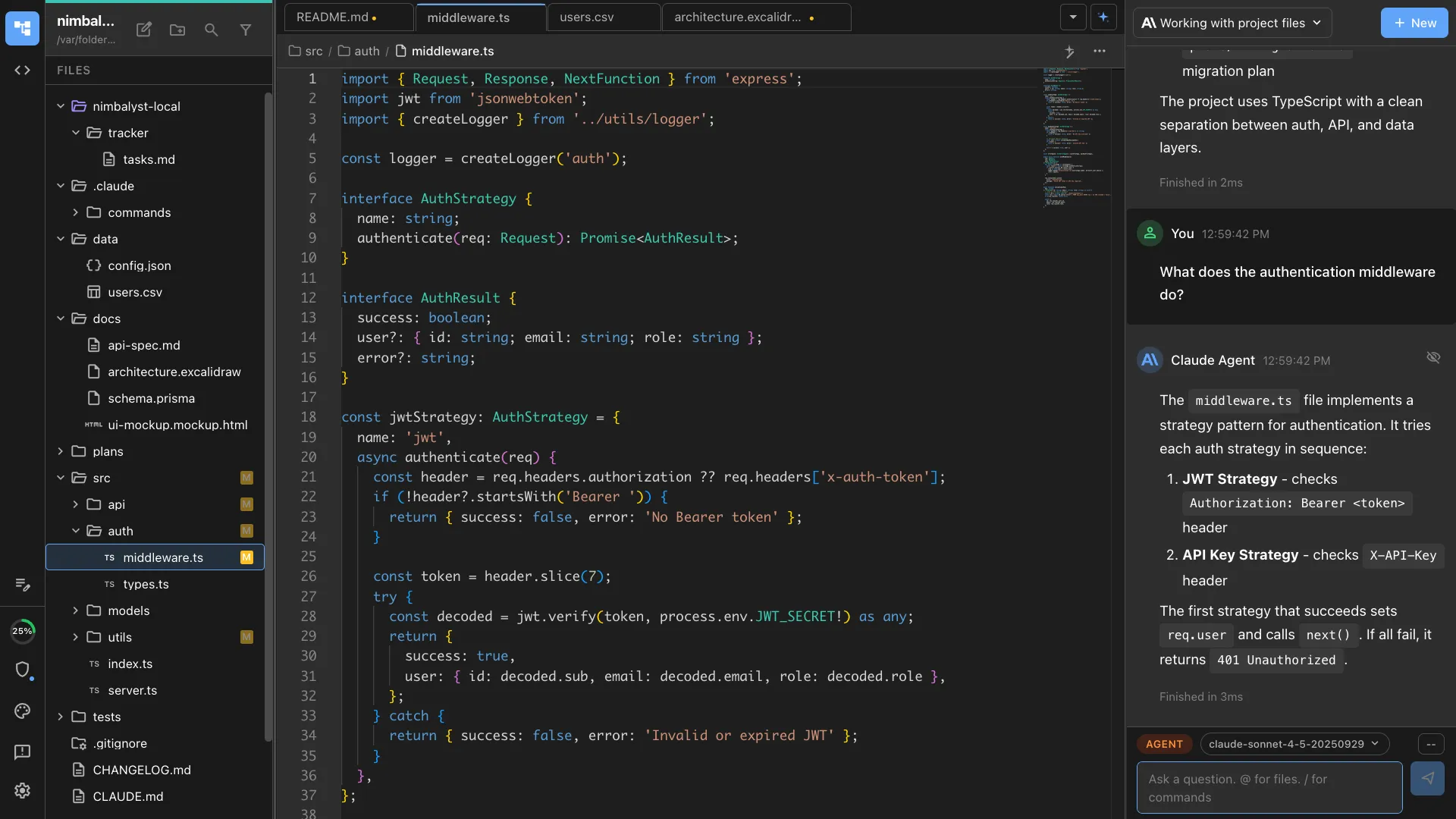
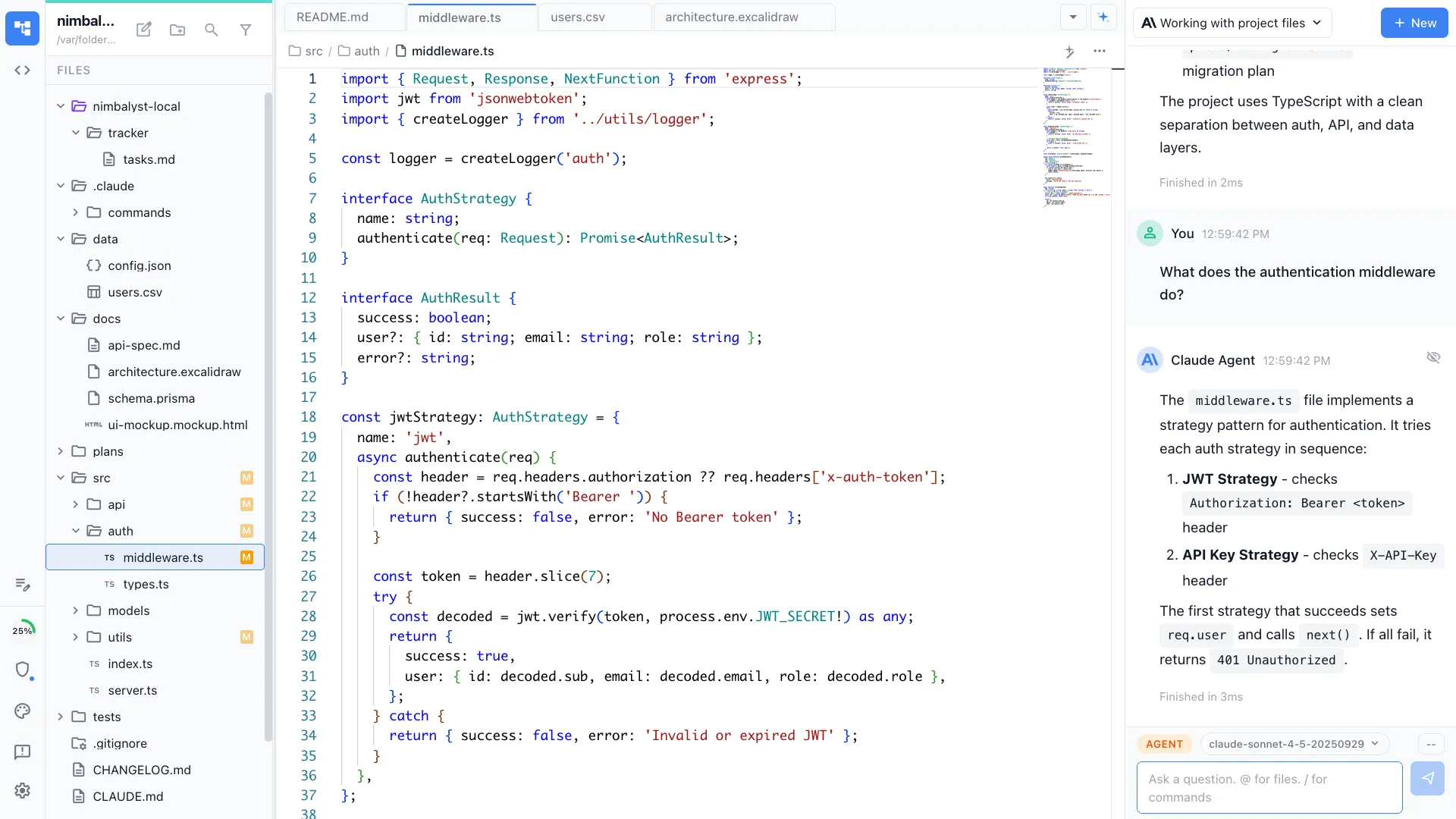
Visual artifacts stay in the same project
When an agent produces a mockup, an architecture diagram, a schema, a spec, or a spreadsheet, Nimbalyst opens it in a real editor. Conductor and Vibe Kanban are stronger on orchestration and review than on visual artifact editing.
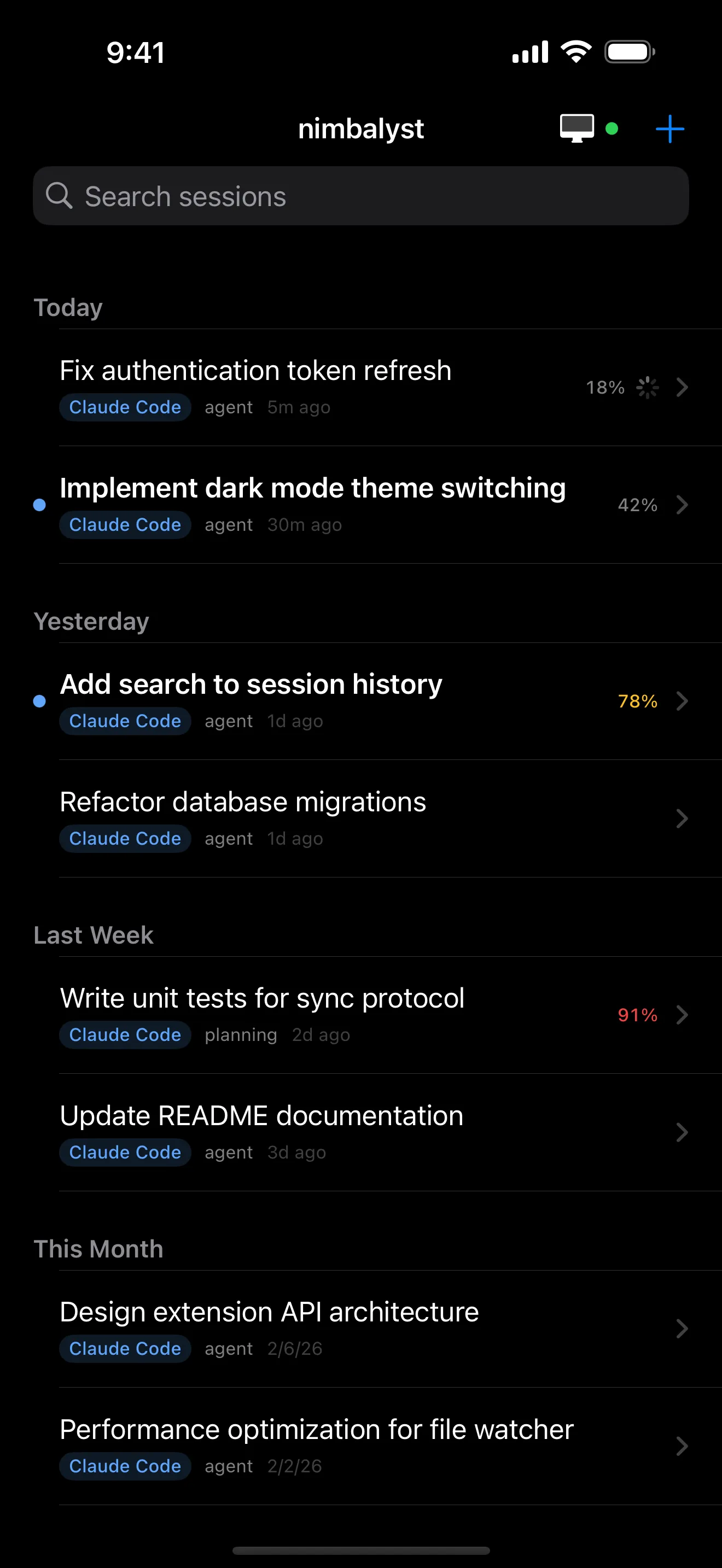
Native phone review, not just remote browser access
The iOS app gives a live view of sessions, transcripts, diffs, and approvals. Vibe Kanban has remote access from a phone browser, which is useful, but it is not the same as a native mobile surface. Conductor has no mobile story today.


Plans, tracker items, and sessions feed one another
Nimbalyst connects planning docs, tracker items, and running sessions in one workspace. Vibe Kanban has stronger built-in planning than many people realize, but it is still centered on issue and workspace flow rather than a broader multi-editor product. Conductor assumes those planning layers live elsewhere.
Honest Assessment
Where each tool is stronger
Where Conductor is stronger
macOS-native polish
Conductor is all-in on the Mac. Teams that are 100 percent on macOS may prefer that tighter native feel over cross-platform breadth.
Focused surface area
Conductor stays close to the isolated-workspace, review, and merge loop. If a team already likes its planning and design stack, the narrower product can be a benefit.
Strong Codex + Claude Code support in one Mac app
The older Claude-only framing is stale. Conductor now supports both Claude Code and Codex, which makes it a real option for mixed-engine Mac teams.
Where Vibe Kanban is stronger
Issues and workspaces in one lightweight open-source tool
Vibe Kanban is broader than a raw board. Built-in issues, projects, priorities, and linked workspaces make it a credible planning-and-review tool for teams that do not want a full desktop workspace.
CLI plus local web workflow
A terminal-first team can keep most of its flow close to the shell while still getting a structured board and review UI.
Apache 2.0 and fully local direction
The community-maintained, open-source path is attractive for teams that care more about local control and license clarity than vendor velocity.
Recommendation
Who should use which
Choose Nimbalyst if…
Choose Nimbalyst if the team wants cross-platform desktop support, Claude Code and Codex on one board, visual editors for non-code artifacts, linked plans and trackers, and a native iPhone review flow.
Choose Conductor if…
Choose Conductor if every developer is on macOS, the team wants a focused commercial Mac app for isolated workspaces, and planning and design already live elsewhere.
Choose Vibe Kanban if…
Choose Vibe Kanban if the team wants a lighter open-source workflow centered on issues, workspaces, and review, with a CLI plus browser interface and no need for native mobile or a broader visual workspace.
These are not mutually exclusive. Some teams keep Vibe Kanban for a terminal-heavy flow and use Nimbalyst for the broader workspace and native mobile review.
FAQ
Frequently asked questions
What is the difference between Conductor, Vibe Kanban, and Nimbalyst?
All three help manage parallel coding agents. Conductor is a focused macOS app for isolated workspaces and review. Vibe Kanban is an open-source issue, board, and workspace workflow. Nimbalyst is an open-source visual workspace that runs Claude Code and OpenAI Codex side by side, with pluggable agent harnesses, visual editors, and a native iPhone app.
Does Conductor support Codex now?
Yes. Current Conductor docs and product copy support both Claude Code and Codex. That makes the comparison less about single-agent versus multi-agent, and more about platform reach and how much of the surrounding workspace each tool covers.
Does Vibe Kanban include planning and issues, or is it only a board?
It includes more than a board. Vibe Kanban has built-in issues, projects, priorities, sub-issues, custom status columns, and workspaces tied to those issues. It is still a lighter-weight product than Nimbalyst, but it is not accurate to call it planning-free.
Which one works from a phone?
Nimbalyst has a native iOS app for live session view, transcripts, diffs, and approvals. Vibe Kanban supports remote access from a phone browser. Conductor does not have a mobile surface today.
Which one is open source?
Nimbalyst's desktop and iOS apps are MIT licensed. Vibe Kanban is Apache 2.0. Conductor is closed source.
Which one is best for a mixed macOS, Windows, and Linux team?
Nimbalyst is the cleanest fit because it ships the same desktop workflow across macOS, Windows, and Linux, with the iPhone companion on top. Vibe Kanban is also cross-platform through its CLI and local web model. Conductor is macOS only today.
More Comparisons
Related comparisons
Want one workspace for Claude Code and Codex, with planning, visual editors, and native phone review? Download Nimbalyst free.
Free for individuals. Works with your existing Claude Code or Codex subscription or API key.
Nimbalyst Teams is multiplayer. Your whole team, Codex, and Claude Code in one shared workspace.