One workspace for a nimble team
and its coding agents
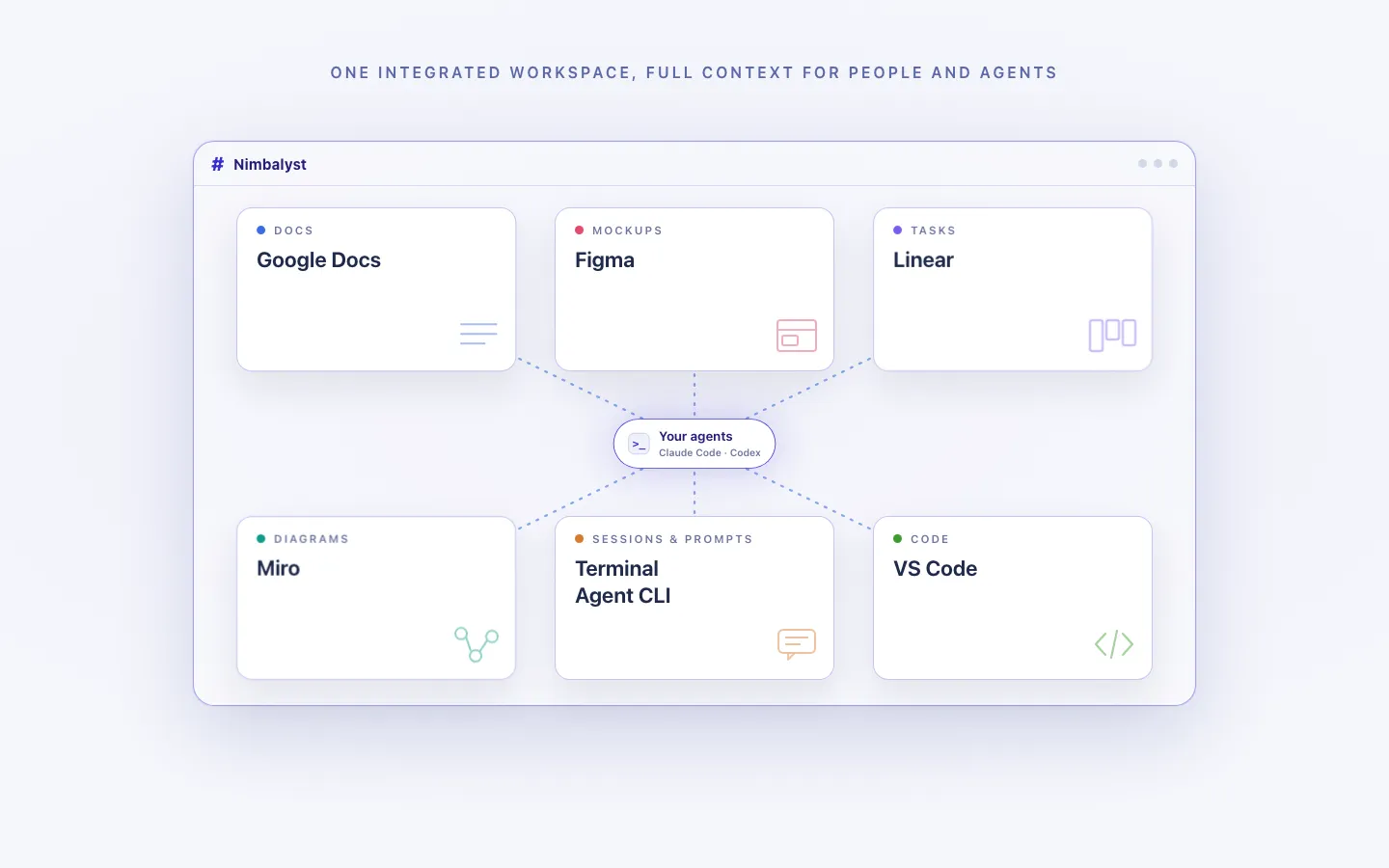
Write the spec, sketch the screen, draw the architecture, and ship it from one window.
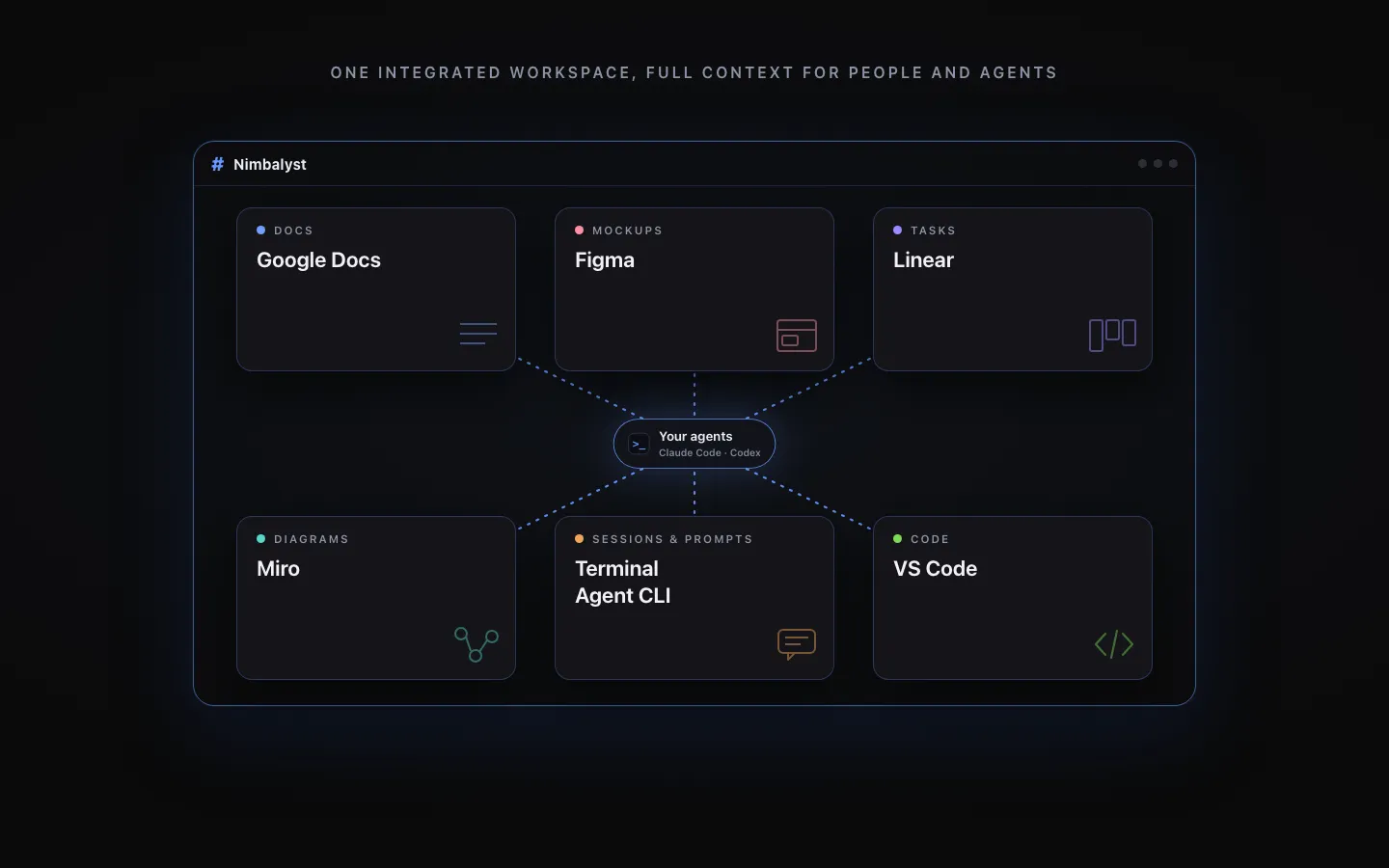
Claude Code and Codex read all of it, because it is all files in the same project.
Free and MIT for individuals, so there is nothing to approve before you start.
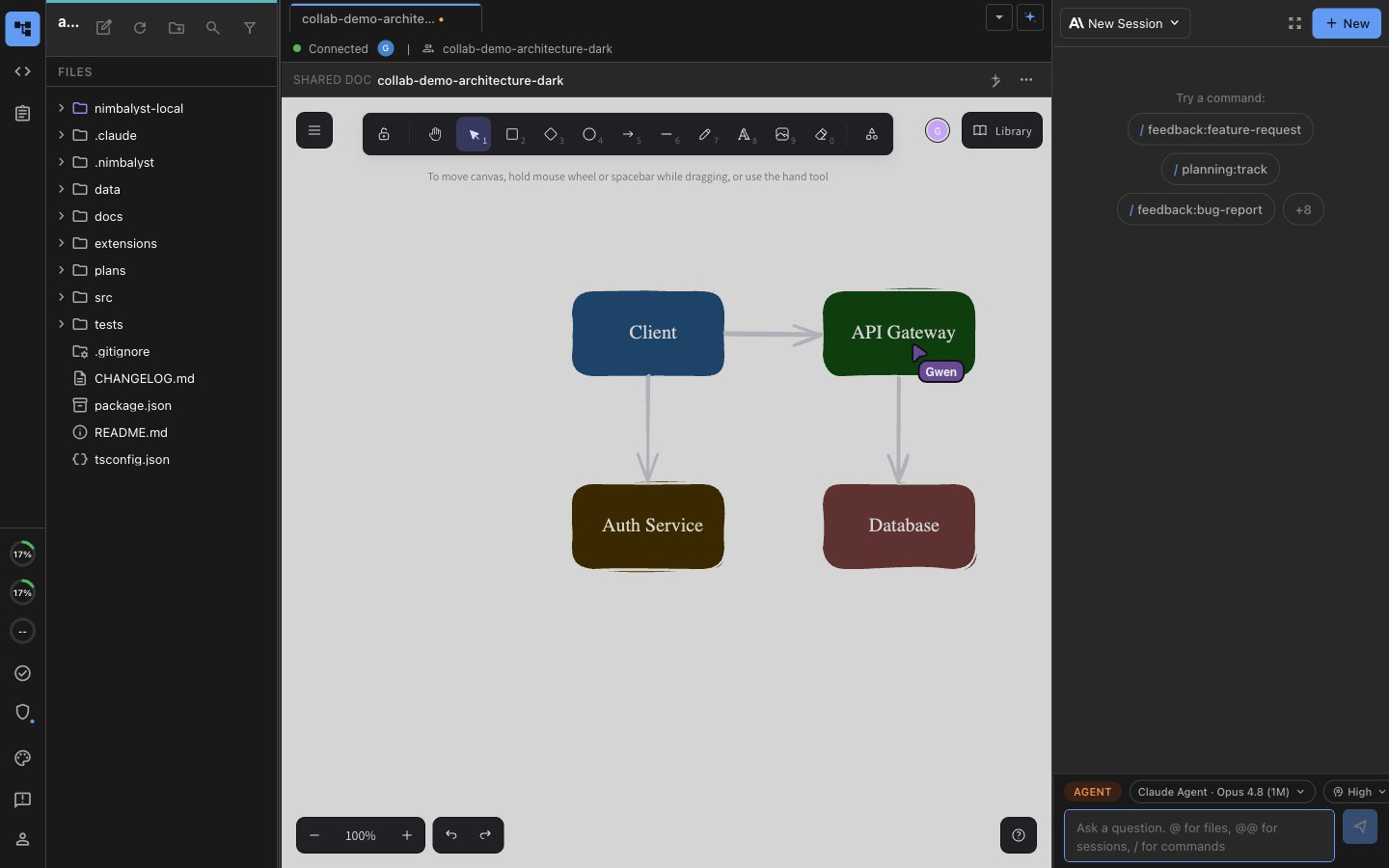

Two people and their own coding agents editing the same diagram at the same time.
What a nimble team runs into
You bought six tools before you had six customers
A seed-stage team ends up paying for a document tool, a tracker, a design tool, a whiteboard, a diagramming tool, and a chat app, then spends its afternoons carrying context between them. Every one of those subscriptions is priced per seat, and none of them lets an agent read what is inside.
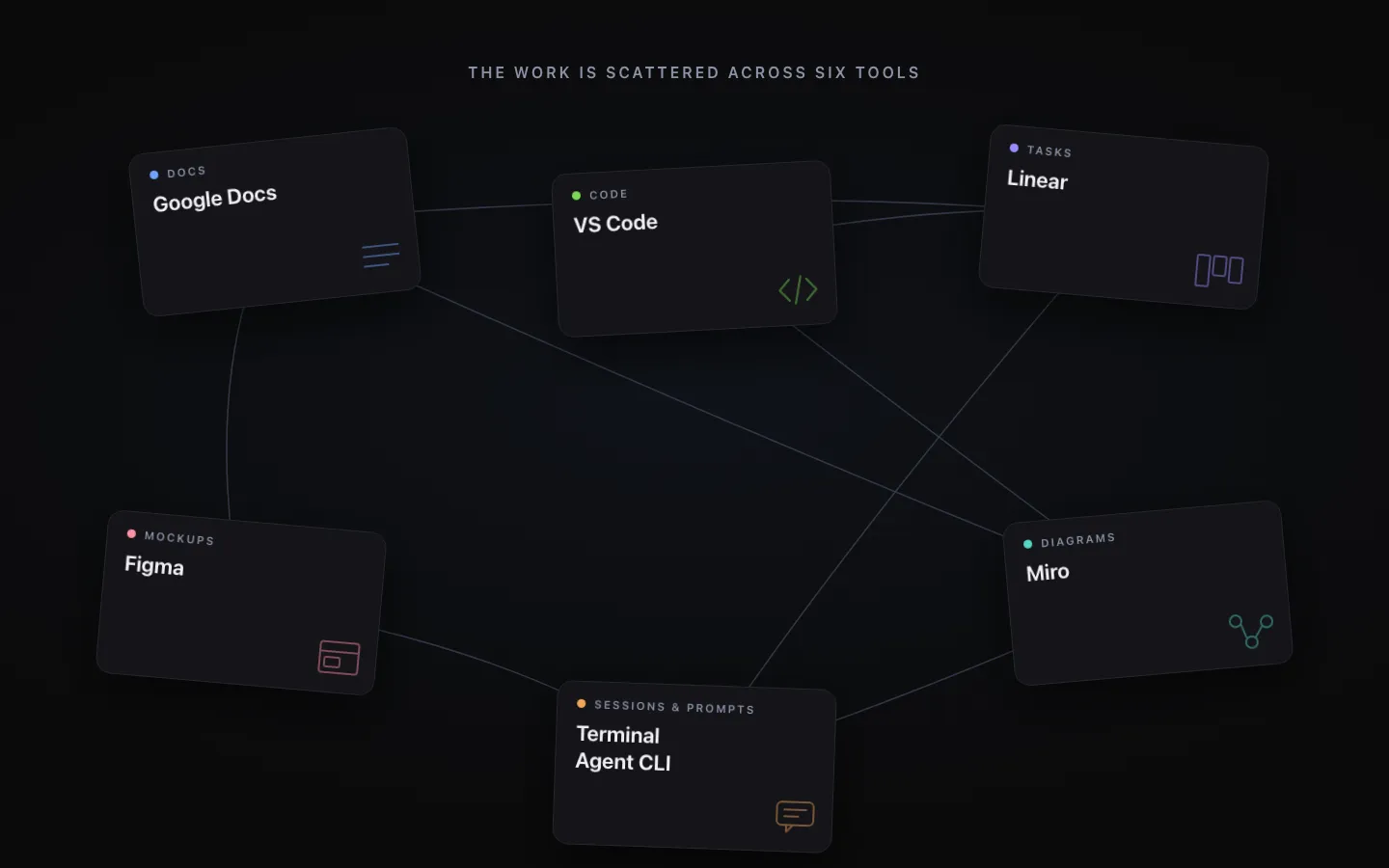
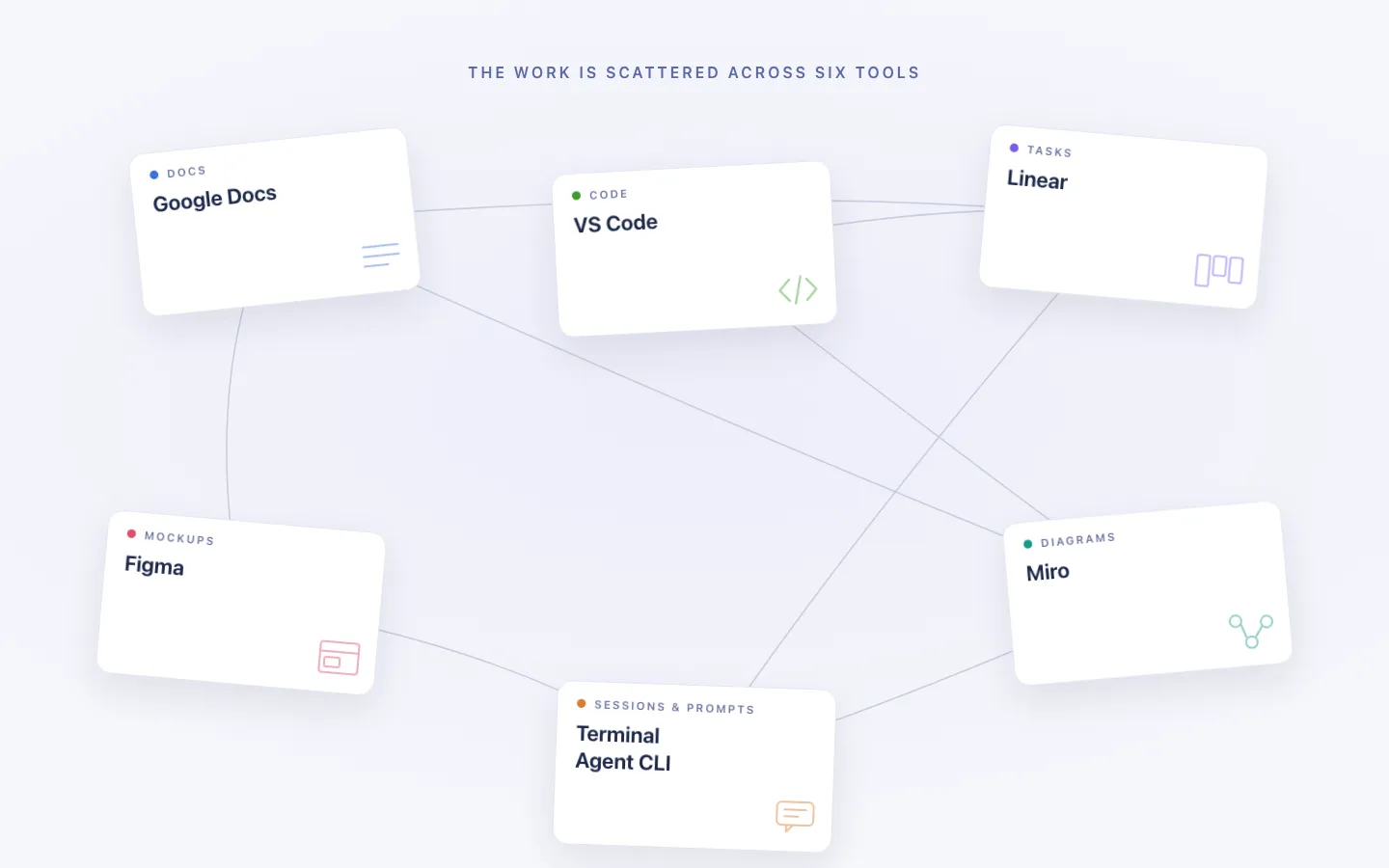
The stack costs more than it returns
Per-seat pricing on six products adds up to a line item that would otherwise be a contractor. At four people the tools are affordable and pointless; at twelve they are expensive and load-bearing, and switching has become a migration.
The context is in three people's heads
It works beautifully until the sixth hire, who has no idea why the schema looks like that or what was decided in the call last March. Nothing written down means nothing to hand over, and the founders become the documentation.
The agent only ever sees the repository
The requirement is in a document tool, the design is in a design tool, and the agent has access to neither. So someone paraphrases both into a prompt, gets code built against a summary, and the summary is where the mistake was.
One person, end to end
Sketch to shipped without changing tools
A nimble team does not hand work between departments. The same person writes the spec, argues about the design, directs the agent, and reviews what came back. Four steps, one window.
Decide
Write the thinking down in a document, with the diagram in the same file rather than in a separate app. Ten minutes of writing that a new hire can read in six months.
Design
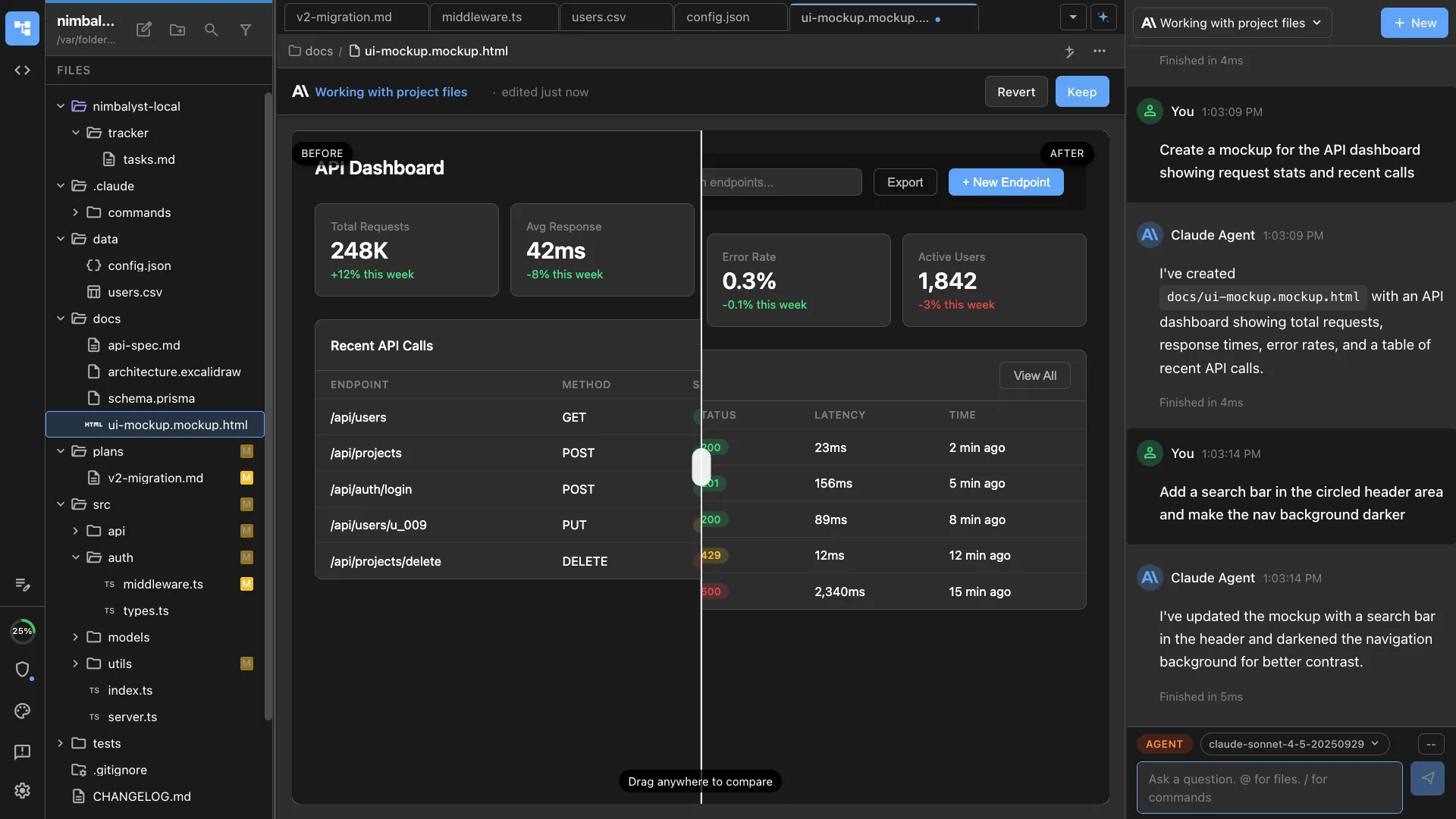
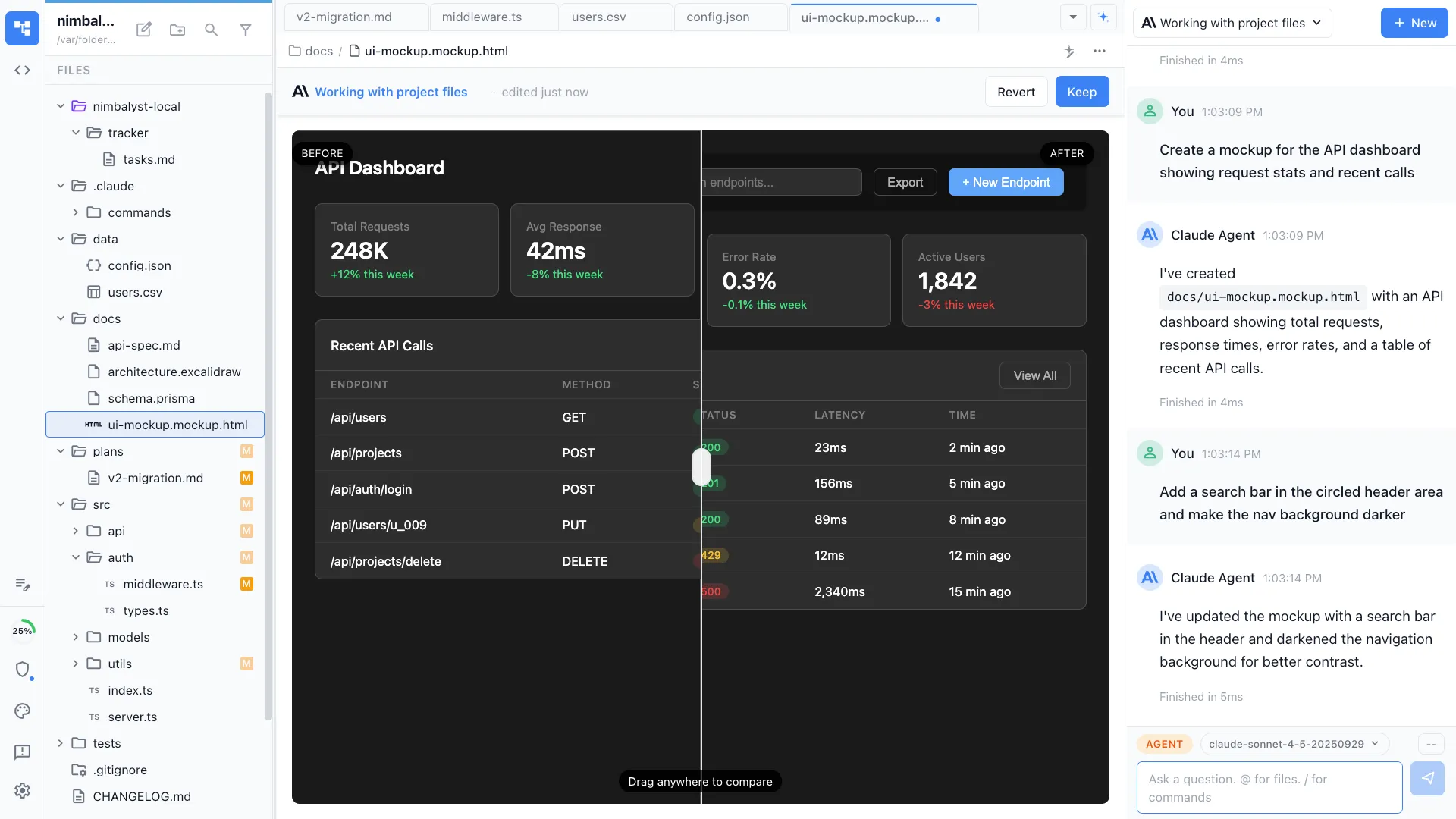
Sketch the screen as a mockup beside the spec. Nobody has to open a design tool or wait for whoever owns the license to it.
Build
Point Claude Code or Codex at the spec and the mockup as files, not as a description of files, and review what comes back as a diff.
Track
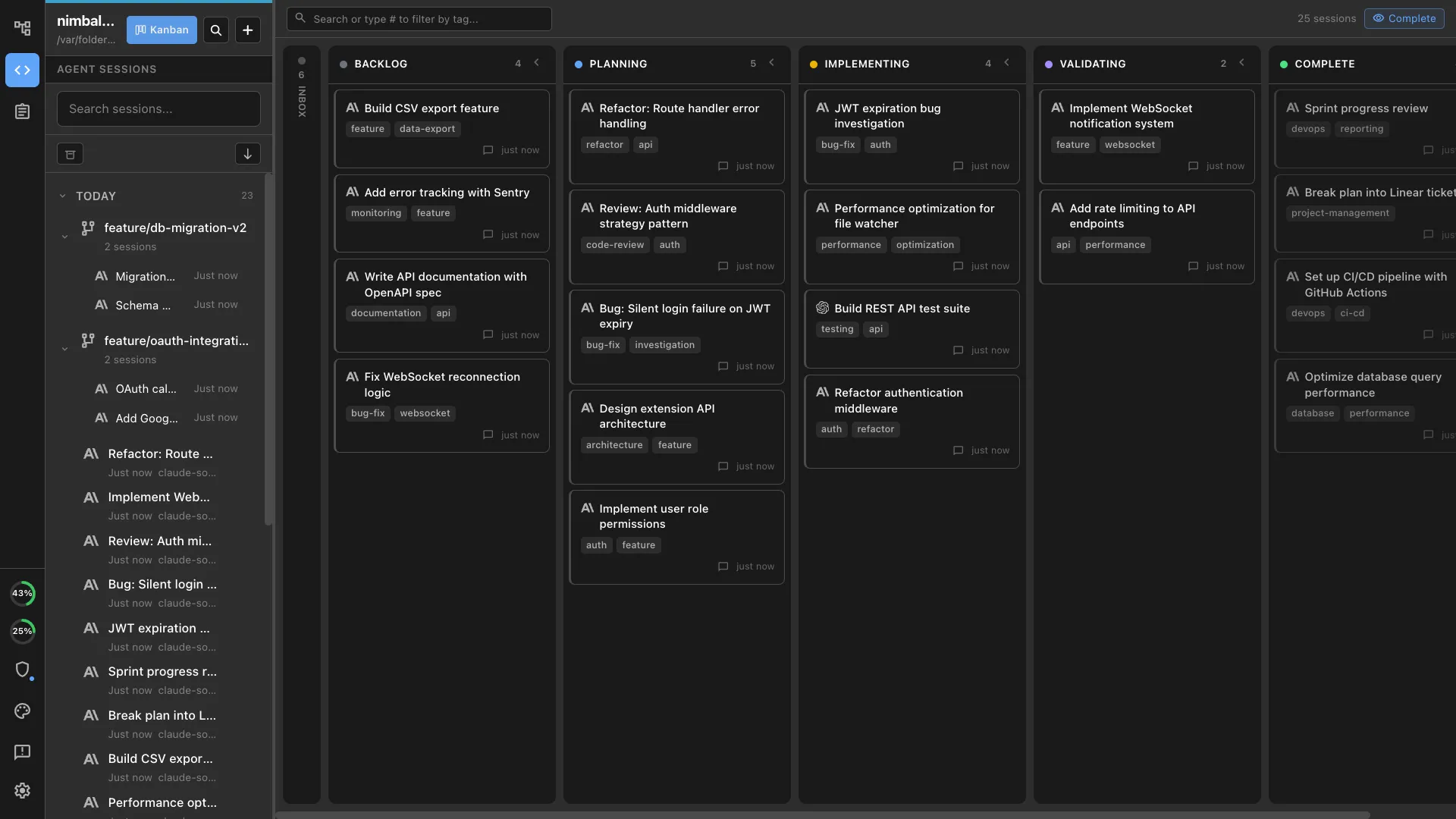
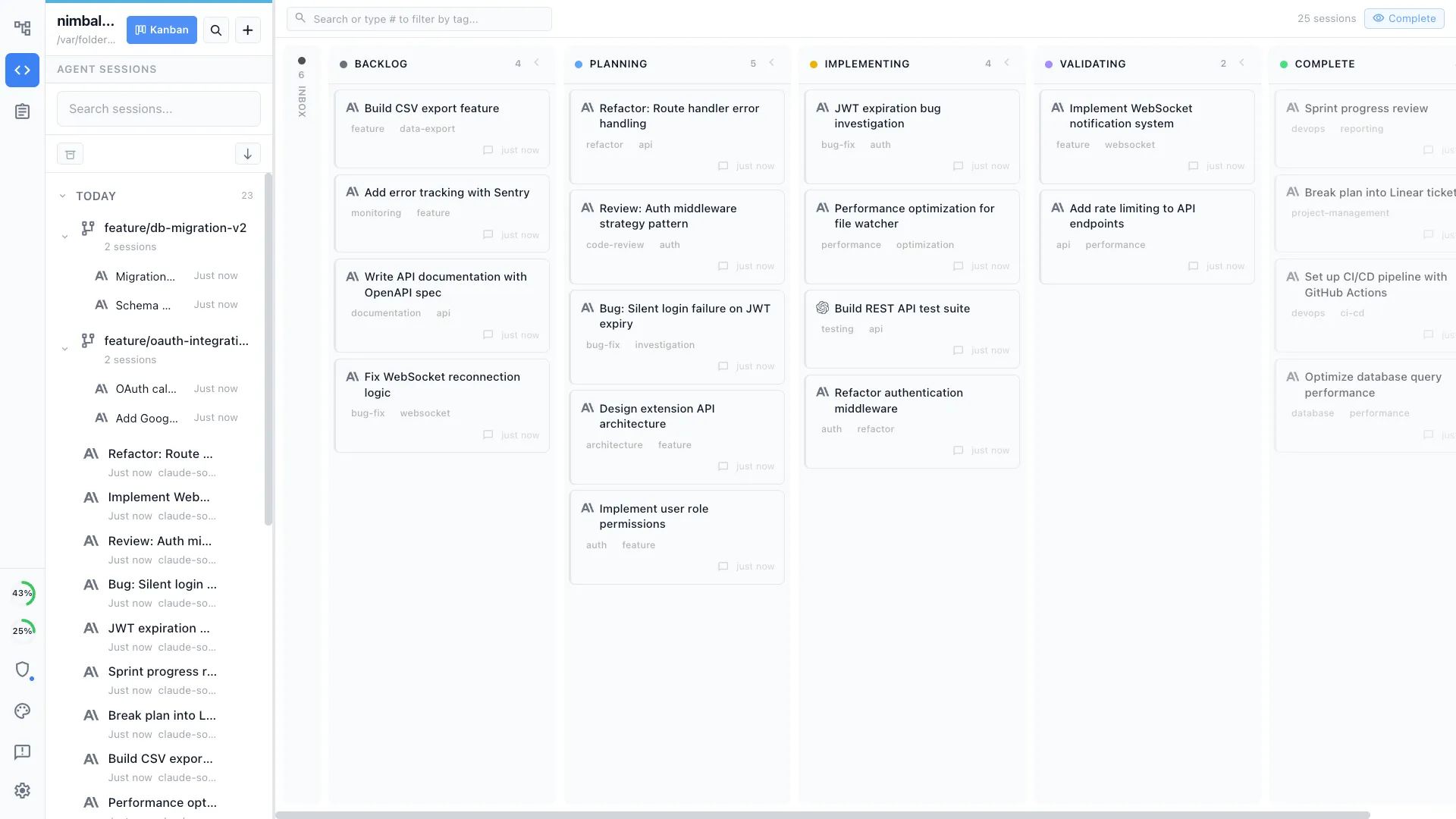
The work item, the document behind it, and the session that did it stay linked, so the answer to why is one click from the what.
Nobody at this size has time to keep half a dozen tools in sync by hand, which is why the syncing quietly stops around week three.
As the team grows
The same loop, with everyone in the file
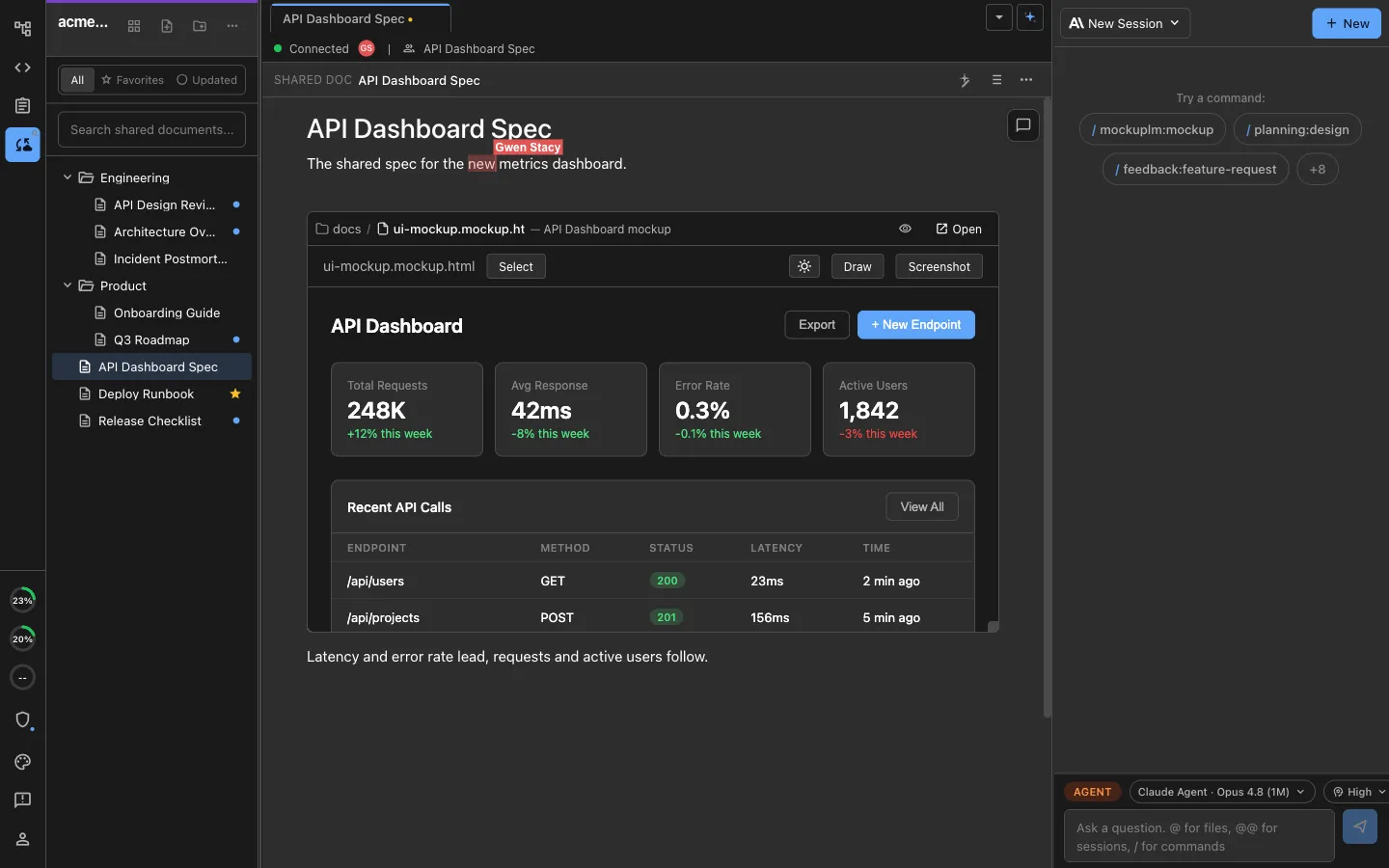
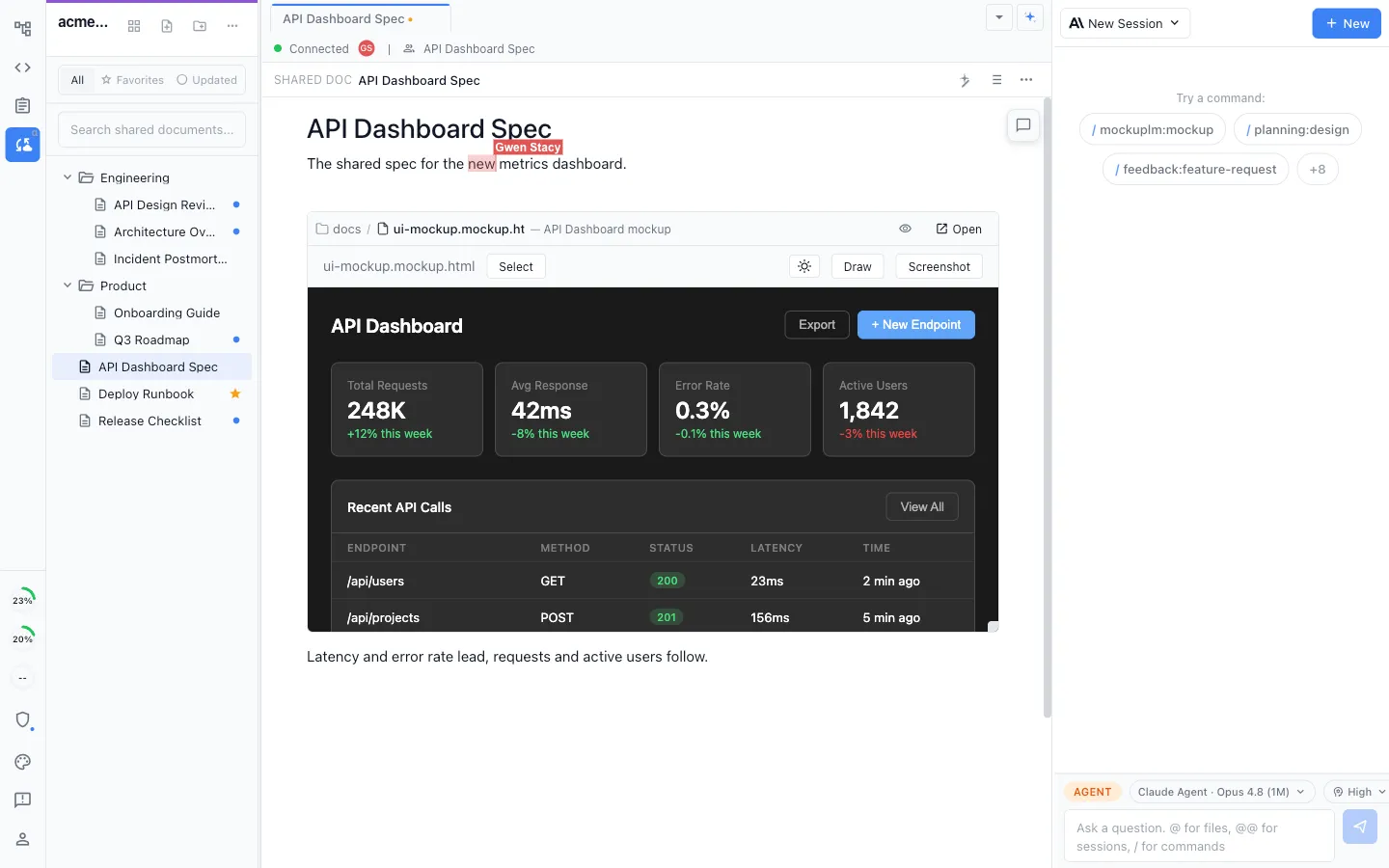
Nimble teams overlap on everything, so two people editing the same spec at the same time is the normal case rather than the exception. Nothing about the loop above changes when the second and third person arrive.
Everyone in the document at once
Live cursors on documents, mockups, and diagrams, so a design conversation happens on the artifact instead of in screenshots pasted into chat.
Each person runs their own agent
Your cofounder's Claude Code and your Codex work on the same shared files rather than on two copies that have to be reconciled on Friday.
Comments where the thing is
Feedback attaches to the paragraph or the shape it concerns, with the reply beside it, so a decision is findable later without searching a chat history.
Share one file, keep the rest local
Promote a single document to shared when it is ready. Half-finished thinking and the repository stay on your own machine.
A record you did not have to write
Change history on shared documents means the reason behind a decision survives the person who made it leaving, which for a startup is not hypothetical.
Chat in the workspace
The conversation sits next to the plan it concerns, so nobody has to reconstruct what was agreed from a scroll of messages.
The desktop app is free and MIT for individuals. Shared editing is the paid team layer.
What the workspace is
The surfaces a nimble team actually opens
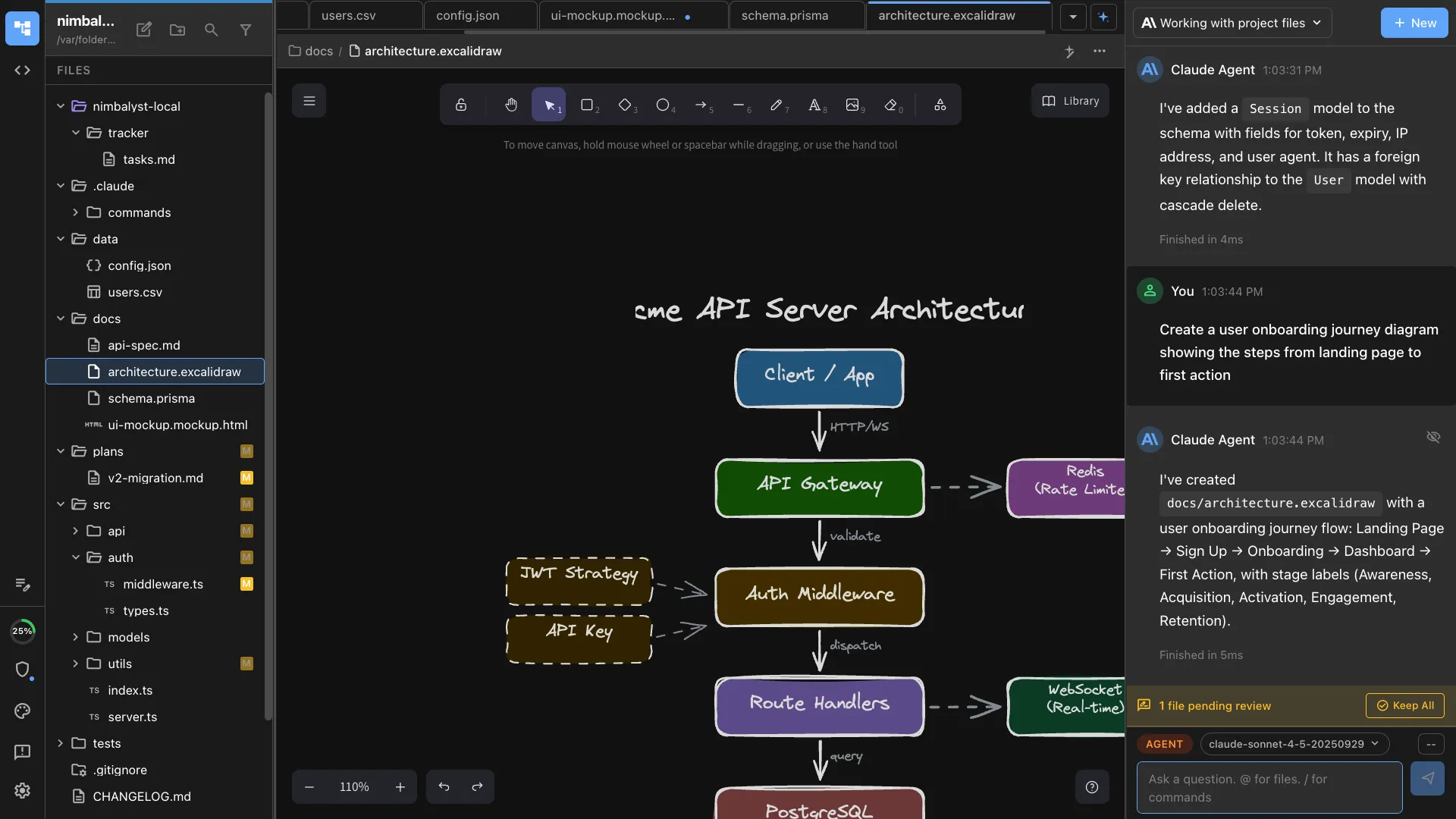
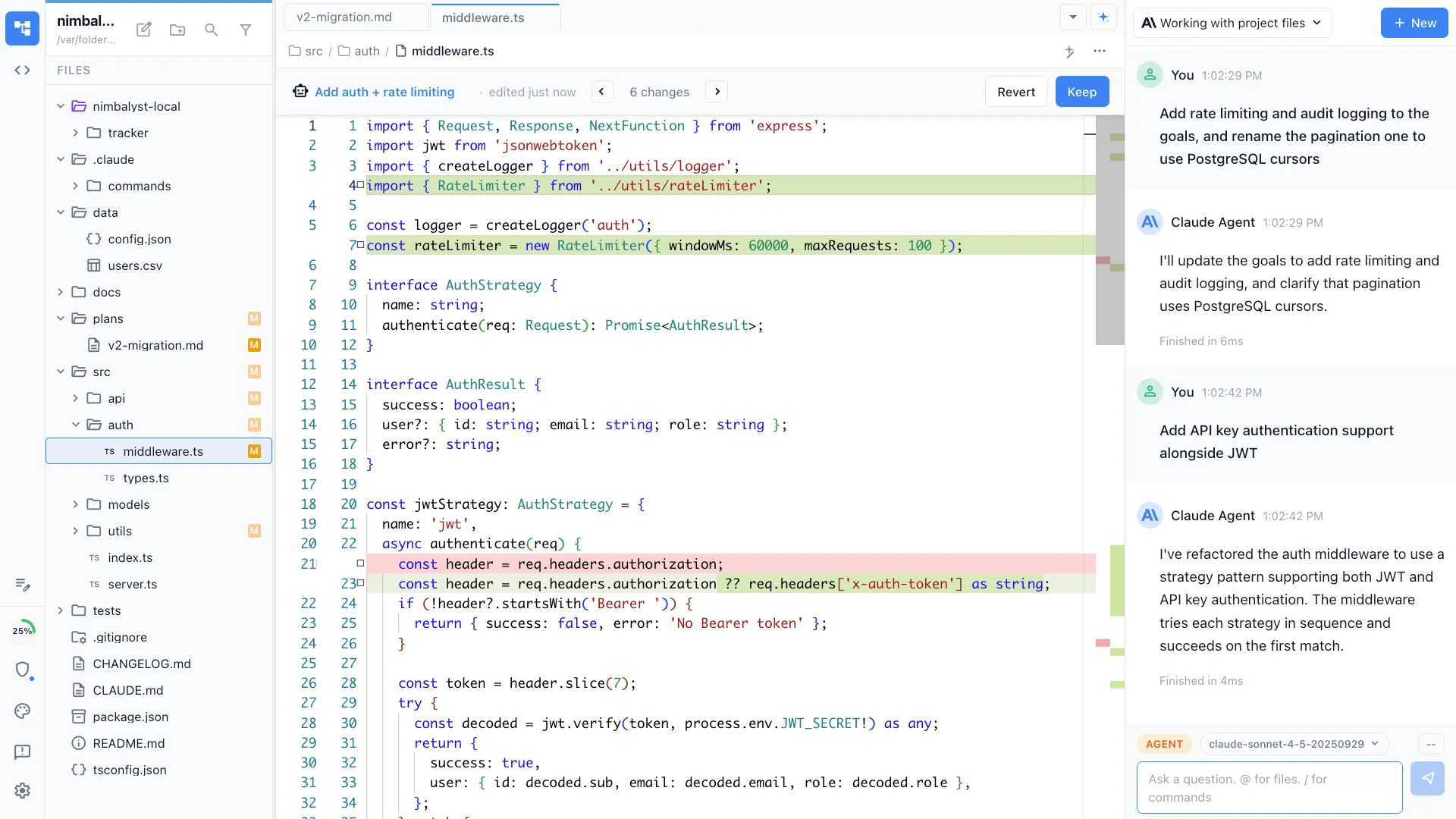
Specs, screens, architecture, numbers, and code, all editable by you and readable by your agents. Every agent change arrives as a diff someone approves. Every editor is an extension, so a file type your product needs and we do not have is a thing your own agent can build.
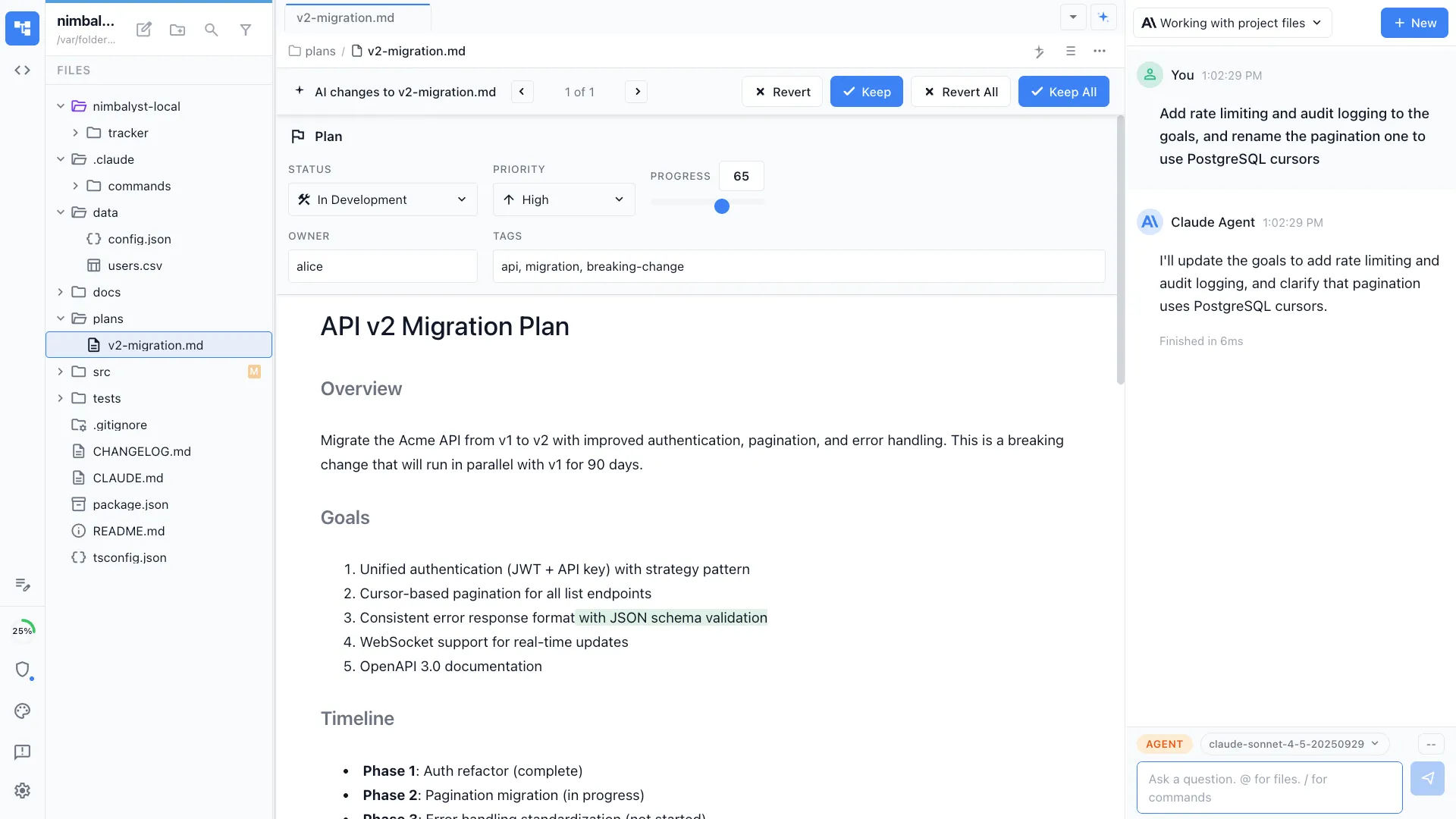
Specs, decisions, and the README nobody wrote
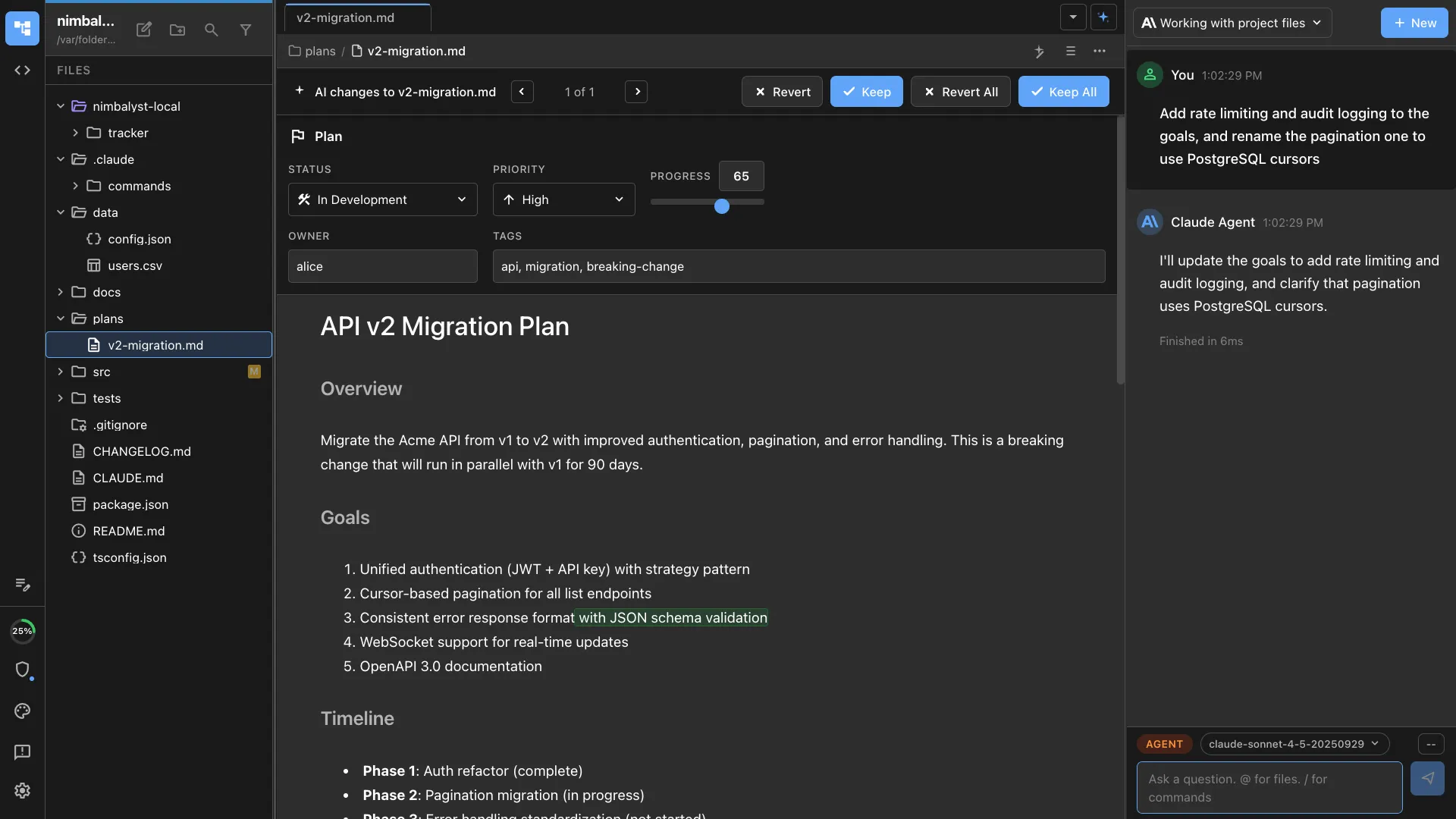
Plain markdown in your repository, written in a rich editor, read directly by your agents without an export step.
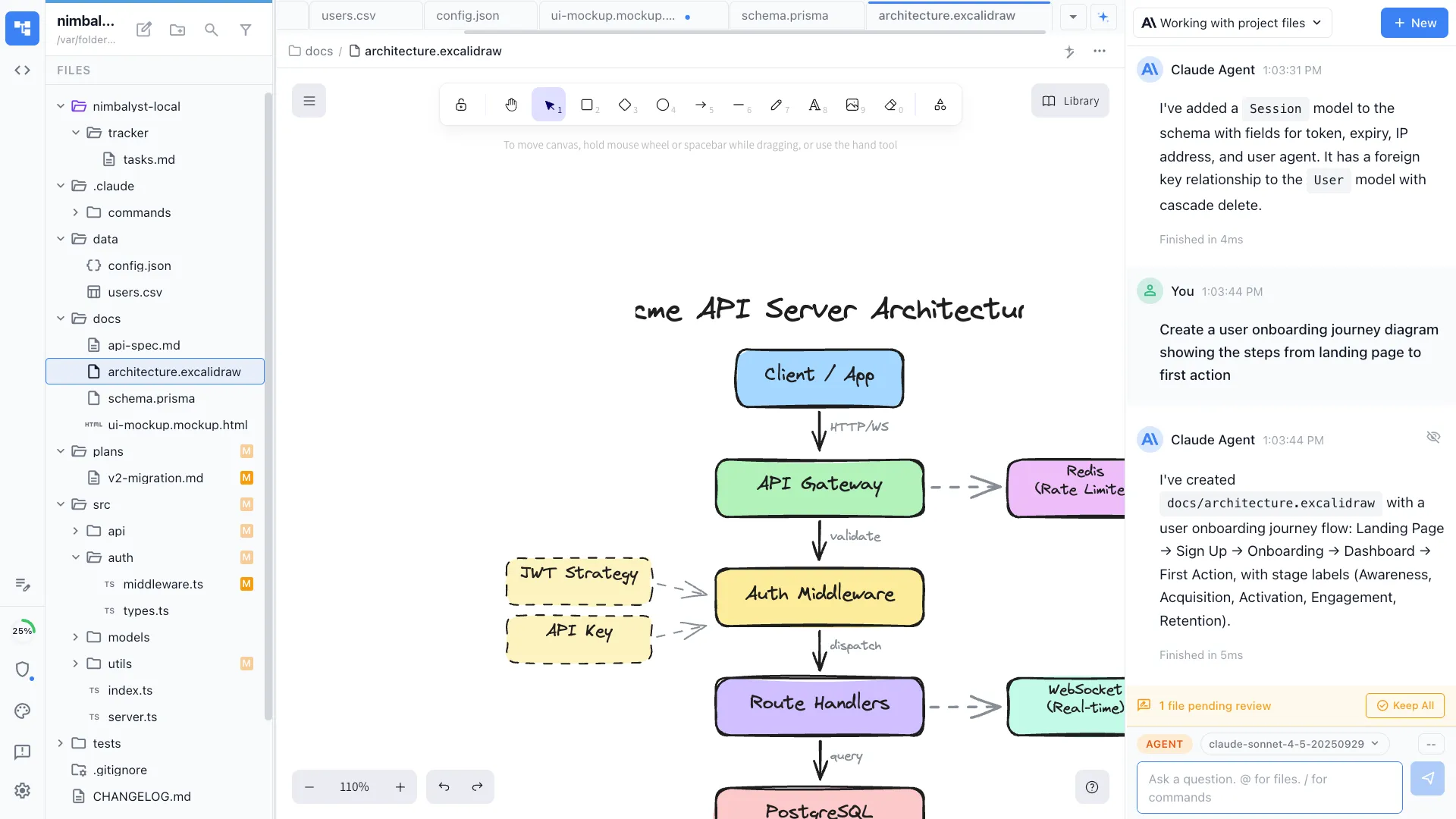
Diagrams inside the document
The architecture sketch lives in the same file as the paragraph explaining it, so the two cannot drift apart.
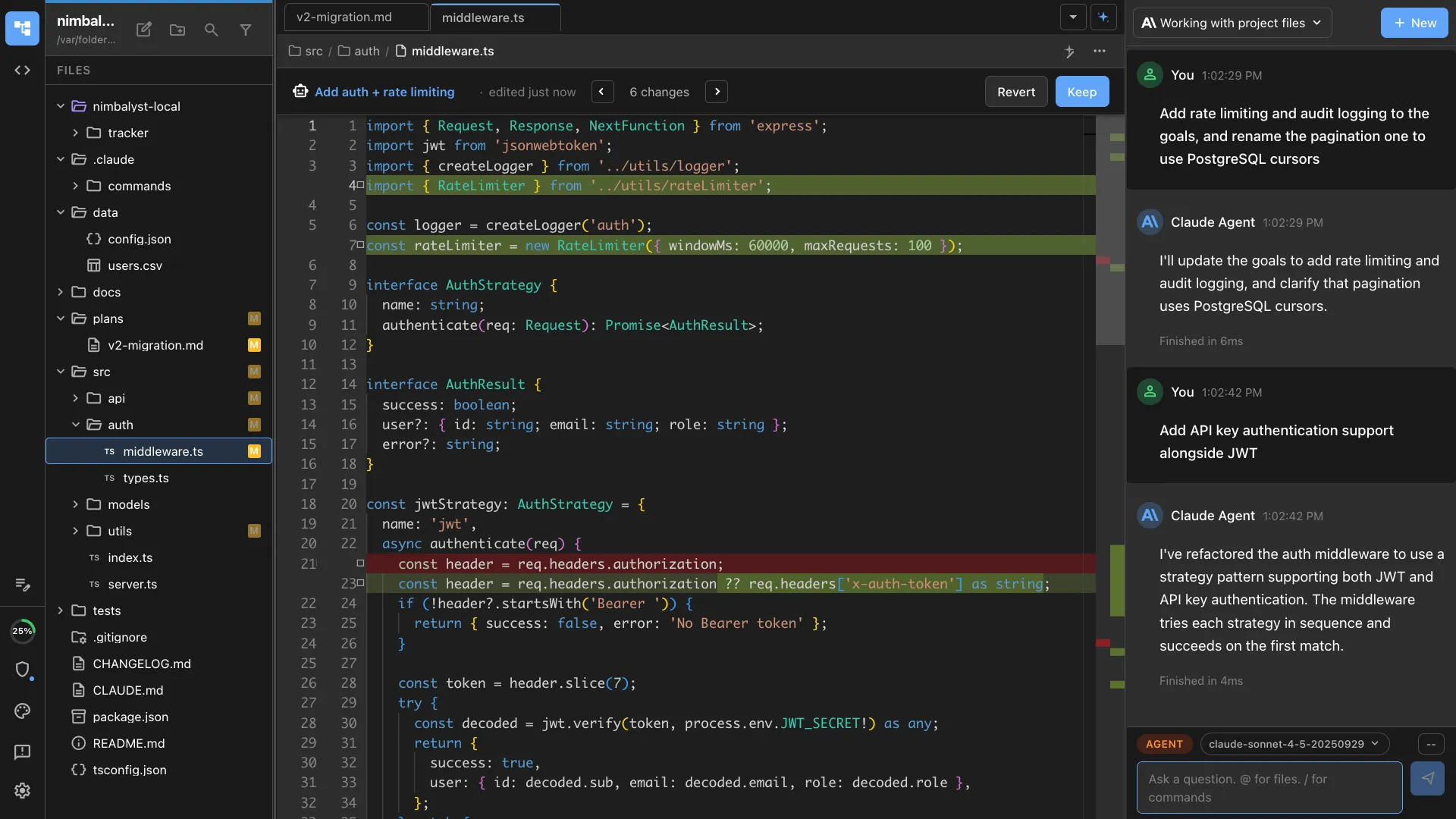
Review what the agent wrote
Edits arrive as red and green diffs you accept or reject line by line, which matters more when there is nobody else to catch it.
What nimble teams use it for
The founder work, then the work that keeps after you hire
None of it needs a custom extension.
Getting to a product
Turning an idea into something buildable
Write the problem, sketch the screen, and let the agent build against both. The spec is a file rather than a paragraph in a chat window, so it can be revised rather than re-explained.
Customer conversations into decisions
Notes from calls become a document your agent can read when it builds the thing the calls asked for, instead of a folder of transcripts nobody revisits.
A roadmap you will actually update
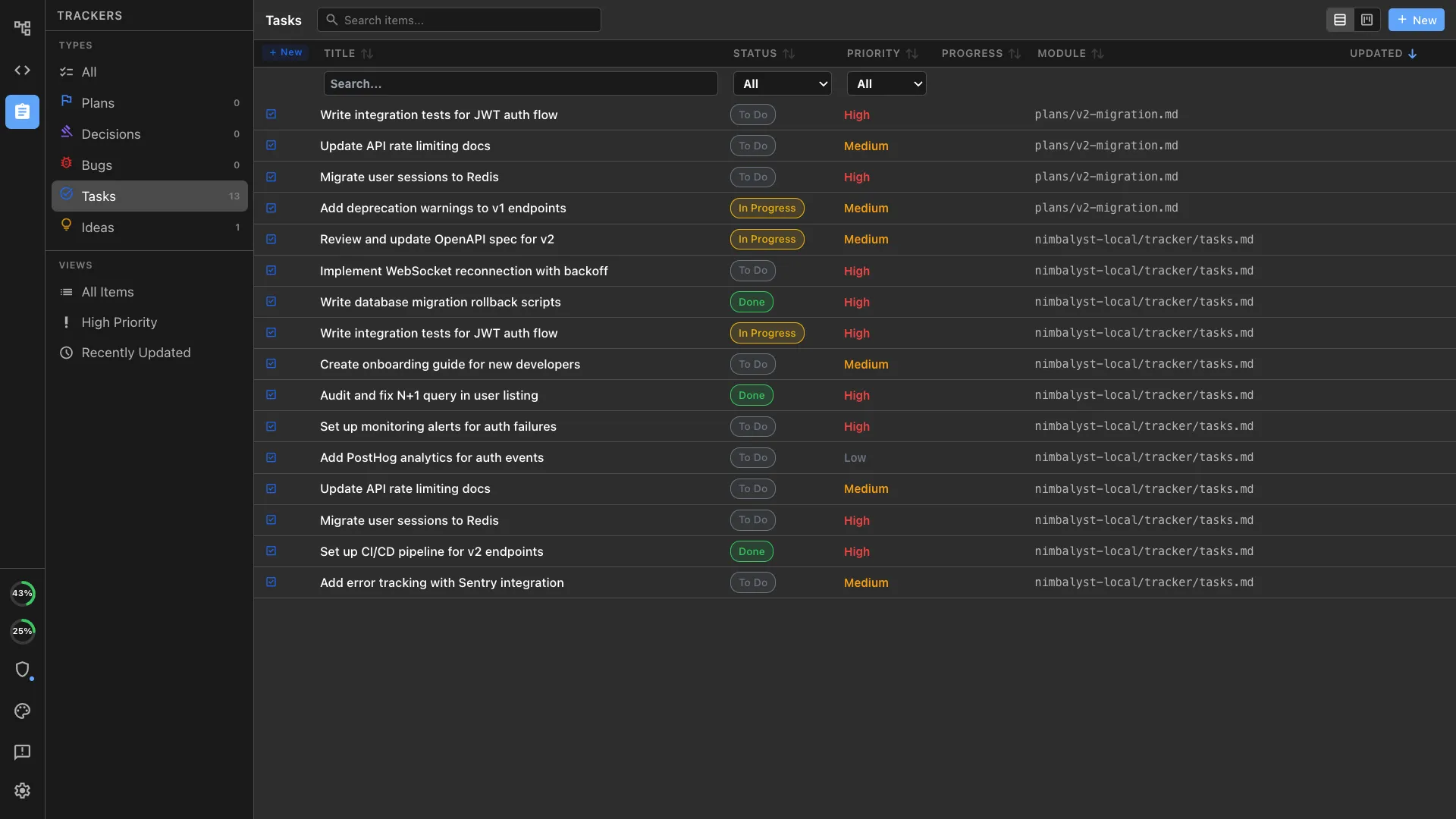
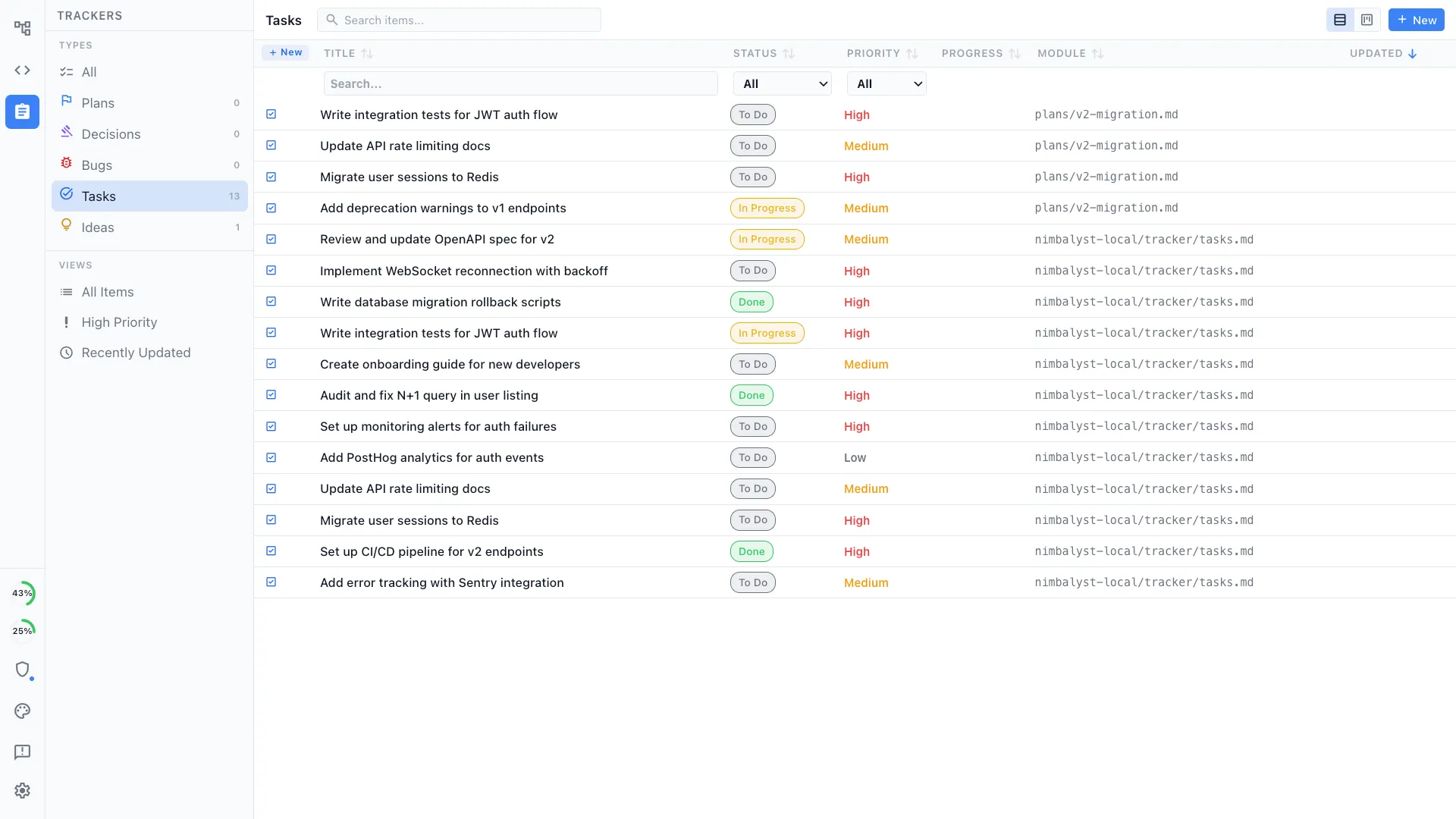
A tracker with your own item types, sitting beside the documents behind each item, so updating it is a click rather than a separate weekly ritual.
Pitch and fundraising material
The deck narrative, the metrics sheet, and the product screens live together, so the story and the product stop diverging between raises.
Once there are more of you
Onboarding hire number six
They read the decisions and the diagrams rather than booking time with a founder, which is the point at which written context stops being optional.
Review by someone who was not there
The change arrives with the plan and the reasoning attached, so a new engineer can review it without reconstructing the intent first.
Keeping design and code together
The mockup and the implementation are in the same project, so the built screen and the intended screen can be compared rather than argued about.
One tool instead of five subscriptions
Documents, tracker, mockups, diagrams, spreadsheets, and code in one workspace, which is one bill and one place to look.
Extensions
You describe the editor you need.
Your coding agent writes it.
Every editor in Nimbalyst is an extension, including the ones we ship. If your product has an artifact you keep managing in a spreadsheet because building a UI for it was never worth a sprint, that is the thing to try first. None of the examples below is something we ship.
Your agent does the building
Describe what you need, have the agent write it against the SDK, and iterate on it the way you iterate on any other code in the repository.
It is code in your own repo
The extension sits in your repository on top of the MIT-licensed app, so it is yours to read, change, and keep.
Cheap enough to try
A nimble team can afford an internal tool when it costs a prompt and an afternoon rather than a sprint nobody can spare.
Two shapes that come up often in early-stage products, both of which usually start life as a spreadsheet.
Product and ops
The onboarding or workflow your product runs on
The sequence of states a customer moves through is usually modelled in a spreadsheet and re-explained in every standup. As an editor, it becomes an object the team edits and the agents implement against.
Founders and finance
The model everything else is argued from
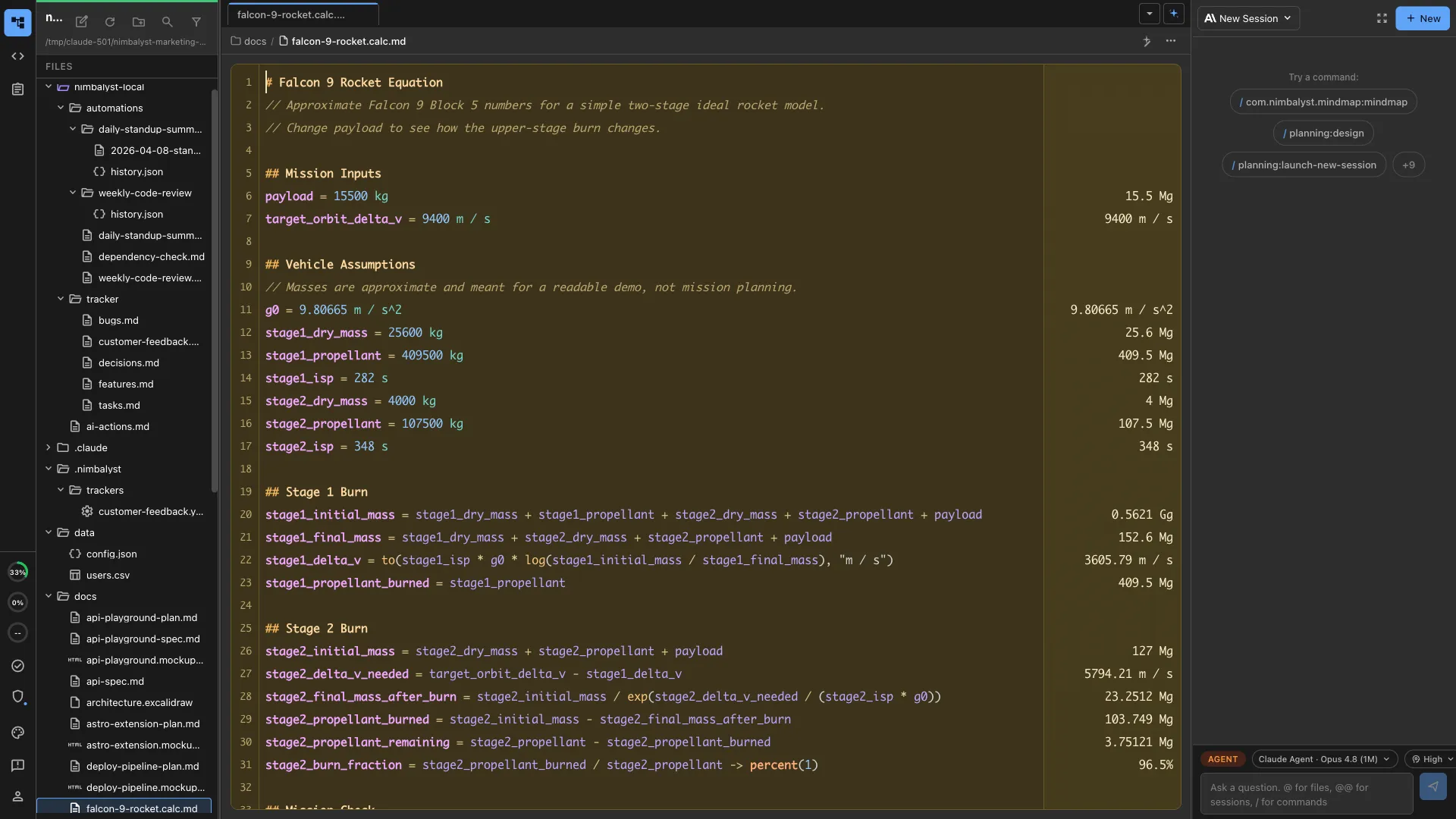
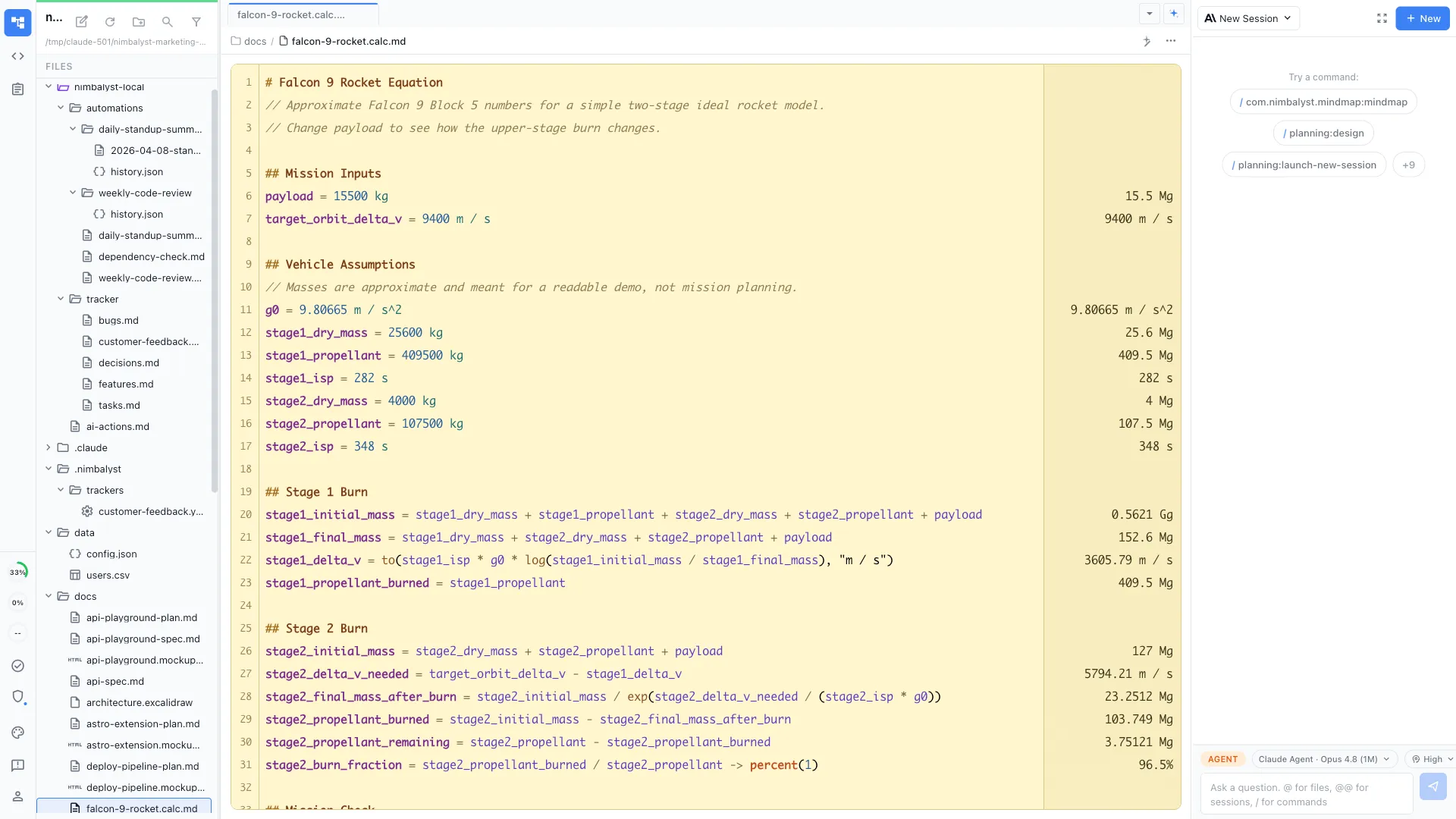
Pricing tiers, unit economics, and runway assumptions turn into a view the whole team can open rather than a file one person owns and everyone else asks about.
Where it sits
Nimbalyst extends the coding agents you already pay for
Nimbalyst runs on top of Claude Code, Codex, and the other agents you have installed, using the subscriptions you already have. They run locally on your own machine, on the files you have open.
- Claude Code
- Codex
- Gemini CLI
- Your own harness
No second AI bill
Your existing agent subscription does the work. Nimbalyst is the workspace around it rather than another metered service on top.
Not locked to one vendor
Different agents run side by side in the same workspace, which matters when the best model for the job changes every few months.
Free and open source
The desktop and iOS apps are MIT licensed. Install them, read the source, build from it, or fork it. Nothing to approve and nobody to email.
Start with the free app
Download it, open the project you are already working on, and point your existing agent at it. Shared editing is there when there are enough of you to need it.