One workspace for the engagement team,
the client, and your coding agents
Your delivery model is multi-person teams on time-boxed engagements, often mixed
with client staff. Nimbalyst gives everyone and your agents an integrated multiplayer
editing surface for the sessions, trackers, documents, diagrams, plans, and code.
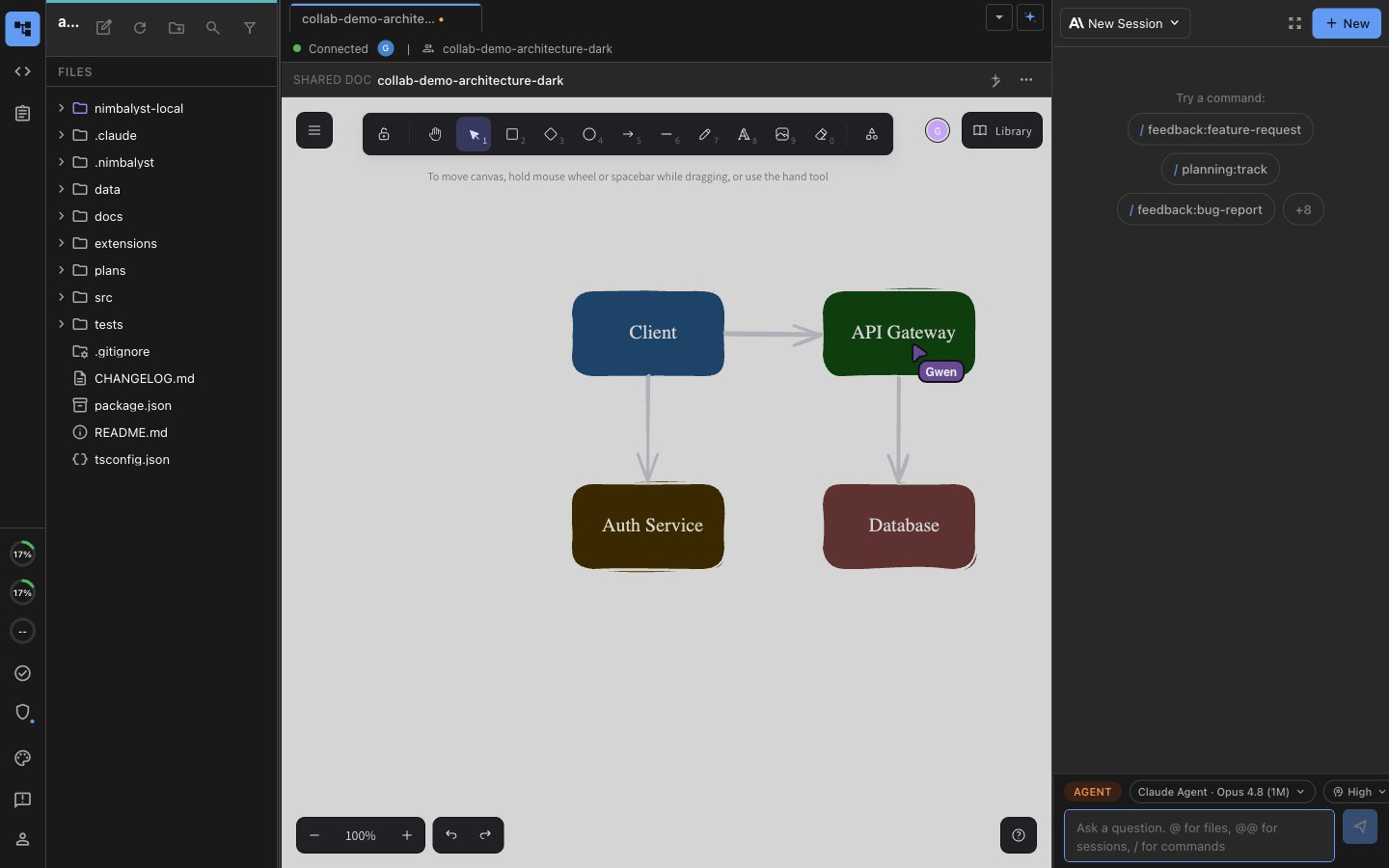

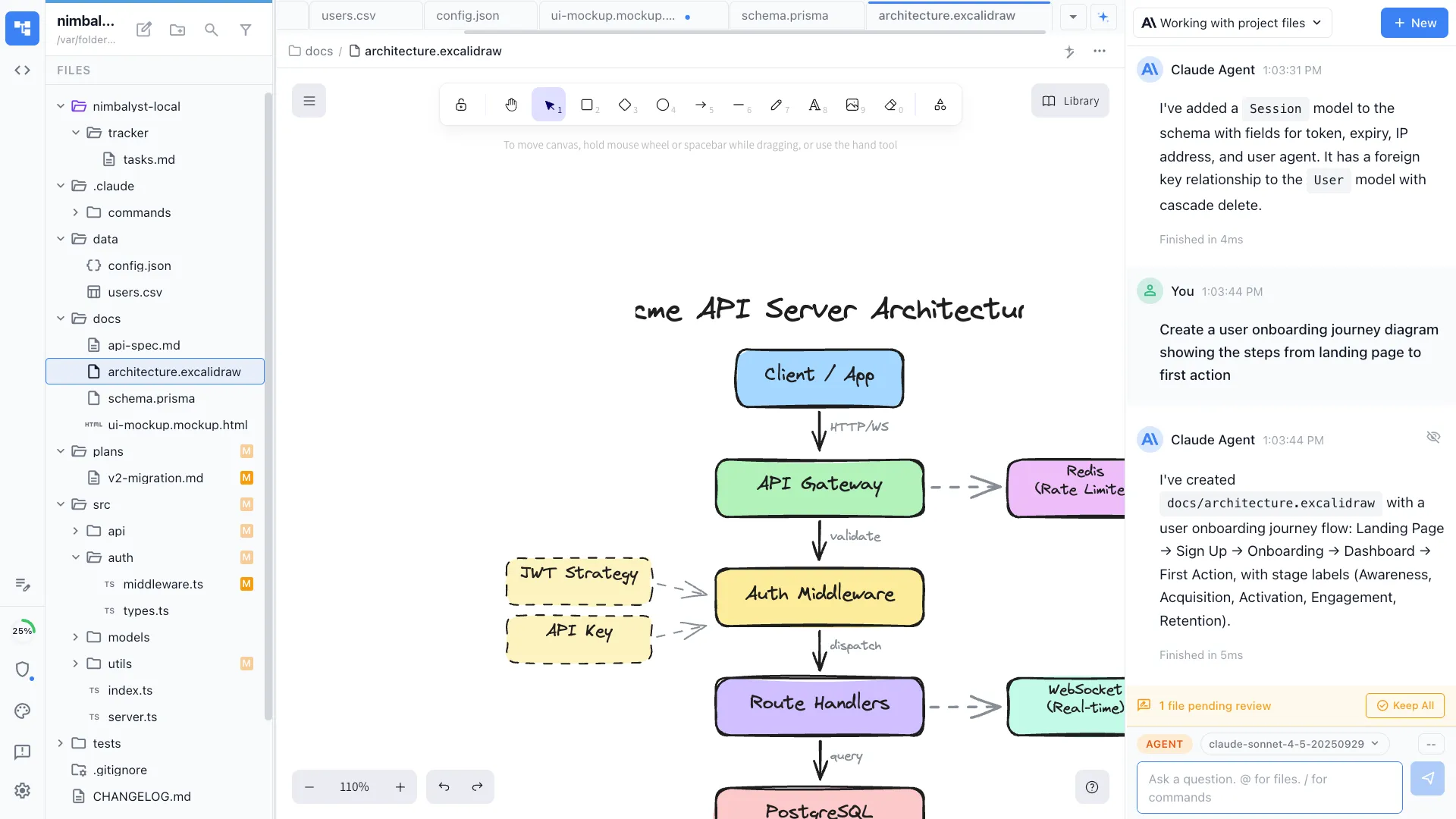
Two people editing the same architecture diagram at the same time, each with their own coding agent running locally in the same window.
What an engagement runs into
Everyone is in a different tool, and the agents are in none of them
An engagement spreads across a document store, a diagramming tool, a spreadsheet, a tracker, chat, and a repository. Your consultants, the client's people, and everyone's coding agents each work in a different one, so the deck at the end reaches everybody while the scope it came from, the decisions behind it, and the sessions that produced it never do.
Nobody is collaborating, including the agents
Your engagement manager, your engineers, and the client's own people work the same scope in parallel rather than together, and each person's coding agent runs in a session none of the others is in. Everyone reconciles by hand afterwards, in a meeting.
Deliverables sit where agents cannot reach them
Current-state maps in a diagramming tool, the migration wave plan in a spreadsheet, requirements in a document store, the backlog somewhere else again. An agent cannot read or update any of it, so someone retypes the context into a prompt and the output never goes back.
The engagement ends and the context leaves with it
Handover is a document written at the end, describing decisions the client was never inside. Six months later the next phase starts by reconstructing what happened, and the follow-on scoping conversation gets harder than it needed to be.
What Nimbalyst gives you
Own the workspace your engagements run in
A collaborative workspace for working with Codex and Claude Code that your firm owns and extends, without getting locked into one foundation lab's toolchain or rebuilding a delivery toolkit per client.
Integrated
The scope, the agent session, the decision, the review, and the code stay linked to each other.
Collaborative
Multiplayer on the same documents, diagrams, and boards, with client staff and each engineer's local agent in the same files.
Visual
Markdown, mockups, diagrams, data models, and spreadsheets edited by people and read and written by agents.
Heterogeneous
Claude Code, Codex, and your own internal harnesses side by side, on the models and gateway the client governs.
Extensible
No editor for an artifact an engagement keeps rebuilding by hand? Your team builds one on the SDK and reuses it on the next account.
You own the client, and the collaboration layer under it
The desktop and iOS apps are MIT licensed. The collaboration server is source available under a restricted license and runs in your account or your client's, so a client security review reads the code rather than taking it on trust. Switching agents next quarter does not cost you the workspace, because the documents, trackers, and extensions stay yours.
Multiplayer on the work
Your team, the client, and every agent in the same files
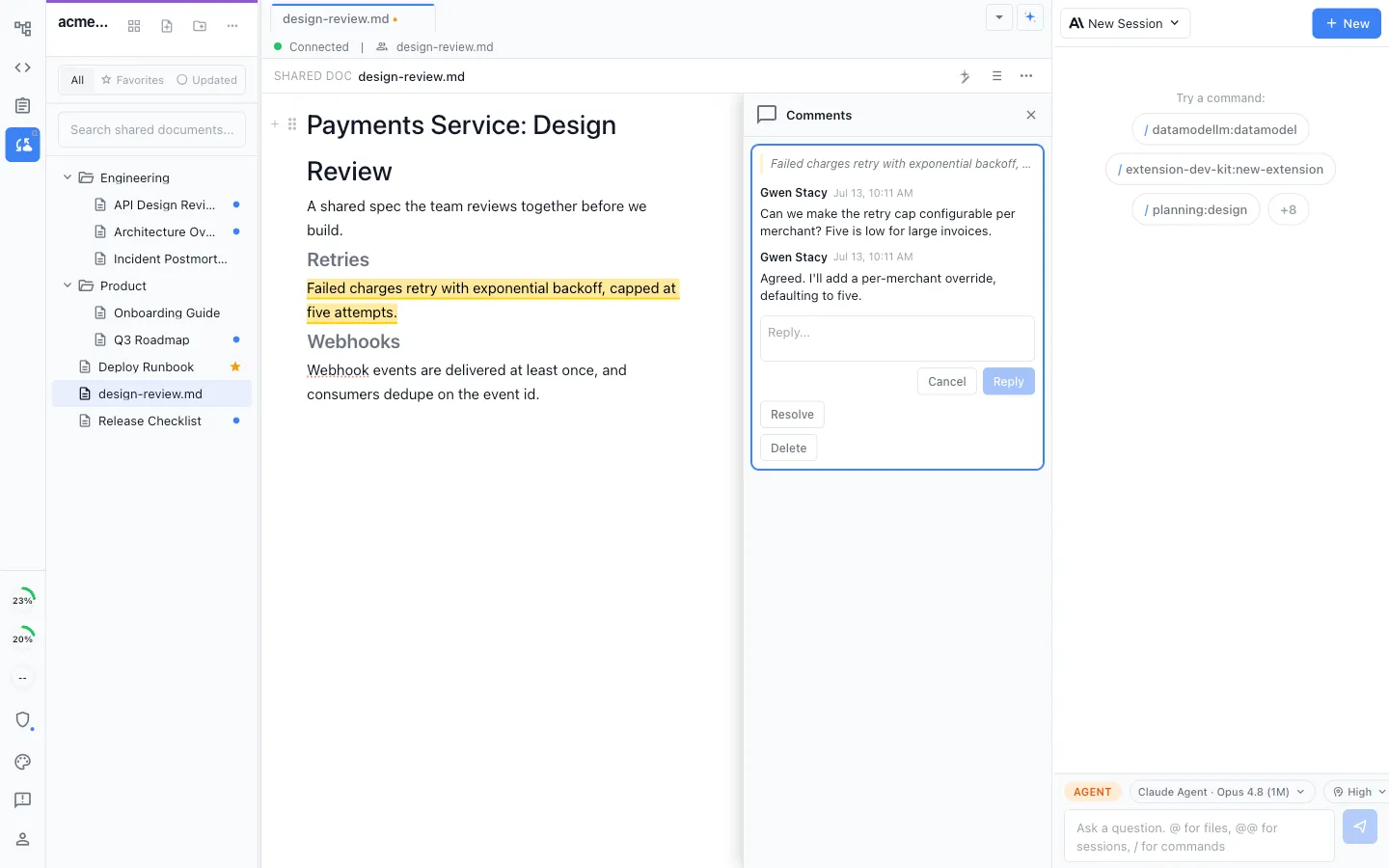
Live shared editing on documents, diagrams, mockups, plans, and trackers, with comments on the artifact itself and a full history at handover.
True multiplayer on the deliverables
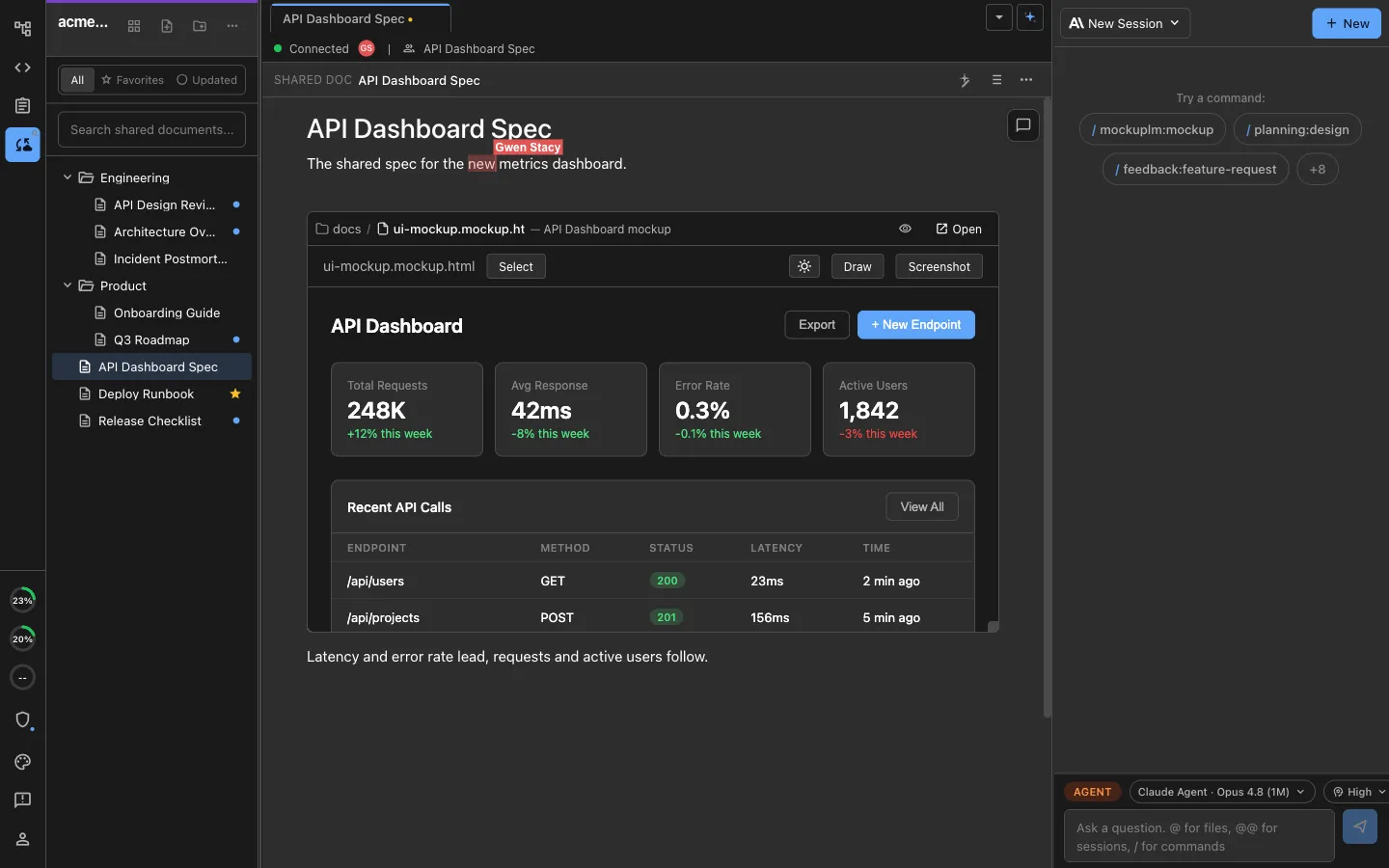
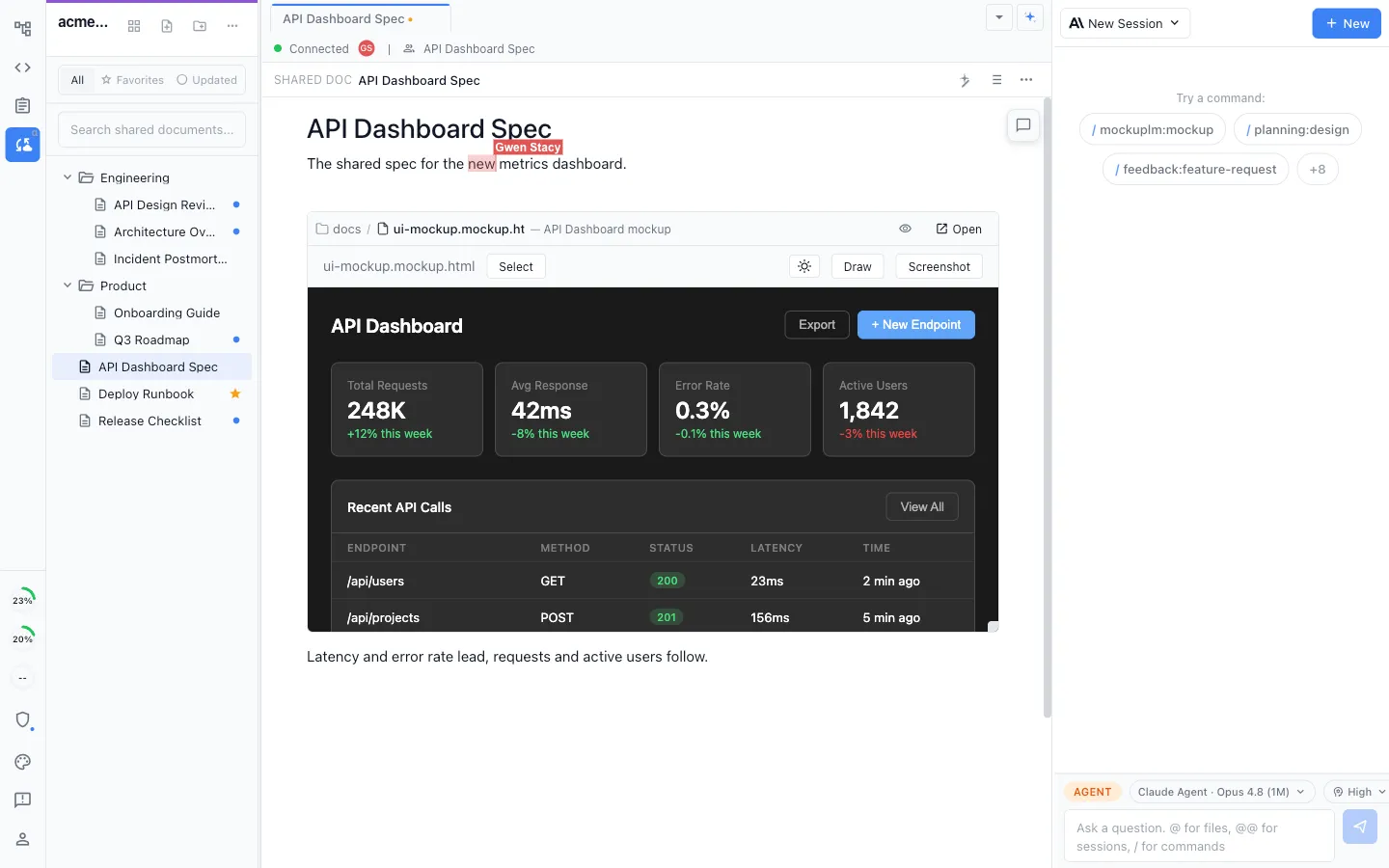
Documents, mockups, and diagrams edited together in real time, with a live cursor for everyone in the file.
Client staff inside the same documents
An invited client teammate edits the shared document in Nimbalyst and can point their own coding agent at it, so their side works on the deliverable instead of an emailed copy.
Everyone's agents in the same room
Each person's local Claude Code and Codex agents work on the same shared documents rather than on separate copies that have to be merged later.
Comments anchored to the work
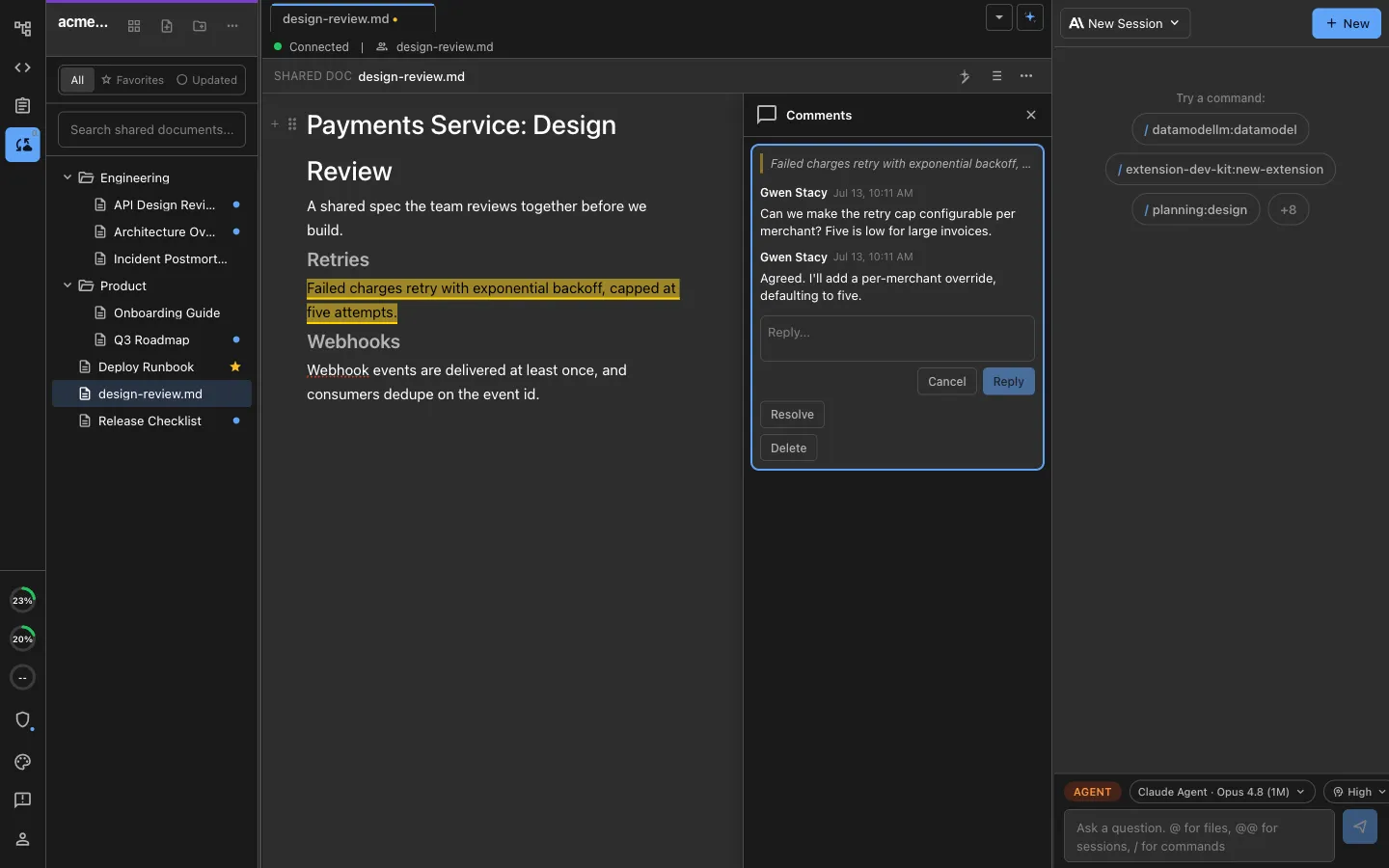
Feedback sits on the passage of the shared document it concerns, with the reply thread beside it, so review happens on the deliverable rather than in a separate thread about it.
A record of how the deliverable got there
Full change history on shared documents, so the decision, the revision that followed it, and who made it are all still visible at handover.
A workspace the client keeps
When the engagement closes, the client is left with the plans, decisions, diagrams, trackers, and agent-ready artifacts in a workspace they can carry into the next phase.
What the workspace is
Agent-powered visual editors
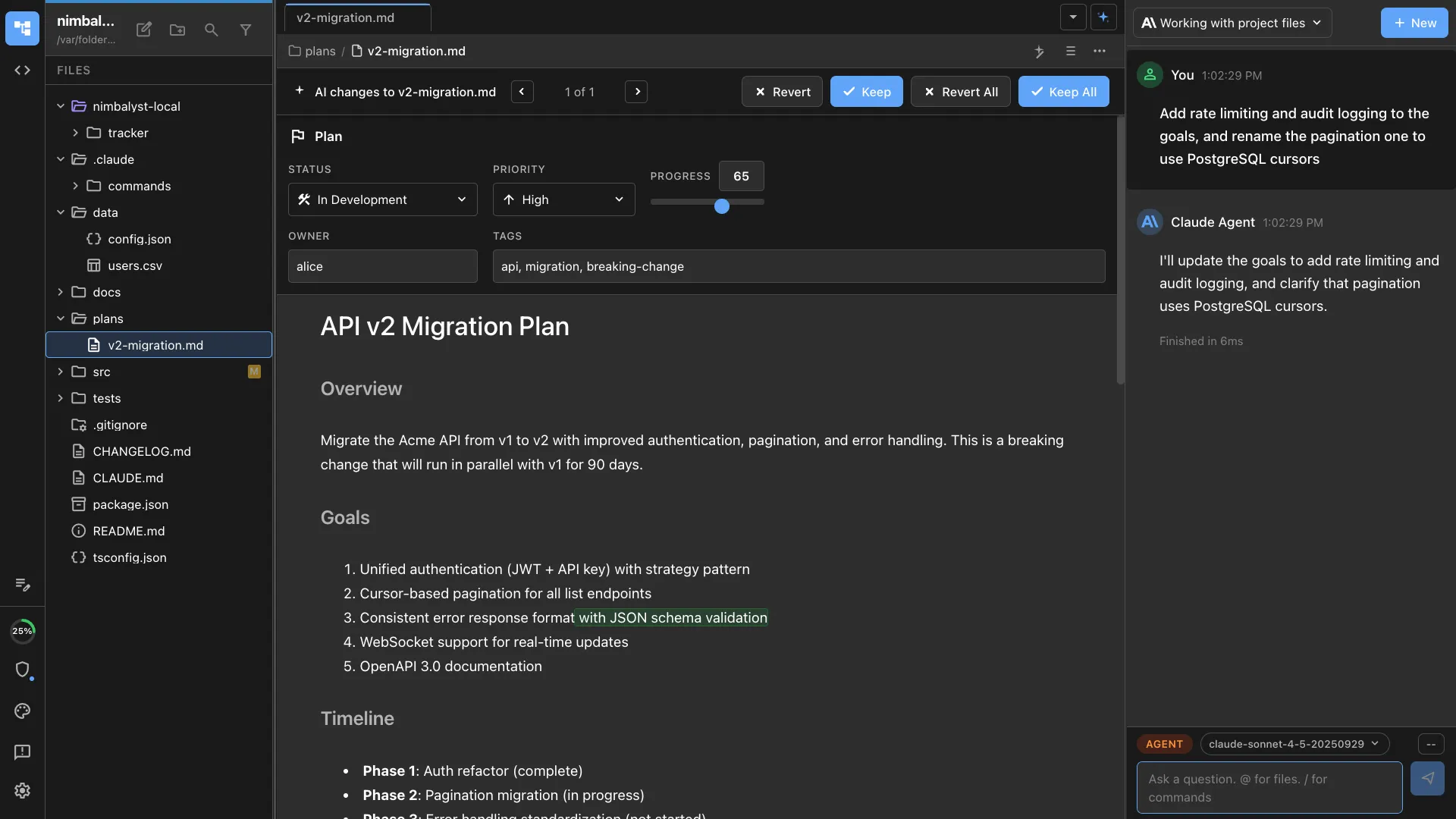
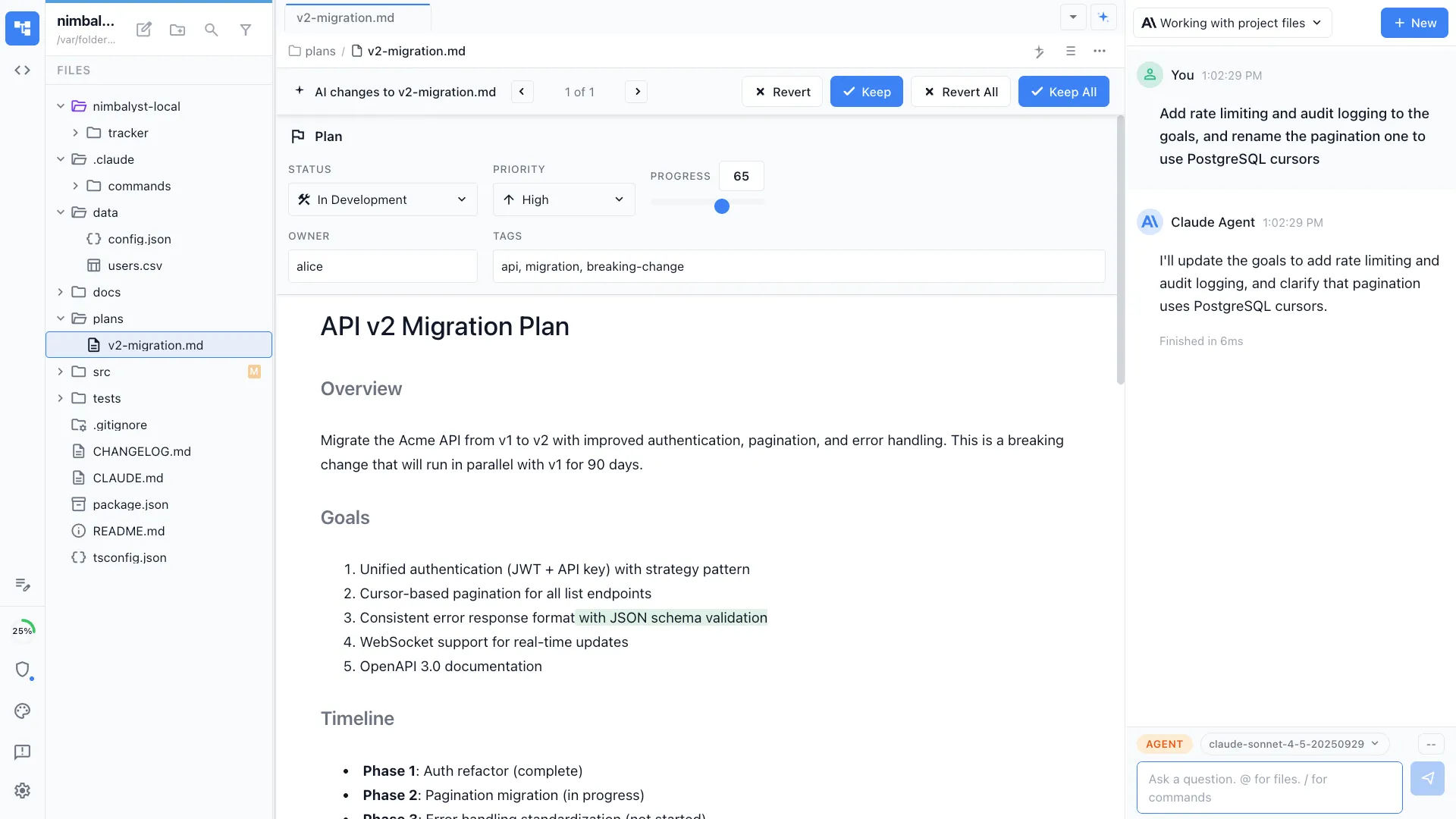
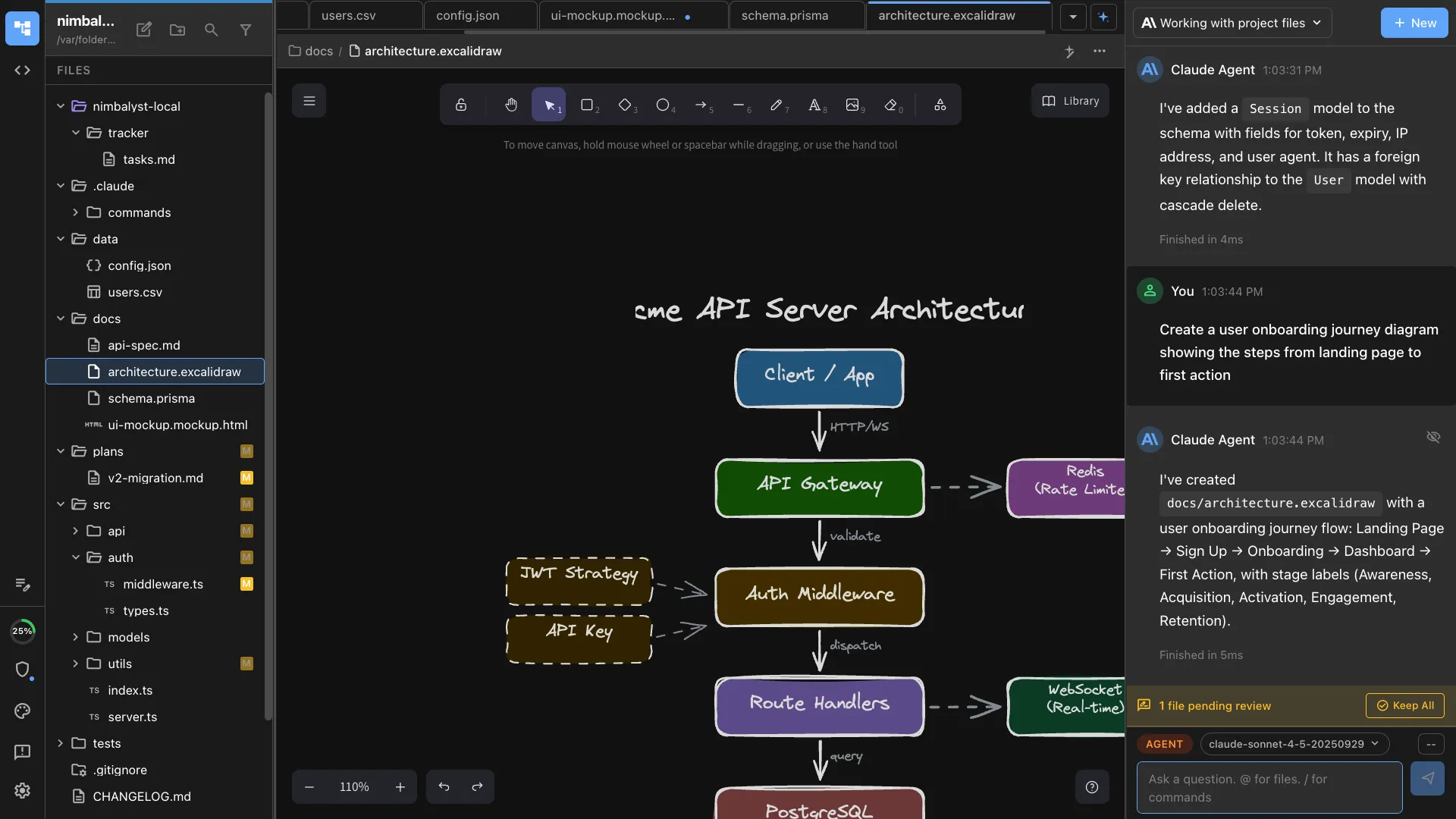
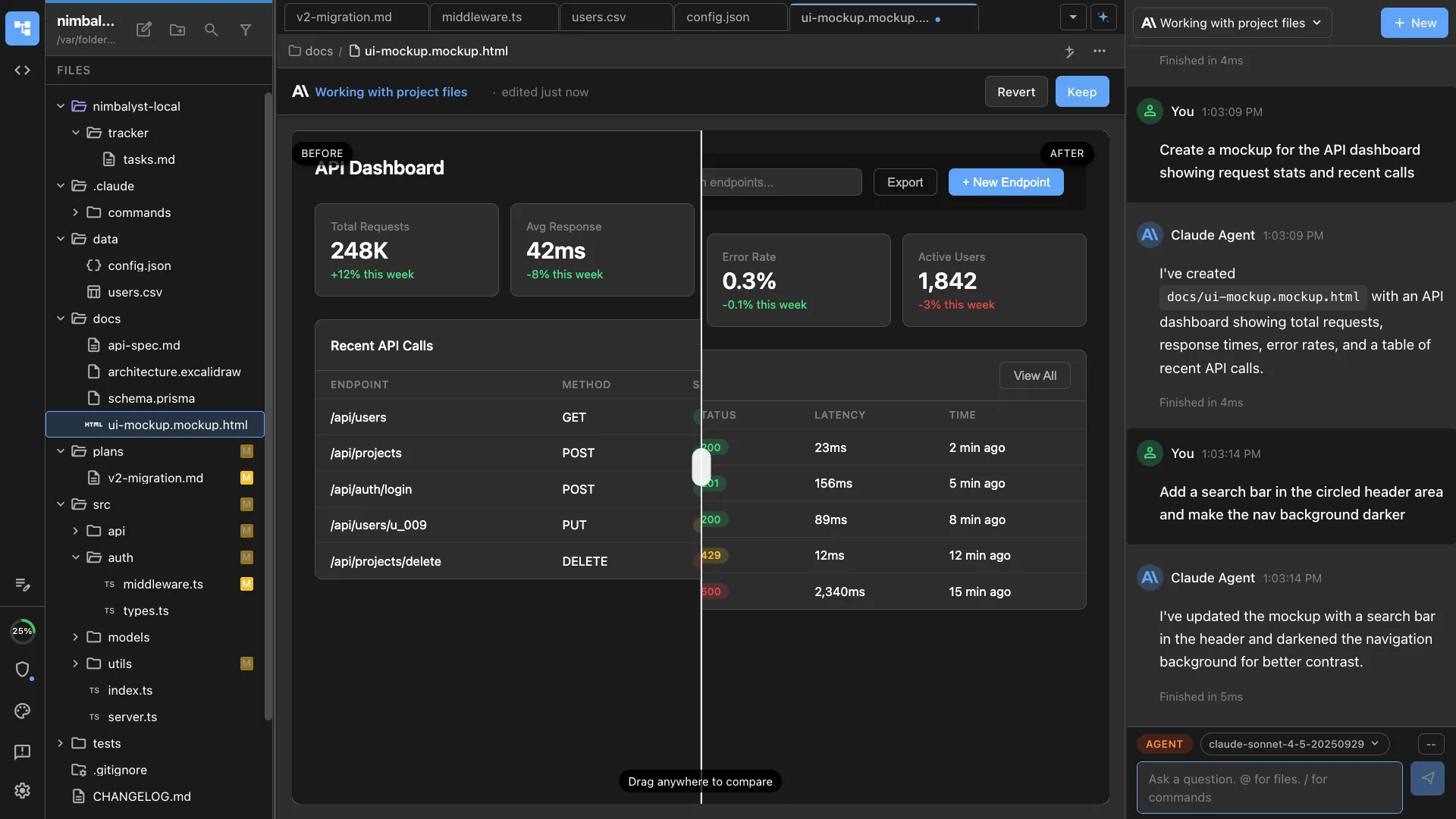
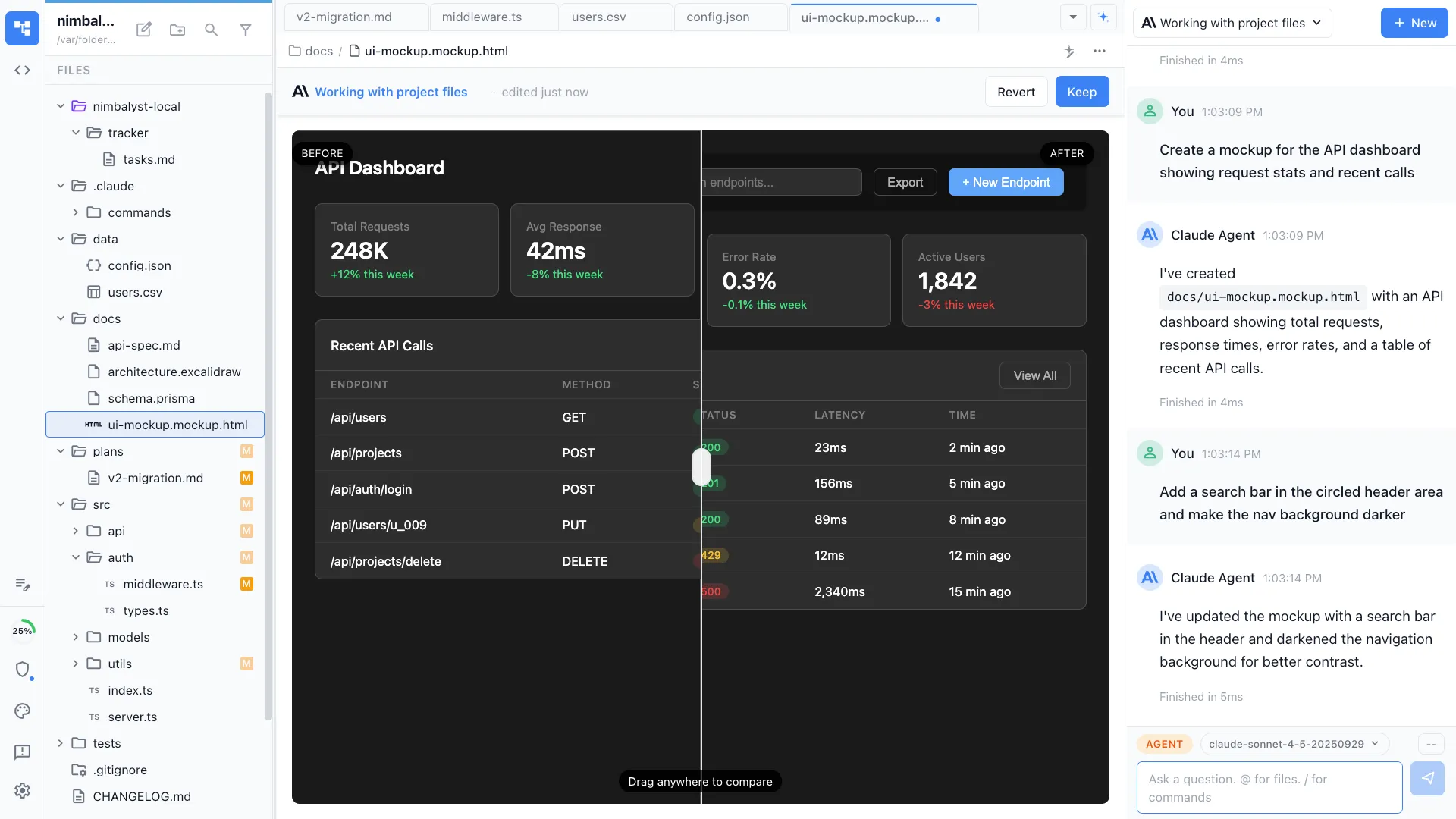
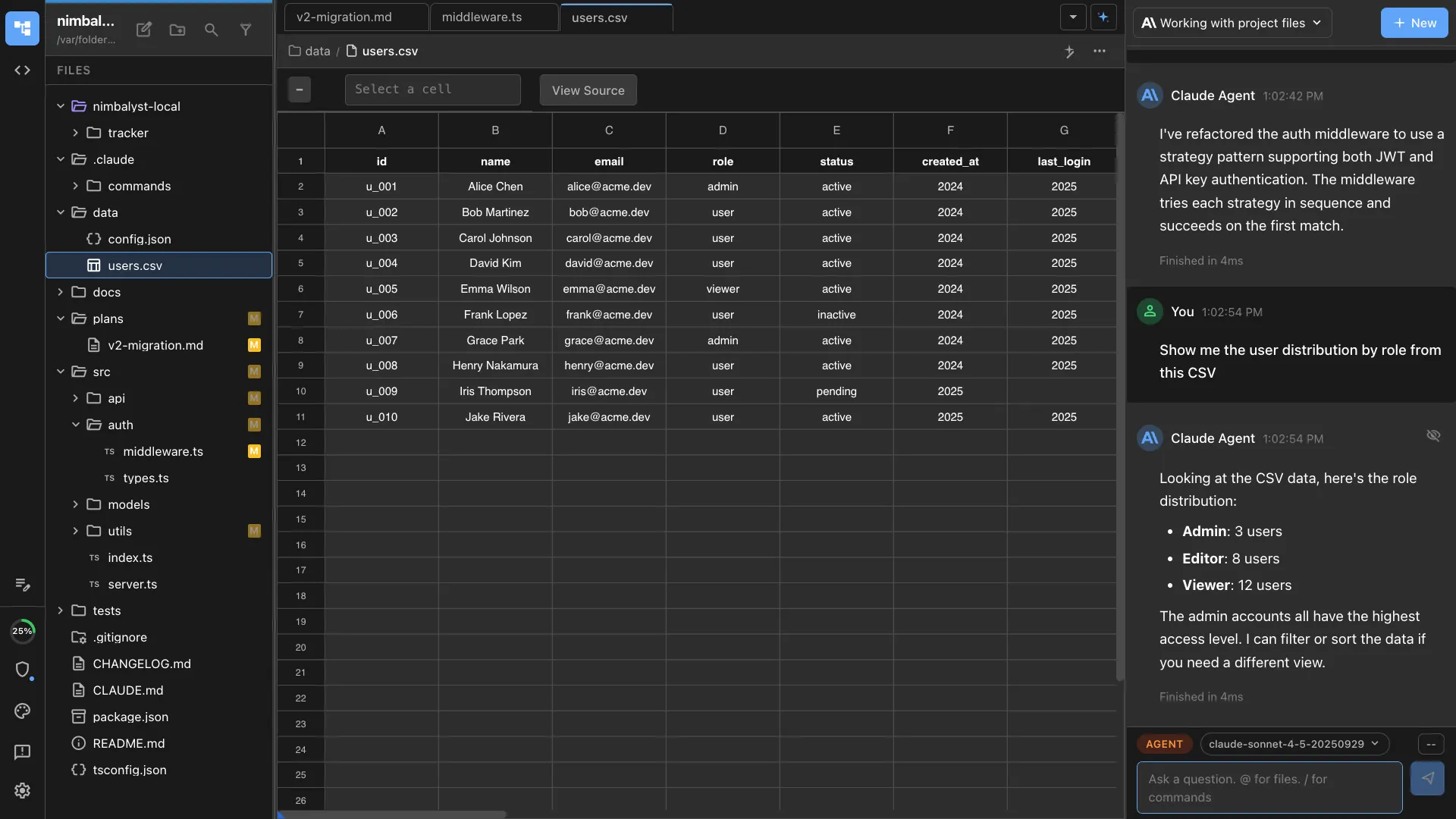
Documents, diagrams, mockups, data models, spreadsheets, and code, all editable by your team and by the client, and readable and writable by your agents. Every agent change arrives as a diff someone approves, rejects, or edits. If an engagement depends on a client-specific artifact, build its editor with the extension SDK and carry the code into the next engagement.
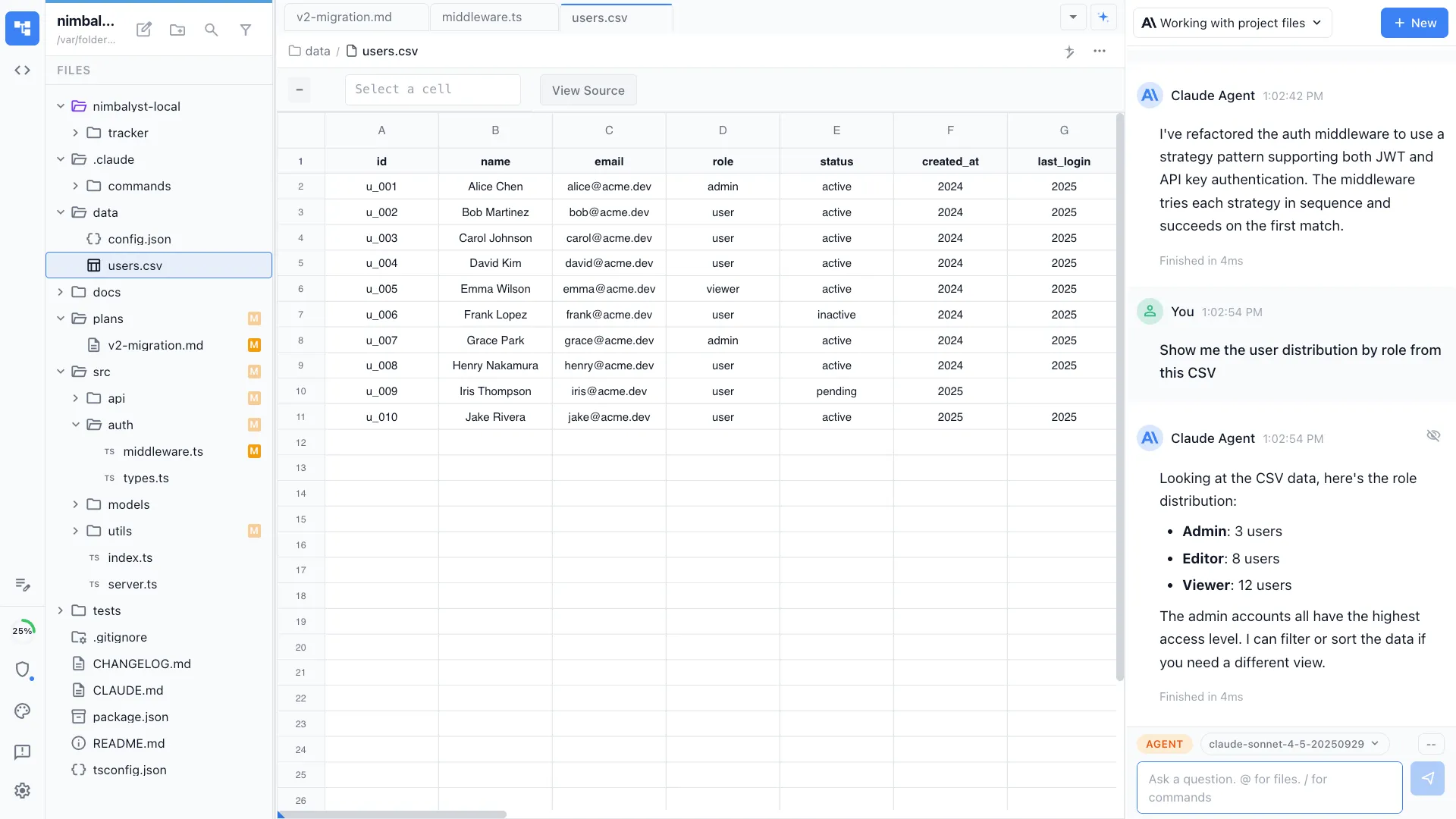
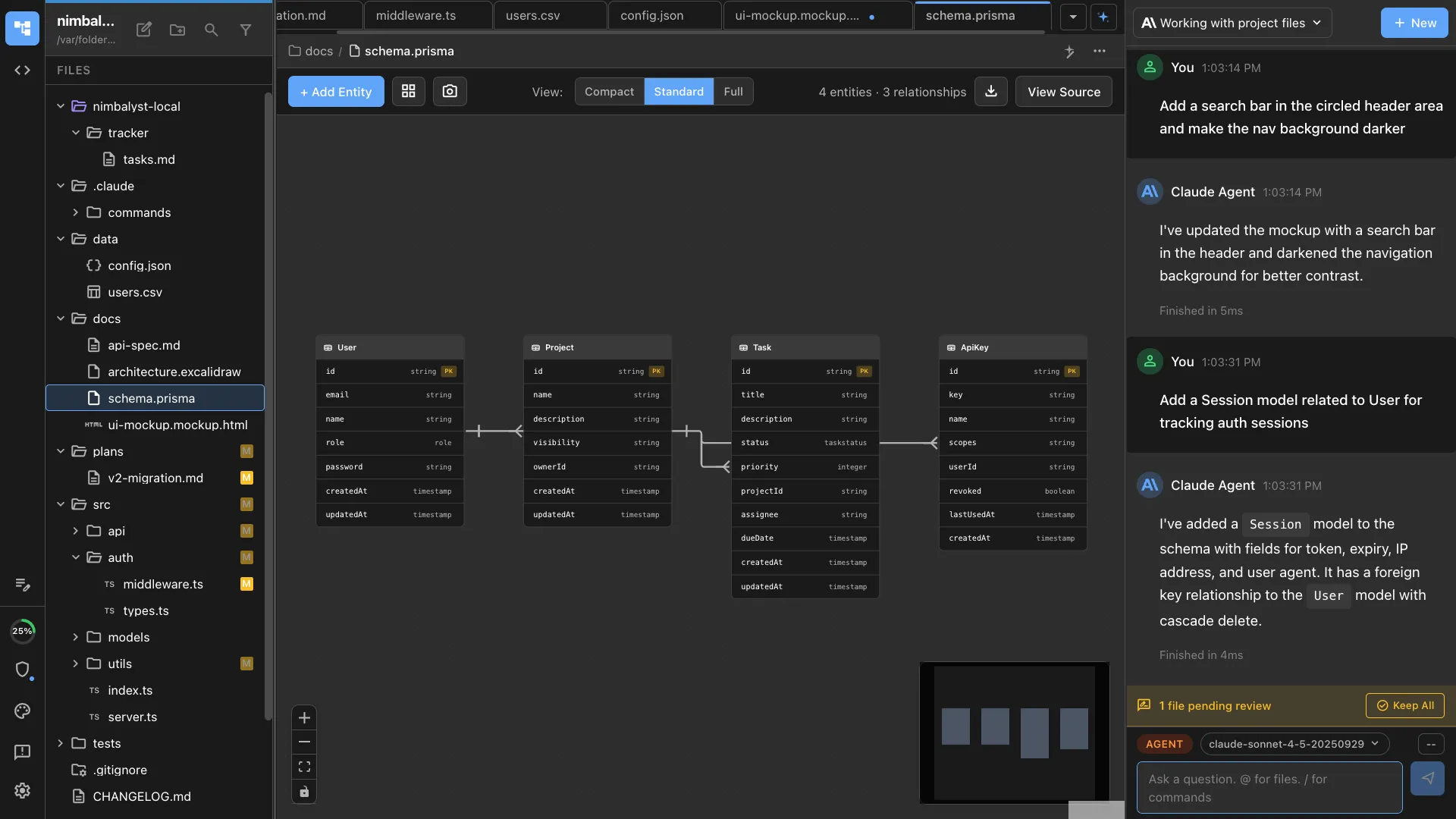
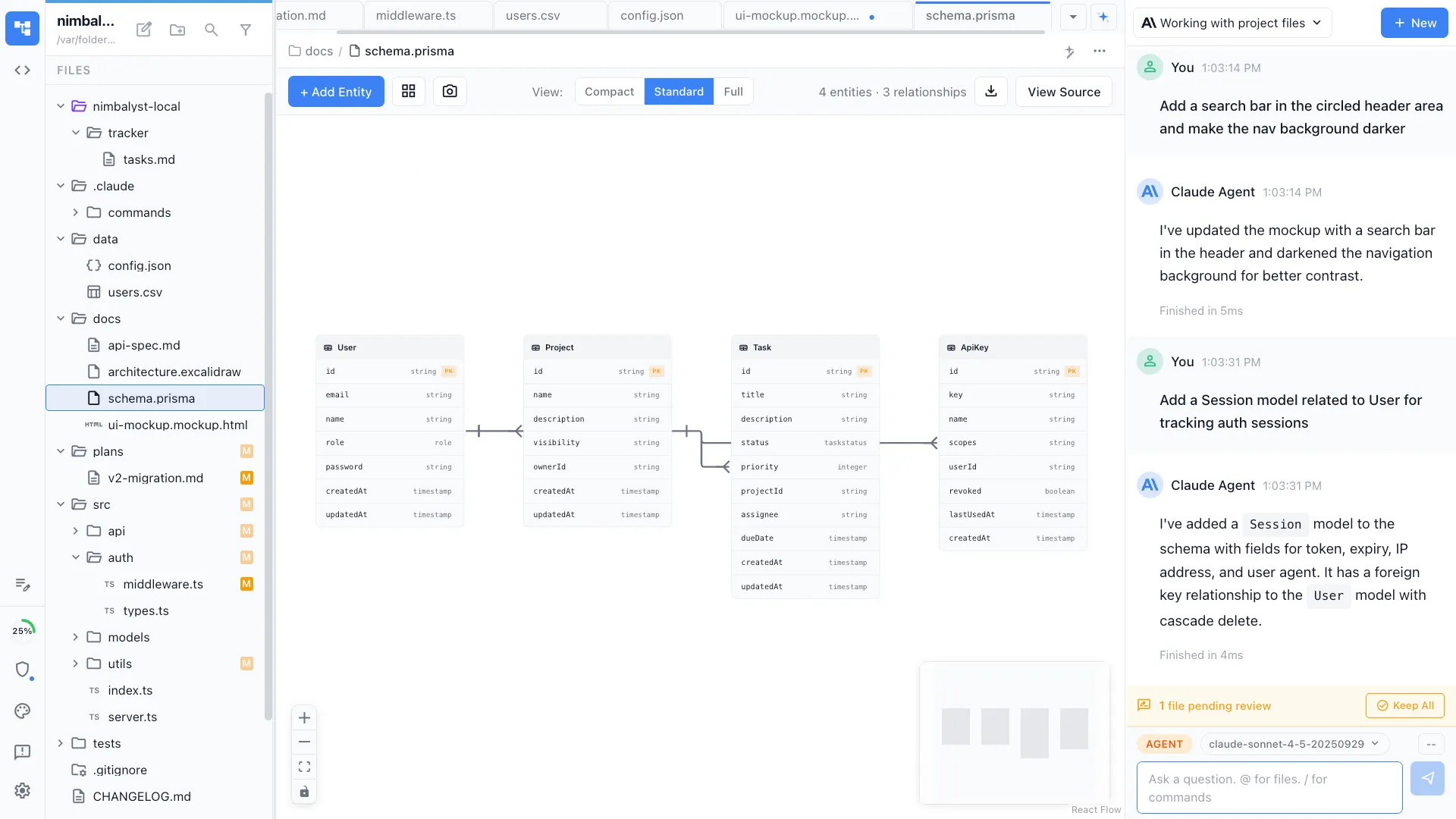
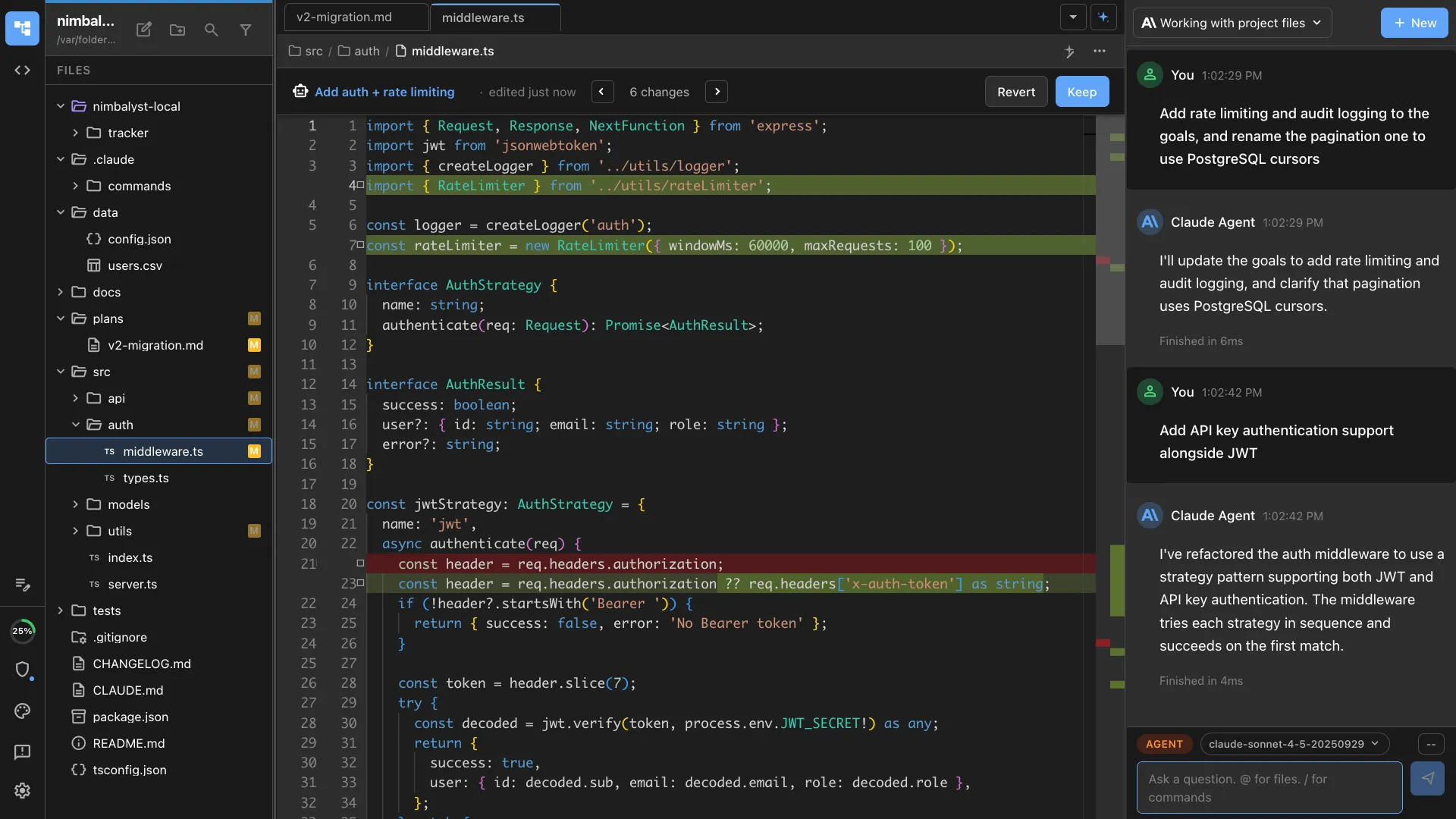
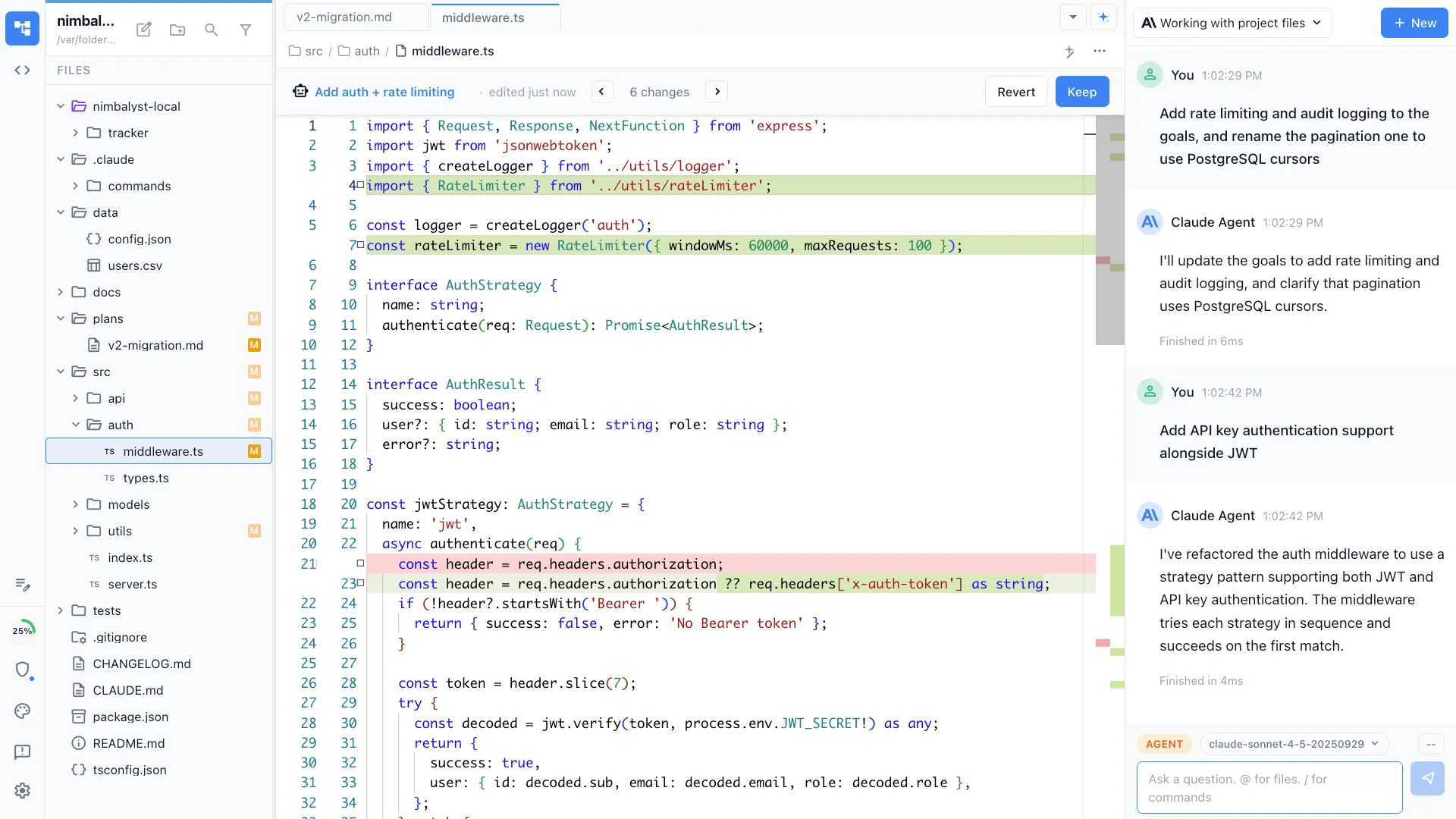
Scope, plans, and deliverable drafts
Write the statement of work, the plan, and the design in markdown your agent reads directly, with diagrams and mockups embedded in the same file.
Review every agent edit
Agent revisions to a scope, plan, or deliverable appear as inline red and green diffs for the engagement team to accept, reject, or edit.
Linked to the rest of the engagement
Reference a tracker item or another document and the link resolves, so the decision, the plan, and the task stay attached to each other.
Tracking the work
Integrated, configurable trackers
Plans, decisions, risks, issues, and tasks live in the same workspace as the documents and the agent sessions, so your agents read the backlog and the board reflects what is actually happening on the engagement. Nothing to sync between your tools and the client's.
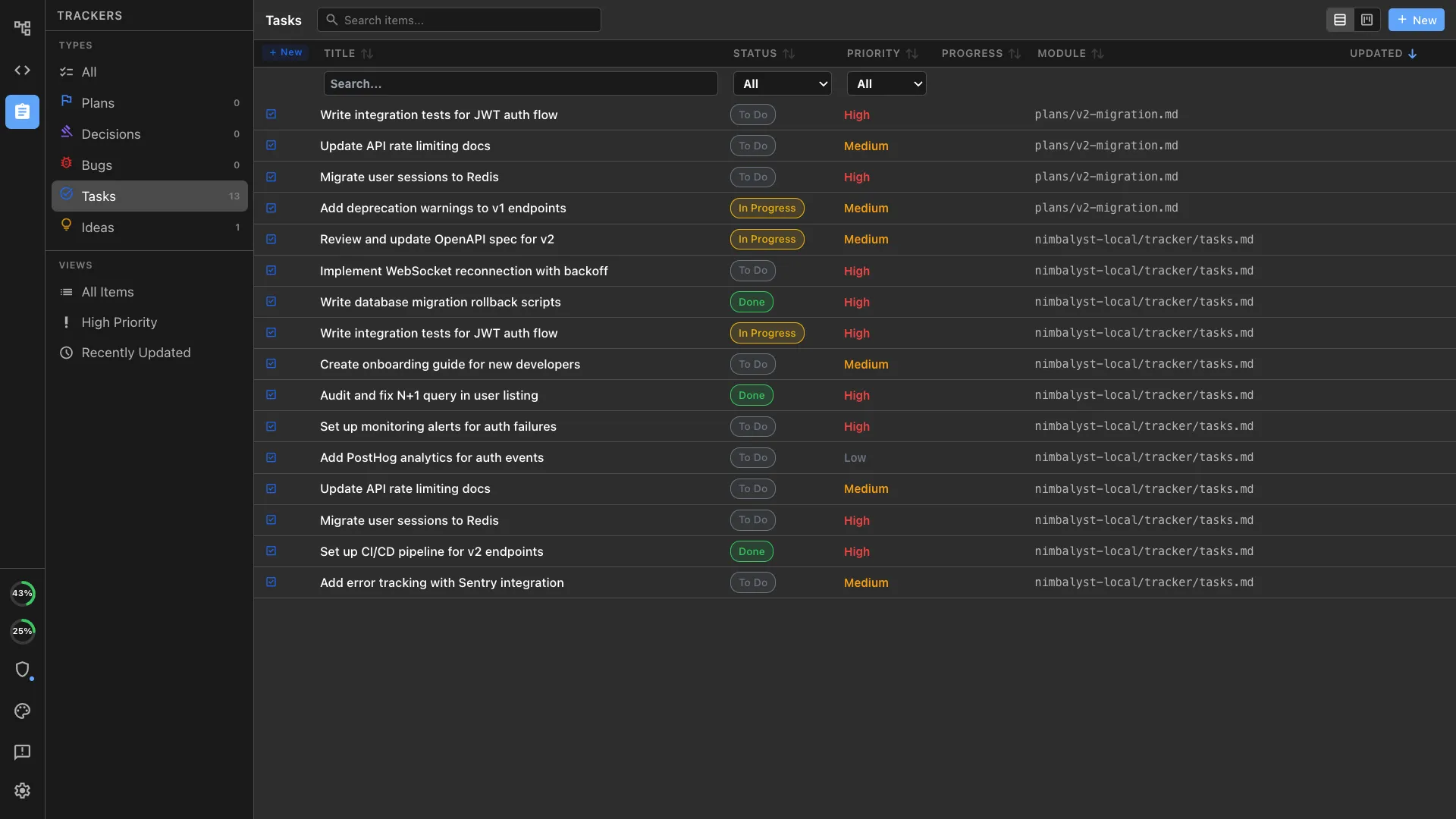
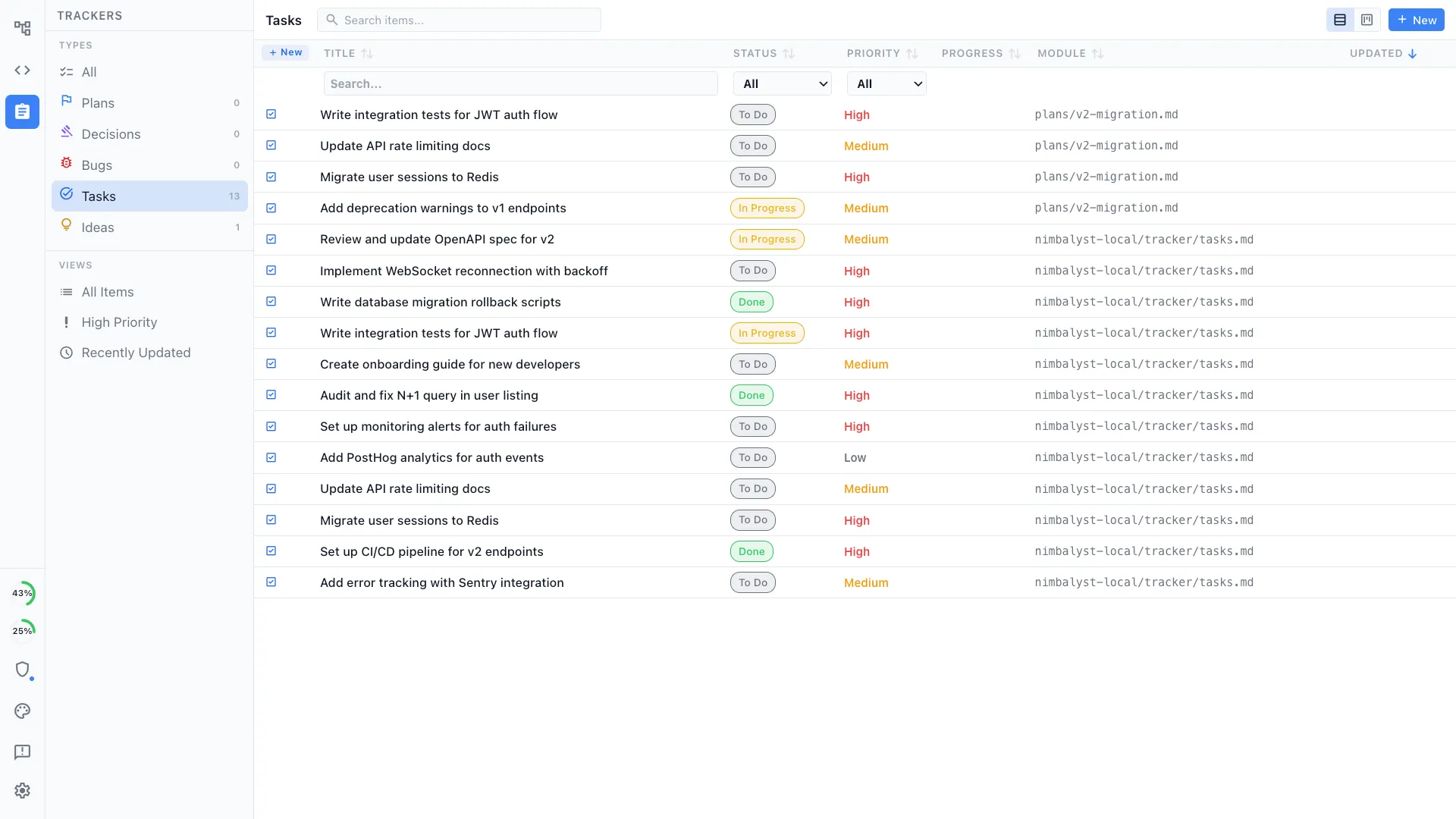
Boards the client can see
The engagement board and the documents it points at sit in one place, shared with whoever on the client side needs them, so status is something they can open rather than something they ask for.
Define your own tracker types
Trackers are as extensible as the editors. Define the types your delivery method actually uses, with your own fields, statuses, and views: risks, decisions, migration waves, cutover gates, dependencies.
Agents read and update them
Your agents work the backlog through the same interface your people do, so a status is current because the work moved it, not because someone remembered to.
Linked to everything else
A tracker item points at the plan that defined it, the document that specifies it, the diagram it changes, and the session that implemented it.
Running the agents
Several agents at once, and a record of what each one did
Every session on a board, each optionally in its own git worktree, with a full transcript that survives the engagement.
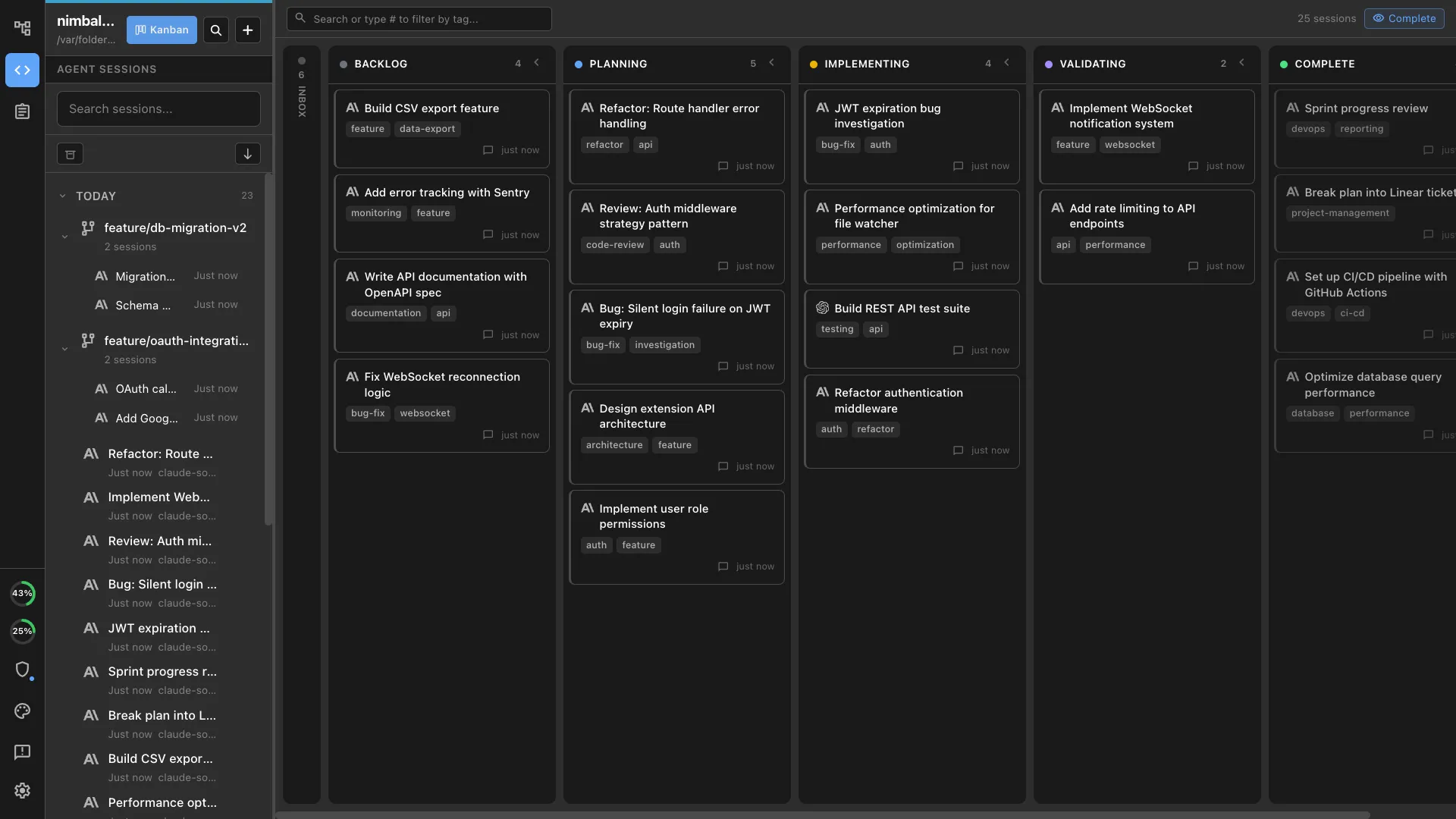
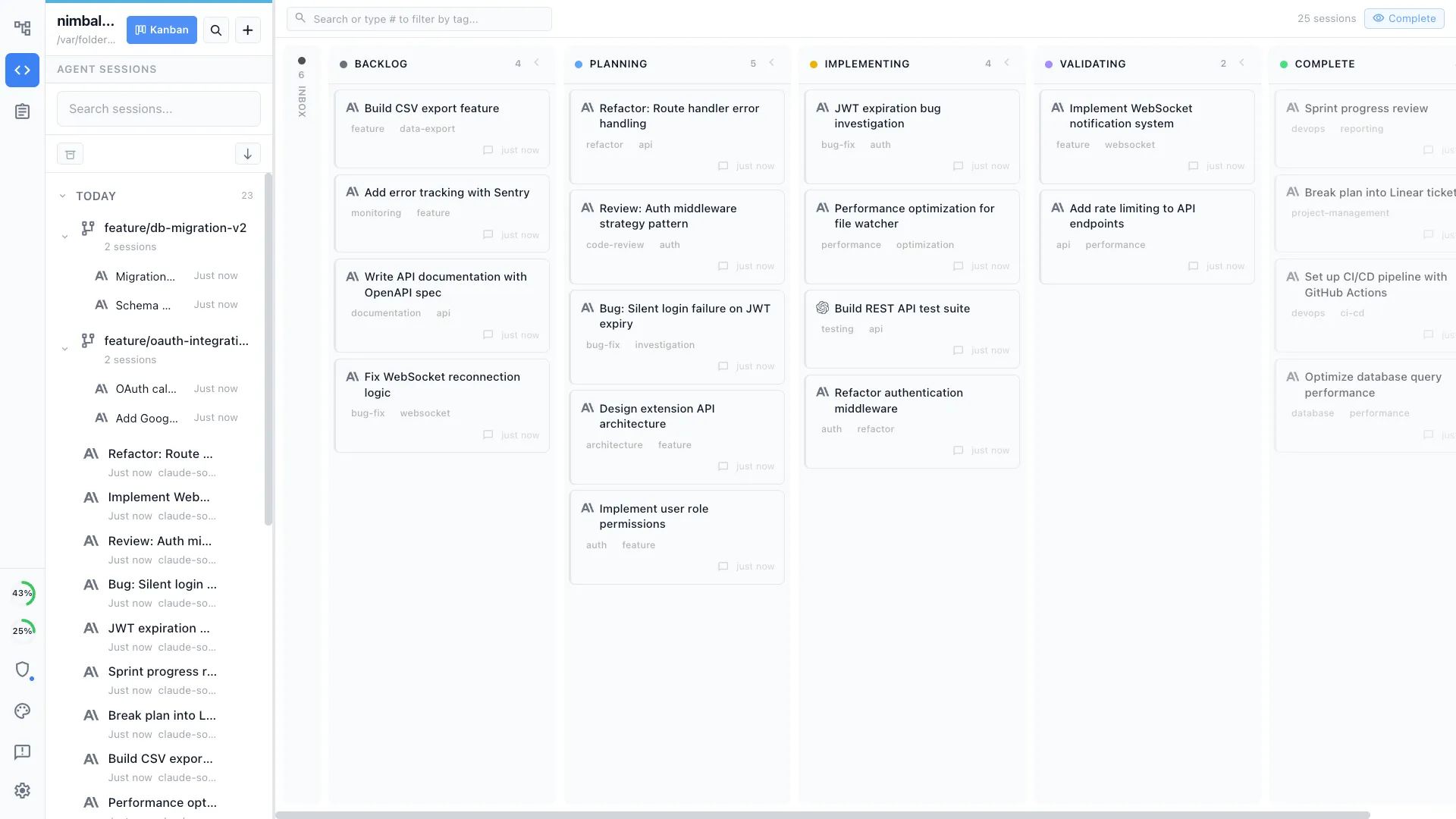
Every session in one view
See what each engineer's Claude Code and Codex sessions are doing on a board by phase, instead of asking in stand-up which terminal was working on what.
Parallel work, isolated
Run sessions at the same time, each in its own git worktree, so a migration script and a bug fix do not collide in the same checkout.
Permissions per project
Decide what an agent may do unattended and what needs an explicit prompt, covering file writes, shell commands, and external tools.
The transcript is the record
Full history for every run, so a client question about what changed in March has an answer that is not somebody's recollection.
Engagement-specific extensions
You describe the editor the engagement needs.
Your coding agent writes it.
Every artifact a client argues over in a spreadsheet or a diagramming tool is a candidate. Built as an editor, it becomes something the whole engagement works in and the agents can read and write, and it becomes an asset your firm carries into the next client.
Your agent does the building
Describe what the engagement needs and the agent writes the extension against our SDK, then your team iterates on it the way it iterates on any other code.
It is code your firm owns
The extension is code in a repository, built on the MIT-licensed app. Your team reads it, versions it, reviews it, and forks it for the next client.
It sits next to the work
The editor opens inside the workspace, beside the tracker item, the plan, the diagram, and the agent session it belongs to.
Two examples that start as an artifact a client already maintains by hand, and become an editor the engagement team works in and the agents read and write.
Modernization programs
Service catalogues and migration wave plans
The wave plan stops being a spreadsheet the client does not trust and becomes the artifact the agents work from, with owners, dependencies, and status attached to each service.
Regulated industries
Data lineage and control mapping
Someone draws the lineage behind a regulatory report today and then re-explains it to an agent in prose. Built as an editor, the lineage map becomes what an agent traces before it touches the reporting code, with the control mapping sitting beside it.
Two ways firms use it
For your own delivery teams, and for the workspaces you stand up inside client tenants
Same product, two different motions.
The workspace your delivery teams work in
Your consultants, engineers, designers, and analysts on one surface, with their agents in the same room.
- Scope, plan, current-state maps, target architecture, and the code, all in one workspace rather than four tools.
- Client staff join the shared documents and edit alongside your people, each with a live cursor.
- The plan, the decisions, and the deliverables are visible to the engagement manager and to whoever picks the work up on the next rotation.
- The same setup travels from engagement to engagement, so your teams do not relearn a toolchain per client.
your people · your workspace
A workspace you deploy into your client's tenant
Stood up inside the client perimeter, customized for the engagement, and staffed by your own forward-deployed people.
- The collaboration server runs in the client's own Cloudflare account, which answers their residency and perimeter questions directly.
- Your team builds the engagement-specific editors and tracker types on our extension SDK, in the client's own repository.
- You bring the delivery capacity, so the engagement is not gated on our availability.
- The engagement ends with a working workspace the client keeps and your team knows how to extend.
client tenant · your delivery team
Security and deployment model
The apps are local and open source.
The collaboration server can run in your client's own cloud.
The apps and agent processes run on the machines used by your team and the client. The collaboration service can be deployed in the client account, your firm's account, or a managed single-tenant environment.
The apps
MIT-licensed desktop and iOS apps whose source is public on GitHub.
- Everything that touches code, files, and agent sessions runs here.
- Claude Code and Codex run locally on each person's machine, using existing keys and subscriptions.
- Repository files stay local unless someone explicitly shares a file through collaboration.
- Read it, build it from source, pin a version, or fork it, which is usually the fastest way through a client security review.
The collaboration server
Workers and Durable Objects, deployed inside your client's Cloudflare tenant, inside yours, or managed by us.
- Deploy it into the client's own Cloudflare account: their contract, their bill, and no shared service holding another client's workspace next to theirs.
- Or run it in your firm's account for engagements where you own the environment.
- The source is available under a restricted license, so a client security review can read the code that runs in their account rather than take it on trust.
- Whoever owns the account controls access, logs, and retention, and upgrades ship as versioned releases they choose to apply.
- Shared engagement content is end to end encrypted between collaborators.
client account, your account, or ours · source available · restricted license
Nimbalyst is SOC 2 Type 2 certified.
How a partnership would start
One engagement, then your teams take it from there
An alliance conversation rather than a procurement cycle. We would work through where the workspace fits your delivery model, and prove it on a single engagement before anyone talks about scale.
A working session on fit
Your delivery leads and ours go through how your engagements actually run, which artifacts block delivery today, and where a shared workspace would change the shape of the work.
One engagement as the pilot
Pick a live engagement, stand the workspace up in the right tenant, and run the delivery team and the client staff in it end to end.
The first extension, built with your people
We pick one artifact that blocks that engagement and build the collaborative editor for it alongside your team, so they see how the SDK works on their own problem.
Your teams carry it
Enablement so your engineers build the second extension without us, plus a versioning policy so what they built keeps working as we ship updates.
Start an alliance conversation
A working session with our team on how Nimbalyst would fit your delivery model: the engagements where it would go first, what a deployment inside a client tenant looks like, what your client security reviews need to see, and what your teams would want to build on the extension SDK.