Coding agents for quant research
inside your firm's project boundary
Run Claude Code, Codex, and internal agents against the checkout on your machine.
Review changes inline and keep model decisions attached to the resulting work.
Use MIT-licensed apps and deploy collaboration in your own Cloudflare account.
- Local project files and agent execution
- MIT licensed desktop and iOS apps
- Inline review of every agent change
- Collaboration server in your own tenant
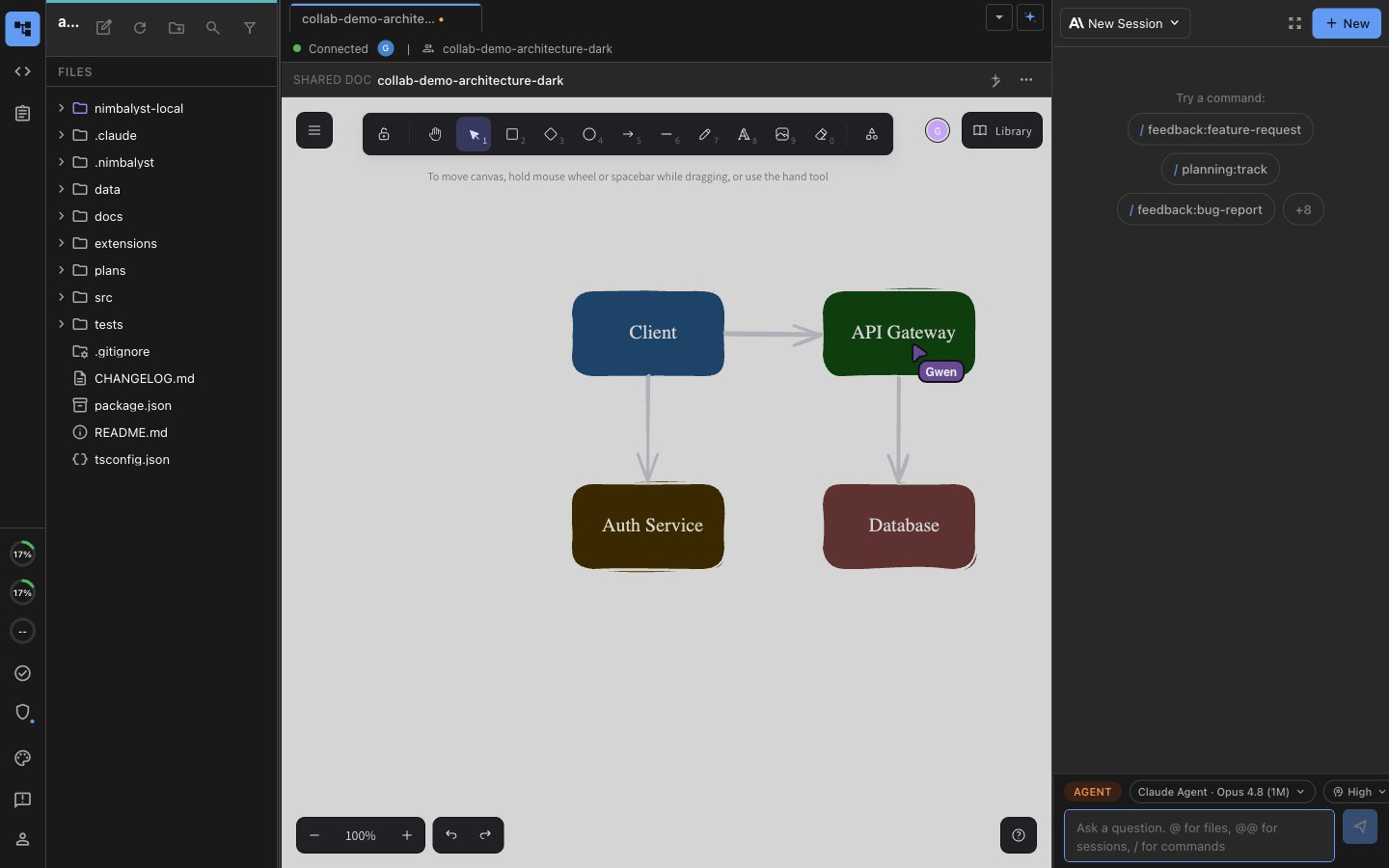

Two researchers and their own local coding agents editing the same diagram at the same time, over a collaboration server you can run in your own Cloudflare account.
Where research work sits today
The analysis runs locally. Everything that explains it does not.
Quant researchers are already pointing coding agents at signal code, backtests, and data pipelines. The method, the parameter decision, the review that approved it, and the result live in separate tools, and the agent can read none of them.
Hosted research platforms do not clear review
Anything that asks you to upload the strategy code or the data into a vendor environment stops at security and compliance. Software that cannot be installed never gets used, however good the demo was.
The context lives outside the code
The research memo, the assumption behind a parameter, the chart that went into the committee pack, and the comment someone left on it are spread across a document store, a chat thread, a ticket, and a folder of images. Every prompt starts by retyping some of it.
The evidence trail comes last
Which run produced the numbers in the review pack, what changed since the previous version, and who signed off are questions answered weeks later from memory, by the person with the least time to answer them.
Where it runs
Keep the workspace and project files inside the environment you already govern
Nimbalyst opens the checkout on your machine instead of copying it into a hosted workspace. Claude Code, Codex, and other agents still send inference traffic according to their own provider, gateway, and model configuration.
Your repository stays on your machine
There is no hosted sandbox holding a copy of your checkout and no vendor environment your strategy code has to be uploaded into. Nimbalyst opens the directory that is already there.
Agents run under your own credentials
Claude Code and Codex launch locally using the subscription or API key your firm configured. Agent-provider traffic follows the same path as the command-line tool, including an internal gateway when your firm uses one.
Nothing syncs unless you share it
Local files, agent sessions, and trackers stay on the machine. Promoting a single document to a shared one is a deliberate action, and synced content is end to end encrypted.
Your security team reads the source
The desktop and iOS apps are MIT licensed with the full source on GitHub. A review is a code read rather than a vendor questionnaire, and you can build from source or pin a version.
Review before anything lands
No agent output reaches the research codebase without a person approving it
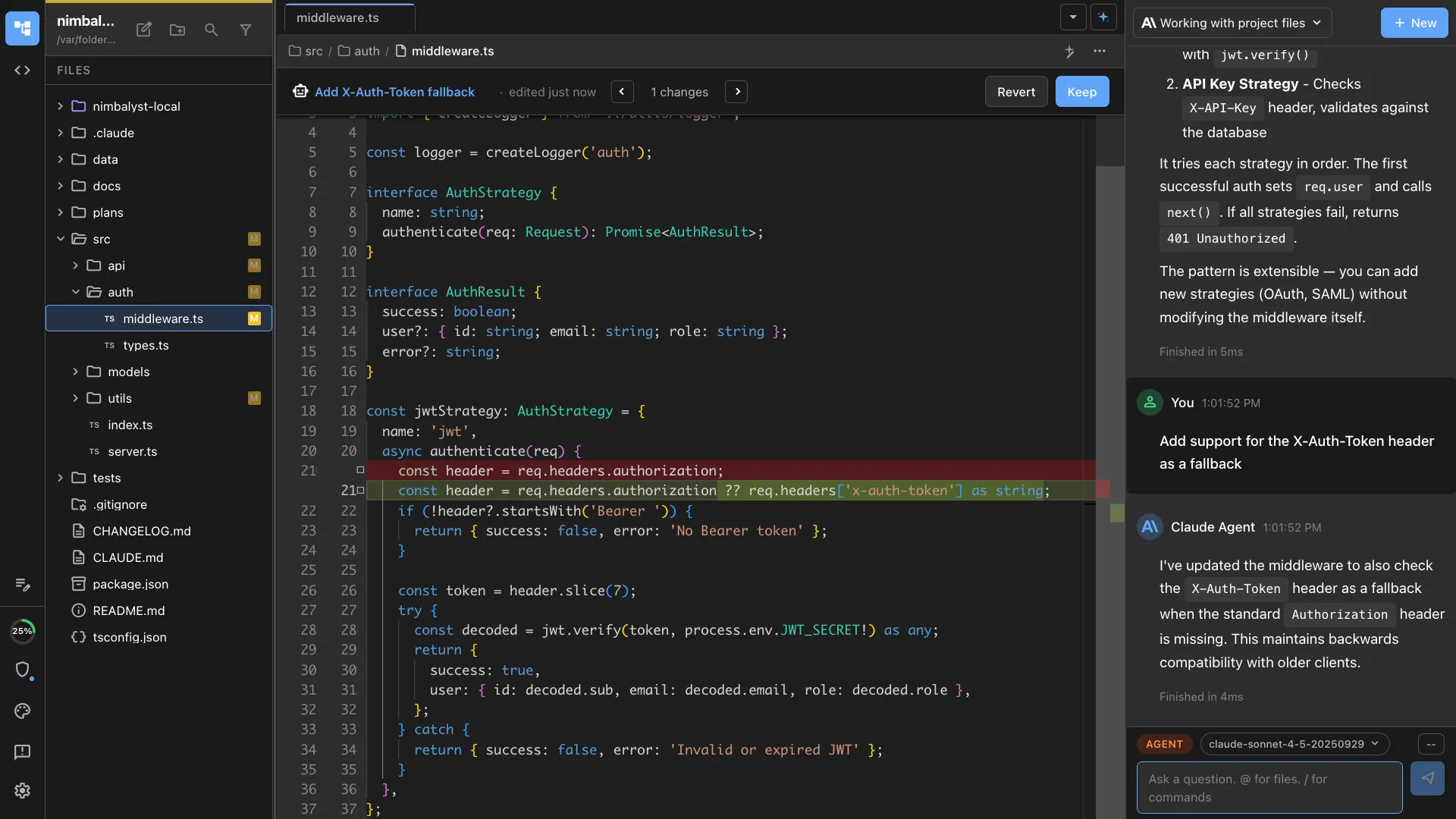
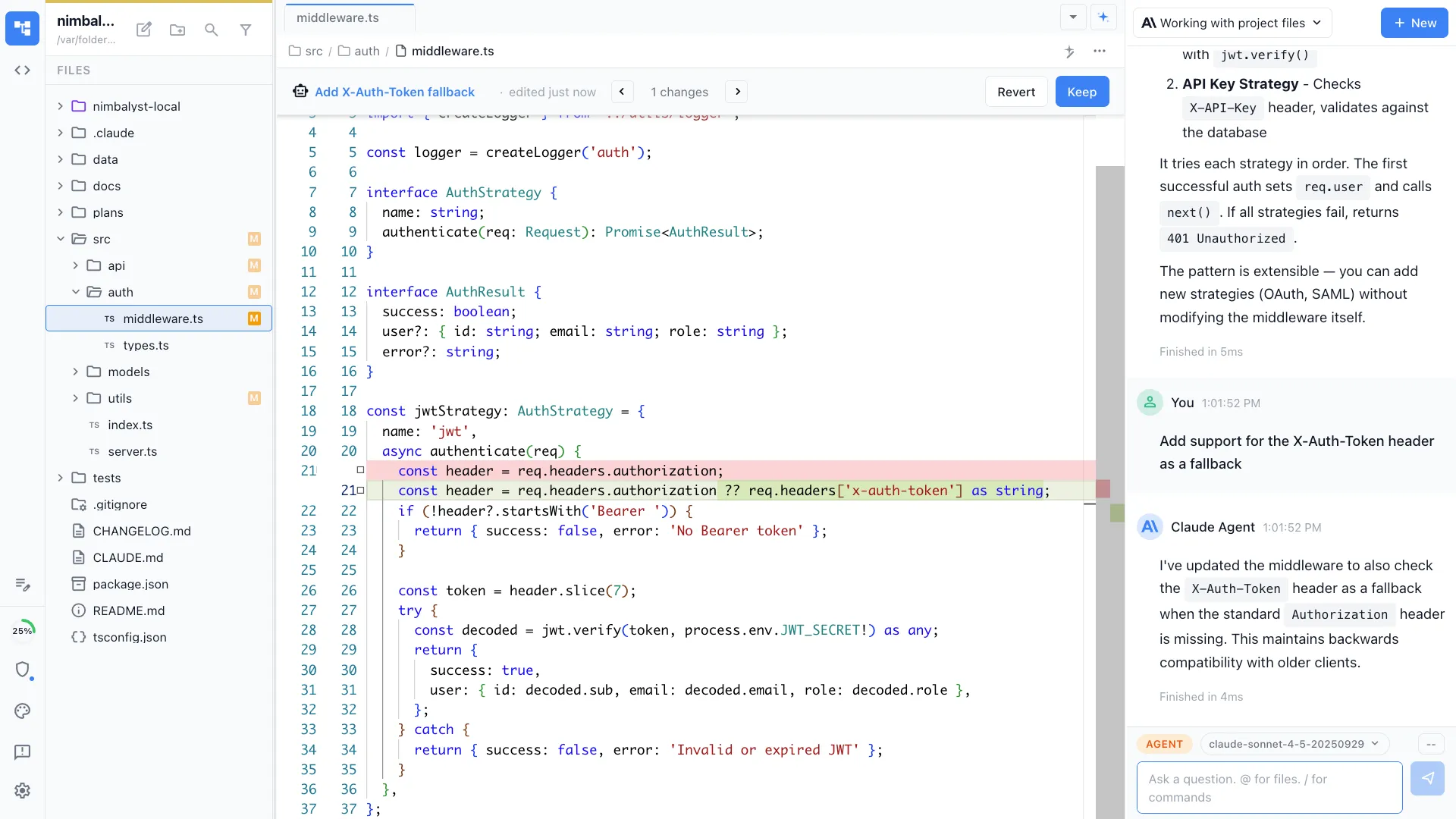
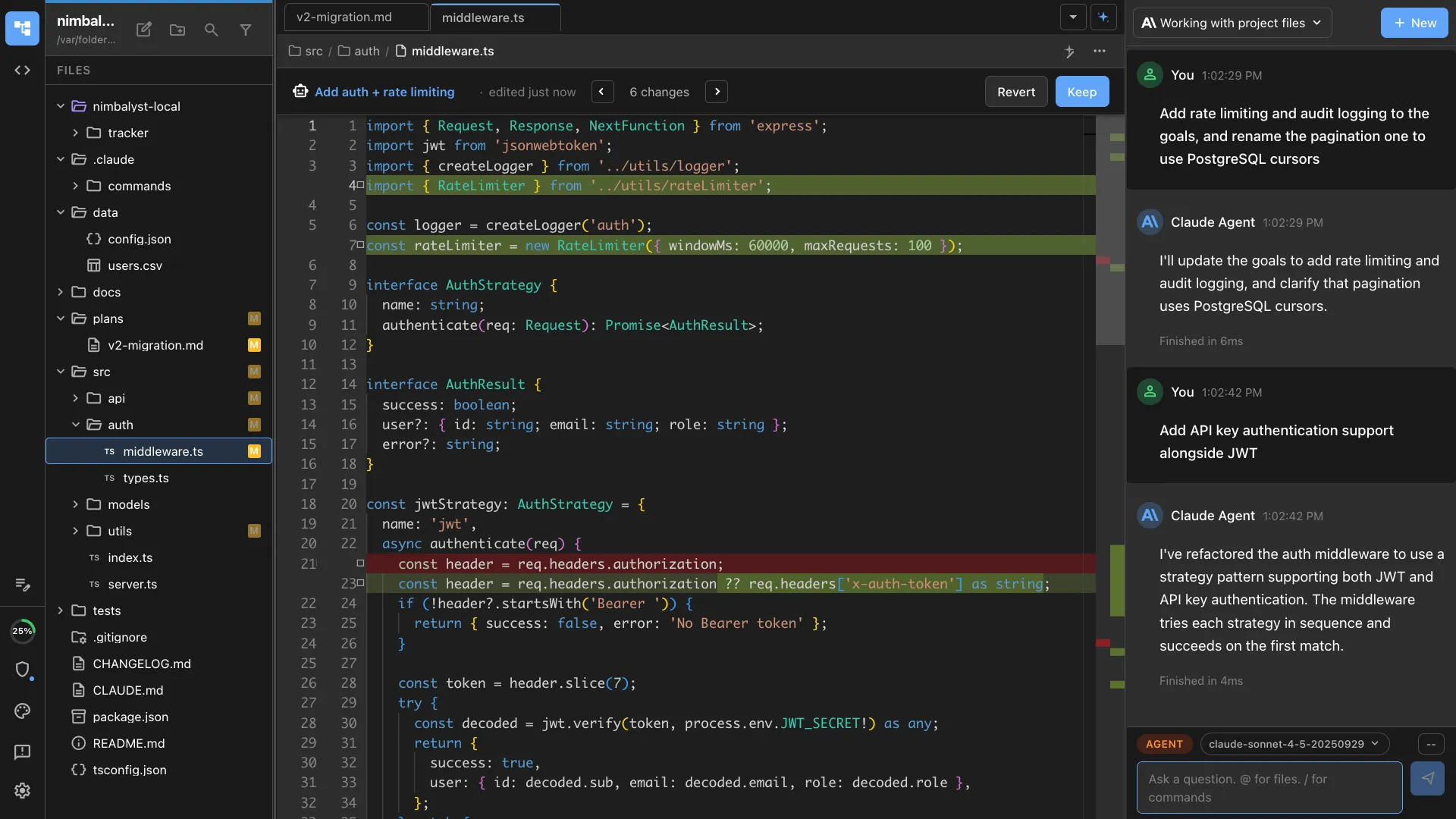
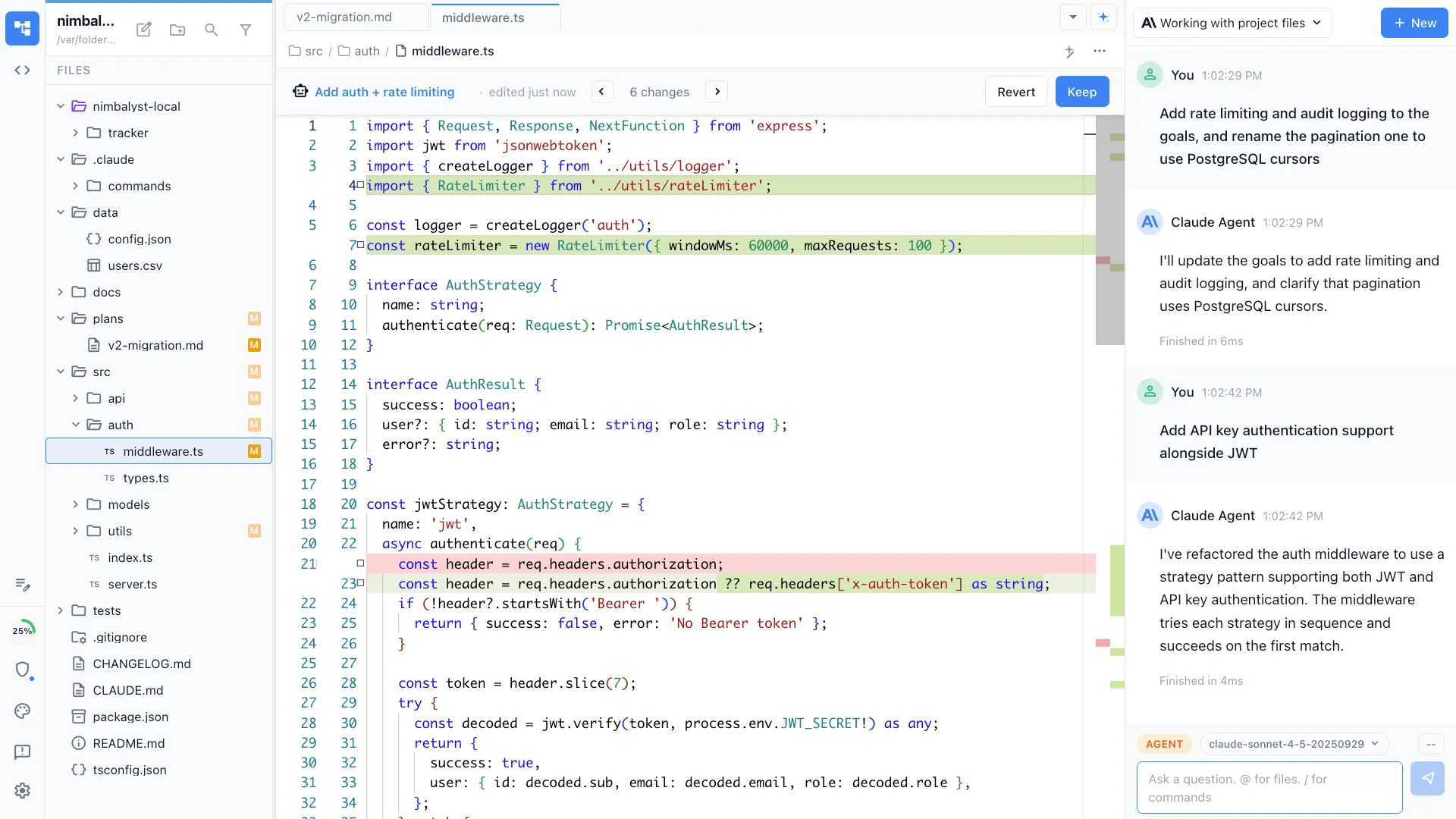
Every change an agent makes to code, memos, configuration, or data arrives as an inline red and green diff. Approve, reject, or edit it file by file.
Diffs, not a pull request at the end
You see each edit as it is proposed, in the editor, rather than reading a summary of a run that already happened.
Permissions per project
Decide what an agent may do unattended and what needs an explicit prompt, covering file writes, shell commands, and external tools.
Isolated branches for parallel work
Run several agents at once, each on its own git worktree, so a signal rewrite and a pipeline fix proceed in the same repository without colliding.
Sessions and history you can go back to
Full transcripts for every agent run and restorable history on documents, so a question about what changed in March has an answer that is not somebody's recollection.
Documentation and validation
Model documentation and validation are review-gated work that needs a trail from decision to result
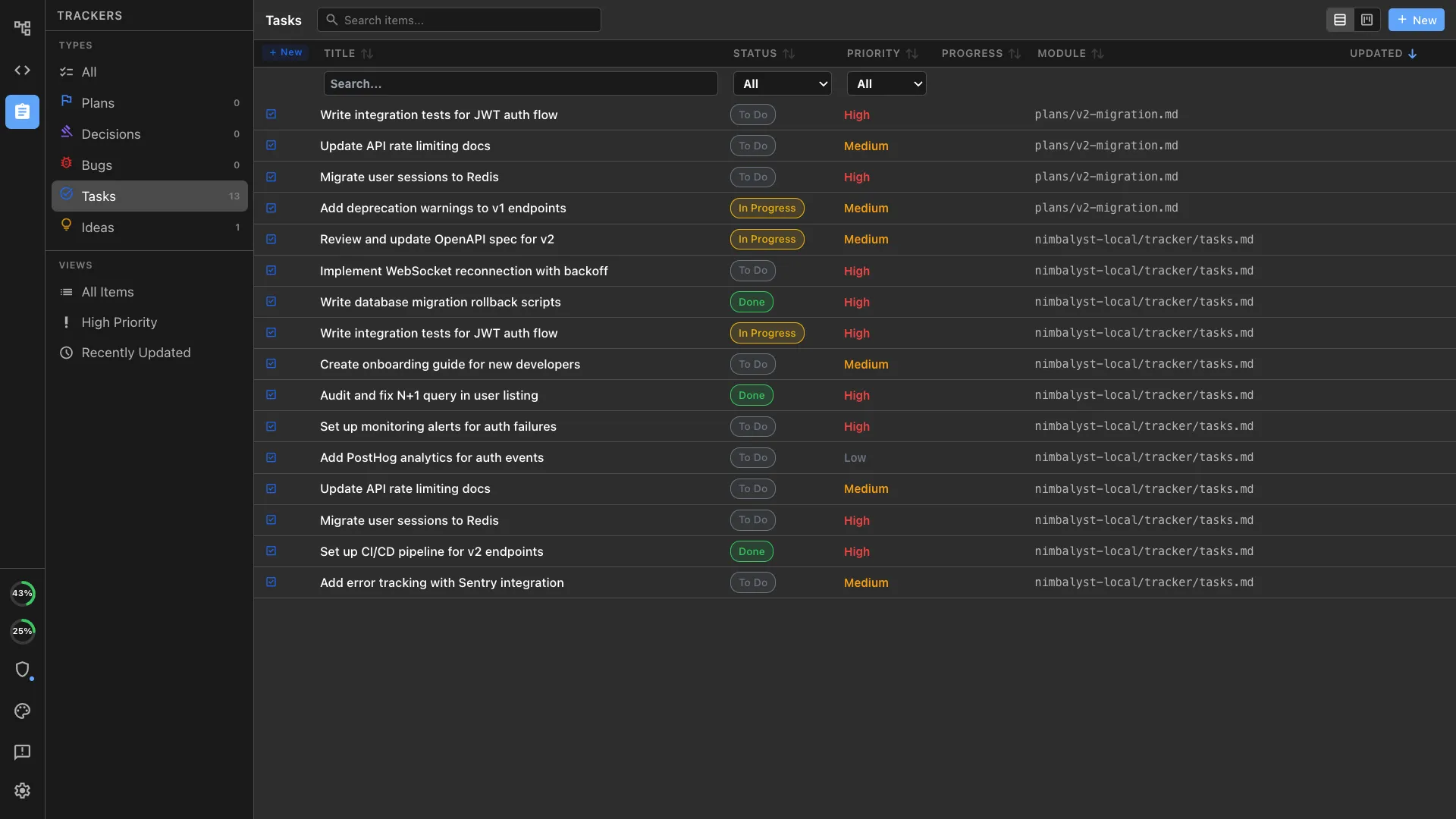
Trackers, documents, and agent sessions live in one workspace and link to each other, so a result points back to the decision that produced it and the decision points back to the work. The record accumulates while the research happens instead of being reconstructed for a reviewer.
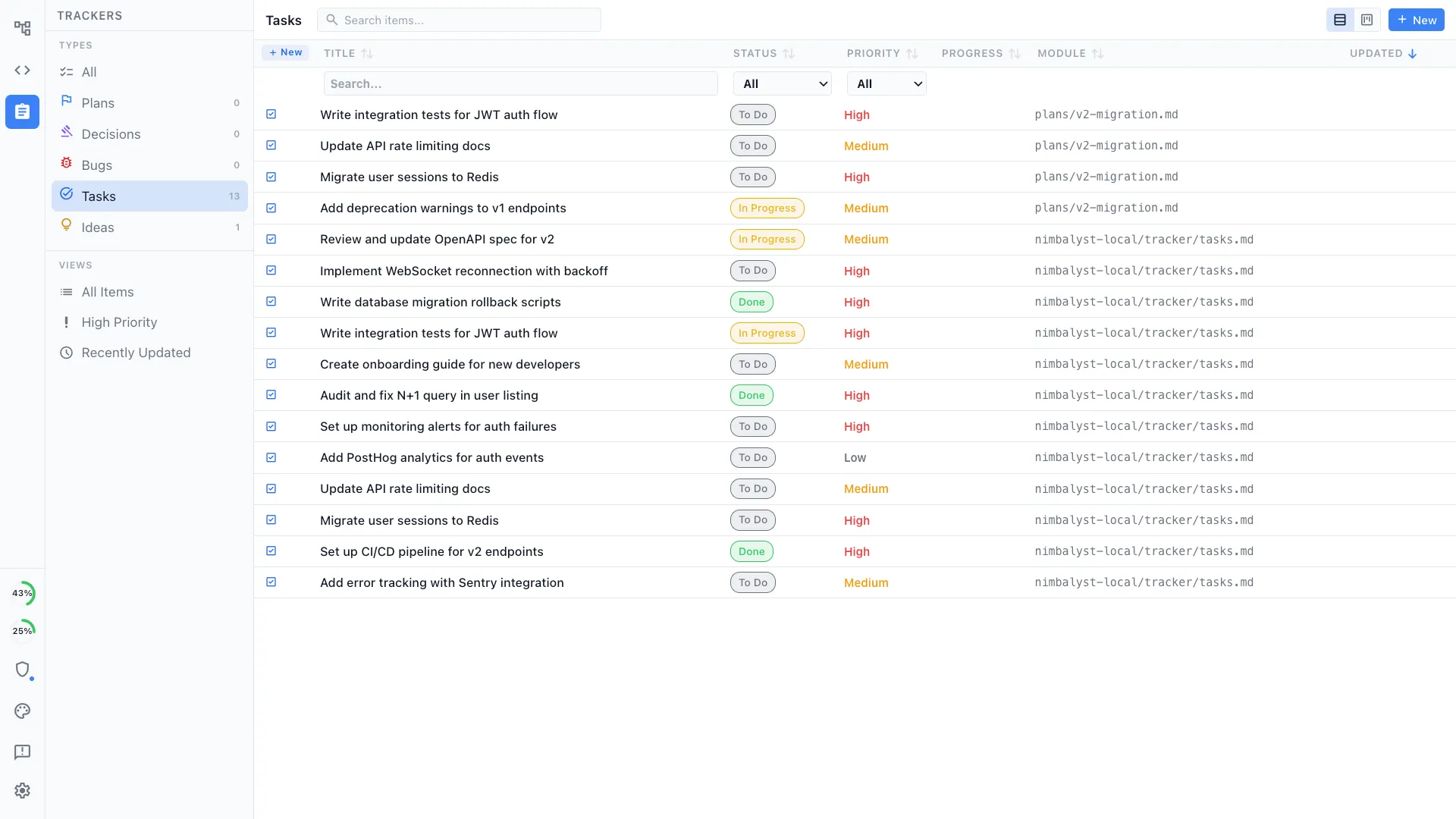
Decisions recorded where they were made
Log the parameter change, the model choice, or the approach you rejected, next to the document and the code it applies to.
Reviewers get the context, not just the diff
A validator opens the change with the method, the decision, and the tracker item attached, rather than a file listing and a request to guess the intent.
Your own item types and gates
Define the types your process uses, with your own fields, statuses, and views, so approval steps live in the workspace people work in.
Your agents read the backlog
Because the tracker is part of the workspace, an agent reads the open item, the linked document, and the session that worked on it, without anyone pasting a ticket into a prompt.
What the workspace is
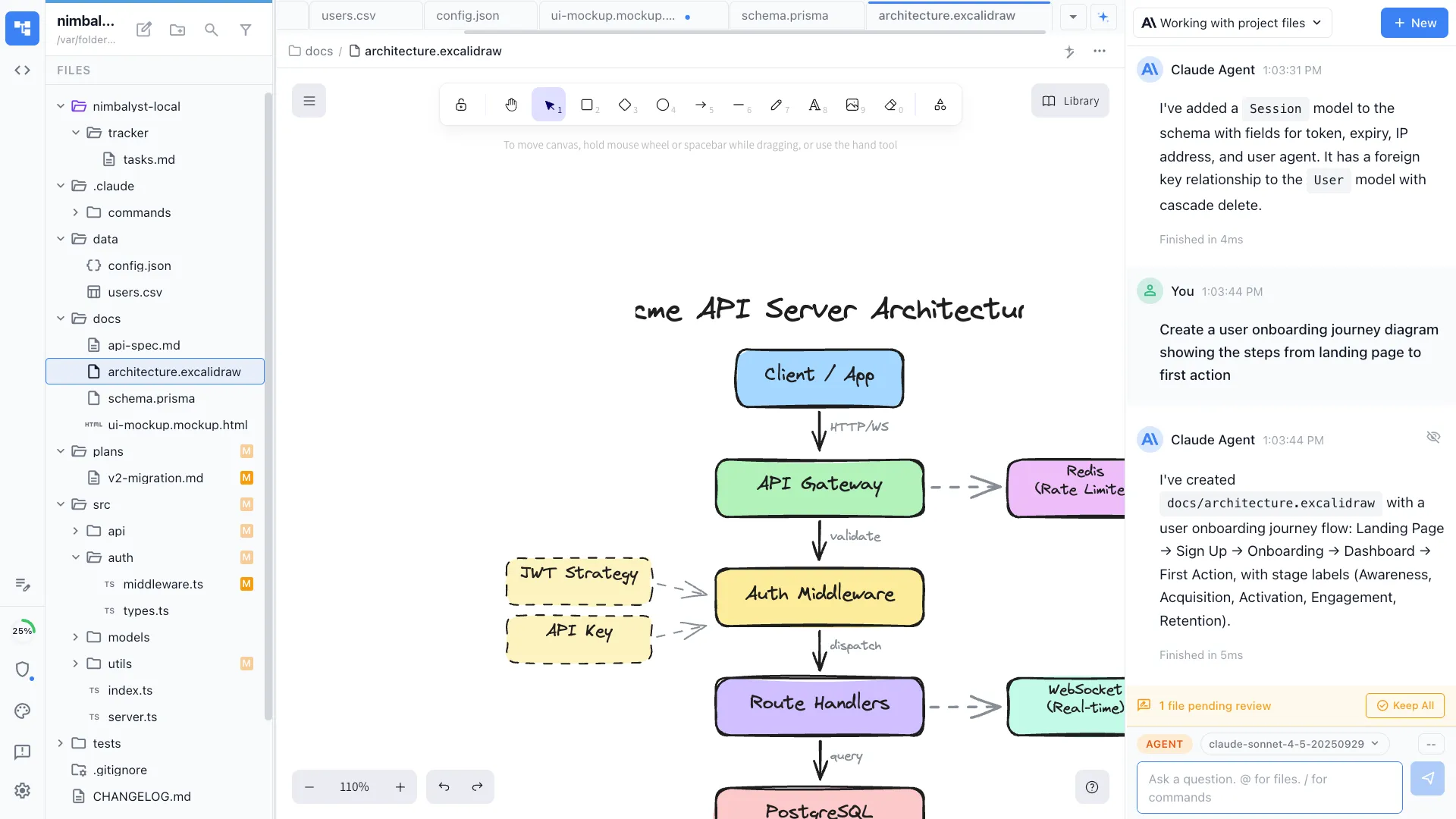
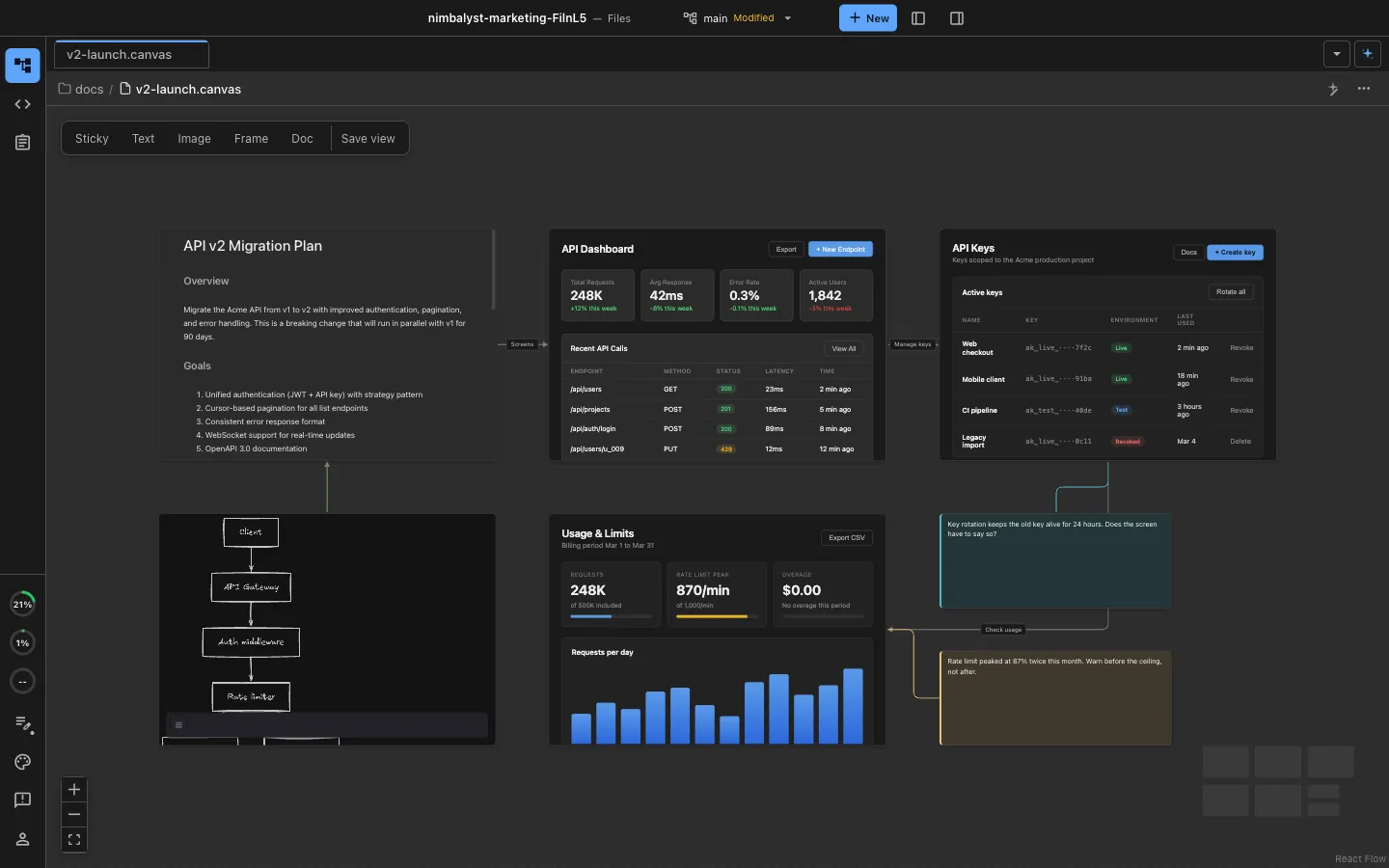
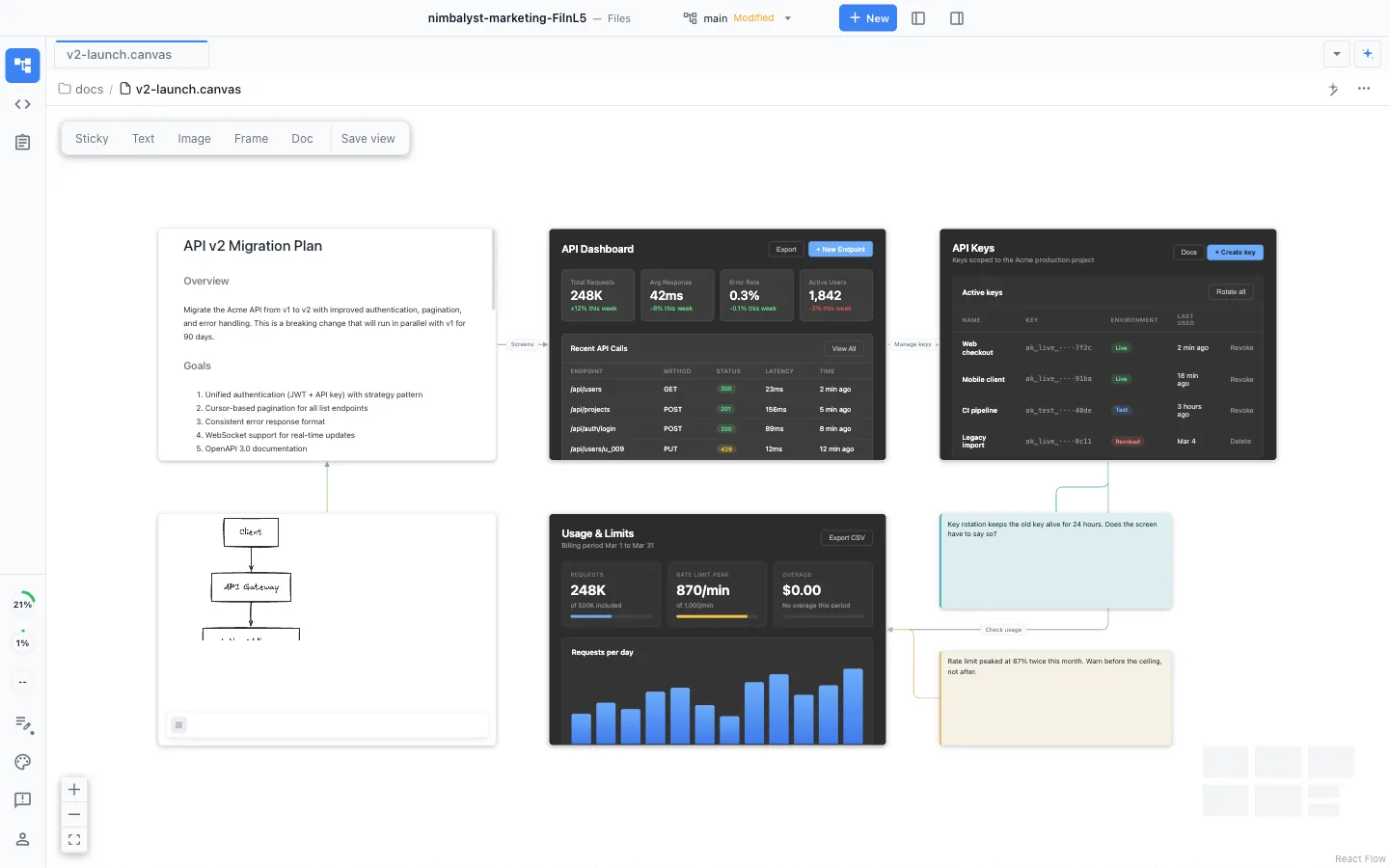
Agent-powered visual editors
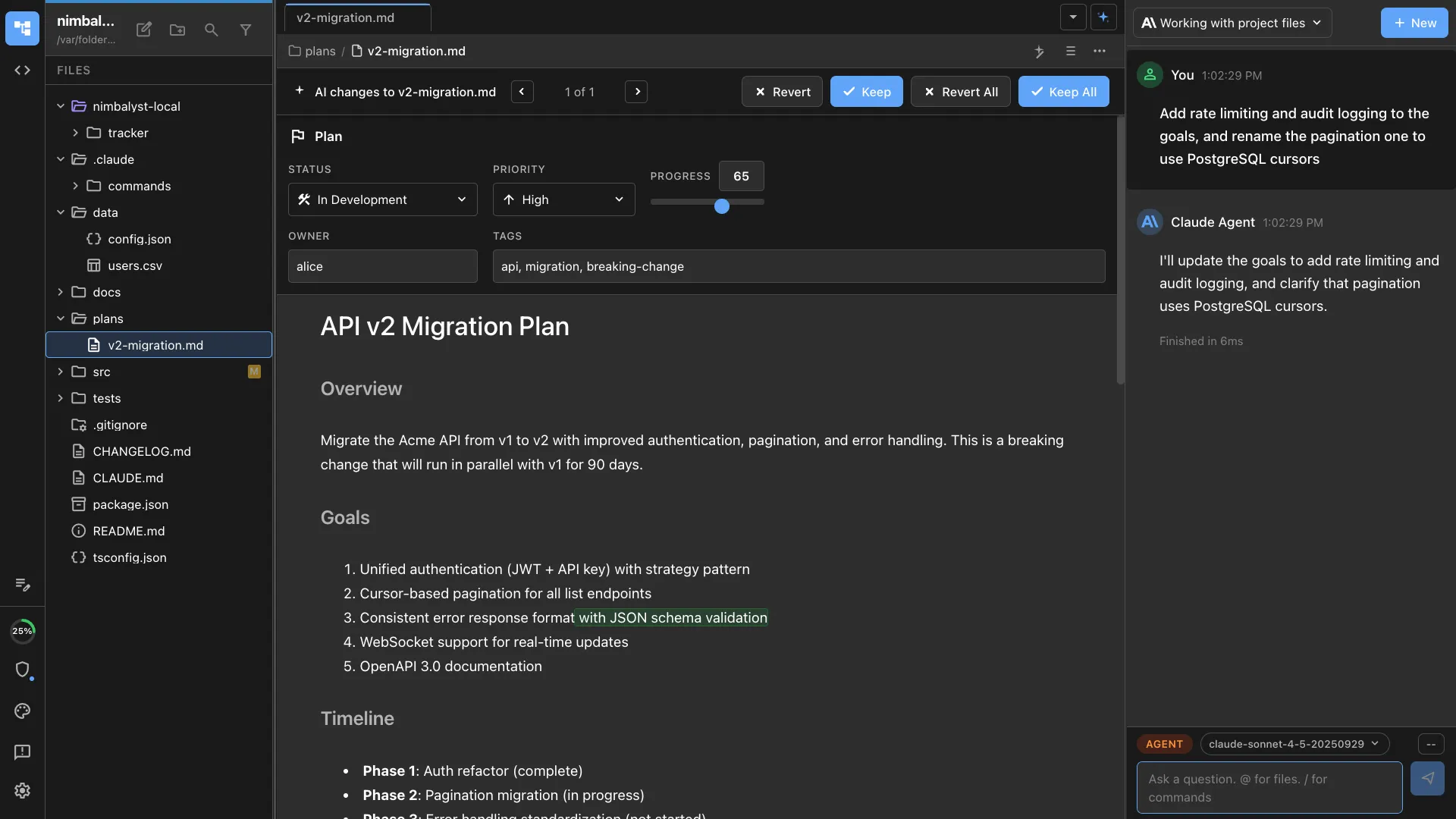
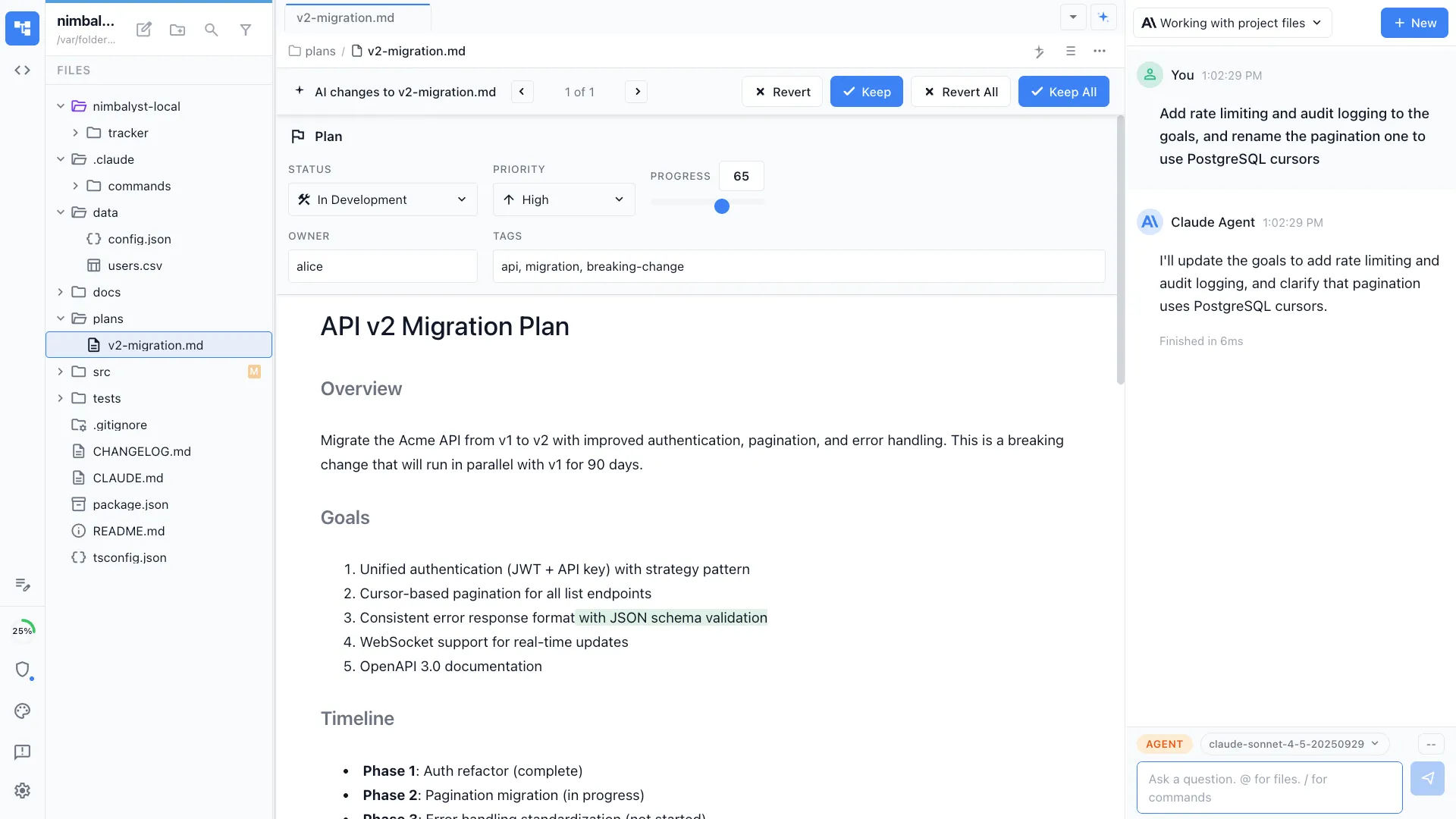
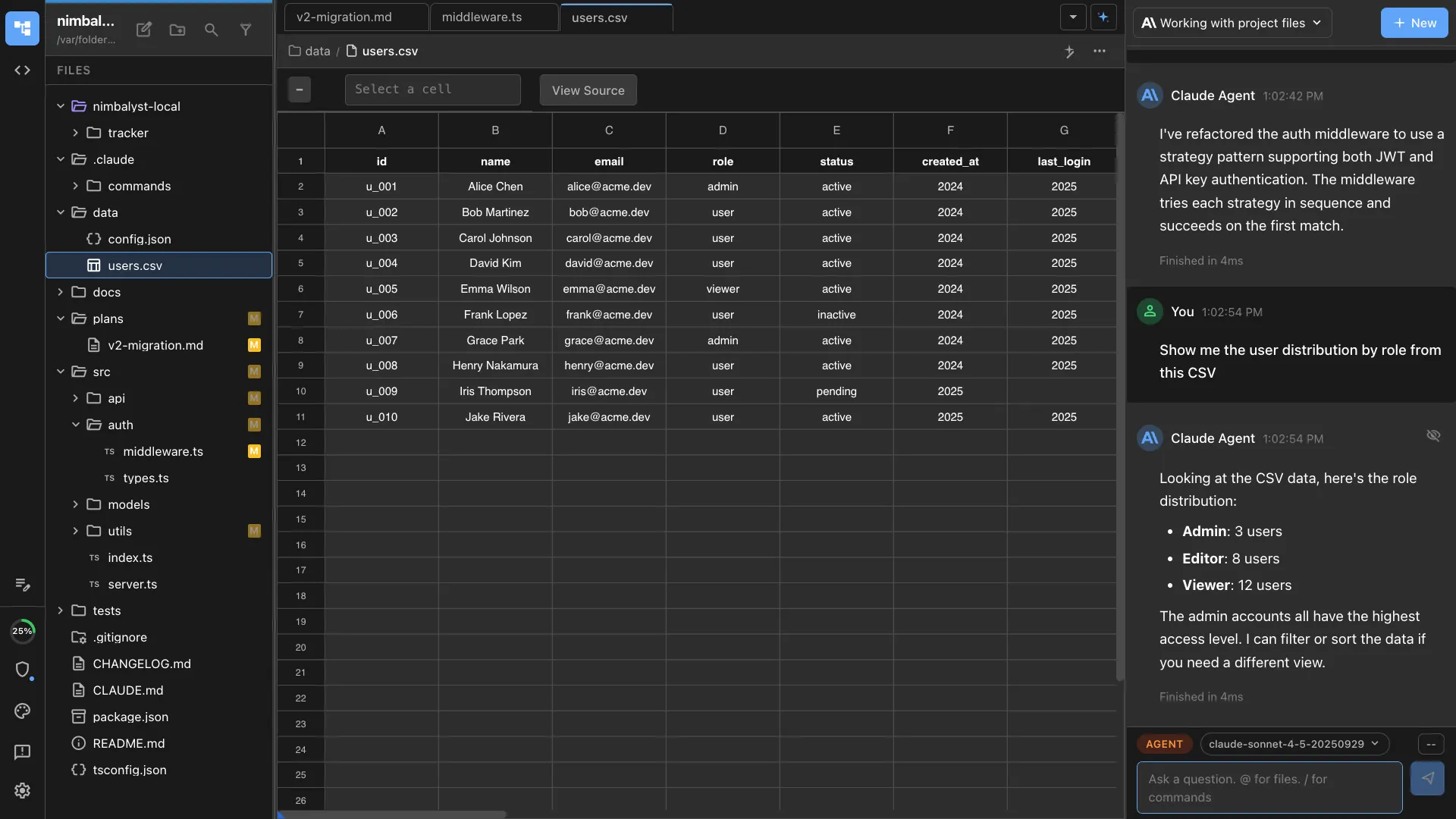
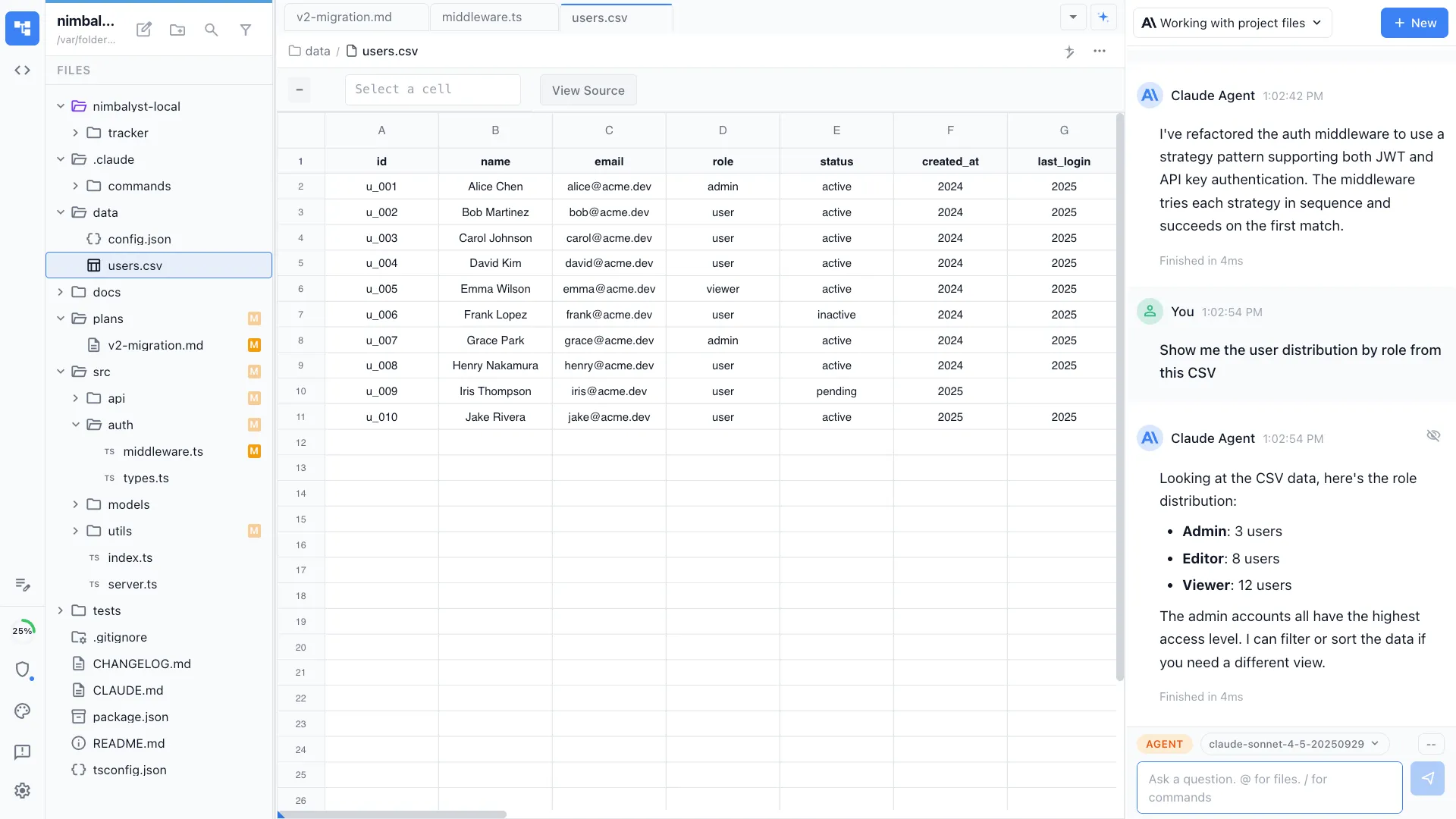
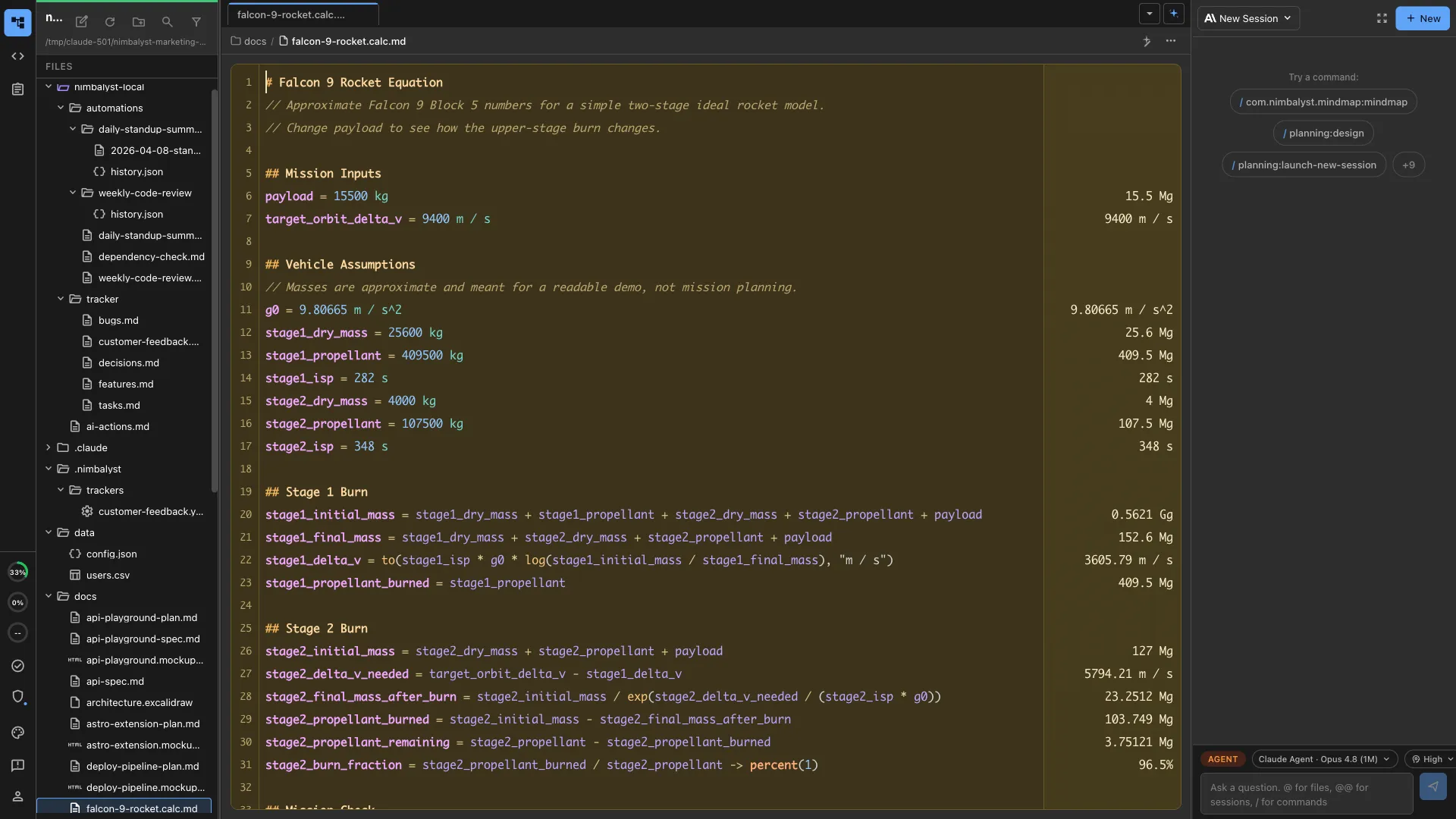
Research memos, analysis code, data files, calculations, and diagrams, all editable by you and readable and writable by your coding agents. Runs on macOS, Windows, and Linux, free and MIT licensed for individuals. Every editor is an extension, including the ones we ship, so an artifact type we do not have is one your agent builds.
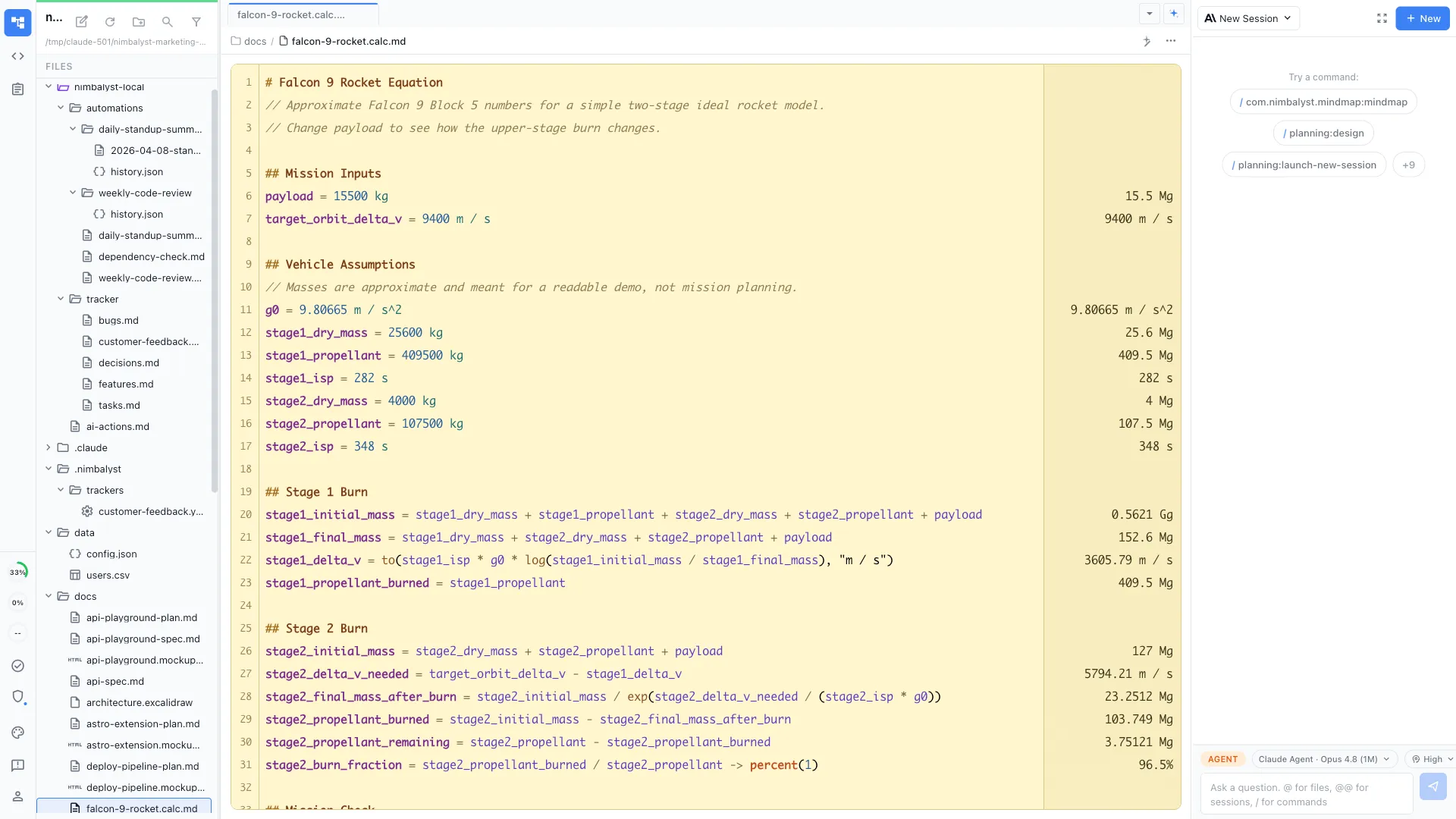
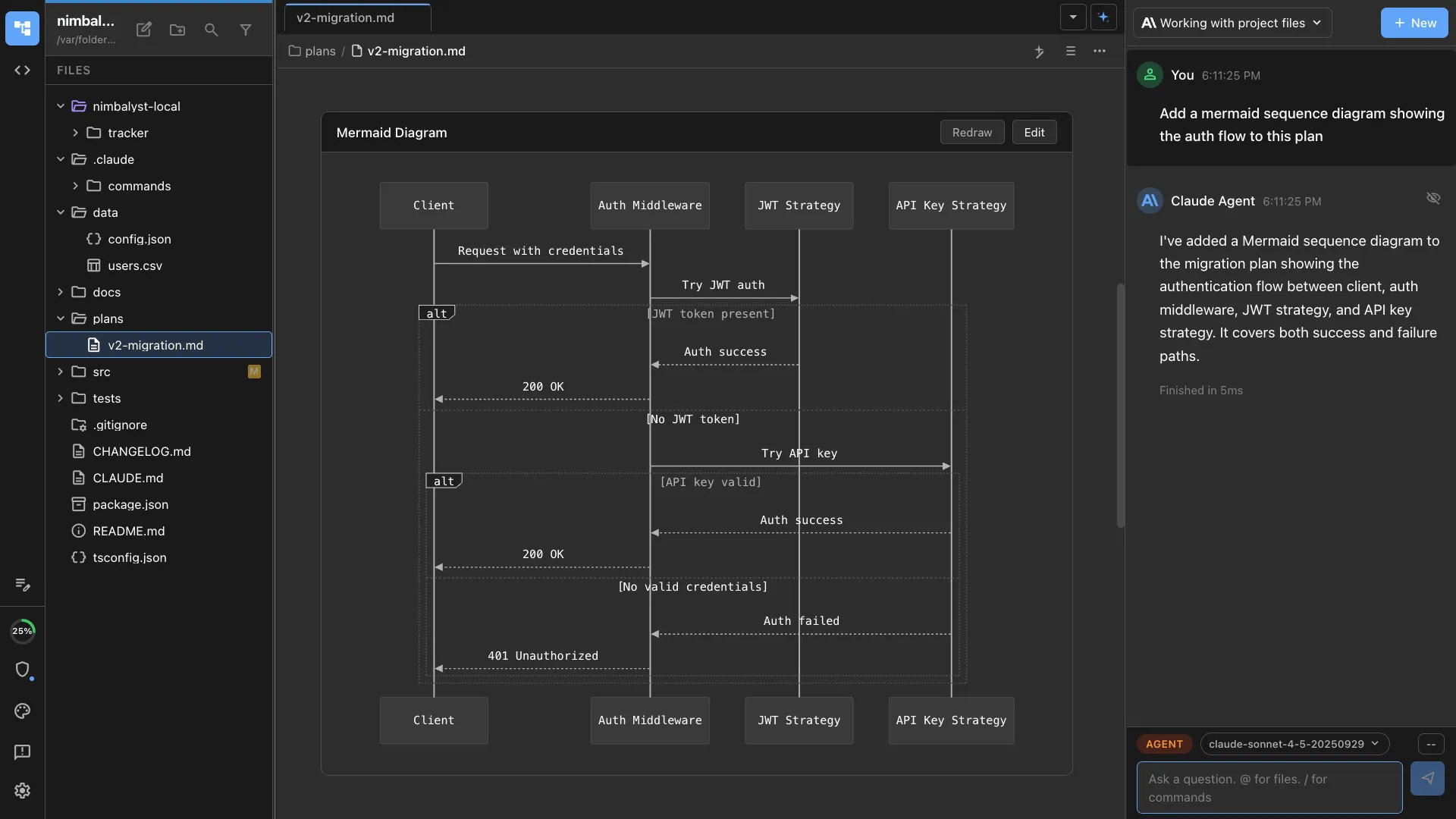
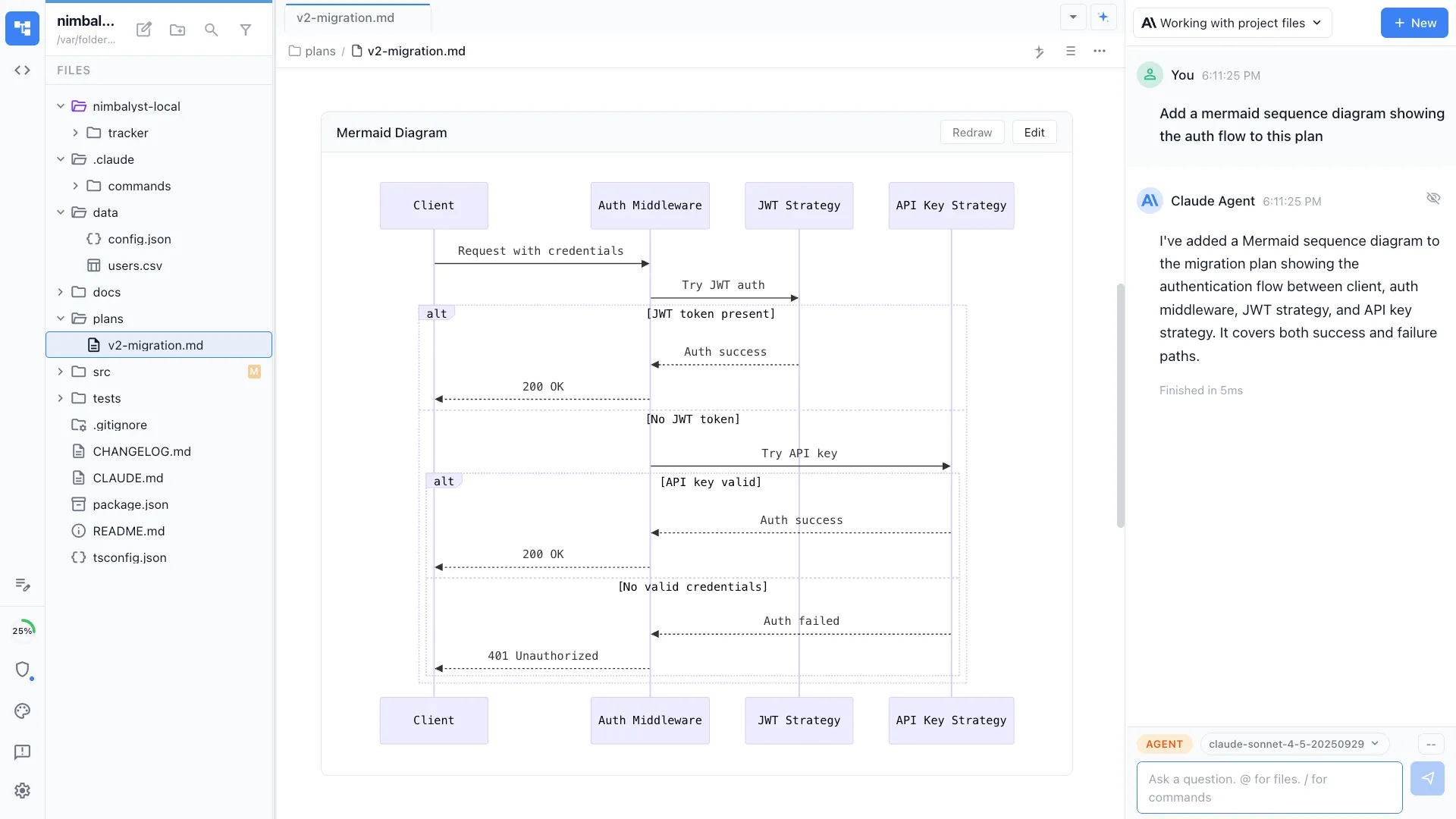
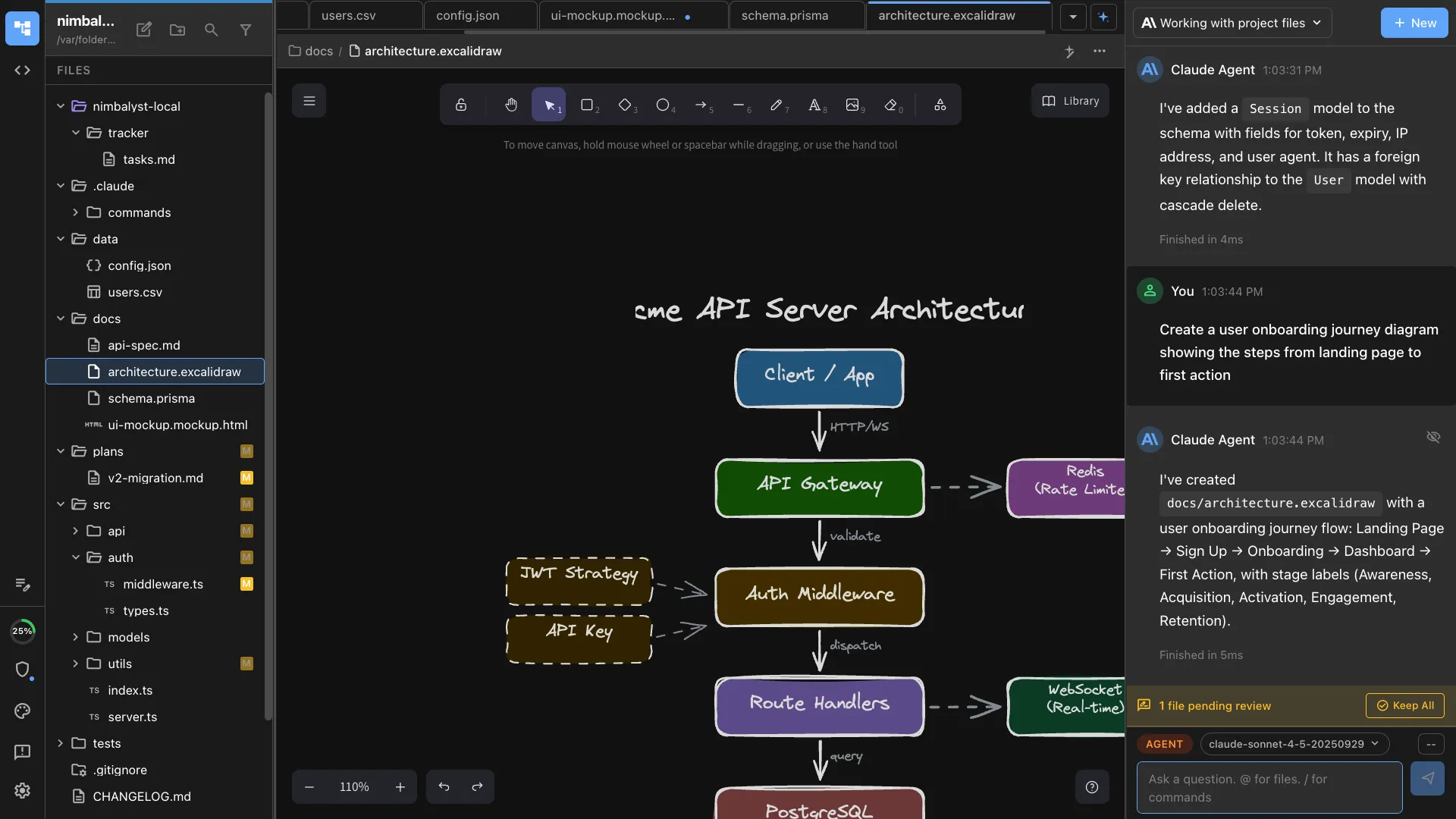
Memos, specs, and model documentation
Write the method and the assumptions in markdown your agent reads directly, with diagrams and charts embedded in the same file.
Review every agent edit
Review red and green agent diffs in the research memo, then accept, reject, or revise each proposed change before it lands.
Linked to the rest of the workspace
Reference a tracker item or another document and the link resolves, so the memo, the decision, and the task stay attached to each other.
Multiplayer on the work
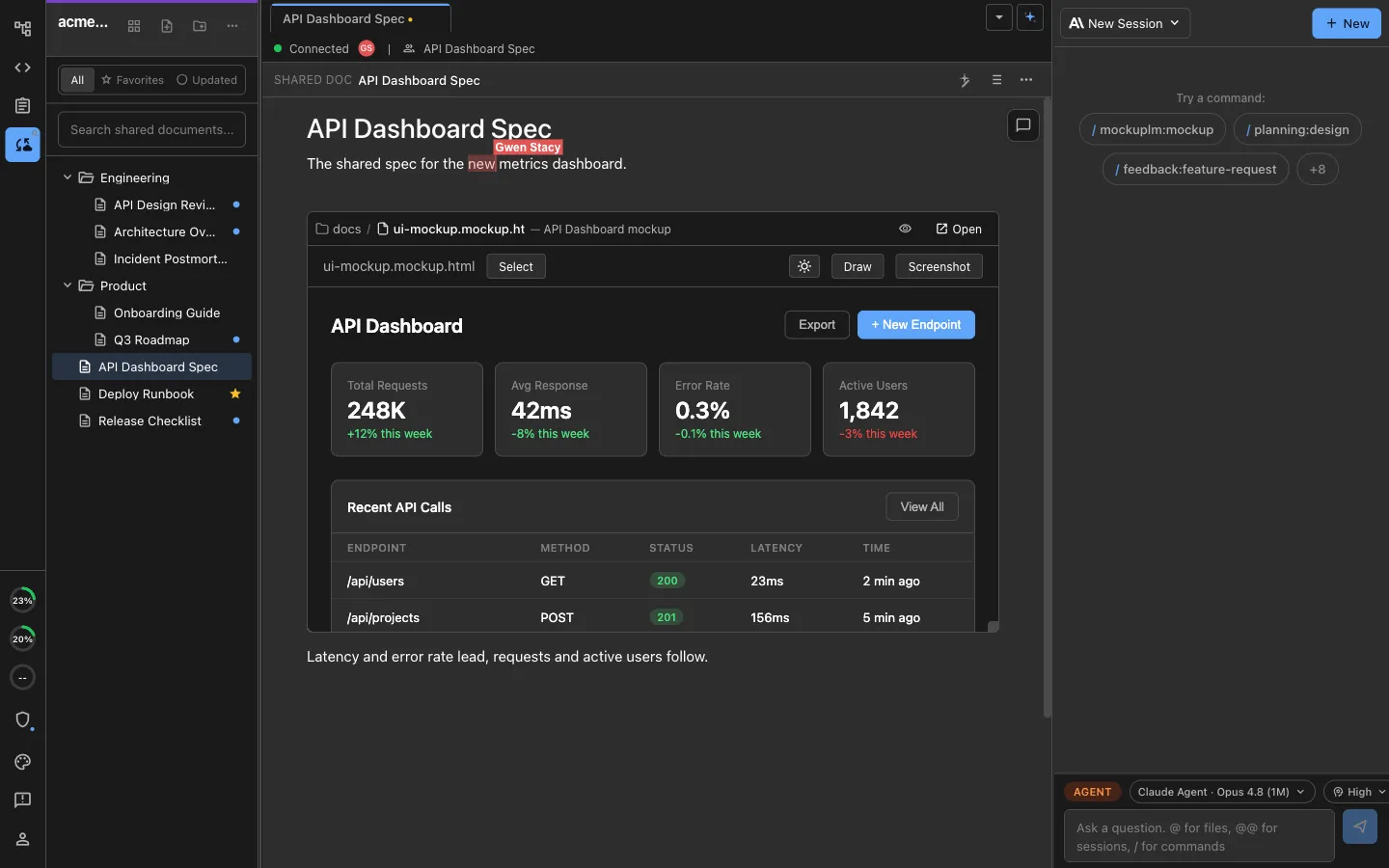
Edit the same documents, diagrams, and boards together, with each person's own agent in the room
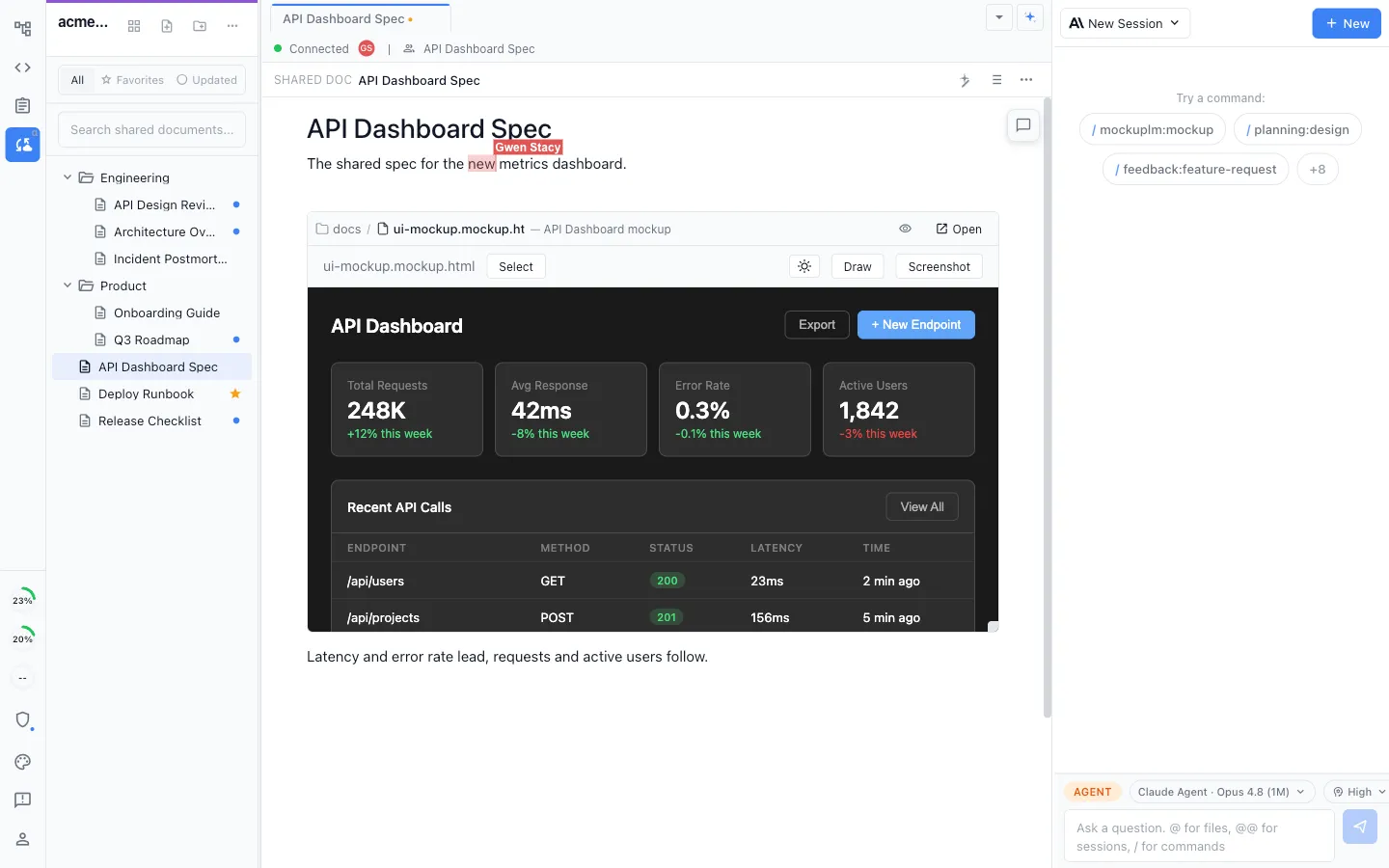
Live shared editing
Researchers and validators can edit a shared memo or diagram together, with a labeled cursor for each participant.
Each person's own agent
Every collaborator runs their own local Claude Code or Codex against the same shared files, rather than everyone queueing behind one hosted assistant.
Share one thing, not everything
Share one selected research document while the remaining local project files stay outside collaboration.
Comments and history
Comment on a passage, reply in a thread, and read the full change history of a shared document.
Discussion beside the work
Team chat sits in the same workspace as the memos, trackers, and documents the conversation is about.
One connected workspace
Shared documents, local files, trackers, and agent sessions link to each other, so the decision, the diagram, the task, and the work that came out of them stay attached.
Security and deployment model
The apps are local and open source.
The collaboration server runs in your own cloud.
The workspace and agent processes run on your team's machines. The optional collaboration service handles only files people share and can be deployed in your firm's Cloudflare account.
The apps
MIT-licensed desktop and iOS apps whose source your firm can inspect on GitHub.
- Everything that touches your code, your data, and your agent sessions runs here.
- Claude Code and Codex run locally, using the keys and subscriptions you already have.
- Project files stay local unless a person explicitly shares one through collaboration.
- Read it, build it from source, pin a version, or fork it.
The collaboration server
Workers and Durable Objects, deployed inside your firm's own Cloudflare tenant, or managed by us. It is a commercial product rather than open source, and it is optional.
- Nothing syncs anywhere until you promote a file to a shared one.
- Run it in your own Cloudflare account: your contract, your bill, and no shared service holding another firm's workspace next to yours.
- The source is available to you under a restricted license, so your security team can read and audit the code running in your tenant.
- A customer-owned account puts access, logging, retention, and the timing of versioned upgrades under your firm's control.
- Content synced between collaborators is end to end encrypted.
single tenant · source available · restricted license
Nimbalyst is SOC 2 Type 2 certified.
Where it sits
Nimbalyst extends the coding agents you already use
You keep your Claude Code, Codex, and other agent subscriptions and keep working the way you do now. Nimbalyst runs those agents locally against the project you already have open, and adds the surface around them: the memo, the diagram, the board, the review, and the record of what changed.
- Claude Code
- Codex
- Gemini CLI
- Your internal harness
Heterogeneous by design
Claude Code, Codex, and other agents run side by side in one workspace, so a desk is not tied to a single vendor's harness.
Local execution
Agents run on your machine against the files you already have, using your existing keys or subscriptions.
Your endpoints, your models
Point the agents at the gateway and models your firm already governs.
Notebook files
Current file support
Nimbalyst cannot currently open, render, or execute .ipynb files. An integrated Jupyter Notebook extension is in development and coming soon.
Share your requirementsInstall it on your own machine and point your agent at your own repository
Download the MIT-licensed desktop app, open the project you are already working on, run Claude Code or Codex against it, and review what changes line by line.
Desktop apps for macOS, Windows, and Linux, with a native iOS app for following agent sessions away from the desk.