Multiplayer workspace for
customer engineering, the customer,
and your coding agents
One visual workspace for your presales, delivery, and forward deployed engineers,
the coding agents they already run, and the customer on the other side of the work.
Nimbalyst runs on Claude Code and Codex, adding a shared visual surface around them.
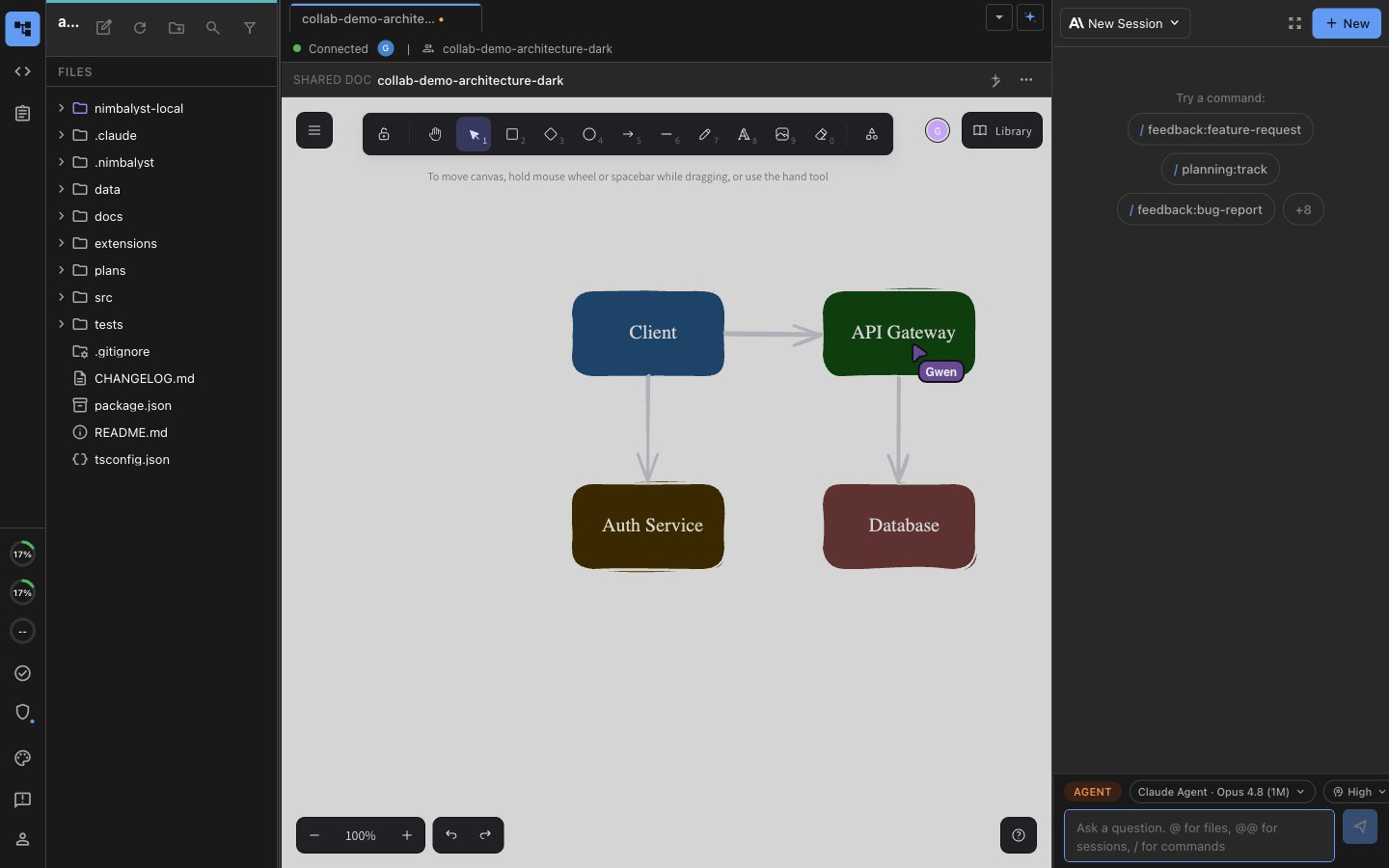

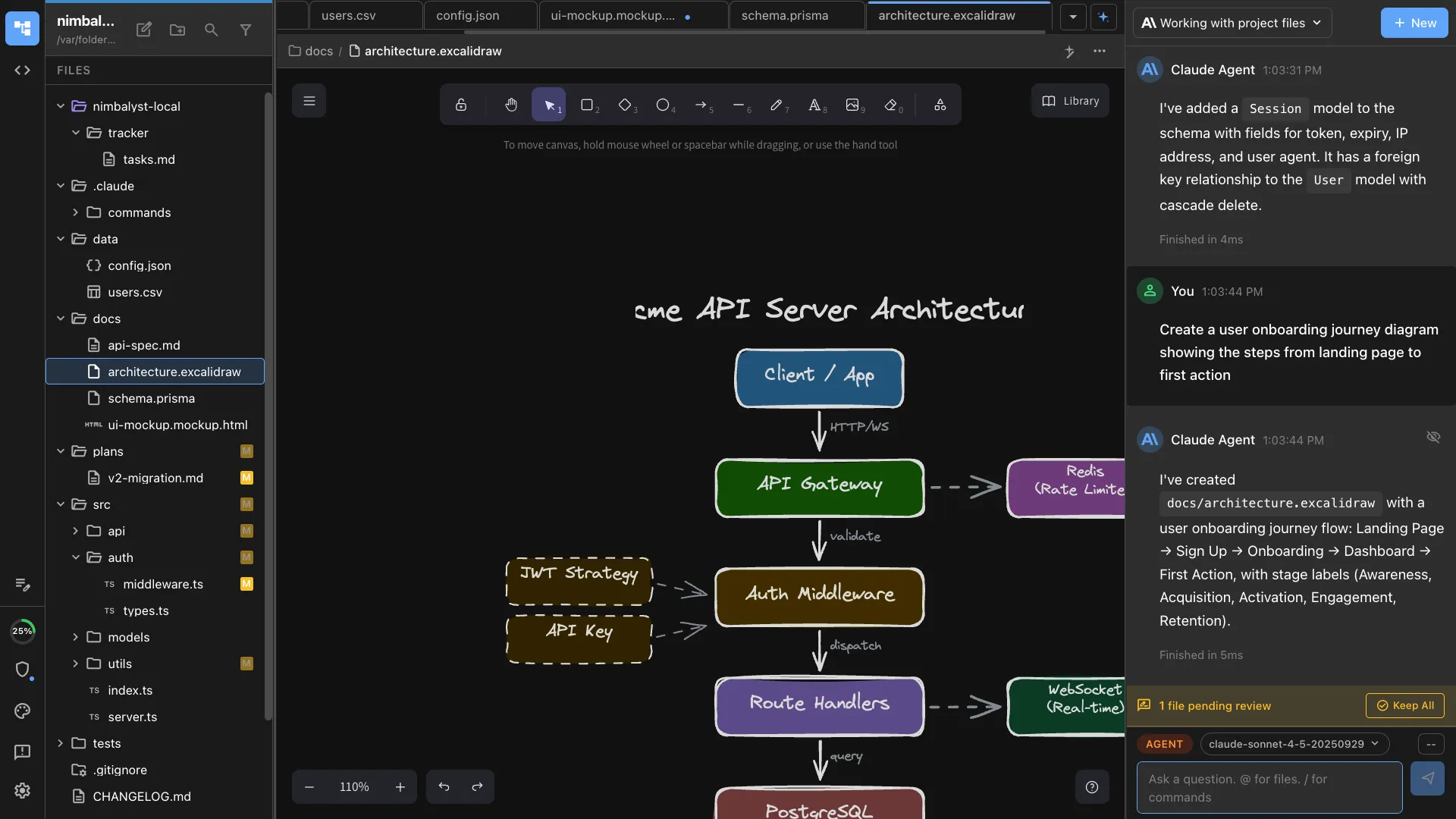
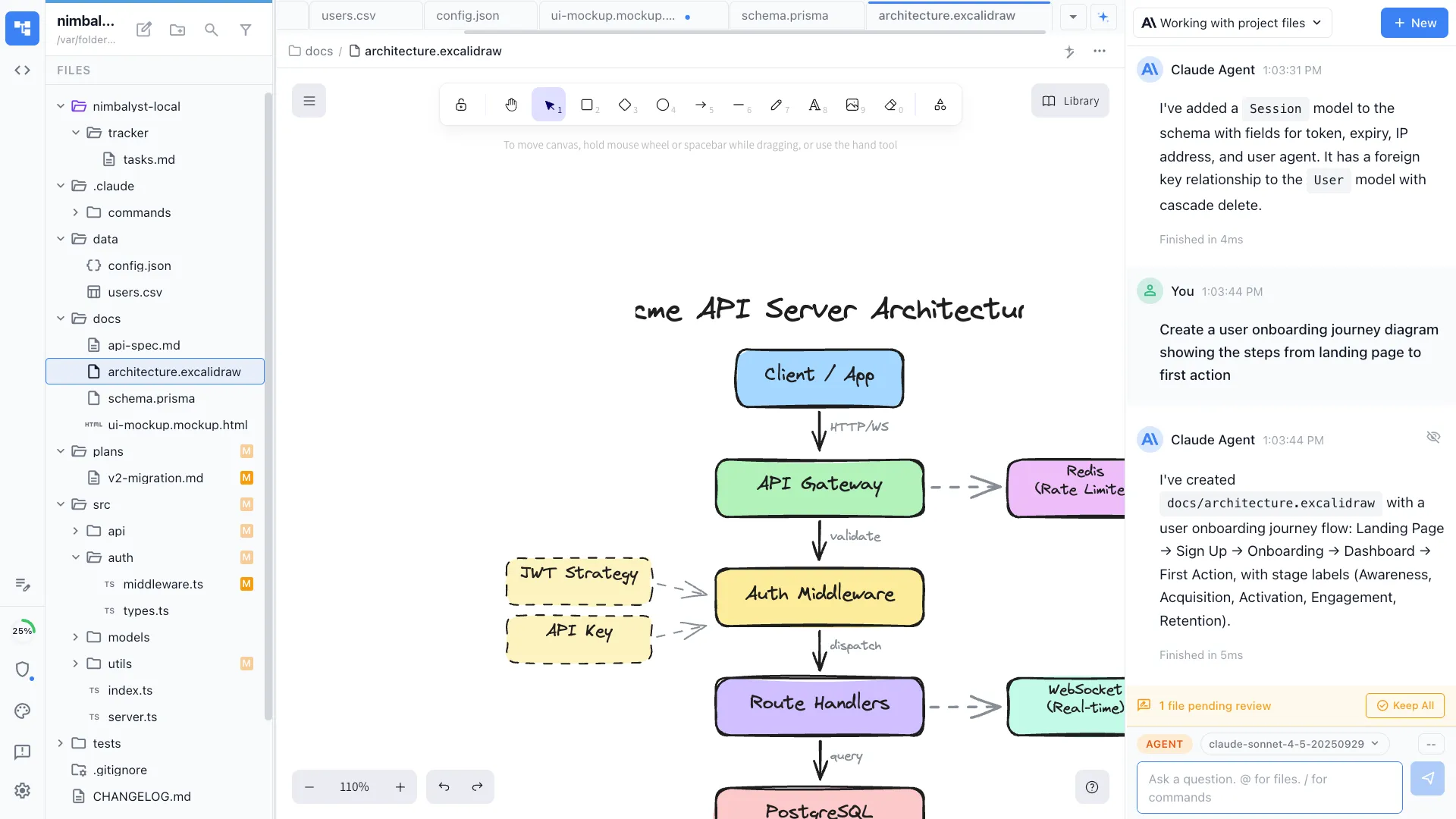
Two people and their own coding agents editing the same architecture diagram at the same time.
Where this work sits today
The customer is outside your tools, and the agents are outside all of them
Presales, delivery, and embedded work spread across a deck, a personal sandbox, a spreadsheet, a ticket, and a Slack thread. The customer sees an exported copy of some of it, your own company sees a summary later, and the coding agents your engineers are already running cannot read any of it.
The customer works on a copy
They get a deck, an export, or a document emailed on Tuesday, so every conversation starts by establishing which version everyone is looking at. Nobody is editing the same thing at the same time, least of all with you.
Discovery starts over at each handoff
The solutions engineer knows why the architecture looks like that. The implementation engineer inherits a signed statement of work and a call recording. The embedded engineer inherits a config nobody documented. Each handoff restarts discovery, in front of the customer.
The artifacts do not know about each other
The scope, the architecture, the mapping table, the runbook, and the open items sit in separate tools that cannot see each other, so keeping them consistent is somebody's full-time job.
The agents get a re-typed brief
Your engineers already run coding agents on customer work, and the agent cannot read the scope, the questionnaire, or the last engagement's runbook. Someone paraphrases it into a prompt, and the paraphrase is where the mistake enters.
What Nimbalyst gives you
Own the workspace your customer-facing work runs in
A collaborative workspace for working with Codex and Claude Code that your team owns and extends, and that the customer can be invited into when it helps.
Integrated
The scope, the agent session, the decision, the review, and the code stay linked to each other.
Collaborative
Multiplayer on the same documents, diagrams, and boards, with the customer and each engineer's local agent in the same files.
Visual
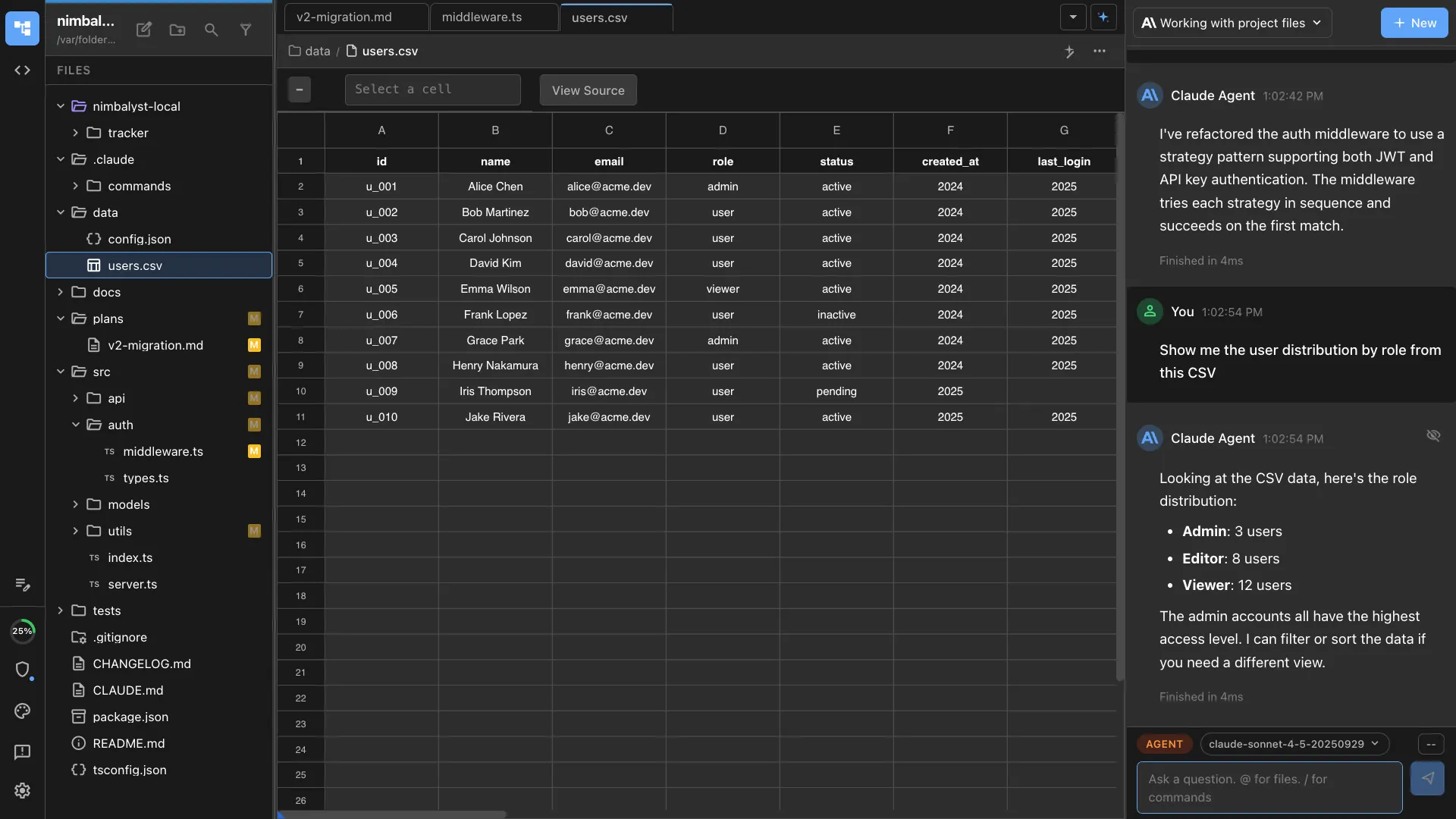
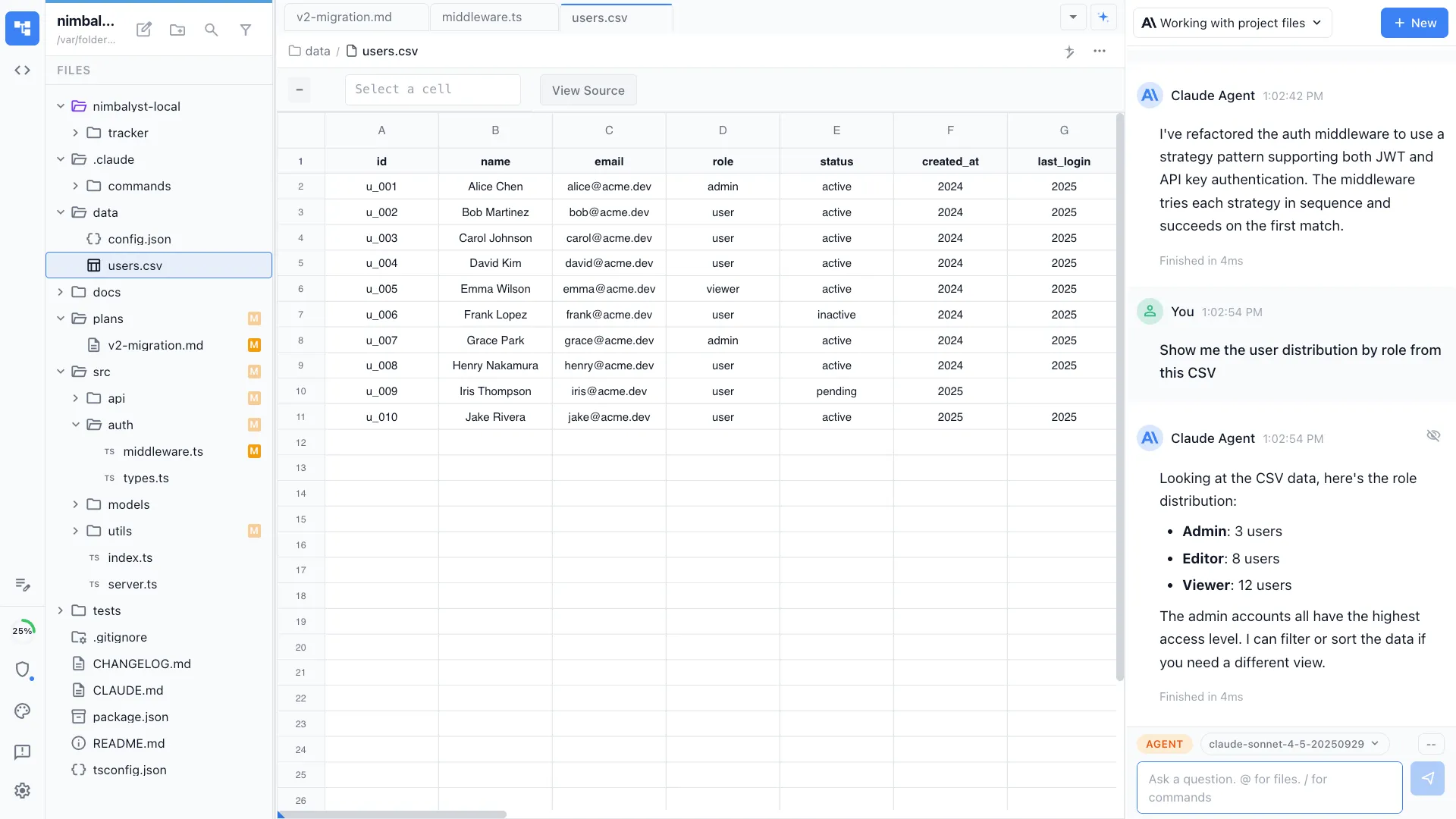
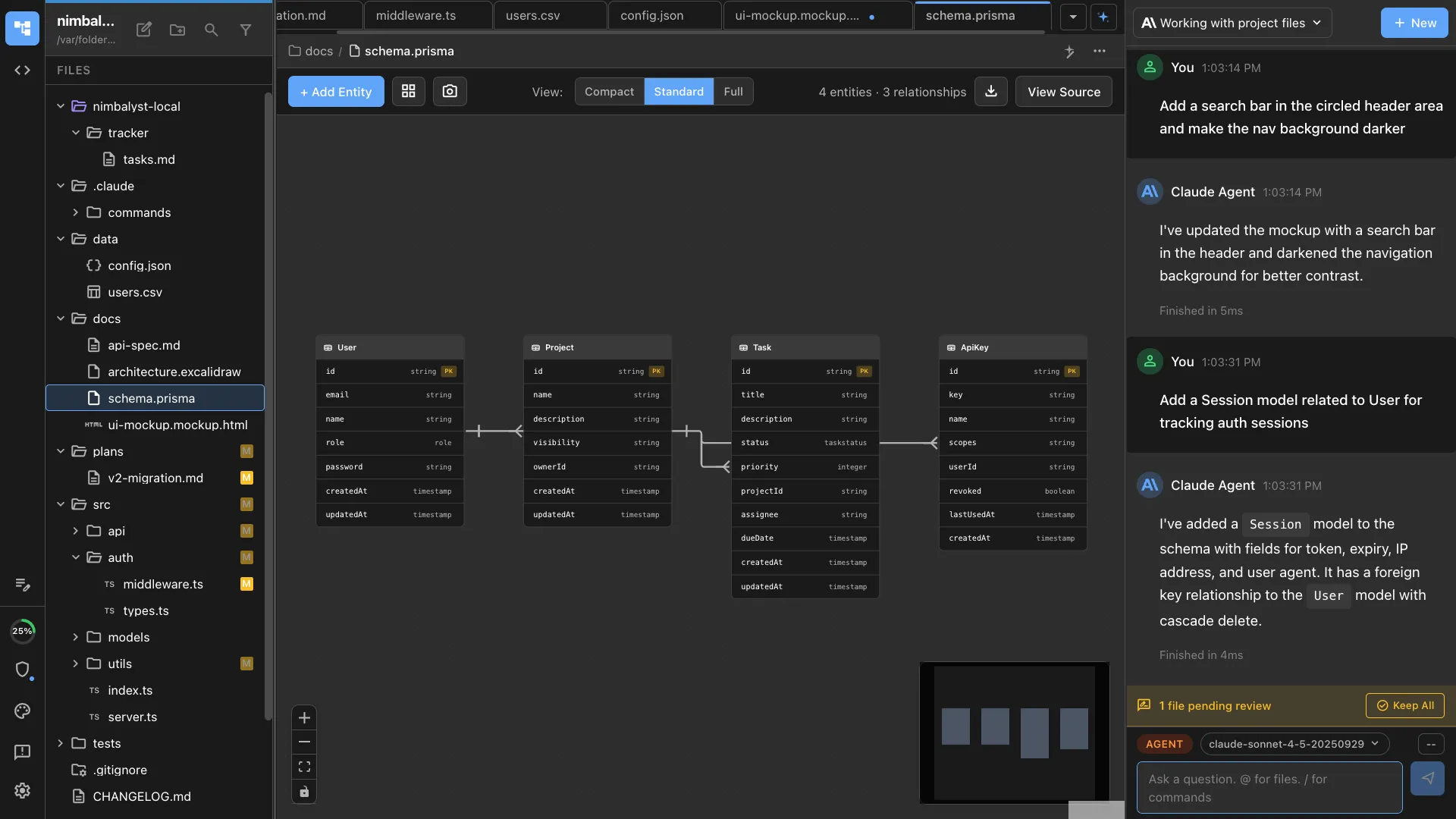
Markdown, mockups, diagrams, data models, and spreadsheets edited by people and read and written by agents.
Heterogeneous
Claude Code, Codex, and internal harnesses side by side, on the models and gateway your customer governs.
Extensible
No editor for the artifact every account rebuilds by hand? Your team builds one on the SDK and reuses it on the next customer.
You own the client, and the collaboration layer under it
The desktop and iOS apps are MIT licensed. The collaboration server is source available under a restricted license, so a customer security review reads the code rather than taking it on trust. Switching agents next quarter does not cost you the workspace, because the documents, trackers, and extensions stay yours.
One job, four stages
Presales, professional services, and forward deployed work share one workspace
Every boundary below currently loses context. When each stage works in the same workspace, the next person opens what the last one produced and keeps going.
Solutions engineering
Discovery notes, the architecture sketch, the demo build, and the questionnaire answers land in one workspace, rather than in a deck and a personal sandbox only the author can open.
Professional services
The scope, the plan, and the configuration continue in the same workspace the presales work is already in, with the reasoning behind each choice still attached.
Forward deployed engineering
Code plus the artifacts around it, visible to the customer and to your own product team, instead of living only inside the customer's environment.
Support and renewal
The runbook, the open items, and the decisions are already written where the work happened, so handover means passing on a workspace rather than authoring one.
Across the customer boundary
The customer works in the same documents you do, and both sides bring their own agents
This job is collaboration across an organizational boundary, which is the part every other tool leaves to email.
Live shared editing
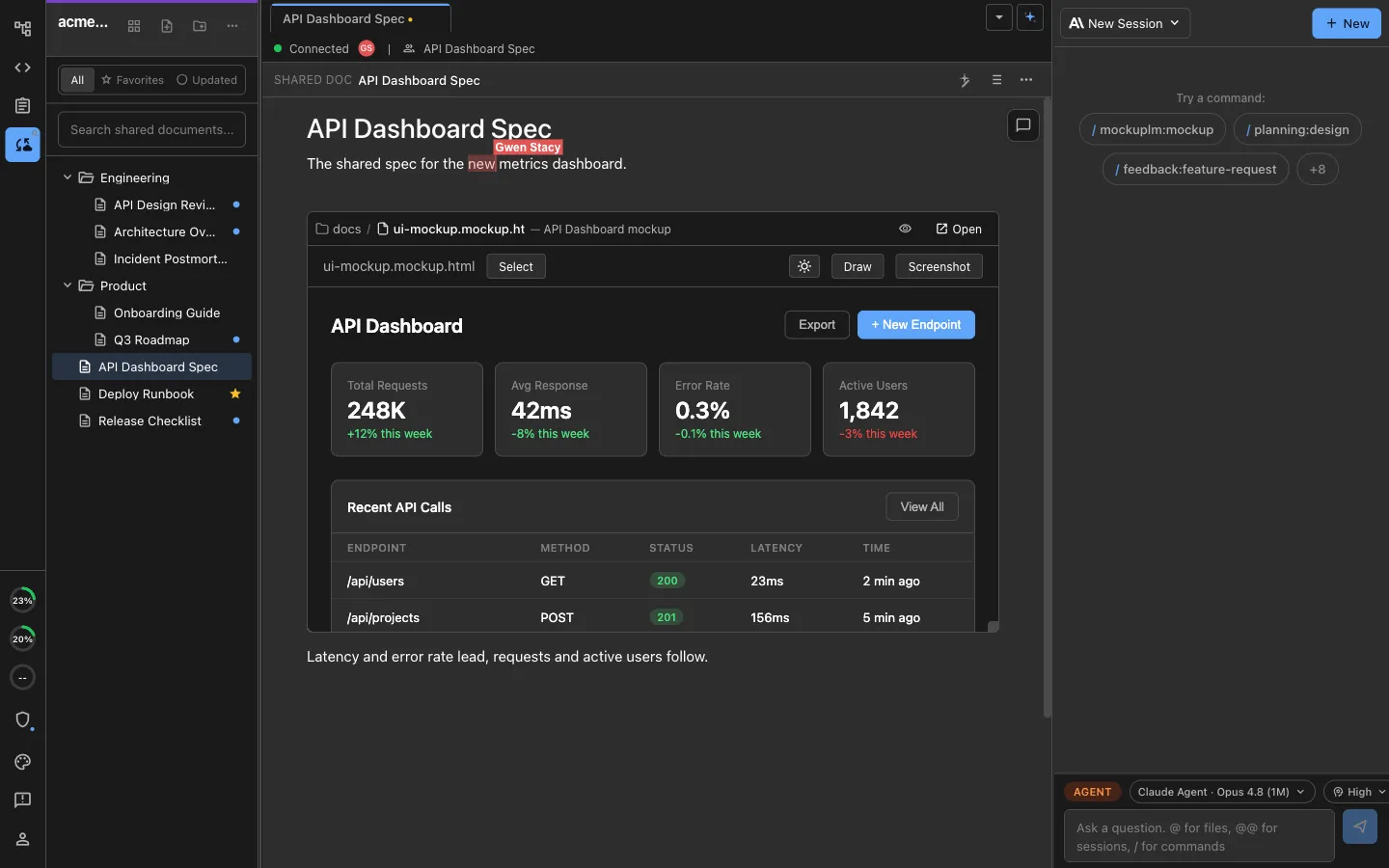
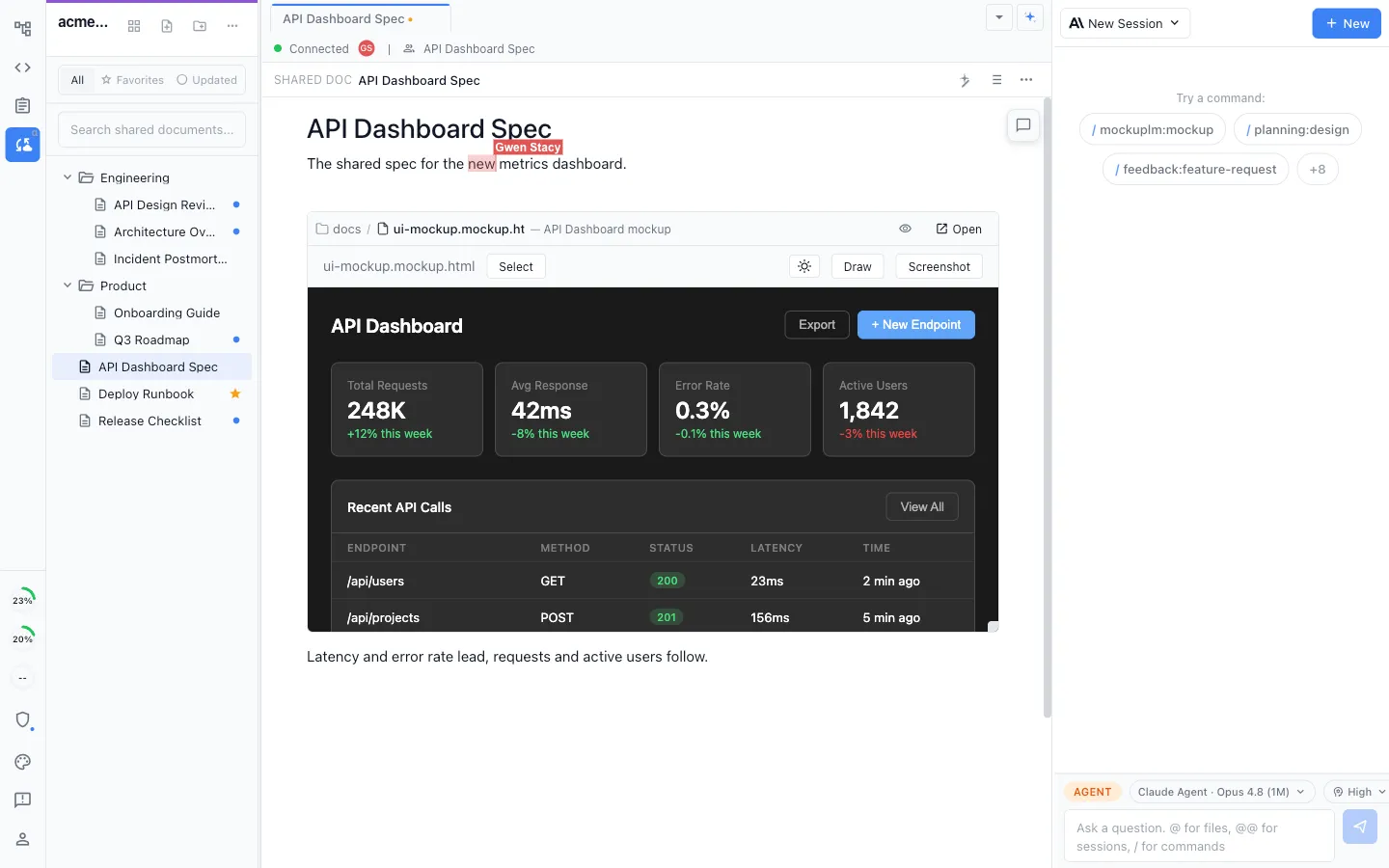
Shared documents, mockups, and diagrams edited together in real time, with a live cursor for everyone in the file, so the customer is looking at the current version rather than an export you emailed on Tuesday.
Invite a customer contact by email
Invite the people on the customer side who need to be in the work. They join the shared workspace in Nimbalyst and edit the selected documents with your team.
Each side runs its own agent
Your engineer runs Claude Code, the customer's engineer runs whatever they already use, and both act on the same shared document rather than on separate copies that have to be reconciled later.
Comments anchored to the work
Feedback sits on the passage of the shared document it concerns, with the reply thread beside it, so a review happens on the artifact rather than in a message about it.
A record of how it got there
Full change history on shared documents, so at handover the decision, the revision that followed it, and who made it are all still there.
Share one thing, not everything
Promote a single document, diagram, or tracker to shared in a click. The rest of the engineering machine on your machine stays local and unshared.
What the workspace is
Agent-powered visual editors
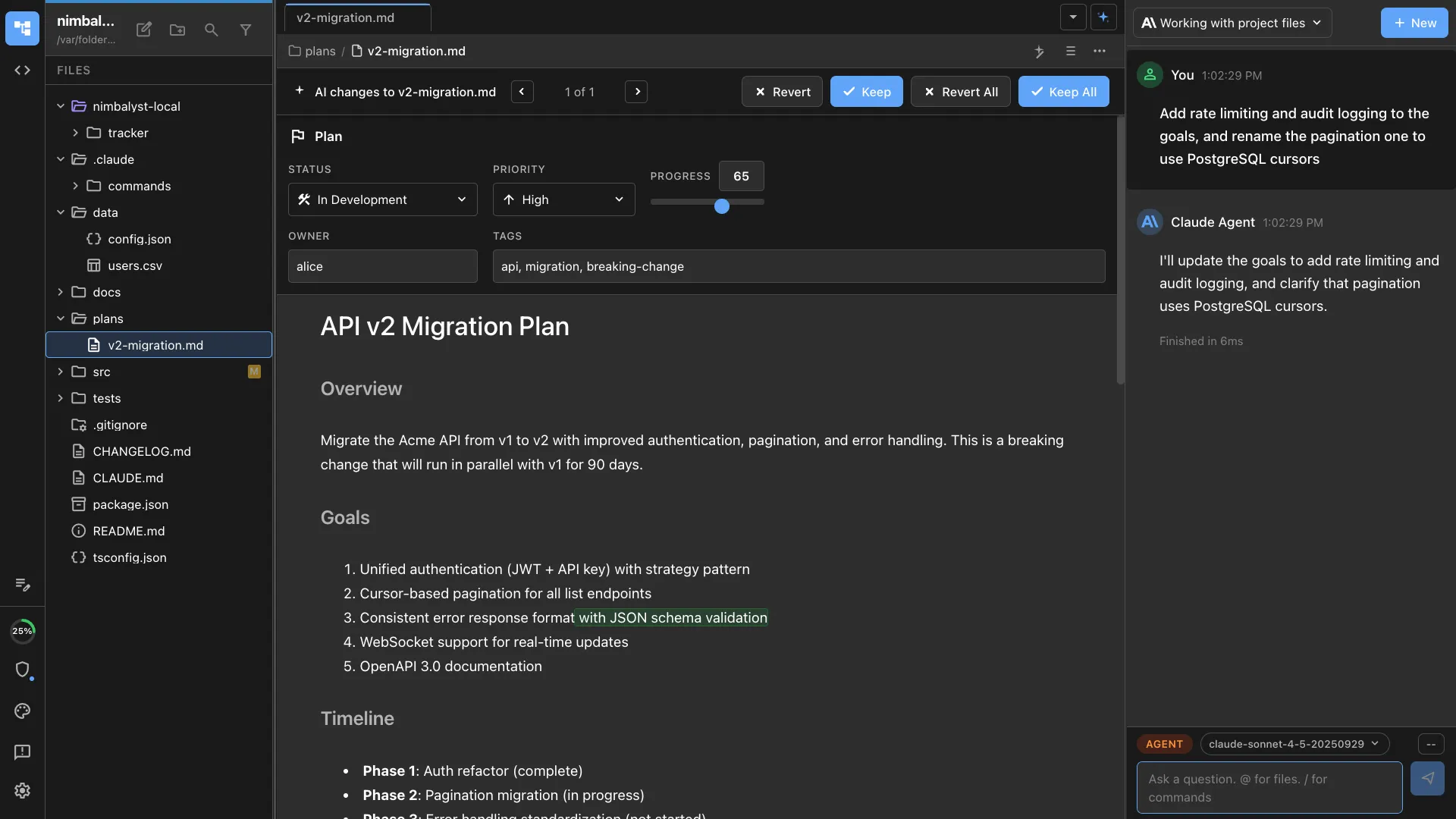
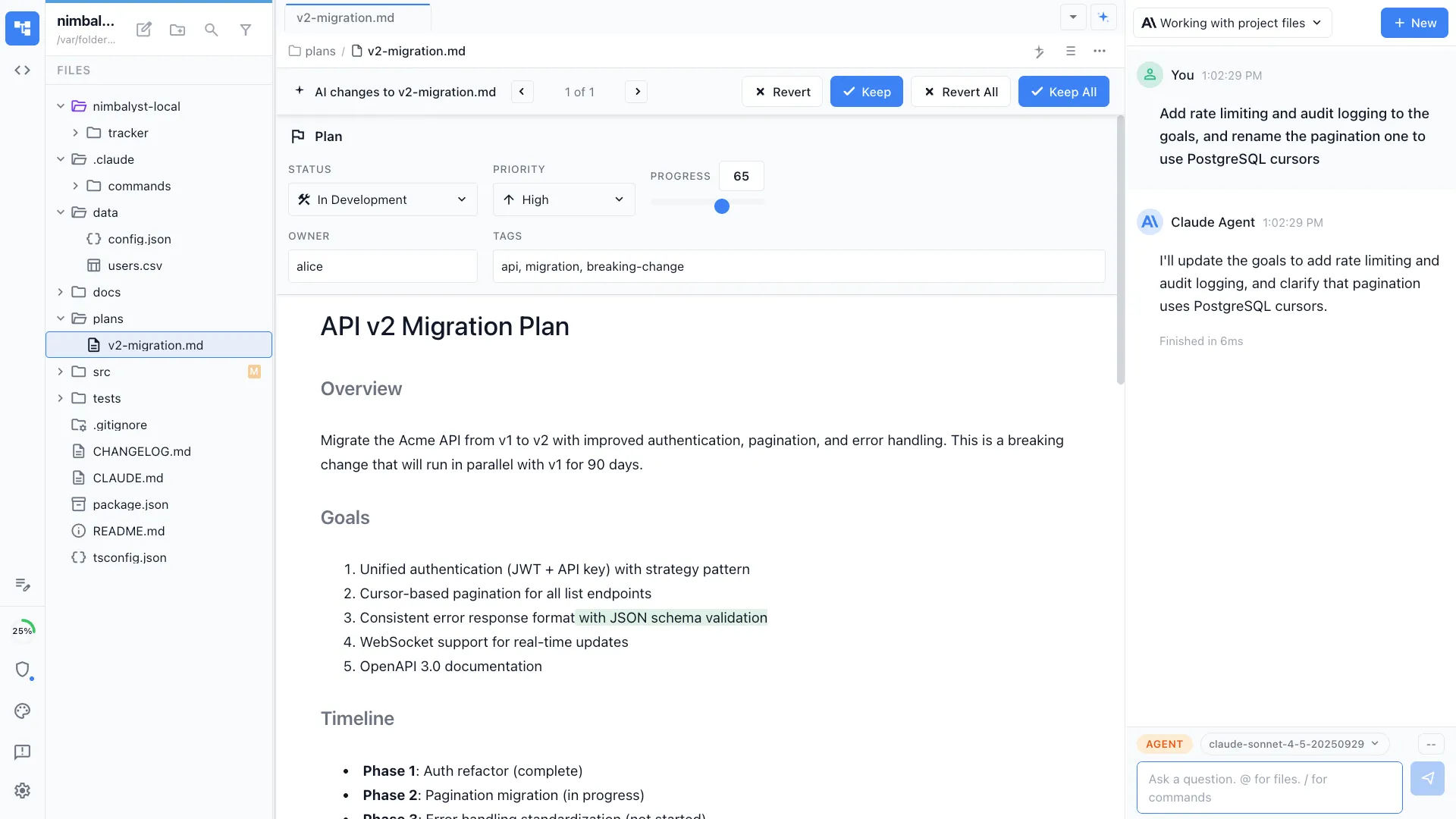
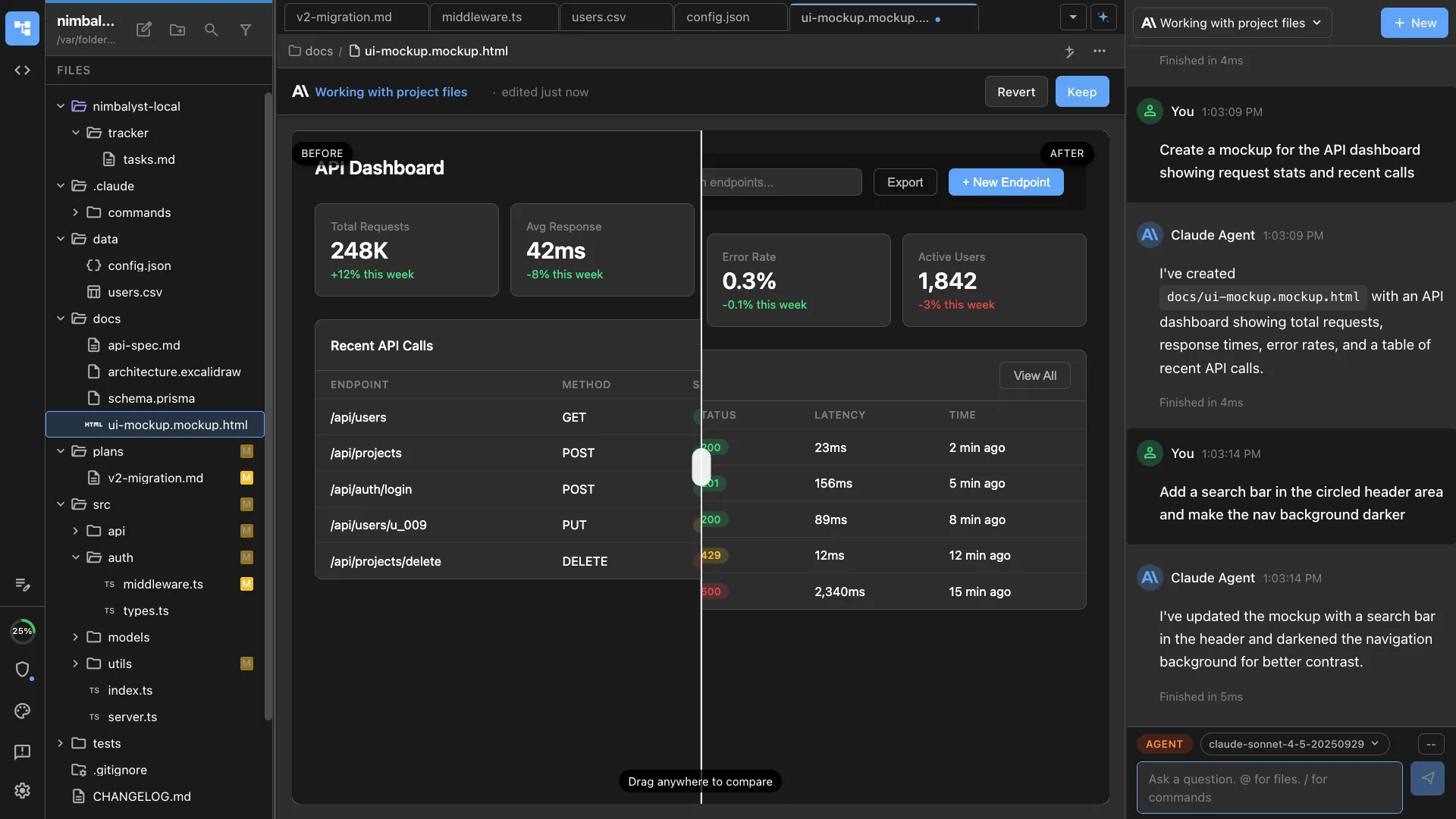
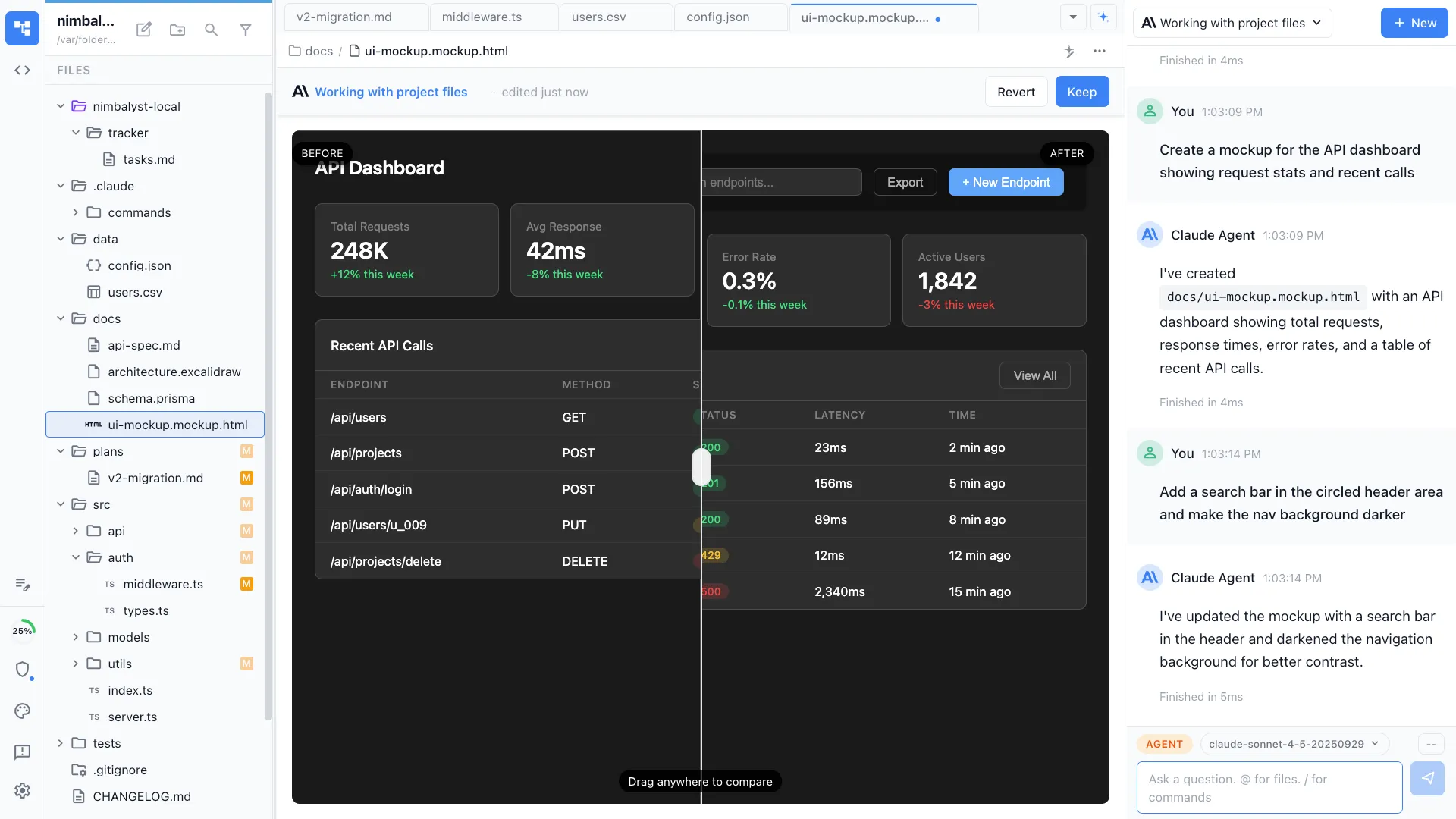
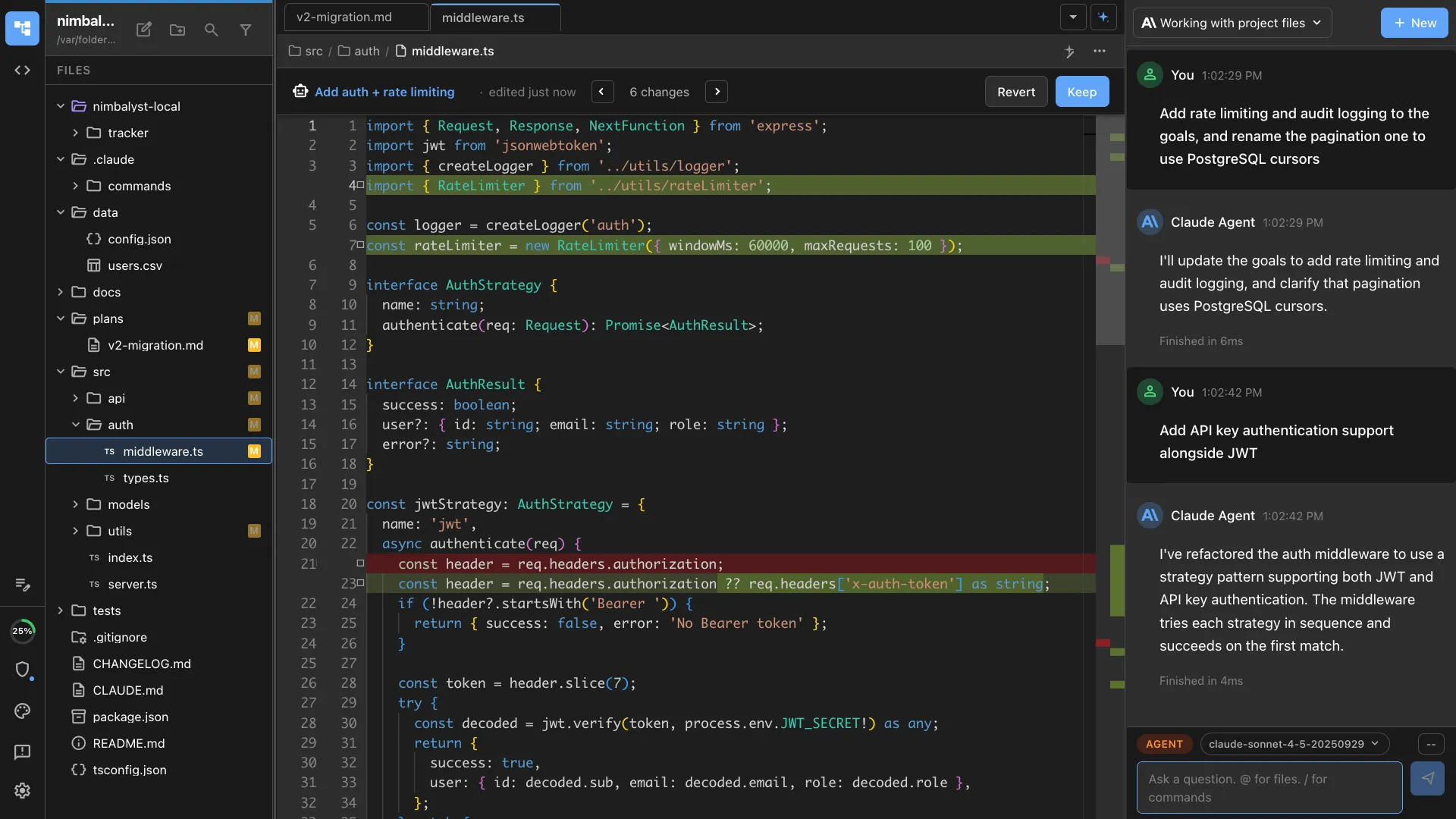
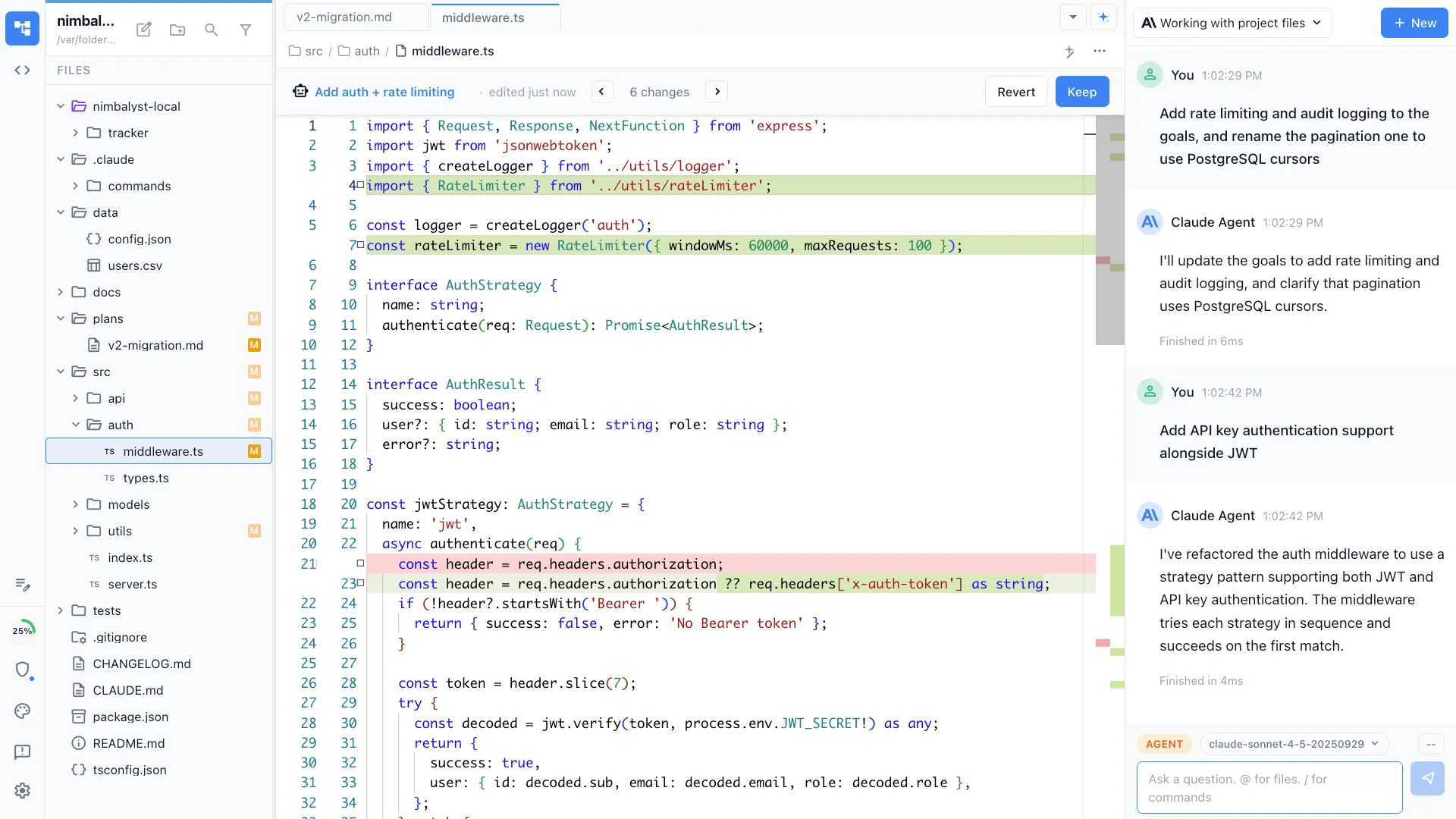
Discovery notes, architecture, mockups, configuration, data files, and code, all editable by your team and by the customer, and readable and writable by your agents. Every agent change arrives as a diff someone approves, rejects, or edits. If every account needs the same special artifact, build its editor once with the extension SDK and reuse the code across engagements.
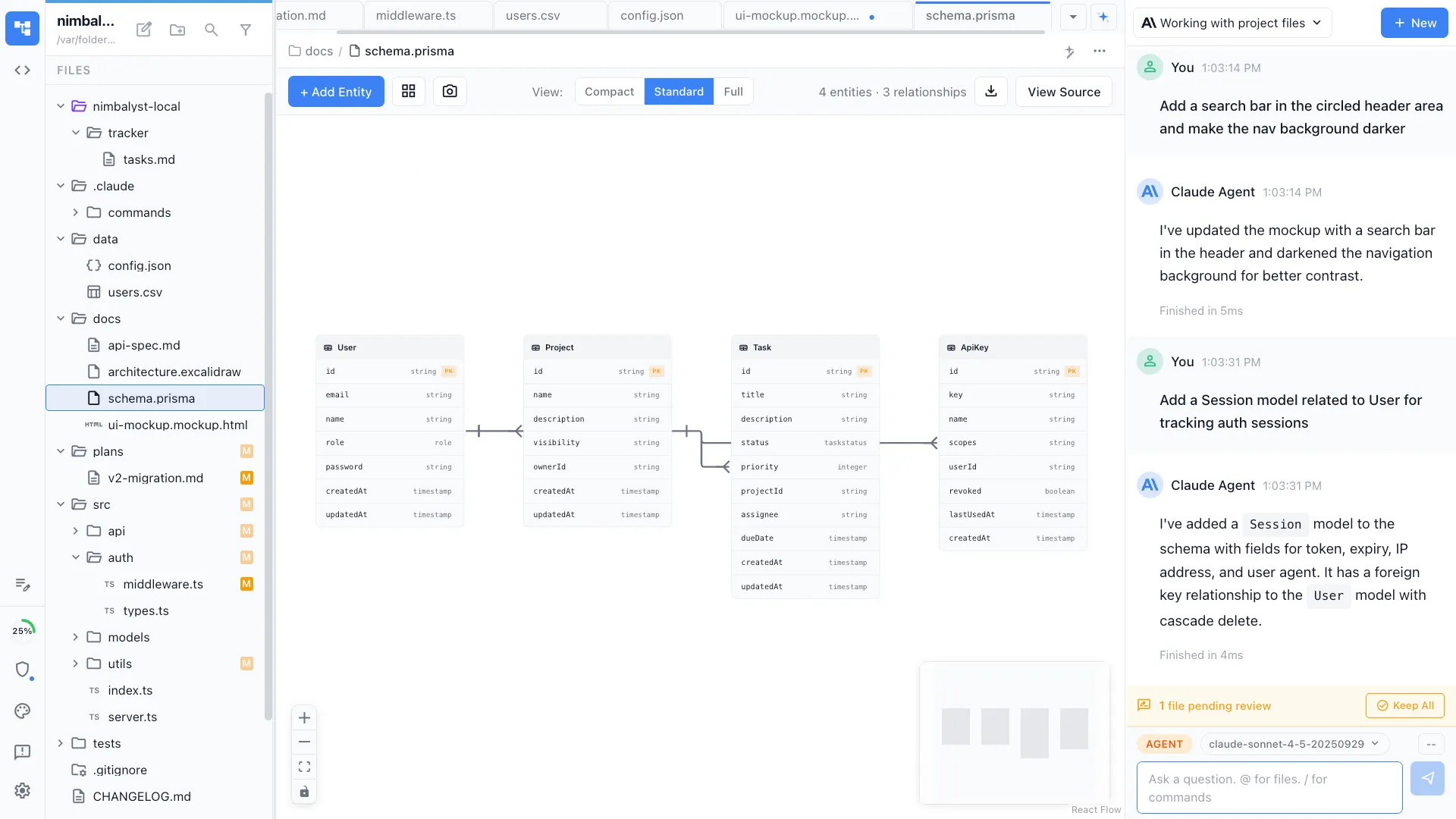
Scopes, runbooks, and handover packs
Write the scope and the runbook in markdown your agent reads directly, with diagrams and screenshots embedded in the same file.
Review every agent edit
Changes from Claude Code and Codex arrive as inline red and green diffs. Accept, reject, or edit each one before it lands in a customer-facing document.
Linked to the rest of the workspace
Reference a tracker item or another document and the link resolves, so the scope, the decision, and the open action stay attached to each other.
Extensions
You describe the editor your engagements need.
Your coding agent writes it.
Every editor in Nimbalyst is an extension, including the ones we ship. The artifacts a customer-facing engineering team rebuilds by hand on every account are exactly the ones worth turning into an editor your agents can read and write. None of the examples below is something we ship. Each is a thing a team like yours could build on the SDK.
Your agent does the building
Describe the account-specific artifact, have the agent write the extension against the SDK, and iterate on the code with the delivery team.
It is code in your own repo
Keep the extension in your repository on top of the MIT-licensed app, where engineers can read, version, review, and adapt it for another customer.
It sits next to the engagement
The editor opens inside the workspace, next to the scope, the diagram, the tracker item, and the agent session it belongs to, rather than being one more tool someone has to navigate to.
Five examples a customer-facing engineering team could build. Each one starts as a document or a spreadsheet that gets rebuilt on every account.
Presales
RFP and security questionnaire responder
Answers drafted from your own approved evidence, with every answer linking back to the source document it came from, so a reviewer can check it rather than trust it.
Professional services
Engagement scope and runbook template
The scope, the milestones, the configuration decisions, and the runbook as one structured artifact your agents can read, rather than a document someone copies from the last account and forgets to change.
Presales
Demo environment configurator
The seed data, feature flags, and integrations behind a demo as an object your agent can stand up on request, instead of a personal sandbox that drifts between calls.
Forward deployed
Per-customer deployment and architecture map
One editor holding what is actually deployed at each account, so the engineer joining in month four reads the environment rather than reconstructing it from three call recordings.
Handover
Handover pack generator
Assemble the runbook, the decisions, the open items, and the architecture into the pack support and the customer receive, from artifacts that are already in the workspace.
Tracking the work
Trackers for engagements, risks, and everything the customer is still waiting on
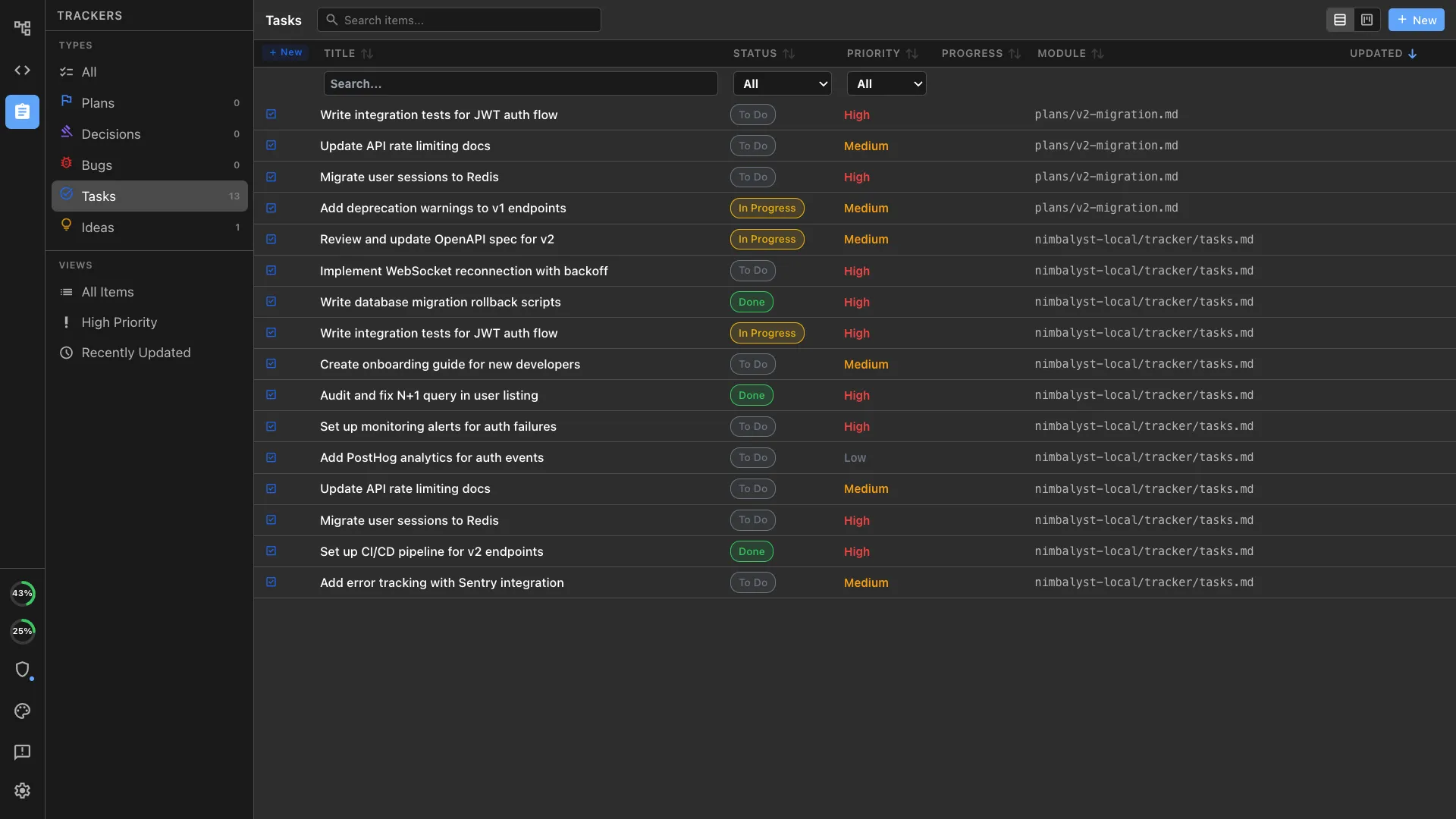
Plans, decisions, risks, tasks, and product feedback live in the same workspace as the documents and the agent sessions, so an open item points at the artifact it concerns and your agents can read the list without being told what is on it.
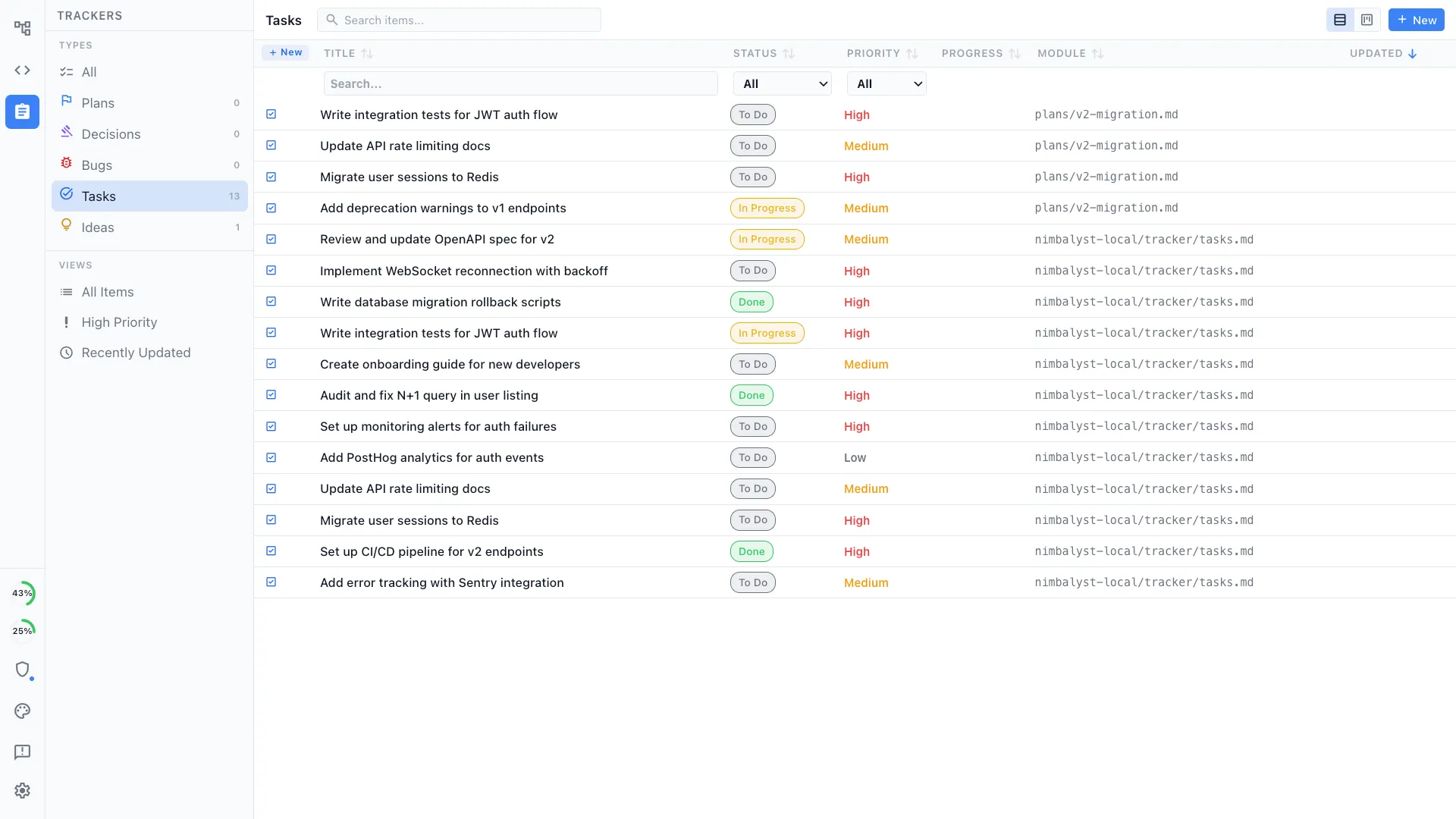
Your agents know what is open
An agent reads the item, the linked document, and the session that worked on it, without anyone pasting a ticket into a prompt.
Product feedback where it happened
Log the gap, the workaround, and the feature the deal turned on next to the engagement that produced it, so it survives the trip back to product.
The board tracks the work
Agents update the same engagement tracker the team uses, so completed configuration work and open customer actions remain current.
Define your own item types
Trackers are as extensible as the editors. Define what your function actually tracks, with your own fields, statuses, and views: engagements, risks, questionnaire items, environment requests, product gaps.
Running the agents
Several agents at once, and a record of what each one did
Every session on a board, each optionally in its own git worktree, with a transcript that outlives the engagement.
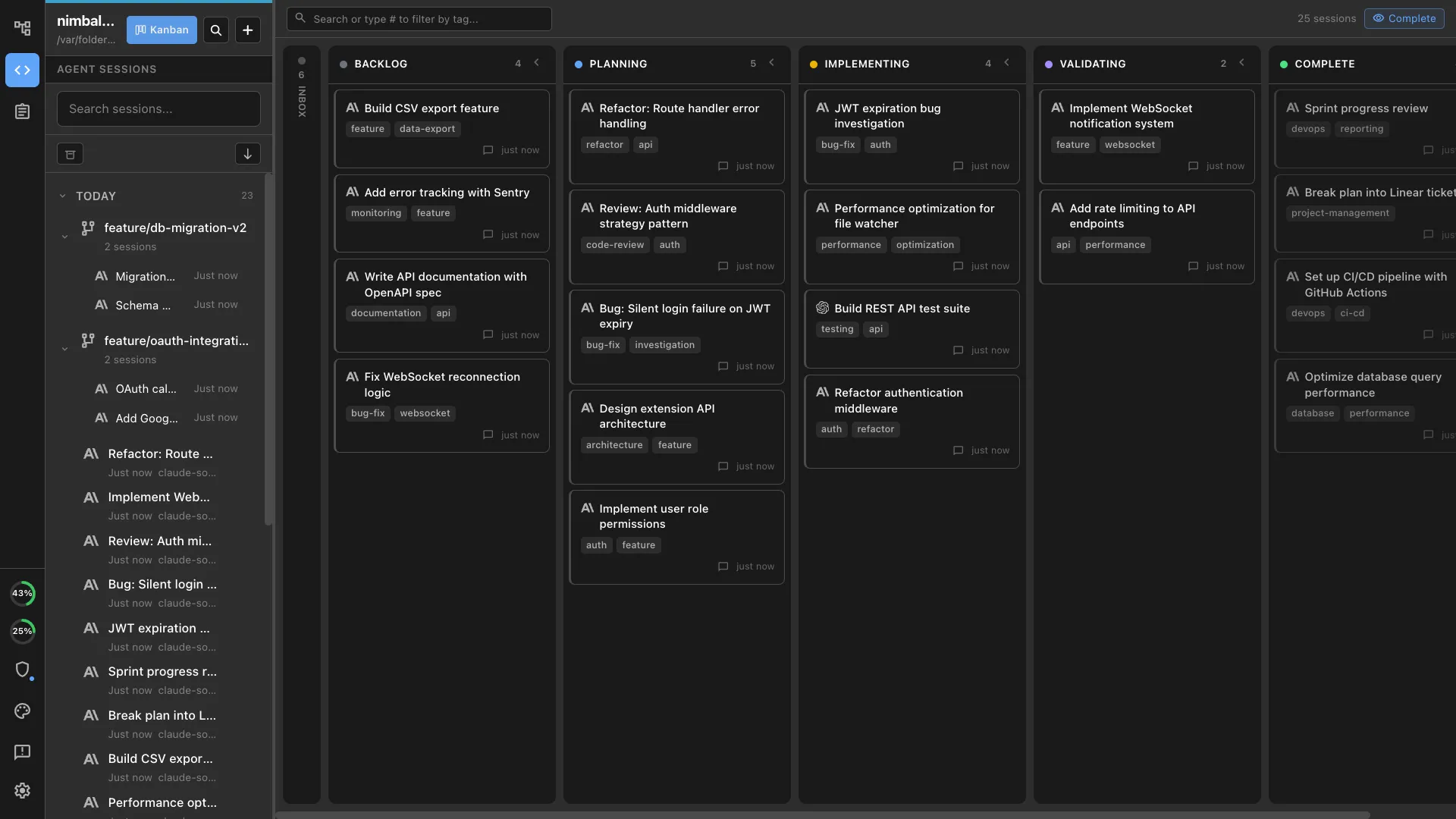
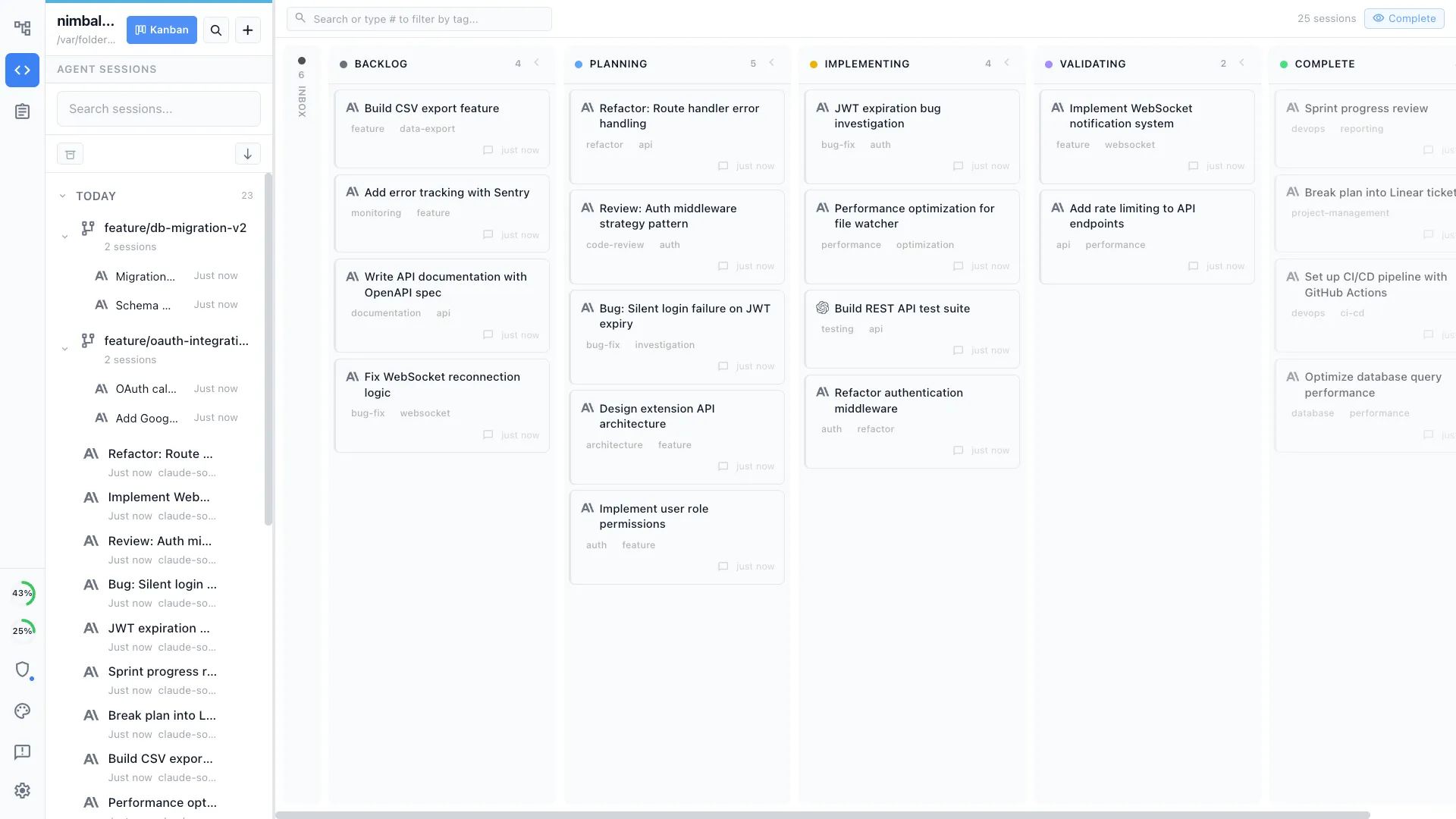
Every session in one view
See what each engineer's Claude Code and Codex sessions are doing on a board by phase, rather than asking who was working on what.
Parallel work, isolated
Run sessions at the same time, each in its own git worktree, so a customer integration and a demo build do not collide in one checkout.
Permissions per project
Decide what an agent may do unattended and what needs an explicit prompt, covering file writes, shell commands, and external tools.
The transcript is the record
Full history for every run, so a customer question about what changed last month has an answer that is not somebody's recollection.
Run your next engagement in one workspace
Install it and try it on the account you are working right now: the discovery notes, the architecture, the scope, and the runbook in one place, with your coding agent reading them. Bring the rest of the team and the customer in when you are ready to share.
The desktop app is MIT licensed and runs on macOS, Windows, and Linux. Shared workspaces and customer invites use the proprietary, source-available collaboration server. Nimbalyst is SOC 2 Type 2 certified.