One local-first workspace for the analysis,
the write-up, and your coding agent
Let Claude Code and Codex work from your methods, data, diagrams, and decisions.
Keep analysis files on your machine and review agent edits before they land.
Share selected research documents without moving the whole project to a hosted tool.
- Research files stay on your machine
- Claude Code, Codex, and other agents
- Collaborative markdown, diagrams, and trackers
- MIT-licensed desktop and iOS apps
Where research work gets stuck
The analysis is one folder. Everything that explains it is scattered across five tools.
Researchers already point coding agents at their analysis code. The method, the decision that changed a parameter, the figure that went into the paper, and the review comment on it all sit somewhere else, and the agent can reach none of them.
The agent works from a retyped prompt
Your agent edits the script but never sees the analysis plan, the parameter you settled on last month, or the reason the previous approach was dropped. So you paste a summary into the prompt every time, and the result never goes back into the record.
Collaborating means sending files
Working on the same analysis with a colleague means emailing a copy, pasting a diff into chat, or moving the whole project onto a hosted platform that wants your data. Editing the same document together, each with your own agent, is not something the usual tools offer.
The trail gets assembled afterwards
Which run produced figure 3, what changed between it and the run before, and who agreed to the change are questions answered months later from memory. Reproducibility is a funded institutional concern, and the evidence is still put together by hand.
What the workspace is
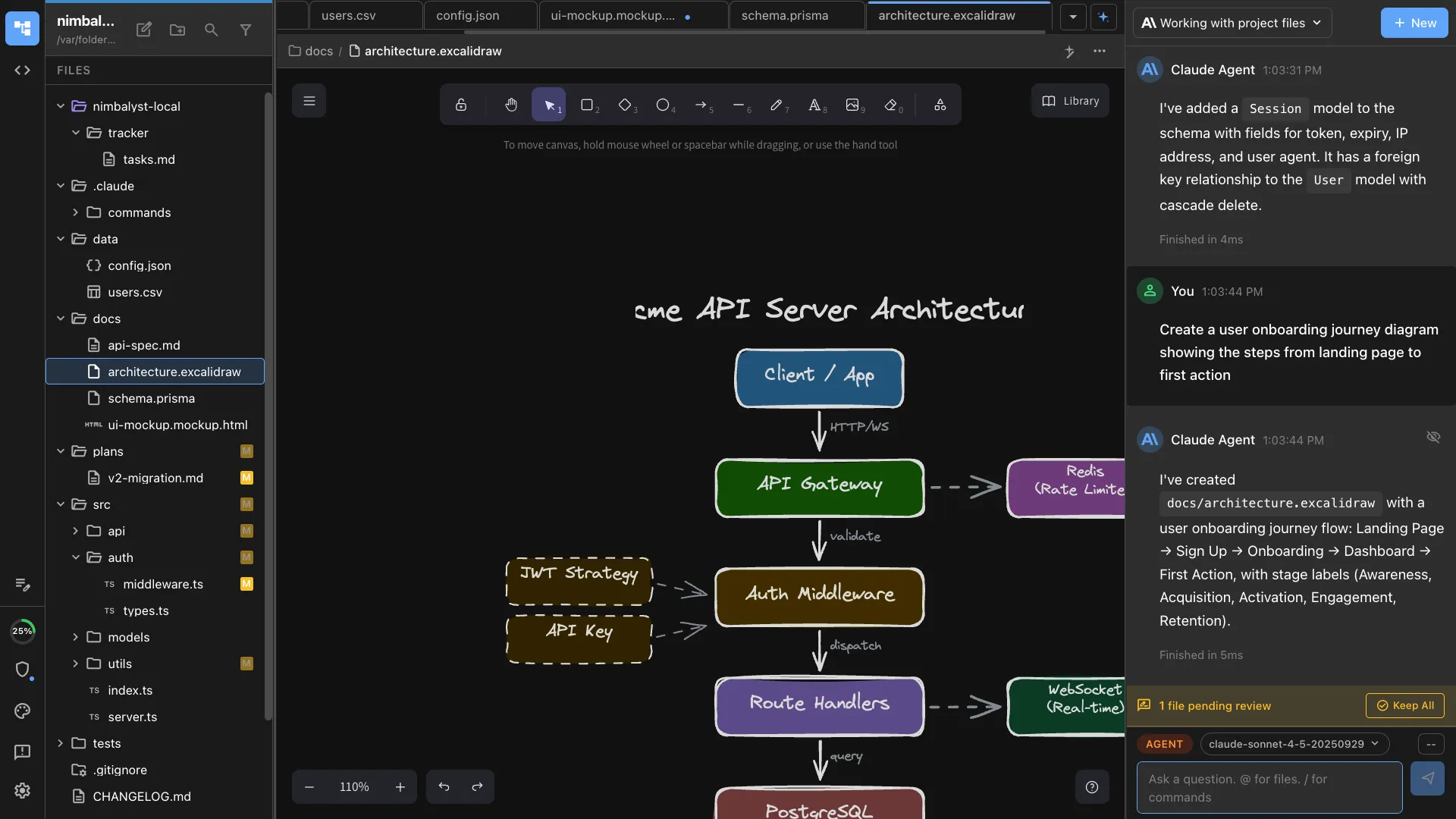
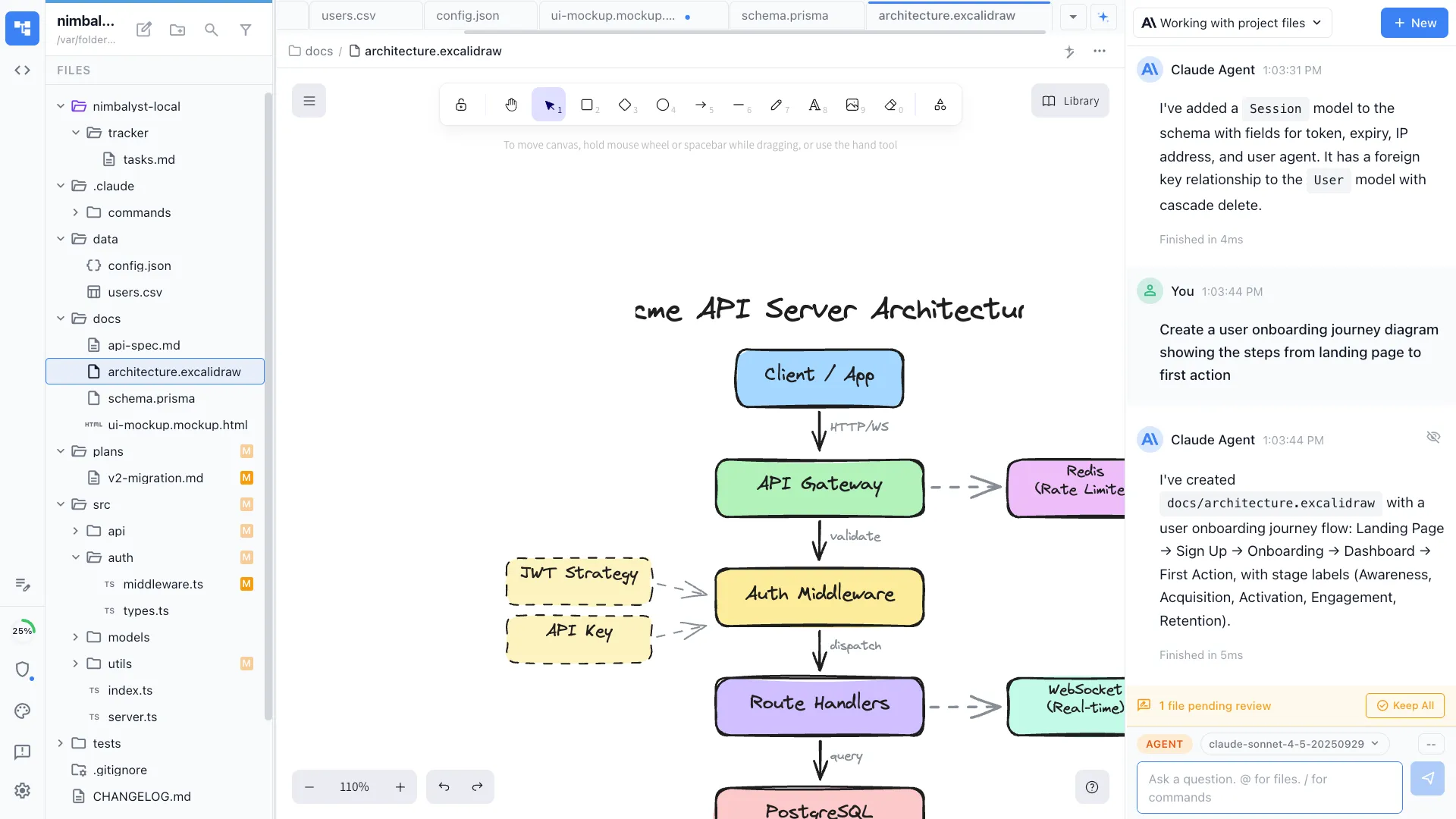
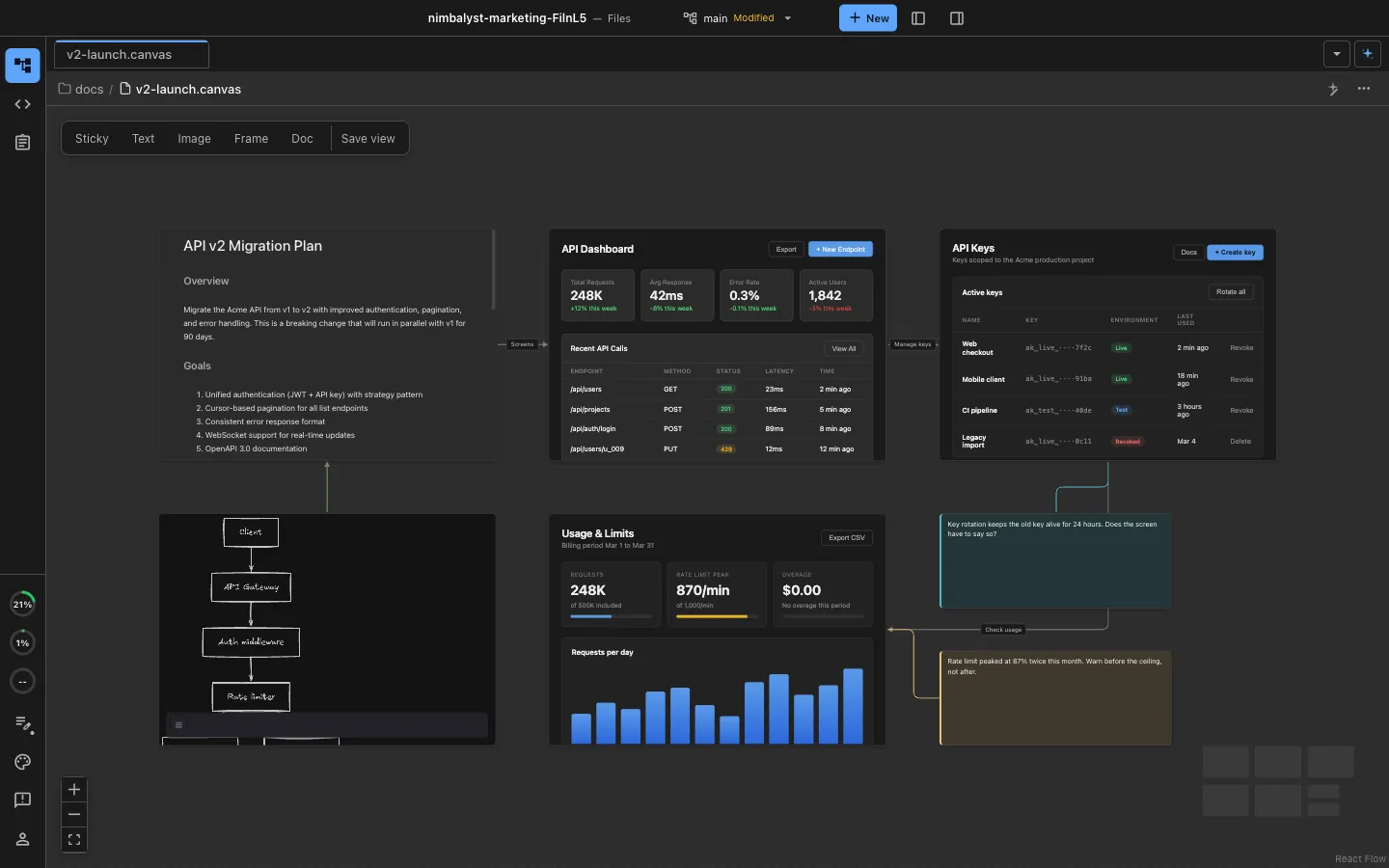
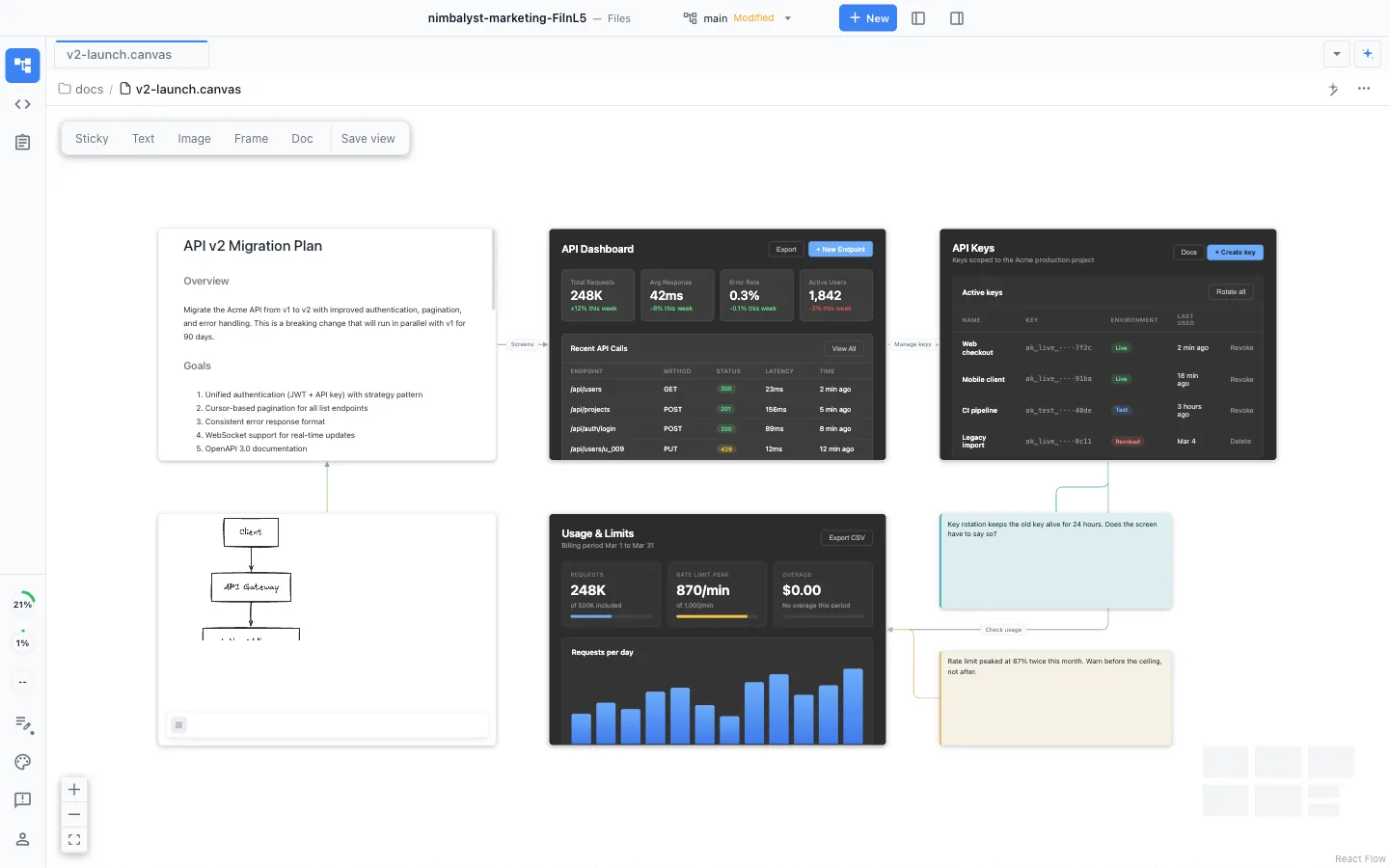
Agent-powered visual editors
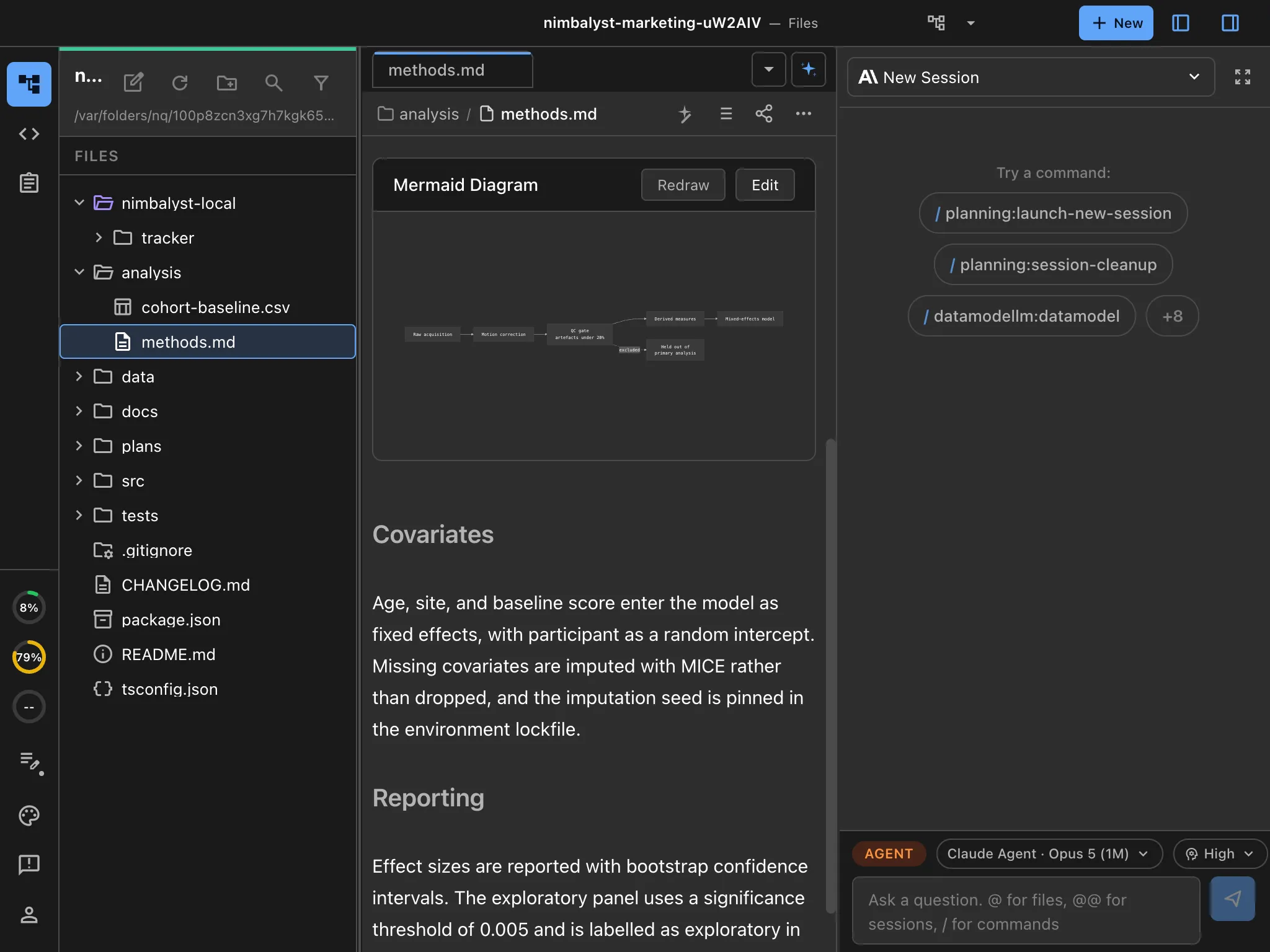
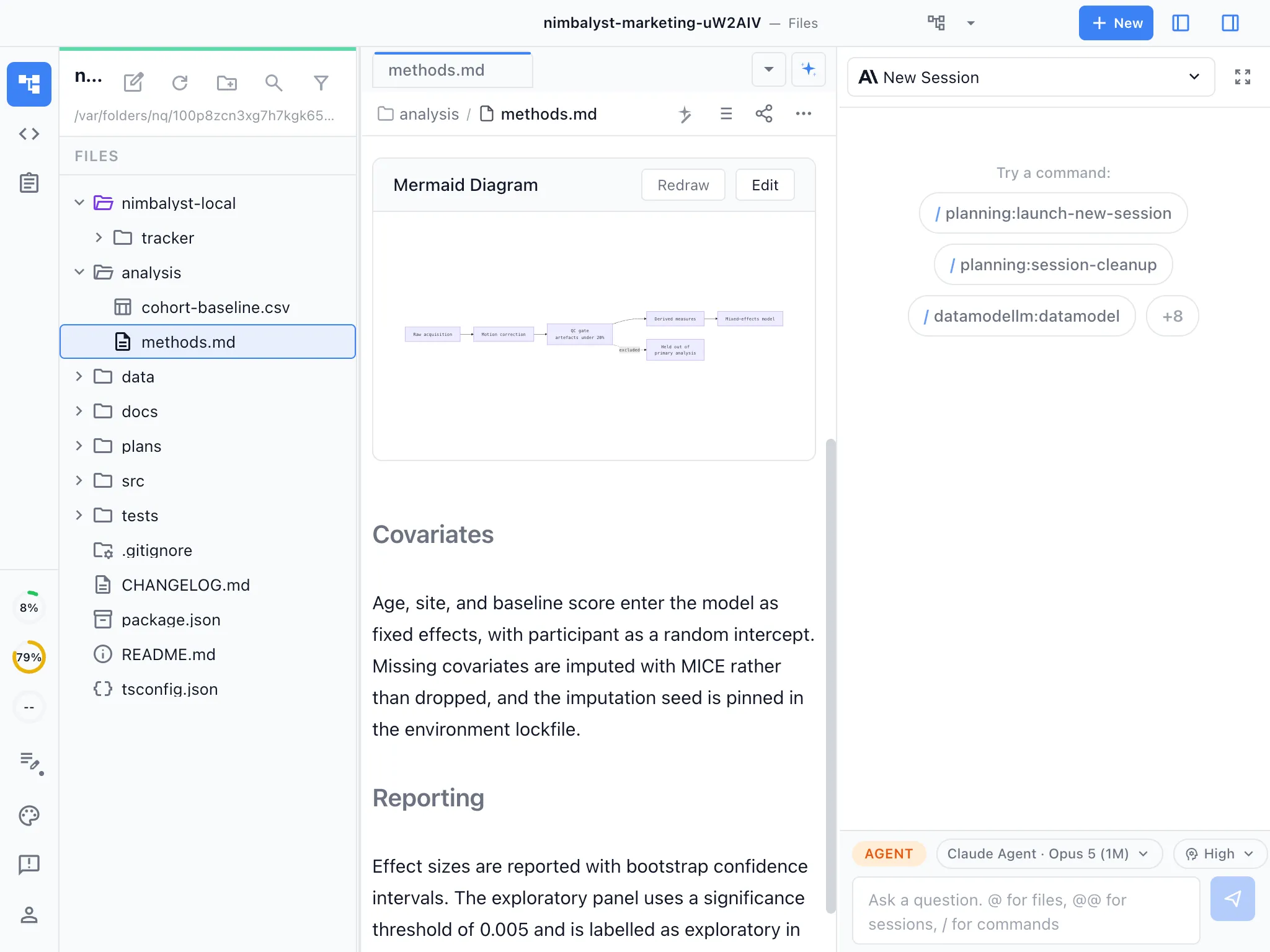
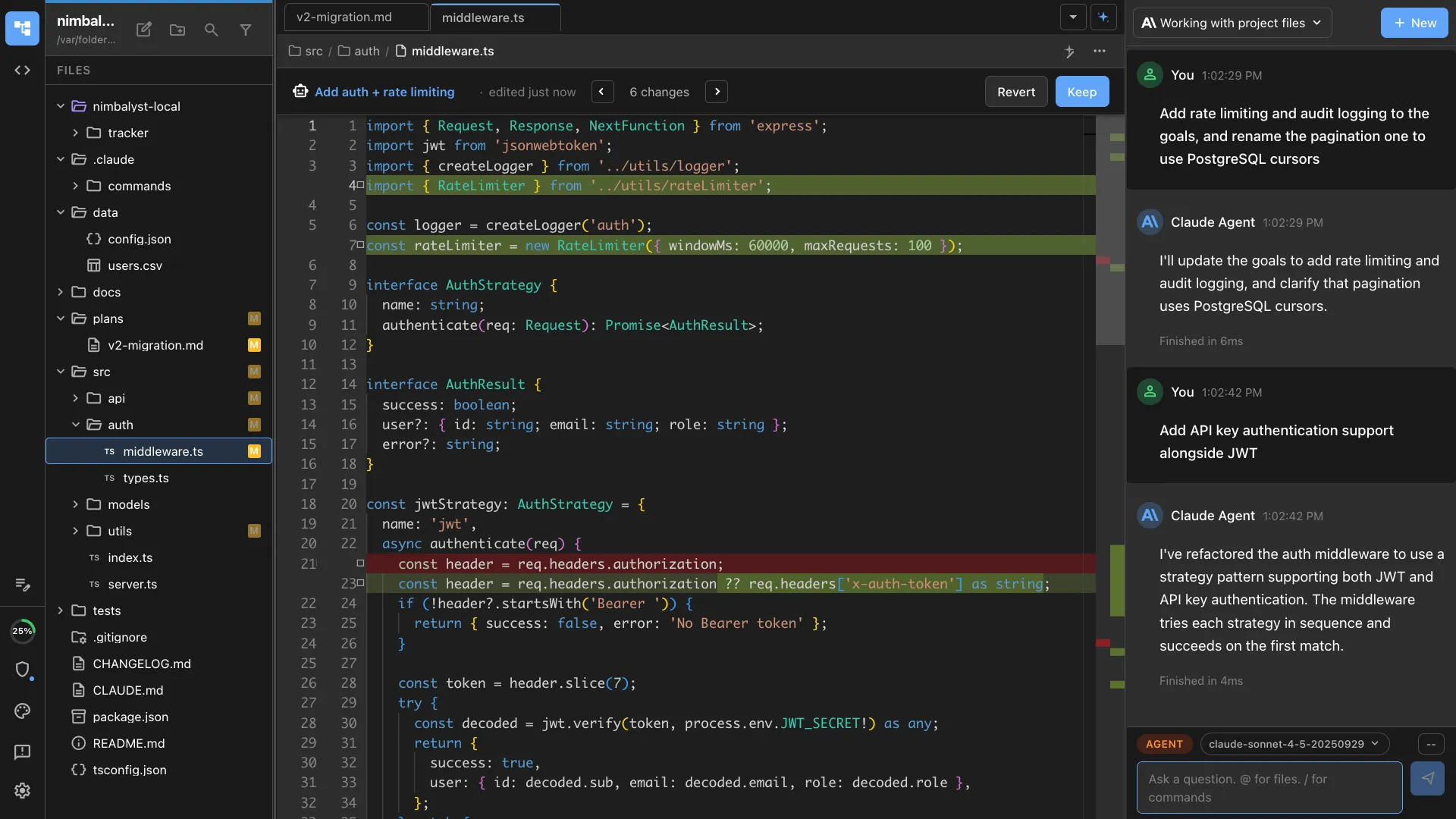
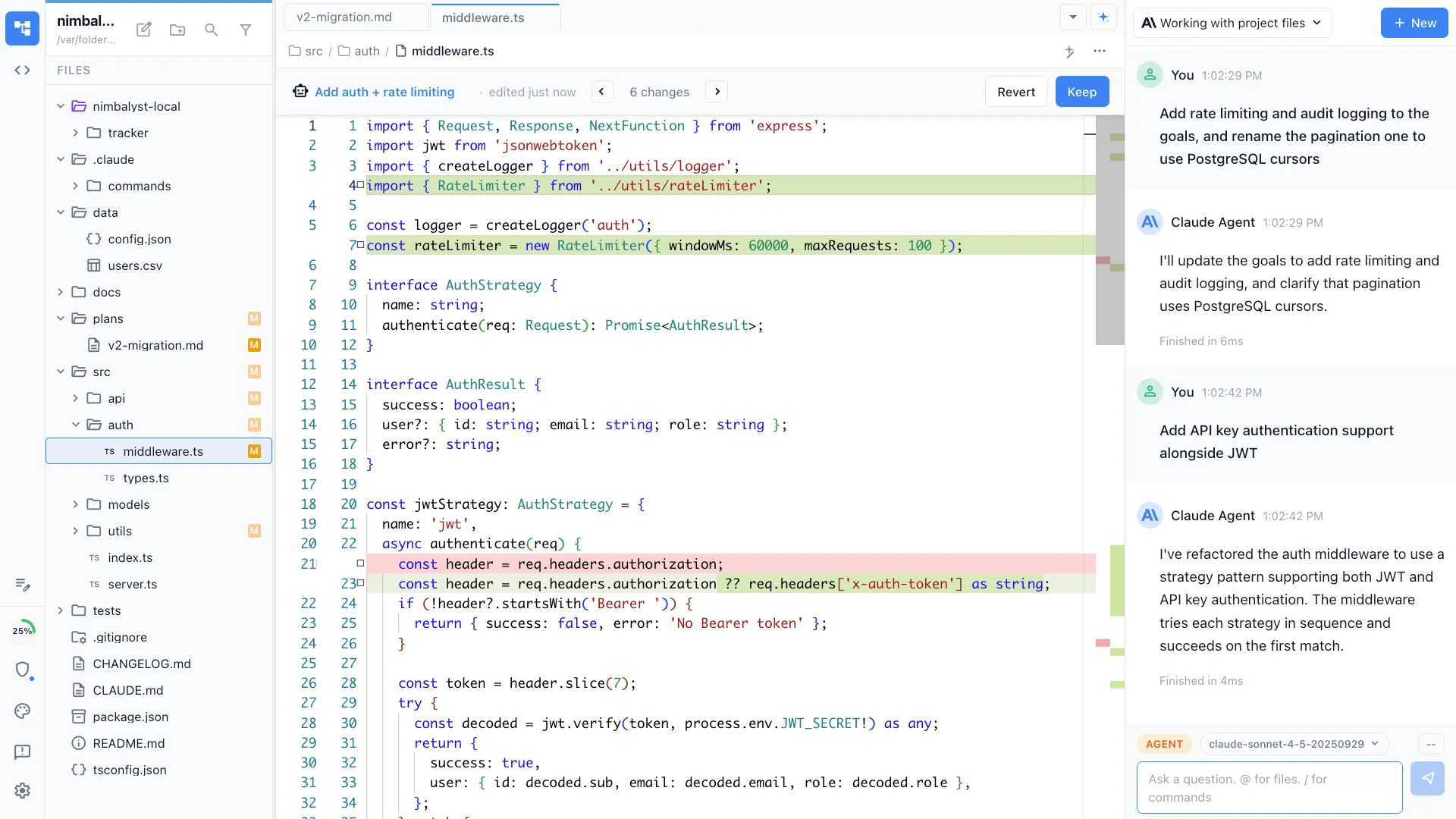
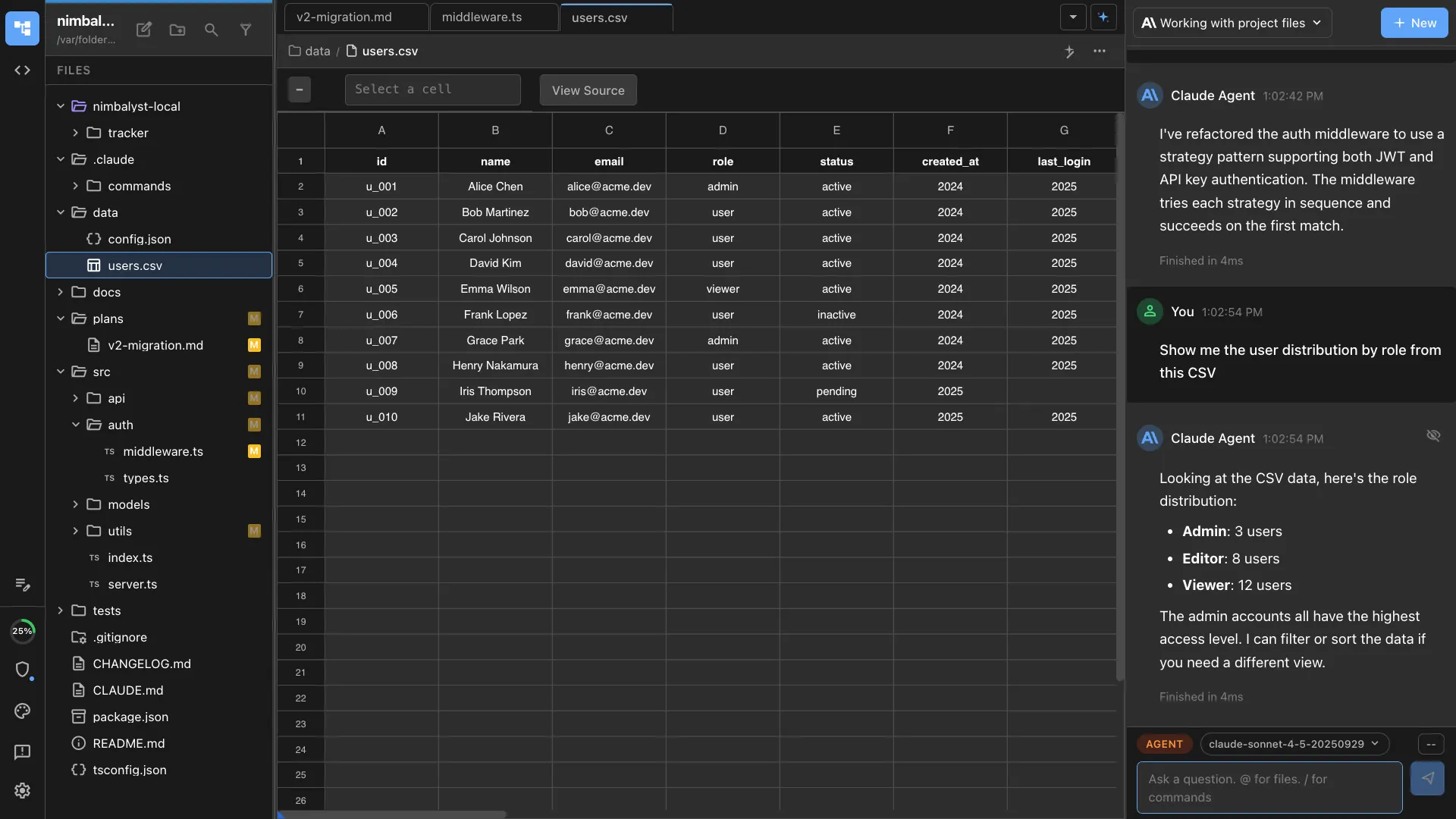
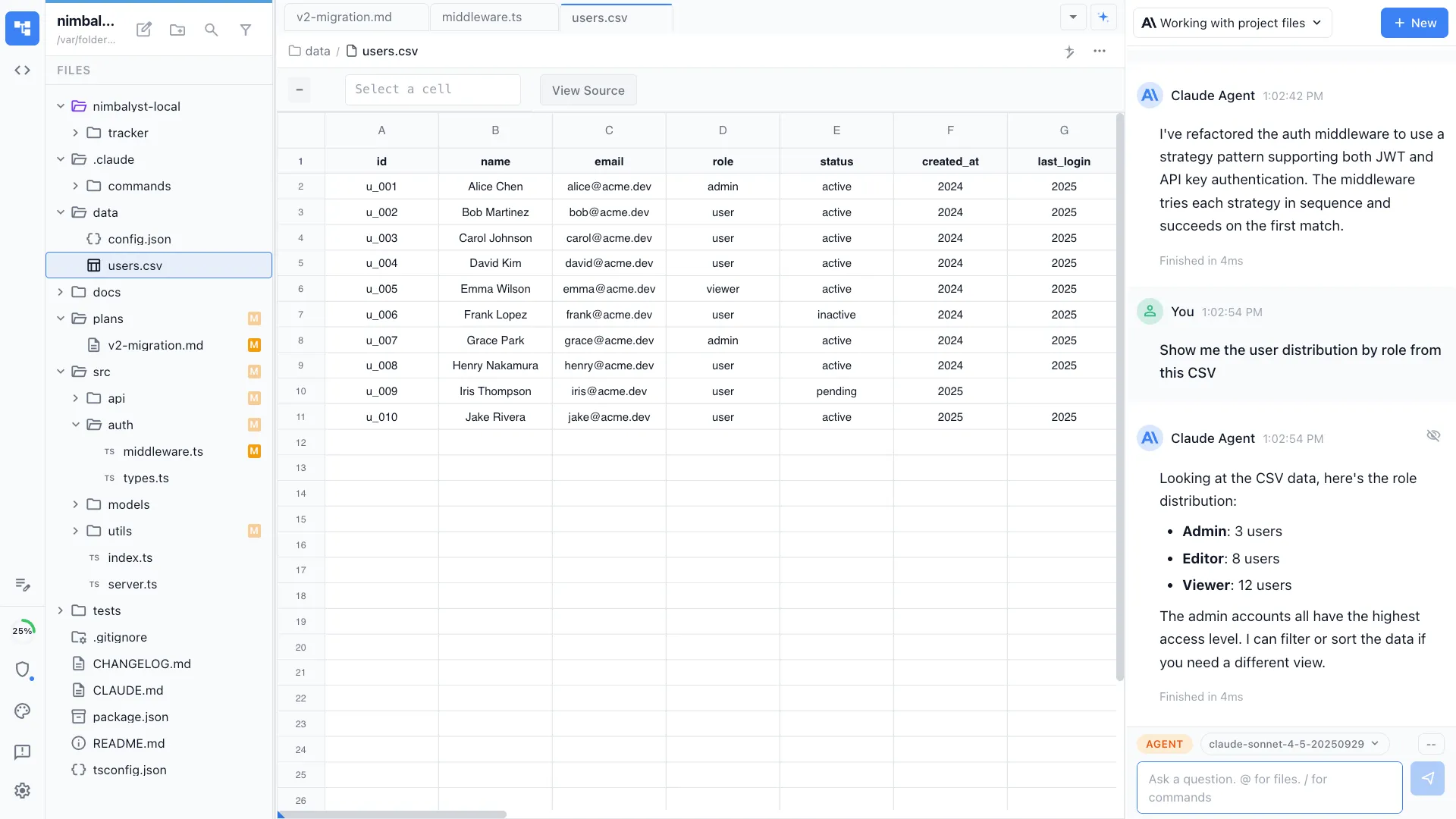
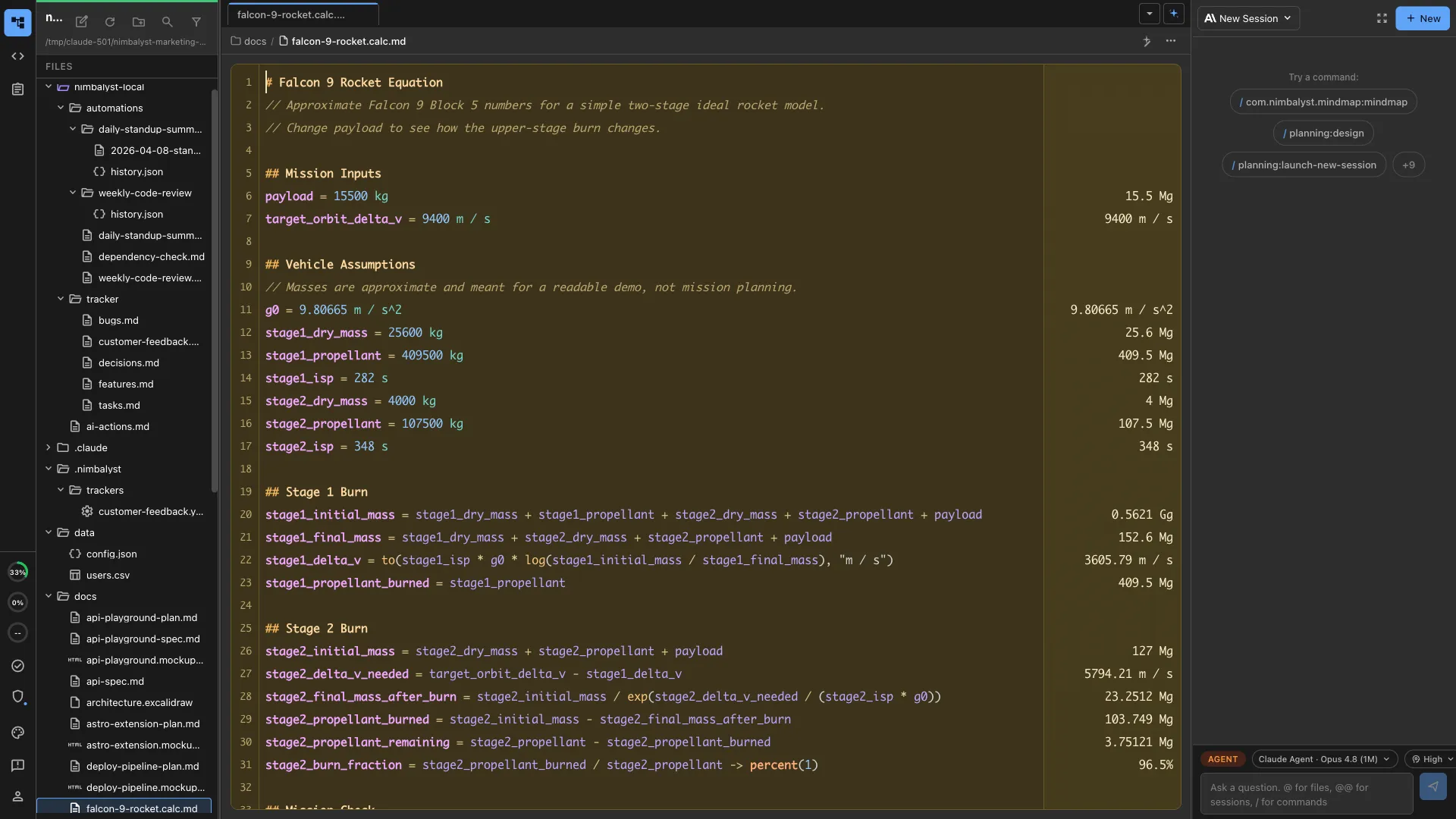
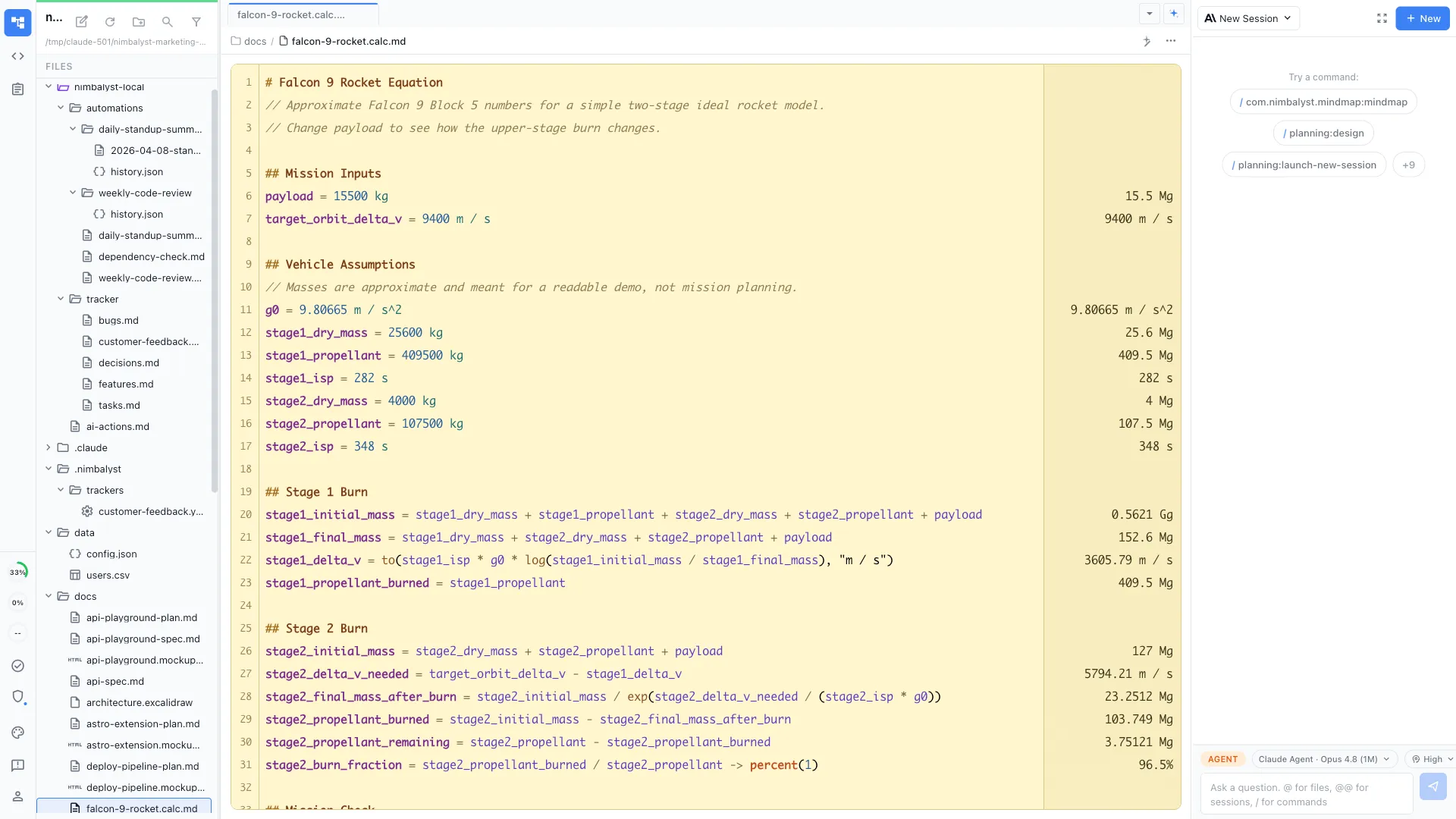
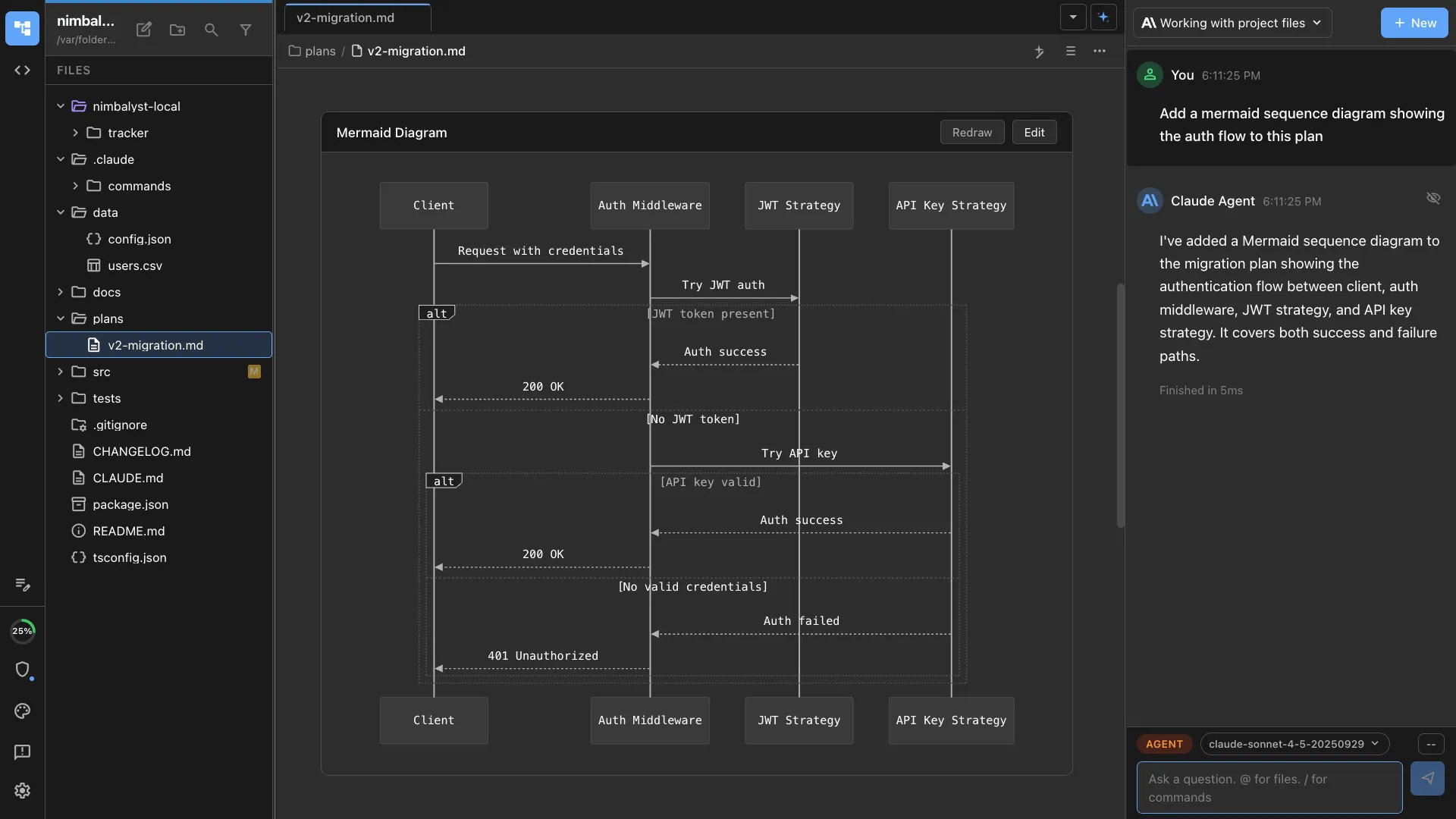
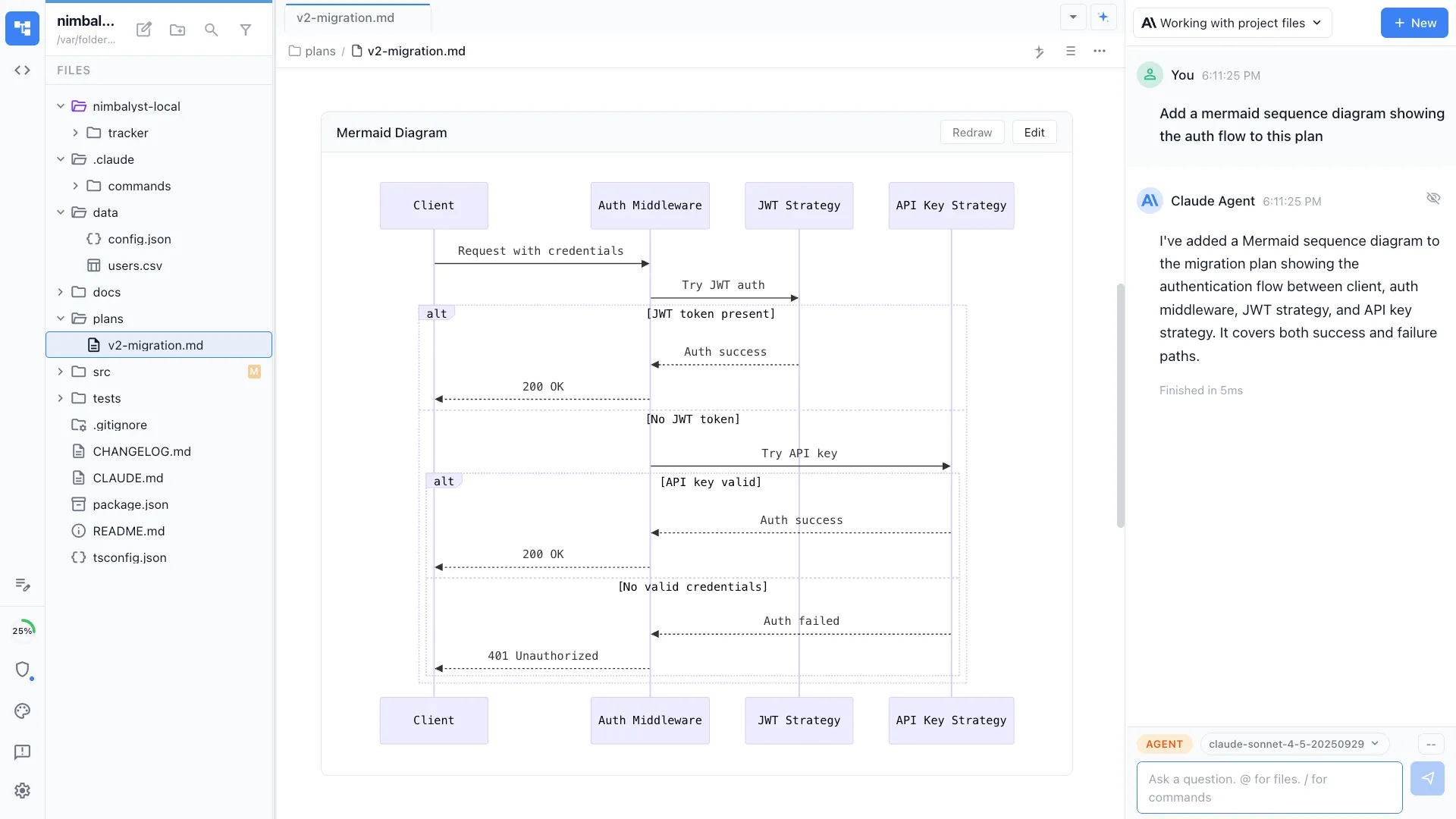
Methods, analysis code, data files, calculations, and diagrams, all editable by you and readable and writable by your coding agents. Every agent change arrives as a diff you approve, reject, or edit. Every editor is an extension, including the ones we ship, so a file type we do not cover is something your agent can build an editor for.
Methods, plans, and paper drafts
Write the analysis plan and the method in markdown your agent reads directly, with diagrams and images embedded in the same file.
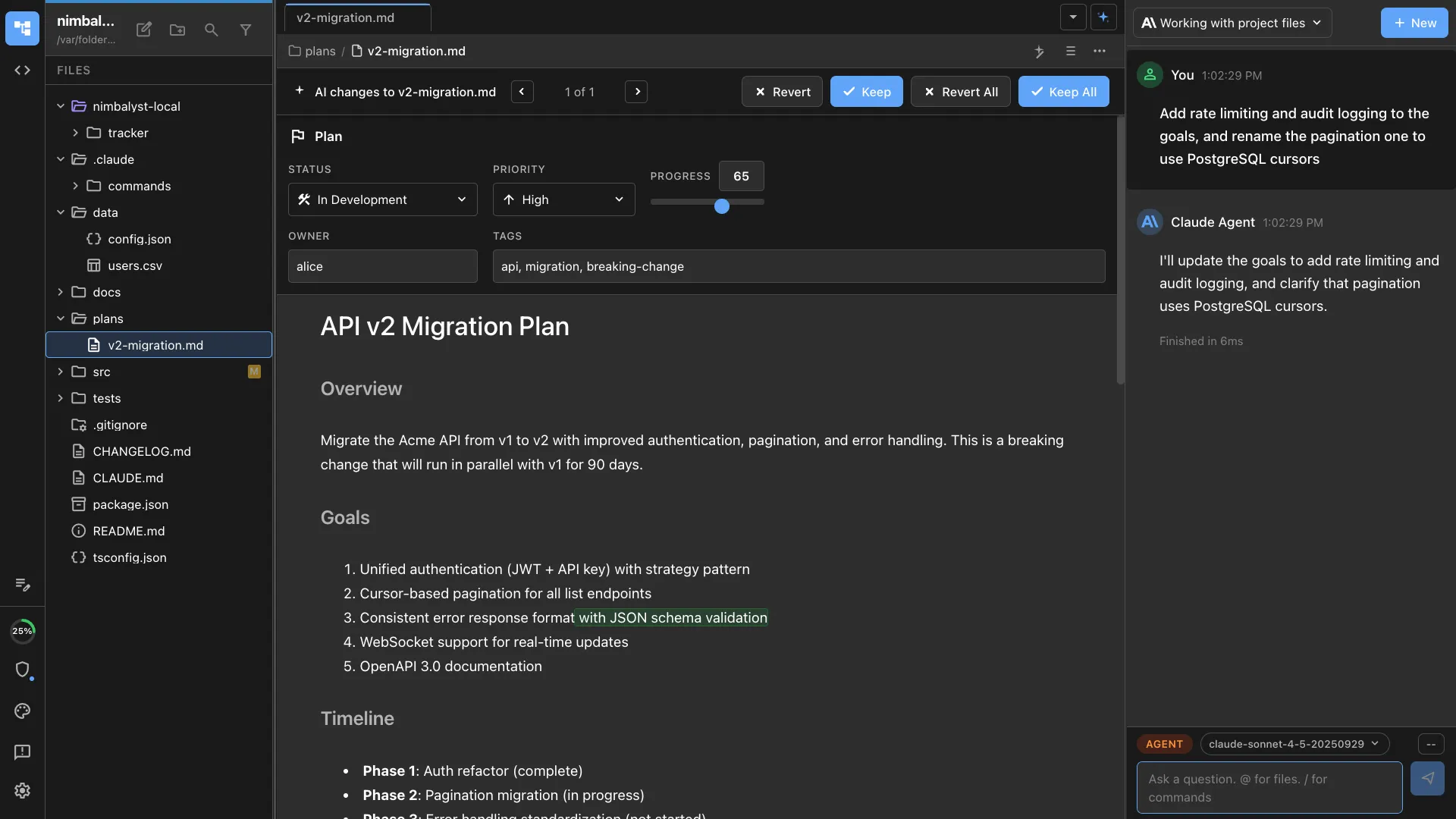
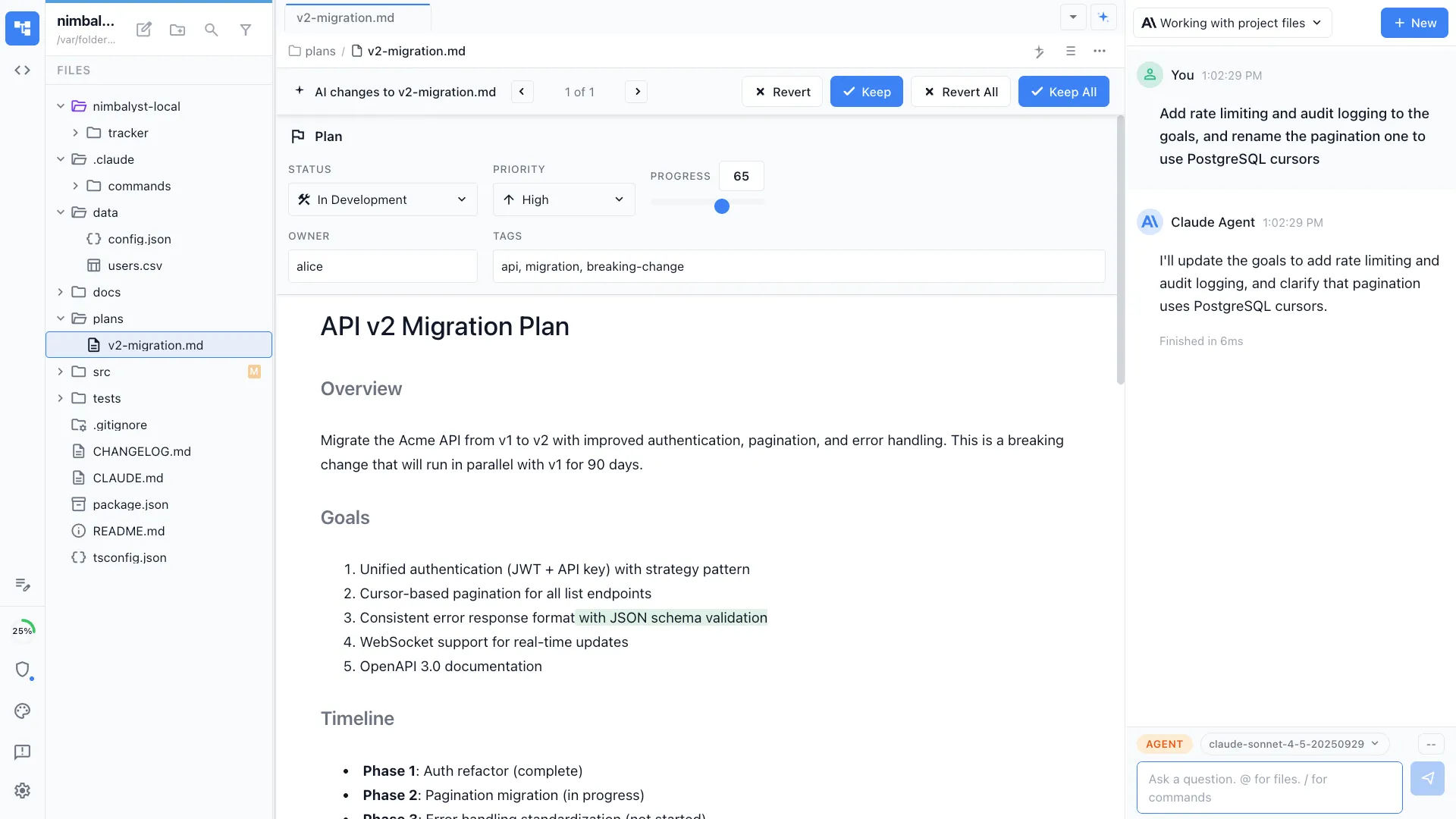
Review every agent edit
Changes from Claude Code and Codex arrive as inline red and green diffs. Accept, reject, or edit each one before it lands.
Linked to the rest of the workspace
Reference a tracker item or another document and the link resolves, so the method, the decision, and the task stay attached to each other.
How a project runs
From the question to the write-up, in one place
Open the project you already have
Point Nimbalyst at the folder on your machine. The notes, scripts, data files, and figures are already there, and each one opens in an editor built for it.
Work with your agent
Point Claude Code or Codex at the file in front of you. It reads the surrounding method, code, and decisions instead of a summary you retyped into a prompt.
Review every change
Agent edits arrive inline as red and green diffs. Accept, reject, or edit each one before it lands in the file.
Share and record
Promote a document to a shared one and a collaborator edits it live. Decisions and open questions go in the tracker, linked to the files they apply to.
Multiplayer on the work
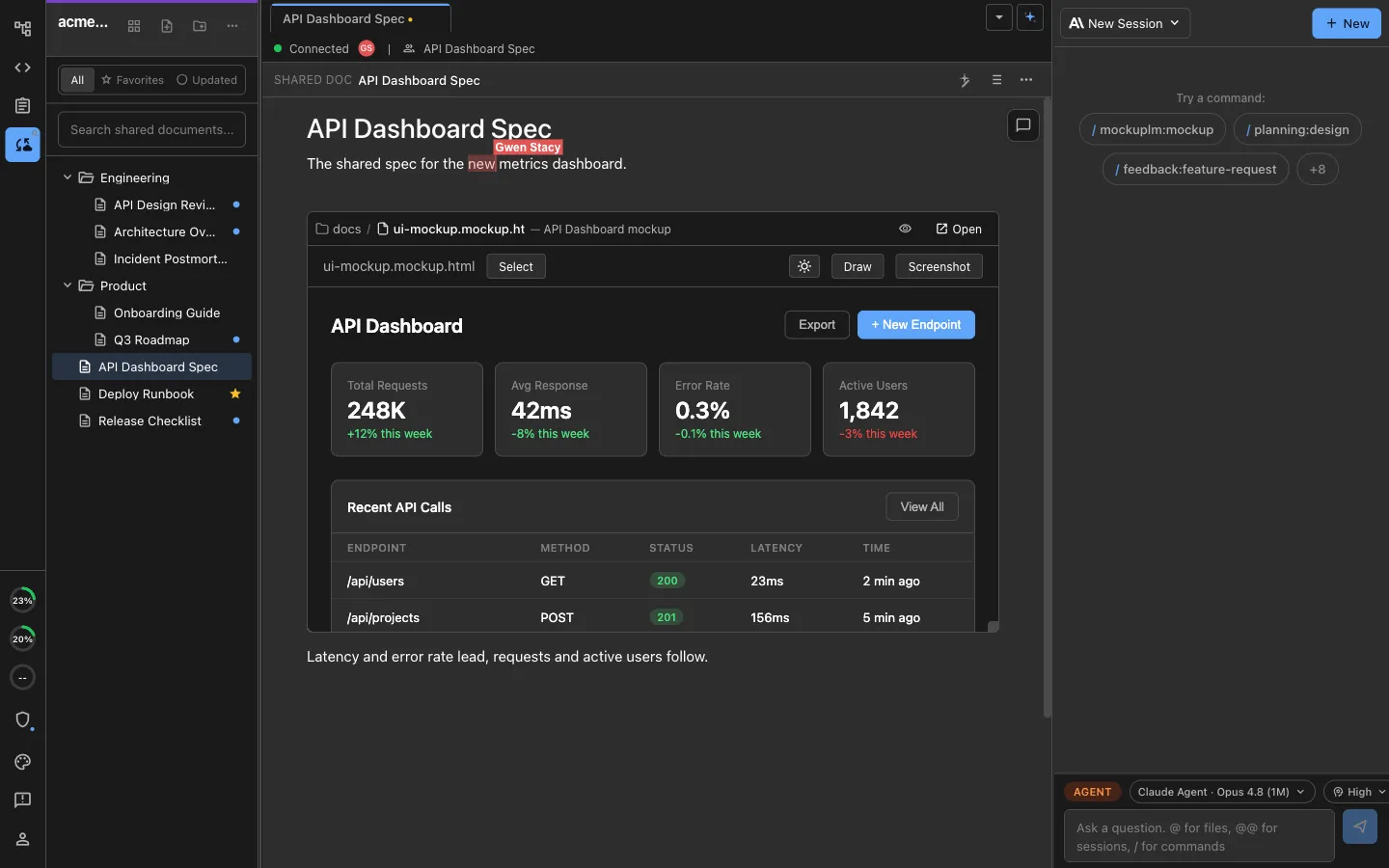
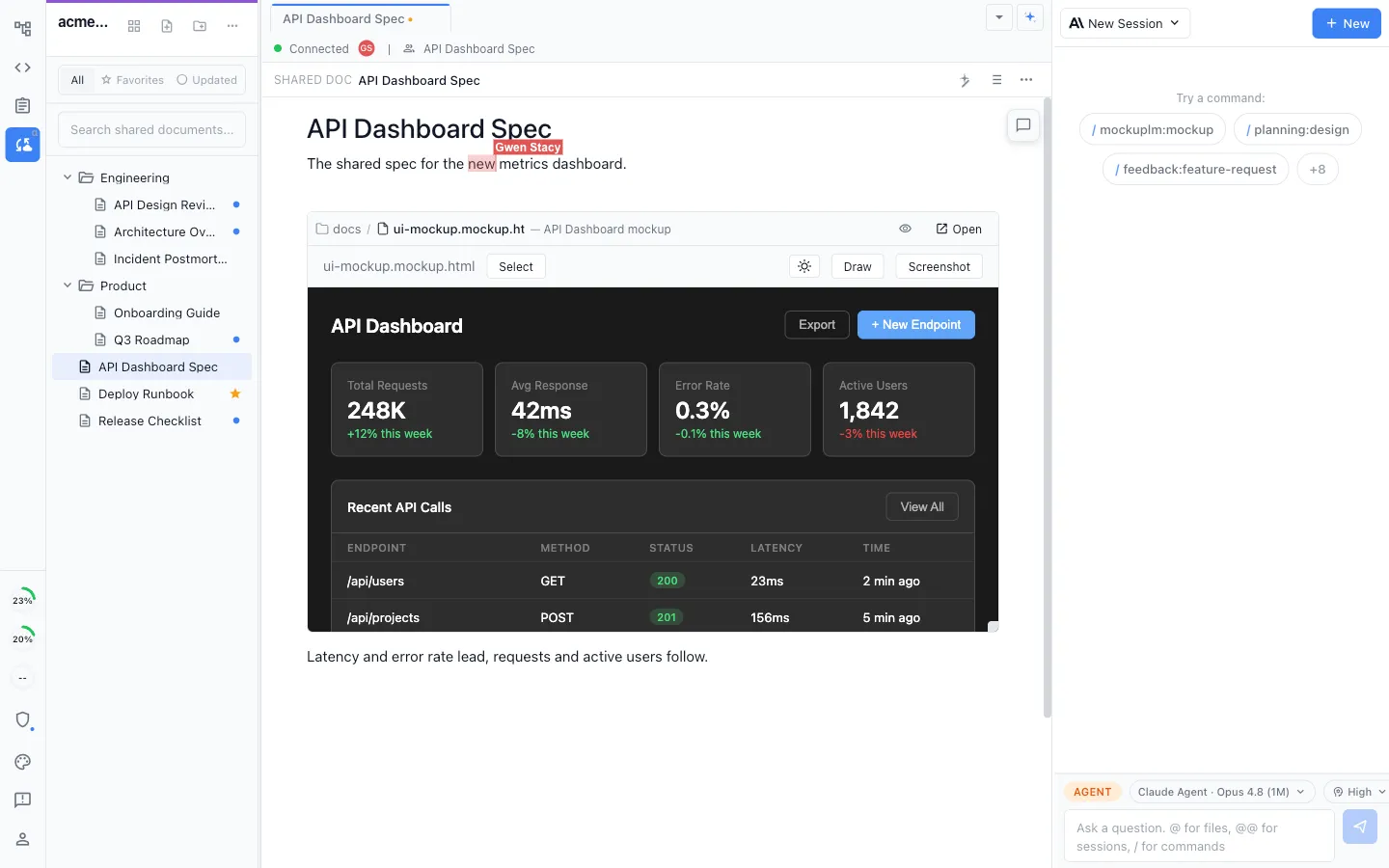
Edit the same documents and diagrams together, each with your own agent
Live shared editing
Co-authors can edit a shared method or diagram together, with a labeled cursor showing who is working in the document.
Each person's own agent
Every collaborator runs their own local Claude Code or Codex against the same shared files, rather than queueing behind one hosted assistant.
Share one file, not your disk
Promote a single document to a shared one in a click. Comment on a passage, reply in a thread, and read its full change history.
The record
The reason for a change, written down while you make it
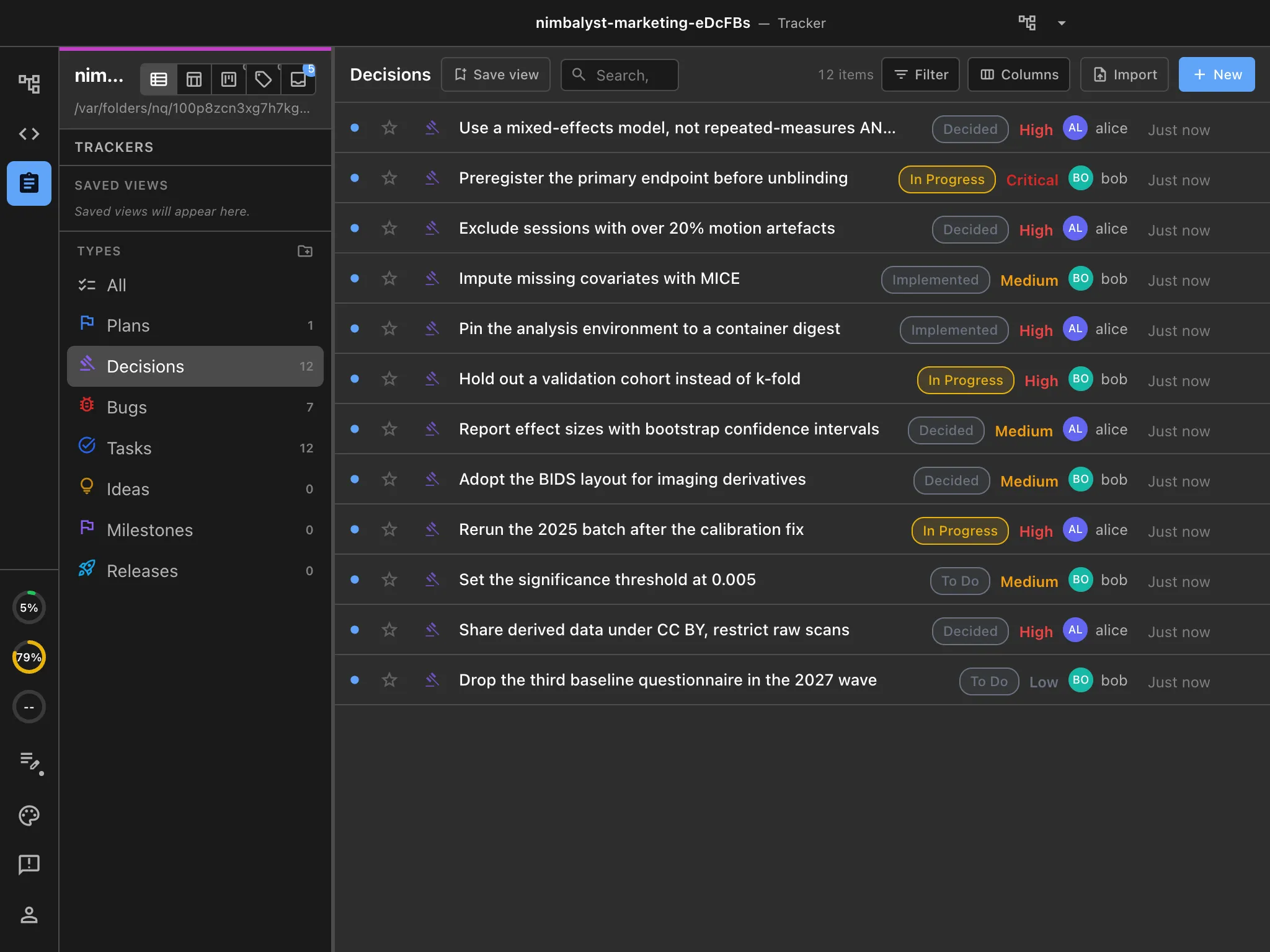
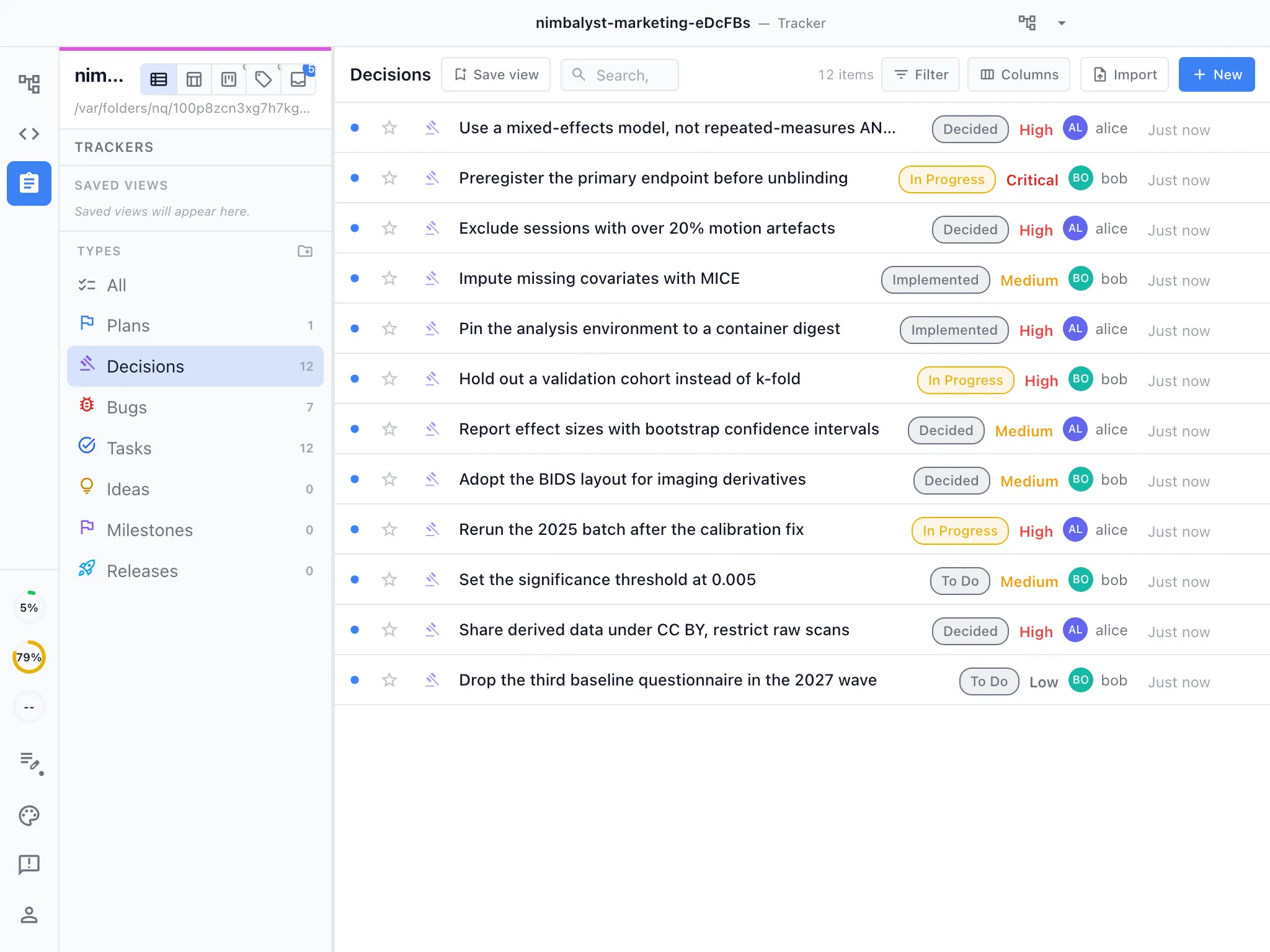
Plans, decisions, bugs, tasks, and ideas live in the same workspace as the documents and the agent sessions, so the evidence a reviewer asks for six months later exists because the work produced it.
Decisions where they were made
Log the parameter change, the model choice, and the analysis you ruled out, linked to the document and the code they apply to.
Your agents read the backlog
Because the tracker is part of the workspace, an agent reads the item, the linked document, and the session that worked on it, without anyone pasting a ticket into a prompt.
Define your own item types
Trackers are as extensible as the editors. Define the types your group uses, with your own fields, statuses, and views, and your agents read and update them the same way as the built-in ones.
How this differs
Local-first, on your own machine, under a license you can read
Hosted analysis platforms ask you to bring the data to them. Nimbalyst runs where the work already is.
Your data stays put
The workspace opens the project directory you already have. Agents run locally against those files, and nothing syncs anywhere until you promote a document to a shared one.
Open source apps
The desktop and iOS apps are MIT licensed for individual use and public on GitHub. Read the code, build it from source, pin a version, or fork it.
A general coding agent, not a hosted assistant
The same agent that edits the analysis edits the method, the figures, and the tracker item beside it, using the subscription you already pay for.
Notebook files
Current file support
Nimbalyst does not open, render, or execute .ipynb files today. An integrated Jupyter Notebook extension is in development and coming soon.
Extensions
You describe the editor your group needs.
Your coding agent writes it.
Every editor in Nimbalyst is an extension, including the ones we ship. None of the concepts below come with Nimbalyst. They are artifacts research groups keep rebuilding in a spreadsheet, and each one is something a group can build on the extension SDK with the agent doing most of the work.
Your agent does the building
Describe what you need and the agent writes the extension against our SDK, installs it, and reloads it into the workspace while you watch. Changing it costs a prompt rather than a grant line.
It is code your group owns
The extension is code in your repository, built on the MIT-licensed app. Read it, version it, cite it, hand it to the next student, or publish it alongside the paper.
It sits next to the work
The editor opens inside the workspace beside the method, tracker item, data, and agent session it belongs to.
Wet lab
Concept, not a shipped featureProtocols and run sheets
The protocol, the run that executed it, and the samples it produced as one object rather than a printed sheet and a folder of photographs. Deviations get recorded against the step they happened at.
Imaging and signals
Concept, not a shipped featurePreprocessing pipeline editor
The pipeline as a diagram the agent can read and change, with each stage tied to the script that implements it, so a parameter change and the code that carries it out stay in the same place.
Statistics
Concept, not a shipped featureAnalysis plan and preregistration
Hypotheses, endpoints, tests, and power calculations as structured fields rather than prose, so what was planned before unblinding is checkable against what was run afterwards.
Clinical studies
Concept, not a shipped featureCase report form and CDISC mapping
The mapping from source fields to SDTM domains, edited by the data manager and read by the agent writing the transform, instead of maintained as a spreadsheet nobody trusts.
Bioinformatics
Concept, not a shipped featureVariant review board
Variants with their evidence, their classification, and the reviewer who signed off, as a proper editor rather than a filtered export that goes stale the moment the pipeline reruns.
Instruments
Concept, not a shipped featureCalibration and QC log
Calibration records and drift checks per instrument, attached to the runs that depended on them, so a question about a batch is answered from the log rather than from a lab notebook.
Where it sits
Nimbalyst extends the coding agents you already use
Keep your Claude Code, Codex, or other agent subscription and keep working the way you do now. Nimbalyst runs those agents locally on your machine and gives them the method, the code, the data, and the documents to work on.
- Claude Code
- Codex
- Gemini CLI
- Your own harness
Heterogeneous by design
Claude Code, Codex, and other agents run side by side in one workspace, so a group is not tied to a single vendor's harness.
Runs on your machine
Agents run locally against the files you already have, using your existing keys or subscription. Your project directory stays where it is.
Your endpoints, your models
Point the agents at the gateway and models your institution already governs.
Put the analysis and the agent in the same window
Nimbalyst is free to download. Open the project folder you already have, point your agent at the file in front of you, and see the method, code, data, and figures in one place.
Works with the Claude Code or Codex subscription you already have. The desktop and iOS apps are MIT licensed.