Comparison
OpenWork vs Paseo vs Nimbalyst: open-source Claude Cowork and OpenAI Codex app alternatives
All three are open source and ride the same wave: people who like the agent loop in Claude Cowork or OpenAI's Codex app but want it open, cross-model, and off a single vendor's platform. Cowork locks you to Claude. The Codex app locks you to OpenAI. OpenWork wraps OpenCode in a desktop app and stays closest to a straight Cowork replacement. Paseo orchestrates coding agents, Codex included, from desktop and phone, with native mobile apps and local voice. Nimbalyst is a visual workspace that runs Claude Code and Codex side by side, with editors for mockups, diagrams, and data models. They overlap on the open-source alternative search, then pull in different directions.
Free for individuals. Works with your existing Claude Code or Codex subscription or API key.


Overview
3 tools, different approaches
Nimbalyst
Nimbalyst is an open-source visual workspace that runs Claude Code and OpenAI Codex side by side, with pluggable agent harnesses. Every session gets a transcript, a kanban card, and optional one-click git worktree isolation. On top of orchestration, Nimbalyst ships visual editors for markdown, mockups, Excalidraw diagrams, data models, spreadsheets, slides, mindmaps, and PDF, plus inline red/green diff review, a built-in issue tracker, and native iOS and Android apps. Local voice control lets you dictate prompts and hear results. The desktop and mobile apps are MIT licensed. Cross-platform across macOS, Windows, and Linux.
OpenWork
OpenWork is an open-source desktop app that wraps OpenCode in a Claude Cowork-style interface. Point it at a folder, send a prompt, and watch the agent work on your real files, with an execution-plan timeline and a skill manager. It brings 50+ LLMs through your own provider keys and is MIT licensed. macOS and Linux download directly; Windows runs through a paid support plan. Built by Different AI.
Paseo
Paseo orchestrates coding agents from desktop and phone. It runs Claude Code, Codex, Copilot, OpenCode, and many more in parallel with git worktree isolation, and ships native iOS and Android apps with full feature parity to the desktop. A fully local voice stack handles speech-to-text and text-to-speech on your machine. Open source, free with your own agent credentials, and built privacy-first with no telemetry.
Feature Comparison
Side-by-side breakdown
Nimbalyst Advantages
Where Nimbalyst shines


Visual editors OpenWork and Paseo don't have
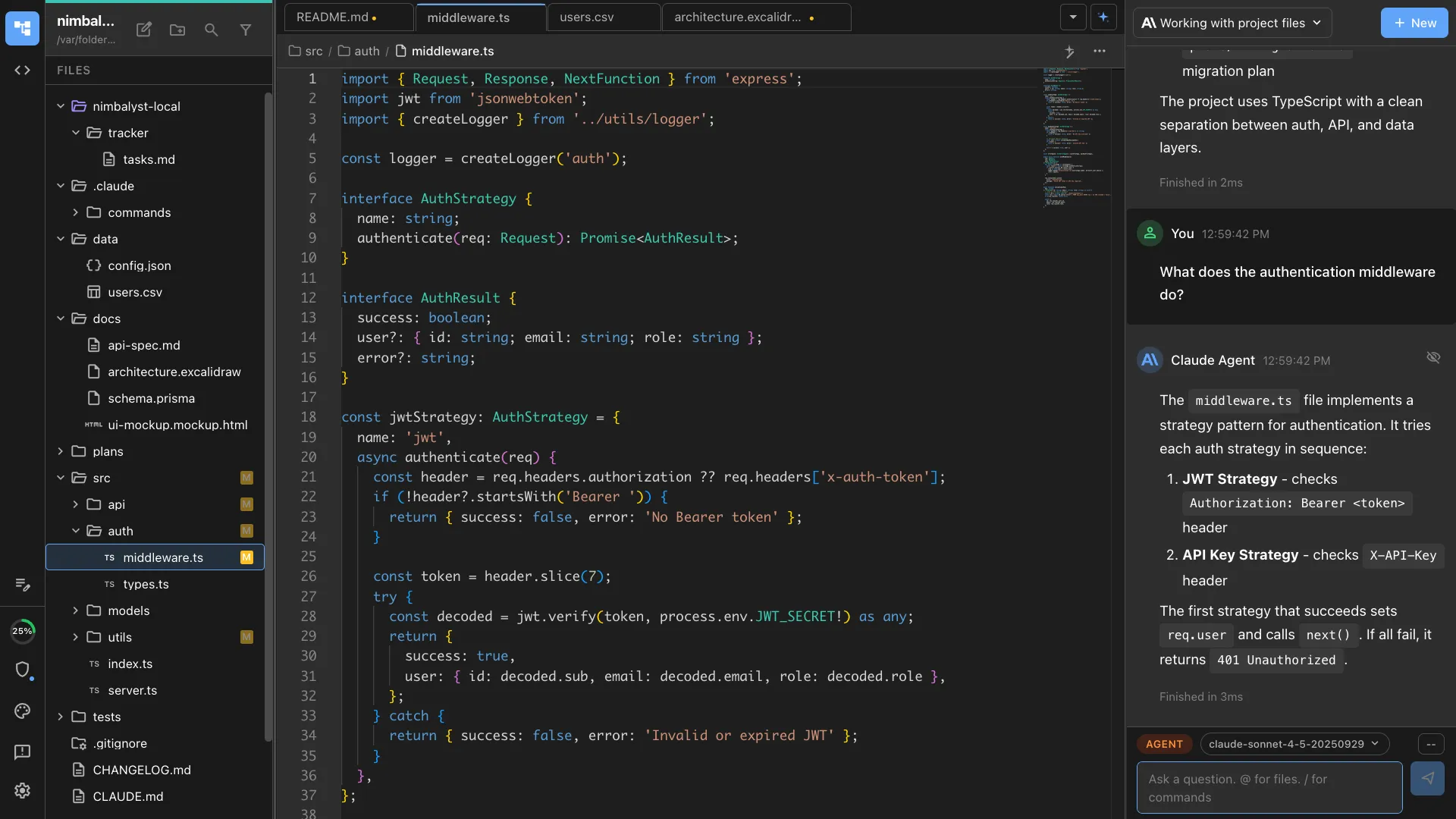
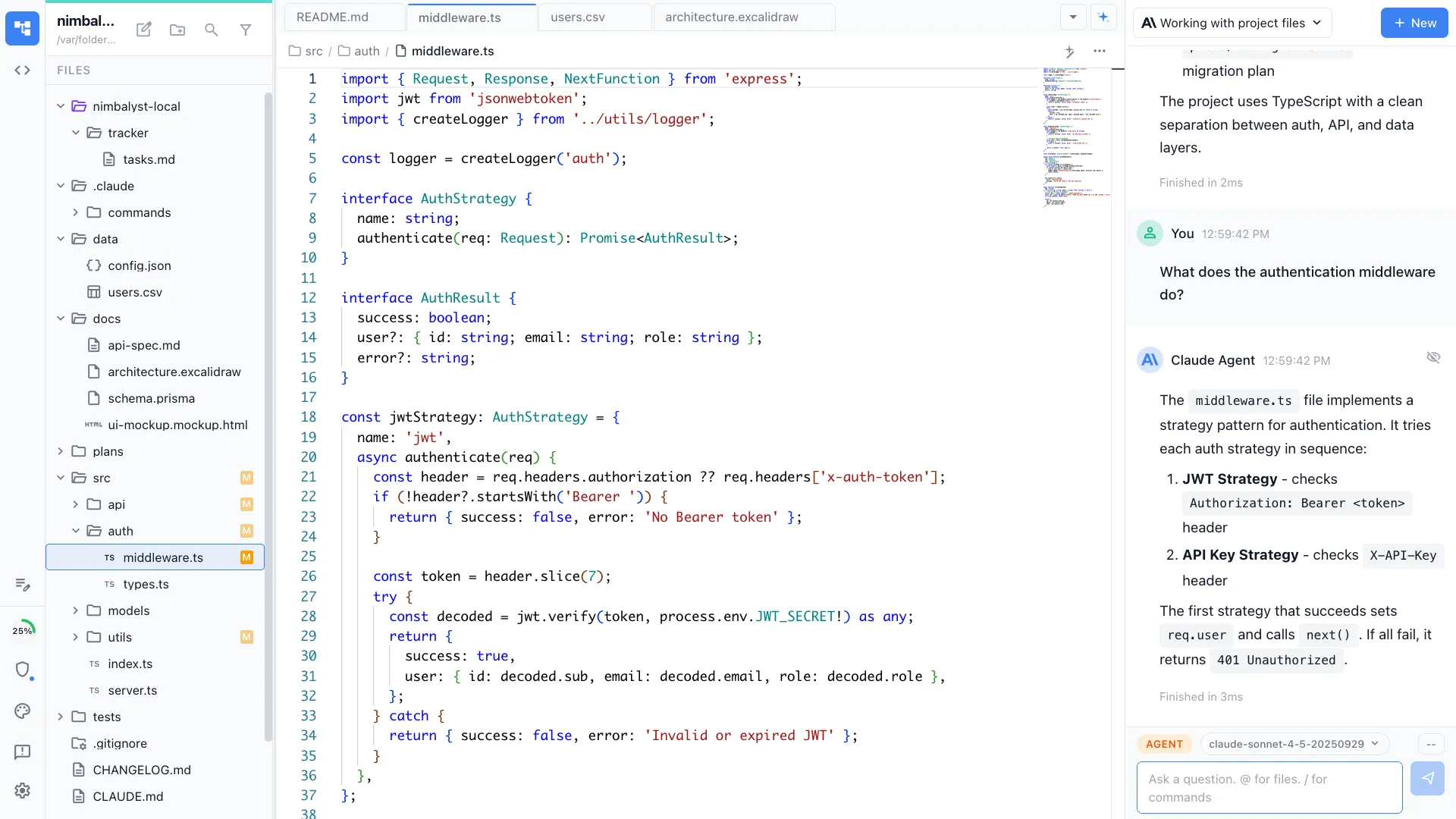
When an agent drafts a mockup, an architecture diagram, a data model, or a spec, Nimbalyst opens it in a real editor next to the code. OpenWork renders OpenCode todos as a timeline. Paseo shows a browser preview and diffs. Neither turns non-code artifacts into editable surfaces the agent can read and write.
Claude Code and Codex on one board
Nimbalyst runs heterogeneous agents on a session kanban with planning, implementing, and validating phases. OpenWork centers a single OpenCode session. Paseo orchestrates agents well, but around execution rather than a planning-and-review workspace.


Planning and tracking next to execution
Plans link to tracker items, tracker items link to sessions, and the agent reads all three. OpenWork and Paseo focus on running the agent rather than the planning loop around it.
Native phone review with a full workspace behind it
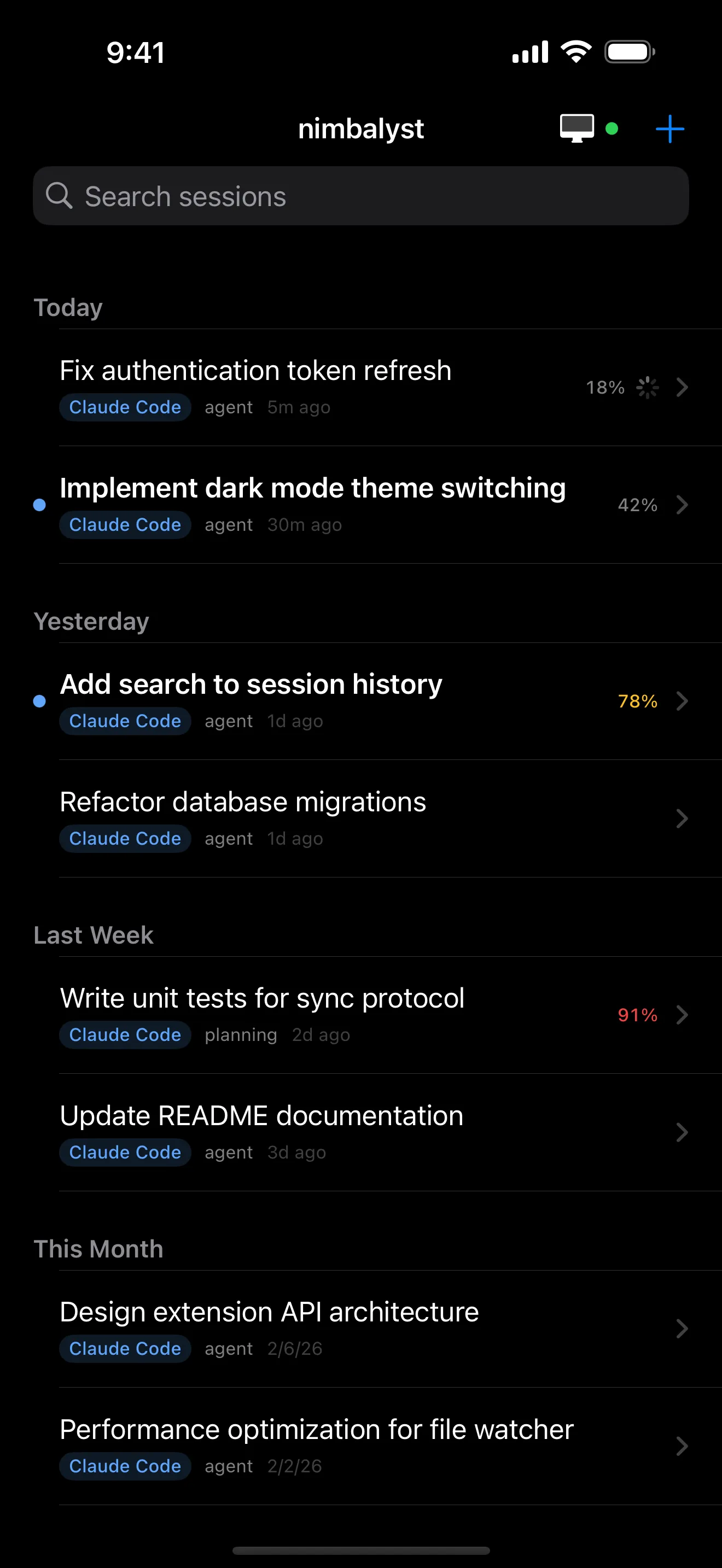
Like Paseo, Nimbalyst has native iOS and Android apps for reviewing and approving sessions, with voice control for hands-free prompts. The difference is what sits behind it on the desktop: visual editors, planning, and a kanban, not only the agent run.
Honest Assessment
Where each tool is stronger
Where OpenWork is stronger
Closest to a straight Cowork replacement
OpenWork's whole design goal is an open-source Claude Cowork. If you want that exact shape, point at a folder, hand it a goal, and stay out of the way, OpenWork is the most direct fit in this list.
OpenCode under the hood
Everything OpenCode can do works in OpenWork, including its skills and plugins. Teams already invested in OpenCode get a desktop UI on top of a tool they already know.
Large, fast-moving community
With 16k+ stars and many forks, OpenWork has real momentum and a steady stream of contributions for a young project.
Where Paseo is stronger
Mobile-first maturity
Paseo built native iOS and Android from the start, so its phone and tablet experience for running agents on the go is deep and well-tested, aiming at full desktop parity.
Broadest agent roster
Beyond Claude Code and Codex, Paseo advertises Copilot, OpenCode, Pi, Cursor, and many more engines through one interface.
Remote-access architecture and privacy framing
Direct connections, user-owned tunnels, and an optional end-to-end encrypted relay reach a host machine from anywhere, with code running locally and no telemetry.
Recommendation
Who should use which
Choose Nimbalyst if…
Choose Nimbalyst if the work spans mockups, diagrams, data models, and code, you want Claude Code and Codex on one board, and you want planning and review in the same workspace, with phone approvals on top.
Choose OpenWork if…
Choose OpenWork if you want the most direct open-source Claude Cowork: a desktop app over OpenCode that runs an agent on your files with your own model keys.
Choose Paseo if…
Choose Paseo if a phone-first workflow with full desktop parity is the point: a mature native mobile app and the broadest agent roster for steering parallel coding agents from anywhere.
These overlap on the open-source Cowork-alternative search, but they solve different problems. Some developers run Paseo for its mobile-first flow and Nimbalyst for the desktop workspace and visual editors.
FAQ
Frequently asked questions
What is the best open-source Claude Cowork alternative?
It depends on the job. OpenWork is the most direct open-source Cowork-style desktop app, built on OpenCode. Paseo is the best fit for mobile and voice. Nimbalyst is the best fit when the work includes visual artifacts like mockups, diagrams, and data models alongside multiple coding agents.
Is OpenWork the same as OpenCode?
No. OpenCode is the underlying coding-agent engine. OpenWork is a desktop app that wraps OpenCode in a Claude Cowork-style interface, with an execution-plan timeline, a skill manager, and 50+ LLMs through your own keys.
Does OpenWork run on Windows?
macOS and Linux download directly. As of 2026 the OpenWork README says Windows access is handled through its paid support plan. Nimbalyst ships a direct Windows build.
Which one works from a phone?
Paseo and Nimbalyst both have native iOS and Android apps. Paseo aims for full desktop parity on mobile; Nimbalyst focuses its mobile apps on session review, transcripts, diffs, and approvals, with voice control for dictating prompts. OpenWork is desktop only.
Are all three open source?
Yes. OpenWork is MIT licensed. Nimbalyst's desktop and iOS apps are MIT. Paseo is open source on GitHub.
Are these alternatives to OpenAI's Codex app too?
Yes. Claude Cowork and OpenAI's Codex app are the two single-vendor desktop agent apps, each locked to its own models. OpenWork, Paseo, and Nimbalyst are open source and run the Codex agent through your own OpenAI credentials, usually next to other engines. Paseo and Nimbalyst run Codex and Claude Code side by side; OpenWork reaches OpenAI models through OpenCode. If you want the Codex agent without being confined to OpenAI's app, any of the three works.
What about OpenClaw?
OpenClaw is a different category. It turns models into persistent assistants that live in messaging apps like WhatsApp, Slack, and Telegram, not a coding-agent workspace. It shows up in Claude Cowork comparisons, but it is not a like-for-like alternative to OpenWork, Paseo, or Nimbalyst.
More Comparisons
Related comparisons
Best Claude Cowork alternatives
The full category guide, from enterprise agents to the open-source pack.
vs Claude Cowork
Direct head-to-head with Anthropic's own desktop agent.
Best mobile apps for Claude Code
Where Paseo and the native iOS apps fit for phone-based review.
Nimbalyst vs Cursor
Workspace around Claude Code and Codex vs an IDE with agents.
Codex vs Claude Code
How the two coding agents compare, and running both in one workspace.
Want one open-source workspace for Claude Code and Codex, with visual editors, planning, and native phone review? Download Nimbalyst free.
Free for individuals. Works with your existing Claude Code or Codex subscription or API key.
Nimbalyst Teams is multiplayer. Your whole team, Codex, and Claude Code in one shared workspace.