Comparison
Nimbalyst vs Cursor
Cursor 3 is strongest when the editor is still the center of the workflow. Nimbalyst is stronger when work spans multiple agents, worktrees, plans, visual artifacts, and reviewers. Many teams should run both: Cursor as the editor inside a worktree, Nimbalyst as the workspace around it.
Free for individuals. Works with your existing Claude Code or Codex subscription or API key.


Overview
Two tools, different approaches
Nimbalyst
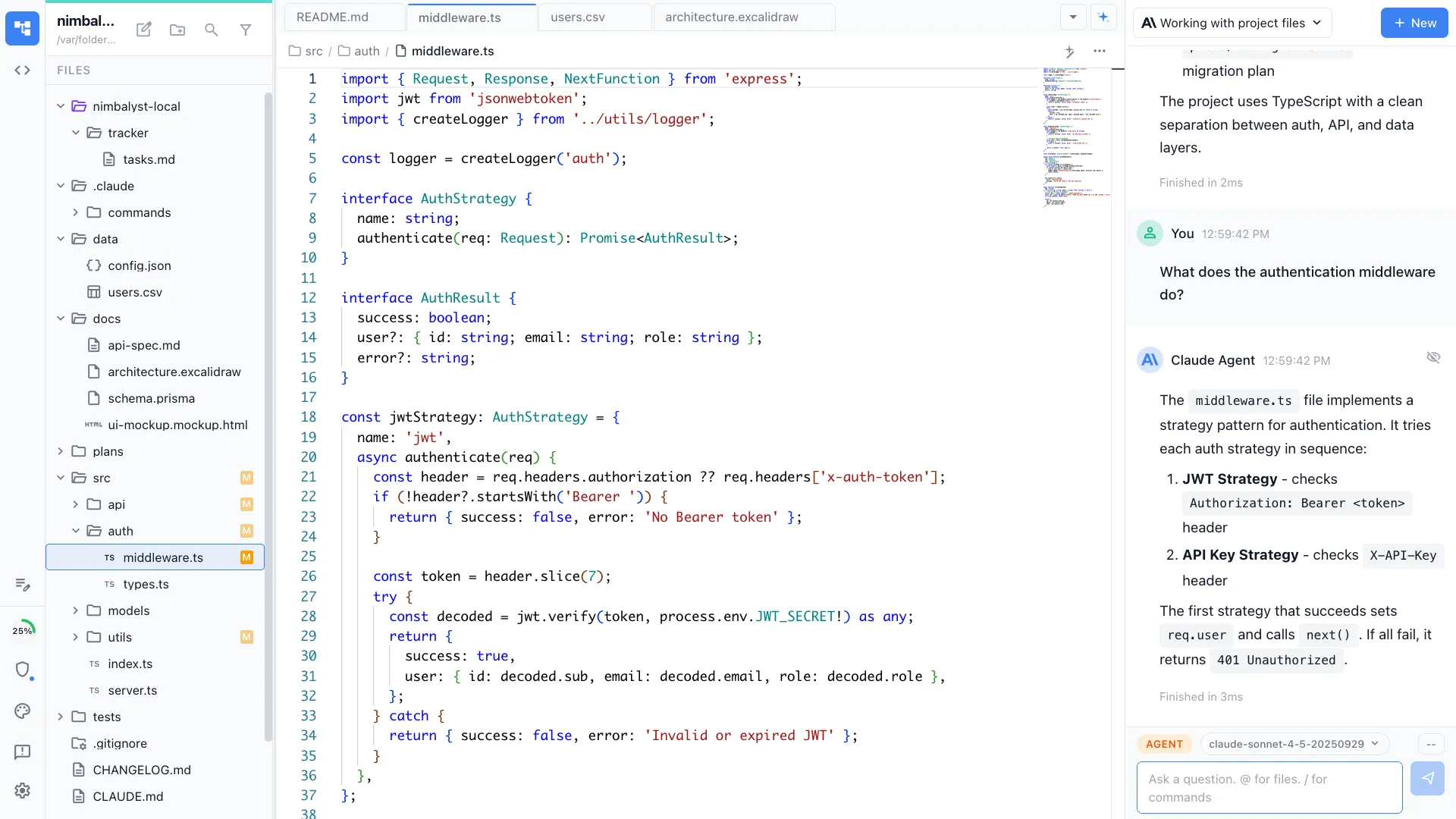
Nimbalyst is an open-source visual workspace that runs Claude Code and OpenAI Codex side by side, with pluggable agent harnesses. Each session gets its own worktree, transcript, diff, and kanban card. Visual editors for markdown, mockups, diagrams, data models, spreadsheets, and slides live in the same workspace as the code. Desktop and iOS apps are MIT.
Cursor
Cursor is an AI IDE. Cursor 3 introduced a new agents workspace that can run many agents in parallel across repos and hand work between local and cloud. Its Agent mode can explore code, edit multiple files, and run commands; Ask mode stays read-only. Cursor remains strongest as a daily editor for teams that want tab completion, VS Code compatibility, and agent help without leaving the IDE.
Feature Comparison
Side-by-side breakdown
Nimbalyst Advantages
Where Nimbalyst shines
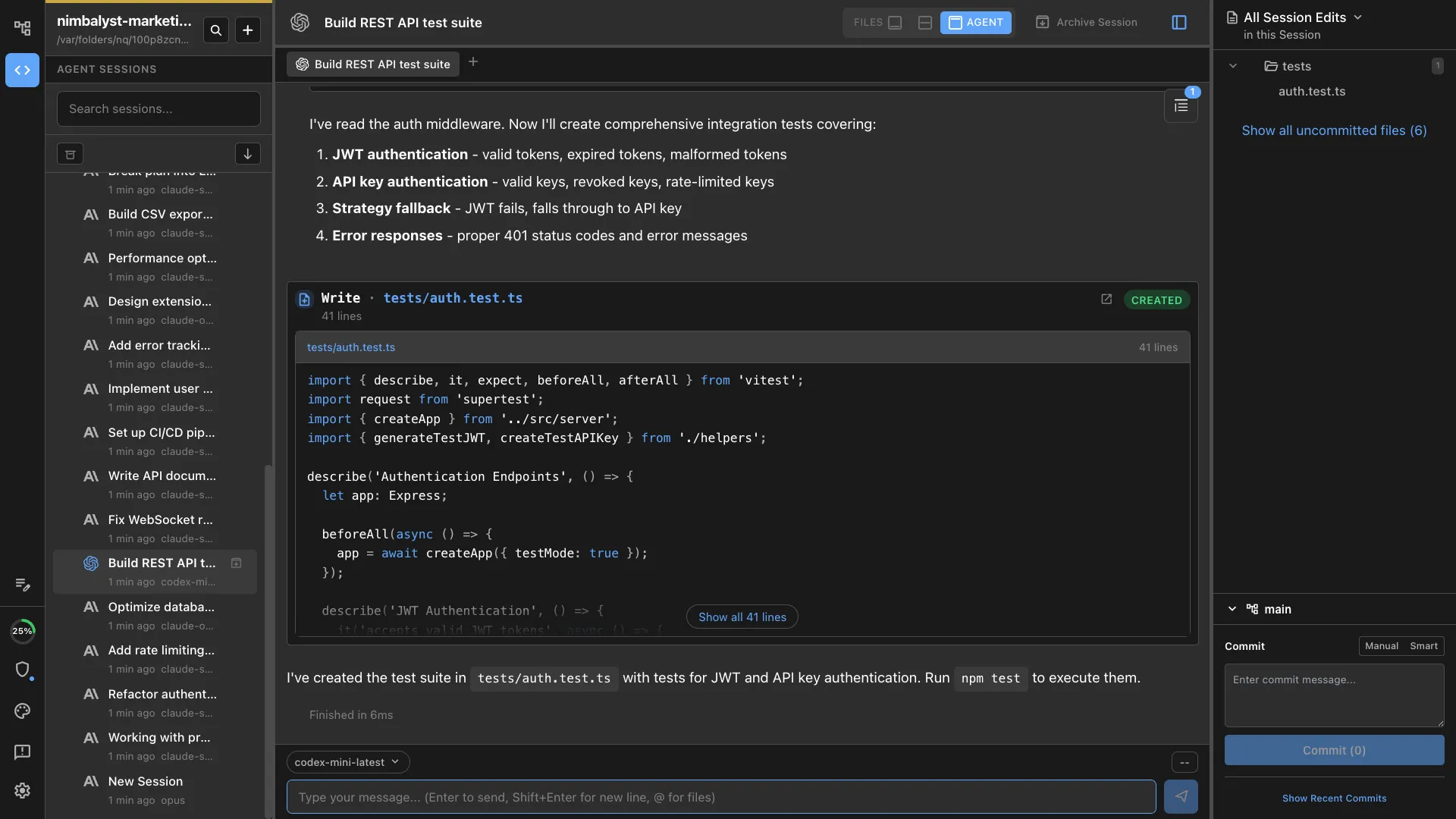
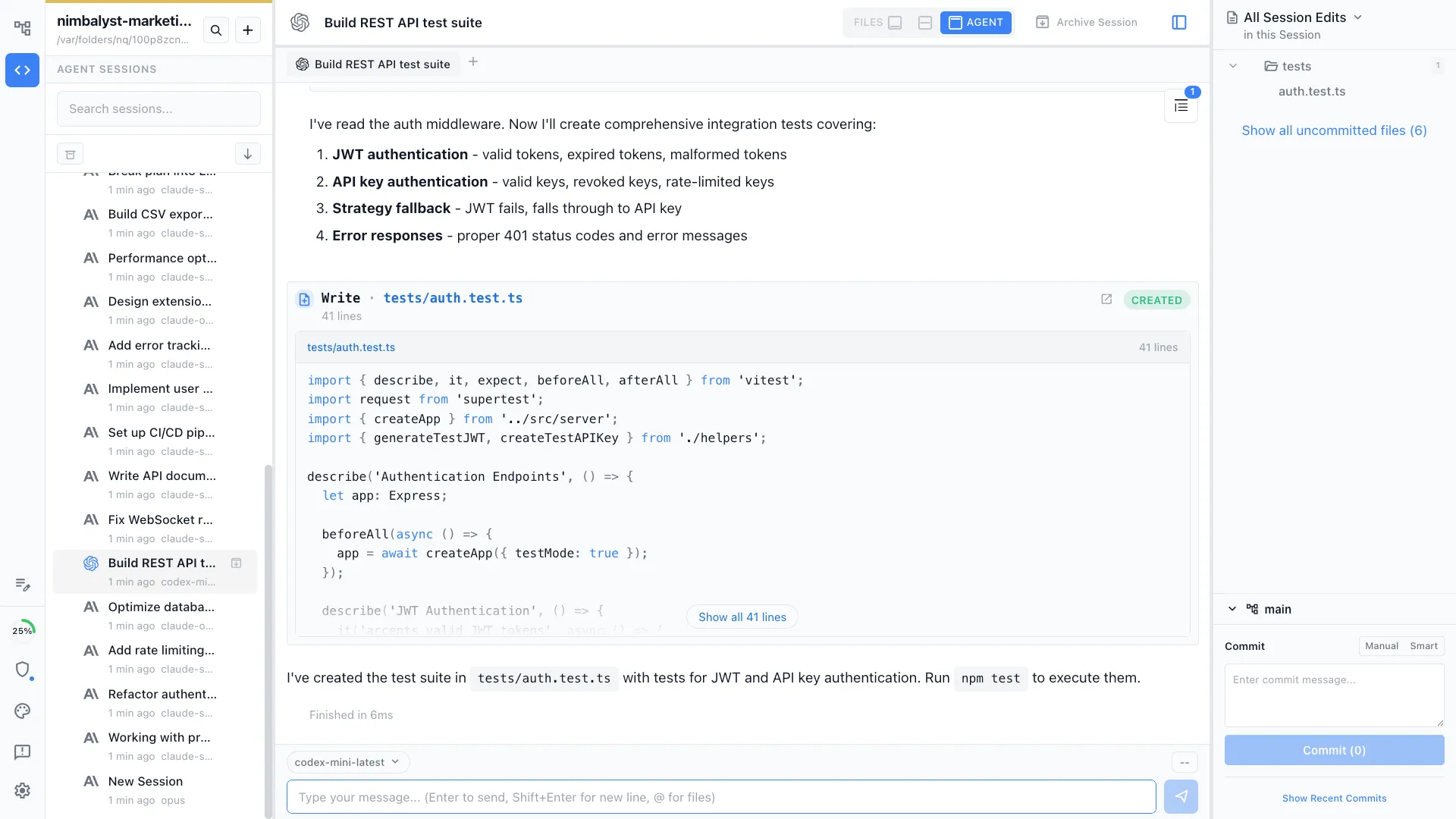
Session-level coordination across real agent runs
Each Claude Code or Codex run becomes a tracked work item with its own worktree, transcript, diff, and phase. Cursor 3 can run many agents, but it still centers the experience inside the IDE.

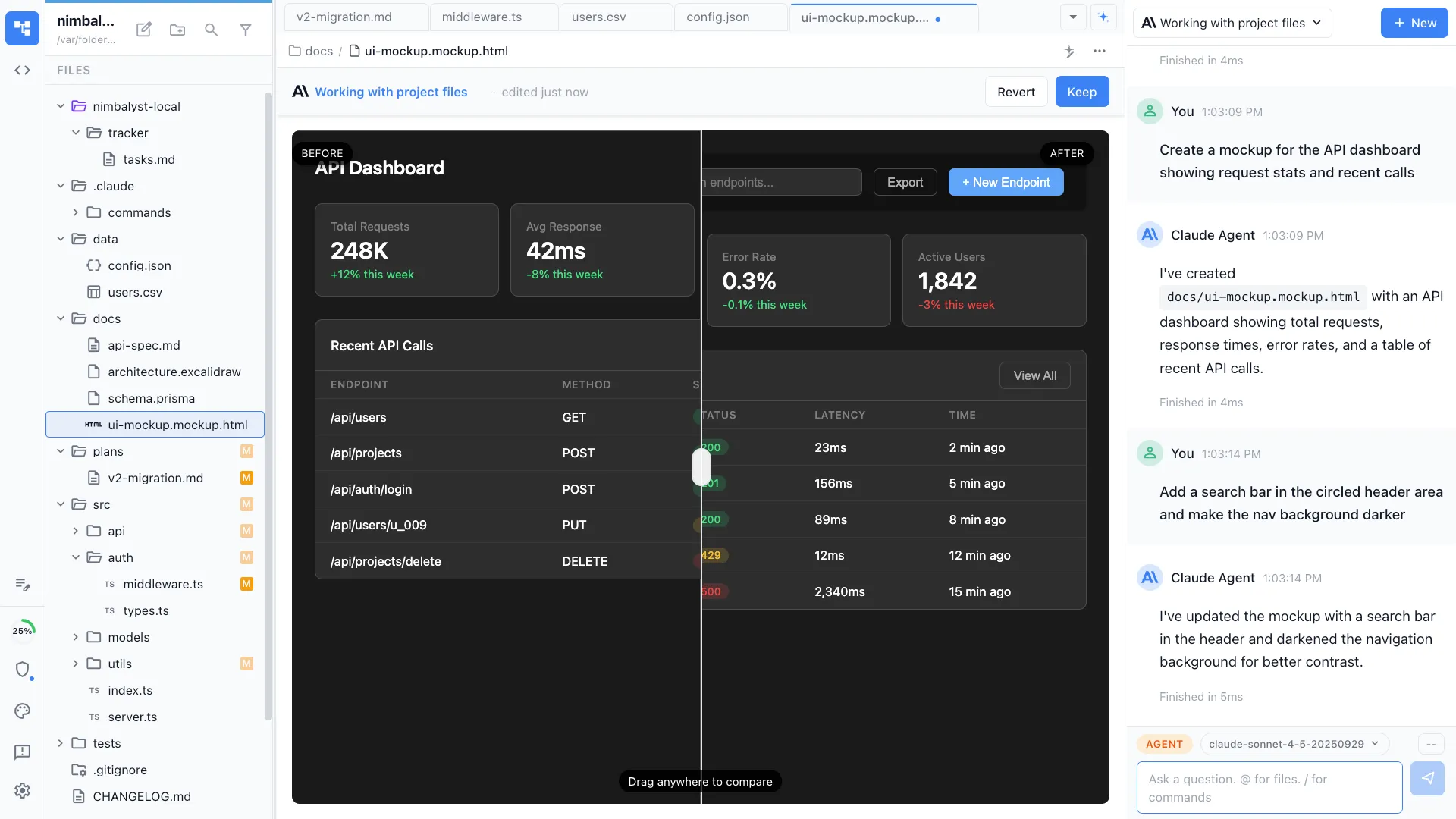
Artifacts that live next to the code
Specs, mockups, diagrams, and data models stay in the same workspace as the implementation sessions that read them. Useful when work is broader than code editing.
Review from a phone
A native iOS app lets a teammate review a diff, approve a tool call, or comment on a session without sitting at the editor.


Cursor still fits inside the workflow
Open Cursor against a Nimbalyst worktree for editor-heavy passes, then keep the session, transcript, review state, and board in Nimbalyst.
Honest Assessment
Where Cursor is stronger
Excellent editing surface
Cursor offers one of the best AI-assisted editing experiences, especially for engineers who want tab completion and agent help in one familiar IDE.
Cursor 3 agents workspace
Cursor 3 is no longer just autocomplete plus chat. It can run many agents in parallel and move work between local and cloud.
VS Code compatibility
Teams already standardized on VS Code extensions, keybindings, and panel layout can adopt Cursor with very little retraining.
Broad model access
Cursor supports multiple models and lets teams choose per task inside the IDE.
Recommendation
Who should use which
Choose Nimbalyst if…
You run several agent tasks in parallel, need real Claude Code and Codex processes, work across code plus visual artifacts, or want mobile review and approvals.
Choose Cursor if…
You want the editor itself to stay central, rely heavily on inline completion, and prefer an IDE with agents over a broader workflow layer.
More Comparisons
Related comparisons


vs Cursor (feature breakdown)
The broader, template-driven feature comparison page.
vs Claude Code Desktop
Compare Nimbalyst with Anthropic's official Claude Code GUI.
vs Claude Code
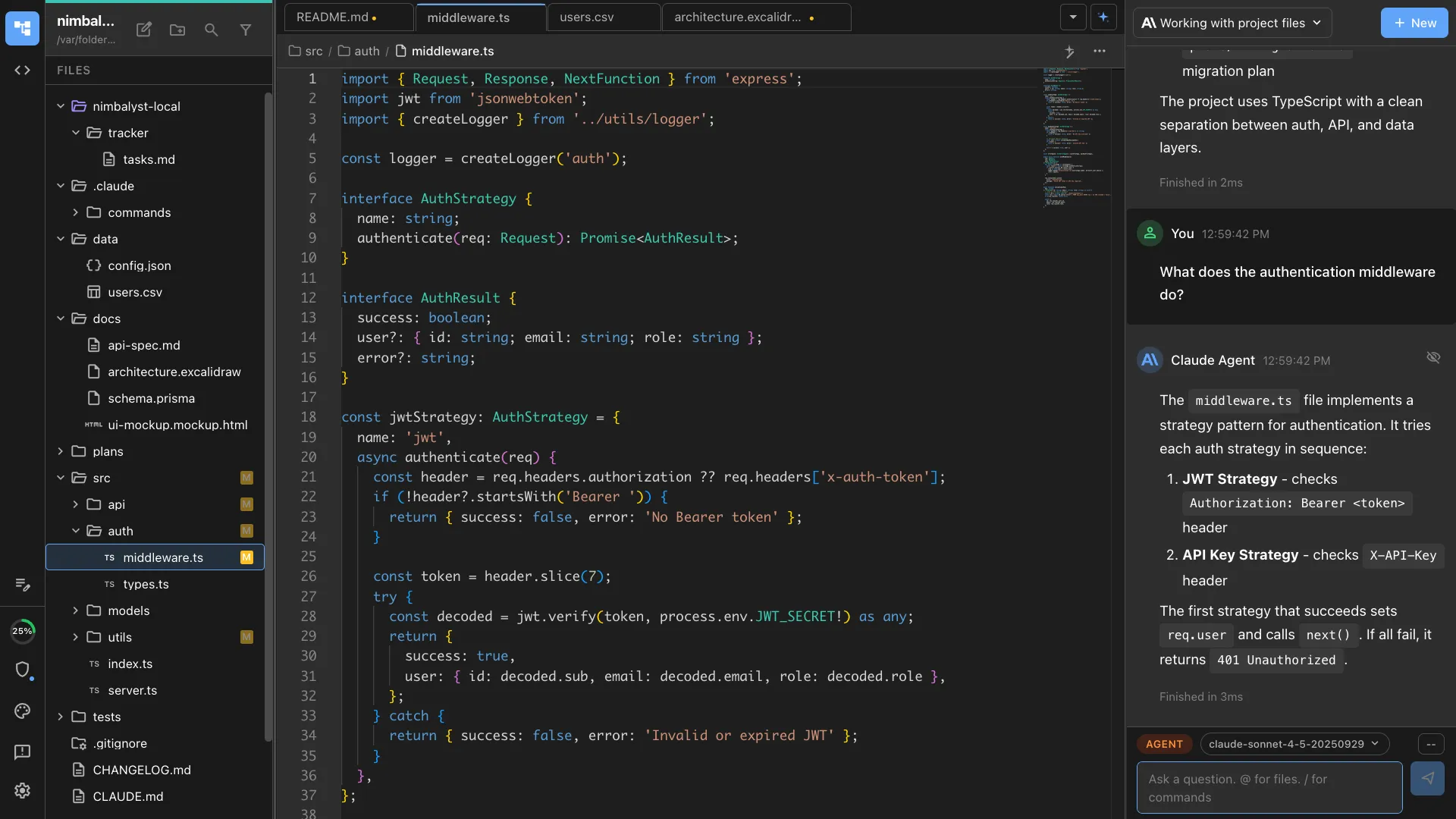
Compare the two real agent processes Nimbalyst runs side by side.
vs Windsurf
Compare Nimbalyst with another IDE-with-agents product.
From the Blog
Related guides
Agent orchestration
Run several coding agents at once and steer them from one board instead of juggling editor windows.
Best AI Coding Tools in 2026
A broader roundup covering AI IDEs, harnesses, cloud agents, and workspace layers.
Nimbalyst vs Cursor vs Windsurf
A deeper look at workspace-layer tools versus AI IDEs.
Claude Code vs Cursor: What Each Is Better At in 2026
Useful context if you are deciding between agent-first and IDE-first workflows.
Want AI coding plus session management, mockups, diagrams, and task tracking? Try Nimbalyst free.
Free for individuals. Works with your existing Claude Code or Codex subscription or API key.
Nimbalyst Teams is multiplayer. Your whole team, Codex, and Claude Code in one shared workspace.