Product
Nimbalyst is a visual workspace for Claude Code and Codex
Run coding agents in parallel, review tracked text edits in supported editors before committing, and edit the docs, diagrams, mockups, and code around the work in the same window. Nimbalyst is open source, runs locally, and works on macOS, Windows, and Linux.
Free for individuals. Works with your existing Claude Code or Codex subscription or API key.
What Nimbalyst is
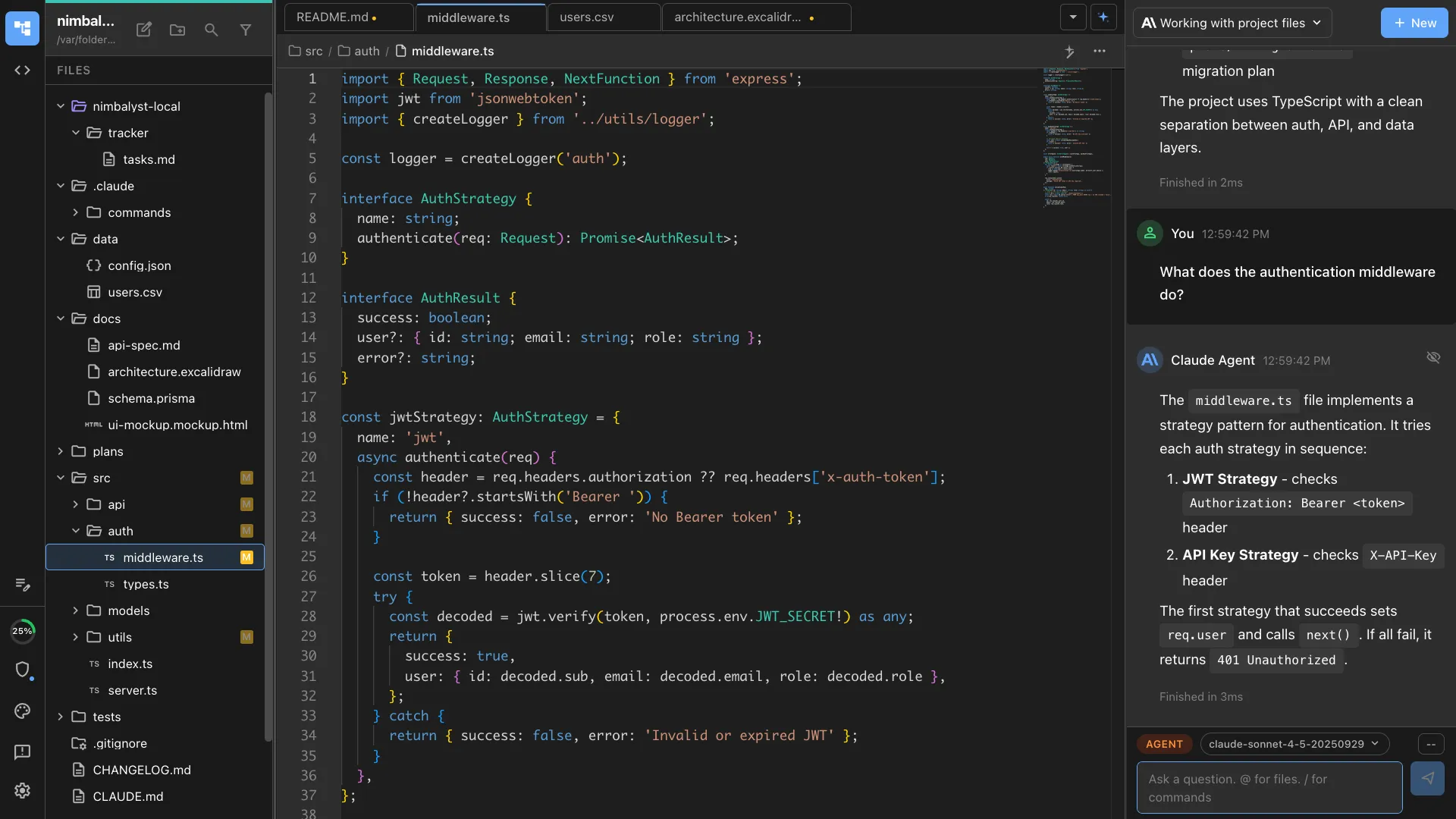
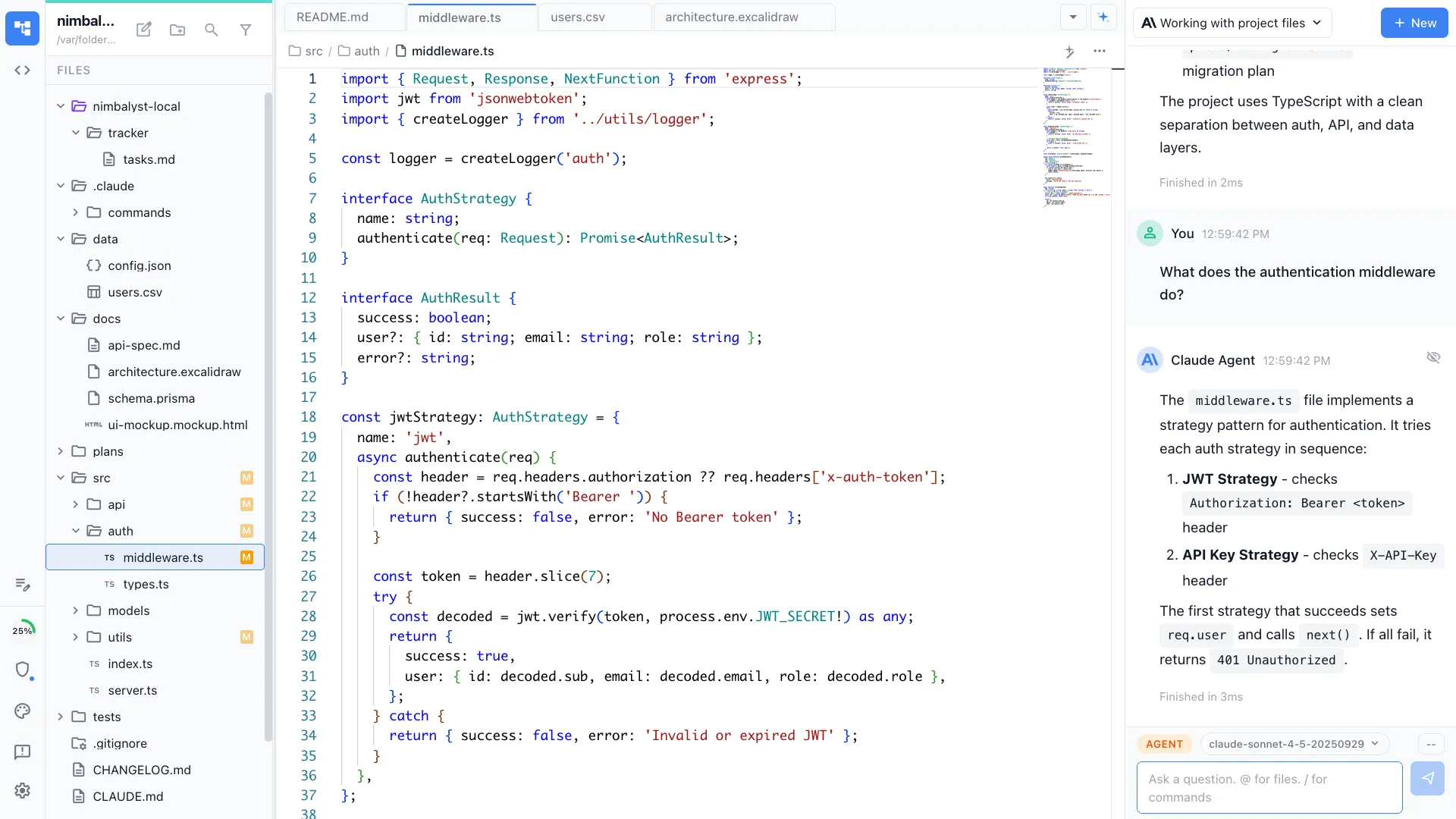
Nimbalyst is a desktop application that runs coding agents and gives you a working surface around them. It runs each vendor's own agent software on your machine rather than reimplementing it, so the agent behaves the way it does in a terminal, with a project file tree, editors, session history, and diff review around it.
Claude Code and OpenAI Codex are first-class providers. OpenCode and GitHub Copilot are available as alpha providers. You sign in with the Claude or ChatGPT subscription you already pay for and Nimbalyst runs the agent on that subscription, with no API metering. An API key is supported as an alternative, not a requirement.
Files stay on your disk in their normal formats: markdown files, Excalidraw files, source files. Nimbalyst reads and writes the project in place, so the same repository works with or without it. The desktop and iOS apps are MIT licensed and their source is on GitHub.
The workspace is free for individual use, with no feature limits and no trial period. Nimbalyst Teams adds shared documents, trackers, and team chat for people working together.
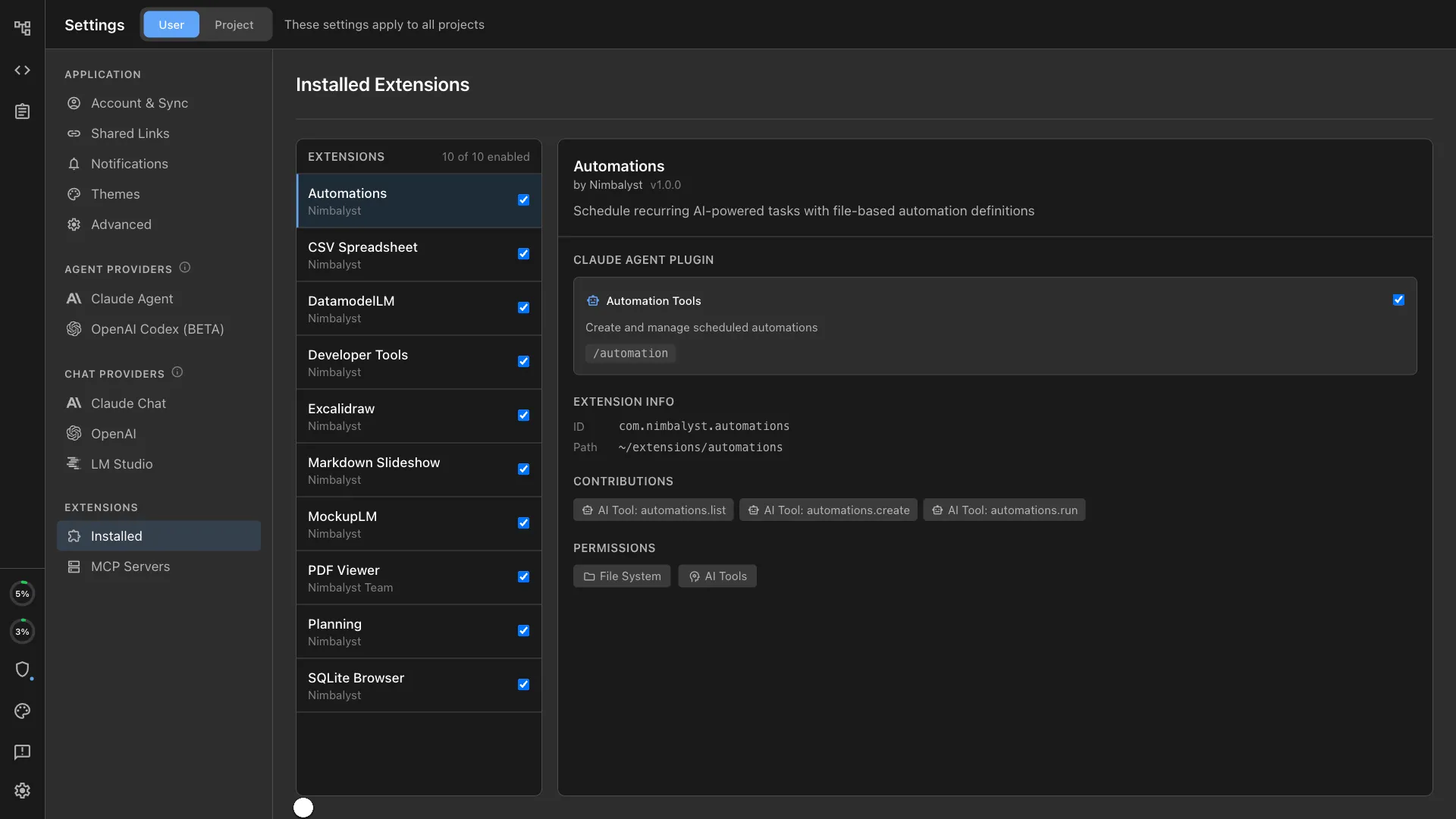
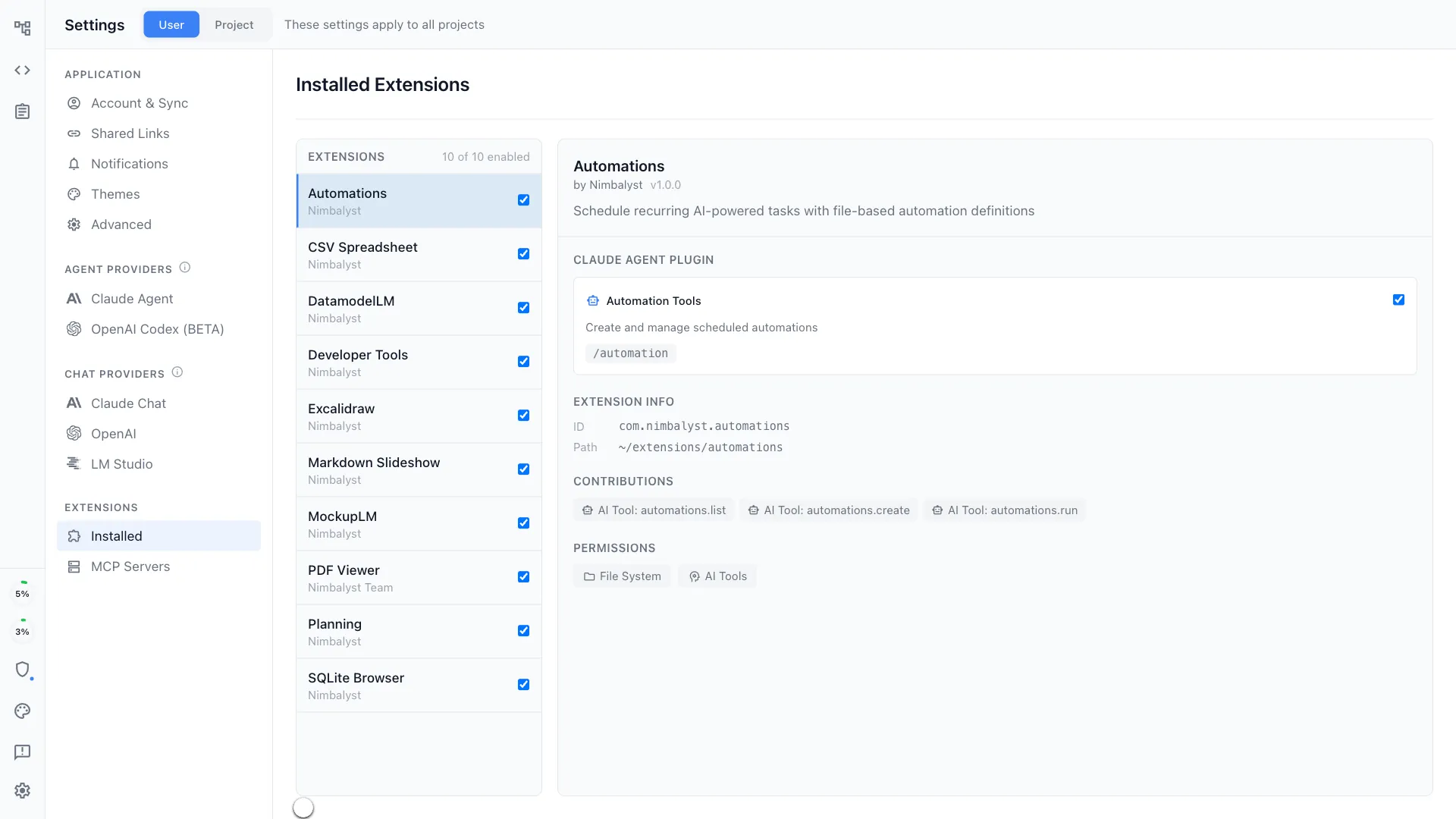
Almost everything in the workspace is an extension, including the diagram editor, the mockup editor, data models, spreadsheets, and the git panel. They are built on the same extension system you get, so an agent can write a new editor for a file type Nimbalyst does not handle yet and load it while you watch.
Why Nimbalyst
What Nimbalyst does
Parallel agent sessions
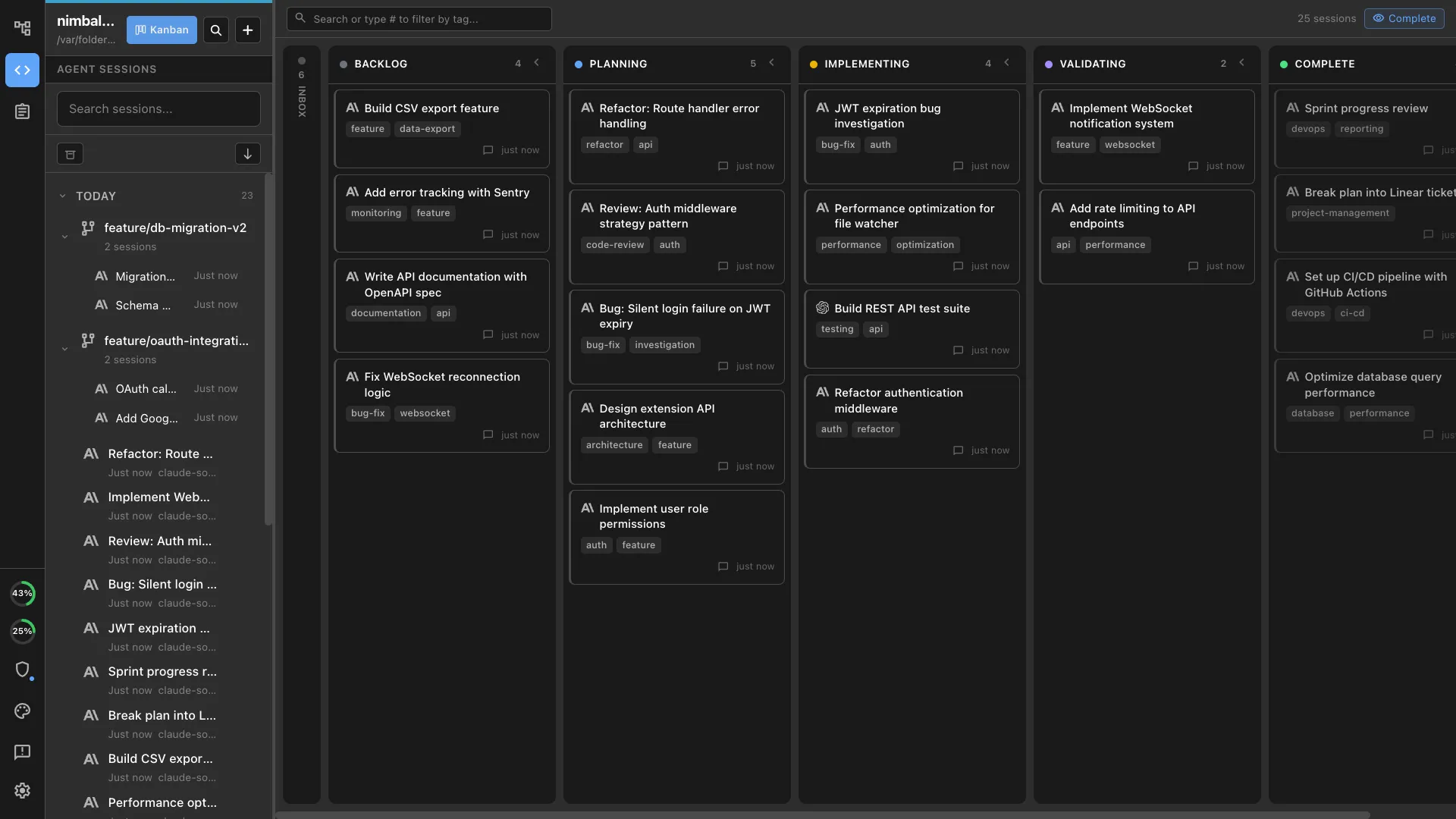
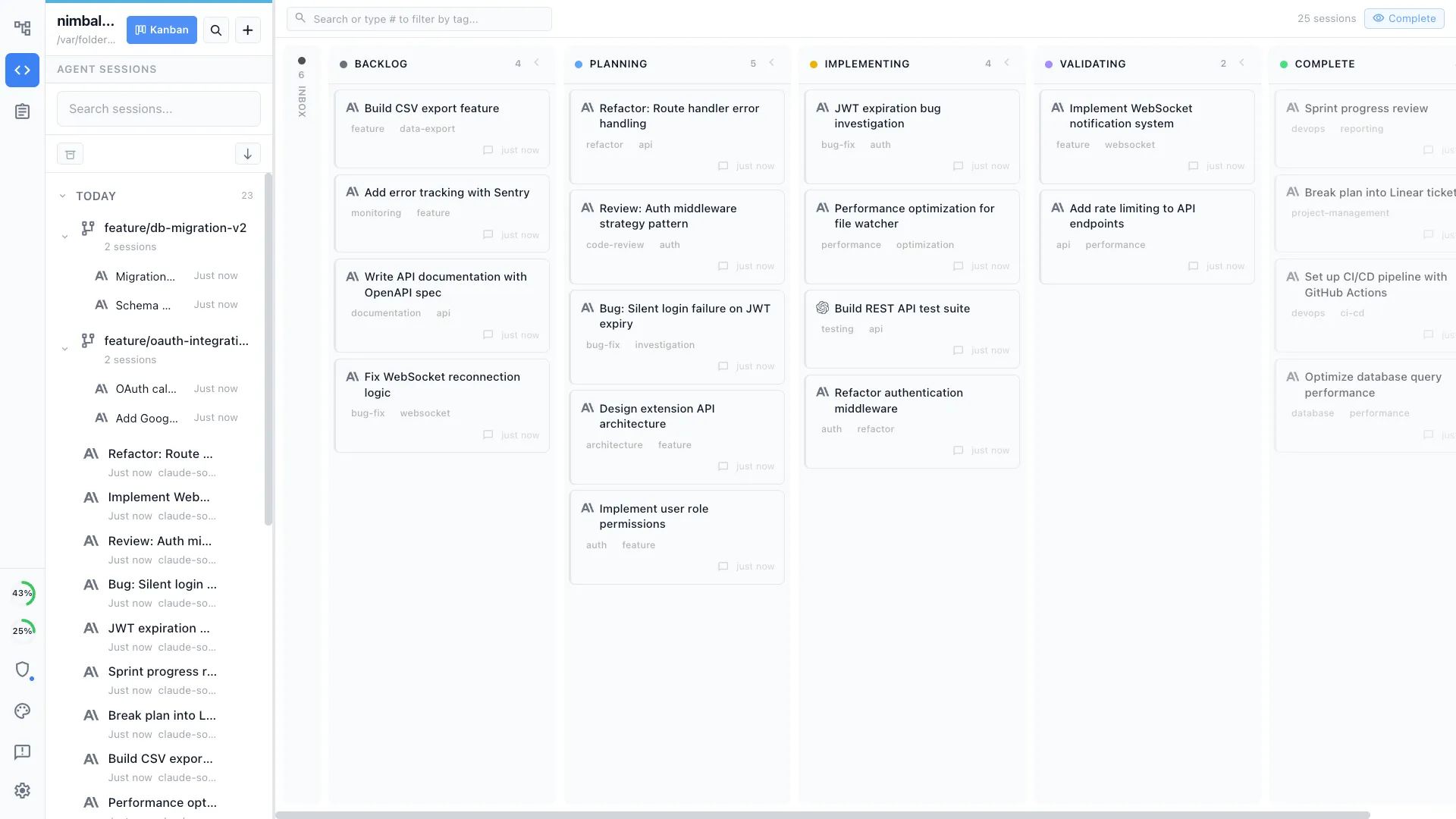
Run several Claude Code and Codex sessions at once and track them on one board. Search, filter, resume, branch, and archive sessions, and get notified when an agent completes a response or is waiting on you for input.
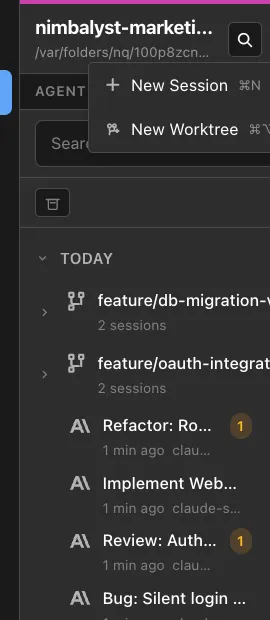
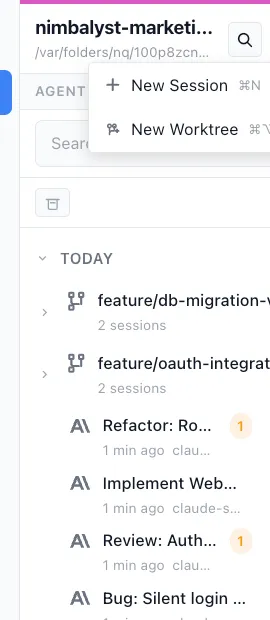
Git worktree isolation
Create a worktree session in one click. The worktree uses a separate branch and checkout on disk, reducing accidental overlap with work in other checkouts.
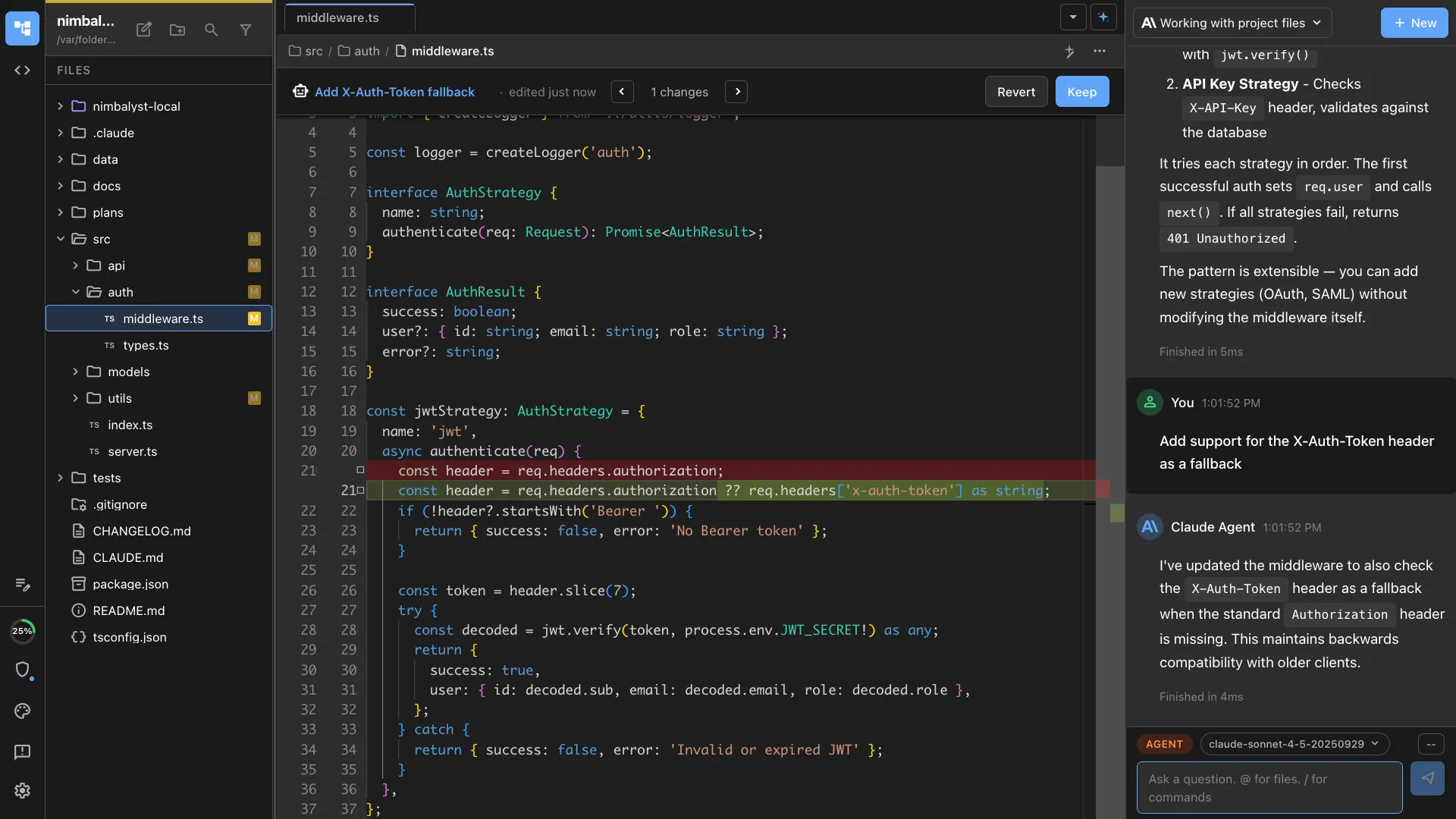
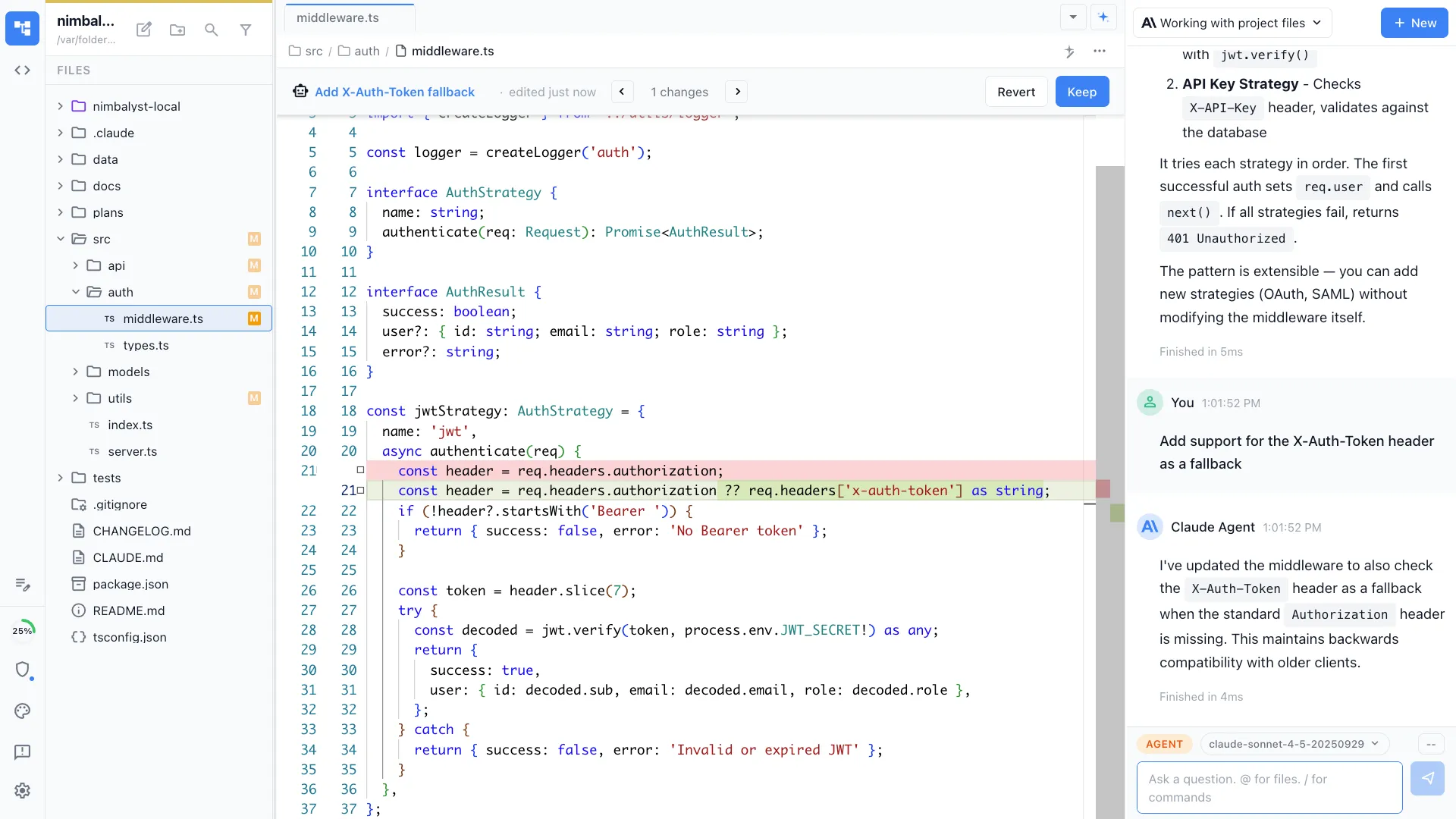
Review changes as diffs
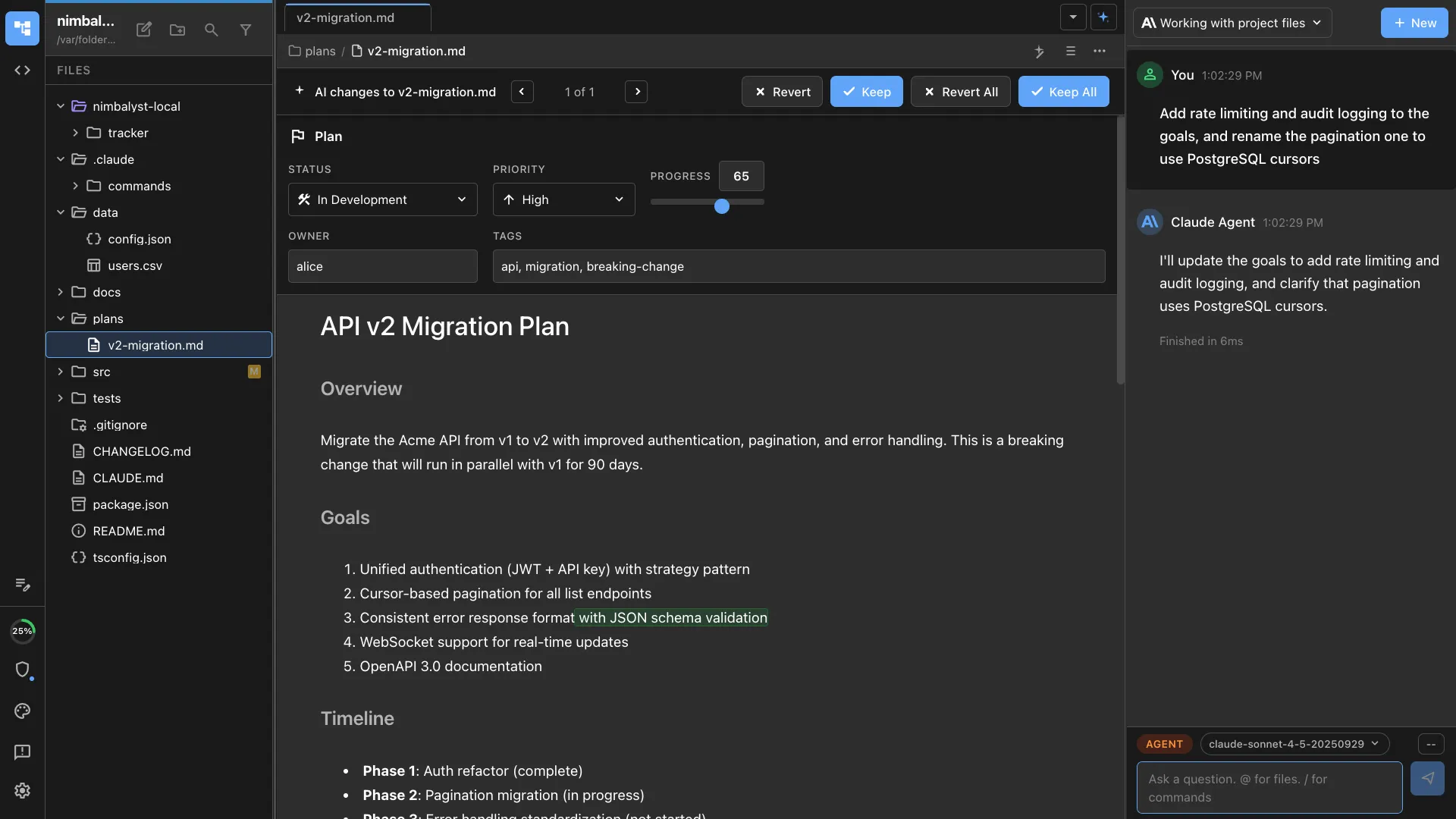
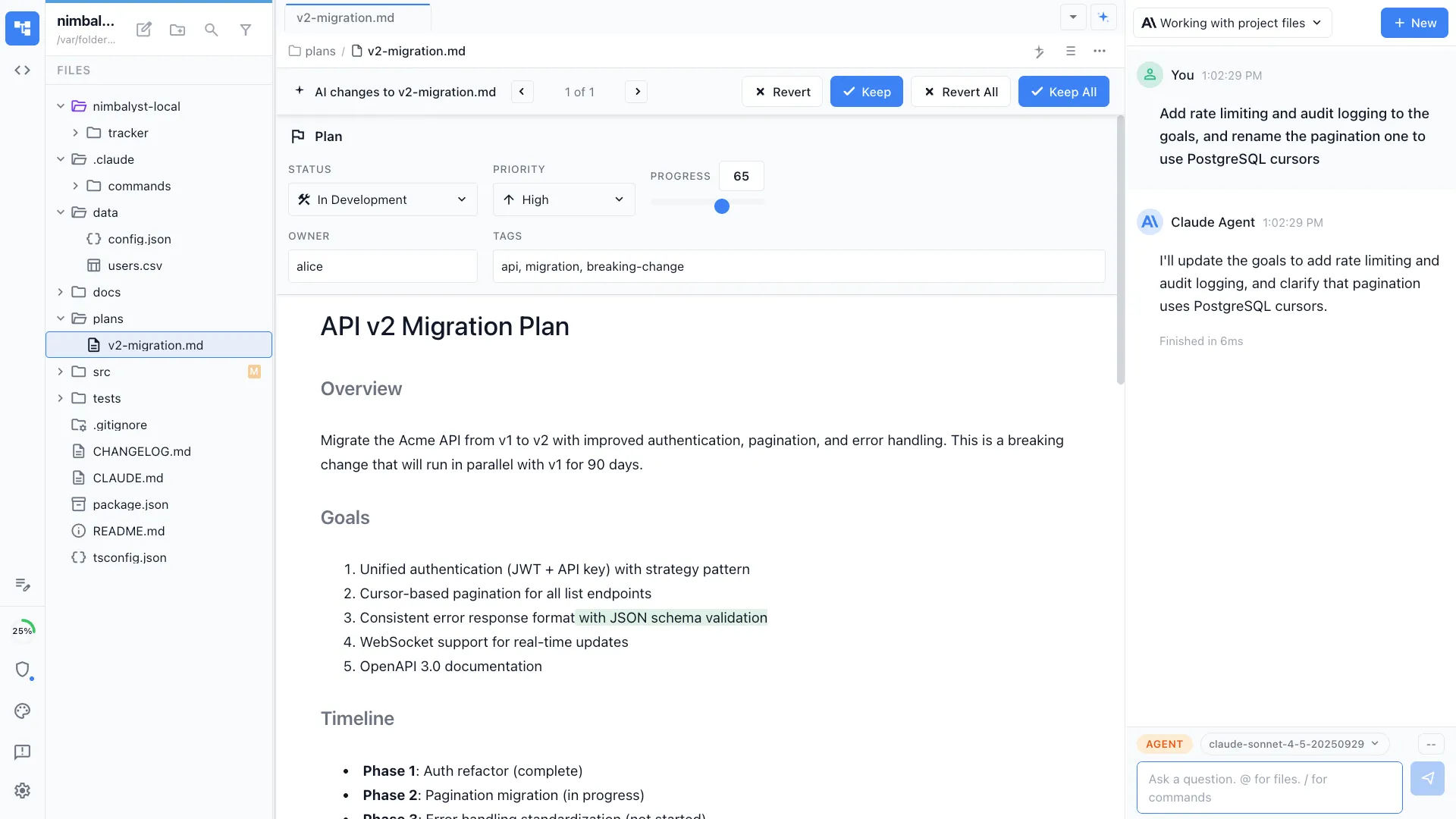
Agent edits are written to disk and then surfaced as red and green inline diffs in the editor, so you can read exactly what changed and keep or revert it before you commit. Supported in the markdown, code, and mockup editors.
Visual editors
WYSIWYG markdown, Excalidraw and Mermaid diagrams, HTML mockups, data models, spreadsheets, calc sheets, mind maps, a Chromium browser pane, and code in Monaco. The agent edits the same files you do, in the same window.
Tasks next to the work
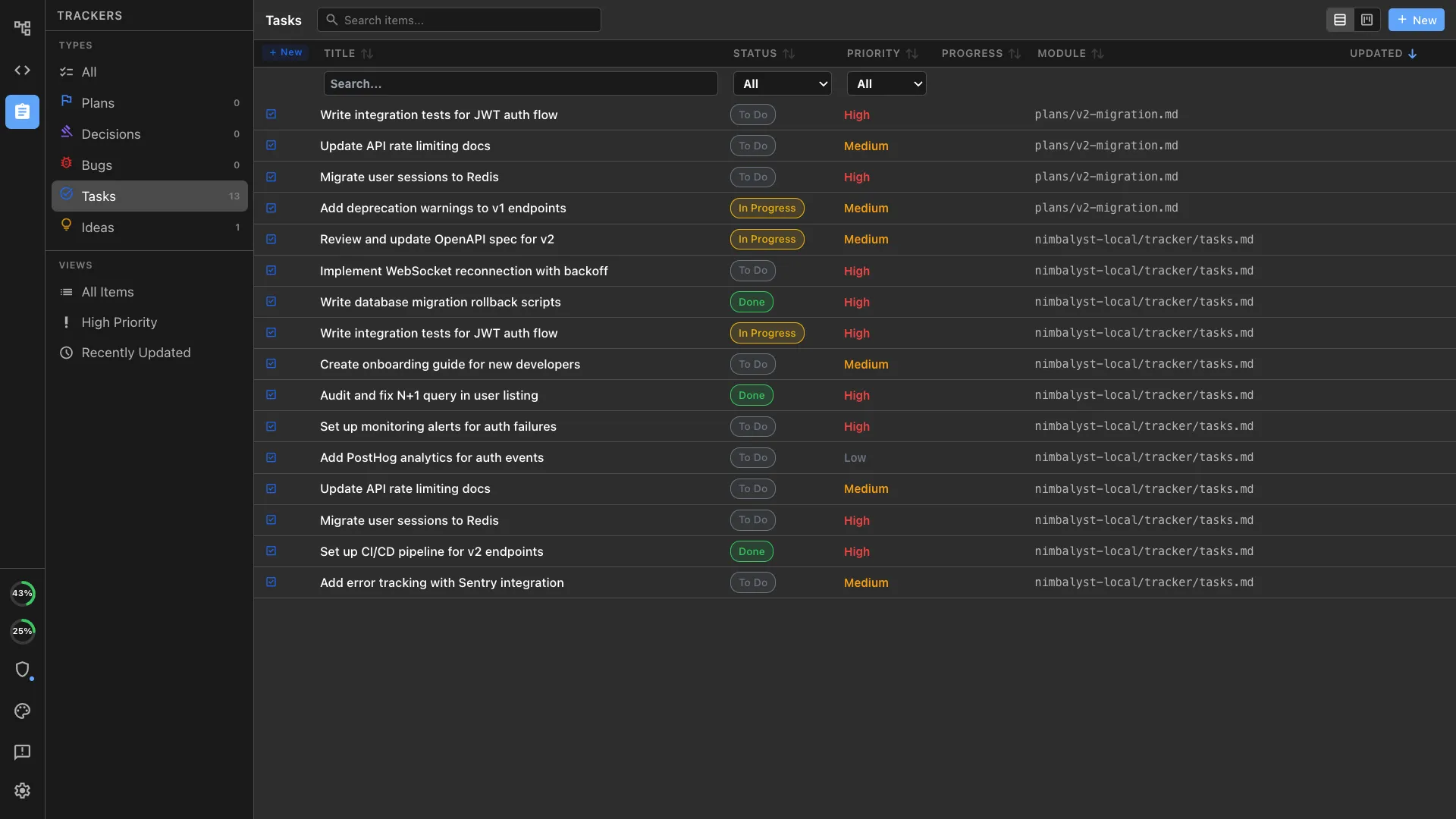
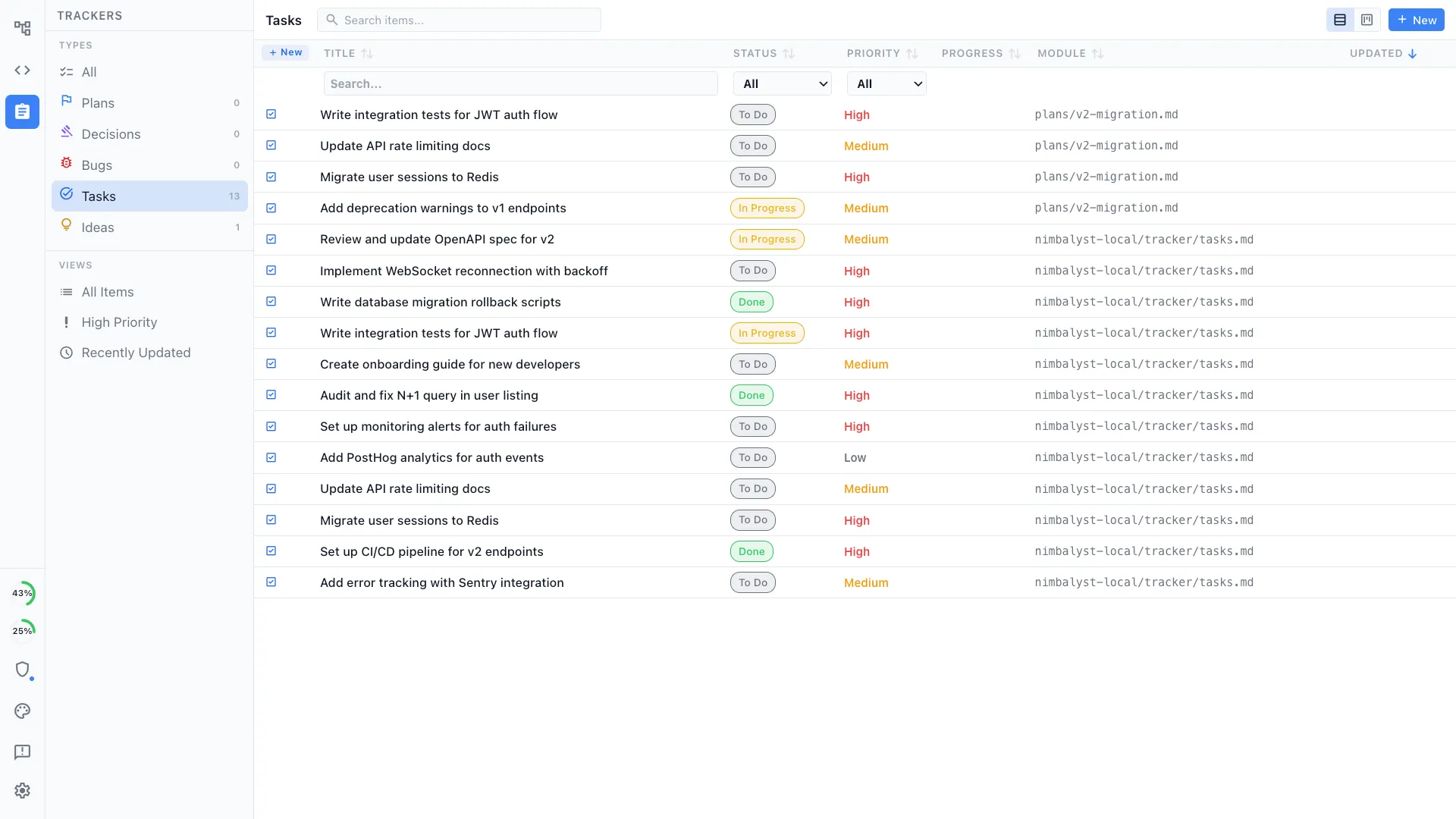
Tasks, bugs, decisions, and plans live beside the sessions and files they belong to. Your agents read and update the same tracker you do.
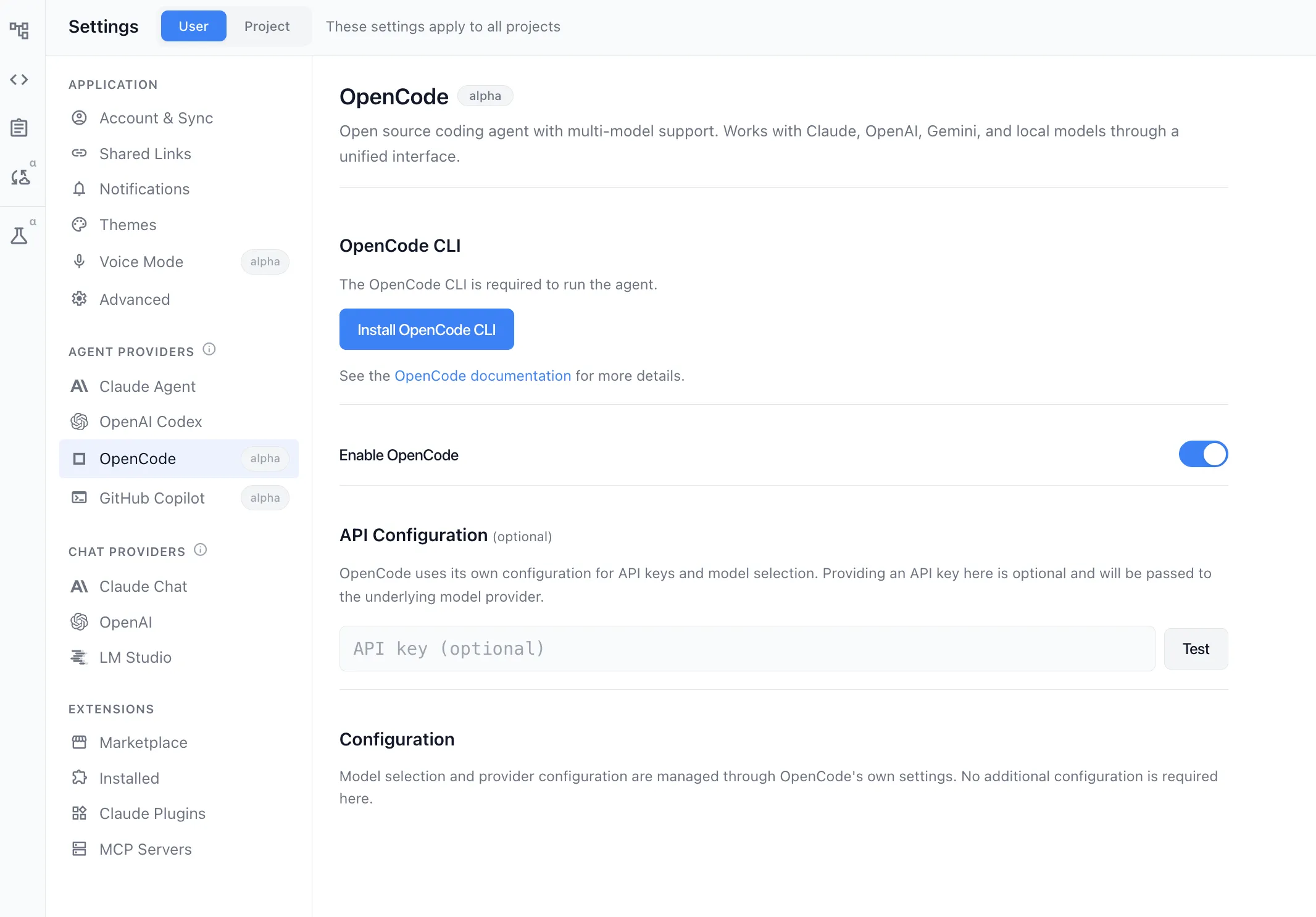
Multiple agent providers
Claude Code and OpenAI Codex are first-class. OpenCode and GitHub Copilot run as alpha providers, and an extension can register a provider of its own, which is how the Gemini agent arrives. All of them use the same session board, editors, and supported diff-review surfaces.
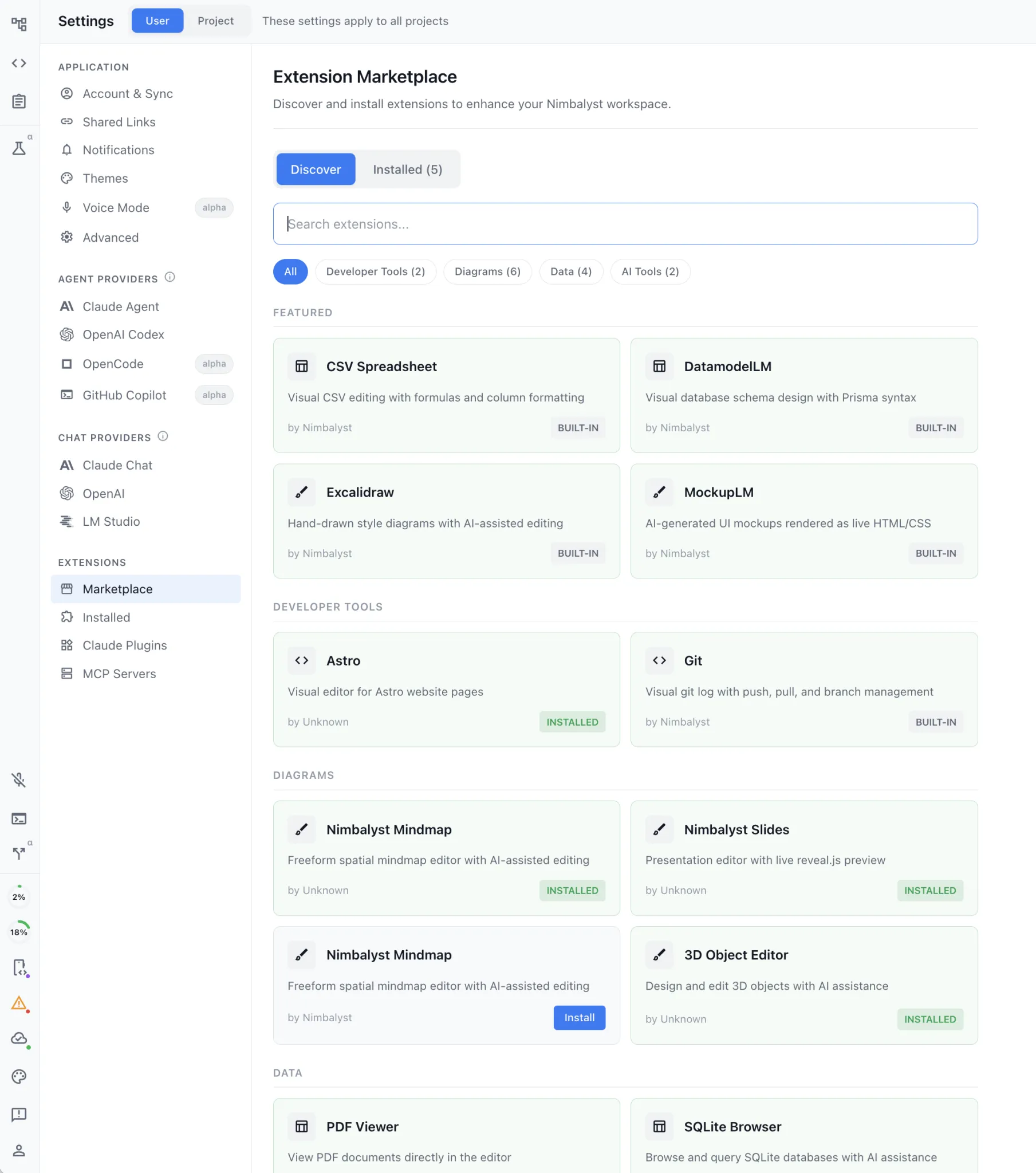
Your agent builds the editor
Describe a file type and the view you want for it, and your agent writes the extension, installs it, and reloads it into the workspace. Extensions register editors, tools, and agent providers through the same contract the built-in ones use.
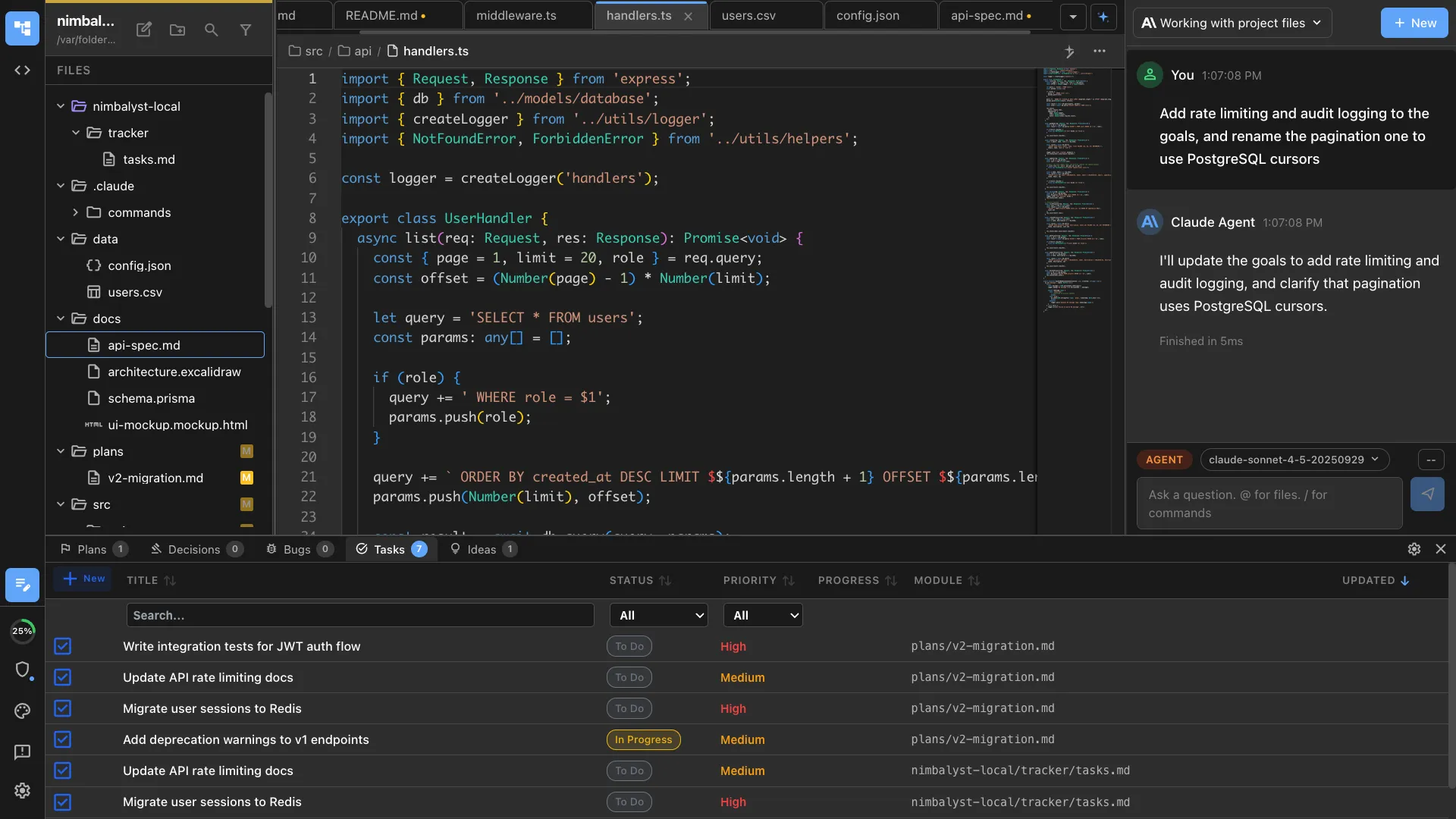
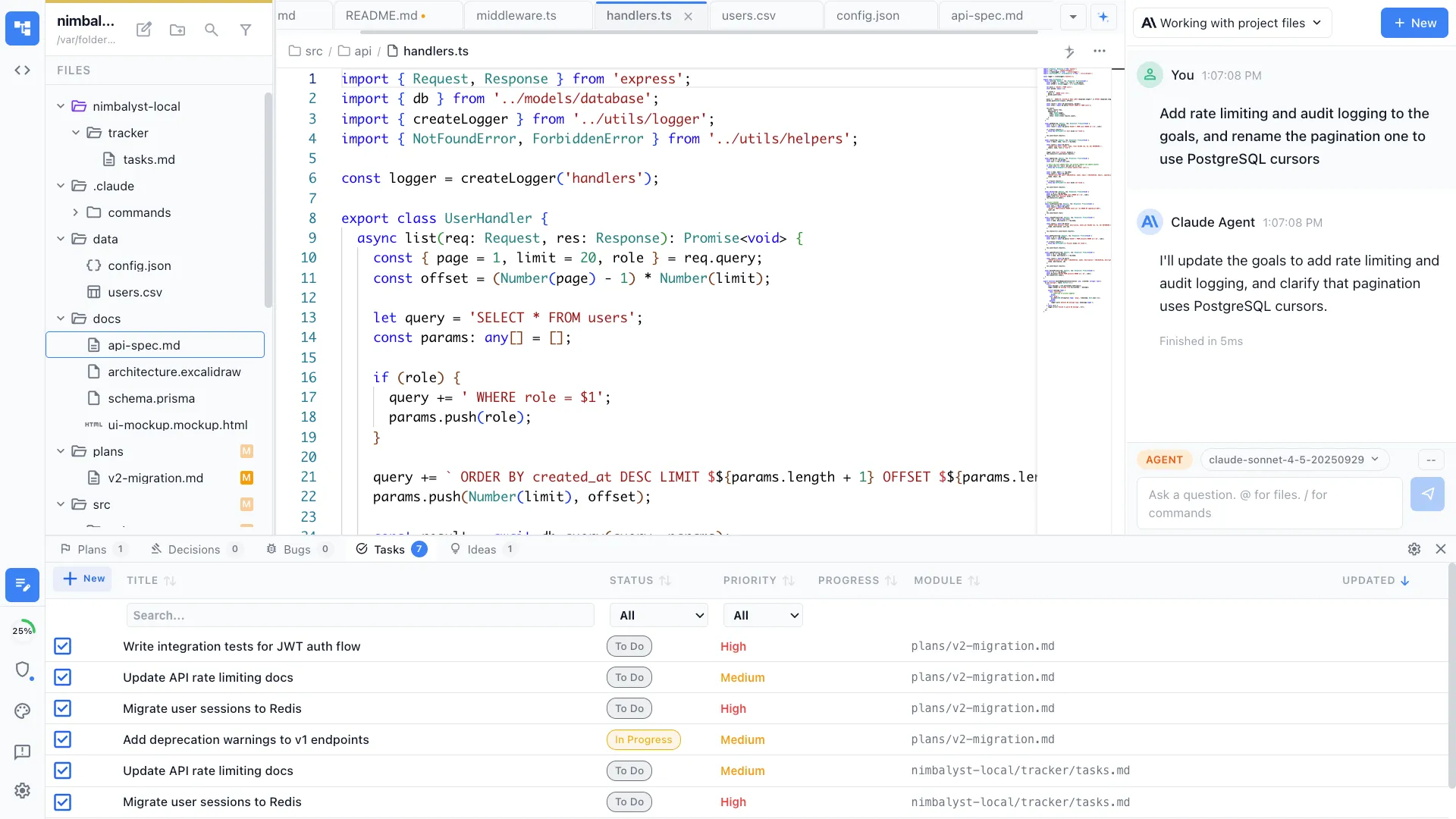
Artifacts that link to each other
Docs, trackers, diagrams, mockups, files, and sessions are nodes that link to one another, so a task can point at the spec, the mockup, and the session that implemented it. Your agents follow the same links you do.
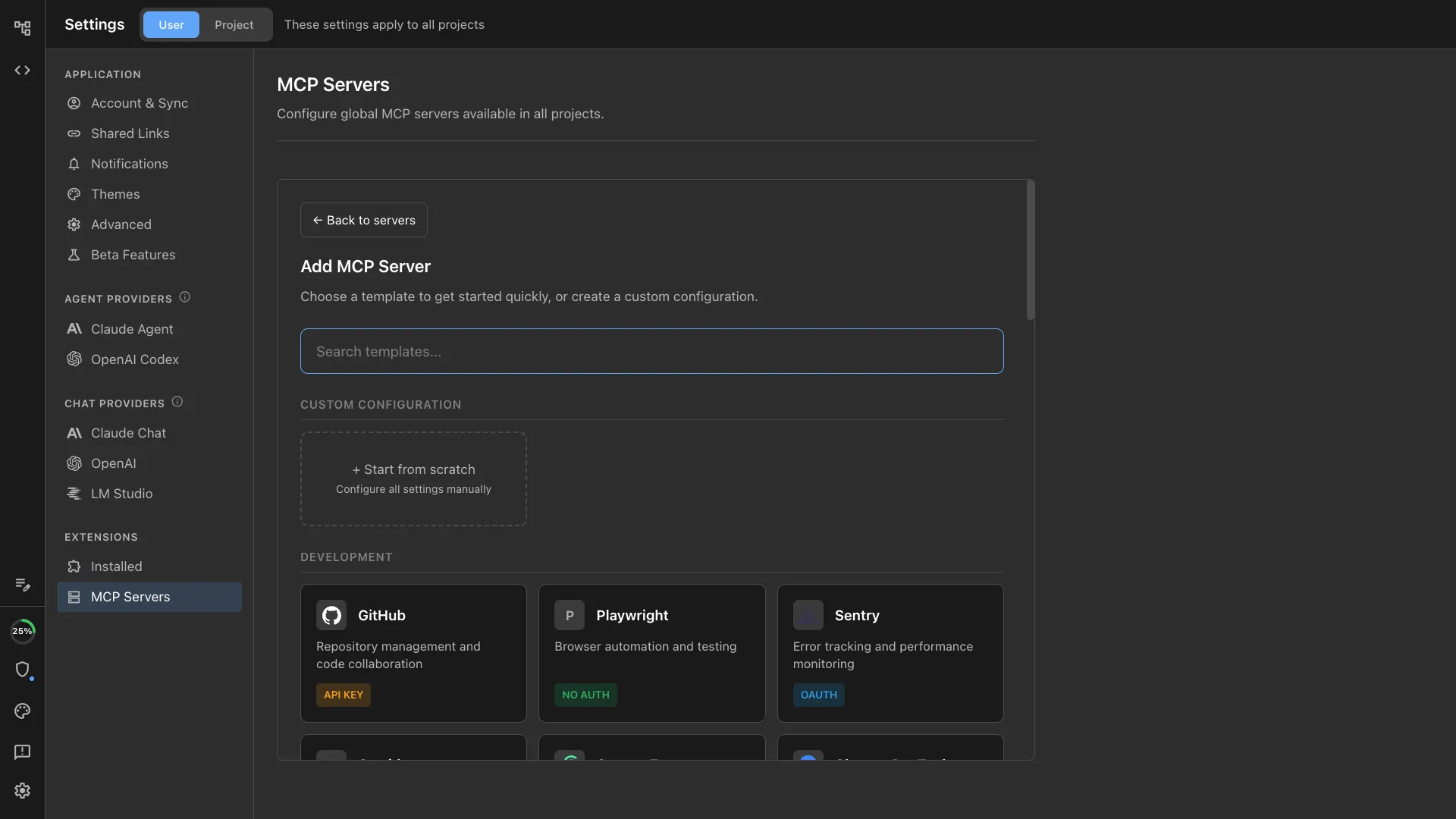
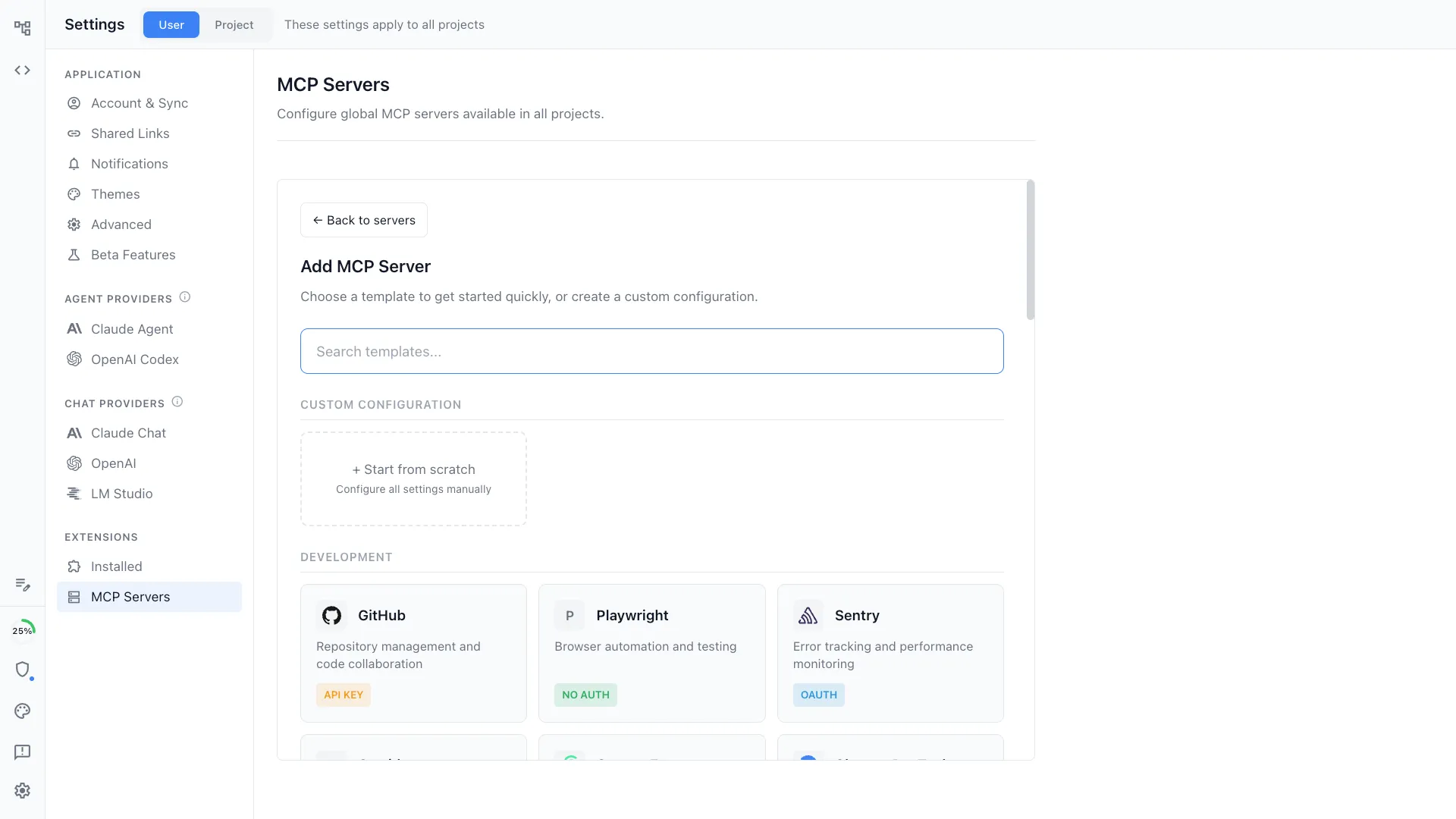
Agents configured the way you want
Connect MCP servers, add custom slash commands and skills, and set project behaviour through CLAUDE.md or AGENTS.md. Configuration is versioned with the repo and shared with your team.
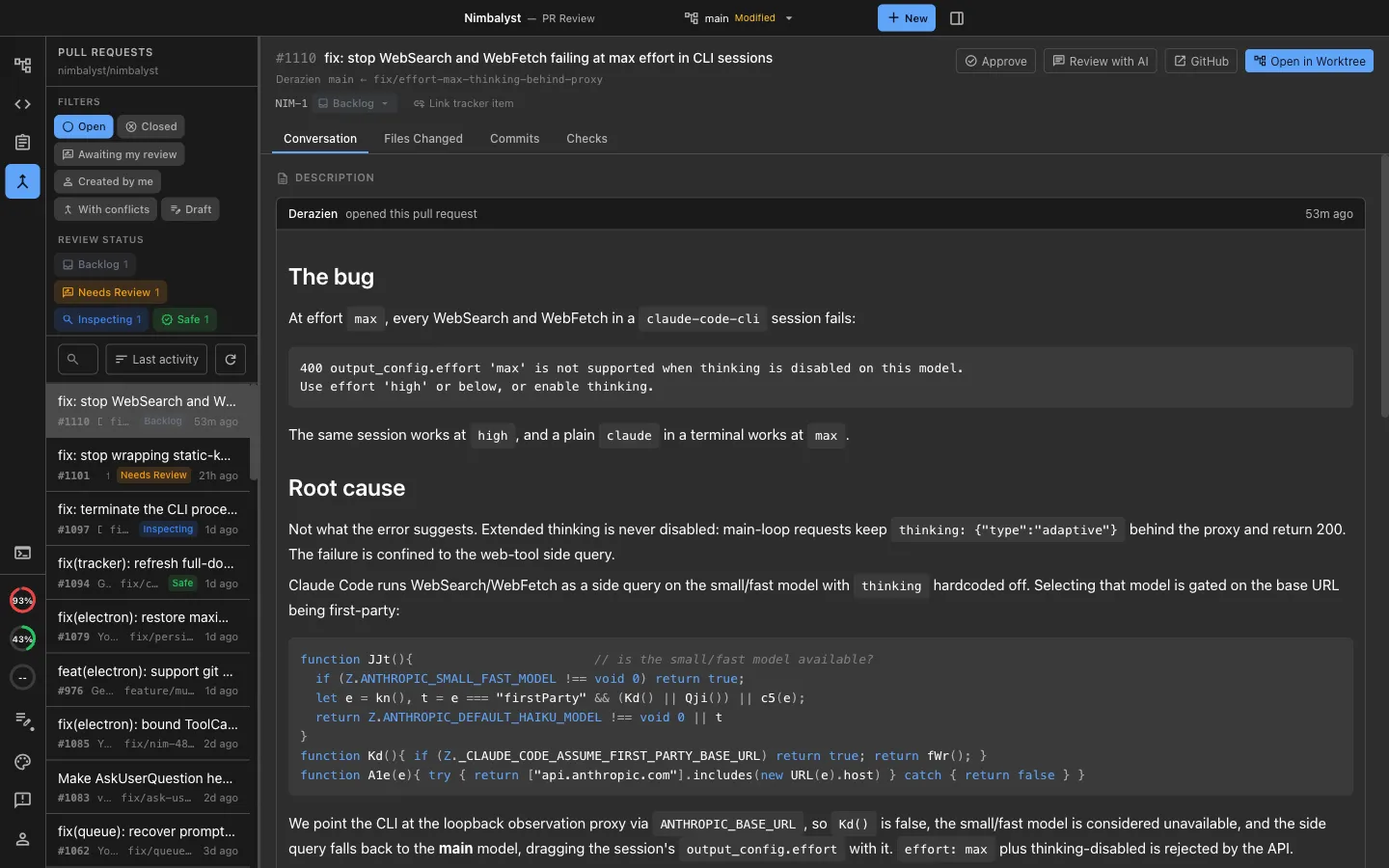
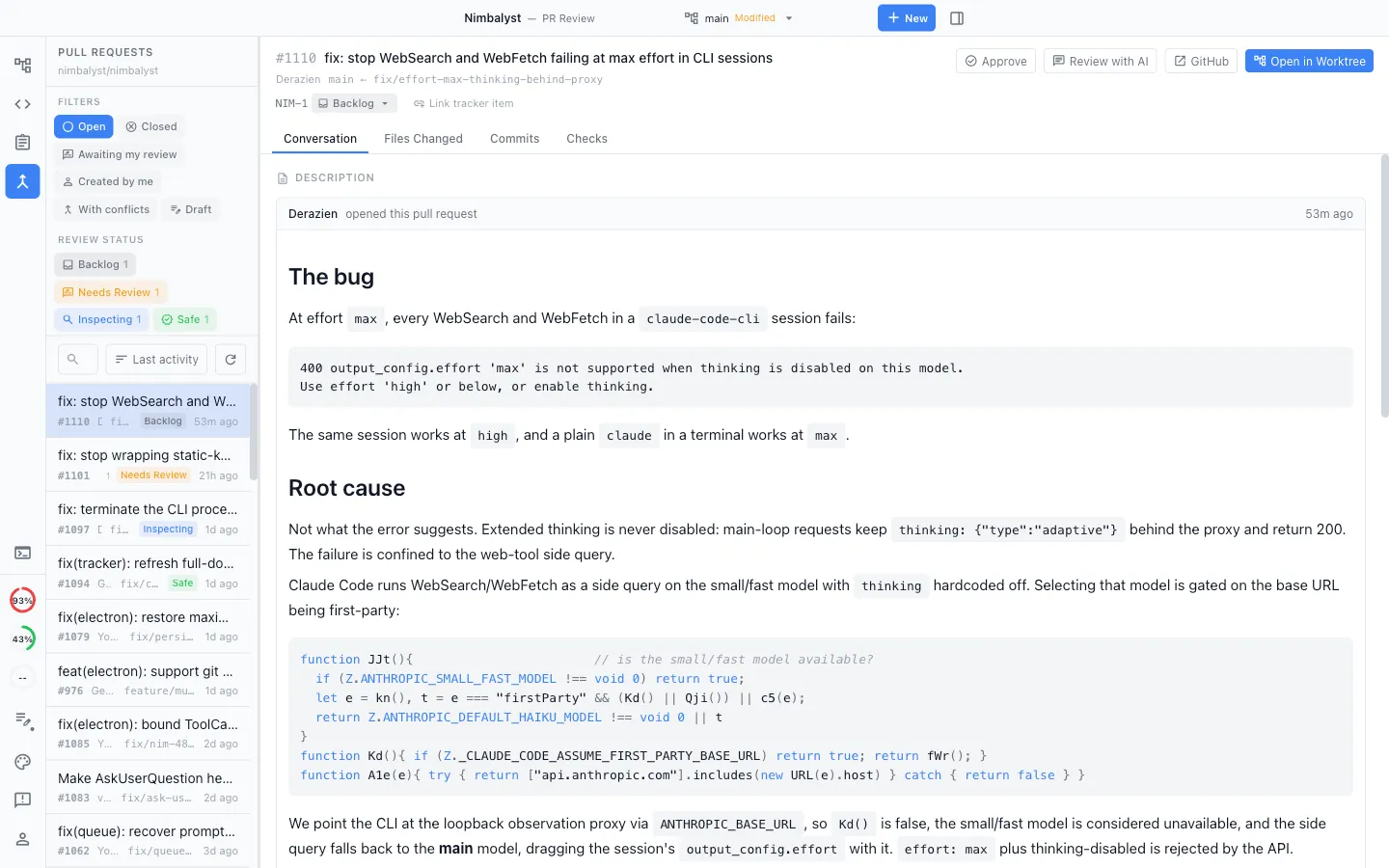
Git and pull requests in the workspace
Browse pull requests, review the changed files, open a branch in an isolated worktree with its own session, inspect file history, and prepare a commit with an AI-drafted message. A full terminal is built in when you want the command line. Pull request review is behind the Developer Mode toggle in Settings.
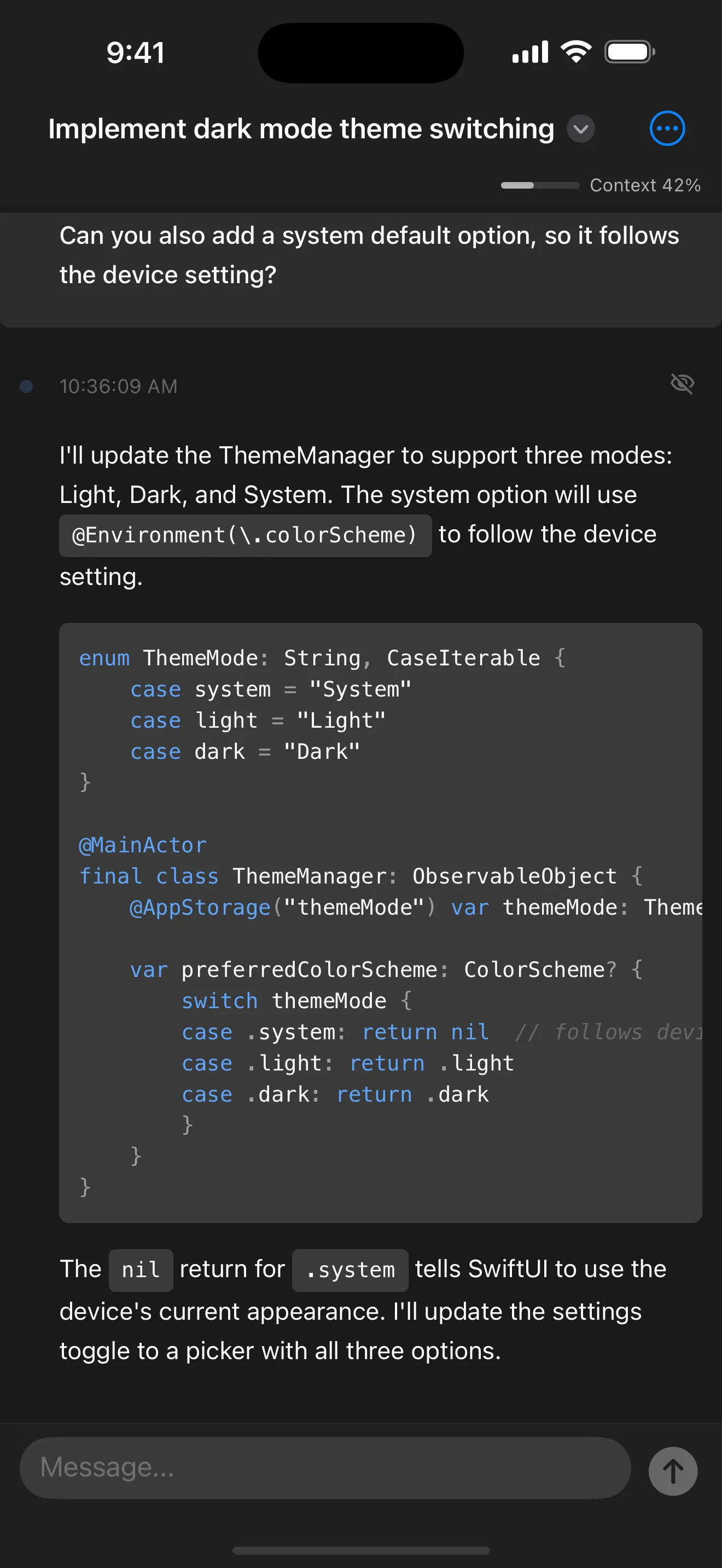
iOS app
Monitor running sessions, read transcripts, swipe through diffs, and reply to your agents from your phone, with push notifications when a session needs you.
Free, open source, and local
Free for individual use with no feature limits or trial. The desktop and iOS apps are MIT licensed with the source on GitHub, and your project files stay on your machine unless you choose to share them.
Comparison
What the workspace adds around the agent
| Feature | CLI-only workflow | Nimbalyst |
|---|---|---|
| Running sessions | Sessions tracked through terminal tabs and CLI history | Several sessions on one board with live status and response notifications |
| Branch isolation | Set up git worktrees by hand | Create a new worktree session in one click |
| Reviewing changes | Read the diff in the terminal or a separate tool | Red and green inline diffs in the editor, keep or revert per change |
| Editing artifacts | Text files, through the agent or a separate editor | Markdown, diagrams, mockups, data models, spreadsheets, and code editors built in |
| Session history | Terminal scrollback and CLI resume | Persistent searchable sessions you can resume, branch, and archive |
| Files an agent touched | Git status and provider-specific summaries | Per-session list of the files each agent read and wrote |
| Task tracking | An external tracker or MCP-connected tool | A tracker in the workspace that your agents read and update |
| Authentication | Claude or ChatGPT subscription, or an API key | The same subscriptions, configured once and reused across your sessions |
| Team collaboration | Varies by provider and plan | Shared docs, mockups, diagrams, and trackers that teammates and their own agents edit |
| Extensibility | Plugins and MCP servers, where the provider supports them | Extension system for editors, tools, and agent providers, plus MCP, skills, and slash commands |
| Cost | Included with the provider plan | Free for individual use; Teams is a paid plan |
| Platforms | macOS, Windows, Linux | macOS, Windows, Linux, plus an iOS app for monitoring and review |
| Source code | Varies by vendor | Desktop and iOS apps MIT licensed on GitHub |
Collaboration
Working with a team
Nimbalyst Teams makes the same workspace multiplayer. Teammates and their own local agents edit the same shared plans, mockups, diagrams, and trackers in real time, and team chat is built into the workspace the work lives in.
Each person keeps running their own agents on their own machine. What is shared is the work: the documents, the diagrams, the mockups, and the board everyone is working from.
Collaborative editing
Shared markdown, mockups, and diagrams edited in true multiplayer. Each teammate's local agent edits the same documents. Promote any local file to a shared one in a click, and review its full change history.
Collaborative task management
Shared kanban boards and trackers. Your local agents read and update the same tracker your teammates do, so the board reflects what is actually happening.
One connected workspace
Shared docs, local files, trackers, and agent sessions live together and link to each other, so less context is lost between the plan and the work.
Team chat built in
Messaging sits in the same workspace as the plans, trackers, and documents the conversation is about, rather than in a separate app you have to link back by hand.
FAQ
Frequently asked questions
What is Nimbalyst?
Which coding agents does Nimbalyst run?
Do I need an API key to use Nimbalyst?
How does Nimbalyst handle agent changes to my files?
Can I run several agents at once without them conflicting?
What platforms does Nimbalyst run on?
Is Nimbalyst free?
What file types can I edit in Nimbalyst?
Can I add an editor for a file type Nimbalyst does not support?
Does Nimbalyst work with MCP servers, skills, and CLAUDE.md?
Does Nimbalyst work for a team?
Is Nimbalyst open source?
Does Nimbalyst replace my IDE or my terminal?
Learn More
Related guides and comparisons
Features
A full tour of the editors, session management, tracking, and developer features.
Download Nimbalyst
Installers for macOS, Windows, and Linux, plus the iOS app.
Open source
Licensing, the tech stack, and how to build on Nimbalyst.
Pricing
What is free for individuals and what Teams adds.
Visual workspace for Claude Code
Running Claude Code inside Nimbalyst with sessions, diffs, and visual editors.
Visual workspace for Codex
Running OpenAI Codex inside Nimbalyst alongside Claude Code.
Nimbalyst Teams
Shared docs, mockups, diagrams, and trackers for a team and their agents.
Agent harness
How Nimbalyst runs Codex, Claude Code, and other agents inside one durable workflow layer.
Nimbalyst is the open-source visual workspace for building with Codex, Claude Code, and more
Free for individuals. Works with your existing Claude Code or Codex subscription or API key.
Nimbalyst Teams is multiplayer. Your whole team, Codex, and Claude Code in one shared workspace.