Claude Code for Product Managers
Claude Code for product managers in a visual workspace.
Plan in markdown, mockup features, run Claude Code and Codex sessions, and review every change as a visual diff. Nimbalyst gives PMs one workspace instead of a terminal, an IDE, a model-provider app, and a pile of handoffs.
Free for individuals. Works with your existing Claude Code or Codex subscription or API key.
PMs need the agent, not the developer-shaped tooling around it
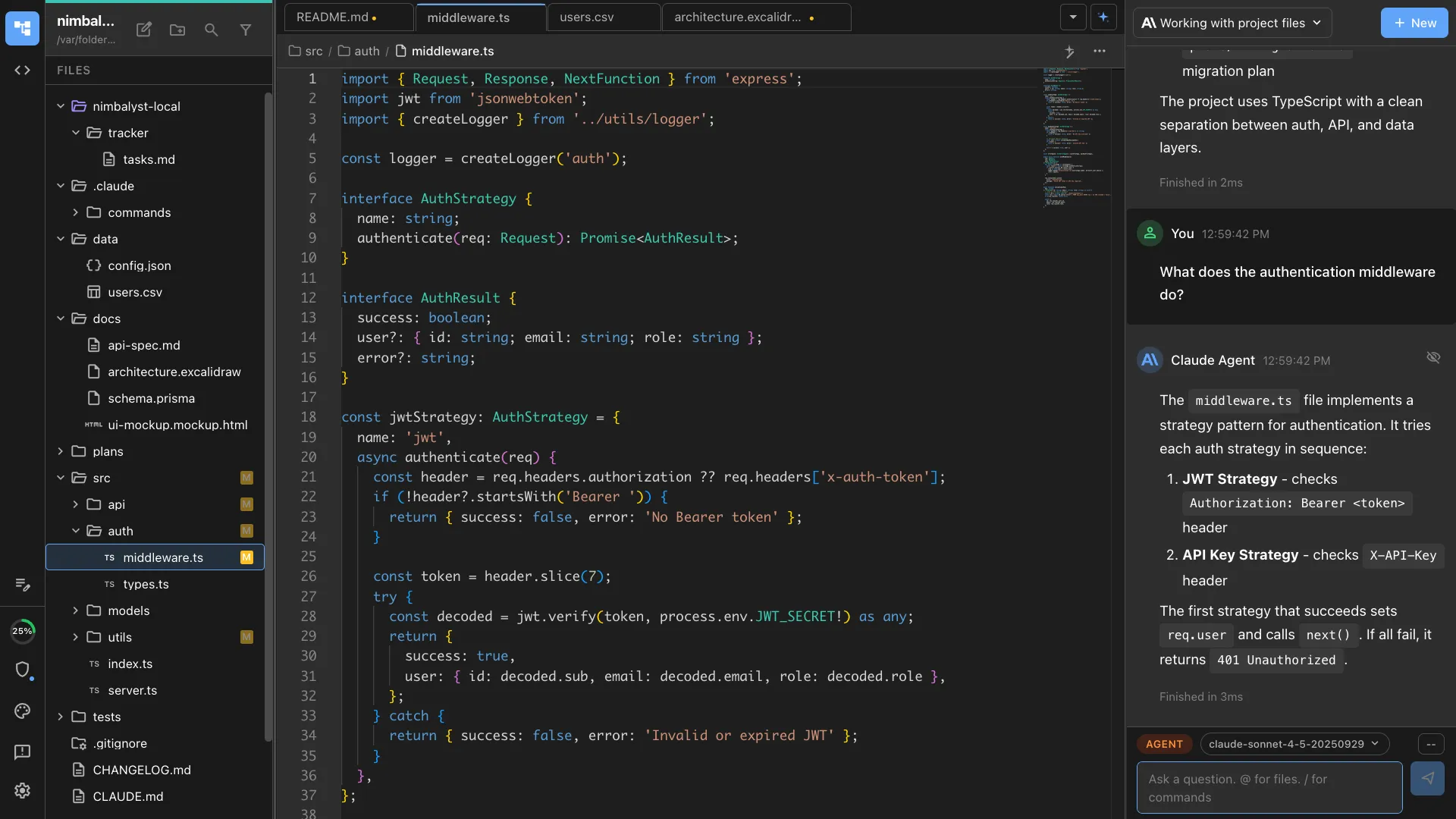
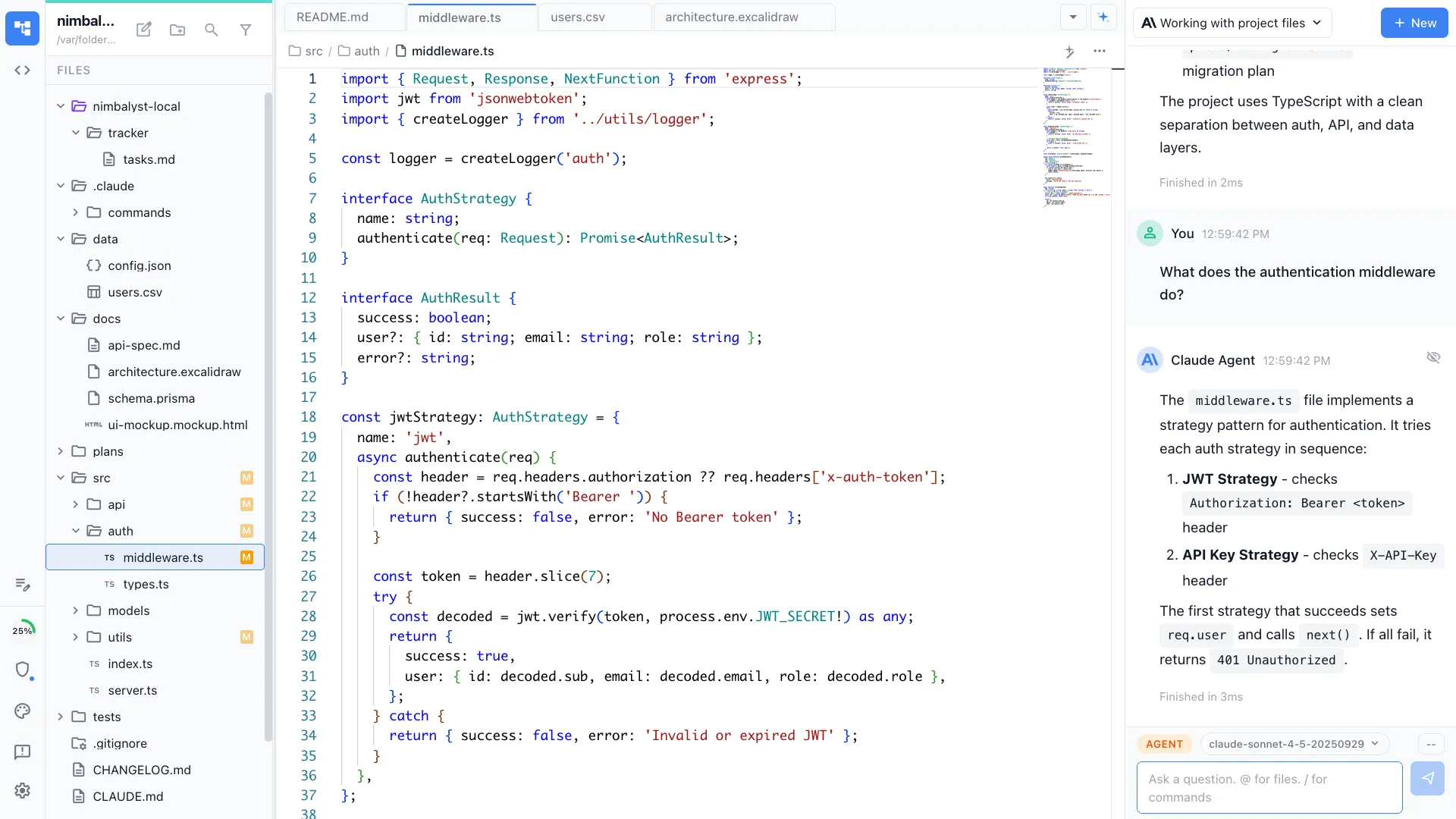
Claude Code is useful for product work: PRDs, prototypes, mockups, competitive research, feedback analysis, tickets, and release notes. The problem is the interface PMs are usually handed. The terminal is built for engineers. The IDE is built for people editing code all day. Claude's own app and Cowork are chat-first surfaces that do not give PMs a real visual workspace for project files.
Nimbalyst gives Claude Code a higher-bandwidth PM workflow. Write specs in a real editor and watch every AI edit as a red and green diff. Render mockups and annotate them. Diagram flows. Work directly in the files that live with the repo. Run several agent sessions and see all of them on a board. The terminal and IDE are still there when engineering wants them, but PM work does not have to happen through developer tools or copy-pasted chat output.
Why Nimbalyst
What a PM gets beyond terminals, IDEs, and provider apps
Write PRDs, see every edit
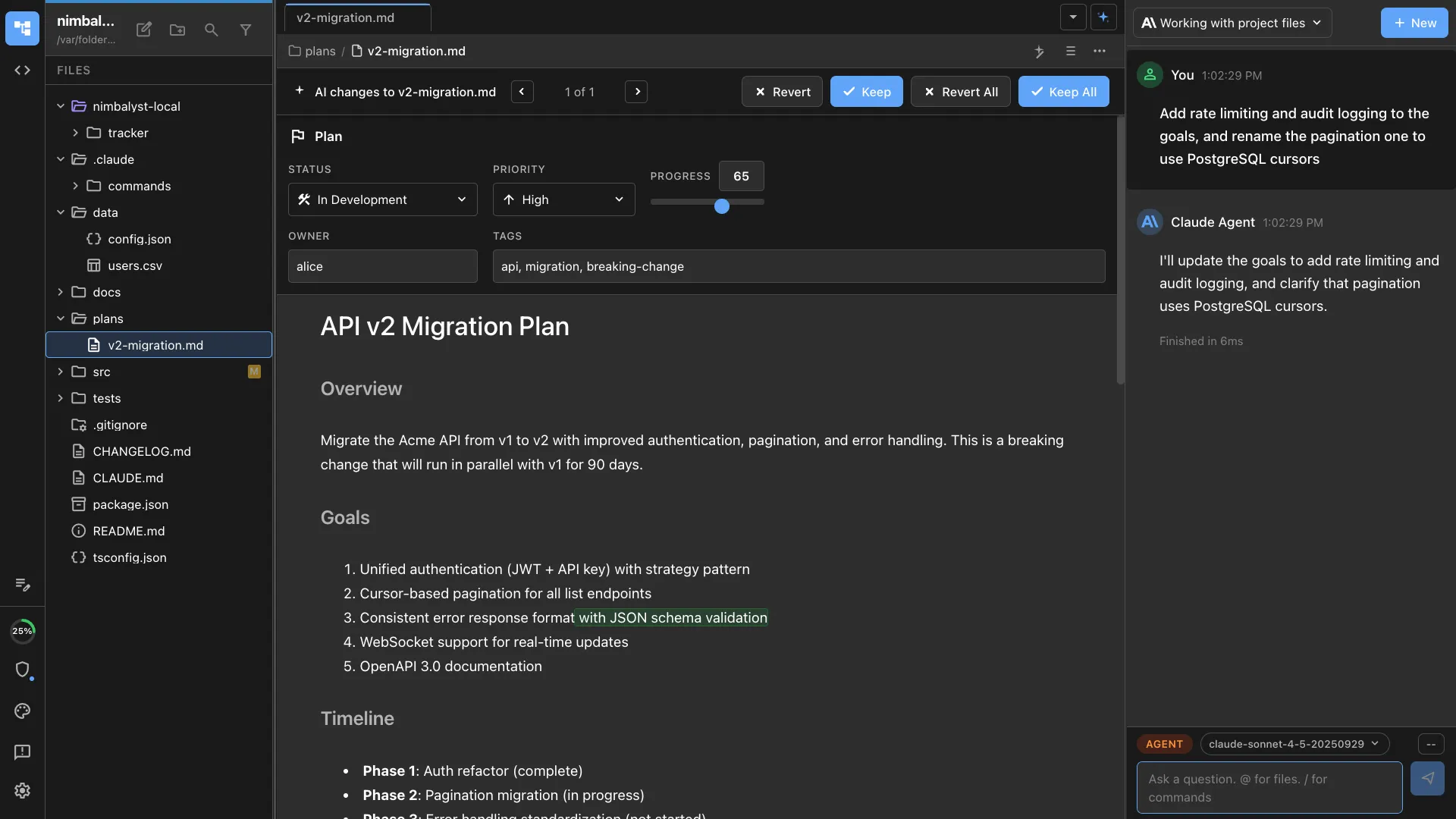
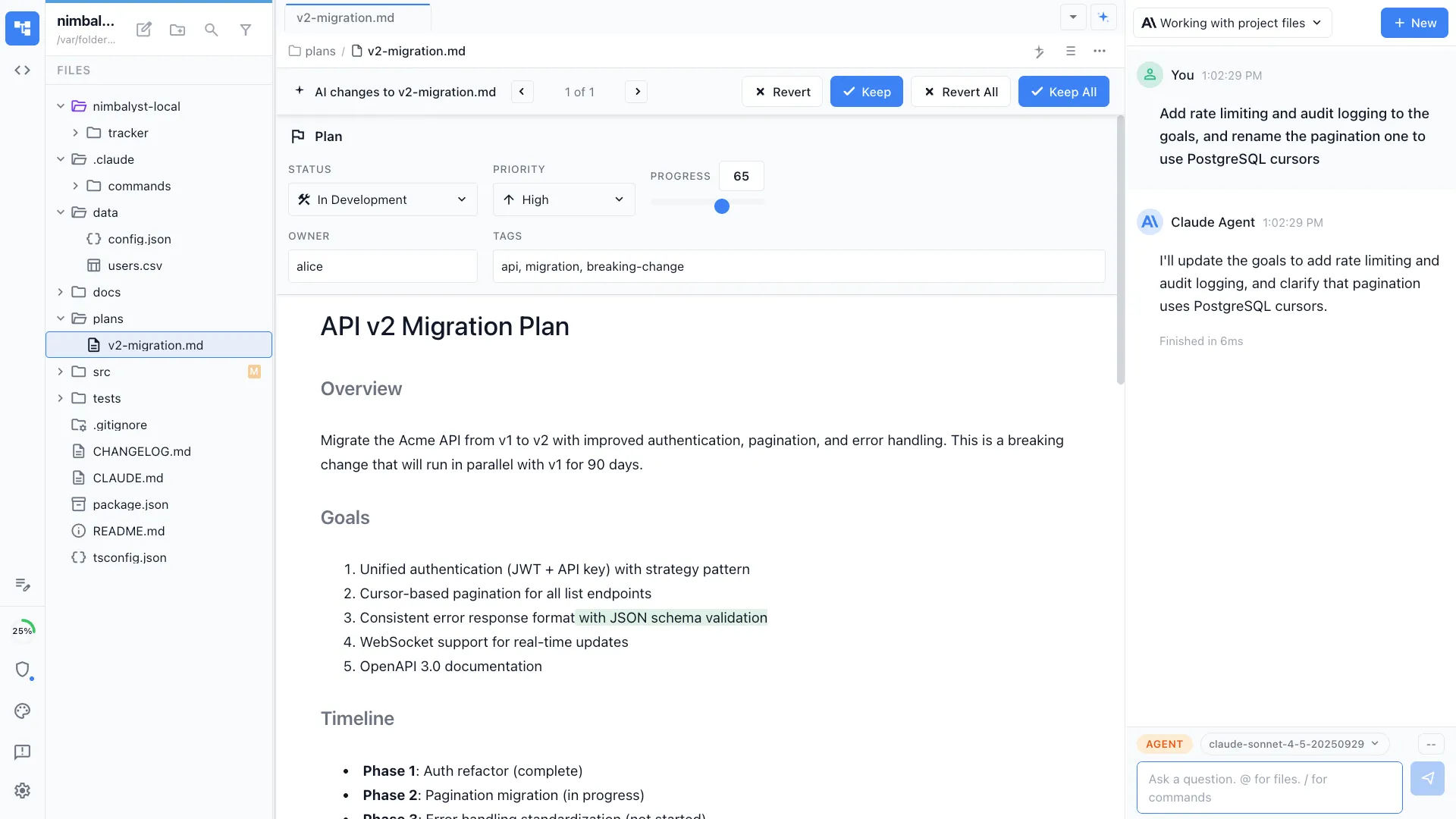
Draft specs and plans in a WYSIWYG markdown editor. Let Claude Code draft or rewrite, then accept or reject each change as an inline red and green diff. No raw terminal scrollback or copy-paste from chat.
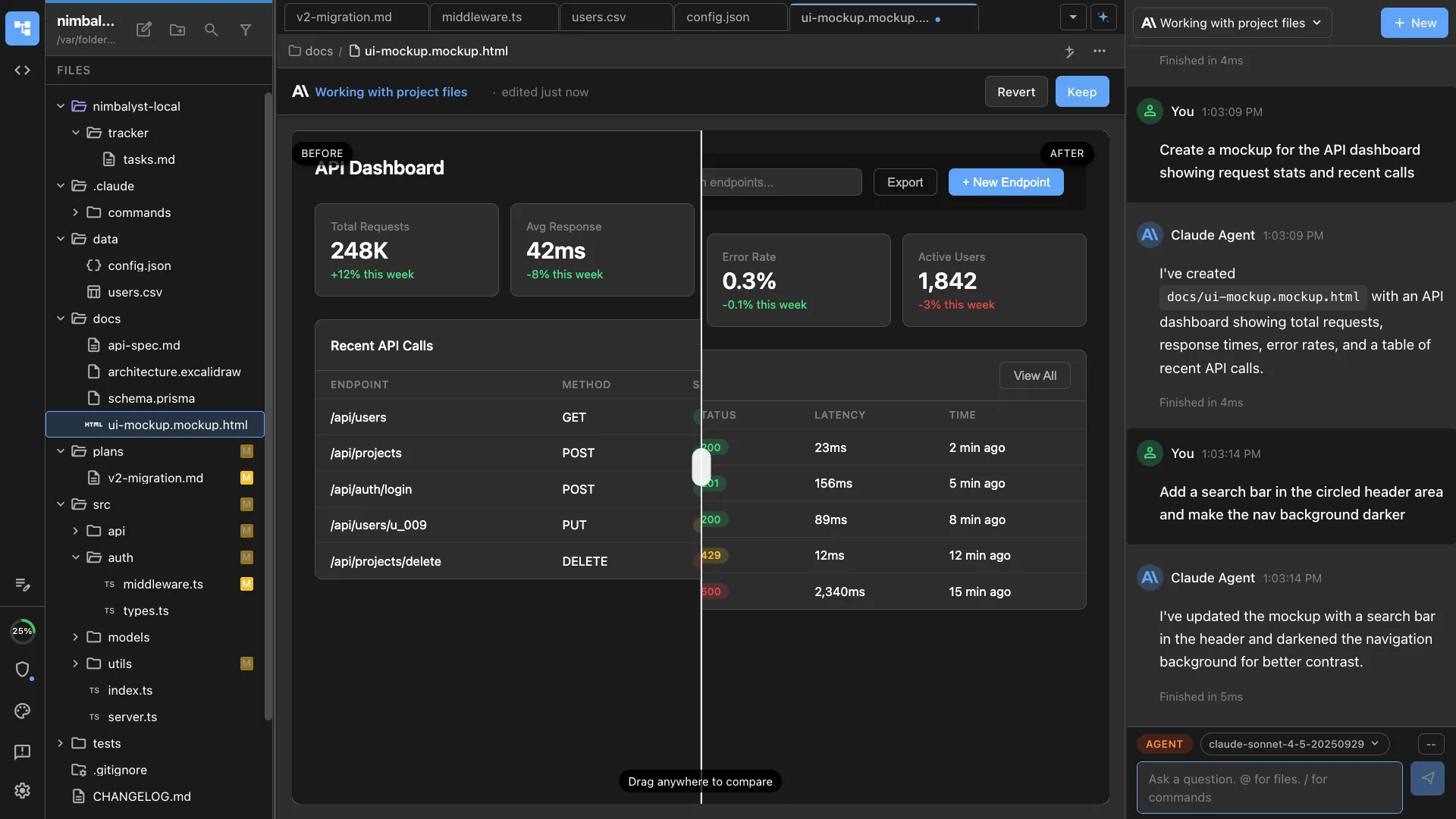
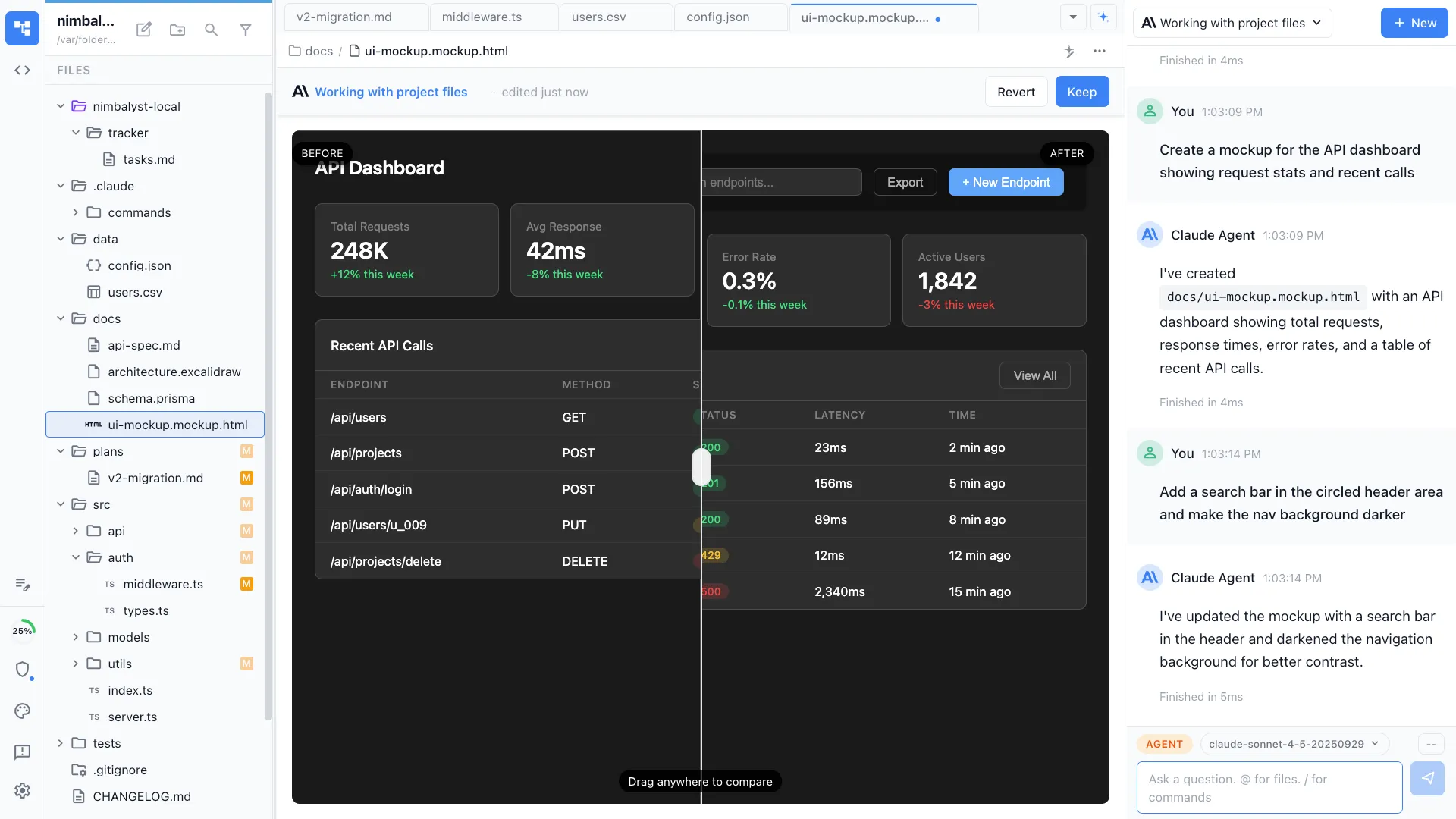
Mockups you can actually see
Ask an agent for a screen and it renders right in the workspace. Draw annotations on top, iterate, and the agent applies your notes. Prototype without leaving your plan.
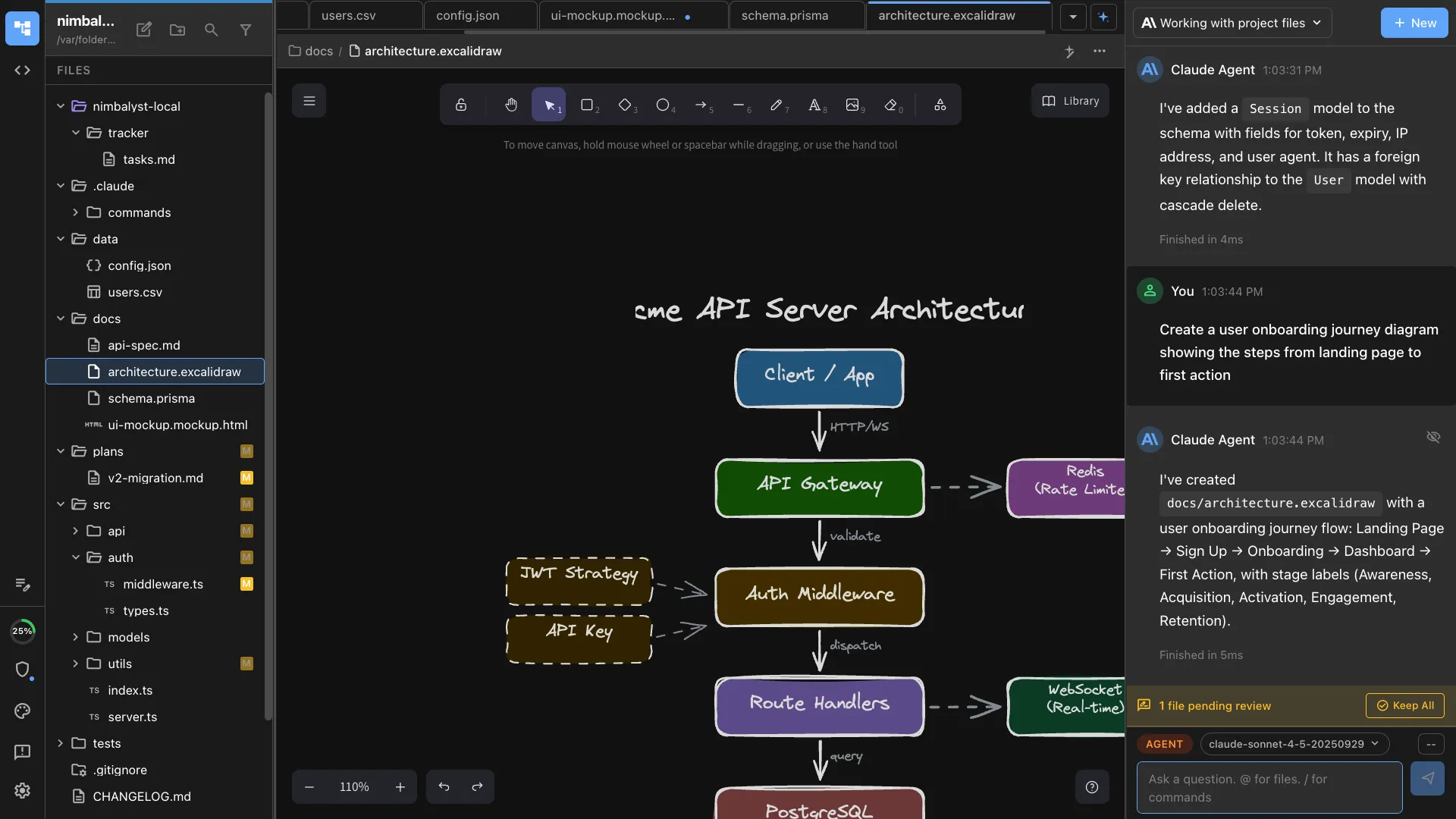
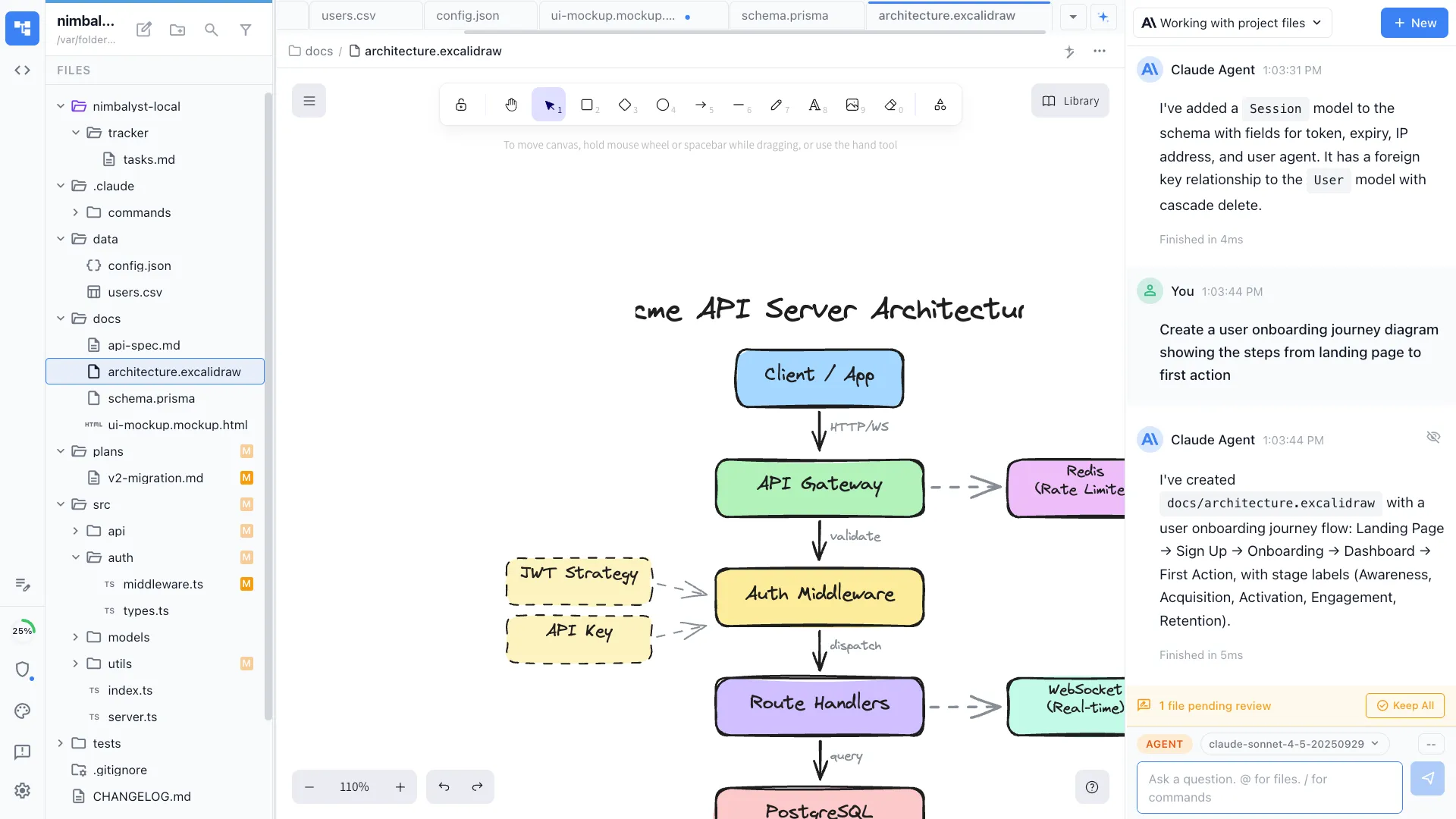
Diagram flows and architecture
Turn a paragraph into an Excalidraw diagram or a mind map, edited visually. Map user flows and system architecture next to the spec they belong to.
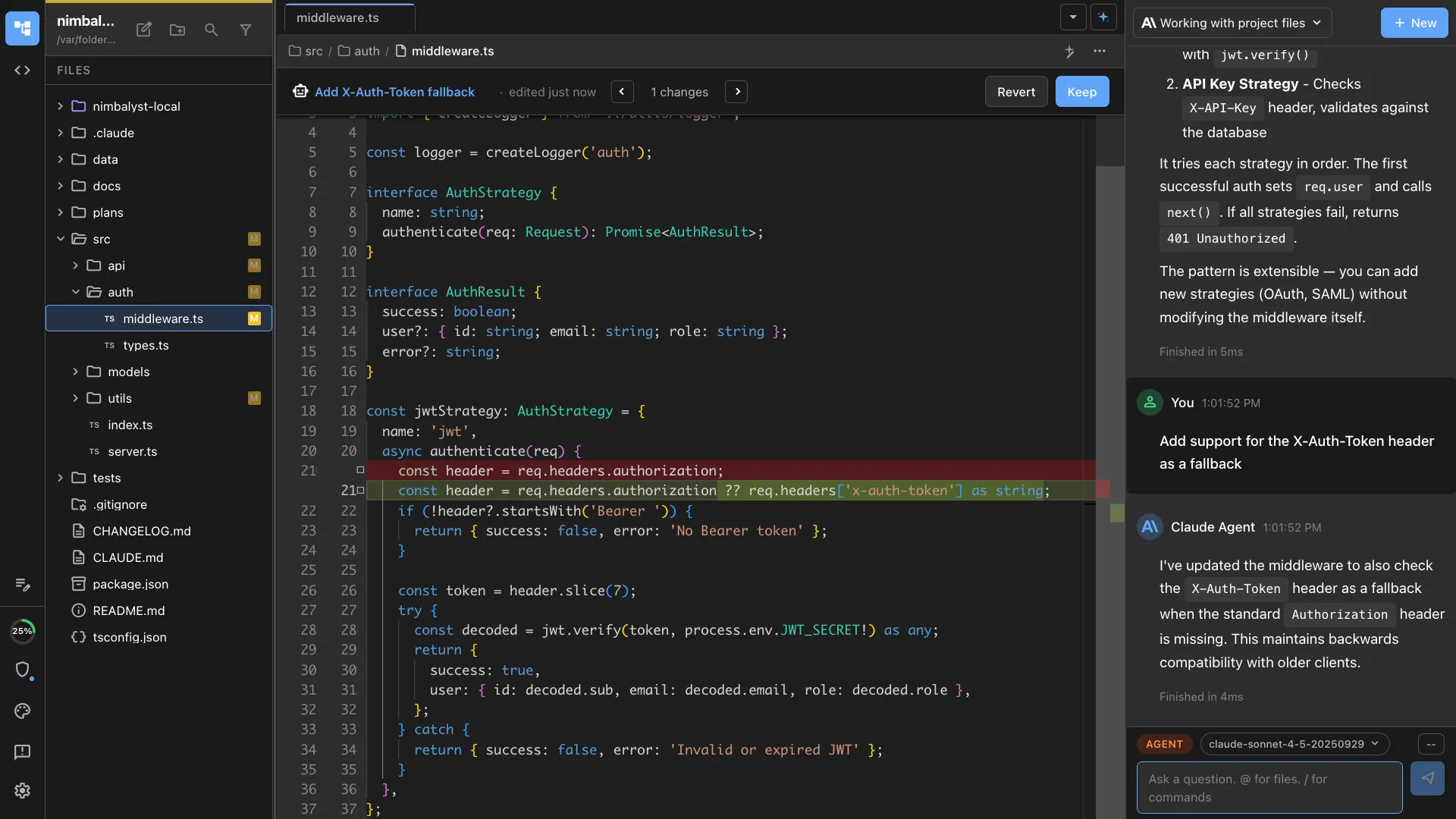
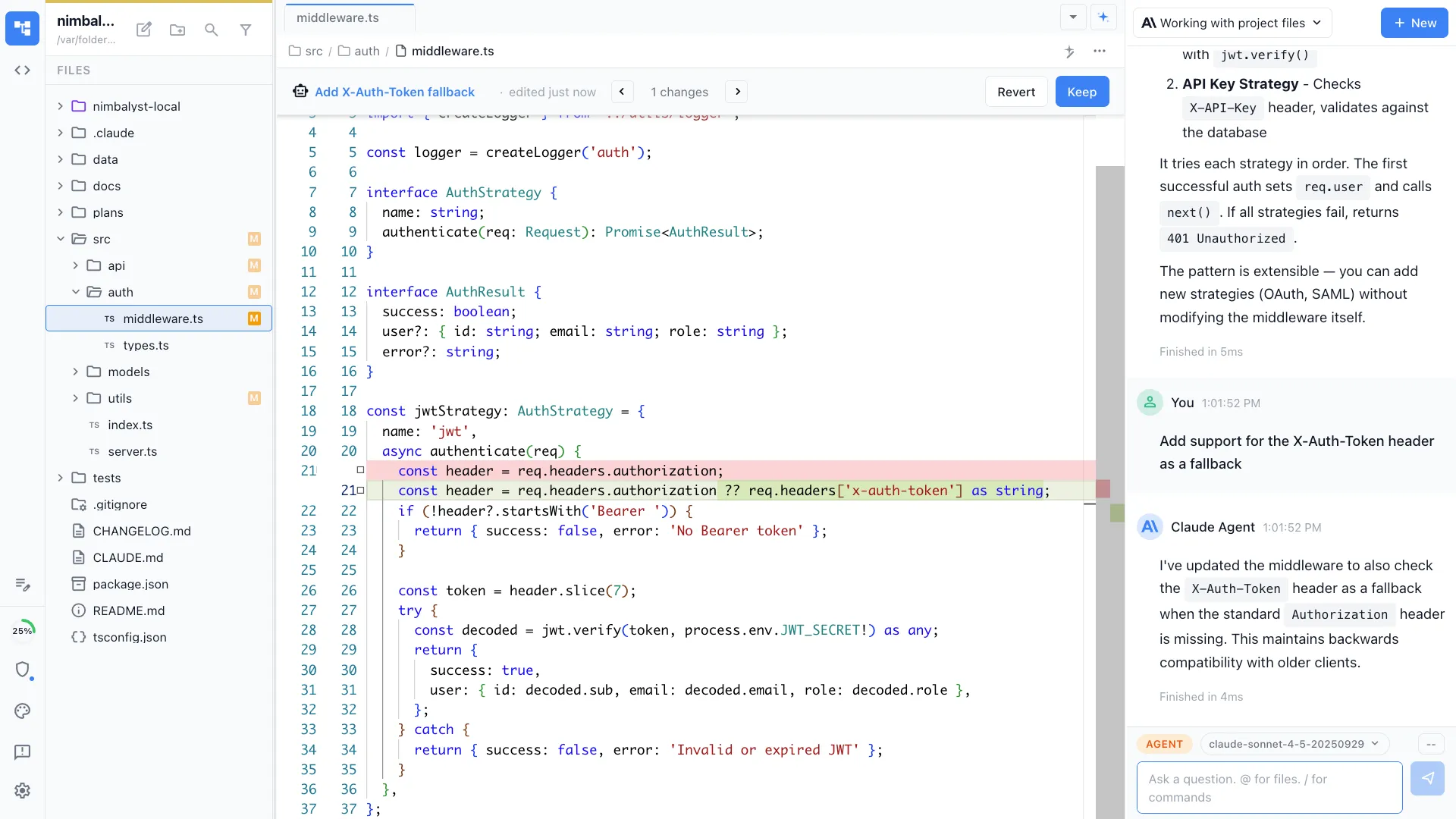
Review every change before it lands
See exactly what an agent changed, file by file, in red and green. Approve, reject, or edit each change. You decide what ships.
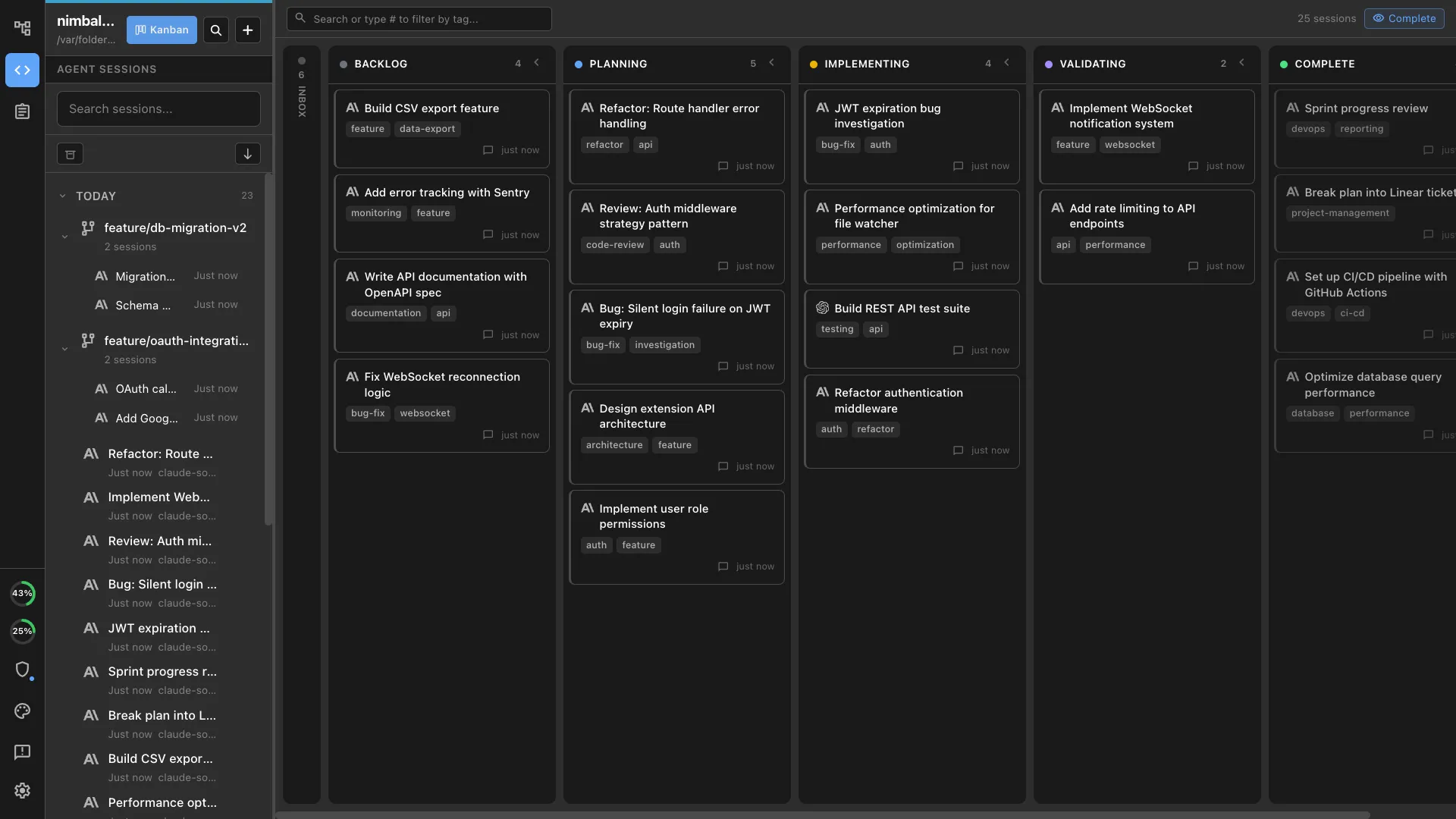
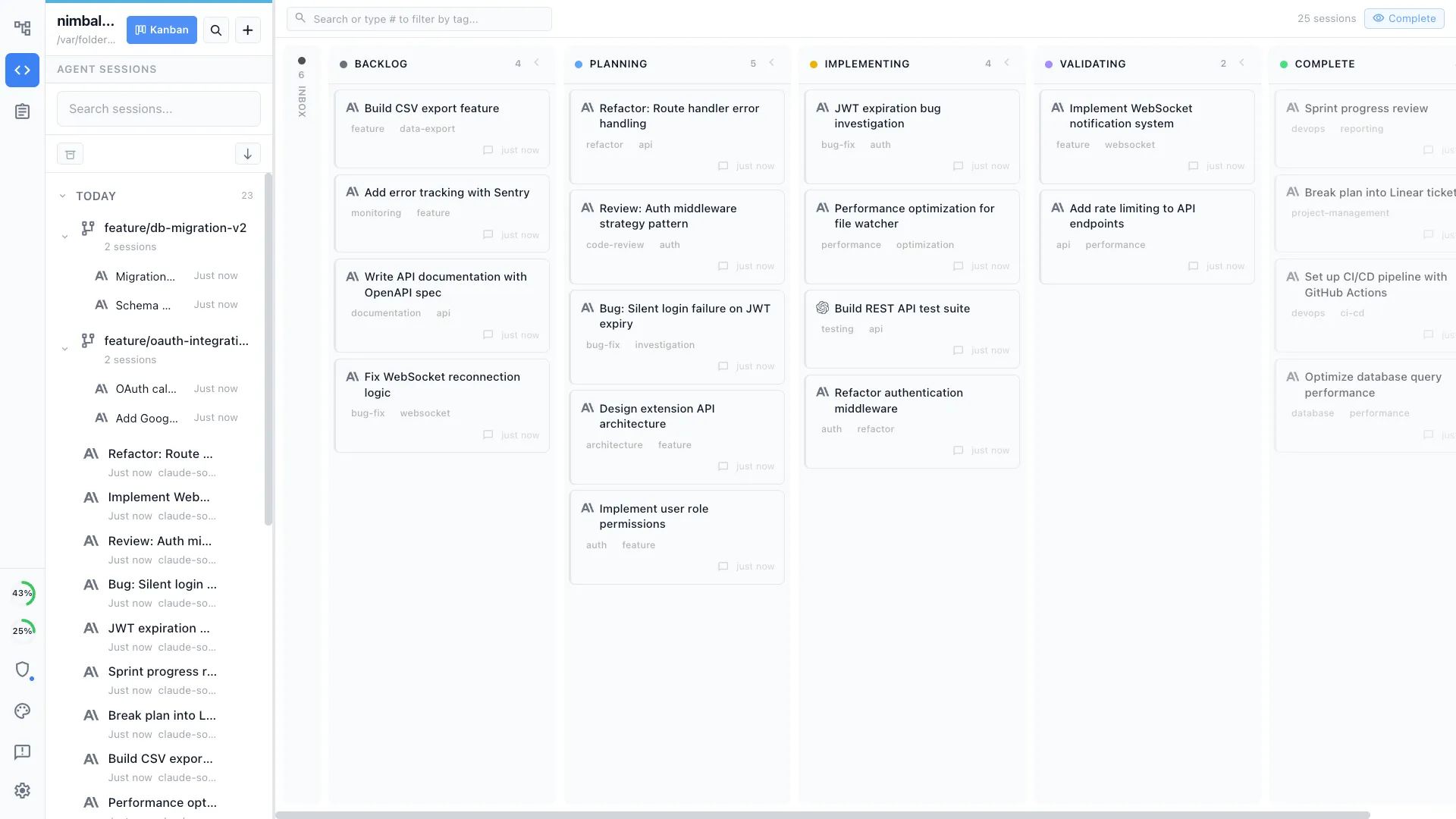
Run several agents, track them all
Start multiple Claude Code and Codex sessions and see every one on a kanban board with status and phase. No bouncing between terminal tabs, IDE panels, and provider-app tasks.
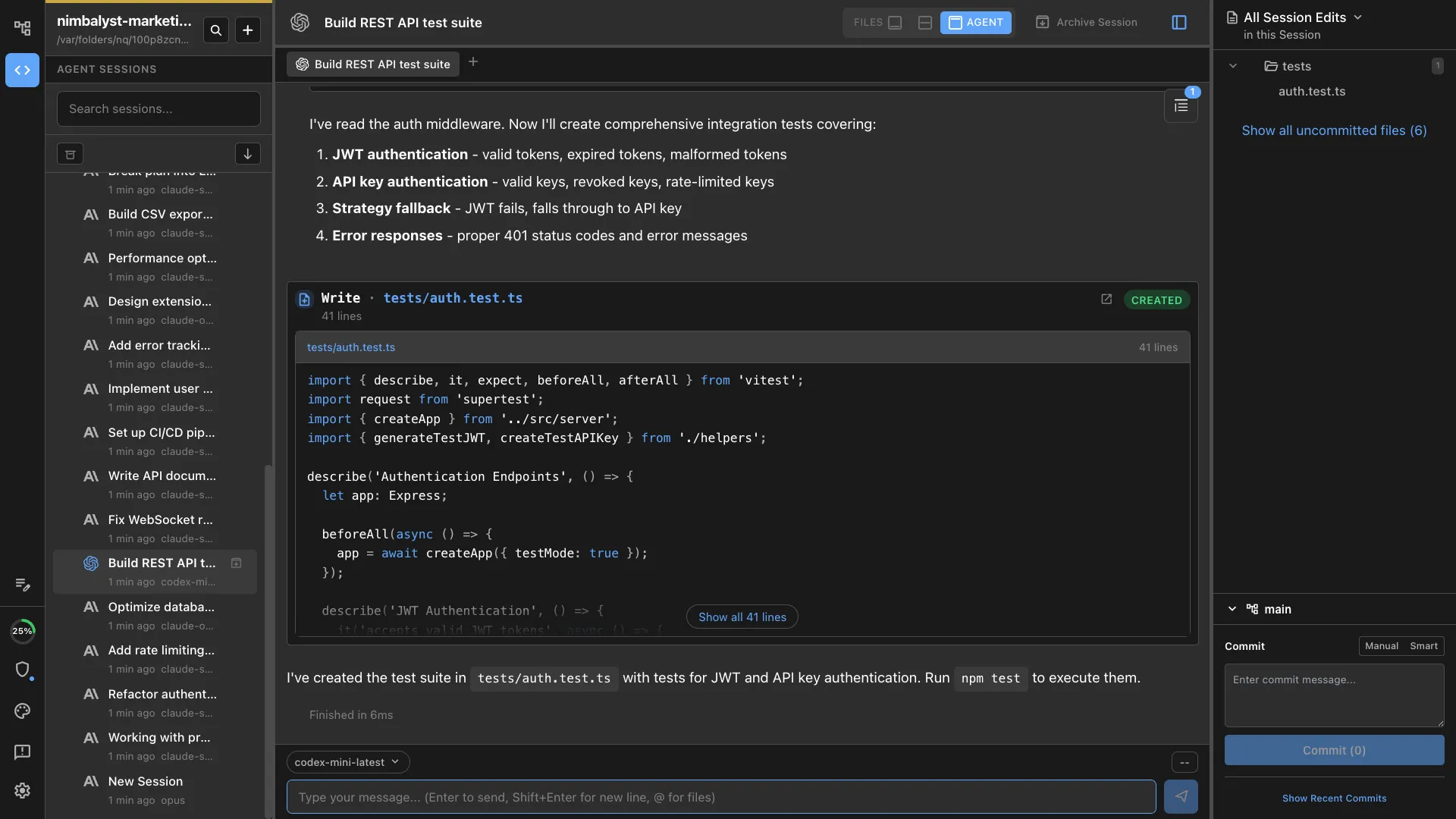
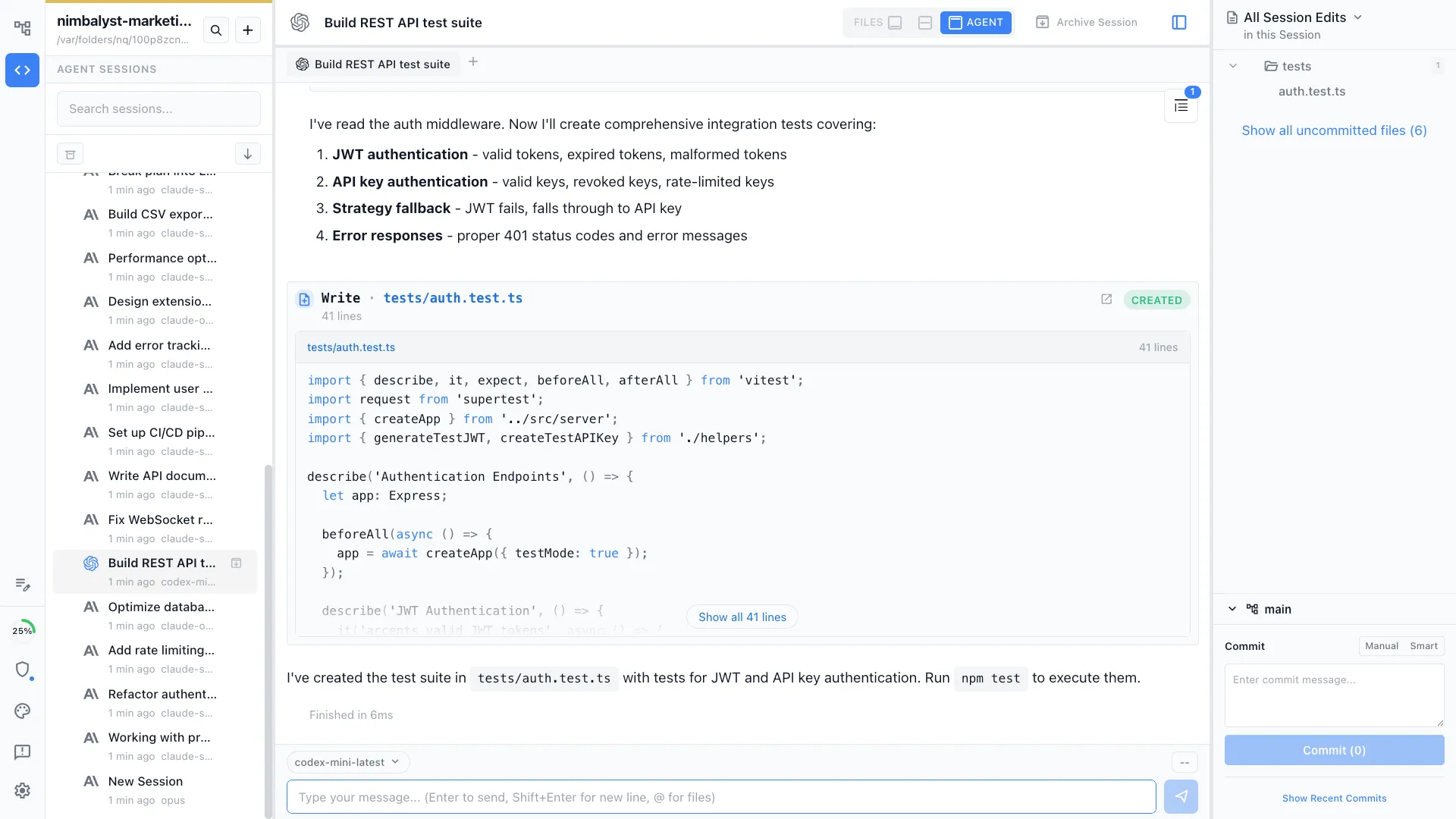
Claude Code and Codex, side by side
Run Claude Code and OpenAI Codex in the same workspace and pick the best engine for each task, with shared diff review and session management.
Free, open source, your subscription
The Nimbalyst desktop and iOS apps are MIT licensed and on GitHub. Nimbalyst uses your existing Claude Pro, Max, or API access, so there is nothing new to buy.
Comparison
Terminals, IDEs, and provider apps vs a PM workspace
| Feature | Terminal, IDE, or Claude app | Nimbalyst |
|---|---|---|
| Writing PRDs and specs | Terminal/IDE: raw markdown. Claude app: chat output you move elsewhere. | WYSIWYG editor with red and green diff review |
| Mocking up a feature | Terminal/IDE: generated files you have to preview elsewhere. Claude app: no first-class mockup editor. | Rendered mockups you annotate and iterate on |
| Diagramming a flow | Terminal/IDE: diagram text or extensions. Claude app: explanation, not a workspace file. | Visual Excalidraw diagrams and mind maps |
| Reviewing agent changes | Terminal: git diff. IDE: code diffs. Claude app: summaries and chat. | File-by-file visual diff, accept or reject each |
| Working in project files | Terminal/IDE assumes developer comfort. Claude app is mostly chat around files. | Open, edit, render, and review the actual project files visually |
| Tracking the work | Split across chat, tickets, IDE tasks, and notes | Tracker items and kanban your agents keep updated |
| Running several agent tasks | Terminal tabs, IDE agent panels, or provider-app task lists | Session board with status and phase per agent |
| Prototyping in your repo | Possible in developer tools; hard to review as a PM | Git worktrees, hand engineering a real branch |
| Choice of agent | Usually one provider or one tool surface at a time | Claude Code and OpenAI Codex, pluggable |
| Getting started as a PM | Either developer tooling or low-bandwidth chat | Visual workspace for planning, mockups, review, and agent sessions |
| Cost | Your Claude subscription | Free and open source, same Claude subscription |
FAQ
Frequently asked questions
Can product managers use Claude Code outside developer-shaped tooling?
What is the best way for a product manager to use Claude Code?
How is Nimbalyst different from Claude's own app or Cowork?
Do I need to know how to code to use Nimbalyst?
How is this different from Lovable, Bolt, or v0?
Does Nimbalyst work with my Claude Pro or Max subscription?
Can I use Claude Code and Codex together?
How do I go from a PRD to a working prototype?
Is Nimbalyst free and open source?
Learn More
Related guides and comparisons
AI Tools for Product Managers
How product managers plan, mockup, and ship with coding agents in Nimbalyst.
Claude Code for Product Managers Guide
The full walkthrough: PRDs, mockups, prototypes, and reviews in a visual workspace.
Codex for Product Managers
The same visual PM workflow with OpenAI Codex as the engine.
Claude Code GUI & Visual Workspace
The workspace layer around Claude Code: sessions, visual editors, and diff review.
Vibe Coding
Describe what you want and watch a working prototype appear, then keep it in your repo.
Visual Editor for Claude Code
Inline AI diffs across markdown, mockups, diagrams, code, and data models.
Kanban for Claude Code
Run multiple Claude Code sessions on a kanban board with phases and worktrees.
UI Mockups
Generate, annotate, and iterate on interface mockups with an agent.
Feature Planning
Turn an idea into a structured plan the agent and the team can both work from.
Codex GUI & Workspace
The visual workspace for building with OpenAI Codex.
Nimbalyst is the open-source visual workspace for building with Codex, Claude Code, and more
Free for individuals. Works with your existing Claude Code or Codex subscription or API key.
Nimbalyst Teams is multiplayer. Your whole team, Codex, and Claude Code in one shared workspace.