Overwhelmed and disorganized by Codex and Claude Code? Use Nimbalyst Wiki Teams.
A shared wiki your agents write for your team so you can think, organize, and set direction together
How it works
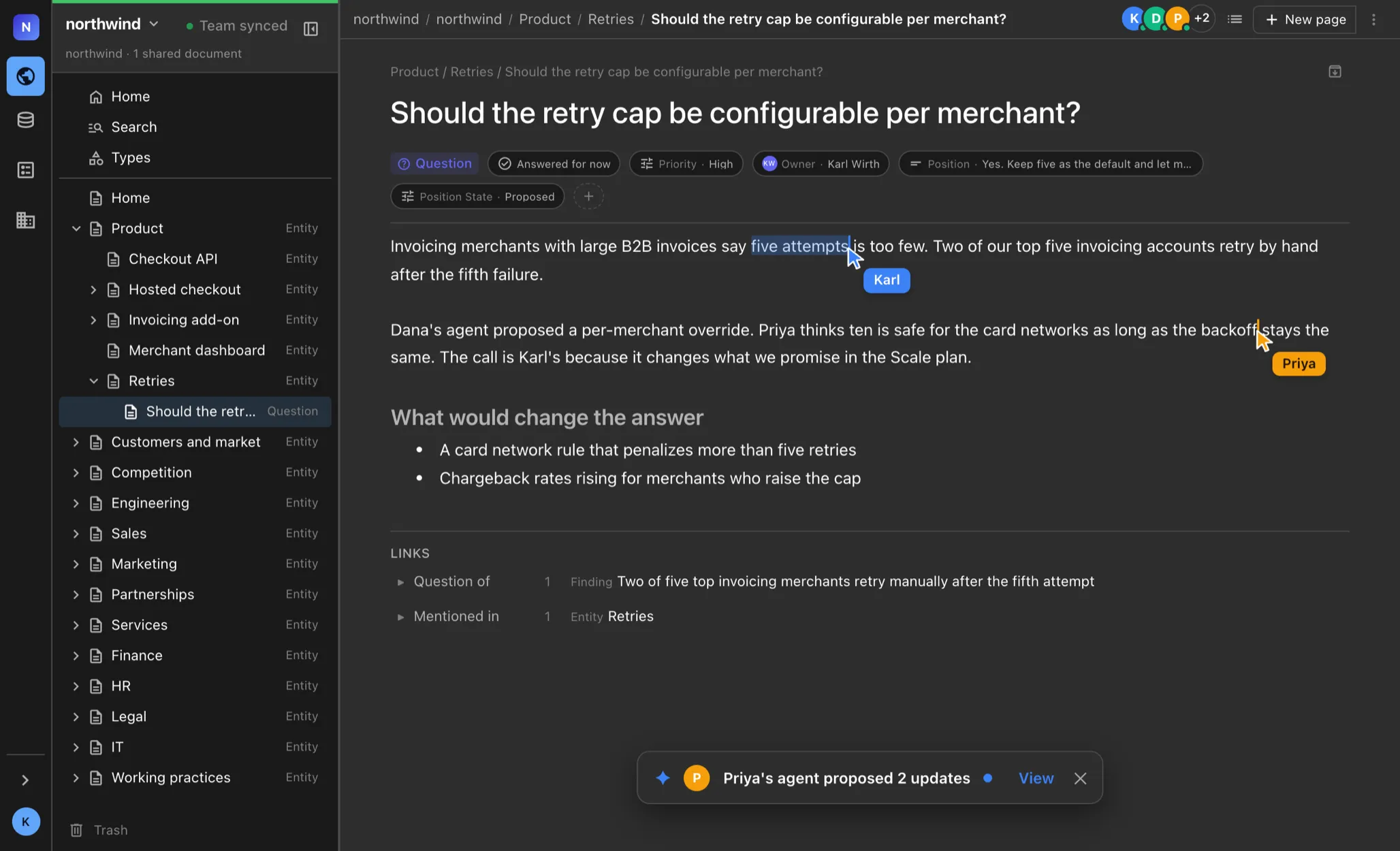
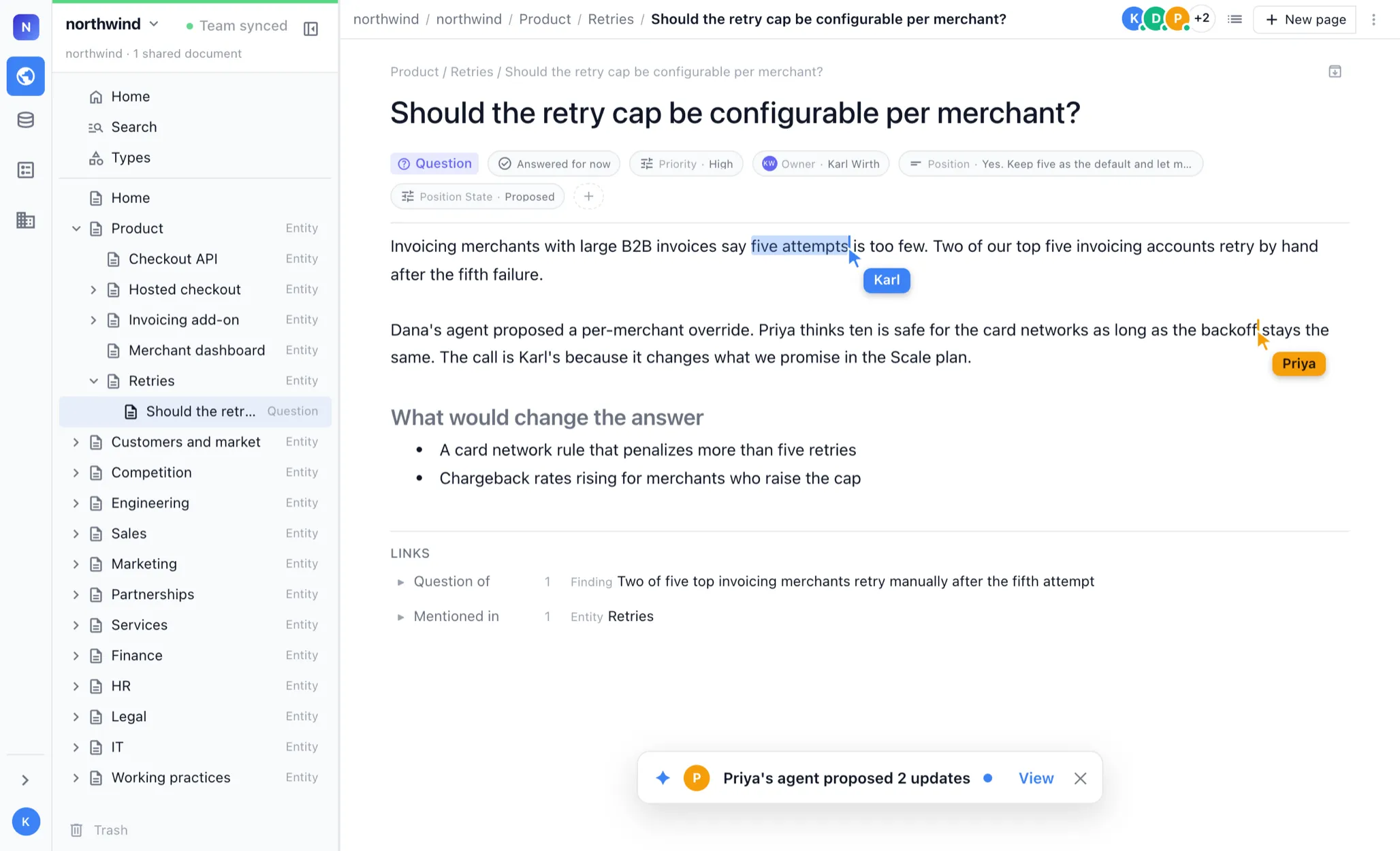
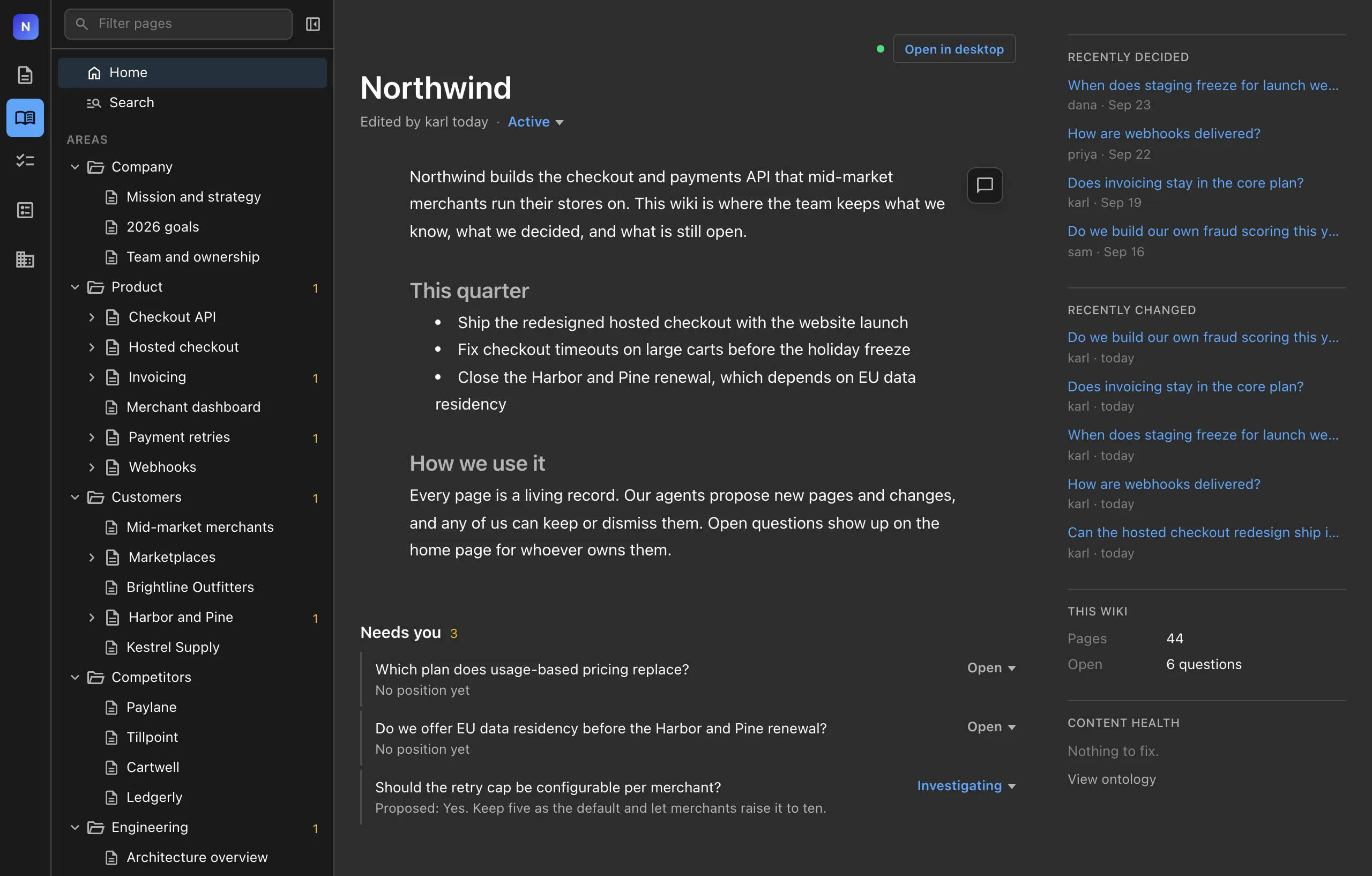
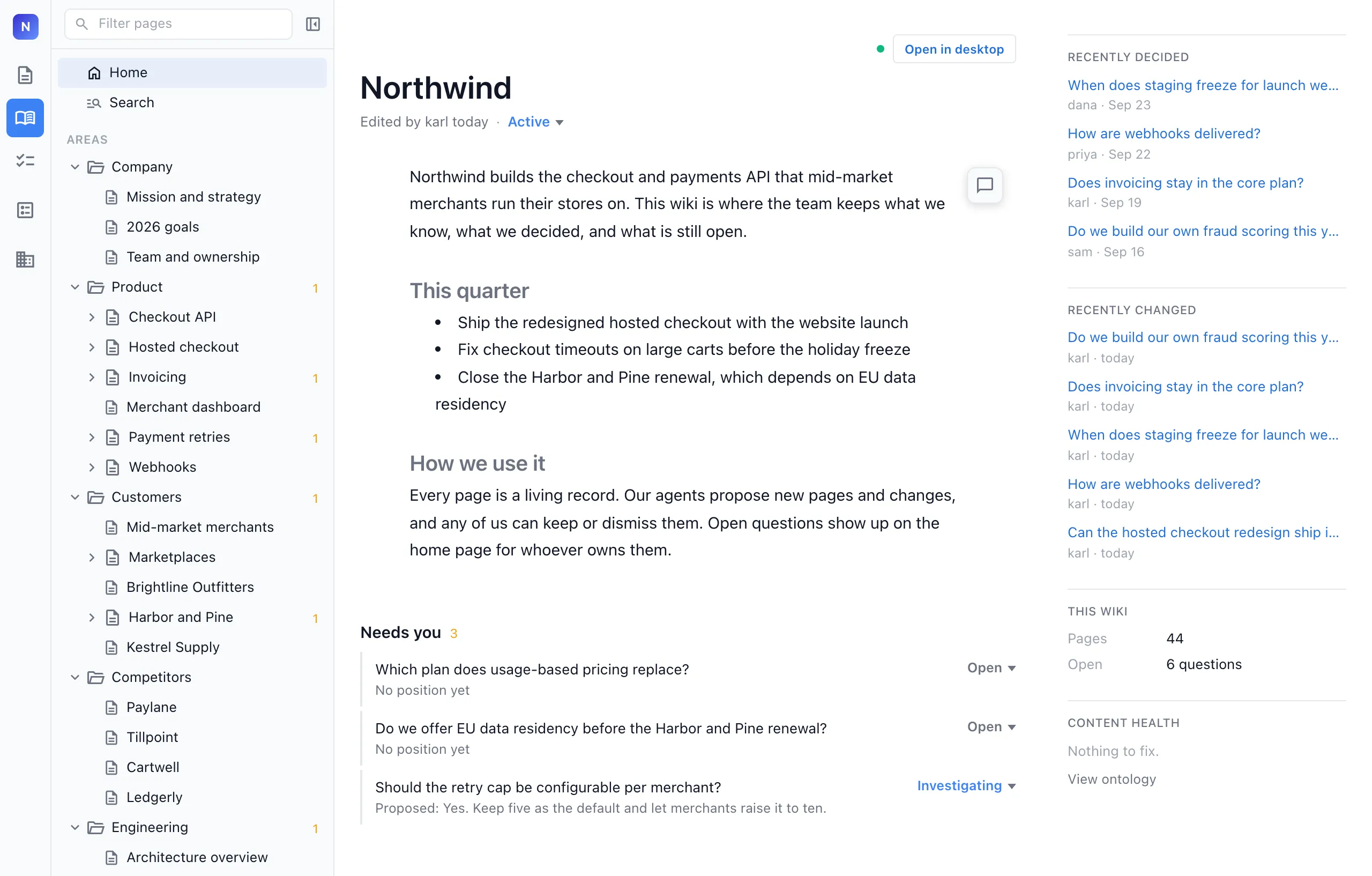
Your team's wiki, in the browser
Every teammate's agents write into it
While each teammate works, their agents turn sessions into notes, open questions, decisions and principles, and write them into the shared wiki. The wiki keeps up with the team instead of falling behind it.
Everyone edits the same pages in real time
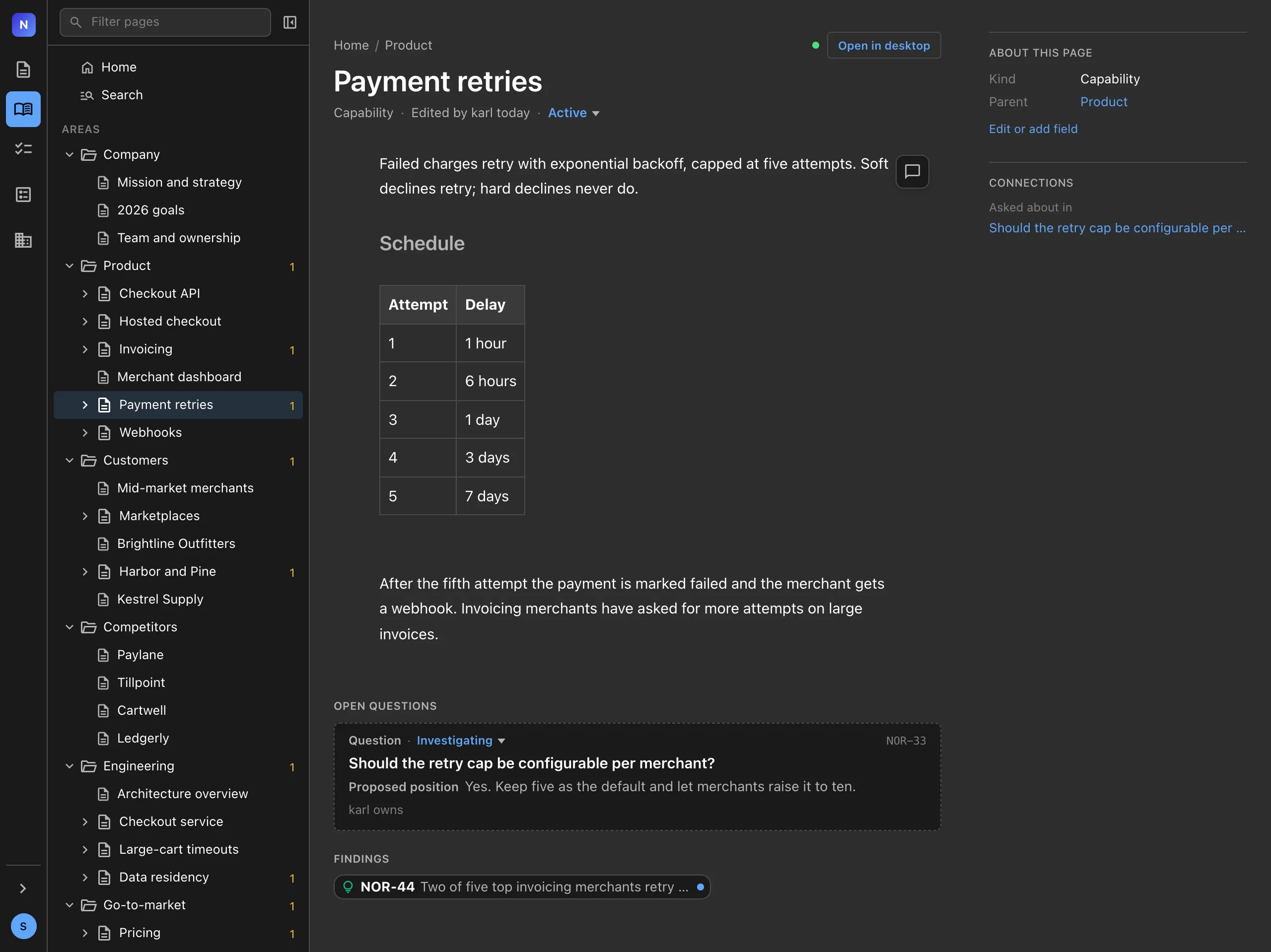
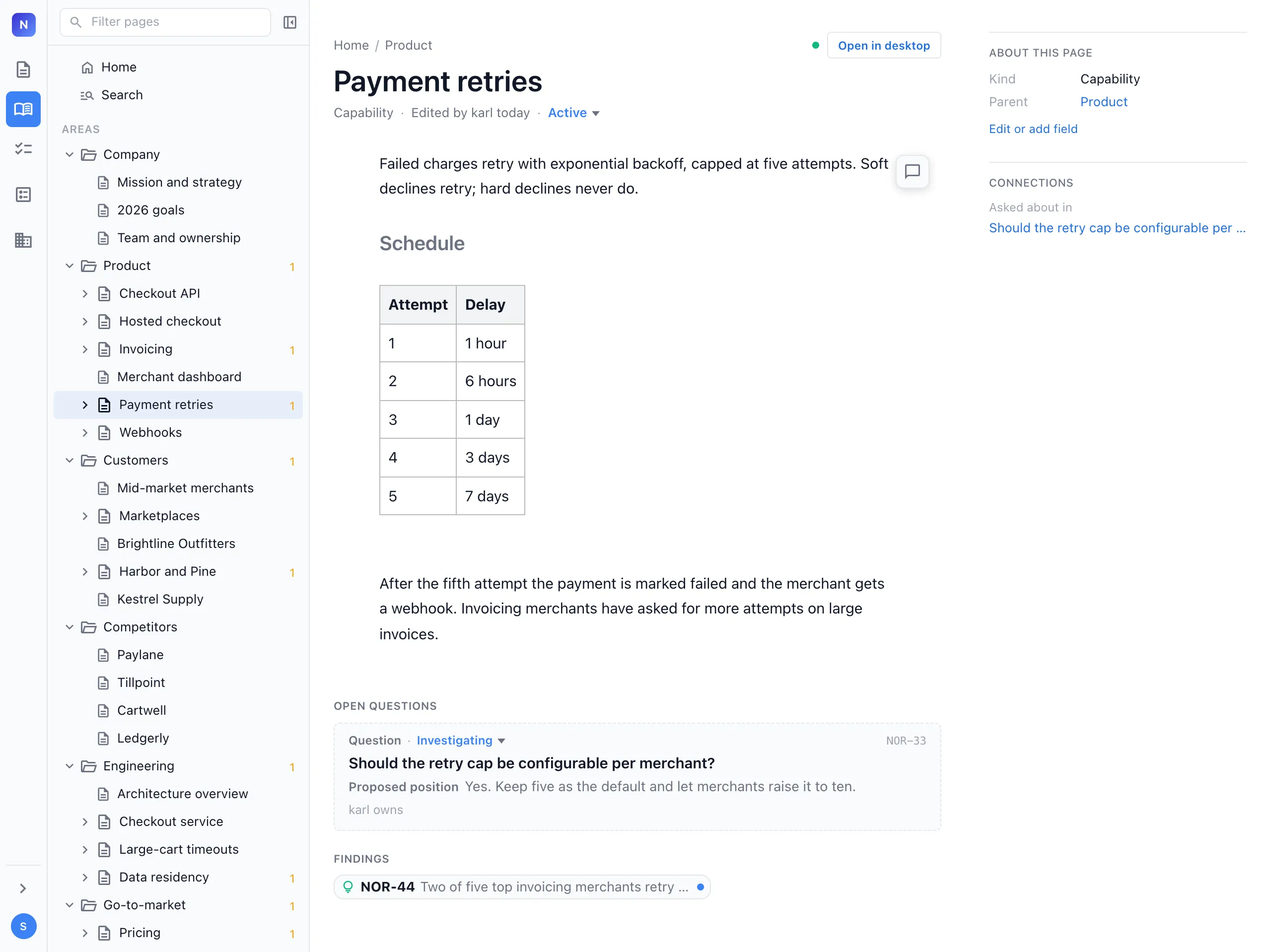
Your team opens the wiki at console.nimbalyst.com, with nothing to install, and works in the same pages at once with live cursors. Rewrite a page, settle an open question or set a priority, and everyone, including their agents, works from the same version.
The team sees what needs deciding
The home page shows the questions waiting on the team, what was recently decided and by whom, and what changed. Every decision records who made it, when, and what was not chosen.
Rich pages and typed databases
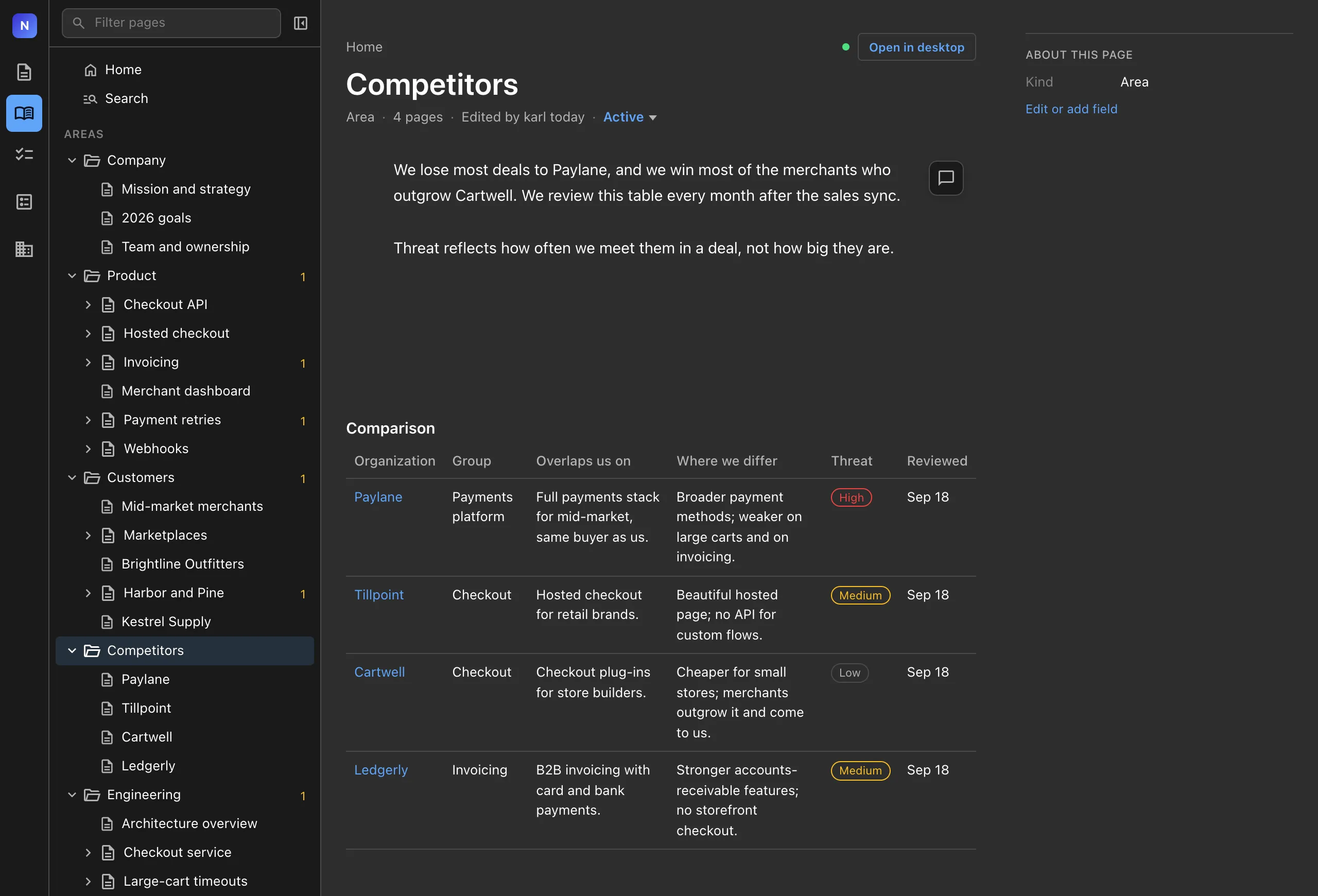
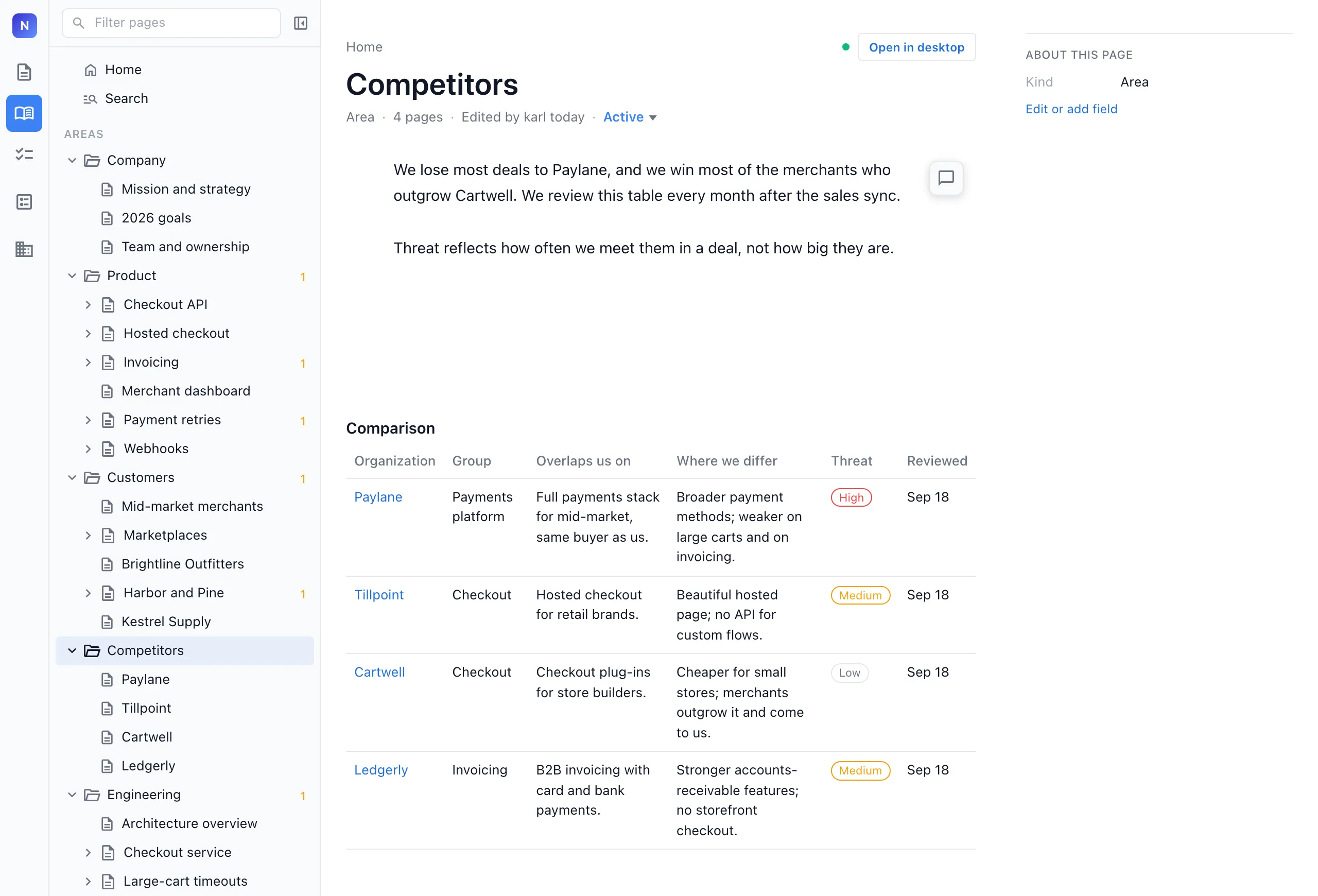
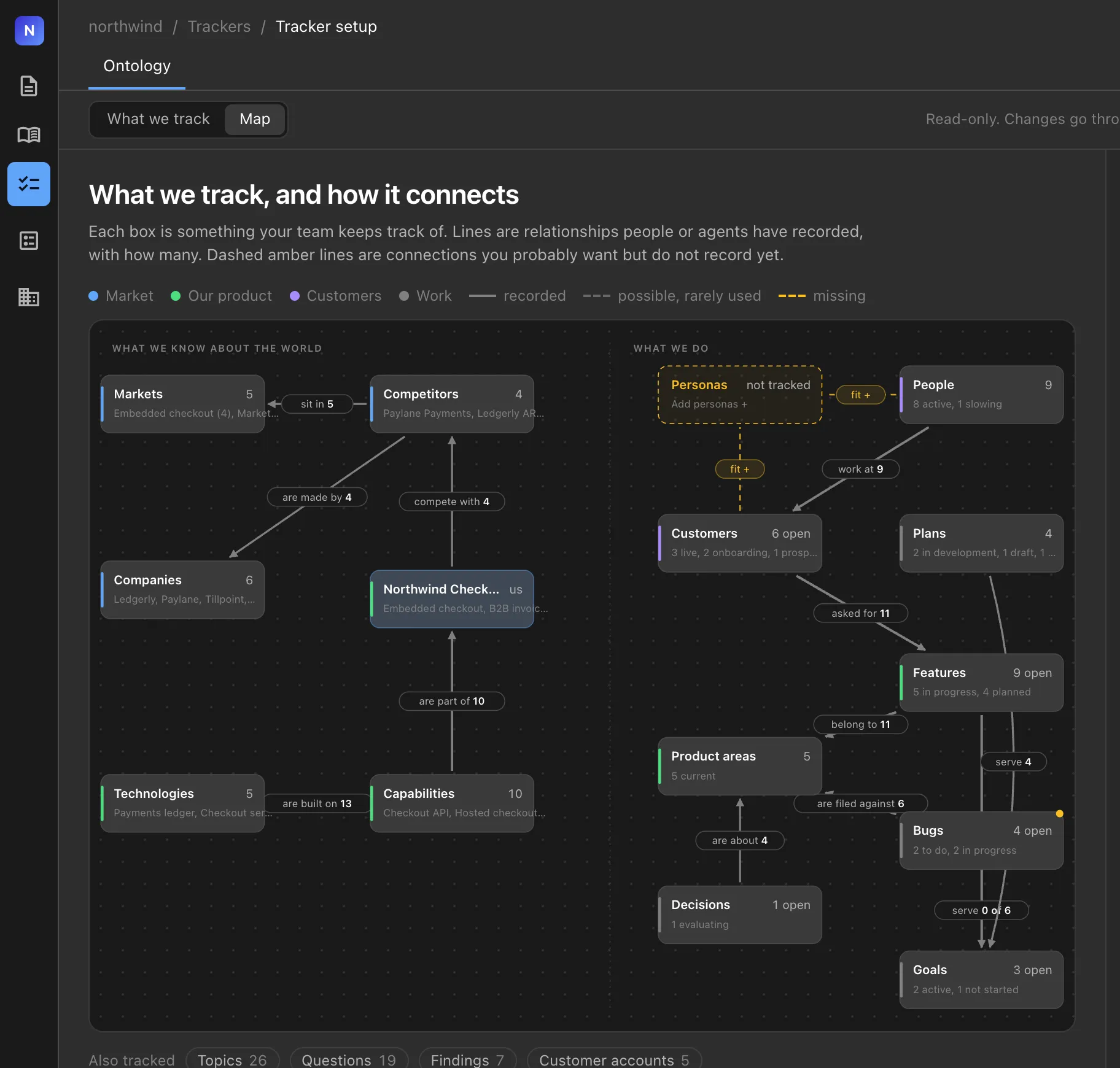
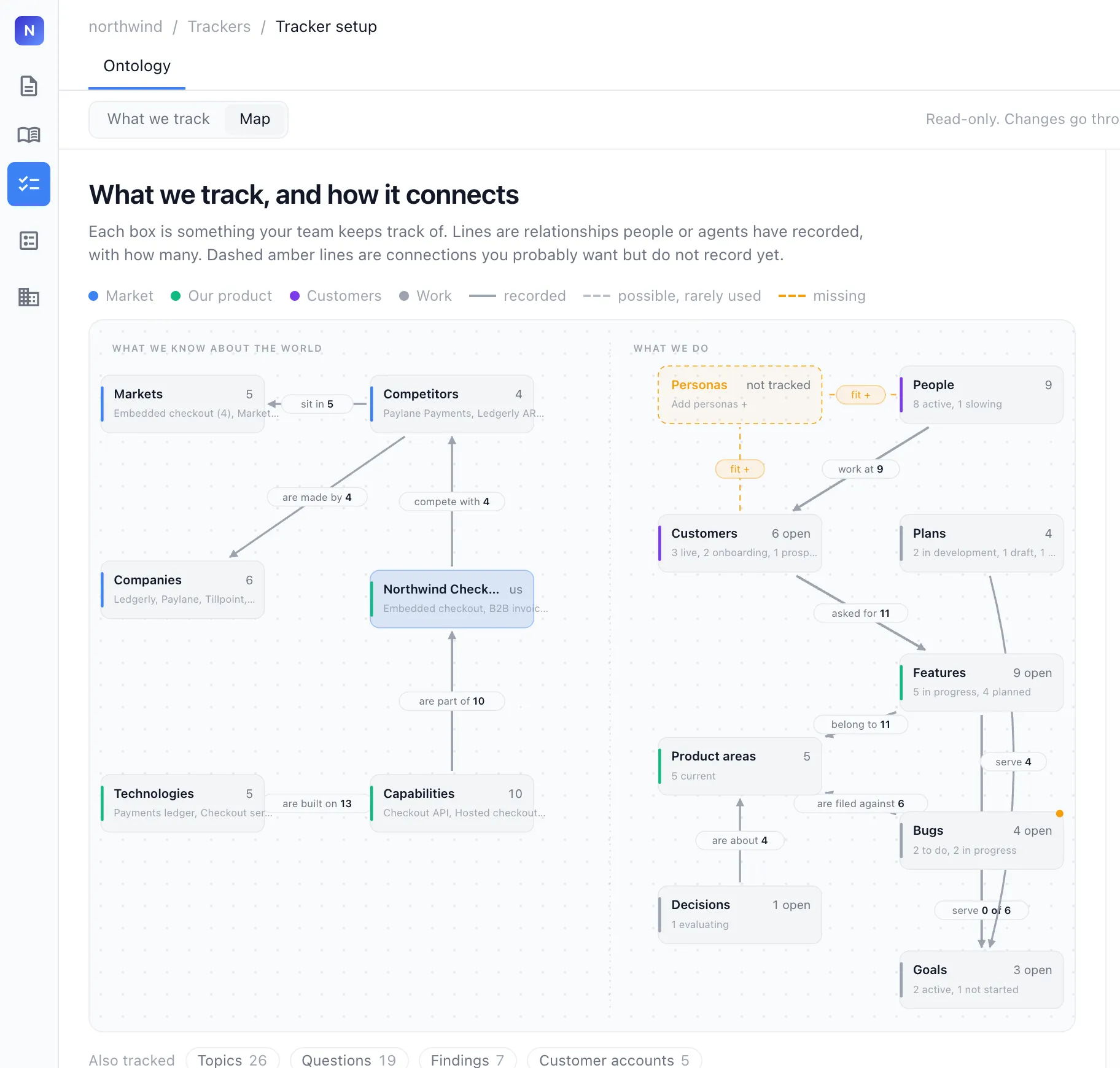
Pages hold text, tables and diagrams. Agents create typed databases for the things your team tracks, such as competitors, customers and features, and keep them filled in.
A graph underneath keeps every page in sync
Pages, questions and decisions link to each other as a graph. When something changes, the agent follows those links and updates every page connected to it, so the whole team reads one consistent story instead of five versions of it.
Also in the Nimbalyst app
Teammates who use the free Nimbalyst app see the same team pages there, next to their agent sessions and code.
See the wiki in the Nimbalyst appGet started
Move your local wiki to your team
Start with the wiki your agent already keeps in your repo. In Claude Code, run /nimbalyst-wiki:team, or ask any agent to move it. Your text pages, typed pages and the links between them move to your team project, and your local files stay where they are.
-
Add the team add-on
/nimbalyst-wiki:team installs nimbalyst-wiki-team after you agree. You only do this once.
-
Sign in with Google
In Claude Code, run /mcp, choose nimbalyst-team and pick Authenticate, then sign in with your Google account in your browser.
-
Set up your team
Create a team, and invite teammates by email.
-
Runs on Cloudflare
The team wiki runs on Nimbalyst's servers on Cloudflare, and everyone opens it at console.nimbalyst.com.
Ask your agent
Move this wiki to a team wiki for Northwind.
The team wiki add-on
The team wiki's sign-in comes in its own small plugin, nimbalyst-wiki-team, so people who only use a local wiki never see it. /nimbalyst-wiki:team offers to install it for you. Teammates who want the team wiki in their own agent install it the same way, and if you already use the team wiki from your agent, install it once after updating the plugin.
Claude Code
/plugin install nimbalyst-wiki-team@nimbalyst-wikiRestart Claude Code (claude --continue picks up where you were), run /mcp, choose nimbalyst-team and pick Authenticate.
Codex
codex plugin add nimbalyst-wiki-team@nimbalyst-wiki
codex mcp login nimbalyst-team
Then start a new Codex session in your project.
Or run it yourself with the nim CLI
nim login
nim wiki team-create "Northwind"
nim wiki move-to-team
How it differs
Built for the people working with the agents
| Agent memory tools | Classic team wikis | Nimbalyst Wiki | |
|---|---|---|---|
| Who writes it | The agent | People | Your team and its agents |
| Who it's for | The agent | People | You and your team |
| What's in it | Facts the agent chose to save | Whatever people found time to write | Notes, open questions, decisions and principles |
| How it gets used | The agent pulls it into its next task | People search it when they need it | Your team reads it, prioritizes and sets direction |
Agent memory helps one agent remember, and the Nimbalyst Wiki helps your whole team keep up with its agents and decide what matters.
What goes in it
Only what someone needs to think about or decide
Kept beside the work
The wiki holds the team's key ideas, questions, decisions and principles at every level. The work itself stays in your sessions, docs and trackers, and the wiki links to it.
Distilled to the essentials
A note earns its place when a strong model would get it wrong without it, when a person chose it or needed it to choose, and when it will still matter after the code changes.
A recipe for your project
Hand the wiki to an agent and it should be able to rebuild the product, the company and the marketing. If it would build something different, a decision is not written down yet.
Wiki updates
Follow the Nimbalyst Wiki as it grows
Get an email when we ship something new for the Wiki: new page types, team features, and support for more agents. We only write when there is something worth showing you.